Community listing page, reviews here may not be monitored by the author.
JustSpeedRunMinigame

No reviews yet
A competitive Minecraft minigame where players earn points through advancements, kills, and escalating challenges across multiple difficulty modes.
Community voices
Reviews
No reviews yet. Be the first to review this project!
Get it on
Available Platforms
About
Project Details
For authors
Embed Badge
If you're the author of this project, you can embed a live badge anywhere that supports HTML or Markdown. It updates automatically whenever ratings change.
Use HTML for any page that supports it, or Markdown for README files and Markdown-based descriptions.
Identifiers
Platform IDs
Resources
External Links
About
Description
Mini Game Score System is a Minecraft minigame mod designed for multiplayer matches with friends. Players earn points by completing selected Advancements, being the first player to complete an Advancement, killing other players, and defeating selected mobs. Each match can be customized through an in-game GUI, with separate game settings, scoring rules, Upgrader Items, difficulty modes, and end conditions.
How to Play
- Use
/minigameto open the main control GUI. - Configure the match before starting.
- Add players to the match.
- Select the desired difficulty and rules.
- Press Start Game.
- The mod creates a separate game inventory for participants, so items used during the minigame do not affect their normal world inventory.
- During the match, players earn points according to the configured scoring rules.
- The game ends when the selected end condition is reached.
- When the game ends, players' normal inventory is restored and players are returned to the location where they were before the game started.
Rules & Scoring
The Rules section allows you to configure:
- Advancement Scoring – Points for completing selected Advancements.
- First Completion Bonus – Extra points for the first player to complete an Advancement.
- Player Kill Scoring – Points for killing another participating player.
- Mob Kill Scoring – Points for killing selected mobs.
Advancements and mobs can be selected from the available Minecraft content through the GUI rather than manually entering IDs.
Difficulty Modes
Normal
- Standard minigame rules.
- No additional difficulty effects or challenges.
Medium
- Includes Normal rules.
- Ender Pearls are disabled.
Hard
- Includes all Medium rules.
- Players can wear a maximum of 2 armor pieces.
- Completing a scored Advancement can trigger a random Hard-mode effect or event.
- Good effects have a 50% chance.
- The remaining outcomes are negative effects or Hard-mode events.
Are You Sure?
- Includes all Hard rules.
- Natural healing is disabled.
- Players can normally recover health through Golden Apples and Enchanted Golden Apples.
- Completing a scored Advancement can trigger a random effect or challenge.
- Good effects have a 35% chance.
- The remaining 65% consists of negative effects and special events.
- Additional random events can also occur automatically every 5 minutes.
End Conditions
The End Conditions page determines when the match finishes.
Available conditions include:
- Ender Dragon defeated
- Warden defeated
- All participating players eliminated
- Last player standing / other players eliminated
- Time Limit
- Score Target
The conditions can be combined using:
- ALL – Every enabled condition must be completed.
- ANY – Any enabled condition can end the match.
When no end condition is enabled, the default ending behavior is used.
Inventory System
The minigame uses a separate temporary inventory.
When a game starts:
- The player's normal world inventory is saved.
- The player's game inventory is activated.
- Items received or collected during the minigame stay in the game inventory.
When the match ends:
- The temporary game inventory is cleared.
- The original world inventory is restored.
- Items from the minigame do not carry back into the normal world inventory.
Advancements
At the beginning of each new match, participating players' Advancement progress is reset so that Advancements can be completed and scored again during the new match.
Death & Respawn
Players who die during a running match are eliminated and placed into spectator mode.
They remain in spectator mode until the match finishes.
After the match ends:
- The player must Respawn normally first.
- Only after the new player entity has been created will the mod restore the player's normal state.
- The player's original inventory is restored.
- The player is teleported back to their pre-game location.
Upgrader Items
The mod supports configured items from Upgrader Items.
Upgrader Items can be configured through the minigame GUI with a specified number of uses per player. Items given specifically for the match are tracked and removed when the match ends.
Scoreboard
During a match, the compact scoreboard displays information such as:
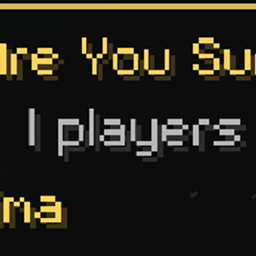
This Game is NormalThis Game is MediumThis Game is HardThis Game is Are You Sure?- Current round
- Elapsed time
- Number of players
- Player rankings and scores
- Eliminated players
The scoreboard can be enabled or disabled per player using:
/status on
/status off
Match History
The History section stores completed match information so previous rounds can be reviewed later. You can open a saved round to view its recorded details and results.
Commands
/minigameOpens the main minigame control GUI.
/status onEnables the player's minigame scoreboard.
/status offDisables the player's minigame scoreboard.
Only the designated game controller can start and stop the match through the control interface.
GUI
The main GUI provides separate sections for:
- Game Settings
- Rules / Scoring
- Advancements
- Mobs
- Upgrader Items
- End Conditions
- Difficulty
- Saved Rounds / History
The GUI is designed so most settings can be changed directly with buttons without requiring manual IDs or configuration files.
Screenshots
Gallery
Versions
Files
Relations
Project Relations
More like this
Similar Mods
Suggestions use data such as tags, dependencies, dependents, descriptions, titles, and more to rank how much they overlap with this mod.
On ModDex
Community snapshot
By the numbers
Statistics
Want to reach Minecraft players?
We're looking for a server hosting partner to feature here and other parts of the site. Interested? Send us a message!
Get in touchGet it on
Available Platforms
On ModDex
Community snapshot
By the numbers
Statistics
Resources