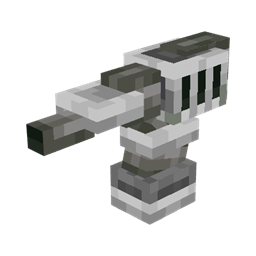
Community listing page, reviews here may not be monitored by the author.
K-Turrets


No reviews yet
Adds 6 turrets and combat drones to eliminate enemies
Community voices
Reviews
No reviews yet. Be the first to review this project!
Get it on
Available Platforms
Compatibility
Supported Environments
Must be installed on both the client and the server.
About
Project Details
For authors
Embed Badge
If you're the author of this project, you can embed a live badge anywhere that supports HTML or Markdown. It updates automatically whenever ratings change.
Use HTML for any page that supports it, or Markdown for README files and Markdown-based descriptions.
Identifiers
Platform IDs


About
Description
This mod adds 6 turrets and combat drones to eliminate your enemies and protect areas from them. All turrets and drones have targeting configurable per mob type; default targets include all potentially aggressive mobs.
To get started, you will need to obtain raw titanium from titanium ore, then smelt it in the blast furnace to get titanium ingots.
FAQ
Q. Can you improve turret/drone textures?
A. The textures and models have been improved.
Q. Something is not working as expected or is missing
A. You are not using the latest mod version.
Q. Where does titanium ore generate?
A. It generates everywhere in the overworld. If it doesn't, ask the modpack author whether he has disabled it.
Q. How to remove turrets/drones?
A. Open their UI by Shift + right clicking and press 'Dismantle'.
There are following types of turrets:
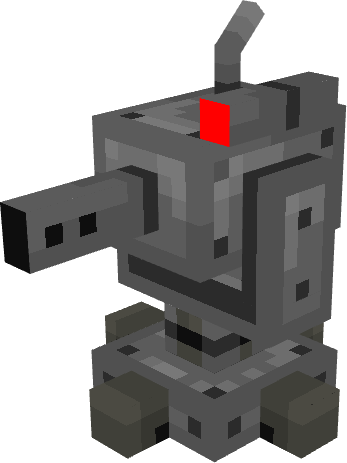
1. Bullet turret.
This turret usesbullets as ammo and shoots bullets.

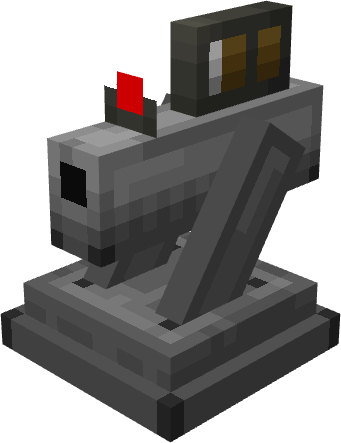
2. Arrow turret.
This turret can use all vanilla arrows as ammo. Punch, power and flame enchantments on the bow are usable by the turret.

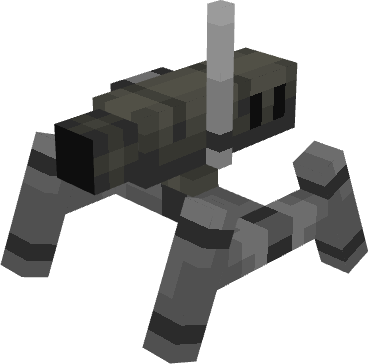
3. Brick turret.
This one uses bricks and netherbricks as ammo.

4. Fire charge turret.
This turret uses explosive powder as ammo and shoots fireballs. Explosive powder is crafted from gunpowder and blaze powder.

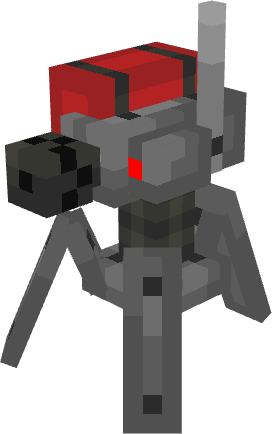
5. Gauss turret.
Gauss turret uses special bullets - gauss bullets.

6. Cobble turret.
This turret uses cobblestone and blackstone as ammo, and has lowest damage of all.
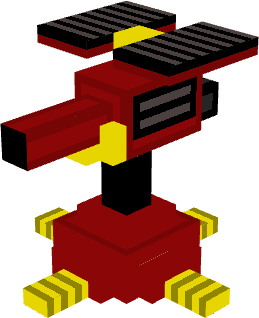
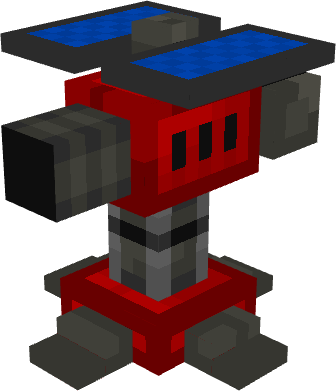
And there are 6 corresponding drone types. Unlike turrets, drones are flying and can follow their owner. Their stats are derived from corresponding turret stats.
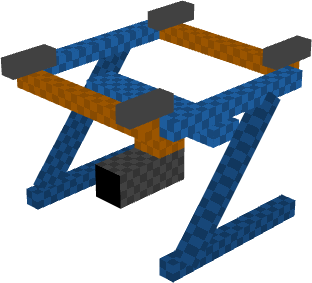
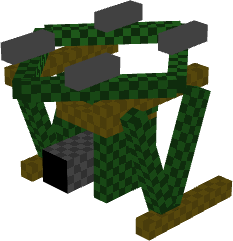
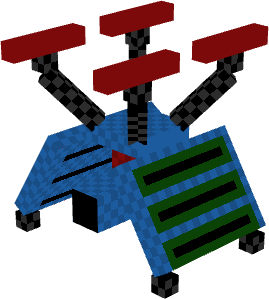
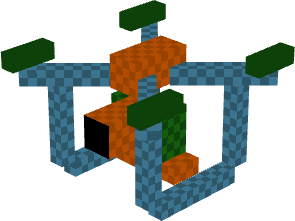
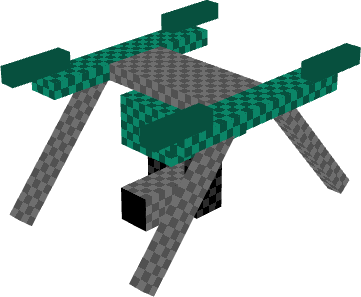
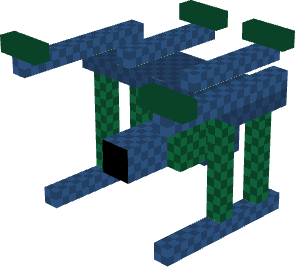

Storage drone
There is a special drone - storage drone, which acts as a flying inventory.
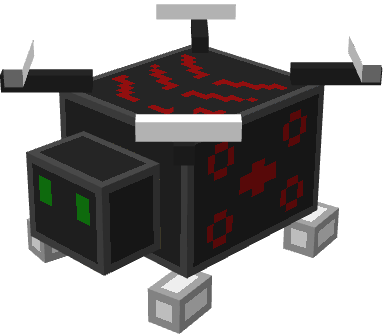
Custom ammo (1.20.1+)
You can define custom ammo for units using a datapack. The layout of the datapack must be following:
-data
--k_turrets
---tags
----items
arrow_unit_ammo.json
brick_unit_ammo.json
bullet_unit_ammo.json
cobble_unit_ammo.json
fireball_unit_ammo.json
gauss_unit_ammo.json
These Json files are item tags.
Configuration
Health, range, armor, fire rate and damage can be changed for each turret type.
Drone health is 83% of the turret health, and armor is 34% of turret armor.
You can set turret and drone limit per player and per dimension on the server in the config, which is located in "world/serverconfig" directory.
You can define mobs that will be excluded from default targets.
You can set at what distance drones will stay from the owner when attacking mobs.
Old turret models can be enabled.
In-game configuration
A turret/drone can be toggled to be mobile/immobile - basically determines whether you can push it around.
To access its inventory, right click on it.
To access its configuration screen, Shift + right click on it.
If you use this mod on a server and you want your turrets/drones to shoot at other players that aren't your teammates, you can set it in the UI.
You can exclude players from turret/drone targets by typing player name prefixed by an exclamation sign like '!Krosenut".
Need cloud services? Get 200$ credit for 60 days to try in Digital Ocean: https://m.do.co/c/301d907b1db6
Other features
To repair a unit, Shift + right click it with an item that is in "k_turrets:unit_repair" tag. It has titanium ingot by default.
Turret can have following upgrades:
- Experience link - mobs killed by the unit will drop experience
- Fire shield - gives immunity to fire damage
- Looting link - mobs killed by the unit will drop items that require the mob to be killed by a player
Drone can have all turret upgrades, and the following:
- Lantern - will be accompanied by a light block
- Recall upgrade - will teleport to the owner if farther than 128 blocks
Storage drone can have lantern, recall upgrade and item magnet (attracts items to the drone and places them inside).
Claimed turrets/drones also don't damage their owner and other turrets/drones with the same owner.
You can use hoppers to insert ammo into turrets/drones. Or you can enable ammo refill from adjacent inventory.
You can hold key 'K' to highlight locations of your drones around 128 block radius:

To copy target filters and exceptions from one turret/drone to others, use Target Copier.
To automate drone ammo reloading, use Ammo Reloader. It reloads drones around 6 block range.
Credits
Theguy27 - 5 new turret models
Arquiteto - new item icons
If you want turret and drone projectiles to ignore damage cooldown, use this datapack (for versions 1.20.1 and later).
Notes:
drones can get stuck on small blocks, this is a vanilla bug.
For mod developers (for Neoforge 1.21.1):
You can send message via intermodcomms with following methods:
- "addTargetException" with entity identifier to add the entity to target exceptions
- "addDefaultTarget" with entity identifier to add entity to default target list
K-Turrets add 6 types of turrets and 6 types of drones. Turrets attack potentially hostile mobs by default, but they can be configured to attack any mob type. Drones act like turrets, but are mobile and able to follow their owner.
Versions for 1.21.1 and later are here.
To get started, you must obtain raw titanium from titanium ore and smelt it in the blast furnace to get titanium ingots. Then you can craft turrets and drones, their recipes have following patterns:
a dispenser, 6 titanium ingots and type-specific ingredients on the side;

a dispenser, 4 titanium ingots, 2 feathers and type-specific ingredients on the side:

First thing to do when you place a turret or drone is to claim it. It is done via a UI that is opened by Shift + right-clicking on the drone/turret:

In this screen on the left are listed all target entity types. You can add new targets by typing their ids in the text field. There is a button for clearing this list and resetting it to default values. Another button toggles turret/drone mobility, which determines whether it is pushable. To remove targets, press corresponding buttons - they will appear crossed out, and when you close the screen, they will be removed. To enable protection from alien players, add "minecraft:player" to the targets and toggle "Not protecting from alien players" button. Turrets/drones take into account Minecraft team system and will then attack players who are not on your team. Button "Dismantle" will dismantle the turret/drone, dropping it in item form (its data will be saved on the item and will load when you replace it). Drones have a toggle button which controls whether they are following their owner.
You can add specific players to target exceptions by typing in player name prefixed by exclamation mark. Such exceptions will appear at the top of the target list.
Right-click a turret or drone to access its inventory, where you can load it with appropriate ammo.
You can repair a drone/turret by Shift + right-clicking it with titanium ingot. Turrets recover 1/6 of health from one ingot, and drones - 1/4.
Turret health, armor, damage, range, and fire delay can be configured for each turret type. Drone stats are derived from respective turret's stats.
There are following types of turrets and drones:
Cobble. They use items under "stone_tool_materials" as ammo.


Arrow. They can use all types of arrow as ammo, and need a bow or crossbow to function. Crossbow adds 20% to damage. Flame, punch and power enchantments are applicable.

Fireball. They use explosive powder as ammo, which is crafted from blaze powder and gunpowder; immune to fire and do not attack fire-immune mobs.


Bullet. These use iron and gold nuggets as ammo. Iron bullets deal more damage.

Brick. These use bricks and nether bricks as ammo. Nether bricks deal more damage.

Gauss. These use gauss bullets as ammo.

When on a server, this mod have limits of turrets and drones per player. Default values are 10 turrets and 10 drones.
This mod adds 6 types of turrets and 6 types of drones. They have configurable mob targeting (per mob type). Default targets include all potentially aggressive mobs. To get started, you need to obtain raw titanium from titanium ore, then smelt it in the blast furnace to get titanium ingots. Ore generates everywhere in the overworld.
There are following types of drones and turrets:
- Cobble - use items under 'stone tool materials' tag (includes cobblestone, blackstone, cobbled deepslate).
- Fireball - use explosive powder as ammo (crafted from gunpowder and blaze powder)
- Bullet - use gold and iron nuggets as ammo (iron nuggets provide more damage).
- Arrow - uses all arrows as ammo. Requires a bow or crossbow to work. Can apply Flame, Power and Punch enchantments.
- Brick - use bricks and nether bricks as ammo.
- Gauss - use gauss bullets.
There is also a storage drone, that can carry items.
To access unit inventory, right click on them.
To access their configuration screen, Shift + right click on them.
They can be toggled to be mobile or immobile - determines whether you can push them.
You can exclude players from targeting by typing in player name prefixed by exclamation sign.
On the server there are limits how many drones and turrets can a player have, default is 10 turrets and 10 drones (can be changed).
In the config you can also change each turret/drone health, range, armor, fire rate and damage. You can also set custom ammo for turrets/drones.
You can use hoppers to insert ammo into them, or you can enable ammo refill from adjacent inventory. You can copy target filters using Filter Copier.
Detailed info can be found here.
Drones can stick to small blocks like dripstone and cables.
If you are missing new options in the config, you must delete the config to generate them.
Screenshots
Gallery
-
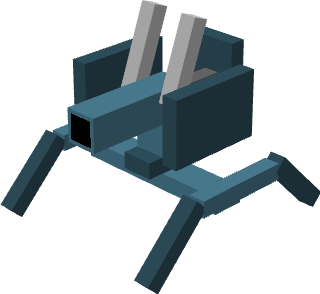 Brick turret
 -
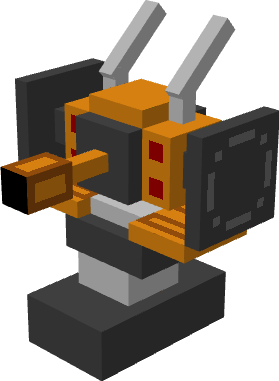 Bullet turret
 -
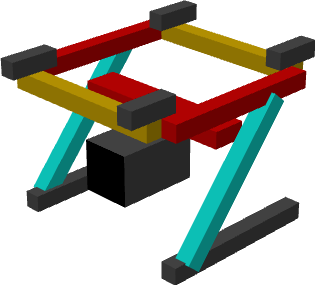 Cobble drone
 -
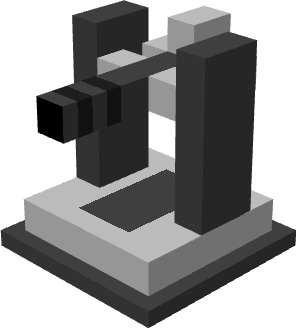 Arrow turret
 -
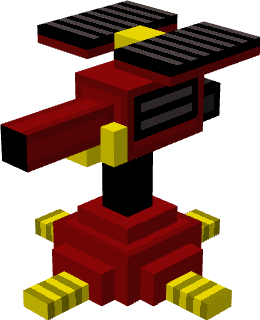 Cobble turret
 -
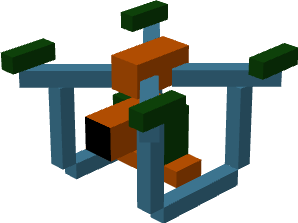 Bullet drone
 -
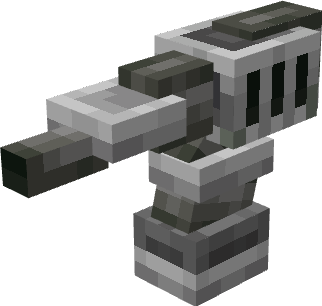 Gauss turret
 -
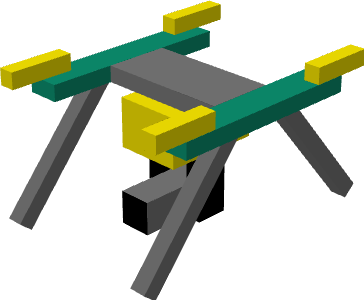 Brick drone
 -
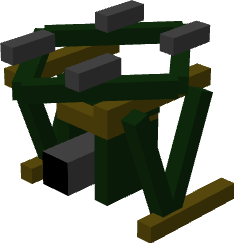 Arrow drone
 -
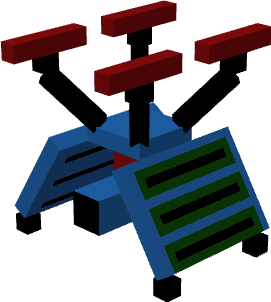 Fireball drone
Versions
Files
Relations
Project Relations
More like this
Similar Mods
Suggestions use data such as tags, dependencies, dependents, descriptions, titles, and more to rank how much they overlap with this mod.
On ModDex
Community snapshot
By the numbers
Statistics
Want to reach Minecraft players?
We're looking for a server hosting partner to feature here and other parts of the site. Interested? Send us a message!
Get in touchGet it on
Available Platforms
On ModDex
Community snapshot
By the numbers