Community listing page, reviews here may not be monitored by the author.
Kagurabachi Craft (Salty's Version)


No reviews yet
Mod based on Kagurabachi manga with custom Battle, AI, Physics & VFX engines inside for better experience.
Community voices
Reviews
No reviews yet. Be the first to review this project!
Get it on
Available Platforms
Compatibility
Supported Environments
Must be installed on both the client and the server.
About
Project Details
For authors
Embed Badge
If you're the author of this project, you can embed a live badge anywhere that supports HTML or Markdown. It updates automatically whenever ratings change.
Use HTML for any page that supports it, or Markdown for README files and Markdown-based descriptions.
Identifiers
Platform IDs
About
Description
Kagurabachi Craft
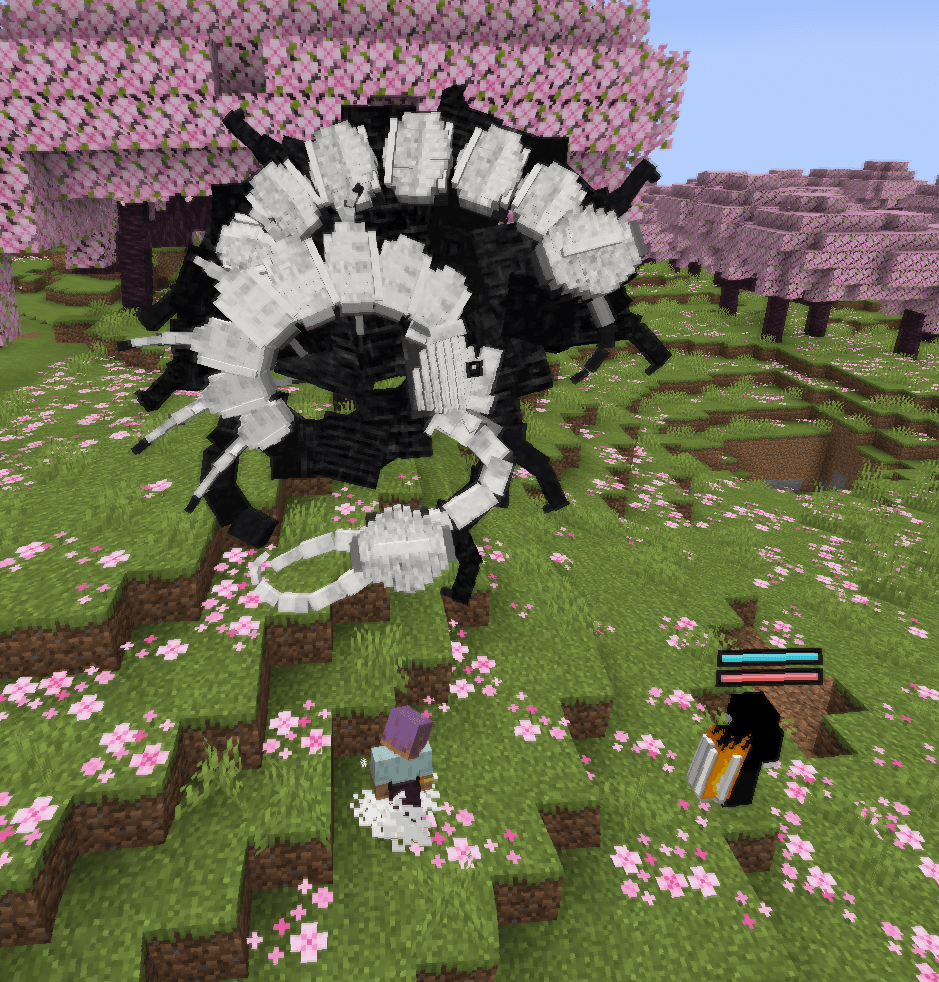
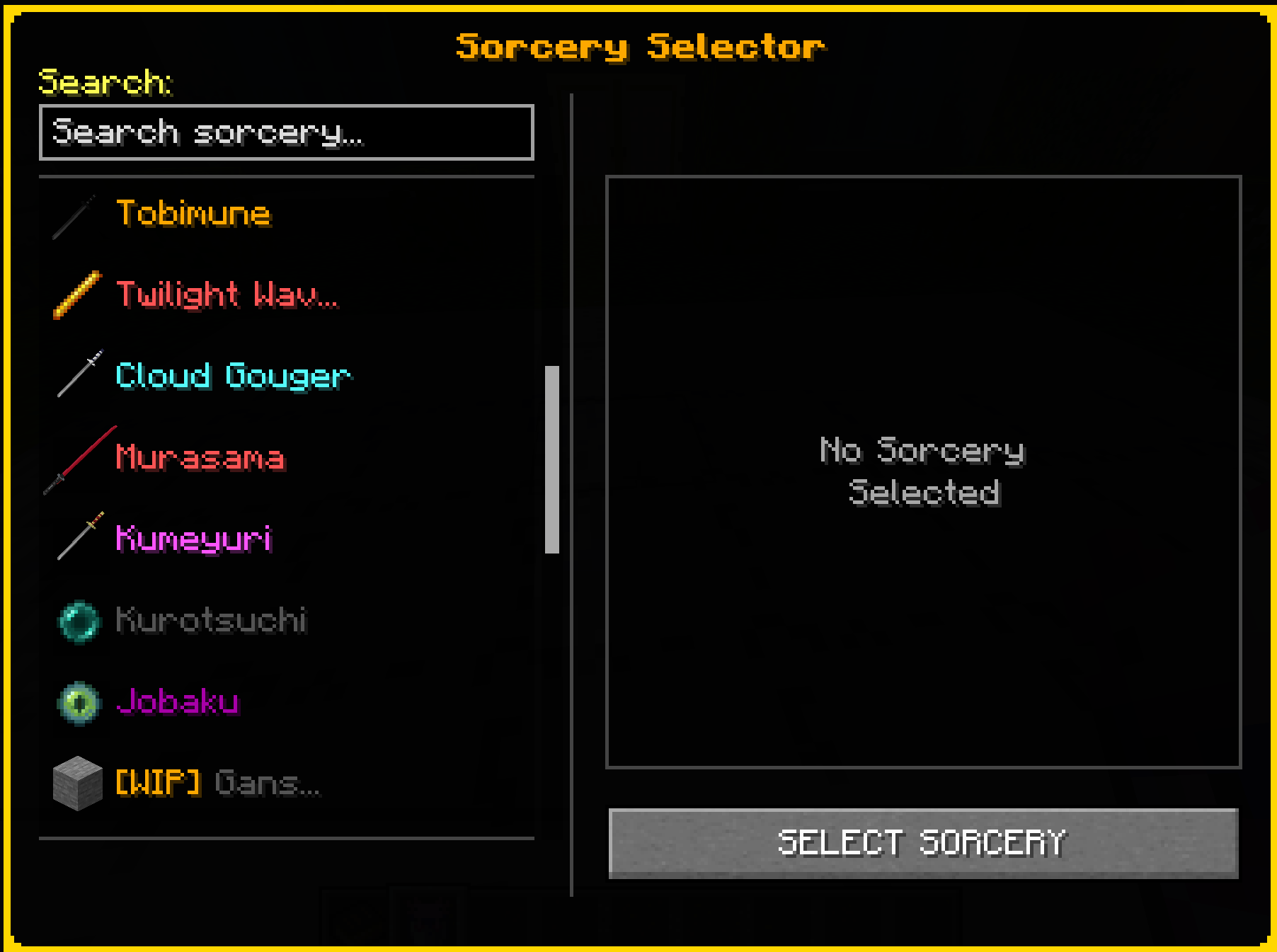
Combat, Enchanted Blades and sorcery from Kagurabachi in Minecraft.
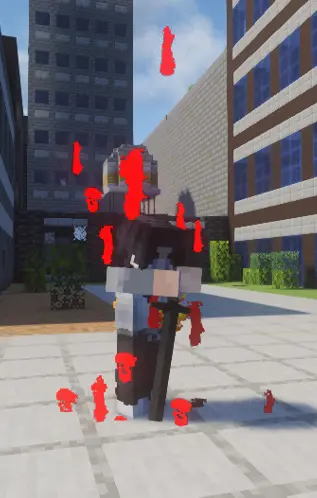
Kagurabachi Craft is a combat mod for Minecraft 1.21.1. It adds its own attack system, five weapon styles, 28 sorceries, signature techniques, progression, factions and combat NPCs.
The mod can be played in a singleplayer world or installed on a server. Combat results, ability costs, cooldowns and progression are handled by the server.
| Current version | 5.0.0 Stable |
| Minecraft | 1.21.1 |
| Loader | NeoForge 21.1.176+ |
| Languages | English and Russian |
| Sorceries | 28 total, 4 marked WIP |
| Combat styles | Sword, Hand, Dual Katana, Sheathed Katana and Trident |
GUI Scale 3x is recommended. The player screens and combat HUD are designed to fit cleanly at that scale.
What is included
- Light and heavy attacks that change with the equipped weapon
- Blocking, parrying, Stability, guard stress, fatigue and stagger
- Clashes and reactions between attacks, projectiles and sorcery objects
- Enchanted Blades with separate contracts and ability sets
- Six sorcery slots powered by Spiritual Energy
- Awakenings for supported sorceries
- Four signature techniques powered by Style points
- Target lock, combat HUD and damage previews
- Dodge charges, extra jumps, wall movement and water walking
- Origins, factions, contracts, clans, ranks and mastery
- Combat NPCs that use the same damage and reaction systems as players
- An in-game Patchouli guide and a technique library
- Gamerules for combat, NPCs, awakenings, destruction and performance
Combat system
Combat Mode
Press Y to enter Combat Mode. Normal Minecraft attacks are replaced by the current style's combat actions while this mode is active.
Tap LMB for a light attack. Hold it for at least 5 ticks to use a heavy attack. Inputs made near the end of a cooldown can be buffered.
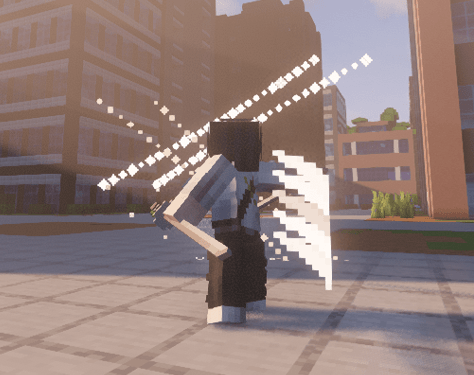
Your held weapon determines the active style:
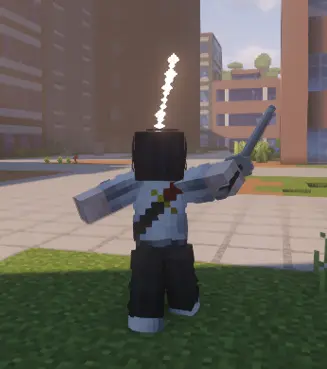
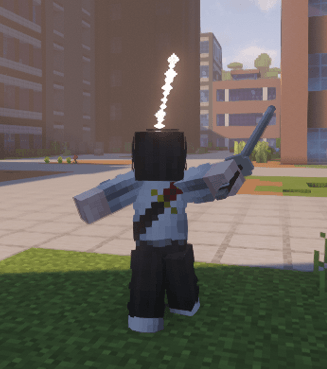
- Sword uses direct cuts, forward pressure and clinch attacks.
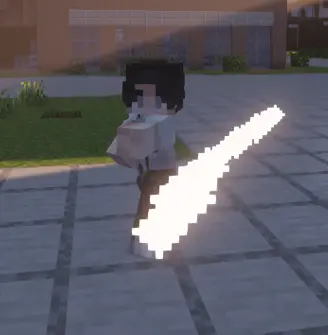
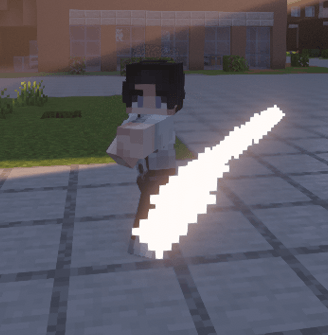
- Hand uses punches, kicks and close-range Stability damage.
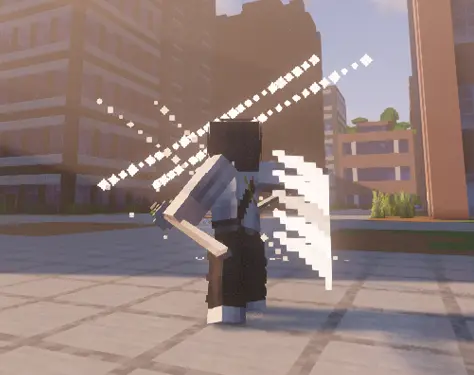
- Dual Katana uses longer strings and wider multi-hit attacks.
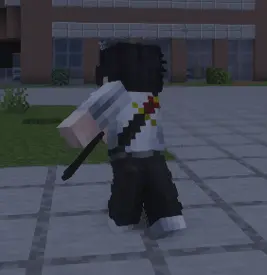
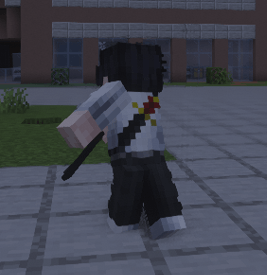
- Sheathed Katana uses draw attacks, short bursts and displacement.
- Trident uses reach, thrusts and impaling attacks.
| Hand | Dual Katana |
|---|---|
 |
 |
| Sword | Sheathed Katana |
 |
 |
Defense
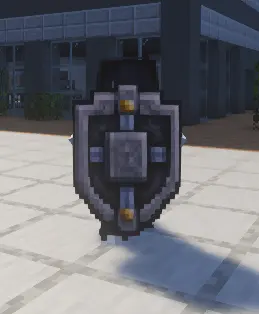
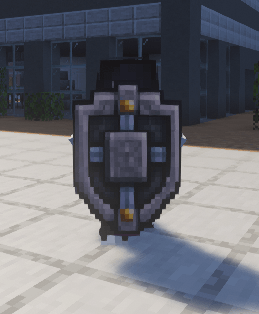
Hold Shift to block. A fresh press also opens the parry window. The result depends on timing, Stability and the incoming attack.
Repeated defense builds guard stress. Heavy attacks and some abilities deal additional Stability damage, which can force a stagger or break.
Press Ctrl to dodge. Dodge uses charges that recover over time. Additional charges unlock through Sorcery Level progression.
Attack interactions
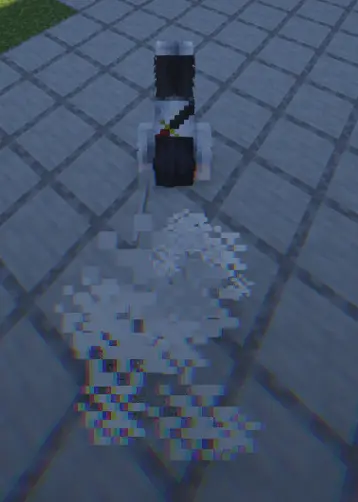
Attacks can meet before either hit is confirmed. Depending on the attacks involved, the result can be a clash, redirect, projectile cut, carry, pin or overpower.
Combat attacks and abilities can also damage suitable blocks. Server owners can adjust or disable destruction through gamerules.
Target lock
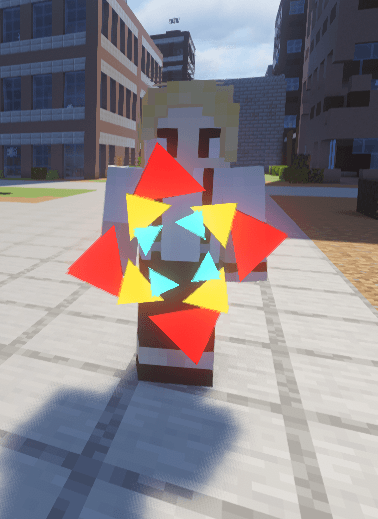
Press the middle mouse button to lock onto a target. Lock-on is used by the camera, damage preview and abilities that need a selected target.
Sorcery and Spiritual Energy
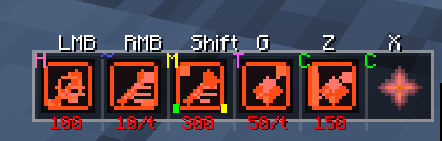
Press R to use Sorcery Mode. It can be configured as hold or toggle in the mod settings.
Sorceries use six common slots:
| Slot | Default input |
|---|---|
| Primary | R + LMB |
| Secondary | R + RMB |
| Utility | R + Shift |
| Supportive 1 | Z |
| Supportive 2 | X |
| Special | G |
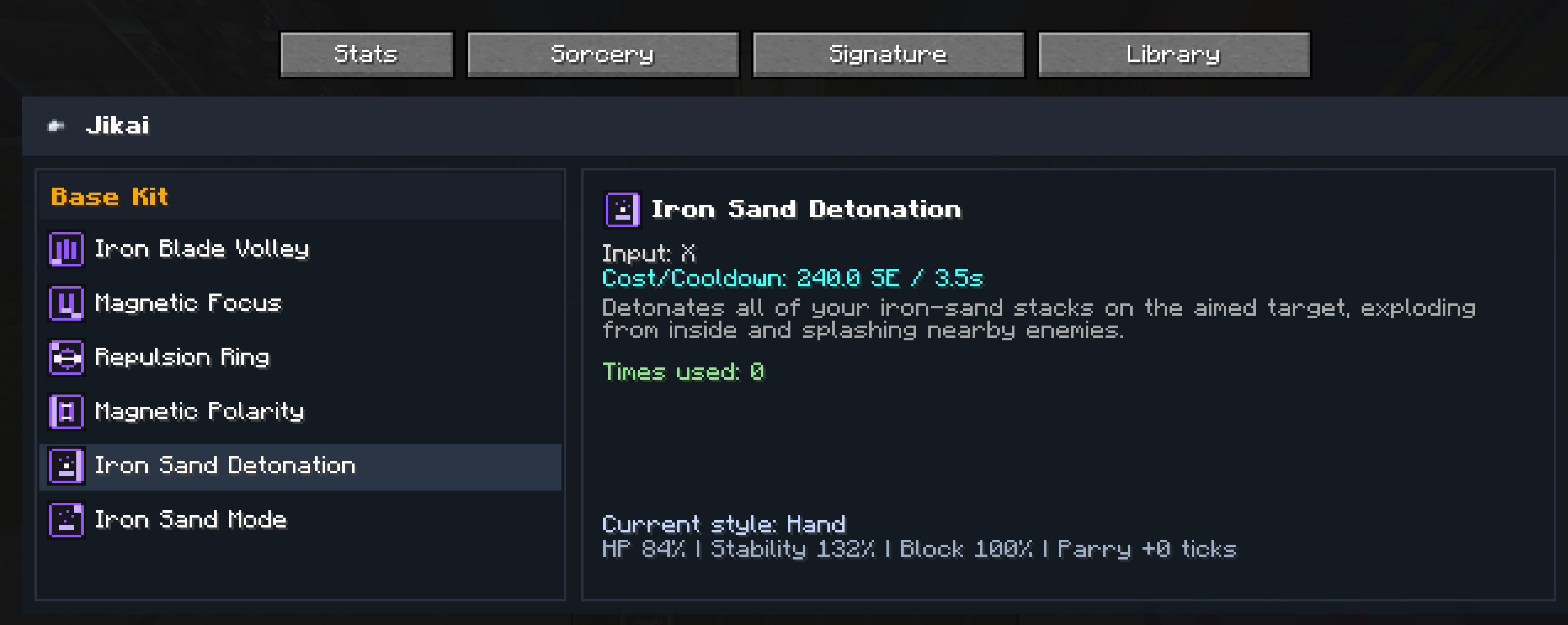
Each sorcery defines its own costs, cooldowns and activation rules. Abilities can activate immediately or use charging, holding, channeling and persistent modes.
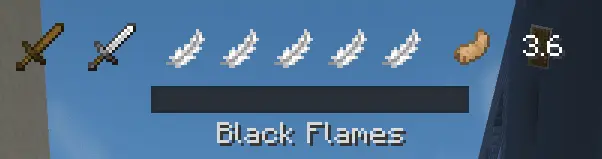
Spiritual Energy regenerates over time. The current amount, ability costs and cooldowns are shown on the HUD and in the Sorcery page opened with P.
Awakening
Supported sorceries fill an Awakening meter during combat. Press V at 100% to activate it. Awakening can replace abilities, add new effects or change how an existing kit works for a limited duration.
The availability and duration of Awakenings can be changed by server gamerules.
Enchanted Blades
Enchanted Blades are items with their own contracts and sorceries. A contract is stored separately from the combat style selected by the weapon in your hand.
- Enten uses Kuro, Aka and Nishiki. Its abilities cover ranged cuts, attack absorption, copied attacks and movement.
- Kuregumo uses Thunder charges for lightning attacks and also controls ice, fog, rain and water.
- Kumeyuri uses Play and Banquet abilities. It applies Intoxication, changes enemy perception and moves objects or structures.
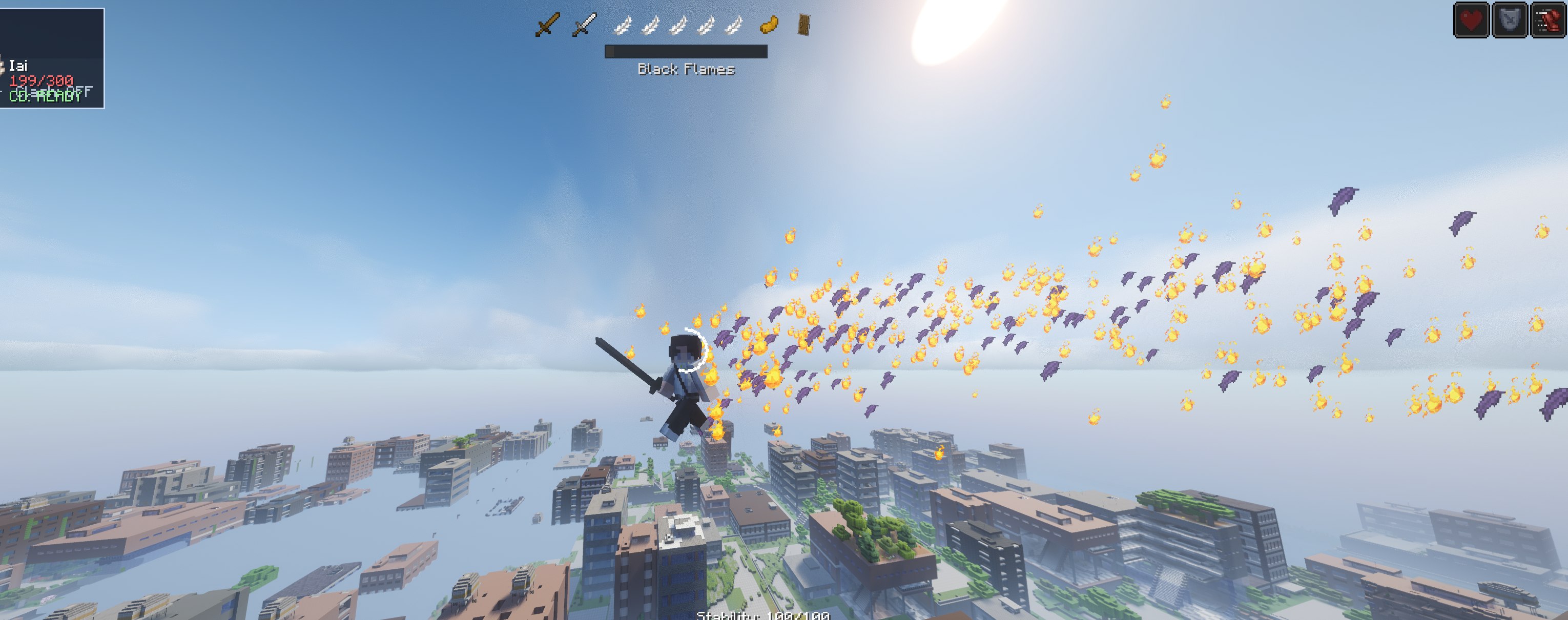
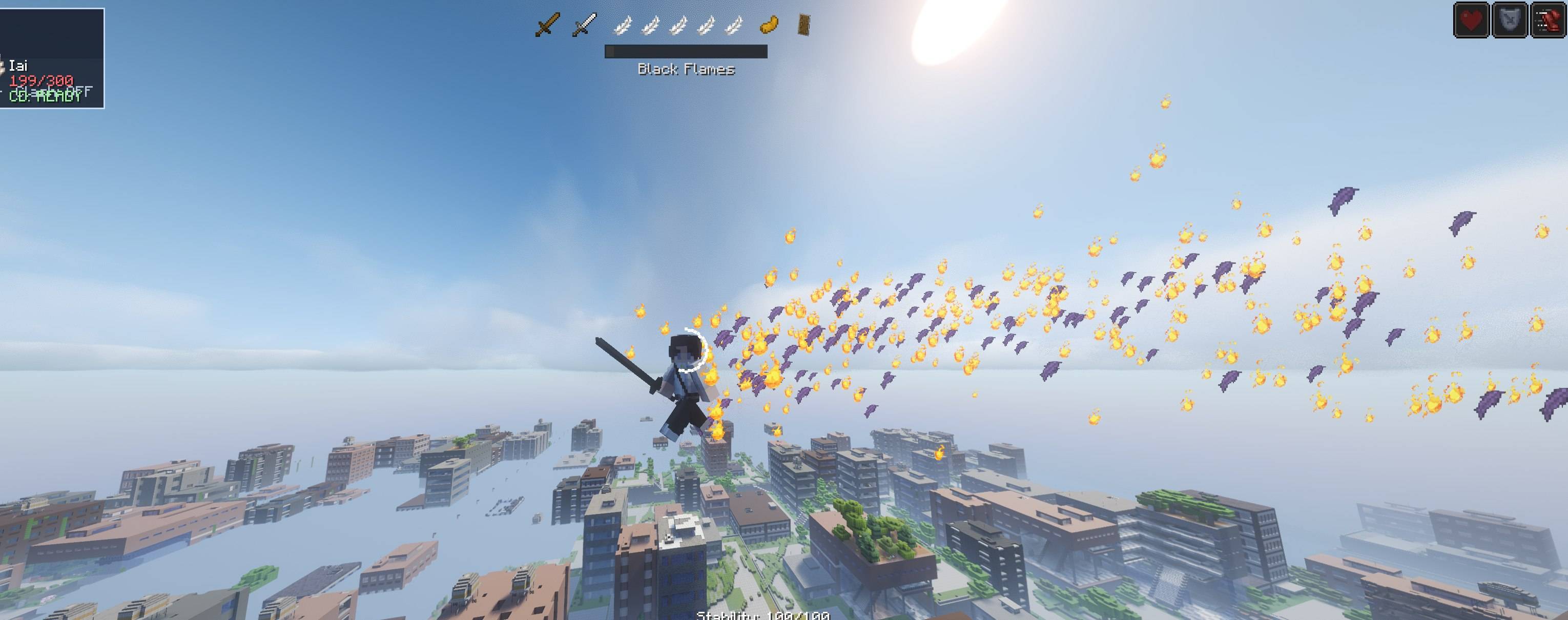
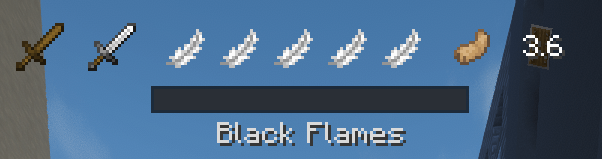
- Tobimune uses feather and crow techniques for teleportation, flight and position swaps. Suzaku and Black Flames add healing, cleansing and fire attacks.
- Magatsumi uses insect techniques and applies its Curse while unsheathed. This blade is currently WIP.
Press H to draw or sheathe a katana.
All sorceries
- Enten
- Kuregumo
- Kumeyuri
- Tobimune
- Flame Bone
- Shiba Teleportation
- Murasama
- Isou
- Twilight Wave
- Jobaku
- Warrior's Path
- Lightning Menace
- Yellow Chains
- Airborne Spikes
- Light
- Coin
- Daruma
- Pine Tree
- Jikai
- Demon Bite
- Smoke Axe
- Kurotsuchi
- Di Algodze
- Adaptation
WIP
- Magatsumi
- Gansui
- Storehouse
- Sumika
The four WIP sorceries are included in the build and can be used.
Signature techniques
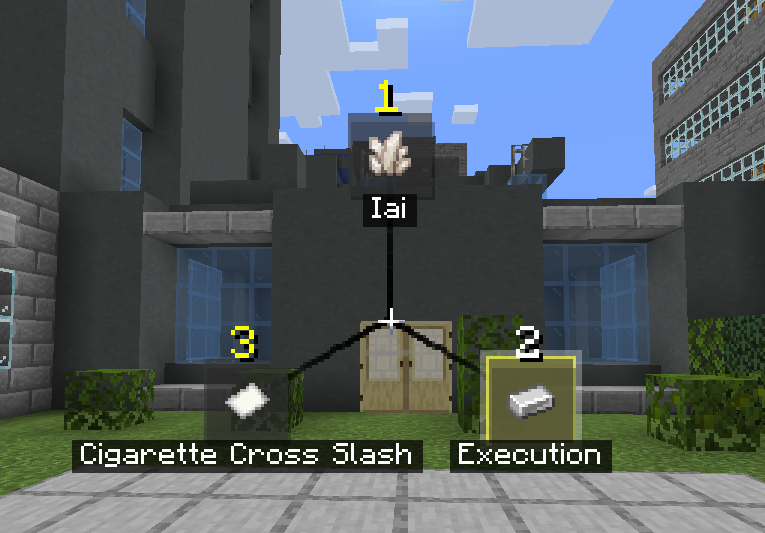
Signature techniques are selected separately from sorcery. They consume Style points earned through active combat.
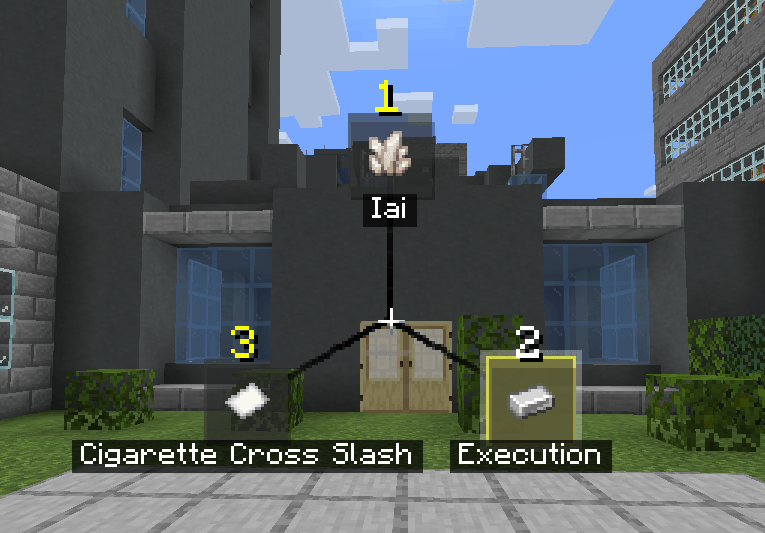
Tap Tab to use the selected technique. Hold Tab for at least 200 ms to open the selector.
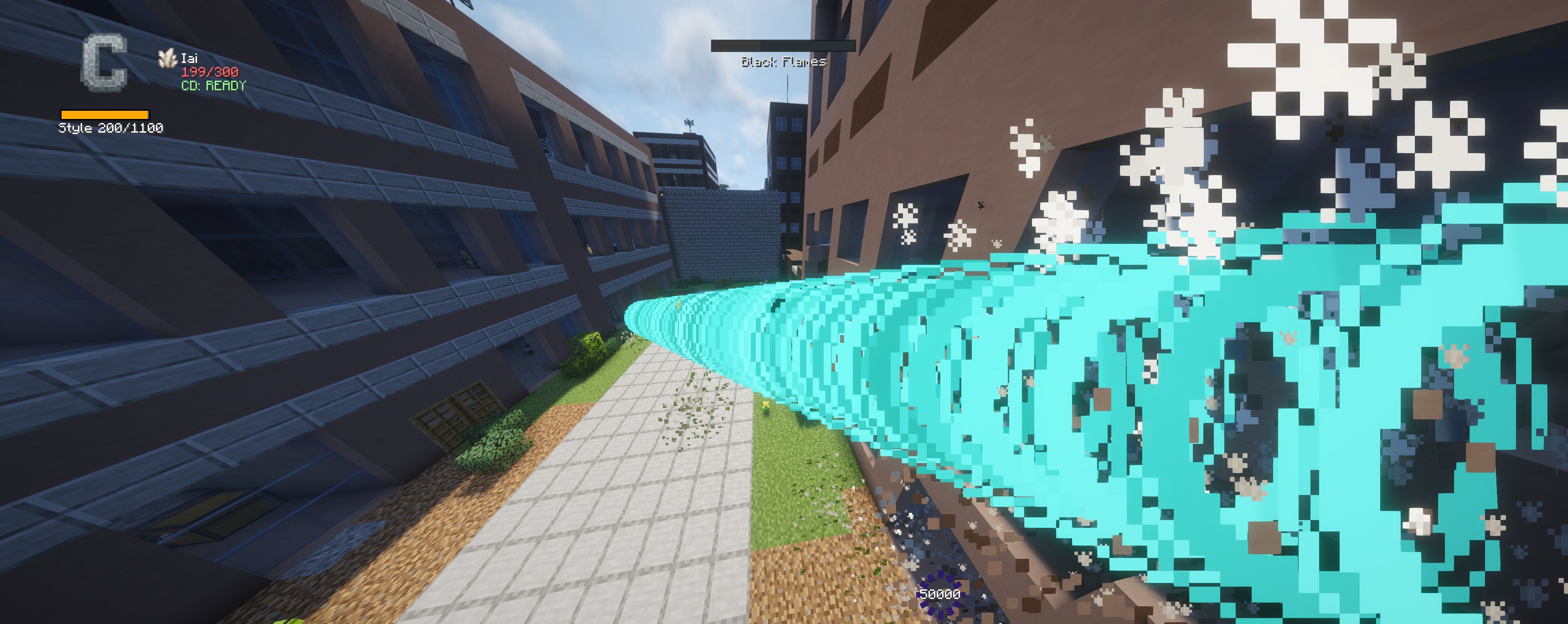
Iai
Requires a single sword. The user moves forward and cuts every target along an 11-block path.
Execution
Requires the Hand style. The user rushes forward and strikes the first target, dealing direct and area Stability damage.
Freedom Style
Requires a single sword. The user moves behind the selected target and attacks from the rear. A successful rear hit ignores Stability.
Cigarette Cross Slash
Requires a sword-based style. The first use throws a cigarette marker. Press Tab again to teleport to it and cut nearby targets. A direct hit triggers the teleport immediately.
Progression and factions
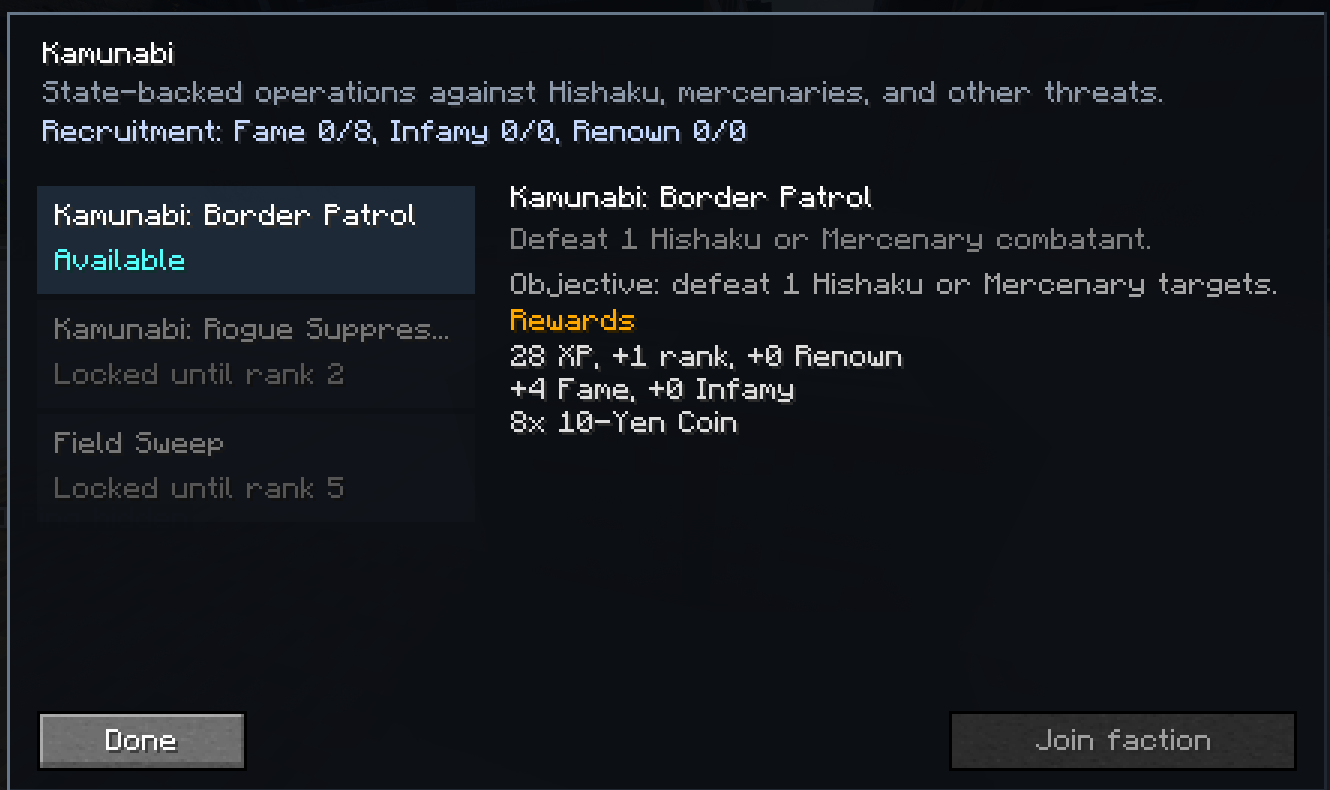
Origin
The origin screen opens when a character first joins. Origin sets the initial faction and reputation values. Sorceries, combat styles and later faction changes remain available.
Factions
The active factions are:
- Kamunabi
- Hishaku
- Team Chihiro
- Mercenaries
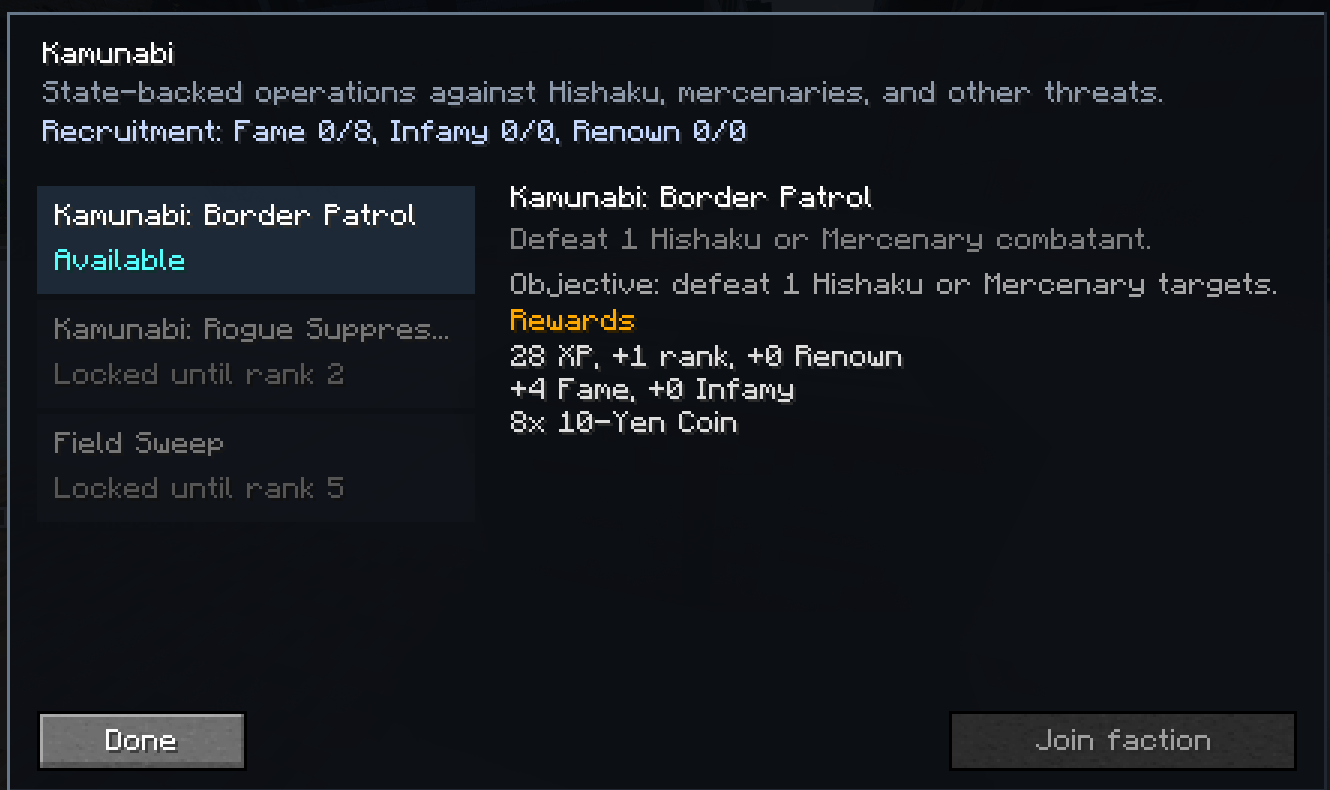
Factions use Fame, Infamy, Renown, ranks and contracts. Contract boards show the current objective, requirements, progress and reward.
Character progression
- Sorcery Level increases maximum health, Spiritual Energy, damage and dodge charges.
- Sorcery Mastery records progress with the active sorcery.
- Style Mastery records progress with combat styles.
- Clan lineages add their own progression and perks.
- Datenseki is used by several progression and faction systems.
Press P to open the player screen. It contains Sorcery, Signature, Progression, Library and Settings pages.
Movement and interface
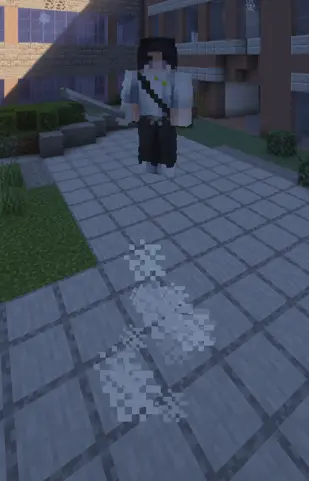
Combat movement includes:
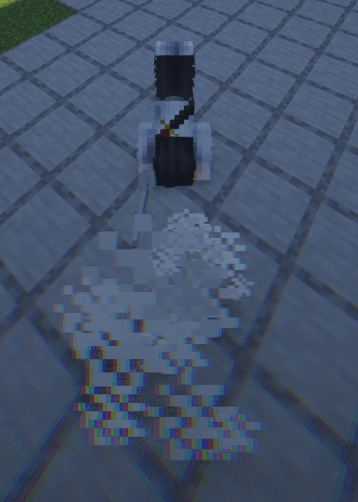
- Dodge charges
- Extra jumps
- Wall running and wall movement
- Conditional water walking
- Movement attached to individual attacks and abilities
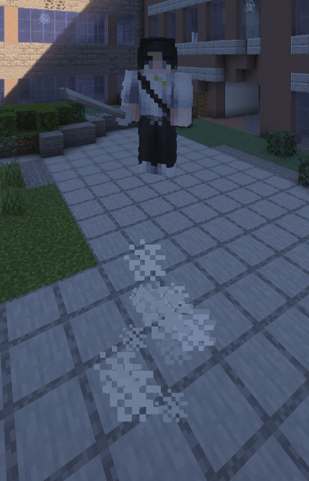
| Dash | Double jump |
|---|---|
|
 |
The HUD displays combat state, Spiritual Energy, Stability, cooldowns and sorcery-specific resources.
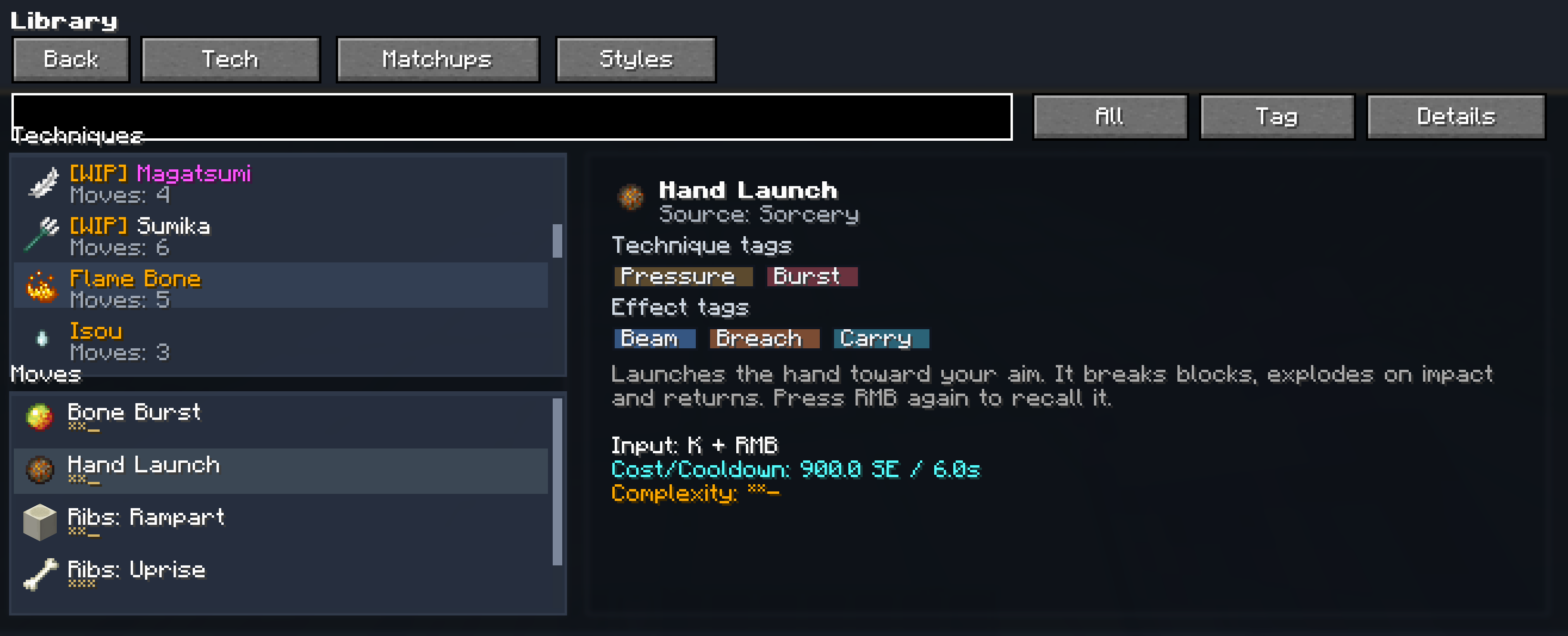
The Library inside the player screen contains descriptions and values for combat styles, sorceries and signature techniques.
The Patchouli book covers controls, combat, movement, progression and unlocked sorceries.
Default controls
| Key | Action |
|---|---|
| Y | Toggle Combat Mode |
| Tap LMB | Light attack |
| Hold LMB for 5 ticks | Heavy attack |
| Shift | Block and parry |
| Ctrl | Dodge |
| Middle mouse | Target lock |
| P | Open player screen |
| Tap Tab | Use selected signature |
| Hold Tab | Open signature selector |
| R | Sorcery Mode |
| R + LMB | Primary sorcery slot |
| R + RMB | Secondary sorcery slot |
| R + Shift | Utility sorcery slot |
| Z | Supportive 1 |
| X | Supportive 2 |
| G | Special |
| V | Awakening |
| H | Draw or sheathe katana |
Keybinds can be changed in Minecraft's control settings.
Required dependencies
Use the versions made for Minecraft 1.21.1 and NeoForge:
- NeoForge 21.1.176 or newer
- playerAnimator 2.0.1+1.21.1 or newer
- Patchouli 1.21.1-92 or newer
playerAnimator and Patchouli are required on both the client and server.
WIP status
- Magatsumi The kit and its presentation are still being worked on.
- Gansui Terrain behavior is still being worked on.
- Storehouse The domain, archive and room behavior are still being worked on.
- Sumika The kit is still being worked on.
Server configuration
The mod provides gamerules for:
- Combat cooldowns and timing
- Damage and backstab modifiers
- Dodge and air-combo behavior
- Target lock
- Awakenings
- NPC spawning and distant NPC updates
- Block destruction
- Performance limits
Use the same mod and dependency versions on the client and server. Back up important worlds before changing mod versions.
Credits
Kagurabachi Craft is an independent fan project based on Kagurabachi by Takeru Hokazono.
Some models were used with permission from Kagurabachi: Sacred Steel by giggity2990.
Other custom models were created by Nyakitoy, my good friend.
Permission given to this project does not grant permission to redistribute its assets.
Installation
- Install Minecraft 1.21.1 with NeoForge 21.1.176 or newer.
- Install playerAnimator and Patchouli.
- Place Kagurabachi Craft and both dependencies in the mods folder.
- Use the same files on the server when playing multiplayer.
When reporting a problem, include the Kagurabachi Craft version, NeoForge version, dependency versions and the latest log or crash report.
Kagurabachi Craft
Combat, Enchanted Blades and sorcery from Kagurabachi in Minecraft.
Kagurabachi Craft is a combat mod for Minecraft 1.21.1. It adds its own attack system, five weapon styles, 28 sorceries, signature techniques, progression, factions and combat NPCs.
The mod can be played in a singleplayer world or installed on a server. Combat results, ability costs, cooldowns and progression are handled by the server.
| Current version | 5.0.0 Stable |
| Minecraft | 1.21.1 |
| Loader | NeoForge 21.1.176+ |
| Languages | English and Russian |
| Sorceries | 28 total, 4 marked WIP |
| Combat styles | Sword, Hand, Dual Katana, Sheathed Katana and Trident |
GUI Scale 3x is recommended. The player screens and combat HUD are designed to fit cleanly at that scale.
What is included
- Light and heavy attacks that change with the equipped weapon
- Blocking, parrying, Stability, guard stress, fatigue and stagger
- Clashes and reactions between attacks, projectiles and sorcery objects
- Enchanted Blades with separate contracts and ability sets
- Six sorcery slots powered by Spiritual Energy
- Awakenings for supported sorceries
- Four signature techniques powered by Style points
- Target lock, combat HUD and damage previews
- Dodge charges, extra jumps, wall movement and water walking
- Origins, factions, contracts, clans, ranks and mastery
- Combat NPCs that use the same damage and reaction systems as players
- An in-game Patchouli guide and a technique library
- Gamerules for combat, NPCs, awakenings, destruction and performance
Combat system
Combat Mode
Press Y to enter Combat Mode. Normal Minecraft attacks are replaced by the current style's combat actions while this mode is active.
Tap LMB for a light attack. Hold it for at least 5 ticks to use a heavy attack. Inputs made near the end of a cooldown can be buffered.
Your held weapon determines the active style:
- Sword uses direct cuts, forward pressure and clinch attacks.
- Hand uses punches, kicks and close-range Stability damage.
- Dual Katana uses longer strings and wider multi-hit attacks.
- Sheathed Katana uses draw attacks, short bursts and displacement.
- Trident uses reach, thrusts and impaling attacks.
| Hand | Dual Katana |
|---|---|
|
|
| Sword | Sheathed Katana |
|
|
Defense
Hold Shift to block. A fresh press also opens the parry window. The result depends on timing, Stability and the incoming attack.
Repeated defense builds guard stress. Heavy attacks and some abilities deal additional Stability damage, which can force a stagger or break.
Press Ctrl to dodge. Dodge uses charges that recover over time. Additional charges unlock through Sorcery Level progression.
Attack interactions
Attacks can meet before either hit is confirmed. Depending on the attacks involved, the result can be a clash, redirect, projectile cut, carry, pin or overpower.
Combat attacks and abilities can also damage suitable blocks. Server owners can adjust or disable destruction through gamerules.
Target lock
Press the middle mouse button to lock onto a target. Lock-on is used by the camera, damage preview and abilities that need a selected target.
Sorcery and Spiritual Energy
Press R to use Sorcery Mode. It can be configured as hold or toggle in the mod settings.
Sorceries use six common slots:
| Slot | Default input |
|---|---|
| Primary | R + LMB |
| Secondary | R + RMB |
| Utility | R + Shift |
| Supportive 1 | Z |
| Supportive 2 | X |
| Special | G |
Each sorcery defines its own costs, cooldowns and activation rules. Abilities can activate immediately or use charging, holding, channeling and persistent modes.
Spiritual Energy regenerates over time. The current amount, ability costs and cooldowns are shown on the HUD and in the Sorcery page opened with P.
Awakening
Supported sorceries fill an Awakening meter during combat. Press V at 100% to activate it. Awakening can replace abilities, add new effects or change how an existing kit works for a limited duration.
The availability and duration of Awakenings can be changed by server gamerules.
Enchanted Blades
Enchanted Blades are items with their own contracts and sorceries. A contract is stored separately from the combat style selected by the weapon in your hand.
- Enten uses Kuro, Aka and Nishiki. Its abilities cover ranged cuts, attack absorption, copied attacks and movement.
- Kuregumo uses Thunder charges for lightning attacks and also controls ice, fog, rain and water.
- Kumeyuri uses Play and Banquet abilities. It applies Intoxication, changes enemy perception and moves objects or structures.
- Tobimune uses feather and crow techniques for teleportation, flight and position swaps. Suzaku and Black Flames add healing, cleansing and fire attacks.
- Magatsumi uses insect techniques and applies its Curse while unsheathed. This blade is currently WIP.
Press H to draw or sheathe a katana.
All sorceries
- Enten
- Kuregumo
- Kumeyuri
- Tobimune
- Flame Bone
- Shiba Teleportation
- Murasama
- Isou
- Twilight Wave
- Jobaku
- Warrior's Path
- Lightning Menace
- Yellow Chains
- Airborne Spikes
- Light
- Coin
- Daruma
- Pine Tree
- Jikai
- Demon Bite
- Smoke Axe
- Kurotsuchi
- Di Algodze
- Adaptation
WIP
- Magatsumi
- Gansui
- Storehouse
- Sumika
The four WIP sorceries are included in the build and can be used.
Signature techniques
Signature techniques are selected separately from sorcery. They consume Style points earned through active combat.
Tap Tab to use the selected technique. Hold Tab for at least 200 ms to open the selector.
Iai
Requires a single sword. The user moves forward and cuts every target along an 11-block path.
Execution
Requires the Hand style. The user rushes forward and strikes the first target, dealing direct and area Stability damage.
Freedom Style
Requires a single sword. The user moves behind the selected target and attacks from the rear. A successful rear hit ignores Stability.
Cigarette Cross Slash
Requires a sword-based style. The first use throws a cigarette marker. Press Tab again to teleport to it and cut nearby targets. A direct hit triggers the teleport immediately.
Progression and factions
Origin
The origin screen opens when a character first joins. Origin sets the initial faction and reputation values. Sorceries, combat styles and later faction changes remain available.
Factions
The active factions are:
- Kamunabi
- Hishaku
- Team Chihiro
- Mercenaries
Factions use Fame, Infamy, Renown, ranks and contracts. Contract boards show the current objective, requirements, progress and reward.
Character progression
- Sorcery Level increases maximum health, Spiritual Energy, damage and dodge charges.
- Sorcery Mastery records progress with the active sorcery.
- Style Mastery records progress with combat styles.
- Clan lineages add their own progression and perks.
- Datenseki is used by several progression and faction systems.
Press P to open the player screen. It contains Sorcery, Signature, Progression, Library and Settings pages.
Movement and interface
Combat movement includes:
- Dodge charges
- Extra jumps
- Wall running and wall movement
- Conditional water walking
- Movement attached to individual attacks and abilities
| Dash | Double jump |
|---|---|
|
|
The HUD displays combat state, Spiritual Energy, Stability, cooldowns and sorcery-specific resources.
The Library inside the player screen contains descriptions and values for combat styles, sorceries and signature techniques.
The Patchouli book covers controls, combat, movement, progression and unlocked sorceries.
Default controls
| Key | Action |
|---|---|
| Y | Toggle Combat Mode |
| Tap LMB | Light attack |
| Hold LMB for 5 ticks | Heavy attack |
| Shift | Block and parry |
| Ctrl | Dodge |
| Middle mouse | Target lock |
| P | Open player screen |
| Tap Tab | Use selected signature |
| Hold Tab | Open signature selector |
| R | Sorcery Mode |
| R + LMB | Primary sorcery slot |
| R + RMB | Secondary sorcery slot |
| R + Shift | Utility sorcery slot |
| Z | Supportive 1 |
| X | Supportive 2 |
| G | Special |
| V | Awakening |
| H | Draw or sheathe katana |
Keybinds can be changed in Minecraft's control settings.
Required dependencies
Use the versions made for Minecraft 1.21.1 and NeoForge:
- NeoForge 21.1.176 or newer
- playerAnimator 2.0.1+1.21.1 or newer
- Patchouli 1.21.1-92 or newer
playerAnimator and Patchouli are required on both the client and server.
WIP status
- Magatsumi The kit and its presentation are still being worked on.
- Gansui Terrain behavior is still being worked on.
- Storehouse The domain, archive and room behavior are still being worked on.
- Sumika The kit is still being worked on.
Server configuration
The mod provides gamerules for:
- Combat cooldowns and timing
- Damage and backstab modifiers
- Dodge and air-combo behavior
- Target lock
- Awakenings
- NPC spawning and distant NPC updates
- Block destruction
- Performance limits
Use the same mod and dependency versions on the client and server. Back up important worlds before changing mod versions.
Credits
Kagurabachi Craft is an independent fan project based on Kagurabachi by Takeru Hokazono.
Some models were used with permission from Kagurabachi: Sacred Steel by giggity2990.
Other custom models were created by Nyakitoy, my good friend.
Permission given to this project does not grant permission to redistribute its assets.
Installation
- Install Minecraft 1.21.1 with NeoForge 21.1.176 or newer.
- Install playerAnimator and Patchouli.
- Place Kagurabachi Craft and both dependencies in the mods folder.
- Use the same files on the server when playing multiplayer.
When reporting a problem, include the Kagurabachi Craft version, NeoForge version, dependency versions and the latest log or crash report.
Screenshots
Gallery
-
 Screenshot 2026-08-23 072404.png Screenshot 2026-08-23 072404.png
 -
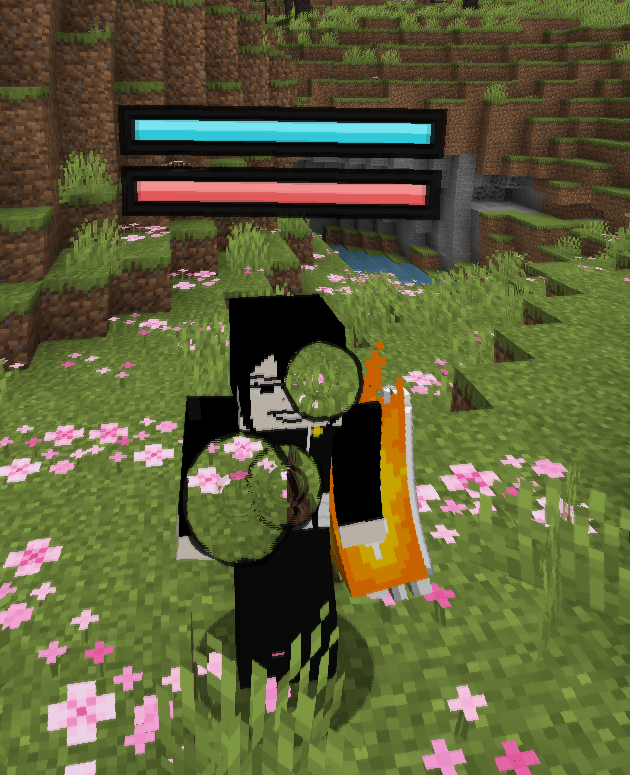 Screenshot 2026-08-23 072412.png Screenshot 2026-08-23 072412.png
 -
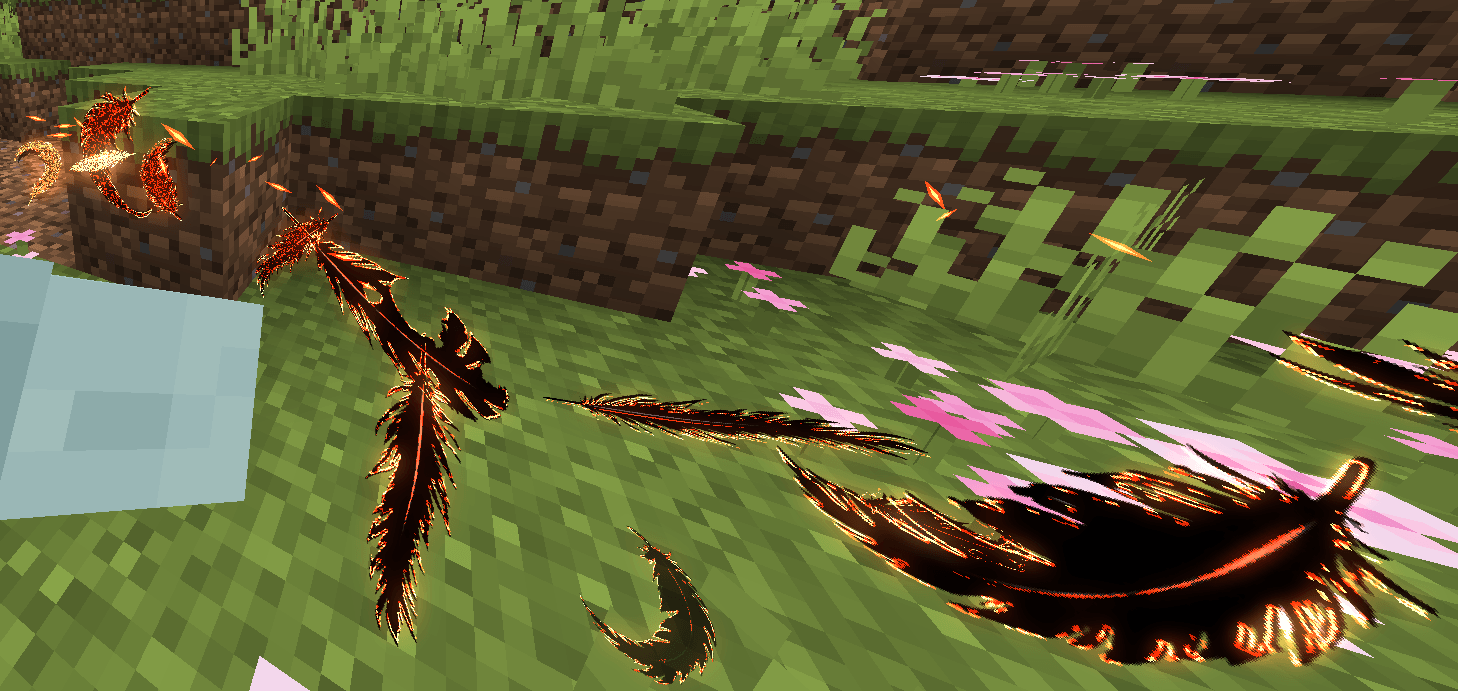 Screenshot 2026-08-23 072836.png Screenshot 2026-08-23 072836.png
 -
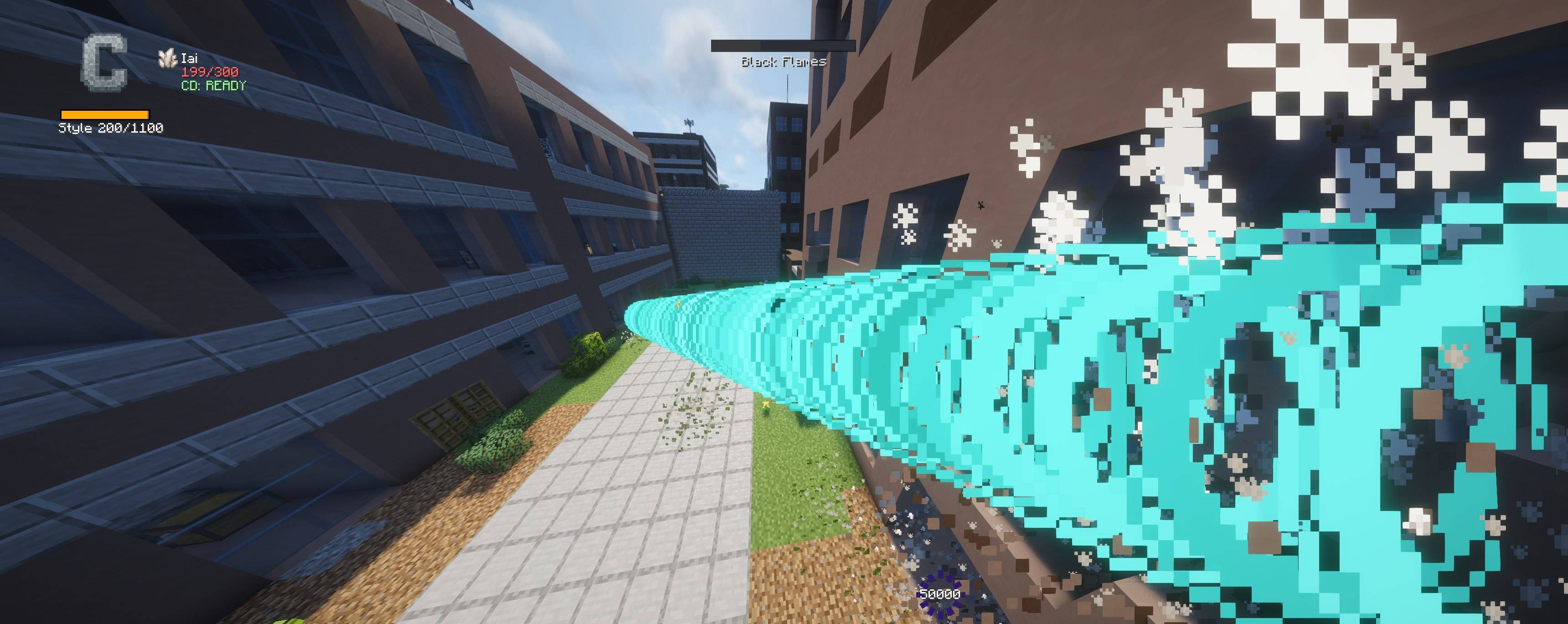 combat-beam.jpg combat-beam.jpg
 -
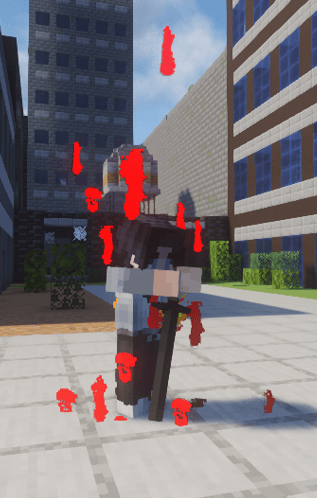 style-point-farm-aura.png style-point-farm-aura.png
 -
 signature-selector-en.png signature-selector-en.png
 -
 sorcery-jikai-en.png sorcery-jikai-en.png
 -
 sorcery-selector-en.png sorcery-selector-en.png
 -
 style-dual-katana.png style-dual-katana.png
 -
 style-hand.png style-hand.png
 -
 style-sheathed-katana.png style-sheathed-katana.png
 -
 style-sword.png style-sword.png
 -
 target-lock.png target-lock.png
 -
 technique-library-en.png technique-library-en.png
 -
 tobimune-flames-airborne.jpg tobimune-flames-airborne.jpg
 -
 block-effect.png block-effect.png
 -
 contract-kamunabi-en.png contract-kamunabi-en.png
 -
 dash.png dash.png
 -
 double-jump.png double-jump.png
 -
 hud-black-flames.png hud-black-flames.png
-
 Kurotsuchi
 -
 Dash Attack
 -
 Tobimune + Suzaku flying
 -
 PVP Hud
 -
 Block Effect
 -
 Contract Kamunabi
 -
 Origin Selection
 -
 Signature Technique Selection
Versions
Files
Relations
Project Relations
More like this
Similar Mods
Suggestions use data such as tags, dependencies, dependents, descriptions, titles, and more to rank how much they overlap with this mod.
On ModDex
Community snapshot
By the numbers
Statistics
Want to reach Minecraft players?
We're looking for a server hosting partner to feature here and other parts of the site. Interested? Send us a message!
Get in touchGet it on
Available Platforms
On ModDex
Community snapshot
By the numbers