
Community listing page, reviews may not be monitored by the author.
Kazzmon's DayCount

No reviews yet
A simple and customizable Day Counter to tell you how many days have passed in your Minecraft world or server.

Community voices
Reviews
No reviews yet. Be the first to review this project!
Get it on
Available Platforms
About
Project Details
For authors
Embed Badge
If you're the author of this project, you can embed a live badge anywhere that supports HTML or Markdown. It updates automatically whenever ratings change.
Use HTML for any page that supports it, or Markdown for README files and Markdown-based descriptions.
Identifiers
Platform IDs
Resources
External Links
About
Description
DayCount is a simple datapack that shows the number of days in the world. It is also a bit more realistic since it shows the actual count of days, instead of what is used in-game. This is very good to use especially on servers so players can get notified how many days have passed.
You can customize where the Day Count is displayed using the command /trigger DayCount_Style.
- it can be displayed in the chat
- it can be displayed in the Action Bar, just on top of the Hotbar
- it can be displayed as a Title on the screen
You can also customize the Theme of the Day Count by using the command /trigger DayCount_Theme.
You can also check the Day Count whenever you like by using the command /trigger DayCount_Check. Any players can use this command and they are the only ones that will see it on their screen.
If you have questions or have found any issues or suggestions, feel free to let me know via my Discord server. Thanks.
Screenshots
Gallery
-
 Banner
 -
 Day Count in Chat
 -
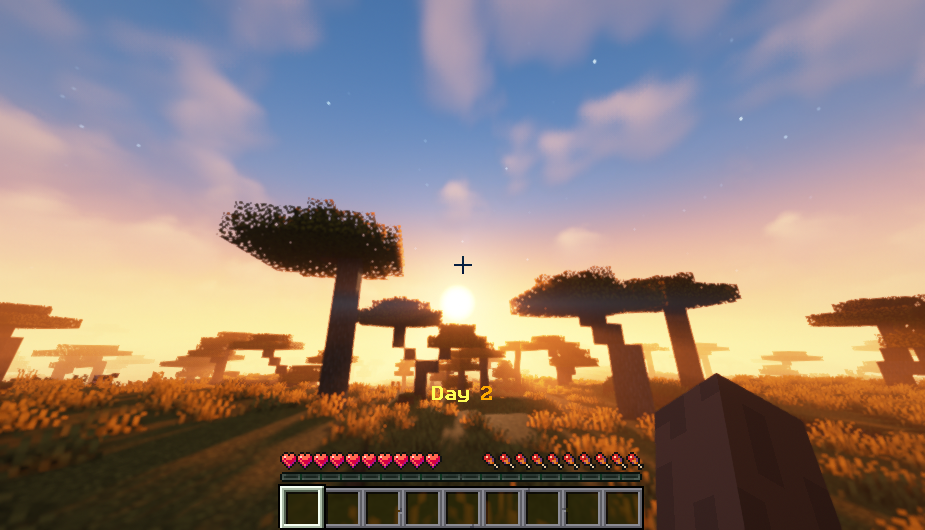 Day Count in Action Bar
 -
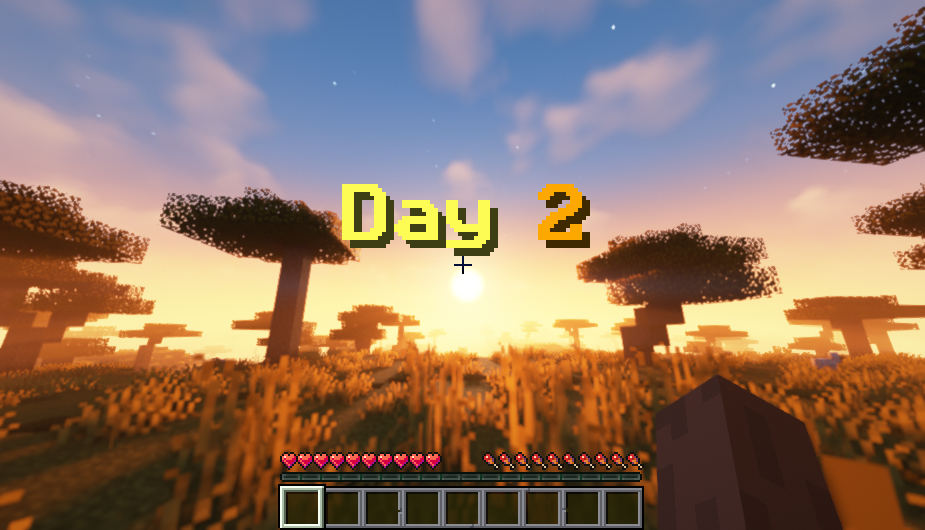 Day Count in Title Screen
Versions
Files
Relations
Project Relations
More like this
Similar Mods
Suggestions use data such as tags, dependencies, dependents, descriptions, titles, and more to rank how much they overlap with this mod.
On ModDex
Community snapshot
By the numbers
Statistics


Get it on
Available Platforms
On ModDex
Community snapshot
By the numbers
Statistics
Resources