Community listing page, reviews may not be monitored by the author.


Community voices
Reviews
No reviews yet. Be the first to review this project!
Get it on
Available Platforms
About
Project Details
For authors
Embed Badge
If you're the author of this project, you can embed a live badge anywhere that supports HTML or Markdown. It updates automatically whenever ratings change.
Use HTML for any page that supports it, or Markdown for README files and Markdown-based descriptions.
Identifiers
Platform IDs
Resources
External Links
About
Description
❄️ Ked Snowflakes
Ked Snowflakes brings the classic winter craft into Minecraft: fold a sheet of paper into a triangle, cut out a pattern with shears, add colors with a pencil and markers — and hang your unique snowflake on any block.
📖 How to play
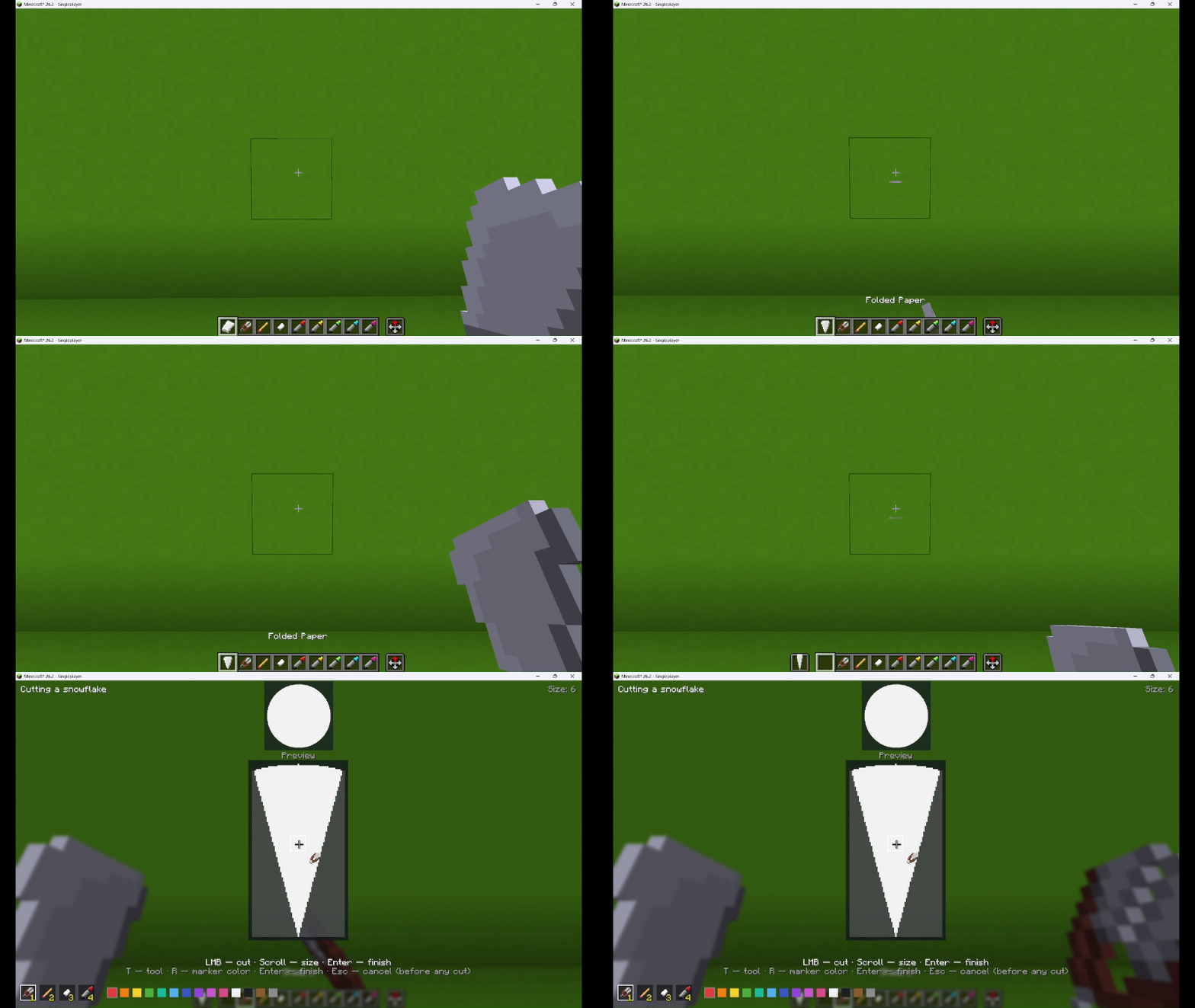
- Fold — hold paper (plain or colored) and press RMB. It folds into a triangle and keeps the paper's color.
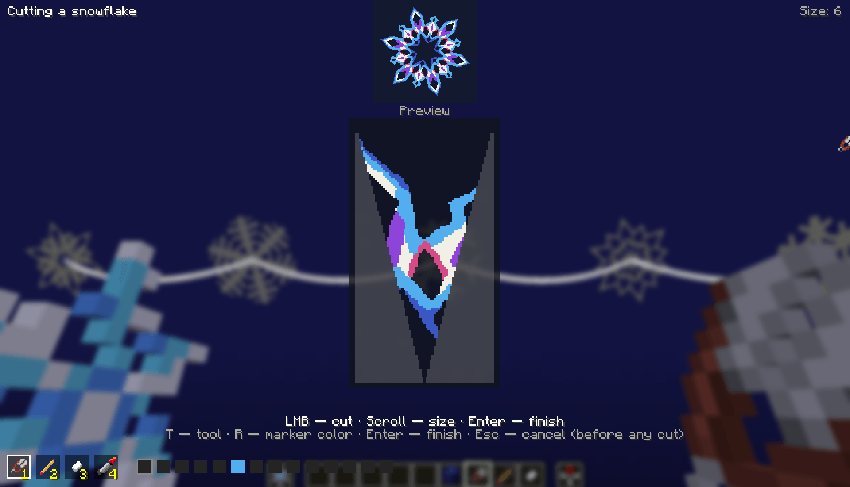
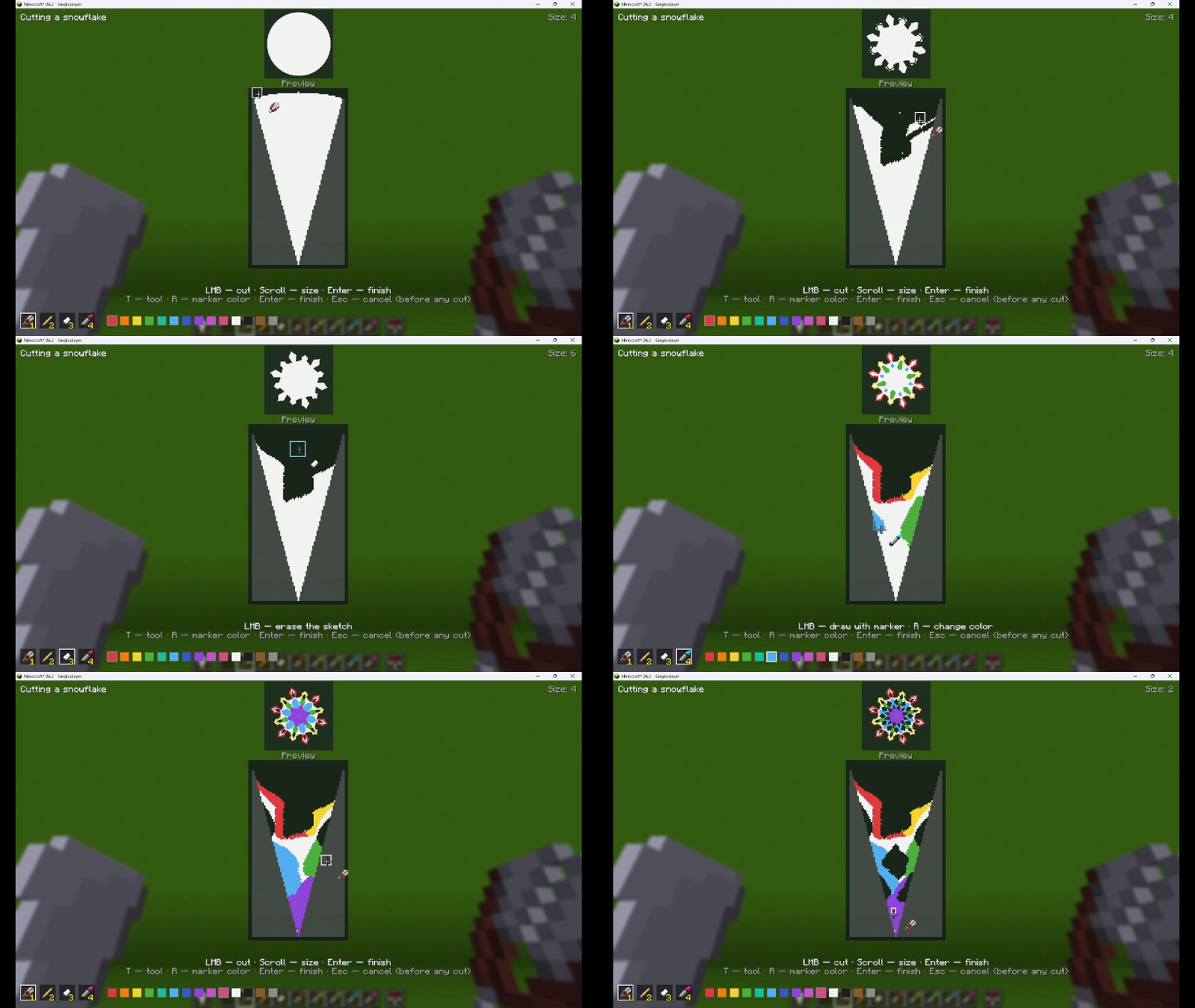
- Cut — hold shears in the main hand and the triangle in the offhand, press RMB to open the cutting screen:
- LMB — cut / draw with the selected tool
- Scroll wheel — tool size
- T — switch tool (shears / pencil / eraser / marker)
- R — change marker color
- Enter — finish the snowflake; Esc — cancel (only before the first cut)
- The top shows the live unfolded preview; you cut the folded wedge below.
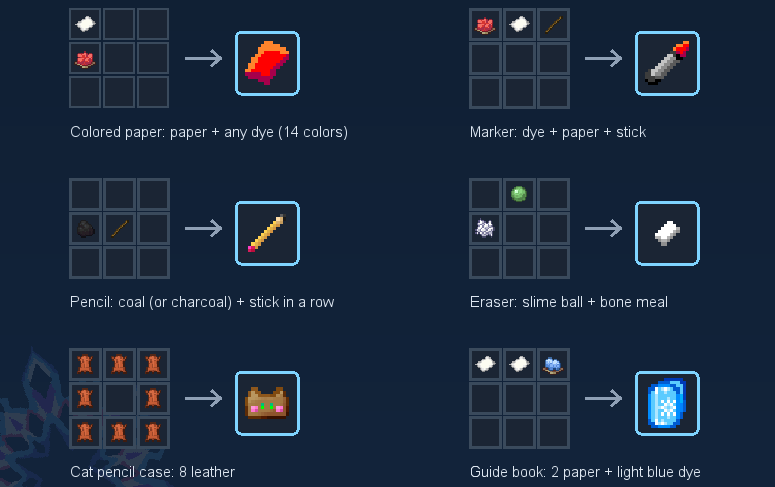
- The pencil, eraser and markers must be in your inventory to be used in the editor.
- You need a pencil so that you can first draw your pattern, make sure it’s perfect, and then cut along it.
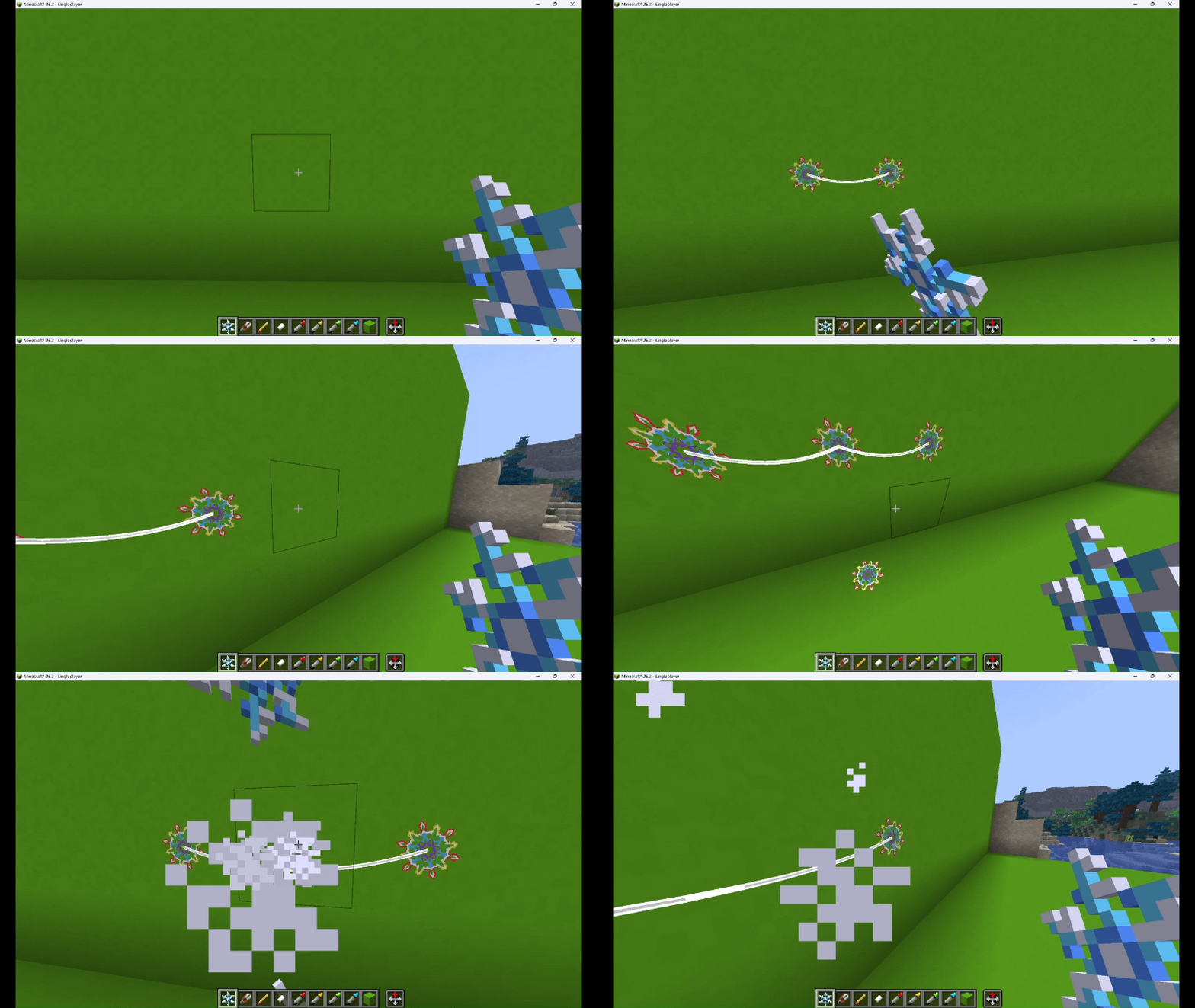
- Hang — press RMB on any block face to hang the snowflake there. Punch the snowflake to take it back.
- Re-edit — hold the snowflake in one hand and shears or a marker in the other, then press RMB.
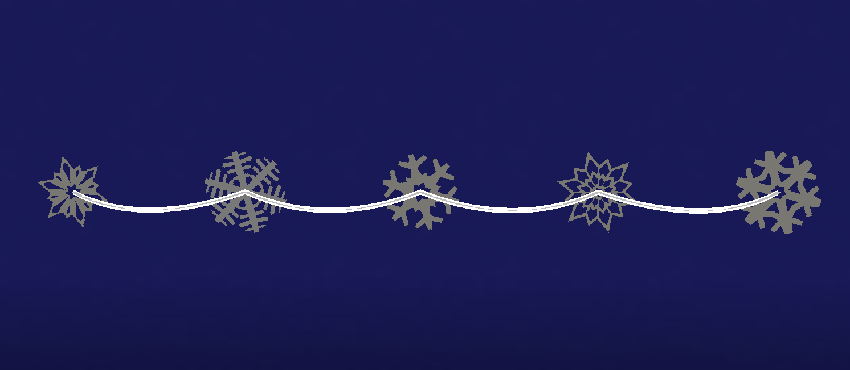
- Garlands — hang several snowflakes on the same wall at the same height, and they connect with a string.
- Cat pencil case — carry all your stationery in one item, usage is the same as for a standard bag.
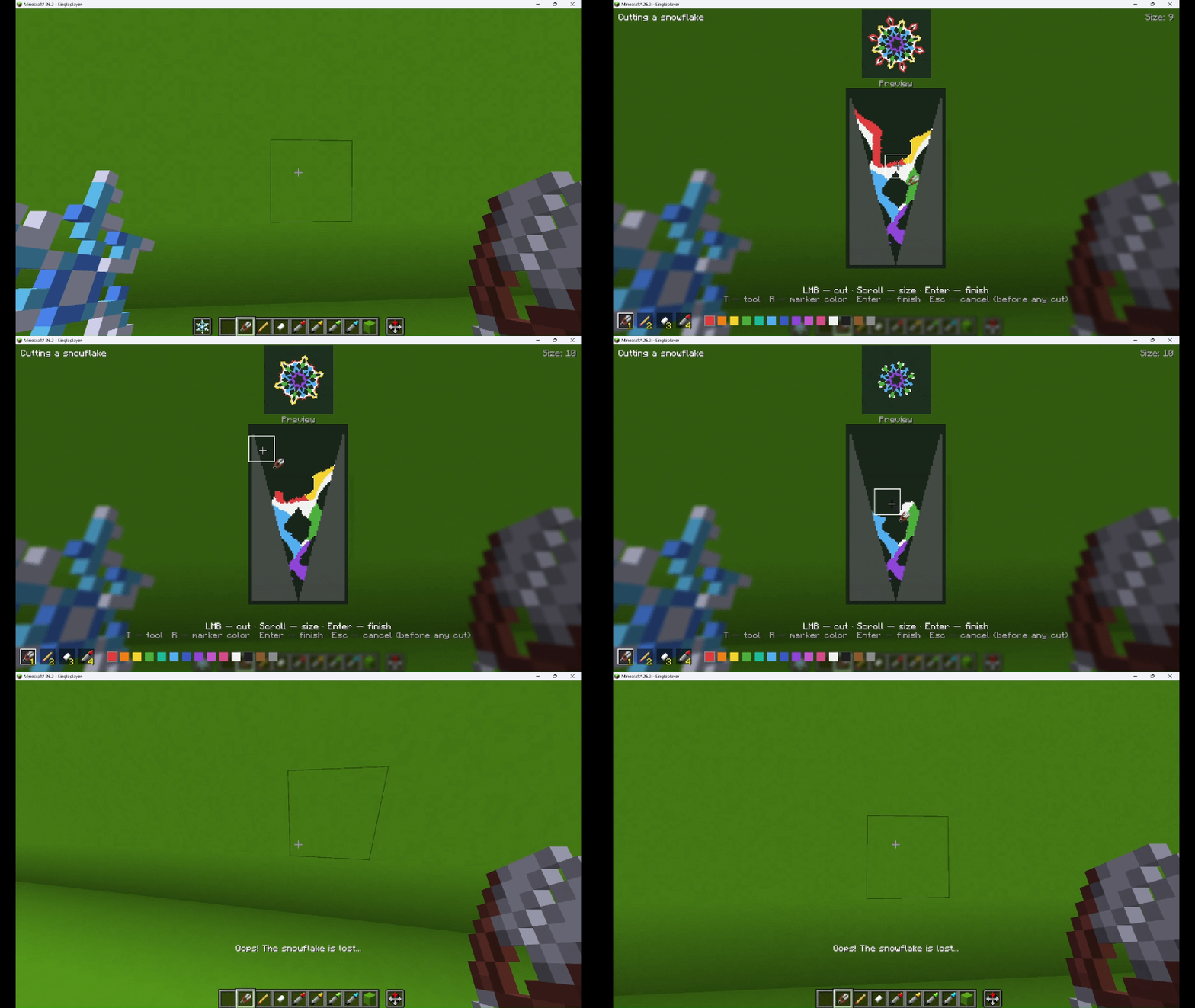
If you erase all the paper, the snowflake is lost!
❄️ Ked Snowflakes — Русский
Мод добавляет в Minecraft классическую зимнюю поделку: сложите лист бумаги в треугольник, вырежьте узор ножницами, раскрасьте карандашом и маркерами — и повесьте свою уникальную снежинку на любой блок.
📖 Как играть
- Сложите — возьмите бумагу (обычную или цветную) и нажмите ПКМ — она сложится в треугольник и сохранит цвет.
- Вырежьте — держите ножницы в основной руке, а треугольник во второй, нажмите ПКМ — откроется экран вырезания:
- ЛКМ — резать / рисовать выбранным инструментом
- Колесо мыши — размер инструмента
- T — сменить инструмент (ножницы / карандаш / ластик / маркер)
- R — сменить цвет маркера
- Enter — закончить снежинку; Esc — отменить (только до первого разреза)
- Сверху — живой предпросмотр развернутой снежинки, внизу — сложенный треугольник, который вы режете.
- Карандаш, ластик и маркеры должны находиться в инвентаре, чтобы ими можно было пользоваться в редакторе.
- Карандаш нужен для того чтобы вы могли сначала нарисовать свой узор, убедиться что он идеальный и вырезать по нему.
- Повесьте — нажмите ПКМ по любой грани блока. Удар по снежинке возвращает её в инвентарь.
- Редактируйте — держите снежинку в одной руке, а ножницы или маркер в другой, и нажмите ПКМ.
- Гирлянды — повесьте несколько снежинок на одну стену на одной высоте, и они соединятся ниточкой.
- Кото-пенал — вся канцелярия в одном предмете, использование как у ванильного мешка.
Если стереть всю бумагу — снежинка утрачена!
How to make
Cut and color
Hang and take it back
Oops! The snowflake is lost…
Crafting
Screenshots
Gallery
-
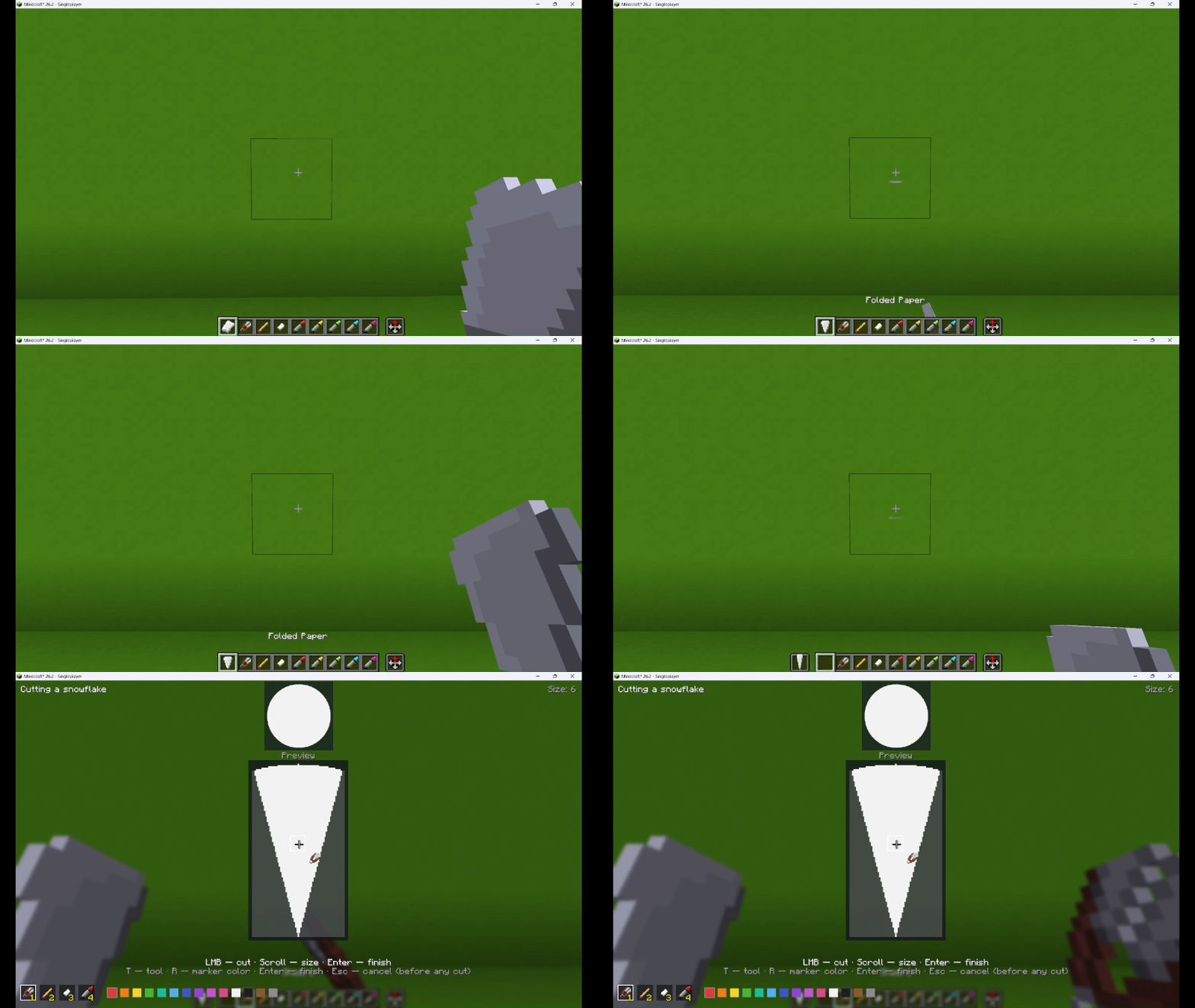 Making a snowflake
-
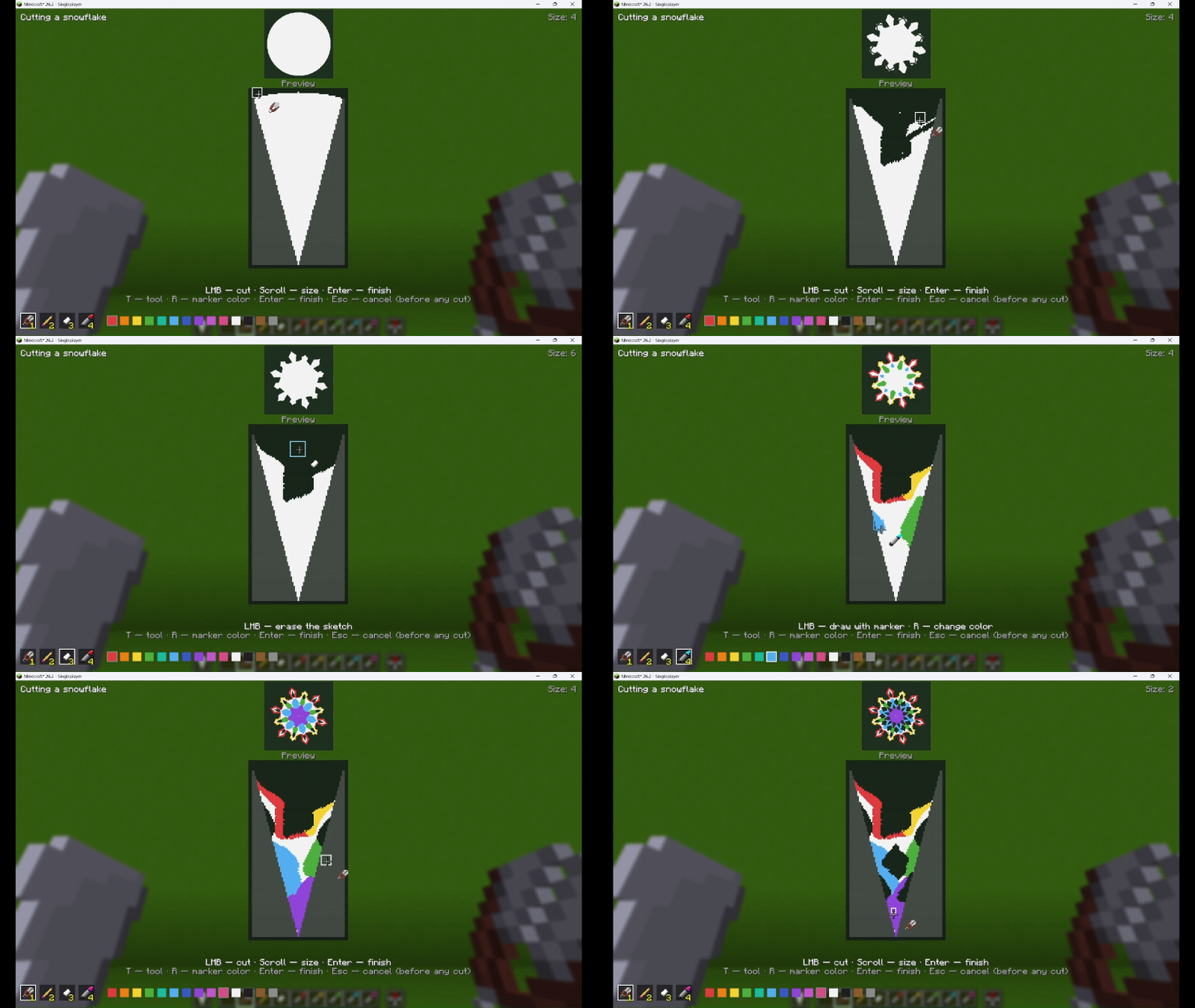 Cut and color
-
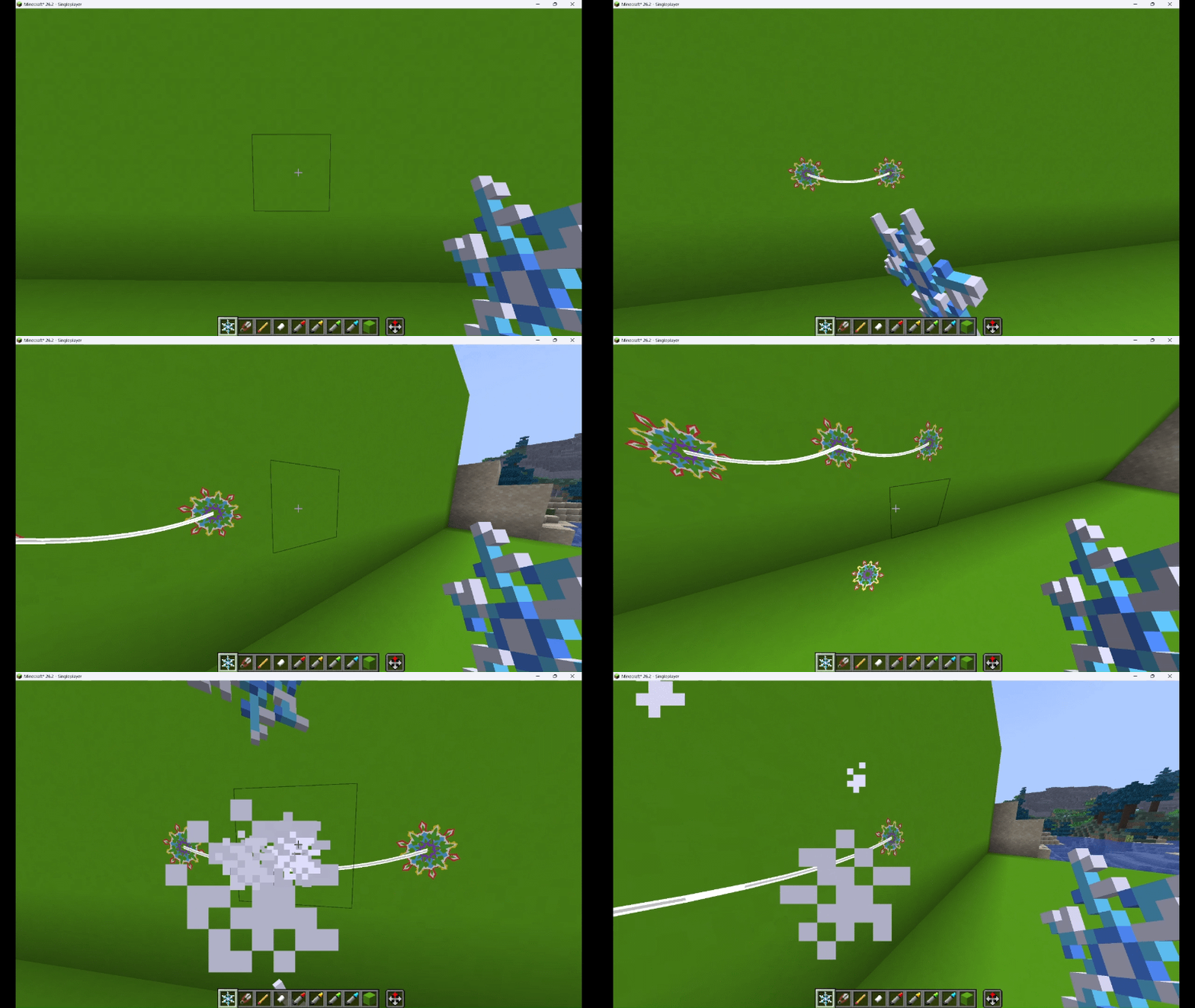 Hang and take
-
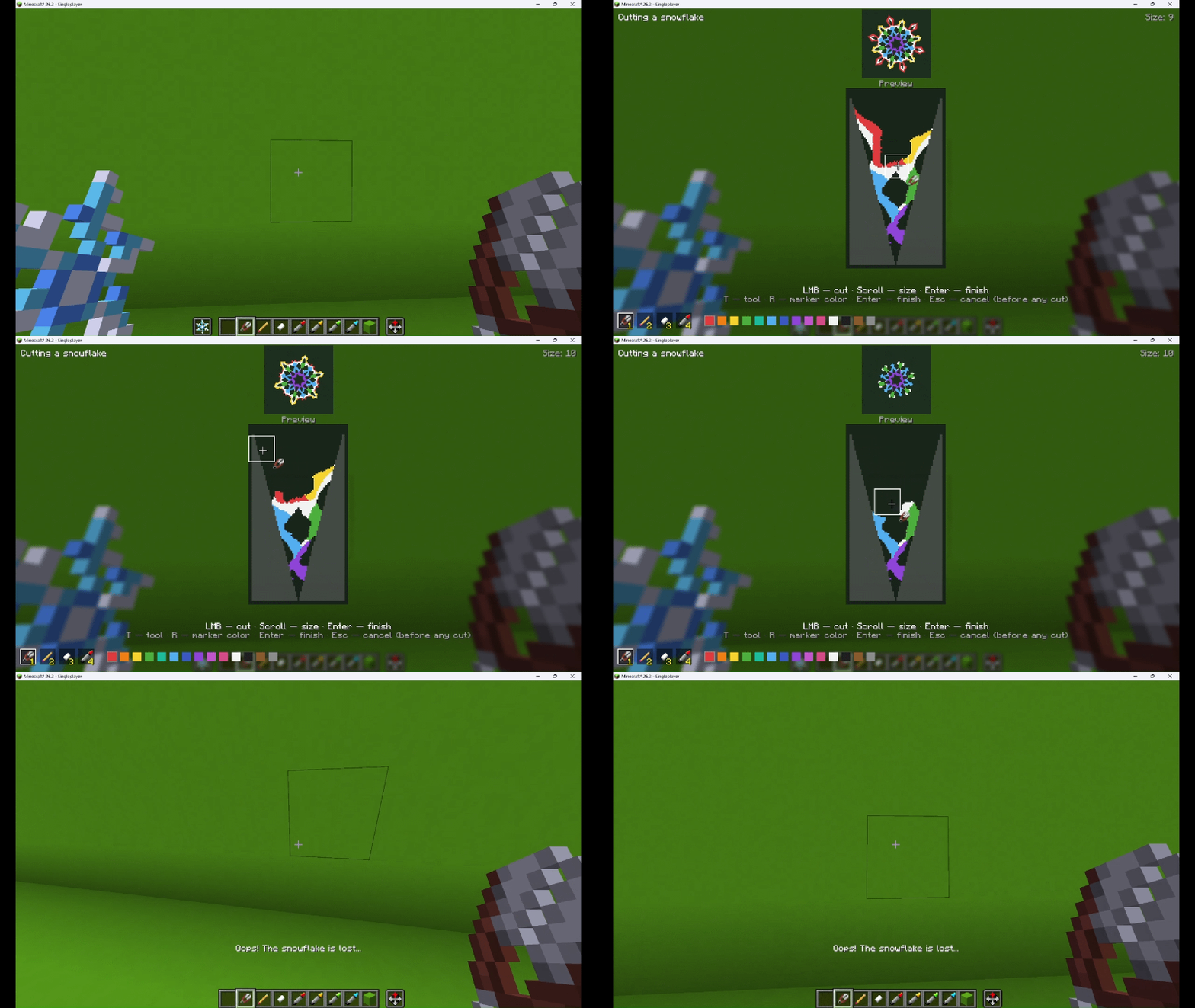 Oops! The snowflake is lost...
-
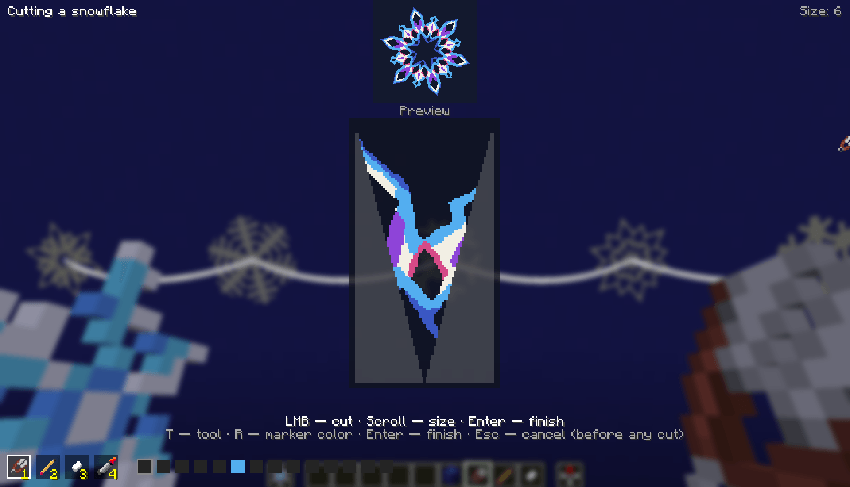 Snowflake editor
-
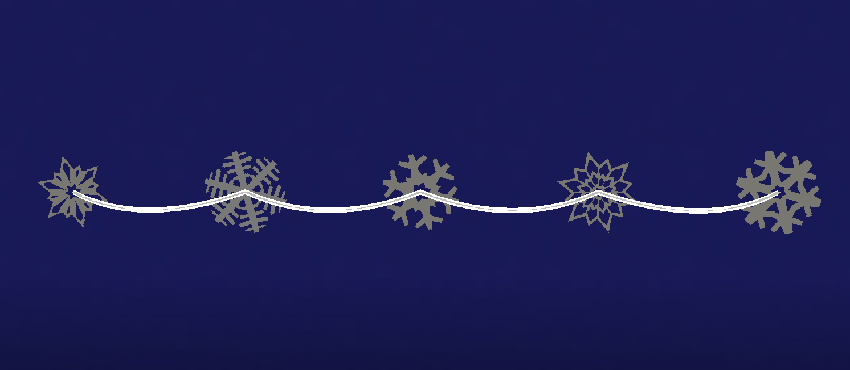 Some variants you can make (You can create more by using your imagination)
-
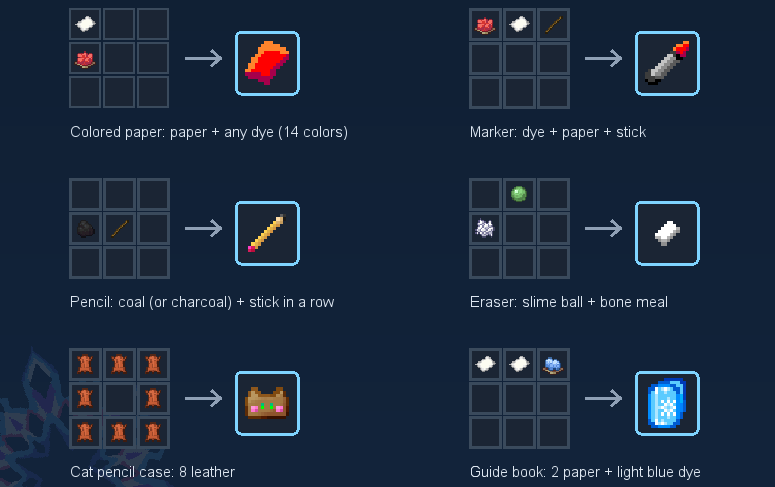 Crafting
Versions
Files
Relations
Project Relations
More like this
Similar Mods
Suggestions use data such as tags, dependencies, dependents, descriptions, titles, and more to rank how much they overlap with this mod.
On ModDex
Community snapshot
By the numbers
Statistics

Get it on
Available Platforms
On ModDex
Community snapshot
By the numbers
Statistics
Resources