
Community listing page, reviews here may not be monitored by the author.
Keep Inventory Orbs

No reviews yet
A cross-platform fully server-side approach to the gravestone concept introducing 'orbs' to store your inventory upon death.
Community voices
Reviews
No reviews yet. Be the first to review this project!
Get it on
Available Platforms
Compatibility
Supported Environments
Runs entirely on the server. Also works in singleplayer.
The author has not specified where this runs.
Varies by version.
About
Project Details
For authors
Embed Badge
If you're the author of this project, you can embed a live badge anywhere that supports HTML or Markdown. It updates automatically whenever ratings change.
Use HTML for any page that supports it, or Markdown for README files and Markdown-based descriptions.
Identifiers
Platform IDs
Resources
External Links
About
Description
Keep Inventory Orbs
A cross-platform fully server-side approach to the gravestone concept introducing 'orbs' to store your inventory upon death.
Cross-platform, compatible with Minecraft Bedrock Players!
(as long as the datapack/mod is installed on a Java server)
Upon death:
- An Orb will spawn that will keep your inventory safe. [Incompatible with Backpack mods]
- A compass to help you locate your last orb will be given to you. [Customizable]
Recovering Inventory:
-
When an Orb is broken, it will attempt to restore its inventory only to its owner.
If the Orb's owner is not nearby (within 6 blocks), nothing will happen and the orb will not break.
Orb Stealing is [OFF] by default. To steal an Orb that is not yours, an Admin needs to enable it in the Menu [see below]
-
Orbs will re-equip your armor and items exactly into the slot they were.
If the slot is occupied by something else, the item will drop in the player's position.
Orb behavior:
- Orbs will always spawn on the player's death position
- Orbs will spawn in the world's minimum height if the player dies in the void
- Orbs will never despawn.
- Orbs have gravity and will fall if they have no support.
- Orbs will move upwards if they are inside of a block.
- Orbs cannot be moved by pistons
Server-side advantages
If you are a server owner or admin, installing this datapack/mod into the server makes it work for everyone!
There is no need to install it on the client side!
Menu (for Server Admins)
The following command opens the built-in Chat Menu:
/function #keep_inventory_orbs:menu
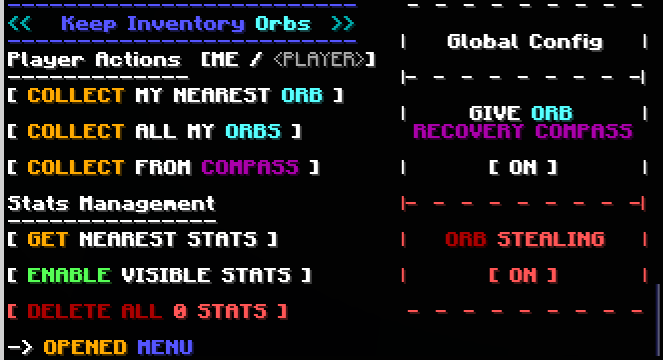
Orb Stealing
Orb Stealing will enable all players to steal an Orb even if it is not theirs
Buttons:
- Toggle [ON/OFF] orb stealing for all players
Give Orb Recovery Compass
Toggles whether players will receive an orb recovery compass pointing towards their last orb after respawning
Buttons:
- Toggle [ON/OFF] orb recovery compass for all players
Player Actions
These actions will apply to yourself or to a specified .
To toggle between these, click the [ME / <PLAYER>] section.
Buttons:
- Collect My Nearest Orb
- Collects your nearest orb within loaded chunks
- Collect All My Orbs
- Collects all your orbs within loaded chunks
- Collect From Compass
- Collects the orb nearest to the death location indicated by the orb recovery compass held in the player's hand, even in unloaded chunks.
- Collects the orb nearest to the death location indicated by the orb recovery compass held in the player's hand, even in unloaded chunks.
Stats Management
Orbs keep 'Stats' with information about the player's death. These stats are kept even after the orbs are collected.
Buttons:
- Get Nearest Stats
- Shows the Stats from the nearest Stats/Orb
- Gives you options to:
- Show the inventory saved by the Stats/Orbs
- Collect/Destroy/Respawn specific Orbs
- Erase specific Stats
- Enable/Disible Visible Stats
- When enabled, shows particles locating Stats/Orb within 16 blocks, and points towards the nearest selected one
- Delete All Stats
- Counts all Stats/Orb in currently loaded chunks and deletes them
Screenshots
Gallery
-
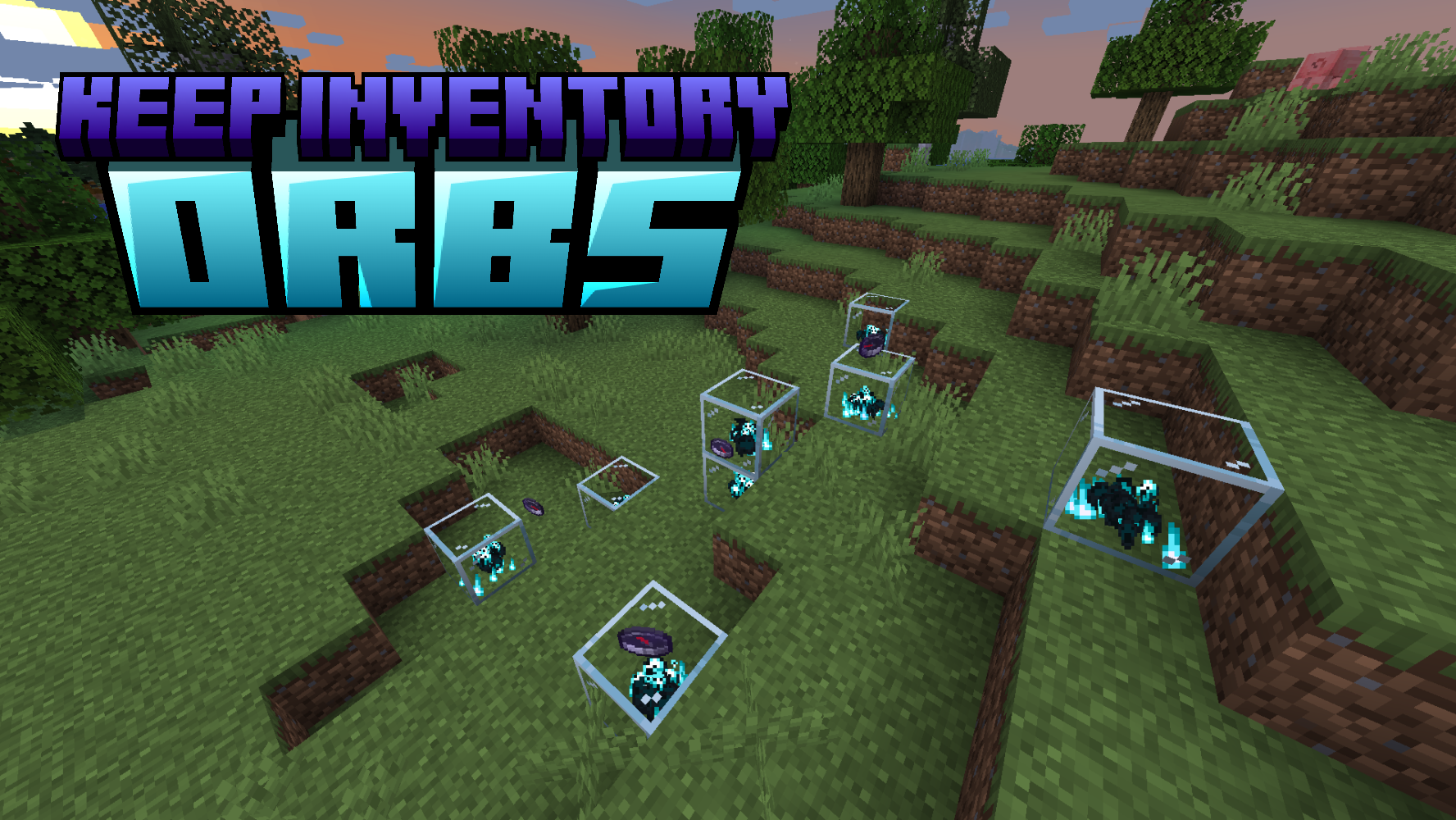 Keep Your Inventory Stored Orbs will hold your inventory after death
 -
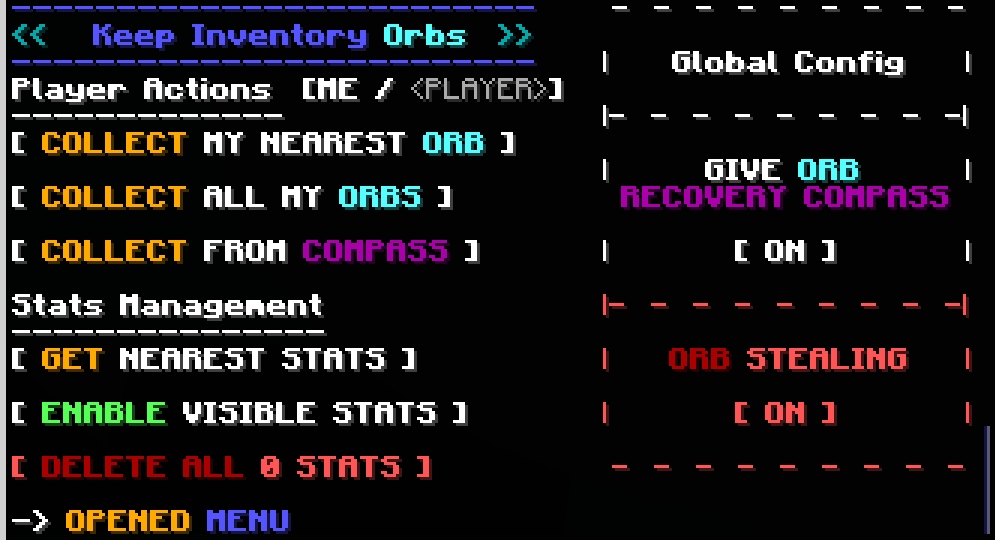 Built-In Chat Menu For Easy Access to Death Stats for ADMINS
Versions
Files
Relations
Project Relations
More like this
Similar Mods
Suggestions use data such as tags, dependencies, dependents, descriptions, titles, and more to rank how much they overlap with this mod.
On ModDex
Community snapshot
By the numbers
Statistics

Want to reach Minecraft players?
We're looking for a server hosting partner to feature here and other parts of the site. Interested? Send us a message!
Get in touchGet it on
Available Platforms
On ModDex
Community snapshot
By the numbers
Statistics
Resources