
Key - Lock chests, other containers and doors
No reviews yet
Lock your containers and doors to protect your items and buildings from other players and Creepers.
Features systems for better item storage and organization.
Data Packs were introduced to vanilla Minecraft in version 1.13 and allow the server to modify data about the game, or run commands. Data Packs are compatible with all mod loaders.
Forge is a popular mod loader for versions 1.1+ of Minecraft.
Neoforge is a fork of the Minecraft Forge available for versions 1.20.1+ of Minecraft. Many Forge mods are compatible with Neoforge and vice versa.
Fabric is a mod loader for versions 1.14+ of Minecraft, particularly popular for client side and optimization mods.
Quilt is a fork of the Fabric mod loader. Many Fabric mods are compatible with Quilt and vice versa.
Community voices
Reviews
Click once to include, again to exclude, again to clear
No reviews yet. Be the first to review this project!
Get it on
Available Platforms
 Modrinth
Compatibility
Supported Environments
About
Project Details
For authors
Embed Badge
If you're the author of this project, you can embed a live badge anywhere that supports HTML or Markdown. It updates automatically whenever ratings change.
Use HTML for any page that supports it, or Markdown for README files and Markdown-based descriptions.
Identifiers
Platform IDs
About
Description
Key
Lock your containers and doors to protect your items and buildings from other players and Creepers. Press shift and right-click on the block to lock or unlock it.
Features (italic ones must be turned on):
- Locking containers, doors, trapdoors and fence gates, even from mods
- Locking based on player and key name
- Automatic unlocking
- Locked containers can be unbreakable or displayed as hologram
- Keys can have a durability, be repaired and enchanted
- Admin Key
- Definable max locked blocks per player and in the world
The matching resource pack can be found in the supplementary resources section of the respective version.
Crafting
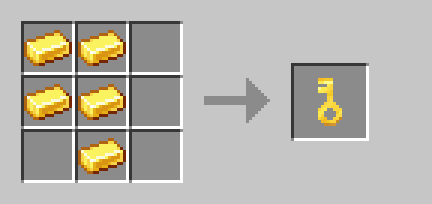
[1.20.2 - 1.20.4] The Crafting Table will show a Knowledge Book as the result. This will be replaced by the Key after crafting.
The Key is damaged every time a block is locked. This functionality can be changed in the settings of the Data Pack. The damage can also occur when unlocking, every time the Key is used or be completely deactivated. To increase its durability, it can also be enchanted with Unbreaking or Mending.
[1.21.2 +] The Key has a default durability of 400 and can be repaired with a Gold Ingot in the Anvil. The durability can be changed on my own website.
[1.20.2 - 1.21.1] The Key has a durability of 100 and can be repaired by dropping it with a Gold Ingot onto an Anvil.
Locking and settings
If a player locks a container or door, only that player can unlock it again. The Key itself doesn't matter in this process, as the lock only remembers the player.
In addition, you can allow the name of the Key to be used as password in the settings. This allows all players who use the right password to unlock the lock. To prevent forgotten passwords, the last player to lock the container or door owns it and can therefore also unlock it with any Key as described above.
If desired, the maximum number of locked blocks per player and the total in the world can be defined in the settings.
You can open the settings with the following command:
/function keylock:settings/menu
Use the follwing command to set the maximum numbers to unlimited:
/scoreboard players reset #max_player keylock
/scoreboard players reset #max_world keylock
Locked containers
Once a container has been locked, the items inside can no longer be accessed, even by breaking it or placing a hopper underneath it.
This also means that locked furnaces and similar blocks cannot process the items inside and the fuel currently in use is not preserved. If items are placed in a locked container via a hopper, they will be dropped when the container is unlocked.
Settings Menu:
- The automatic unlocking of containers can be activated. This causes all containers within a defined radius around the player to be unlocked, as long as the player is the owner of the container or has the correct Key with password selected in their hotbar. After the player has moved away, the container is automatically locked again.
- The behaviour of locked containers can be changed. Locked containers can either be made unbreakable or replaced by holograms. Furthermore, the container can also remain as a block and only be replaced by a hologram once it has been destroyed. A hologram is a visualisation of the locked container. A player can walk through it without resistance and place and break blocks in it.
Locked doors and fence gates (disabled by default)
All locked doors, trapdoors and fence gates are unbreakable and cannot be opened. However, if the support block is removed from normal doors, locked doors will also break.
If a double door is locked, both door leaves are locked.
Settings Menu:
- The automatic opening of double doors can be activated. This setting applies to all doors, regardless of whether they are locked.
- The automatic opening of doors can be activated. If this is activated, all doors that are three blocks in front of the player are opened. After the player has moved away, the door is automatically closed again.
- The automatic unlocking of doors can be activated. This will unlock and open all doors that are three blocks in front of the player, provided the player is the owner of the door or has selected the correct key and password in their hotbar. After the player has moved away, the door is automatically closed and locked again.
Important technical stuff
Be aware that other Data Packs and mods that change the functionality of containers and doors can interrupt the operation of this pack. In the case of containers, this could result in the loss of items.
Never kill all entities in the world, as the lock status of the block is stored in special entities.
A server admin can use an Admin Key to unlock the locked blocks of another player:
/function keylock:admin_key
If a container or door can no longer be unlocked, an attempt should first be made to break it. If the locked block replaces itself, an Admin Key can be used to unlock it. If a locked container no longer replaces itself, the original container must be placed again first. The following command can then be used to restore the items in the container:
/function keylock:container/repair with block <container position>
This command cannot be used if a container has been locked again at the same position with new items in it. This will overwrite the data at this position.
The items themselves are not saved in the special entity, but in the command storage. The file is located in the data folder of your world and is called command_storage_keylock.dat.
Adjust lockable Blocks
The easiest way to select the lockable blocks is on my own website. You can of course also download the premade version on modrinth, which would support me thanks to modrinth's Creator Monetisation Program.
If the lockable blocks need to be changed after the first download, the Data Pack must first be unzipped. All lockable blocks are defined under the folder data/tags/blocks.
All lockable containers are stored in the containers.json file. The following blocks from Vanilla can be locked when defined in this file:
barrel, blast_furnace, brewing_stand, chest, dispenser, dropper, furnace, hopper, smoker, trapped_chest and all colour variants of the shulker_box
If a container doesn't drop its content when broken (like shulker boxes) the container must be listed in the keep_inventory.json file. If this is not done, the items placed in the container while it is locked will be lost.
All lockable doors are stored in the doors.json file. All doors from Vanilla can be locked when defined in this file.
All lockable trapdoors and fence gates are stored in the trapgate.json file. All trapdoors and fence gates from Vanilla can be locked when defined in this file.
It is also possible to add blocks from mods. To do this, the block ID is stored in the most fitting block tag json file. In addition, it is always necessary to check whether the locking works correctly before using it.
Screenshots
Gallery
-
 Key Data Pack Logo
 -
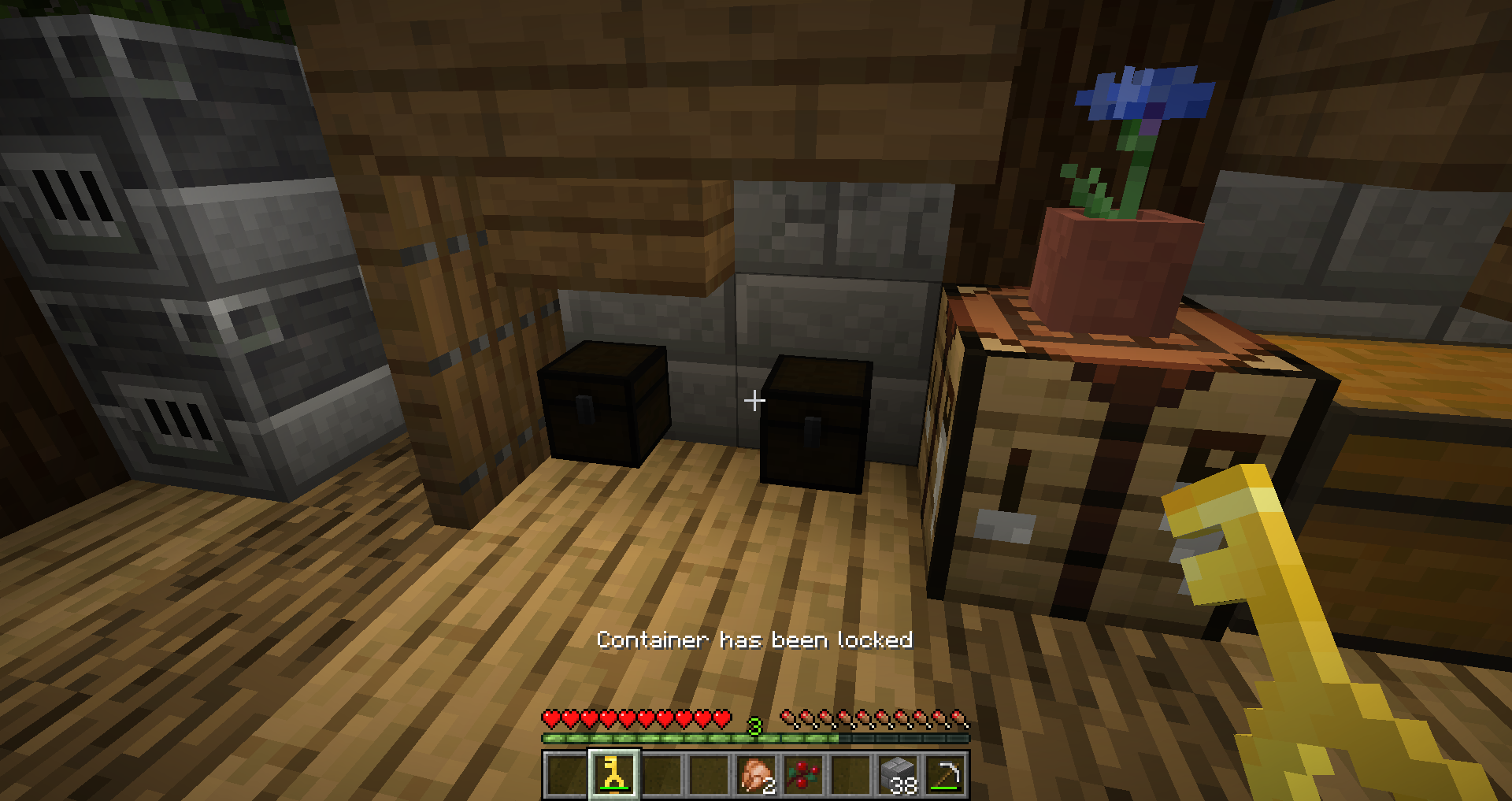 Locked Chest as hologram
 -
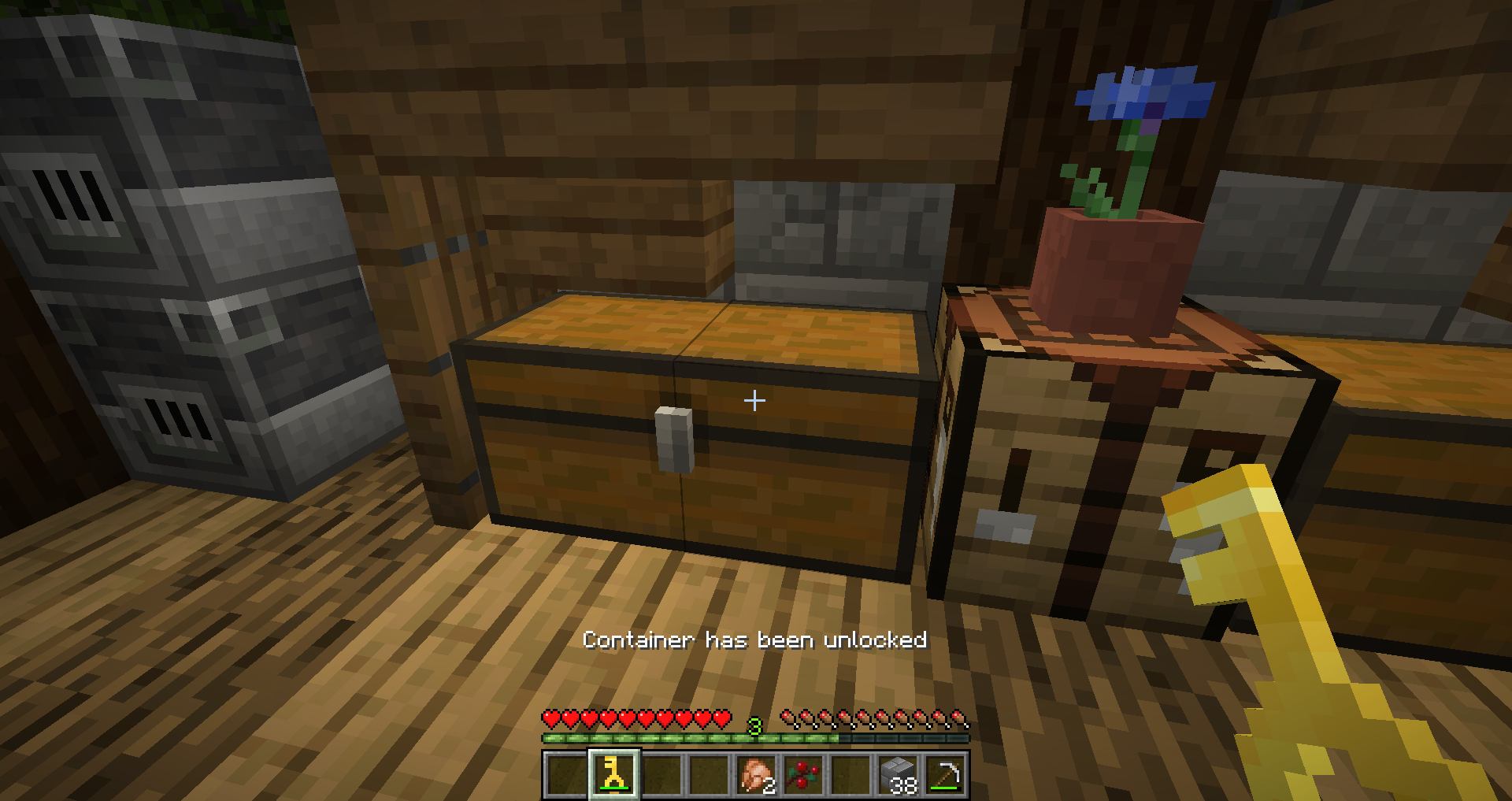 Chest has been unlocked
 -
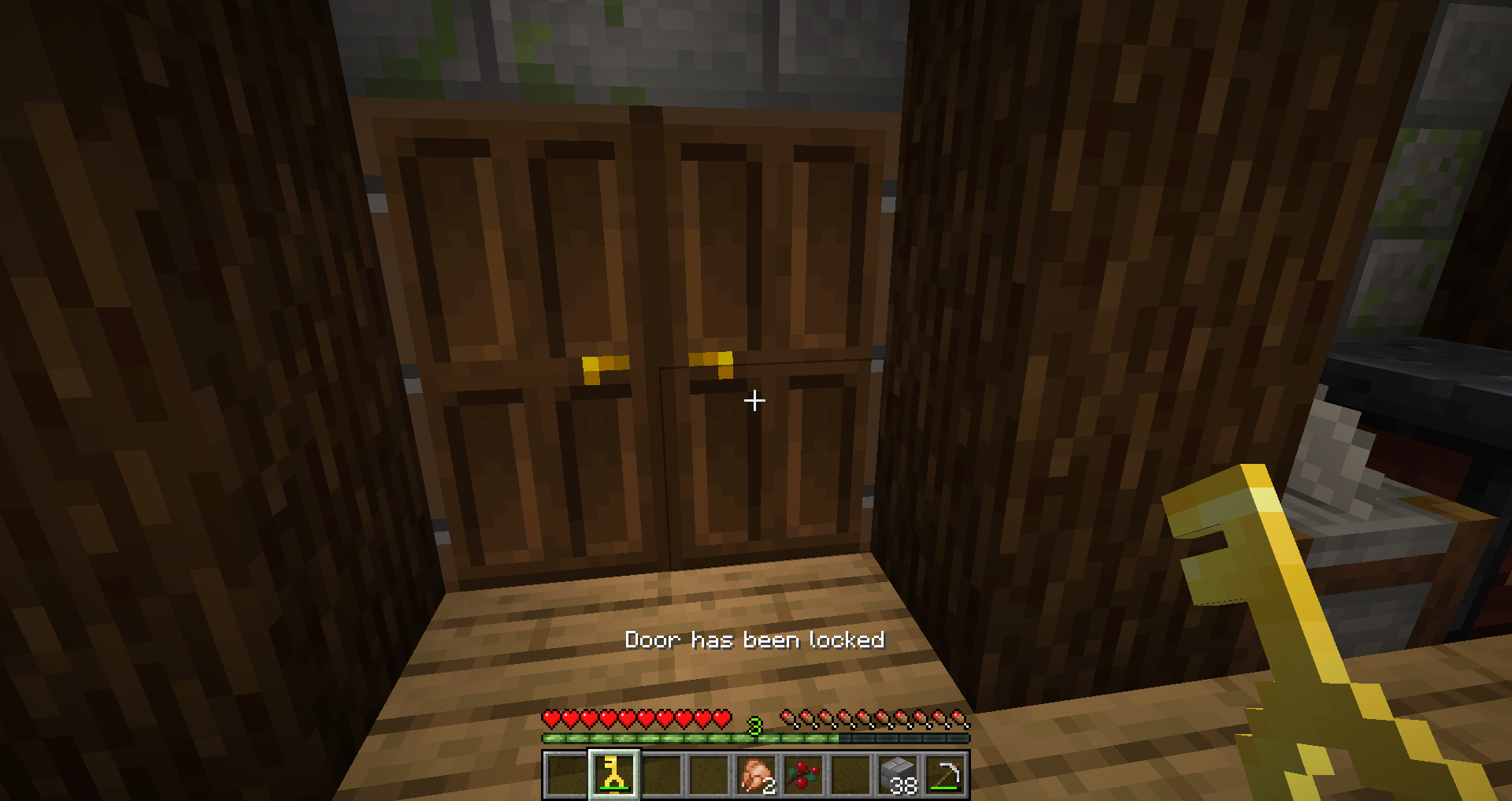 Locked Door
 -
Key Recipe
Versions
Files
Relations
Project Relations
More like this
Similar Mods
Suggestions use data such as tags, dependencies, dependents, descriptions, titles, and more to rank how much they overlap with this mod.
On ModDex
Community snapshot
By the numbers
Statistics

Want to reach Minecraft players?
We're looking for a server hosting partner to feature here and other parts of the site. Interested? Send us a message!
Get in touchGet it on
Available Platforms
On ModDex
Community snapshot
By the numbers