Community listing page, reviews here may not be monitored by the author.
Keybind Profiles


No reviews yet
Switch between multiple keybind profiles instantly with customizable hotkeys. Easily manage different controls for PvP, building, modpacks, or any playstyle.

Community voices
Reviews
No reviews yet. Be the first to review this project!
Get it on
Available Platforms
Compatibility
Supported Environments
Runs entirely on the client. Works on vanilla servers.
About
Project Details
For authors
Embed Badge
If you're the author of this project, you can embed a live badge anywhere that supports HTML or Markdown. It updates automatically whenever ratings change.
Use HTML for any page that supports it, or Markdown for README files and Markdown-based descriptions.
Identifiers
Platform IDs
Resources
External Links
About
Description
Keybind Profiles
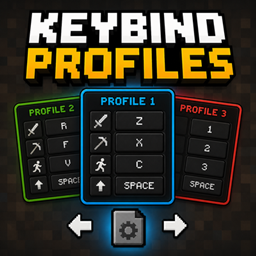
Keybind Profiles is a lightweight NeoForge mod that allows you to instantly switch between multiple Minecraft keybind setups using customizable hotkeys.
Perfect for players who use different controls for PvP, building, modpacks, minigames, or different playstyles.
Features
- Instantly switch between multiple keybind profiles
- Automatically saves and loads controls
- Fully customizable profile-switch hotkeys
- Lightweight and easy to use
- Profiles are stored locally as JSON files
- Client-side only
Default Keys
- Right Arrow → Next Profile
- Left Arrow → Previous Profile
The hotkeys can be changed in the Minecraft Controls menu.
How It Works
-
Change your controls in Minecraft settings
-
Switch to another profile
-
Set different controls
-
Switch back anytime instantly
Each profile stores your complete Minecraft keybind configuration automatically.
Compatibility
- Minecraft 26.1.2
- NeoForge 26.1.2.64
Profile Storage
Profiles are automatically stored inside:
config/keybind_profiles/
Notes
This mod is completely client-side and does not need to be installed on servers.
Keybind Profiles
Keybind Profiles is a lightweight NeoForge mod that allows you to instantly switch between multiple Minecraft keybind setups using customizable hotkeys.
Perfect for players who use different controls for PvP, building, modpacks, minigames, or different playstyles.
Features Instantly switch between multiple keybind profiles Automatically saves and loads controls Fully customizable profile-switch hotkeys Lightweight and easy to use Profiles are stored locally as JSON files Client-side only Default Keys Right Arrow → Next Profile Left Arrow → Previous Profile
The hotkeys can be changed in the Minecraft Controls menu.
How It Works
Change your controls in Minecraft settings
Switch to another profile
Set different controls
Switch back anytime instantly
Each profile stores your complete Minecraft keybind configuration automatically.
Compatibility Minecraft 26.1.2 NeoForge 26.1.2.64 Profile Storage
Profiles are automatically stored inside:
config/keybind_profiles/
Notes
This mod is completely client-side and does not need to be installed on servers.
Screenshots
Gallery
Versions
Files
Relations
Project Relations
More like this
Similar Mods
Suggestions use data such as tags, dependencies, dependents, descriptions, titles, and more to rank how much they overlap with this mod.
On ModDex
Community snapshot
By the numbers
Statistics
 (opens in a new tab)
Get it on
Available Platforms
On ModDex
Community snapshot
By the numbers
Statistics
Resources