
KillClipper
No reviews yet
Automatically saves OBS replay buffer clips and sort them per player when you kill them.
Fabric is a mod loader for versions 1.14+ of Minecraft, particularly popular for client side and optimization mods.
Community voices
Reviews
Click once to include, again to exclude, again to clear
No reviews yet. Be the first to review this project!
Get it on
Available Platforms
 Modrinth
Compatibility
Supported Environments
About
Project Details
For authors
Embed Badge
If you're the author of this project, you can embed a live badge anywhere that supports HTML or Markdown. It updates automatically whenever ratings change.
Use HTML for any page that supports it, or Markdown for README files and Markdown-based descriptions.
Identifiers
Platform IDs
Resources
External Links
About
Description
This mod connects Minecraft directly to OBS Studio using the OBS WebSocket plugin, allowing the mod to automatically capture almost every kill using the Replay Buffer. The mod organizes all clips in player-specific folders and sorts them.


Kill detection works in two modes:
-
Packet Mode listens directly to Minecraft network packets to detect when a player dies, but it depends on the server sending complete data. If the damage source or attacker entity is missing, the mod will not function
-
Chat Mode watches the Minecraft chat for specific kill messages sent by the server.
Dependencies
- Cloth Config API
- Fabric api
- Mod Menu
Setup
OBS Studio
-
Open OBS Studio.
-
Go to Tools → WebSocket Server Settings.
-
Make sure the following are set:
-
Enable WebSocket Server is checked.
-
Enable Authentication is checked.
-
Copy the Server Port and Server Password. Press Show Connect Info to view them.
4. Go to Settings → Output → Replay Buffer:
-
Make sure Enable Replay Buffer is checked.
-
Set the Maximum Replay Time to your desired length.
-
Copy the Recording Path
-
Click Start Replay Buffer to make it active.
Minecraft
Make sure Cloth Config and Mod Menu are installed
Open the config screen through mod menu and enter your OBS WebSocket server information (port/password) and Recording Path.
Video Tutorial
Check this video out for a step-by-step tutorial
Screenshots
Gallery
-
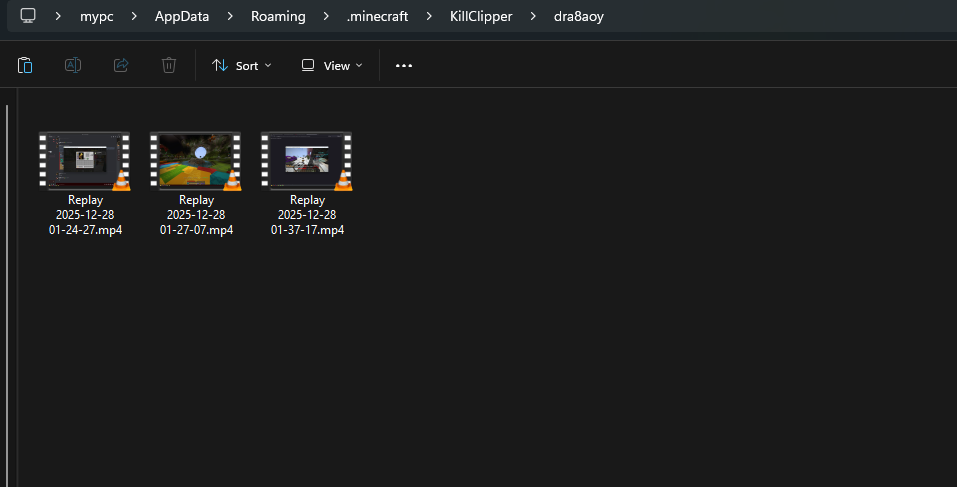 inside the killclipper folder
 -
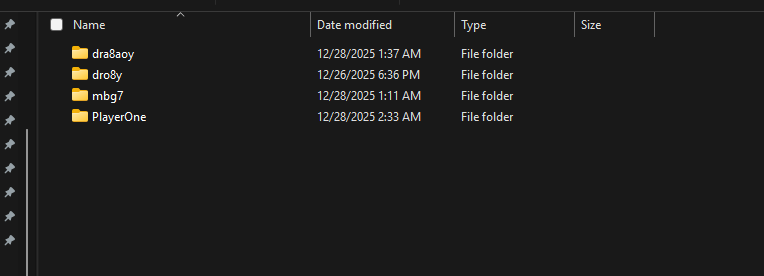 KillClipper Folder
Versions
Files
Relations
Project Relations
More like this
Similar Mods
Suggestions use data such as tags, dependencies, dependents, descriptions, titles, and more to rank how much they overlap with this mod.
On ModDex
Community snapshot
By the numbers
Statistics

Want to reach Minecraft players?
We're looking for a server hosting partner to feature here and other parts of the site. Interested? Send us a message!
Get in touchGet it on
Available Platforms
On ModDex
Community snapshot
By the numbers
Statistics
Resources