Community listing page, reviews here may not be monitored by the author.
Kinetic Minecart


No reviews yet
This mod increases damage to moving minecarts; the faster they move, the higher the damage, with virtually no damage limit!
Community voices
Reviews
No reviews yet. Be the first to review this project!
Get it on
Available Platforms
Compatibility
Supported Environments
Required on the server. Installing it on the client adds functionality.
Must be installed on both the client and the server.
Varies by version.
About
Project Details
For authors
Embed Badge
If you're the author of this project, you can embed a live badge anywhere that supports HTML or Markdown. It updates automatically whenever ratings change.
Use HTML for any page that supports it, or Markdown for README files and Markdown-based descriptions.
Identifiers
Platform IDs
About
Description
Kinetic Minecart
Impact damage from high-speed minecarts!
This mod increases damage to moving minecarts; the faster they move, the higher the damage!
Loaders



Environments


Compatibility
| Symbol | Relation |
|---|---|
| v | Required |
| o | Optional |
| x | Incompatible |
Fabric
| Server Side | Relation | Description |
|---|---|---|
| Fabric API | v | - |
| Cloth Config API | o | Custom Configuration |
| Client Side | Relation | Description |
|---|---|---|
| Fabric API | v | - |
| Cloth Config API | o | Custom Configuration |
| Mod Menu | o | Client Configuration Entry |
NeoForge / Forge
| Server Side | Relation | Description |
|---|---|---|
| Cloth Config API | o | Custom Configuration |
| Client Side | Relation | Description |
|---|---|---|
| Cloth Config API | o | Custom Configuration |
Progress
Check out the latest development progress here. Development Progress
Gallery
Features
- The damage dealt by minecarts is related to their Speed:
Speed >= 6         -> Damage = Speed cubed;

Speed > 2 and < 6  -> Damage = Speed squared;

Target has Vehicle -> Damage = Speed;

Speed <= 2         -> Damage = 0;
-
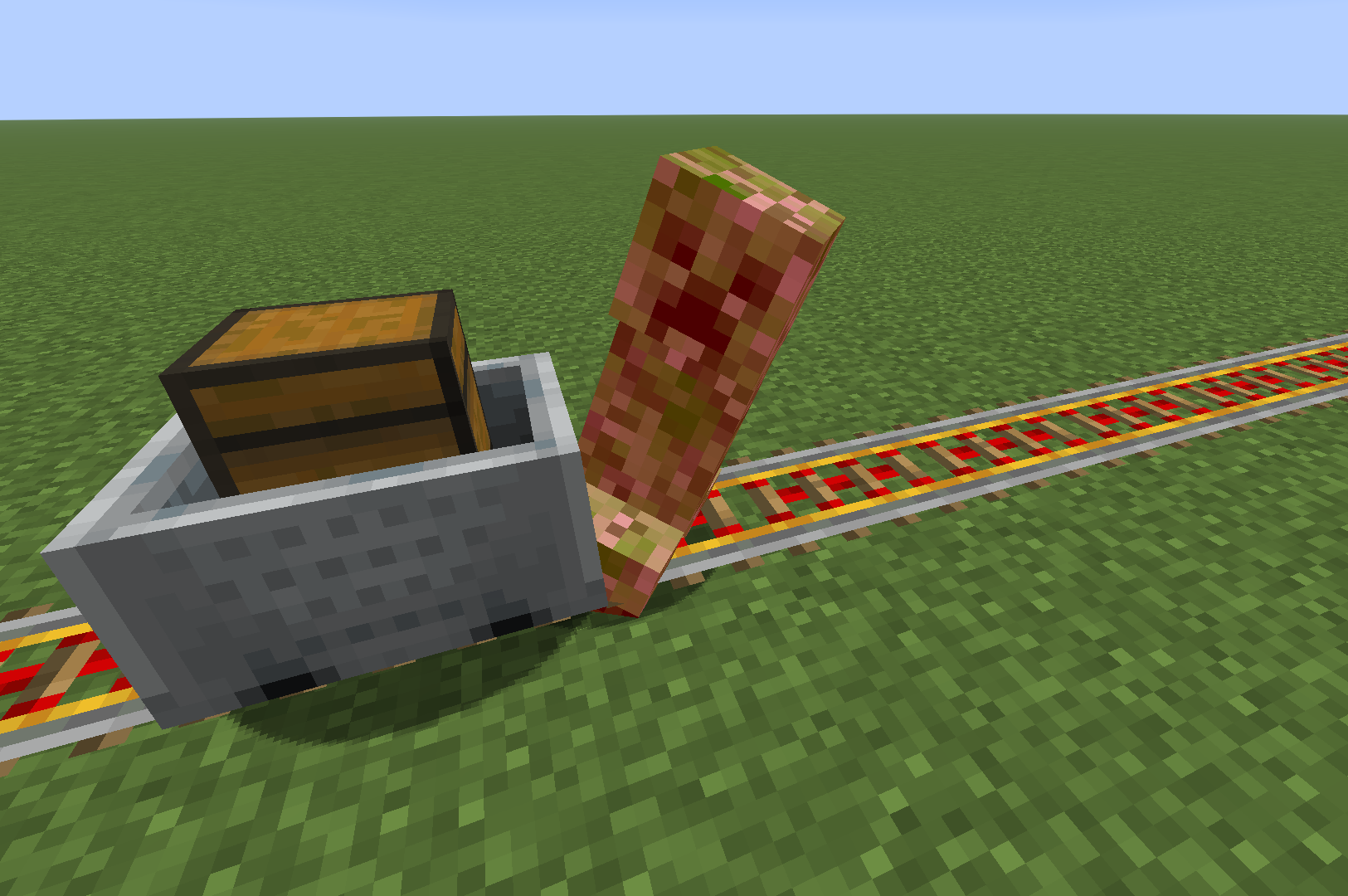
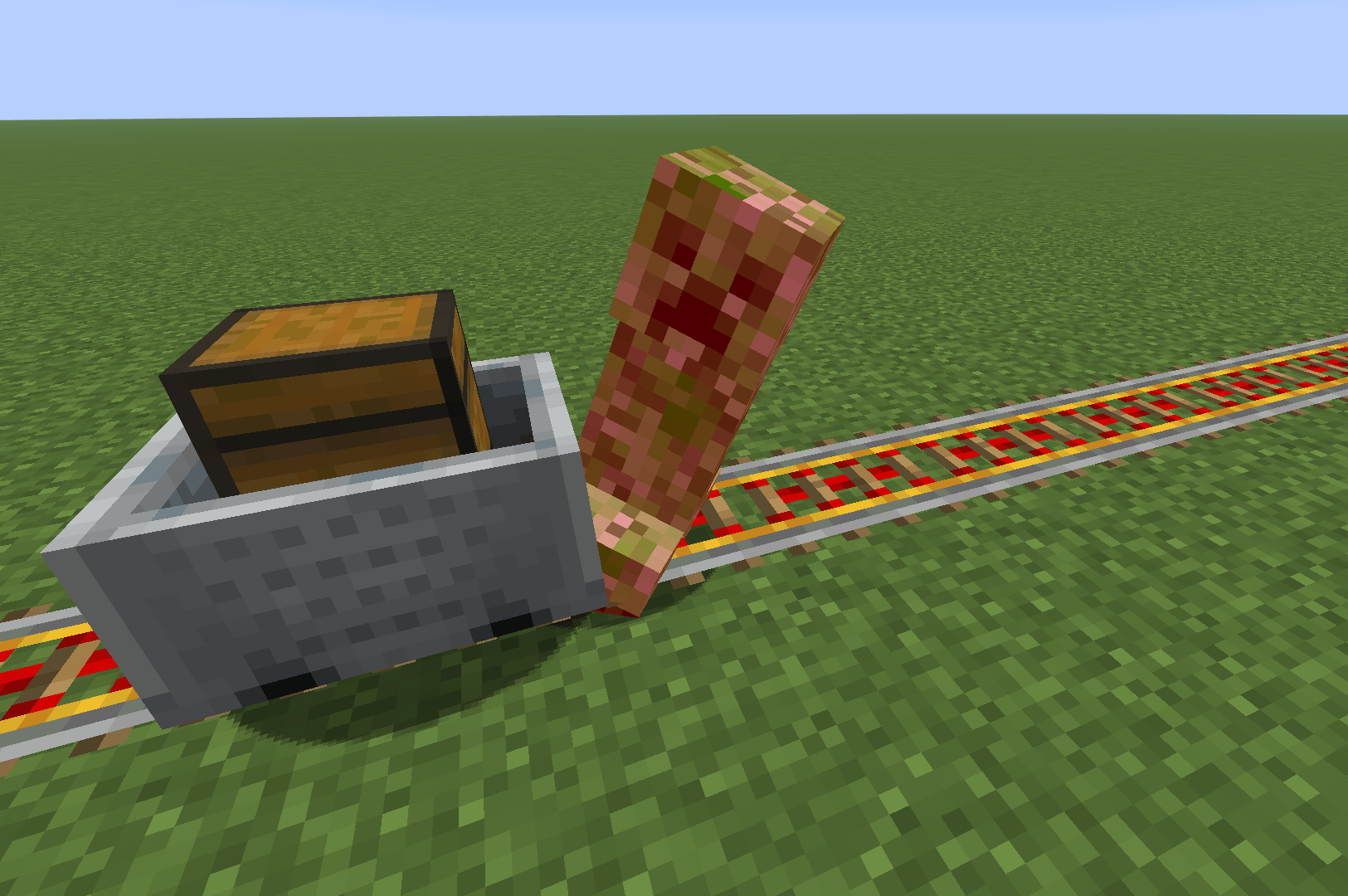
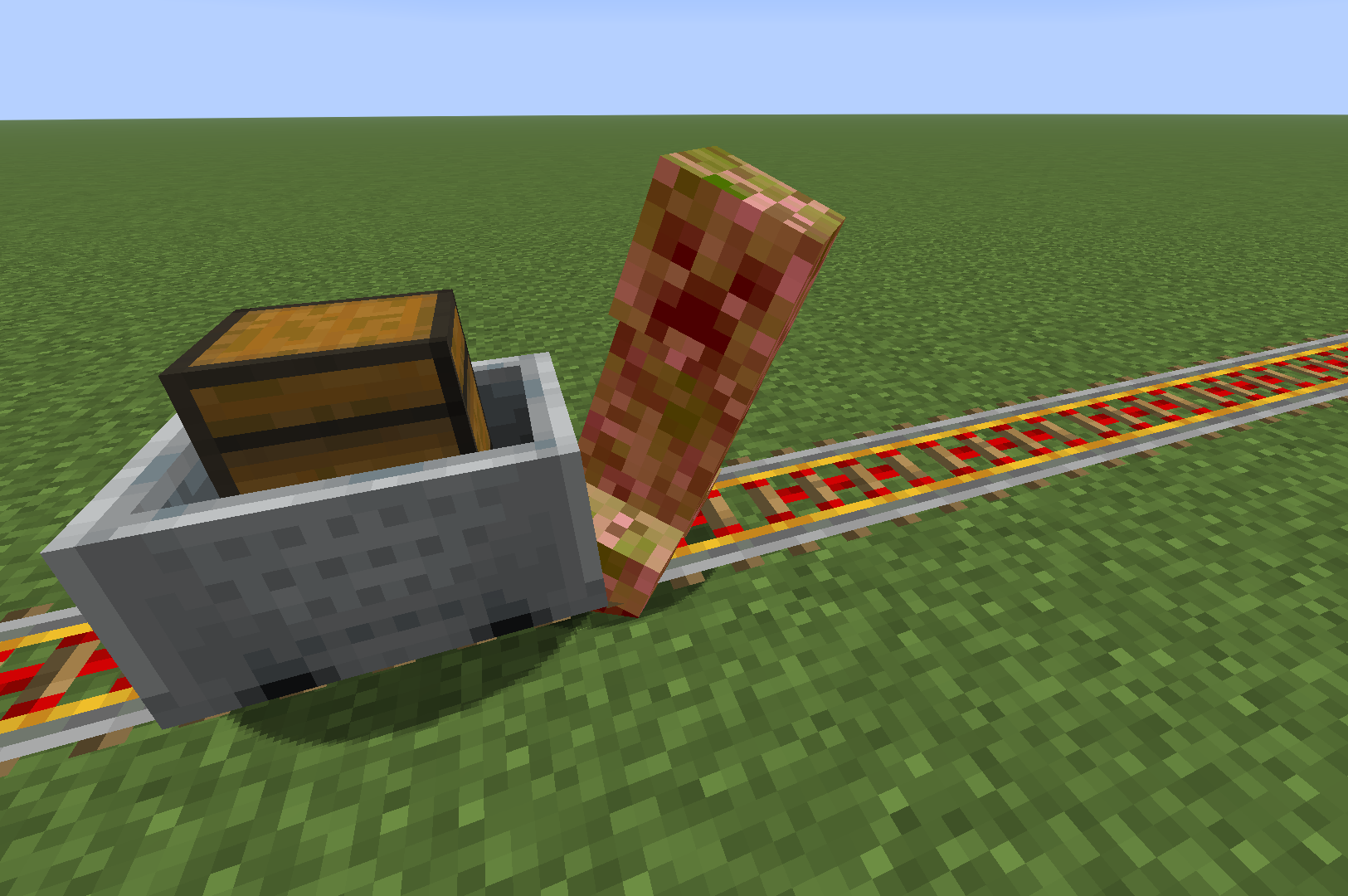
After being hit by a minecart, the entity is propelled approximately the same distance as its speed.
-
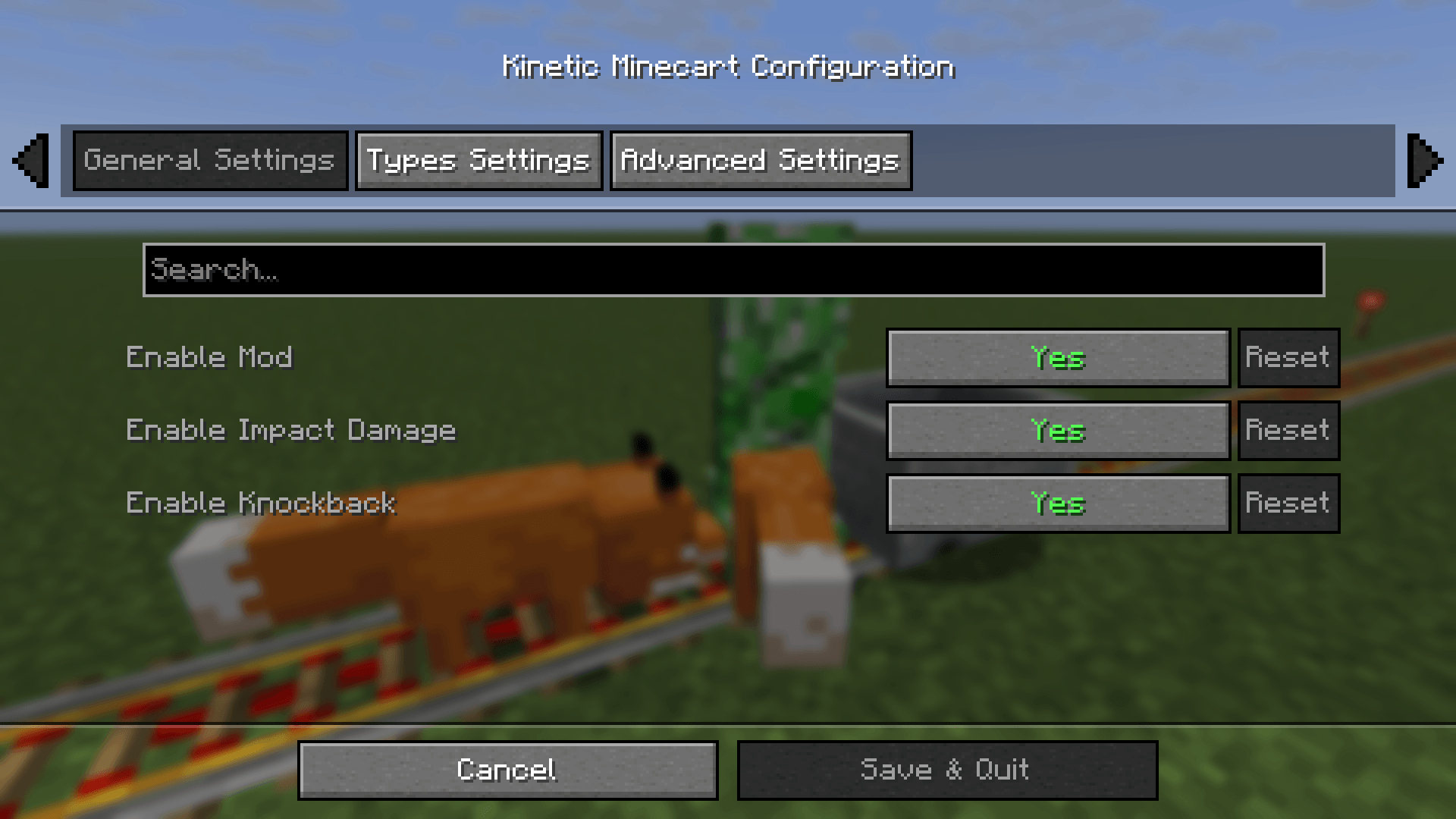
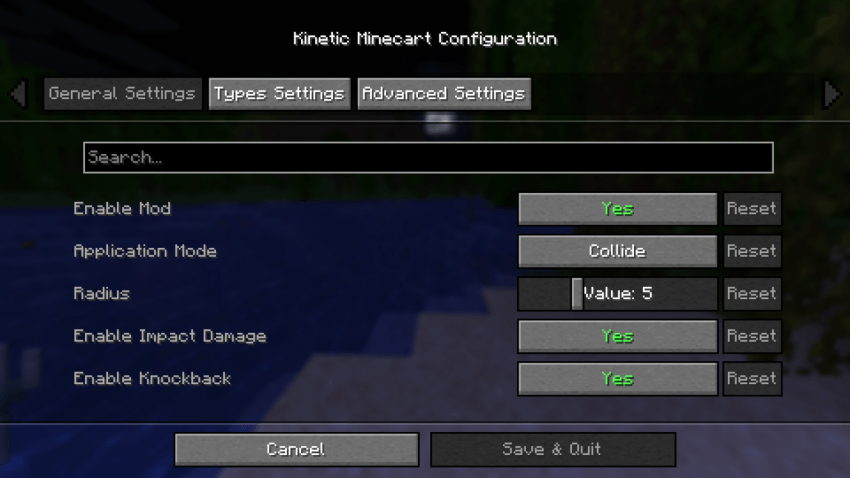
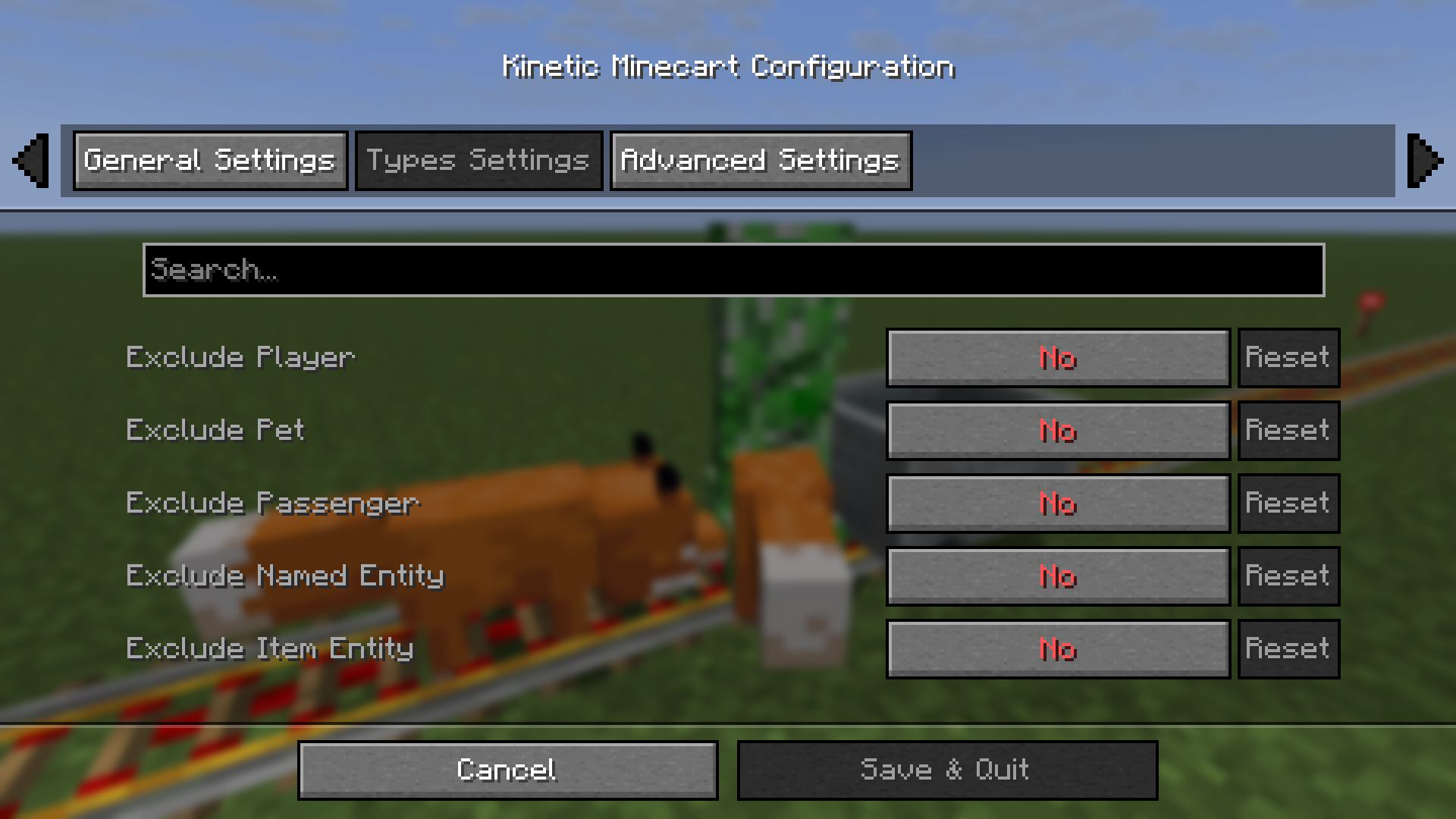
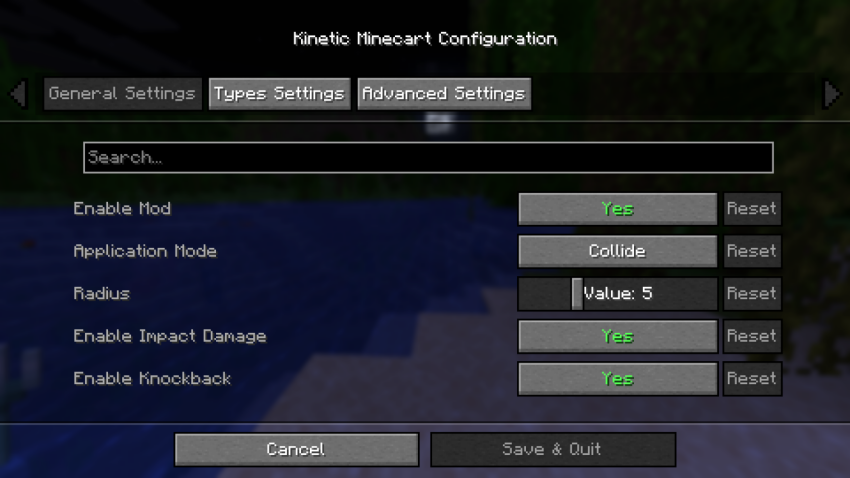
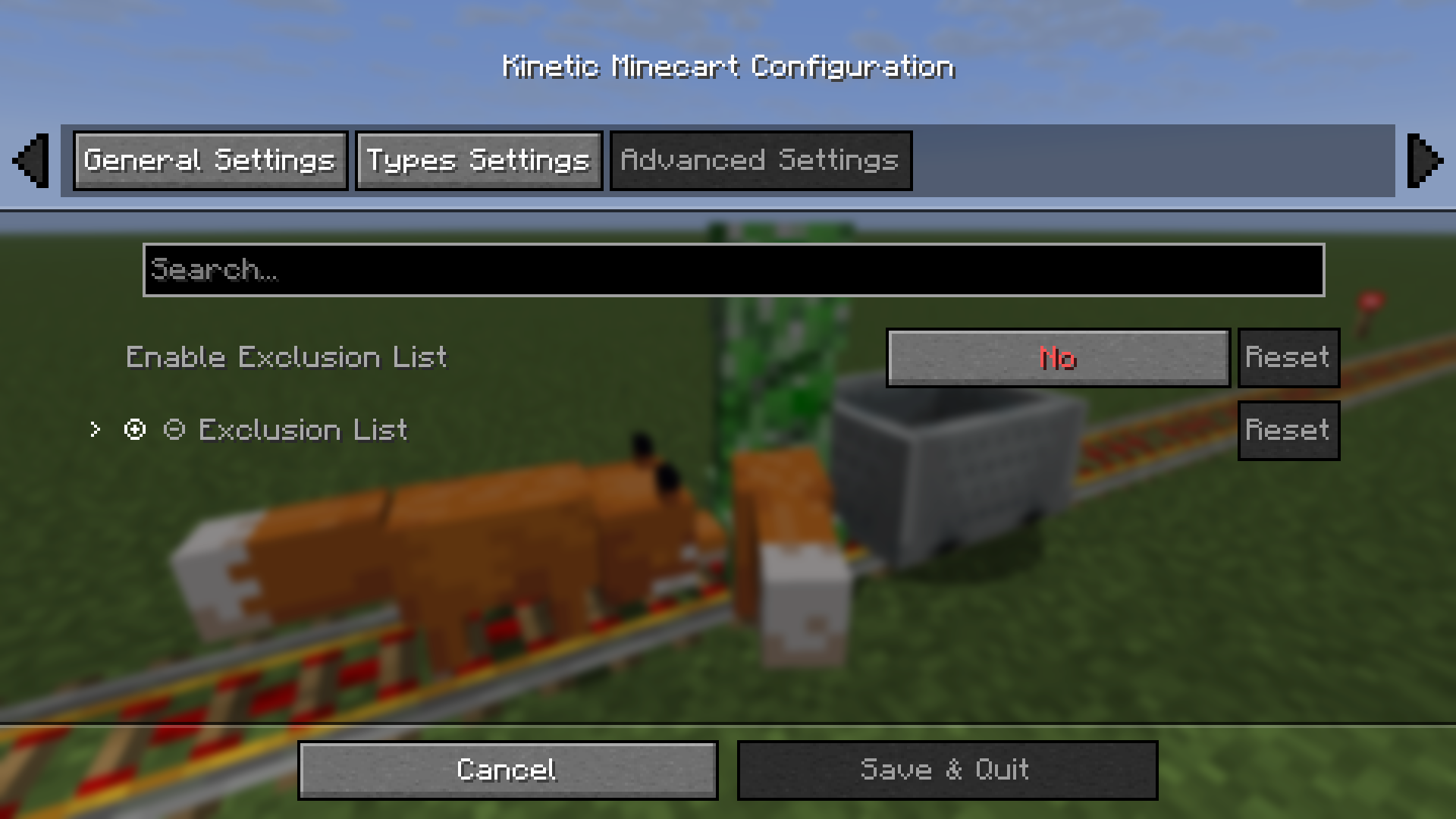
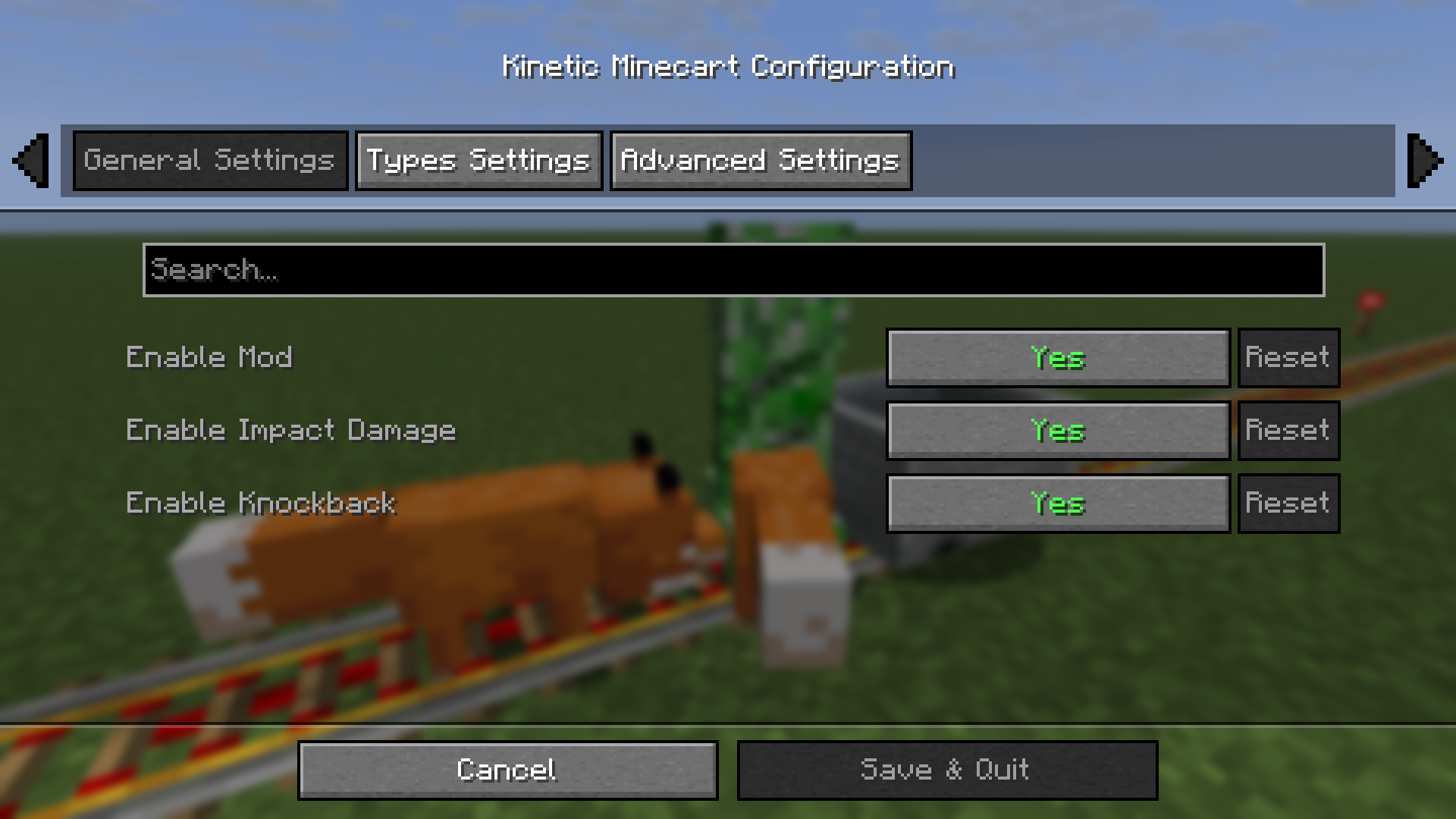
It offers custom configuration options, including customizing the collision effects of the minecart.
Configuration
Configuration files that will be generated after installing Cloth Config API:
.../config/kinetic-minecart.json
Singleplayer Mode


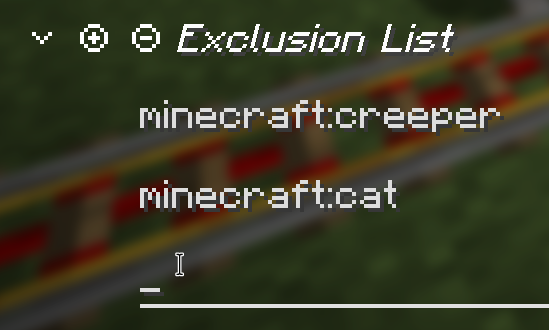
- You can edit the exclusion list, click on an item to name or delete it, and the inspection tool will attempt to proofread your input. (Sometimes, when you create a new item, the new text box may not appear; you may see an empty one, but this does not affect selection or input.)

Multiplayer Mode
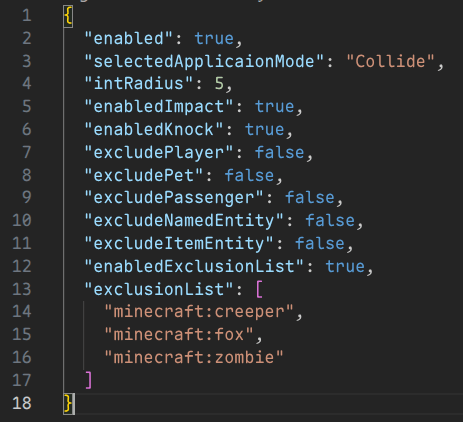
- In Multiplayer Mode, you Cannot change the configuration via the menu; instead, the server administrator needs to modify the 'kinetic-minecart.json' file. Below is an example:
kinetic-minecart.json
  [enabled] Value: true/false, Default: true

  [selectedApplicaionMode] Value: "Collide"/"Radius", Default: "Collide"
  [intRadius] Range: 3 - 10, Default: 5

  [enabledDamage] Value: true/false, Default: true
  [selectedDamageMode] Value: "TieredDamage"/"DirectlyKill", Default: "TieredDamage"

  [enabledKnock] Value: true/false, Default: true

  [excludePlayer] Value: true/false, Default: false
  [excludePet] Value: true/false, Default: false
  [excludePassenger] Value: true/false, Default: true
  [excludeNamedEntity] Value: true/false, Default: false
  [excludeItemEntity] Value: true/false, Default: false

  [enabledExclusionList] Value: true/false, Default: false
  [exclusionList]
    Value: [
      "<Namespace>:<Path>",
      "<Namespace>:<Path>",
      ...
      "<Namespace>:<Path>"
    ]
    Example: [
      "minecraft:creeper",
      "minecraft:cat",
      "minecraft:fox",
      "minecraft:pig",
      "minecraft:wolf",
      "minecraft:zombie"
    ]
    Default: []
Kinetic Minecart
Impact damage from high-speed minecarts!
This mod increases damage to moving minecarts; the faster they move, the higher the damage!
Loaders
Environments
Compatibility
| Symbol | Relation |
|---|---|
| v | Required |
| o | Optional |
| x | Incompatible |
Fabric
| Server Side | Relation | Description |
|---|---|---|
| Fabric API | v | - |
| Cloth Config API | o | Custom Configuration |
| Client Side | Relation | Description |
|---|---|---|
| Fabric API | v | - |
| Cloth Config API | o | Custom Configuration |
| Mod Menu | o | Client Configuration Entry |
NeoForge / Forge
| Server Side | Relation | Description |
|---|---|---|
| Cloth Config API | o | Custom Configuration |
| Client Side | Relation | Description |
|---|---|---|
| Cloth Config API | o | Custom Configuration |
Progress
Check out the latest development progress here. Development Progress
Gallery
Features
- The damage dealt by minecarts is related to their Speed:
Speed >= 6         -> Damage = Speed cubed;

Speed > 2 and < 6  -> Damage = Speed squared;

Target has Vehicle -> Damage = Speed;

Speed <= 2         -> Damage = 0;
-
After being hit by a minecart, the entity is propelled approximately the same distance as its speed.
-
It offers custom configuration options, including customizing the collision effects of the minecart.
Configuration
Configuration files that will be generated after installing Cloth Config API:
.../config/kinetic-minecart.json
Singleplayer Mode
- You can edit the exclusion list, click on an item to name or delete it, and the inspection tool will attempt to proofread your input. (Sometimes, when you create a new item, the new text box may not appear; you may see an empty one, but this does not affect selection or input.)
Multiplayer Mode
- In Multiplayer Mode, you Cannot change the configuration via the menu; instead, the server administrator needs to modify the 'kinetic-minecart.json' file. Below is an example:
kinetic-minecart.json
  [enabled] Value: true/false, Default: true

  [selectedApplicaionMode] Value: "Collide"/"Radius", Default: "Collide"
  [intRadius] Range: 3 - 10, Default: 5

  [enabledDamage] Value: true/false, Default: true
  [selectedDamageMode] Value: "TieredDamage"/"DirectlyKill", Default: "TieredDamage"

  [enabledKnock] Value: true/false, Default: true

  [excludePlayer] Value: true/false, Default: false
  [excludePet] Value: true/false, Default: false
  [excludePassenger] Value: true/false, Default: true
  [excludeNamedEntity] Value: true/false, Default: false
  [excludeItemEntity] Value: true/false, Default: false

  [enabledExclusionList] Value: true/false, Default: false
  [exclusionList]
    Value: [
      "<Namespace>:<Path>",
      "<Namespace>:<Path>",
      ...
      "<Namespace>:<Path>"
    ]
    Example: [
      "minecraft:creeper",
      "minecraft:cat",
      "minecraft:fox",
      "minecraft:pig",
      "minecraft:wolf",
      "minecraft:zombie"
    ]
    Default: []
Screenshots
Gallery
-
 Big.png Big.png
 -
 Configuration1.png Configuration1.png
 -
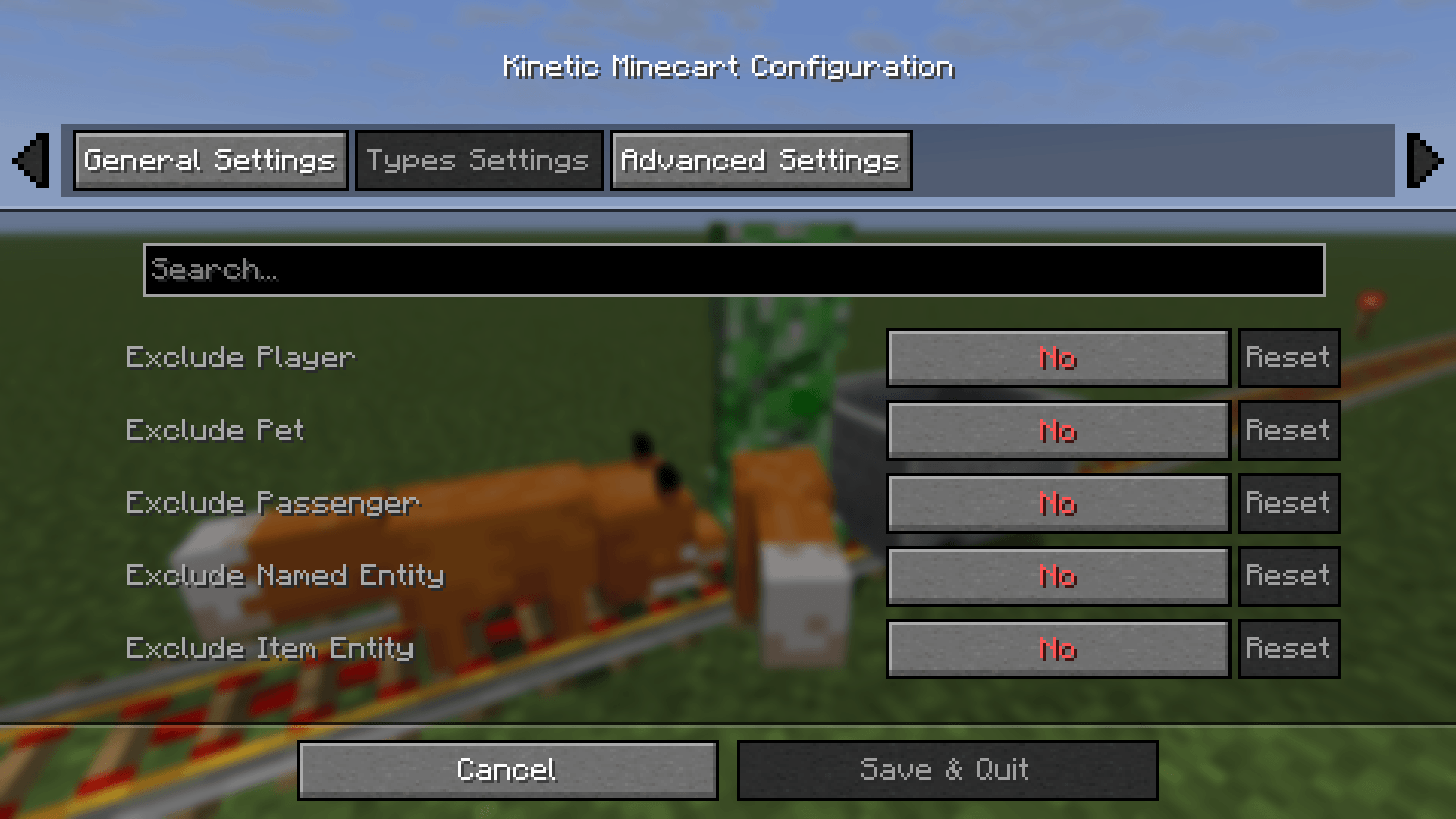 Configuration2.png Configuration2.png
 -
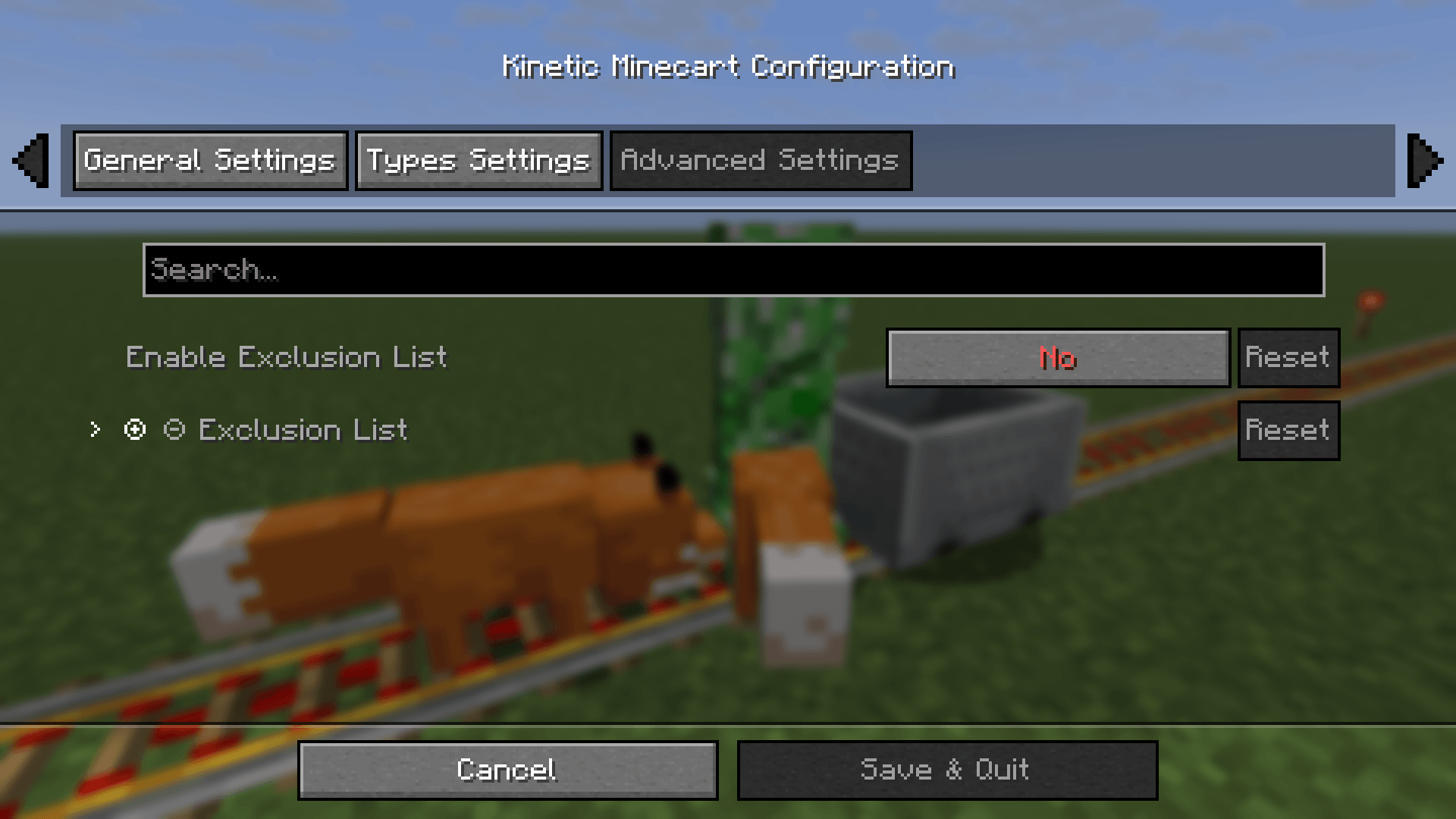 Configuration3.png Configuration3.png
 -
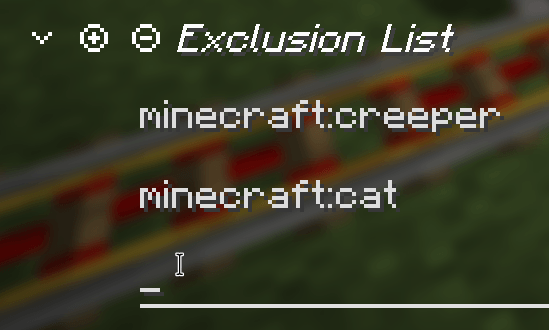 ExclusionList.png ExclusionList.png
 -
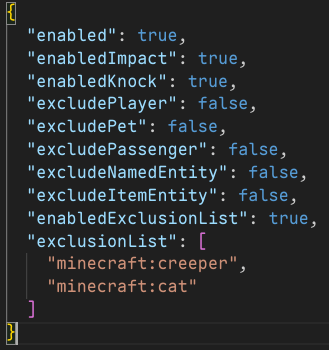 ConfigFile.png ConfigFile.png
 -
 ConfigFile.png ConfigFile.png
 -
 Configuration1.png Configuration1.png
-
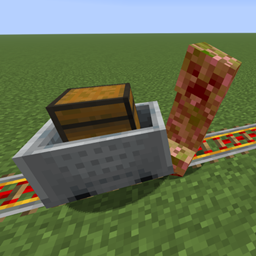
 A Creeper that was hit
 -
 Configuration2 Configuration2
 -
 ConfigFile ConfigFile
 -
 Configuration1 Configuration1
 -
 Configuration3 Configuration3
 -
 Configuration1 Configuration1
 -
 ConfigFile ConfigFile
 -
 Exclusion List Exclusion List
Versions
Files
Relations
Project Relations
More like this
Similar Mods
Suggestions use data such as tags, dependencies, dependents, descriptions, titles, and more to rank how much they overlap with this mod.
On ModDex
Community snapshot
By the numbers
Statistics
Want to reach Minecraft players?
We're looking for a server hosting partner to feature here and other parts of the site. Interested? Send us a message!
Get in touchGet it on
Available Platforms
On ModDex
Community snapshot
By the numbers