
KitSync
No reviews yet
KitSync is a client-side utility mod that automatically snaps your items back into your preferred hotbar slots the moment you open your inventory. It allows you to save custom layouts for different game modes.
Features systems for better item storage and organization.
Fabric is a mod loader for versions 1.14+ of Minecraft, particularly popular for client side and optimization mods.
Community voices
Reviews
Click once to include, again to exclude, again to clear
No reviews yet. Be the first to review this project!
Get it on
Available Platforms
 Modrinth
Compatibility
Supported Environments
About
Project Details
For authors
Embed Badge
If you're the author of this project, you can embed a live badge anywhere that supports HTML or Markdown. It updates automatically whenever ratings change.
Use HTML for any page that supports it, or Markdown for README files and Markdown-based descriptions.
Identifiers
Platform IDs
Resources
External Links
About
Description
KitSync
KitSync is a lightweight, client-side Fabric utility mod that keeps your hotbar organized exactly the way you want it. Save multiple custom hotbar layouts and automatically restore your preferred arrangement whenever you open your inventory, so you can spend less time organizing items and more time playing.
Whether you're playing PvP, minigames, or survival, KitSync helps maintain consistent muscle memory by keeping your essential items in their preferred hotbar slots.
Features
- Save multiple named hotbar layouts.
- Automatically restore your selected layout.
- Quickly switch between different layouts.
- Lightweight client-side implementation.
- Simple command-based interface.
- No server installation required.
Commands
| Command | Description |
|---|---|
/layout save <name> |
Saves your current hotbar (slots 1–9) as a named layout. |
/layout select <name> |
Selects the layout that KitSync will restore automatically. |
/layout list |
Lists all saved layouts and highlights the active layout. |
Usage
Save
Arrange your hotbar exactly how you want it, then save the layout.
Example:
/layout save bedwars
Play
Play normally by collecting resources, looting chests, or purchasing items. As your inventory changes, your hotbar may become disorganized.
Restore
Open your inventory, and KitSync automatically restores your selected layout by moving matching items back into their preferred hotbar slots.
Switch
Create multiple layouts for different game modes and switch between them whenever you like.
Example:
/layout save skywars
/layout save survival

/layout select skywars
The selected layout becomes active immediately without restarting the game.
Requirements
- Fabric Loader
- Minecraft version supported by this release
- Fabric API (if required)
Notes
- Client-side only.
- No server installation is required.
- Does not add items or modify gameplay mechanics.
- Simply restores your saved hotbar layout whenever you open your inventory.
Screenshots
Gallery
-
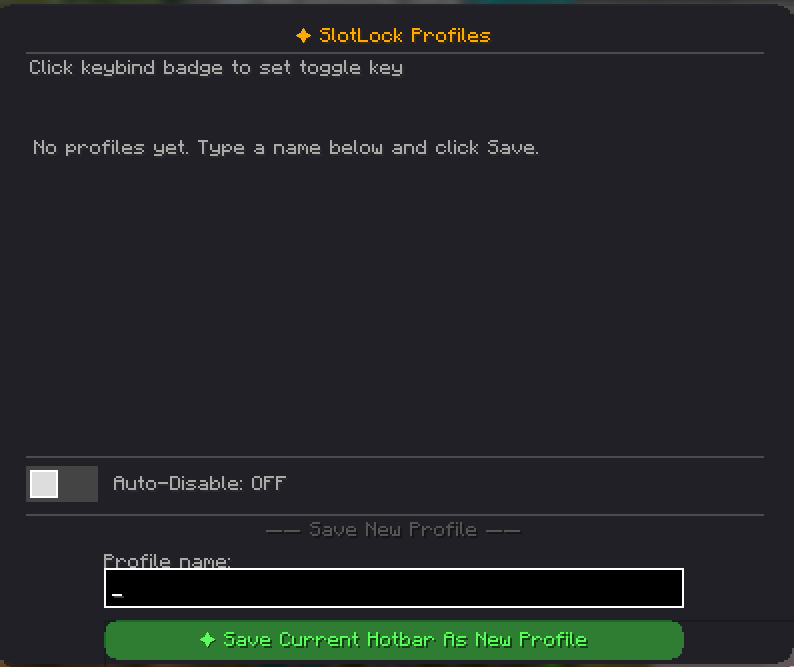 Ui Screen Elements displaying buttons and stuff
Versions
Files
Relations
Project Relations
More like this
Similar Mods
Suggestions use data such as tags, dependencies, dependents, descriptions, titles, and more to rank how much they overlap with this mod.
On ModDex
Community snapshot
By the numbers
Statistics

Want to reach Minecraft players?
We're looking for a server hosting partner to feature here and other parts of the site. Interested? Send us a message!
Get in touchGet it on
Available Platforms
On ModDex
Community snapshot
By the numbers
Statistics
Resources