
Community listing page, reviews here may not be monitored by the author.
KKS Chat

No reviews yet
Custom chat with player avatars, whispers, and anti-spam. Fully customizable positioning.
Community voices
Reviews
No reviews yet. Be the first to review this project!
Get it on
Available Platforms
Compatibility
Supported Environments
Runs entirely on the client. Works on vanilla servers.
About
Project Details
For authors
Embed Badge
If you're the author of this project, you can embed a live badge anywhere that supports HTML or Markdown. It updates automatically whenever ratings change.
Use HTML for any page that supports it, or Markdown for README files and Markdown-based descriptions.
Identifiers
Platform IDs
Resources
External Links
About
Description
KKS Chat
Custom chat for Minecraft with player avatars, settings, spam protection, and multi-language UI.
Main Features
Beautiful Interface
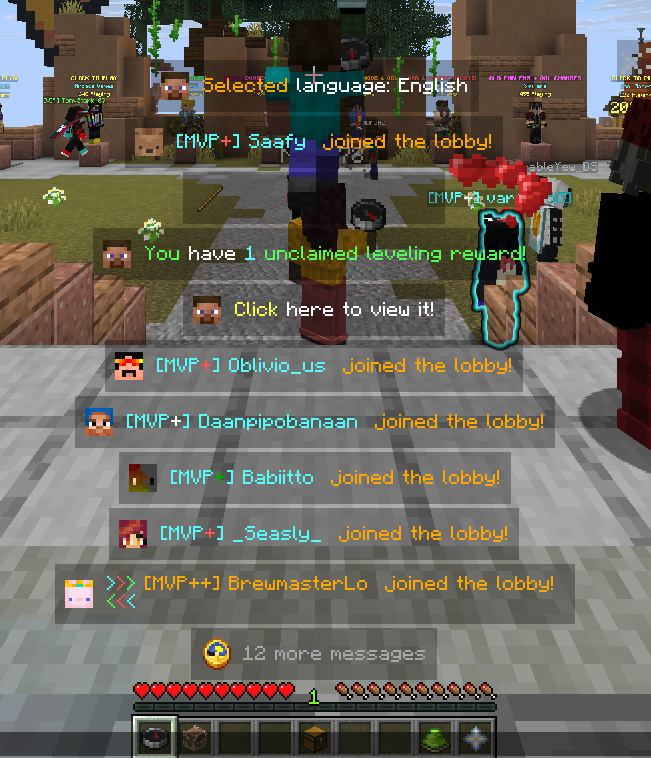
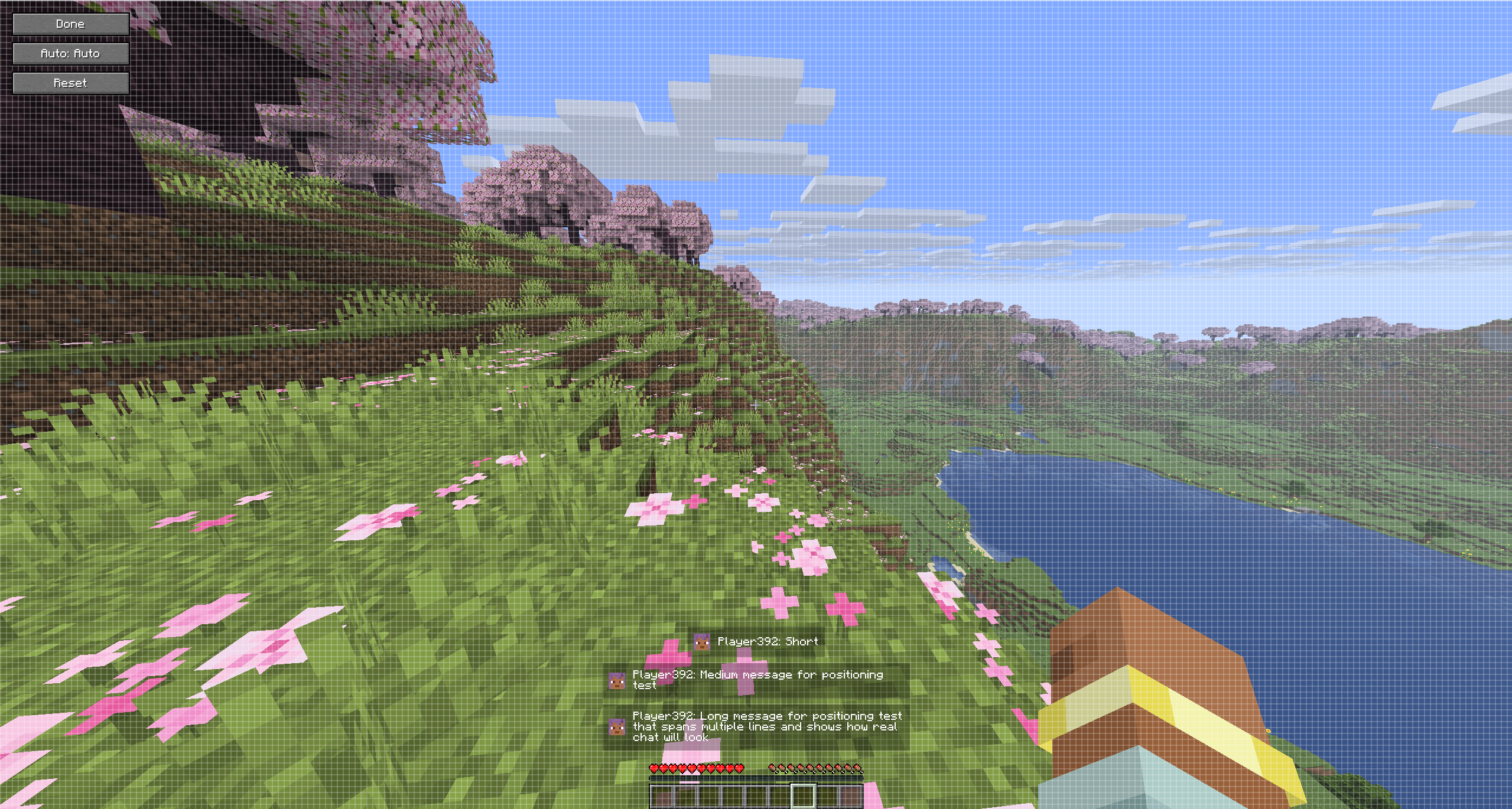
Chat shows player avatars next to messages. Each line is drawn in its own block with adjustable background transparency. You can move the whole chat to different corners or keep it centered (see Positioning).

Positioning
In Options → Chat Settings, cycle Position to place the chat on screen. Modes:
- Center (bottom) — default, above the hotbar area
- Center (top)
- Left top / Left bottom
- Right top / Right bottom
Message blocks align to the chosen side or stay centered.
Anti-Spam System
When enabled, only fully identical consecutive messages are merged and shown with a repeat counter (e.g. x3). You can turn anti-spam off in settings; history regroups or splits accordingly.

Whisper
Private messages are shown with dedicated formatting (sender / receiver).

Animations
Messages animate in and out of the screen. Choose a separate style for appearance and disappearance in the config:
- Fade — smooth opacity transition (default)
- Slide — slides in/out from left, right, top, or bottom
- Bounce — elastic spring effect on entry
- None — instant appear and disappear
Settings
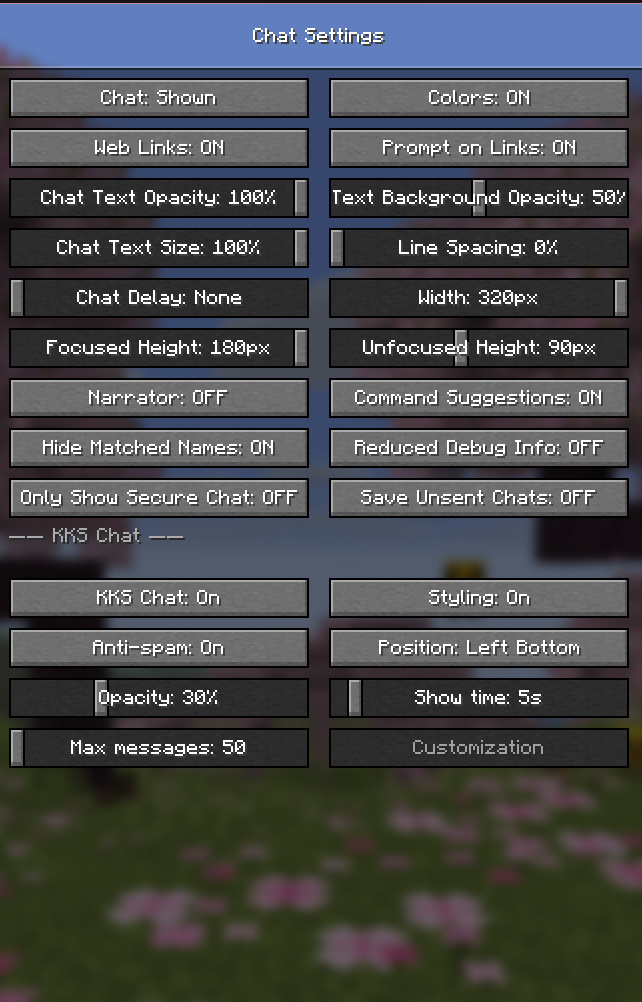
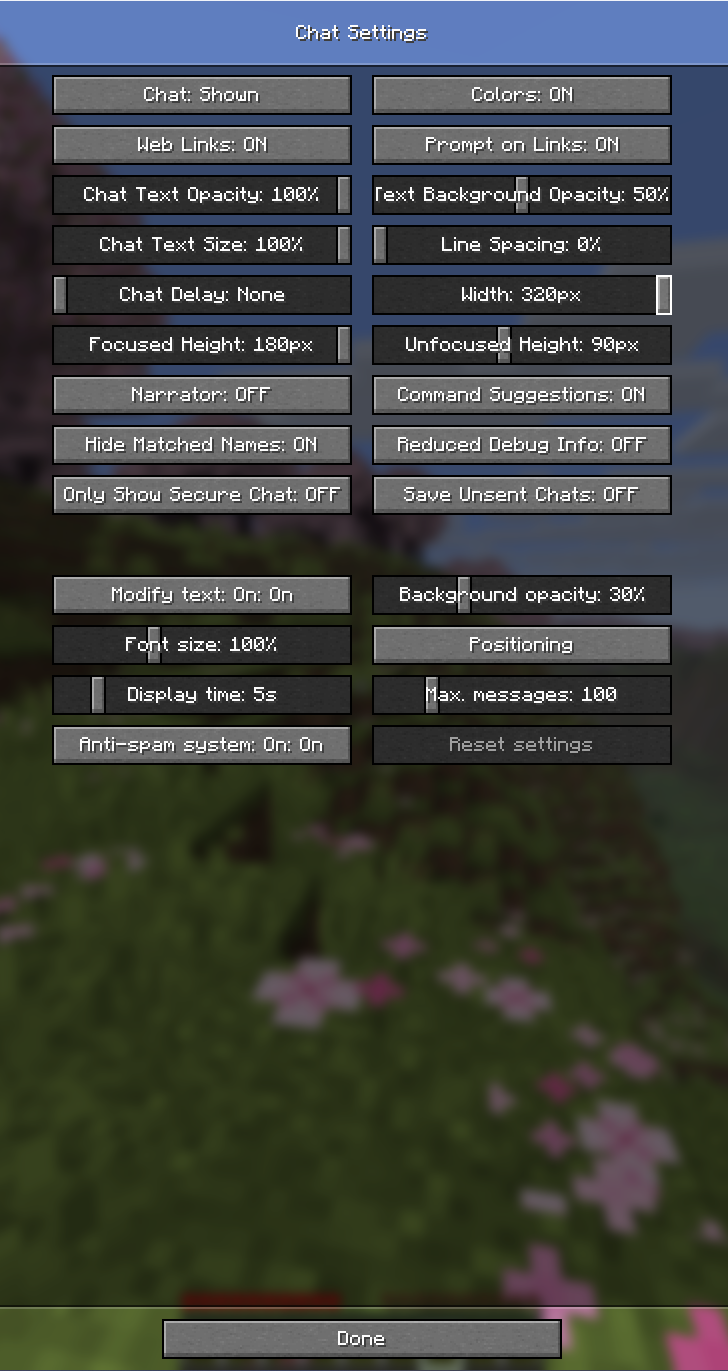
Settings are in Minecraft → Options → Chat Settings (KKS Chat section). Values are saved to config/kks-chat.json and restored after restart.
KKS Chat On / Off
Toggle between KKS Chat and the vanilla chat interface without restarting the game.
Background Transparency
0%–100% opacity for message backgrounds.
Display Time
How long overlay messages stay visible: 1–60 seconds.
Maximum Messages (history)
Stored history size: 50–500 messages (older lines are dropped).
Other Options
- Styling — turn custom message formatting on or off
- Anti-spam — enable or disable identical-message merging
- Position — see Positioning above
Supported Languages
The mod ships with 12 language files (assets/kks-chat/lang/). UI strings follow the game language when a matching file exists; otherwise English is used as fallback.
- 🇬🇧 English (en_us)
- 🇷🇺 Русский (ru_ru)
- 🇩🇪 Deutsch (de_de)
- 🇪🇸 Español (es_es)
- 🇵🇹 Português (Brasil) (pt_br)
- 🇵🇹 Português (Portugal) (pt_pt)
- 🇮🇹 Italiano (it_it)
- 🇵🇱 Polski (pl_pl)
- 🇹🇷 Türkçe (tr_tr)
- 🇰🇷 한국어 (ko_kr)
- 🇯🇵 日本語 (ja_jp)
- 🇸🇦 العربية (ar_sa)
Message History
Press T to open chat: full history with scrolling. Grouped repeats can be expanded to show each line.

Configuration
The config file is created automatically at config/kks-chat.json on first launch.
All settings are documented with comments inside the file — open it in any text editor.
Icons
Each message type (system, error, whisper, join/leave, etc.) has its own icon. You can change any icon to any valid Minecraft item ID:
"iconSystem":    "minecraft:stick",
"iconWhisper":   "minecraft:paper",
"iconJoinLeave": "minecraft:oak_door"
Background Colors
Set a custom background color per message type:
"bgColors": {
  "SYSTEM":      "#000000",
  "ERROR":       "#1A0000",
  "ACHIEVEMENT": "#001A04",
  "CHALLENGE":   "#1A0028"
}
Animations
Configure appearance and disappearance animations independently:
"animationIn":  "BOUNCE",
"animationOut": "SLIDE_LEFT"
Available values: FADE, SLIDE_LEFT, SLIDE_RIGHT, SLIDE_UP, SLIDE_DOWN, BOUNCE, NONE
Rules
Rules let you automatically transform messages based on conditions — change icons, colors, text, display time, or hide messages entirely. Rules are defined in kks-chat.json under "rules".
Each rule has an "if" block (conditions) and a "then" block (actions):
{ "if": { "type": "COMMAND_BLOCK" }, "then": { "hide": true } }
Conditions
| Field | Description |
|---|---|
type |
Message type: PLAYER_CHAT WHISPER SYSTEM ERROR SLEEP ACHIEVEMENT CHALLENGE COMMAND_BLOCK JOIN_LEAVE SCREENSHOT |
contains |
Text contains this string |
startsWith |
Text starts with this string |
endsWith |
Text ends with this string |
regex |
Java regex — first capture group becomes {matched} |
matchType |
"ALL" (AND, default) or "ANY" (OR) |
Actions
| Field | Description |
|---|---|
hide |
Remove the message entirely |
color |
Tint the full message text — "#RRGGBB" |
colorMatch |
Tint only the matched fragment |
icon |
Override the icon (Minecraft item ID) |
displayTime |
Override display time in seconds |
replaceText |
Replace the entire message text |
replaceMatch |
Replace only the matched fragment |
stopAfter |
Stop — do not evaluate further rules |
Variables
Use {variable} placeholders inside replaceText and replaceMatch:
| Variable | Value |
|---|---|
{my_name} |
Your in-game name |
{sender} |
Sender's name |
{text} |
Full original message |
{matched} |
Fragment matched by contains or regex |
{type} |
Message type name |
{time} |
Current time — HH:mm |
{time_s} |
Current time — HH:mm:ss |
{repeat} |
Repeat counter |
Example
"rules": [
  { "if": { "type": "COMMAND_BLOCK" }, "then": { "hide": true } },
  {
    "if":   { "contains": "[VIP]" },
    "then": { "icon": "minecraft:gold_ingot", "colorMatch": "#FFD700", "displayTime": 8 }
  },
  {
    "if":   { "type": "JOIN_LEAVE", "contains": "joined" },
    "then": { "replaceText": "→ {sender} joined [{time_s}]", "color": "#55FF55" }
  }
]
Support
Questions or suggestions: ddev14 on Discord.
Screenshots
Gallery


Versions
Files
Relations
Project Relations
More like this
Similar Mods
Suggestions use data such as tags, dependencies, dependents, descriptions, titles, and more to rank how much they overlap with this mod.
On ModDex
Community snapshot
By the numbers
Statistics

Want to reach Minecraft players?
We're looking for a server hosting partner to feature here and other parts of the site. Interested? Send us a message!
Get in touchGet it on
Available Platforms
On ModDex
Community snapshot
By the numbers
Statistics
Resources