Community listing page, reviews may not be monitored by the author.
LadyLeigh's ImageFrames

No reviews yet
LadyLeigh’s ImageFrames lets you import images from your PC or a URL as shareable items, view them full-screen with zoom, and display them in adjustable wall frames up to 4×4 blocks.

Community voices
Reviews
No reviews yet. Be the first to review this project!
Get it on
Available Platforms
About
Project Details
For authors
Embed Badge
If you're the author of this project, you can embed a live badge anywhere that supports HTML or Markdown. It updates automatically whenever ratings change.
Use HTML for any page that supports it, or Markdown for README files and Markdown-based descriptions.
Identifiers
Platform IDs
Resources
External Links
About
Description
I made this mod because I wanted to bring my newspaper articles into Minecraft as actual items that players could read, share, collect, and display. Something you could hand to another player, leave in a chest, or put on a wall.
While newspapers were the inspiration, you can use it for posters, notices, artwork, photographs, shop signs, or whatever else fits your world. The aim is simple: give your images a place in Minecraft that feels like part of the game.
Bring your images into your world
Import an image from your PC or a direct image URL and turn it into an Image Sheet. Give it a title, then carry it around like any other item.
Once imported, the image is stored with the world and shared with players through the server, so you don’t need to keep the original URL online for everyone to see it.
Read, share, and collect
Image Sheets display your image while held, with a map-style view that reveals more of the page as you look down. Right-click to open a full-screen viewer, where you can zoom in and drag around to read smaller text or look at the details.
You can also:
- Give Image Sheets to other players.
- Store them in chests.
- See image previews in your inventory.
- Make copies using a printed Image Sheet and paper.
- Replace an image by sneak-right-clicking the sheet.
Put it on display
The custom Image Frame lets you turn your images into wall displays. Place a sheet inside and the frame becomes invisible, leaving the image on the wall.
Frames choose a starting size based on the image’s shape: 2×1 for landscape, 1×2 for portrait, and 1×1 for square images. Right-click an occupied frame to open the size menu and choose any width and height from 1 to 4 blocks, up to 4×4.
Clicking opens the size menu instead of rotating the image, making it easy to adjust a display once it’s in place.
Made for everyday Minecraft life
LadyLeigh’s ImageFrames includes craftable items, its own creative tab, and a paper-style item icon to help it feel at home in your inventory. It’s Create and JEI/EMI friendly, whether you’re adding notices around your workshop, decorating a shop, or distributing the latest community newspaper.
Multiplayer and installation
The mod must be installed on the server and on the clients of players who want to use its features.
You can keep it installed on your client when joining a server that doesn’t have it, but its items and features won’t be available there.
Image support
- Import PNG and JPG images from your PC or a direct image URL.
- Images can be up to 4096×4096 pixels.
- Source files and URL downloads can be up to 16 MiB.
- The processed image stored by the mod must fit within 4 MiB.
I’d love to see this used to give servers a little more personality, whether that’s a newspaper passed around town, a noticeboard full of community events, or artwork on the wall of someone’s first home.
Screenshots
Gallery
-
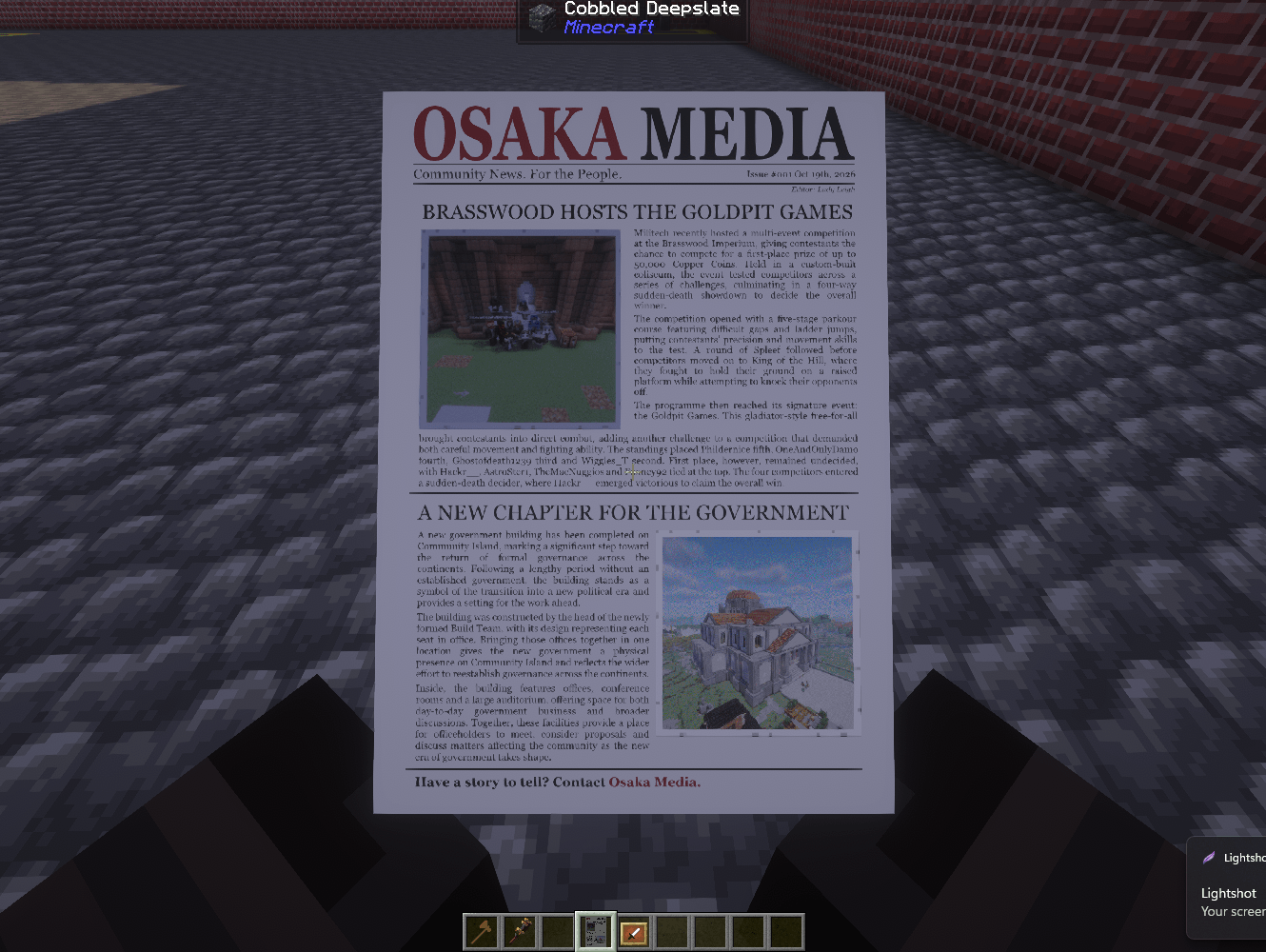 image2.png image2.png
 -
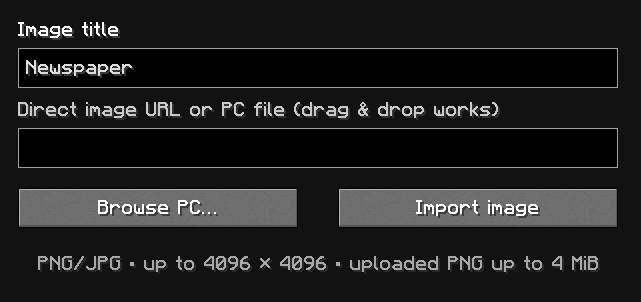 image.png image.png
 -
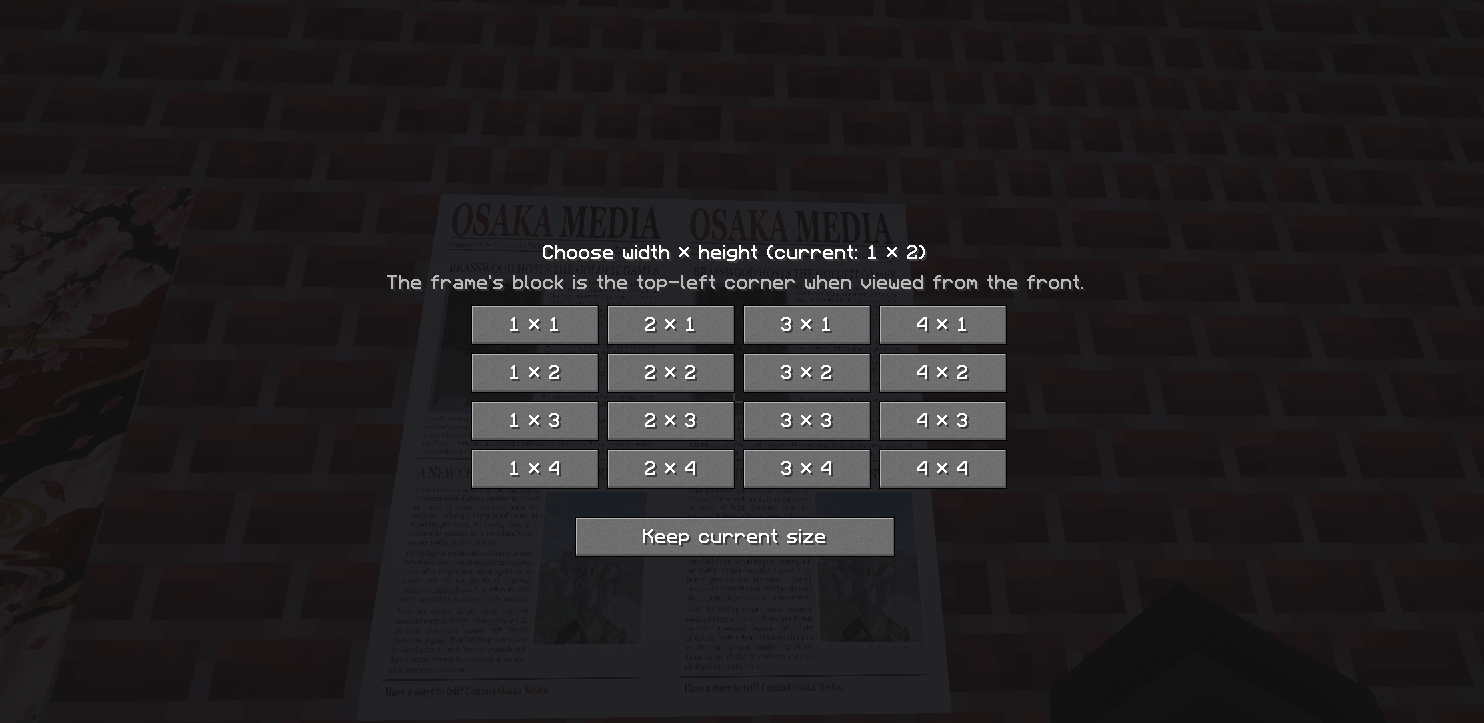 image4.png image4.png
 -
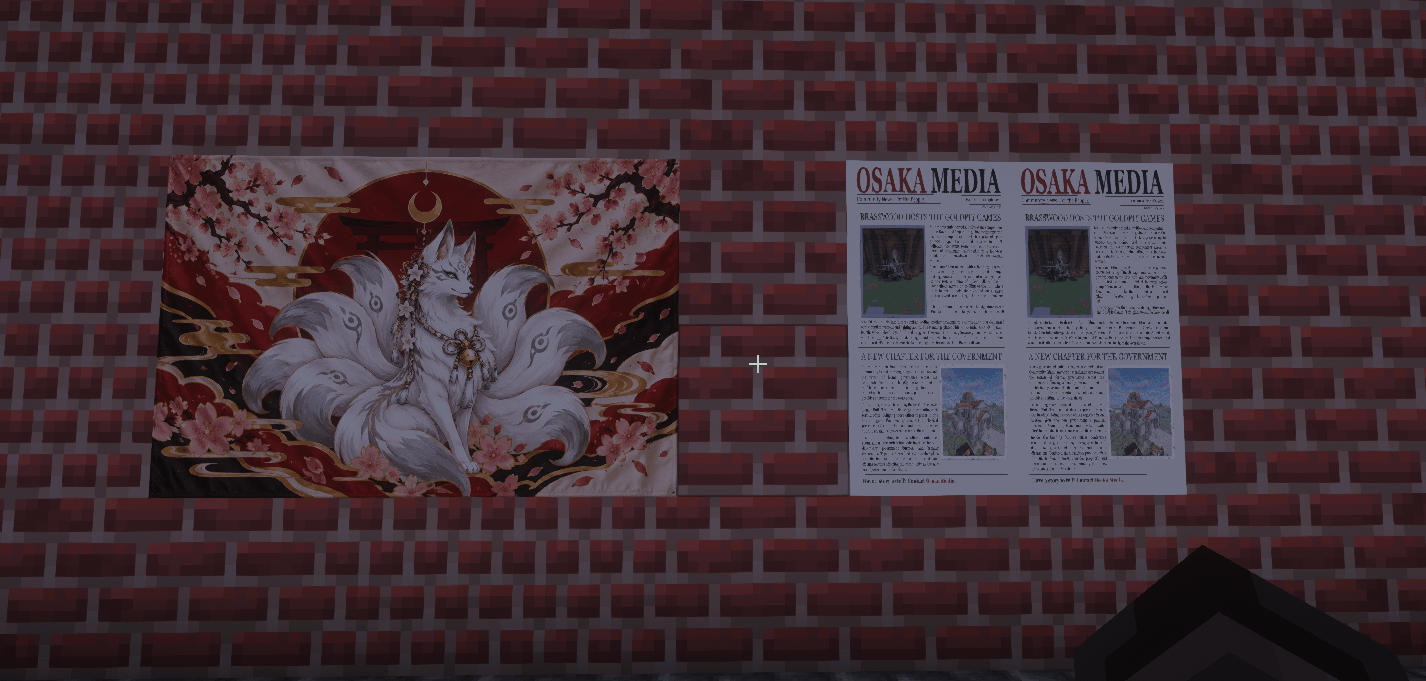 image3.png image3.png
Versions
Files
Relations
Project Relations
More like this
Similar Mods
Suggestions use data such as tags, dependencies, dependents, descriptions, titles, and more to rank how much they overlap with this mod.
On ModDex
Community snapshot
By the numbers
Statistics

Get it on
Available Platforms
On ModDex
Community snapshot
By the numbers
Statistics
Resources