
LagLens
No reviews yet
A lightweight client-side diagnostics HUD that helps you understand why Minecraft feels laggy.
Fabric is a mod loader for versions 1.14+ of Minecraft, particularly popular for client side and optimization mods.
Community voices
Reviews
Click once to include, again to exclude, again to clear
No reviews yet. Be the first to review this project!
Get it on
Available Platforms
 Modrinth
Compatibility
Supported Environments
About
Project Details
For authors
Embed Badge
If you're the author of this project, you can embed a live badge anywhere that supports HTML or Markdown. It updates automatically whenever ratings change.
Use HTML for any page that supports it, or Markdown for README files and Markdown-based descriptions.
Identifiers
Platform IDs
Resources
External Links
About
Description
LagLens
LagLens is a lightweight client-side Fabric mod that helps you understand why Minecraft feels laggy.
Instead of simply showing FPS, LagLens tries to explain the possible cause of lag in a simple and readable way. It can detect signs of render lag, memory pressure, network lag, entity-heavy areas, chunk/loading stutters, and GUI-related lag.
LagLens is made for normal players who want to know what is going wrong without using complicated profiler tools.
Features
- Clean in-game HUD overlay
- Compact and detailed HUD modes
- Adjustable HUD size
- Toggleable HUD elements
- Simple lag diagnosis system
- FPS and frame time tracking
- P95 frame time display
- Stutter detection
- Memory usage monitoring
- Ping display when available
- Entity/world information when available
- Optional performance mod detection
- Built-in LagLens settings screen
- Configurable keybinds through Minecraft’s normal Controls menu
- Local diagnostic report export
- No telemetry
- No data uploads
- No server installation required
What LagLens can detect
LagLens can show possible causes such as:
- Likely render lag — high frame times or many stutters
- Likely memory pressure — high RAM usage
- Likely network lag — high or unstable ping
- Likely entity lag — many loaded entities nearby
- Likely chunk/loading lag — stutters while moving through the world
- Likely GUI lag — stutters that mainly happen while a screen is open
LagLens uses simple rule-based diagnostics. It does not magically fix lag, but it helps you understand what might be causing it.
Controls
Default keybinds:
- F8 — Toggle LagLens HUD
- F9 — Switch compact/detailed HUD mode
- F10 — Open LagLens settings
You can change these keybinds in Minecraft’s normal Controls / Key Binds menu.
Commands
/laglens status/laglens settings/laglens report/laglens reset/laglens overlay compact/laglens overlay detailed/laglens overlay toggle
Settings
LagLens includes an in-game settings screen where you can adjust:
- Compact HUD scale
- Detailed HUD scale
- HUD position
- Visible HUD elements
- Notification behavior
- Advanced display options
Privacy
LagLens is fully client-side.
It does not upload data. It does not use telemetry. It does not collect account data. It does not require a server-side installation.
Diagnostic reports are only saved locally on your computer when you manually export them.
Optional recommendations
LagLens may recommend other performance mods depending on your diagnosis, for example Sodium, FerriteCore, Entity Culling, or other optimization mods.
These mods are optional. LagLens does not require them.
Compatibility
LagLens is designed for Minecraft Java Edition 1.21.x with Fabric.
Confirmed tested versions:
- Minecraft 1.21.1
Other 1.21.x versions may work, but they should only be considered confirmed after testing.
Important note
LagLens is a diagnostic helper, not a guaranteed lag fixer. It helps you understand possible causes of lag so you can decide what to change.
Screenshots
Gallery
-
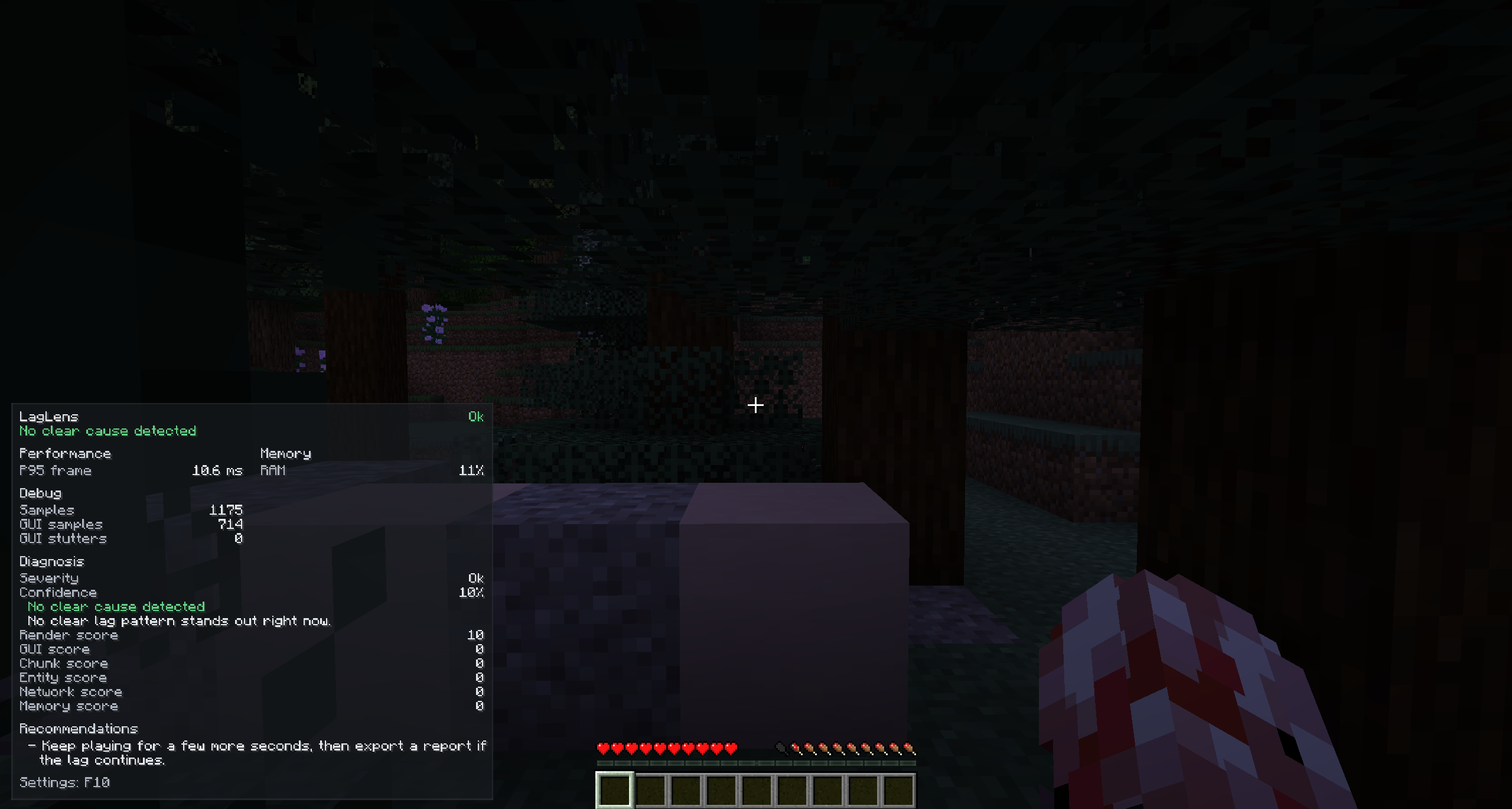 Detailed Laglens
 -
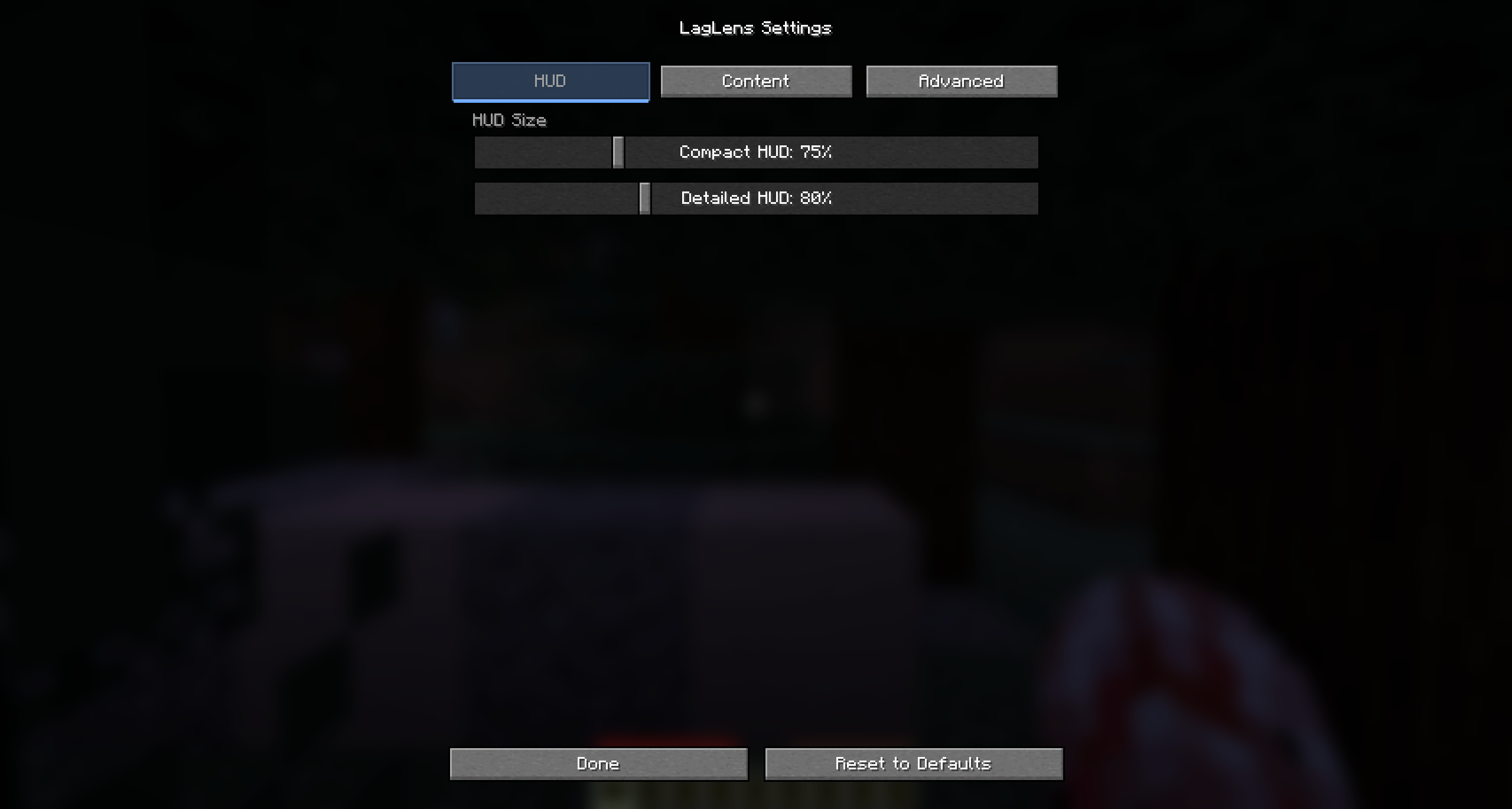 laglens settings
 -
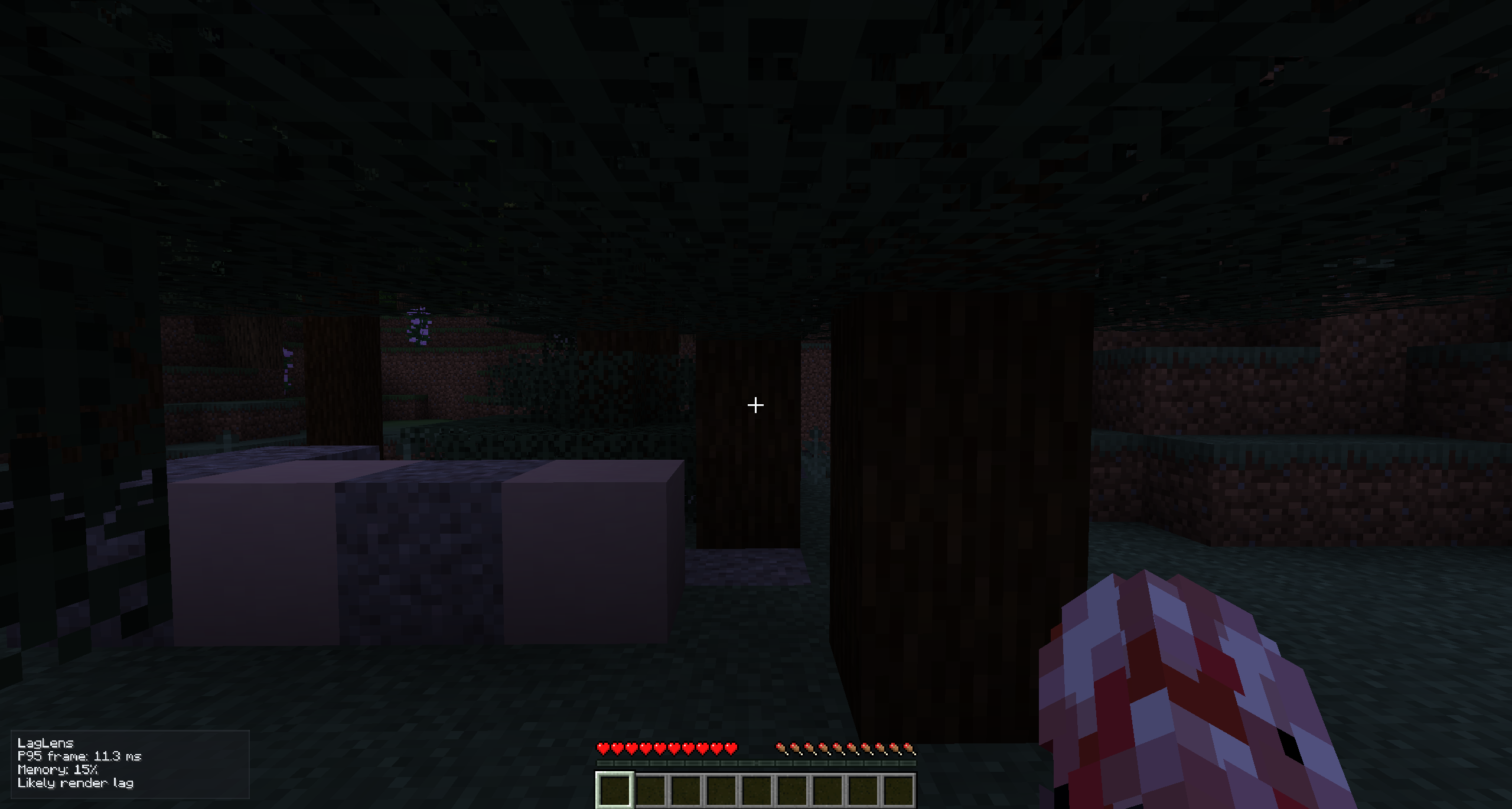 New Laglens screen
Versions
Files
Relations
Project Relations
More like this
Similar Mods
Suggestions use data such as tags, dependencies, dependents, descriptions, titles, and more to rank how much they overlap with this mod.
On ModDex
Community snapshot
By the numbers
Statistics

Want to reach Minecraft players?
We're looking for a server hosting partner to feature here and other parts of the site. Interested? Send us a message!
Get in touchGet it on
Available Platforms
On ModDex
Community snapshot
By the numbers
Statistics
Resources