Community listing page, reviews here may not be monitored by the author.
Lag Meter

No reviews yet
ARCHIVED/DISCONTINUED. Displays lag, connectivity and TPS information on screen. Versions for Forge and Fabric.
Community voices
Reviews
No reviews yet. Be the first to review this project!
Get it on
Available Platforms
About
Project Details
For authors
Embed Badge
If you're the author of this project, you can embed a live badge anywhere that supports HTML or Markdown. It updates automatically whenever ratings change.
Use HTML for any page that supports it, or Markdown for README files and Markdown-based descriptions.
Identifiers
Platform IDs
Resources
External Links
About
Description
ARCHIVED/DISCONTINUED. I think I'm done modding.
Lag Meter
About
Displays lag, connectivity and TPS information on screen.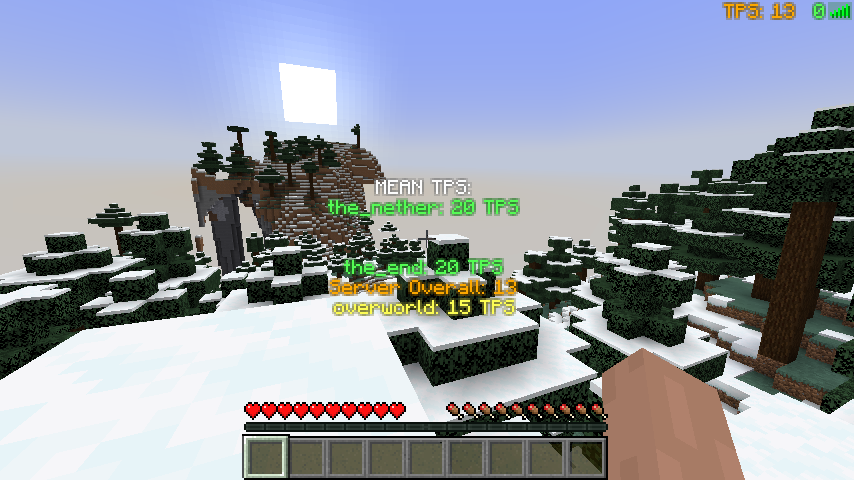
Disclaimer
** Disclaimer: CurseForge.com and forgecdn.net are the current official locations to obtain this mod. Files obtained elsewhere were uploaded without permission from iPixeli. It is possible that files and mod packs obtained from other locations or means are not genuine and have been altered or tampered with. The only one with my permission to continue this mod (should I ever stop) is iChun (https://twitter.com/ohaiiChun) **
Installation
1) Install MinecraftForge
2) Put a the .jar file into the mods folder (see below).
• Windows: /AppData/Roaming/.minecraft
• Mac: Home -> Library -> Application Support -> Minecraft
• Linux: ~/.minecraft
3) If you have a .zip file, extract file into the mods folder
FAQ
• Is there a fabric version?
Not yet! I am working on one though...
• Is this required to have on the client? Is this required to have on the server?
Both the client and server don't require the other side to have this mod installed. To see TPS data, you do need to have LagMeter installed on the server.
• I'm not seeing the meter...
1. Verify that you see it in Forge's in-game mod listing. If you don't see it, check that you have placed the correct version of the mod into your mods folder.
2. Verify you are connected to an external server. The meter will automatically display when you are connected to a server. The meter will not show when you are playing single player or if your client is hosting because in both situations you will not face any network-related connectivity issues.
3. Is something rendering on top of it? Try adjusting the 'rendercorner' setting in the 'lagmeter-client.toml' configuration file.
• Do you plan to add more to this mod?
Yes. Hit the follow button to be notified of updates.
• Can I use this mod in a video?
Yes. Please link back to this page: https://www.curseforge.com/minecraft/mc-mods/lagmeter
• Can I put this mod in a ModPack?
Yes. Please see the README file included inside the download file.
• Can I host the mod file on my website / server / online so others can download it?
No. Please see the README file included inside the download file.
• Where did you get the idea for this mod?
Sometimes I'm not sure if slowness is network or client related. Made this mod to add an on-screen indication.
Information for Texture Pack & Mod Pack Creators
Configuration File: config\lagmeter-client.toml
Texture File: minecraft:textures/gui/icons.png
Wordpress • CurseForge • Twitter • GitHub • MinecraftForum • Twitch
Screenshots
Gallery
-
Info overlay The added overlay displays more information about the worlds on the server.
-
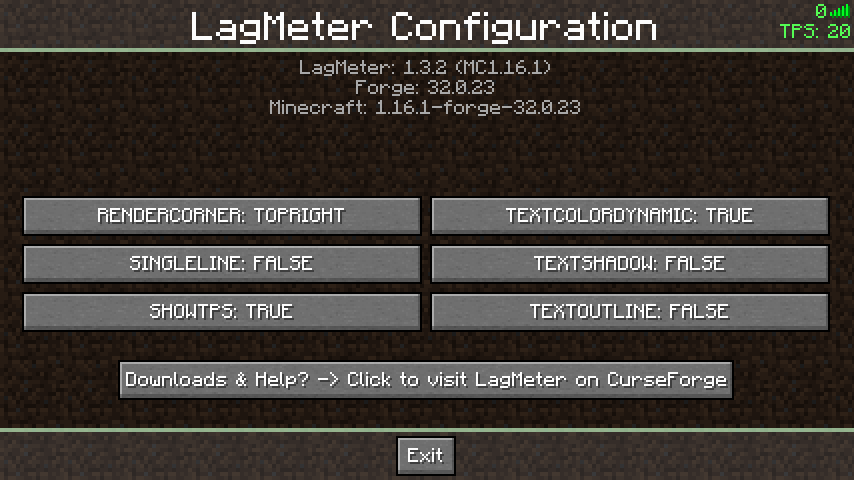 Configuration Screen Here you can change the LagMeter's display location without needing to edit a file or restart the client. To open this screen, click the "Config" button on MinecraftForge's mods list screen.
 -
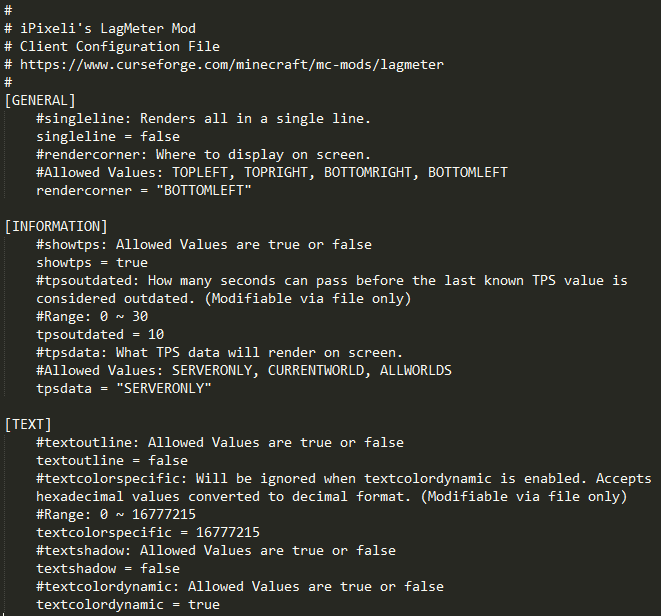 Client Configuration File Customize to your liking
 -
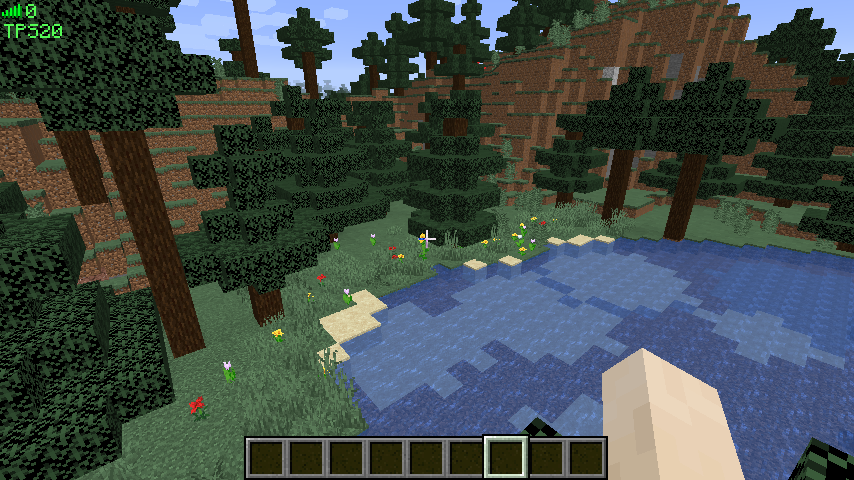 Screenshot LagMeter will show TPS in singleplayer mode. Install LagMeter on the server to see the server's TPS while connected.
Versions
Files
Relations
Project Relations
More like this
Similar Mods
Suggestions use data such as tags, dependencies, dependents, descriptions, titles, and more to rank how much they overlap with this mod.
On ModDex
Community snapshot
By the numbers
Statistics
Want to reach Minecraft players?
We're looking for a server hosting partner to feature here and other parts of the site. Interested? Send us a message!
Get in touchGet it on
Available Platforms
On ModDex
Community snapshot
By the numbers
Statistics
Resources