
Community listing page, reviews here may not be monitored by the author.
LagProfiler

No reviews yet
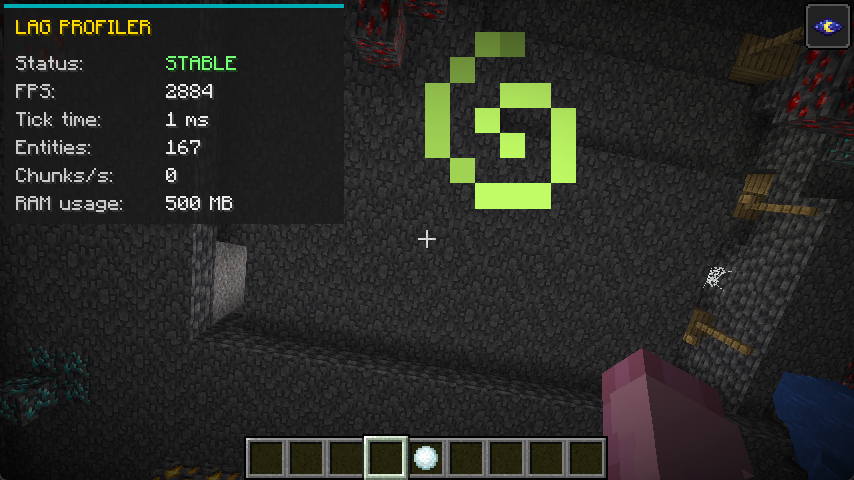
This mod introduces a sleek, lightweight HUD overlay designed specifically to help players monitor their local game performance and diagnose client-side lag or stuttering in real-time.
Community voices
Reviews
No reviews yet. Be the first to review this project!
Get it on
Available Platforms
Compatibility
Supported Environments
Runs entirely on the client. Works on vanilla servers.
About
Project Details
For authors
Embed Badge
If you're the author of this project, you can embed a live badge anywhere that supports HTML or Markdown. It updates automatically whenever ratings change.
Use HTML for any page that supports it, or Markdown for README files and Markdown-based descriptions.
Identifiers
Platform IDs
Resources
External Links
About
Description
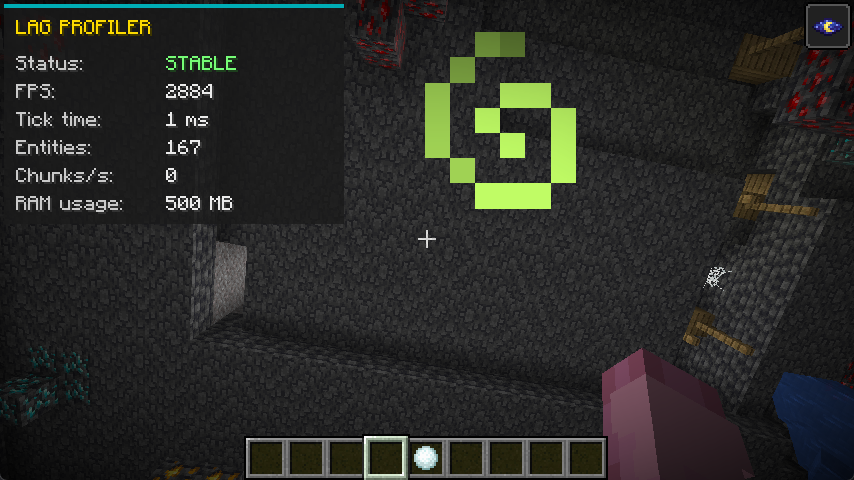 This mod introduces a sleek, lightweight HUD overlay designed specifically to help players monitor their local game performance and diagnose client-side lag or stuttering in real-time.
Instead of relying on the cluttered F3 debug screen, this mod provides a clean UI that tracks exactly what is impacting your PC's performance and causing your game to drop frames.
Key Features: Dynamic Stutter Detection (Status): Automatically monitors the client's processing time. If the local tick/frame time spikes above 50ms (which causes noticeable stuttering or freezing), the status instantly turns red and alerts you with "LAG DETECTED". Otherwise, it displays a green "STABLE" status.
Live Client Metrics: The HUD continuously tracks five crucial data points to help you pinpoint the source of your lag:
FPS: Your current Frames Per Second. Drops here indicate rendering struggles.
Tick Time: The exact duration of the client's processing cycle in milliseconds. High numbers mean your game is freezing or struggling to process data.
Entities: The total number of entities currently rendered around you. Useful for spotting lag caused by mob farms or dropped items.
Chunks/s: The rate at which your client is loading new map chunks. Fast flying or high render distances can cause this to spike and create lag.
RAM Usage: The current amount of memory (in MB) actively being consumed by the game. Perfect for identifying memory leaks or stuttering caused by Java Garbage Collection.
Quick Toggle & Customization: You can easily hide or show the entire UI at any time by pressing F7. If this conflicts with your other controls, the shortcut can be fully rebound to any key of your choice in the game's standard controls/keybinds menu.
Screenshots
Gallery
Versions
Files
Relations
Project Relations
More like this
Similar Mods
Suggestions use data such as tags, dependencies, dependents, descriptions, titles, and more to rank how much they overlap with this mod.
On ModDex
Community snapshot
By the numbers
Statistics

Want to reach Minecraft players?
We're looking for a server hosting partner to feature here and other parts of the site. Interested? Send us a message!
Get in touchGet it on
Available Platforms
On ModDex
Community snapshot
By the numbers
Statistics
Resources