Community listing page, reviews may not be monitored by the author.
Laser Assembly

No reviews yet
An assembly table fed by lasers. Fit them with lenses to cut, weld and engrave, run recipes in steps, tune each beam's intensity and keep the table cool. BuildCraft's idea, redesigned, all in datapacks.

Community voices
Reviews
No reviews yet. Be the first to review this project!
Get it on
Available Platforms
About
Project Details
For authors
Embed Badge
If you're the author of this project, you can embed a live badge anywhere that supports HTML or Markdown. It updates automatically whenever ratings change.
Use HTML for any page that supports it, or Markdown for README files and Markdown-based descriptions.
Identifiers
Platform IDs
Resources
External Links
About
Description
A workshop of lasers.
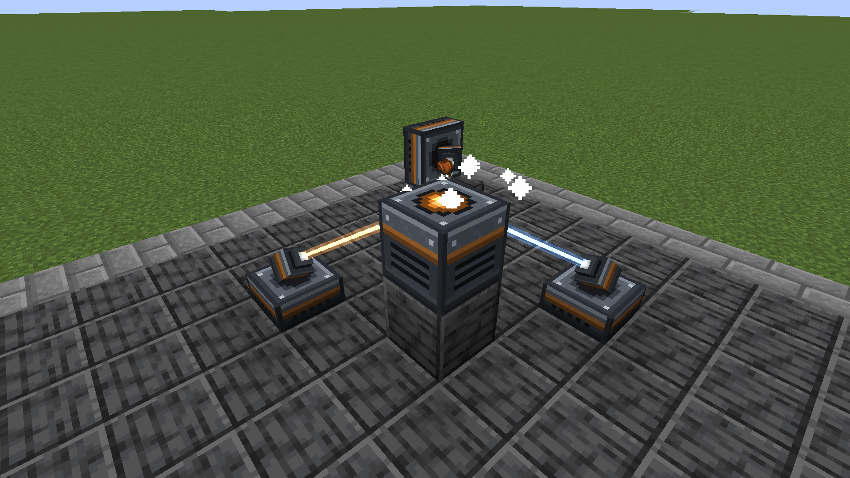
Build an Assembly Table, aim lasers at it, and it makes what no crafting grid can: saddles, tridents, chainmail, horse armour, and the lenses and augments that make the lasers better. The table takes no power of its own; every bit of work is a beam arriving at it. The lasers run on Forge Energy: play it with a mod that makes some.
It is BuildCraft's Assembly Table, redesigned rather than copied: lasers carry lenses, recipes come in steps, beams have an intensity, and pushing them too hard heats the table.

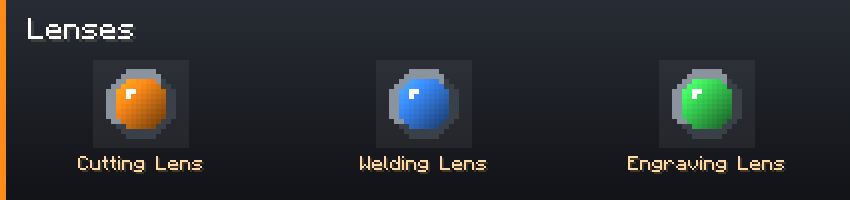
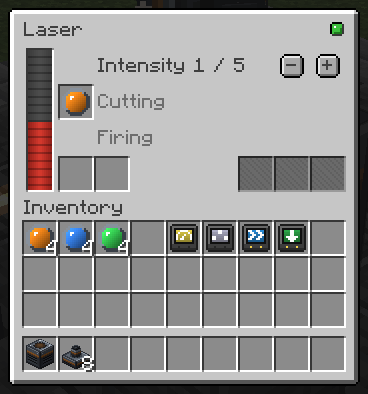
- Three lenses: cutting, welding, engraving. A lens gives its laser's beam a type.
- Most recipes take any beam. Some go through up to three steps in order, a trident is cut, then welded, and only the lasers with the right lens fire on each step.
- No lens? The raw beam still works on any step, at a tenth of the speed. Servers can make lenses mandatory.
- A Barrel augment lets one laser carry three more lenses and fire whichever the step needs.

- Each laser has an intensity, judged on its own against the step: too weak does nothing, above the threshold heats the table, above the maximum overloads.
- More lasers, faster, each counting for 70 % of the one before. Nine lasers are quicker than one, never nine times.
- Heat slows the table past half and stops it at the top. It cools on its own; water and ice around it cool it faster.
- A Regulator augment sets its laser's intensity by itself: as high as the step allows without heating.
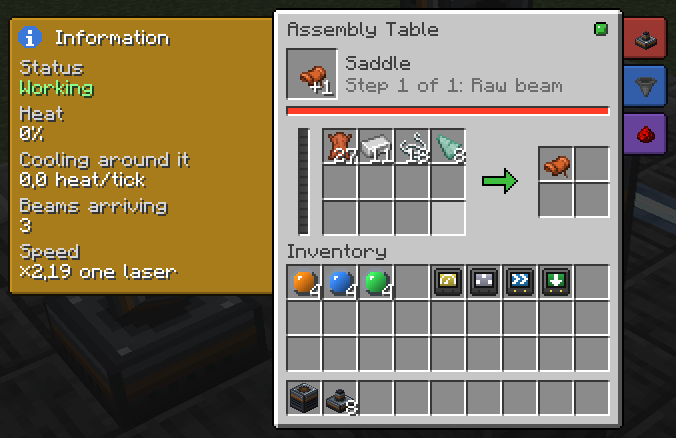

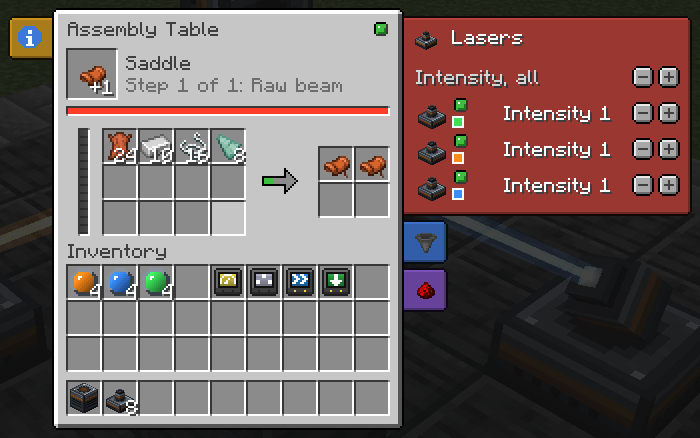
- Tick the recipes the table may run; it takes them in turn.
- See the step, its progress and the heat at a glance, with a status light.
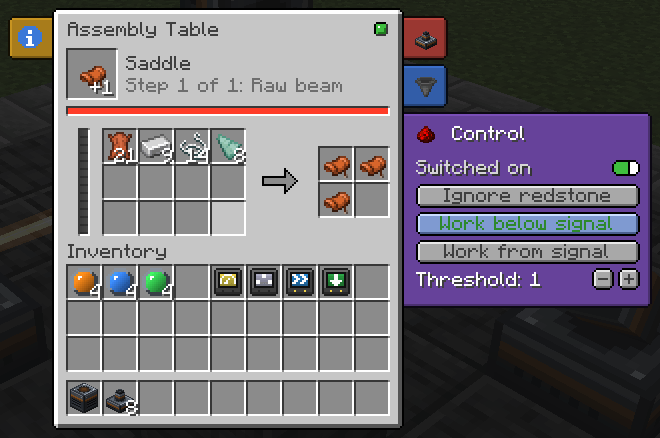
- Side tabs: every linked laser and its intensity, set one by one or all at once; each face's input and output with auto import and export; a switch and redstone control.
- The item being made turns over the table while it works, and each laser turns its head to it.
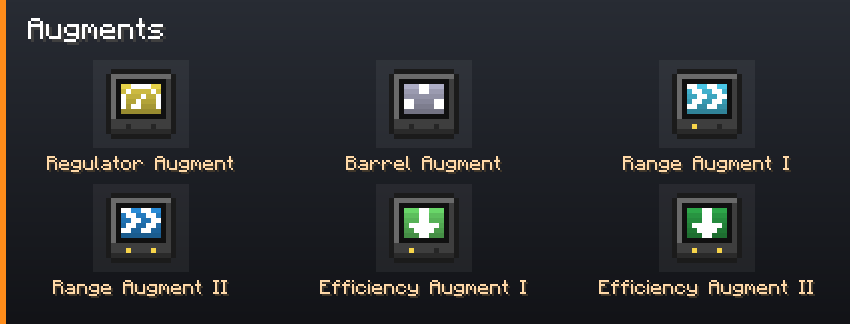

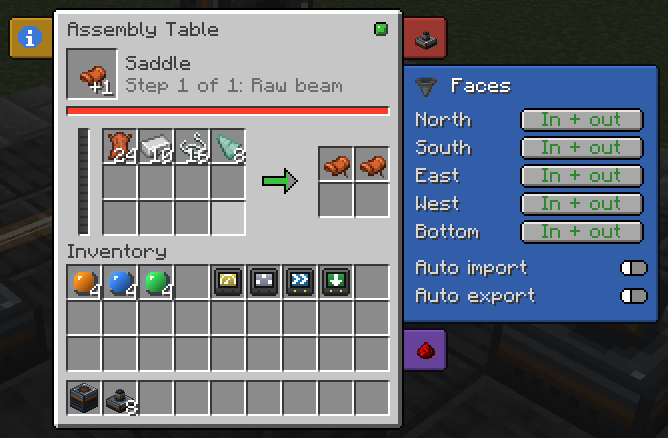
- Per-face input and output, auto import and export.
- Only what the ticked recipes use goes in: a pipe fills at most one stack of each ingredient, so it never clogs the table.
- A comparator reads the craft's progress.

Recipes, beam types, augments and coolants are datapack files. Each lens and augment is its own item, so tags, KubeJS, CraftTweaker and JEI see plain item ids. The vanilla recipes sit in a built-in datapack you can turn off. The server config sets thresholds, the raw beam, stacking, heat and range.
Compatibility
| Loader | NeoForge |
| An energy mod (required) | anything that makes Forge Energy: the lasers run on it |
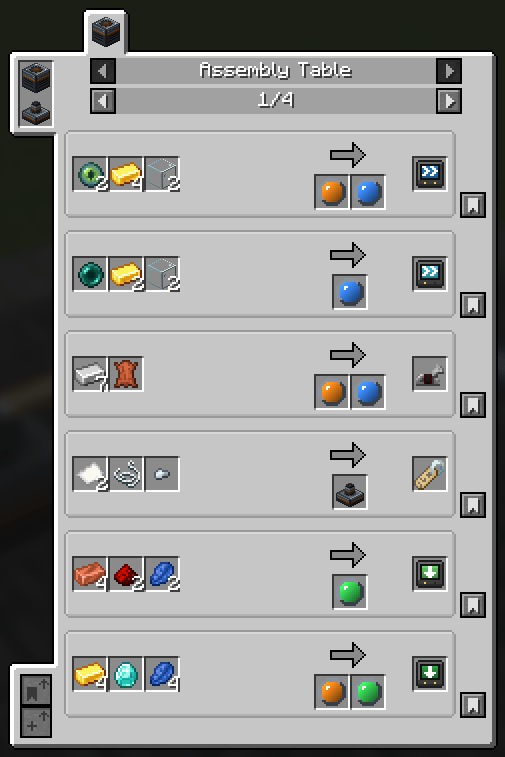
| JEI (optional) | every recipe, with the lens each step needs |
| Jade (optional) | what a table makes, its step and its heat |
Needed on both the client and the server.
FAQ
Does the table need power? No. Power the lasers with Forge Energy from any mod; they bring the work.
Can I add recipes, beams or augments? Yes, with datapack files. A new beam or augment needs an item to stand for it, from KubeJS or another mod.
Fabric? No.
Can I put it in my modpack? Yes. No need to ask.
Permissions
Modpacks: yes. No permission needed, no message required, public or private, monetised or not, on any platform or launcher.
Credit is appreciated and never required.
Forks and addons: yes, under the MIT terms. Please do not publish a fork under the name Laser Assembly: the name is not covered by the licence.
Assets (textures, GUI artwork, logo) are the one exception: redistribute them with the mod freely, but do not lift them into another project.
Screenshots
Gallery
-
JEI Addon
-
Laser Screen
-
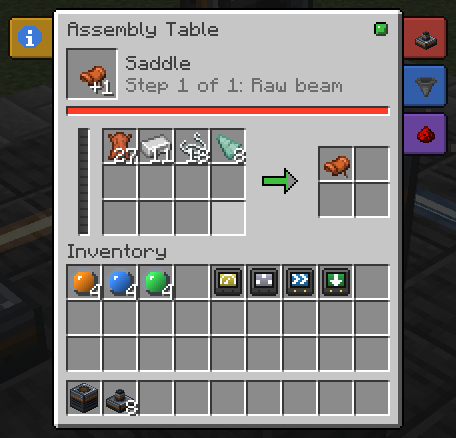 Assembly Table Screen
 -
Assembly Table Screen with Controls
-
Assembly Table Screen with Faces
-
Assembly Table Screen with Information
-
Assembly Table Screen with Lasers
-
Simple Usage Example
-
banner
-
header_automation
-
header_data
-
header_heat
-
header_lenses
-
header_screen
-
items_augments
-
items_lenses
Versions
Files
Relations
Project Relations
More like this
Similar Mods
Suggestions use data such as tags, dependencies, dependents, descriptions, titles, and more to rank how much they overlap with this mod.
On ModDex
Community snapshot
By the numbers
Statistics

Get it on
Available Platforms
On ModDex
Community snapshot
By the numbers
Statistics
Resources