
Community listing page, reviews here may not be monitored by the author.
Last Death Locator

No reviews yet
Shows your last death location until you actually reach there.
Community voices
Reviews
No reviews yet. Be the first to review this project!
Get it on
Available Platforms
Compatibility
Supported Environments
Runs entirely on the client. Works on vanilla servers.
About
Project Details
For authors
Embed Badge
If you're the author of this project, you can embed a live badge anywhere that supports HTML or Markdown. It updates automatically whenever ratings change.
Use HTML for any page that supports it, or Markdown for README files and Markdown-based descriptions.
Identifiers
Platform IDs
Resources
External Links
About
Description
DeathLocator
Never lose track of where you died again.
DeathLocator is a lightweight Fabric mod that tracks your last death location, biome, and dimension — and keeps that information in front of you until you actually make it back.
✨ Features
- Instant death report — the moment you die, a chat message shows exactly where it happened:
Last Death Location: X Y Z— click it to copy the coordinates straight to your clipboard, no confirmation popups.Biome:the biome you died in.Dimension:Overworld, Nether, or End — whichever you actually died in.
- Persistent on-screen tracker — the same info is pinned in the bottom-right of your screen so it doesn't scroll away with chat.
- Survives logging out and back in, and even full server restarts.
- Disappears automatically the instant you physically walk back to your death coordinates.
- Toggle key — press X any time to hide or reveal the tracker. Fully rebindable in Options → Controls → Key Binds → DeathLocator.
🎨 Color coding
Labels ("Last Death Location", "Biome", "Dimension") are shown in red, and the actual values in yellow, so the important information stands out at a glance — both in chat and in the HUD.
🔧 How it works
DeathLocator listens for player deaths server-side, records your coordinates/biome/dimension, and stores that information attached directly to your player data — so it's never lost, even between sessions. It's pushed to your client for the HUD display, and automatically cleared once you've left the spot and returned to it, so your screen stays clean once you've recovered your gear (or made peace with losing it).
📥 Installation
- Install Fabric Loader for Minecraft 26.2.
- Download and install Fabric API.
- Drop the DeathLocator
.jarinto yourmodsfolder. - Launch and enjoy!
Screenshots
Gallery
-
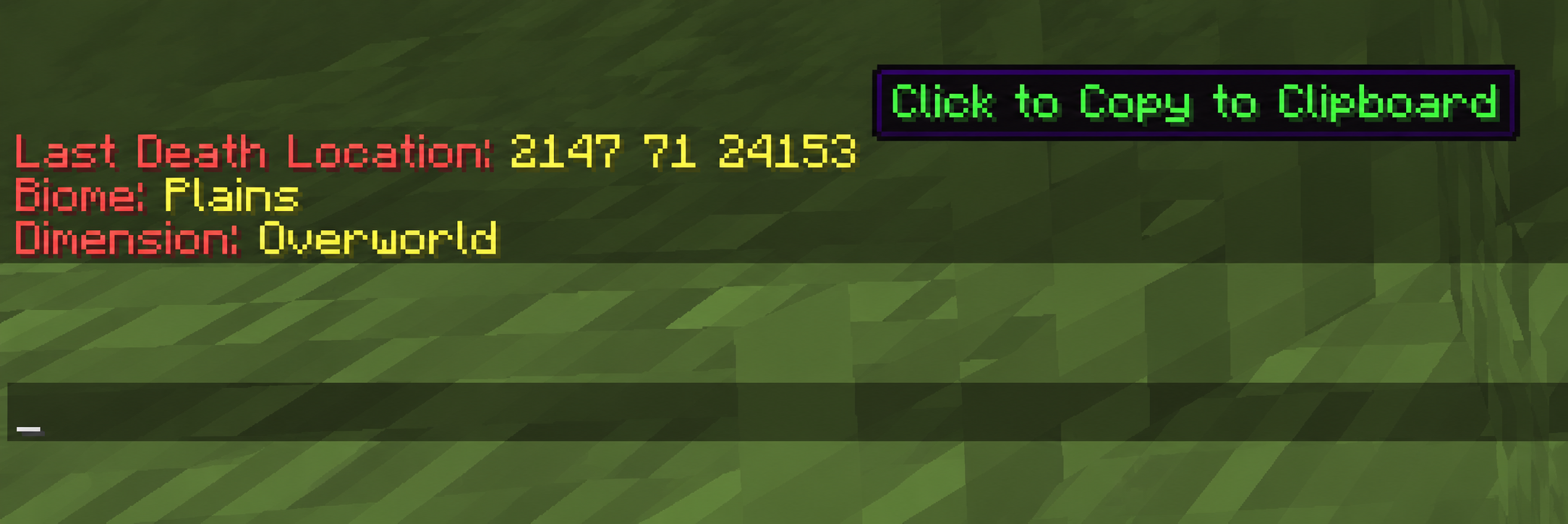 Death Message Click on the coordinates to copy them.
 -
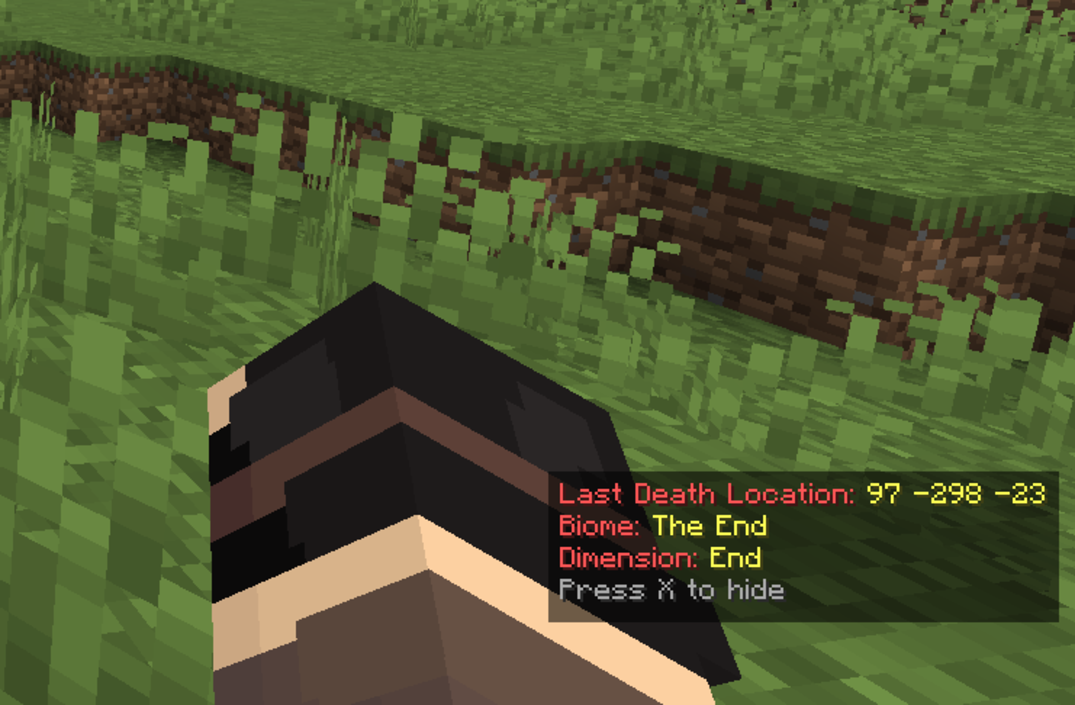 Death Info Death Information shown at the bottom right corner. Press X to Hide/Show the Info
Versions
Files
Relations
Project Relations
More like this
Similar Mods
Suggestions use data such as tags, dependencies, dependents, descriptions, titles, and more to rank how much they overlap with this mod.
On ModDex
Community snapshot
By the numbers
Statistics

Want to reach Minecraft players?
We're looking for a server hosting partner to feature here and other parts of the site. Interested? Send us a message!
Get in touchGet it on
Available Platforms
On ModDex
Community snapshot
By the numbers
Statistics
Resources