
Lava Rises
No reviews yet
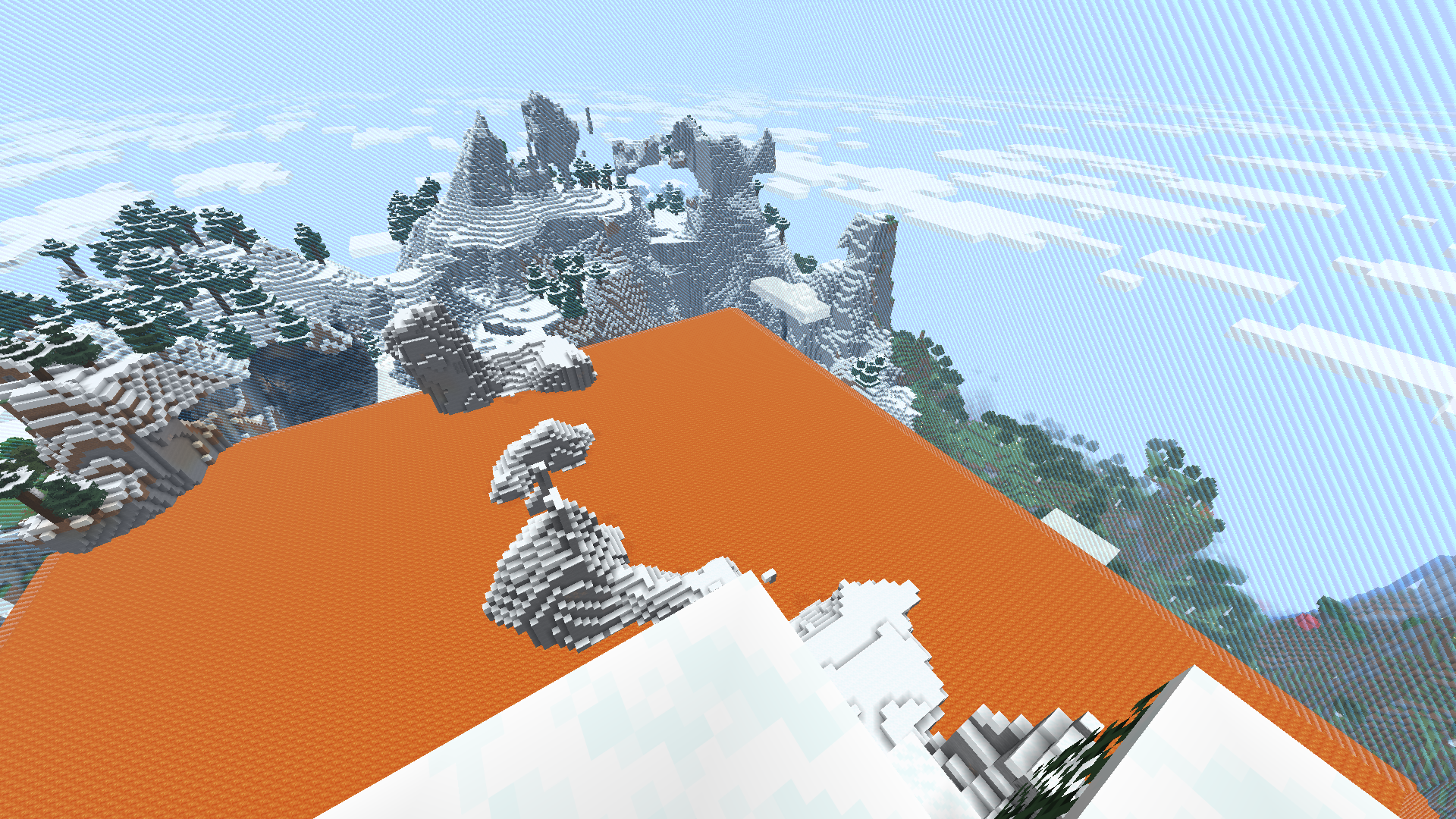
Minecraft, but every minute lava rises. Or water rises. Or any block you want!
Features small, self-contained games within Minecraft.
Data Packs were introduced to vanilla Minecraft in version 1.13 and allow the server to modify data about the game, or run commands. Data Packs are compatible with all mod loaders.
Forge is a popular mod loader for versions 1.1+ of Minecraft.
Neoforge is a fork of the Minecraft Forge available for versions 1.20.1+ of Minecraft. Many Forge mods are compatible with Neoforge and vice versa.
Fabric is a mod loader for versions 1.14+ of Minecraft, particularly popular for client side and optimization mods.
Quilt is a fork of the Fabric mod loader. Many Fabric mods are compatible with Quilt and vice versa.
Community voices
Reviews
Click once to include, again to exclude, again to clear
No reviews yet. Be the first to review this project!
Get it on
Available Platforms
 Modrinth
Compatibility
Supported Environments
About
Project Details
For authors
Embed Badge
If you're the author of this project, you can embed a live badge anywhere that supports HTML or Markdown. It updates automatically whenever ratings change.
Use HTML for any page that supports it, or Markdown for README files and Markdown-based descriptions.
Identifiers
Platform IDs
About
Description
Lava Rises
Minecraft, but every minute lava rises. Or water rises. Or any block you want!
Installation
Datapack version:
- Download latest release
- Locate your world's datapack folder (
.minecraft/saves/[your_world_name]/datapacks) - Place the datapack into the datapack folder
- Make sure the datapack is enabled by using
/datapack list. If it isn't, enable it with/datapack enable "file/lava-rises_(version_number).zip"
Mod version:
- Download latest version from Modrinth
- Place mod into mods folder (
.minecraft/mods)
How to Use
Upon loading the datapack, a menu will appear with the options to start the game or configure the settings. While a game is active, the menu will have the option to cancel the current game. This menu can be brought up at any time by doing /reload.
When a game starts, players are teleported to a random location in the map with a small world border, and depending on how the datapack is configured, are given a grace period. After the grace period is over, the lava will begin to rise.
This datapack is recommended to be played in an Amplified world on Hardcore mode.
Settings
This datapack is very configurable, allowing the user to change the following settings:
- Block type (lava, water, or any block of your choice)
- Border size
- Progress bar
- Grace period
- Starting level (which y-level the rising starts at)
- Rising interval (how often the blocks rise)
- Layer increment (how many layers up the blocks will rise each time)
- Rise exponentially (whether the increment itself will increase each time e.g. one layer the first, two layers the next, three the one afterwards etc.)
Screenshots
Gallery
Versions
Files
Relations
Project Relations
More like this
Similar Mods
Suggestions use data such as tags, dependencies, dependents, descriptions, titles, and more to rank how much they overlap with this mod.
On ModDex
Community snapshot
By the numbers
Statistics

Want to reach Minecraft players?
We're looking for a server hosting partner to feature here and other parts of the site. Interested? Send us a message!
Get in touchGet it on
Available Platforms
On ModDex
Community snapshot
By the numbers