![[LDS] Lazy Display Stand](https://media.forgecdn.net/avatars/thumbnails/2087/831/256/256/639266010469822303.jpeg)
Community listing page, reviews here may not be monitored by the author.
[LDS] Lazy Display Stand


No reviews yet
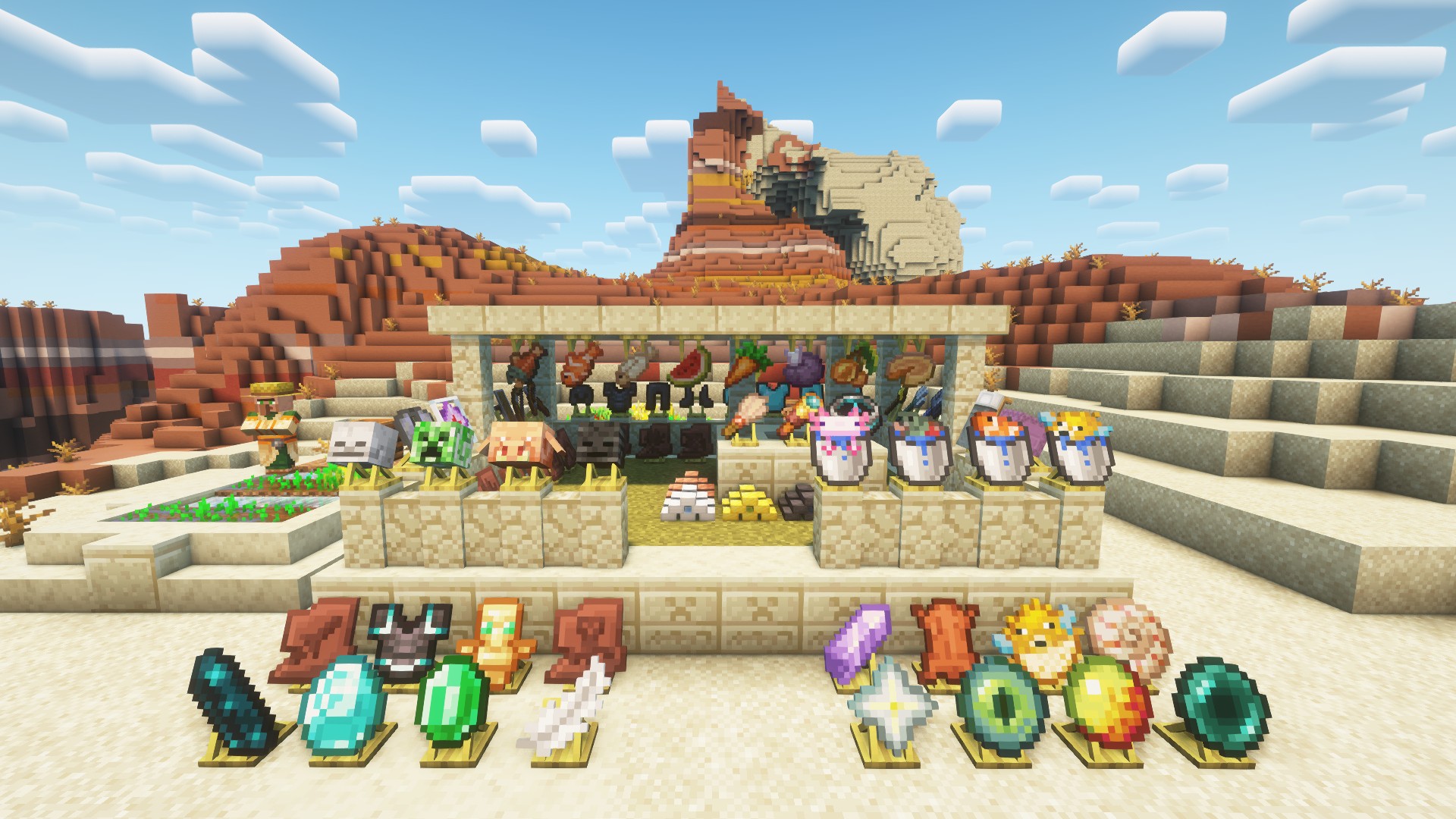
This is a decorative mod used for displaying items!

Community voices
Reviews
No reviews yet. Be the first to review this project!
Get it on
Available Platforms
Compatibility
Supported Environments
Must be installed on both the client and the server.
About
Project Details
For authors
Embed Badge
If you're the author of this project, you can embed a live badge anywhere that supports HTML or Markdown. It updates automatically whenever ratings change.
Use HTML for any page that supports it, or Markdown for README files and Markdown-based descriptions.
Identifiers
Platform IDs
Resources
External Links
About
Description
Lazy Display Stand 2.0.0
One block that does it all. You only ever need to remember one block.
Right-click a placed Display Block(In the Minecraft Redstone Blocks group, crafted from 1 Glass Pane) to open its settings (any item in hand, empty hand, or sneaking — it all works the same). There are no keybinds; everything is done with the mouse inside the screen.
One block, two things to tweak
The screen has three tabs: Block (the block itself) · Display (the item in the slot) · Animation. Each tab holds 10 rows, and there is a Reset button in the top right that resets only the current tab.
Block tab
| Option | What it does |
|---|---|
| Appearance | Normal Block / Mimic Block / Armor Stand |
| Hidden | Hides the block body only, keeps the item |
| Collision | Turn off to walk straight through |
| Scale / Rotation XYZ / Offset XYZ | Scale 0.10–10.00, angles ±180°, offsets ±1.00 |
Display tab
| Option | What it does |
|---|---|
| Appearance | Item / 3D (Block Model) |
| Glowing | Enchantment glint (render only, the item itself is untouched) |
| Highlight | Ignores ambient light, so it stays readable in dark rooms |
| Scale / Rotation XYZ / Offset XYZ | Same ranges as above |
> Careful: Scale / Rotation / Offset appear on both tabs with the same names — one set > moves the block body, the other moves the item. "Appearance" also appears twice with > different meanings (how the block looks vs. how the item is drawn).
Animation tab
- Orbit Axis (X/Y/Z), Face Player (Off / Yaw Only / Full)
- Spin Speed, Bob Amp, Orbit Speed, Orbit Radius
- Body Spin, Body Bob, Body Orbit, Body Radius — make the block body itself move too
Controls
- Sliders: drag with the left mouse button; scroll on a slider or its value to fine-tune
- Toggles / cycle options: click to switch
- Scroll over empty list space to scroll the parameter list
- Closing the screen never returns the item to your inventory (anti-duplication). Shift-click auto-sorts: Display slot first, then Offhand
Armor Stand mode
Set the Block tab's Appearance to Armor Stand and an equipment band appears below the parameters (Helmet / Chestplate / Leggings / Boots / Offhand). Whatever you put there is really worn by the armor stand — and it holds your displayed item in its hand.
Works with items and blocks from any mod
Three separate mechanisms, each with its own limits:
Any item can be displayed — set the Display tab's Appearance to "Item" and the vanilla item model renderer takes over. Any item from any mod shows up as long as it has a model.
Turn a block item into a real 3D block — set Appearance to "3D (Block Model)" and you get the actual block model that item would place. It requires a static block model; when no model is available it falls back to the flat item rather than rendering nothing.
Make the body mimic the block below — set the Block tab's Appearance to "Mimic Block" and the body becomes whatever block sits directly underneath. If that is a machine from another mod, it mimics that machine — this mod does not need to know that mod at all.
- ✅ Normal blocks (stone, wood, flowers, most building blocks) mimic fully
- ⚠️ Furnaces / hoppers / spawners: static model only, animations do not follow
- ❌ Chests, shulker boxes, beds, signs and banners are out of reach — they fall back to the normal block automatically
- ❌ Air, fluids or a missing model also fall back — it never renders as empty space
Lazy Display Stand 2.0.0
One block that does it all. You only ever need to remember one block.
Right-click a placed Display Block(In the Minecraft Redstone Blocks group, crafted from 1 Glass Pane) to open its settings (any item in hand, empty hand, or
sneaking — it all works the same). There are no keybinds; everything is done with the mouse
inside the screen.

One block, two things to tweak
The screen has three tabs: Block (the block itself) · Display (the item in the slot) ·
Animation. Each tab holds 10 rows, and there is a Reset button in the top right that
resets only the current tab.

Block tab
| Option | What it does |
|---|---|
| Appearance | Normal Block / Mimic Block / Armor Stand |
| Hidden | Hides the block body only, keeps the item |
| Collision | Turn off to walk straight through |
| Scale / Rotation XYZ / Offset XYZ | Scale 0.10–10.00, angles ±180°, offsets ±1.00 |

Display tab
| Option | What it does |
|---|---|
| Appearance | Item / 3D (Block Model) |
| Glowing | Enchantment glint (render only, the item itself is untouched) |
| Highlight | Ignores ambient light, so it stays readable in dark rooms |
| Scale / Rotation XYZ / Offset XYZ | Same ranges as above |
 > Careful: Scale / Rotation / Offset appear on both tabs with the same names — one set
> moves the block body, the other moves the item. "Appearance" also appears twice with
> different meanings (how the block looks vs. how the item is drawn).
> Careful: Scale / Rotation / Offset appear on both tabs with the same names — one set
> moves the block body, the other moves the item. "Appearance" also appears twice with
> different meanings (how the block looks vs. how the item is drawn).
Animation tab
- Orbit Axis (X/Y/Z), Face Player (Off / Yaw Only / Full)
- Spin Speed, Bob Amp, Orbit Speed, Orbit Radius
- Body Spin, Body Bob, Body Orbit, Body Radius — make the block body itself move too

Controls
- Sliders: drag with the left mouse button; scroll on a slider or its value to fine-tune
- Toggles / cycle options: click to switch
- Scroll over empty list space to scroll the parameter list
- Closing the screen never returns the item to your inventory (anti-duplication). Shift-click auto-sorts: Display slot first, then Offhand
Armor Stand mode
Set the Block tab's Appearance to Armor Stand and an equipment band appears below the parameters (Helmet / Chestplate / Leggings / Boots / Offhand). Whatever you put there is really worn by the armor stand — and it holds your displayed item in its hand.
Works with items and blocks from any mod
Three separate mechanisms, each with its own limits:
-
Any item can be displayed — set the Display tab's Appearance to "Item" and the vanilla item model renderer takes over. Any item from any mod shows up as long as it has a model.
-
Turn a block item into a real 3D block — set Appearance to "3D (Block Model)" and you get the actual block model that item would place. It requires a static block model; when no model is available it falls back to the flat item rather than rendering nothing.
-
Make the body mimic the block below — set the Block tab's Appearance to "Mimic Block" and the body becomes whatever block sits directly underneath. If that is a machine from another mod, it mimics that machine — this mod does not need to know that mod at all.
- ✅ Normal blocks (stone, wood, flowers, most building blocks) mimic fully
- ⚠️ Furnaces / hoppers / spawners: static model only, animations do not follow
- ❌ Chests, shulker boxes, beds, signs and banners are out of reach — they fall back to the normal block automatically
- ❌ Air, fluids or a missing model also fall back — it never renders as empty space
Screenshots
Gallery
-
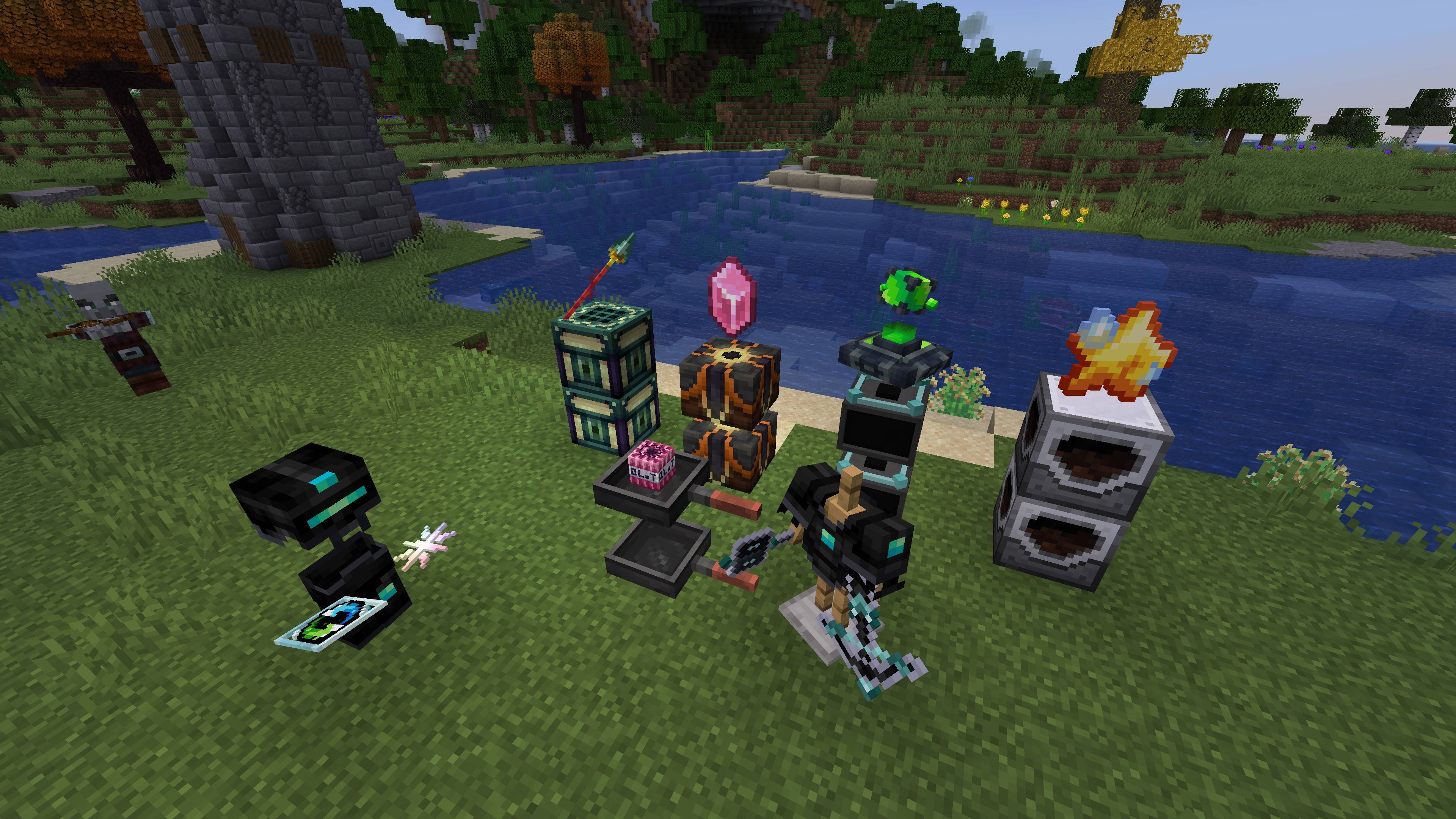 image-attachment_e9ec79b1-dfea-4ed5-b4ea-4de92ea39aa2.jpeg
 -
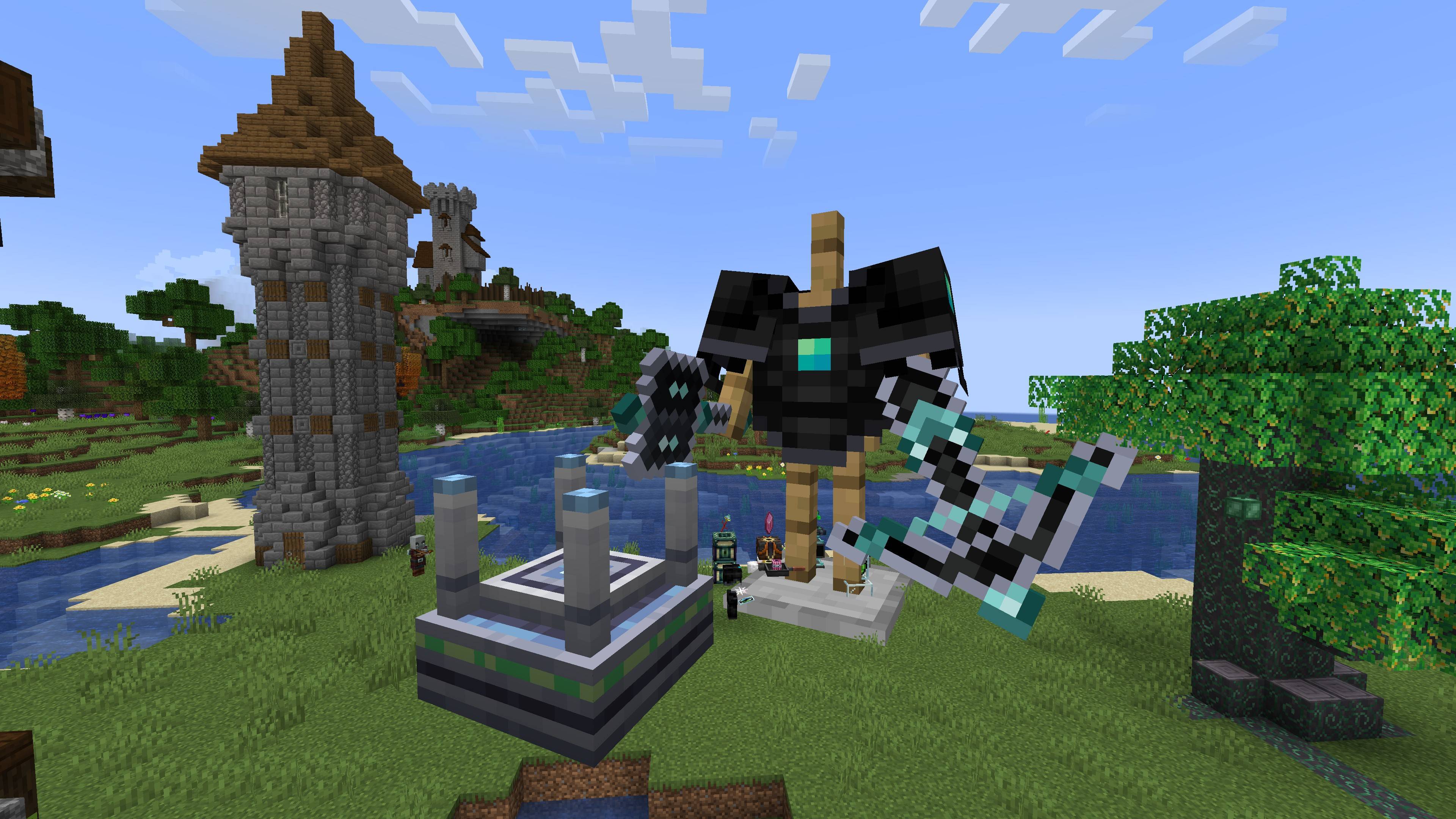 image-attachment_4ce497ad-9f2c-4de2-a214-a4b3607f35dd.jpeg
 -
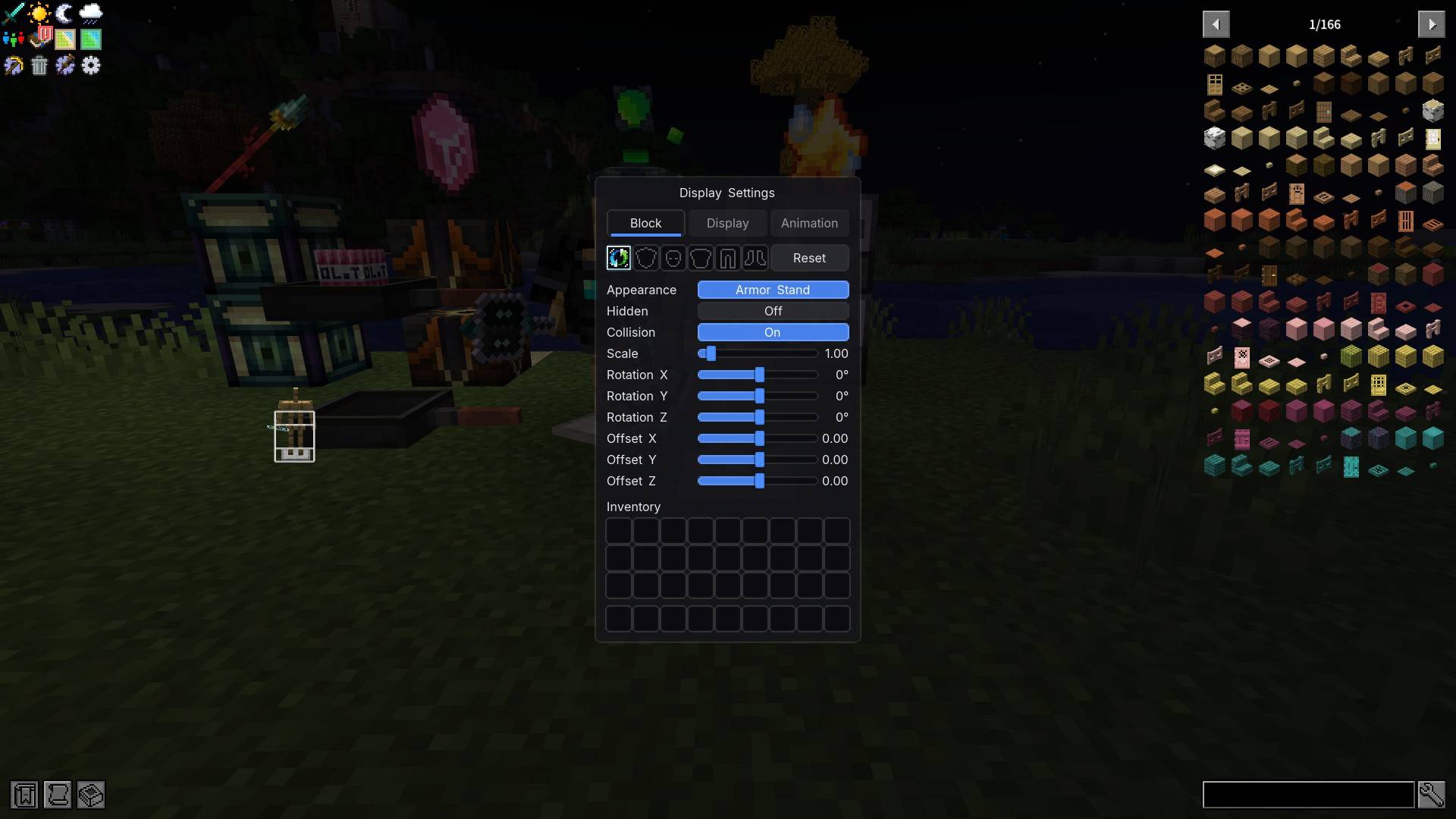 image-attachment_03034154-fefb-4bd7-83a9-5417b443ea0f.jpeg
 -
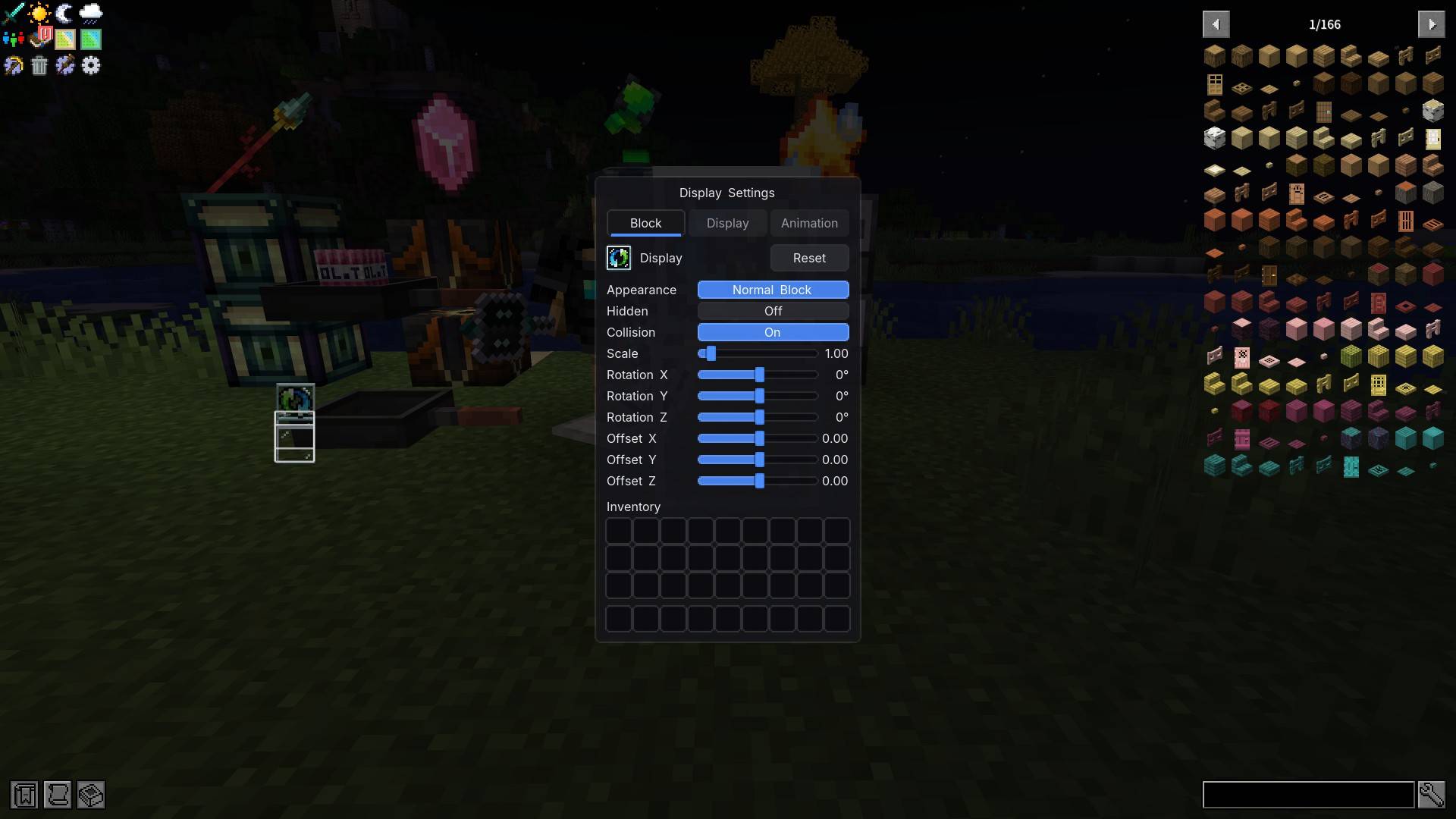 image-attachment_f110627f-e1b4-4aad-b87e-6331dd9bb685.jpeg
 -
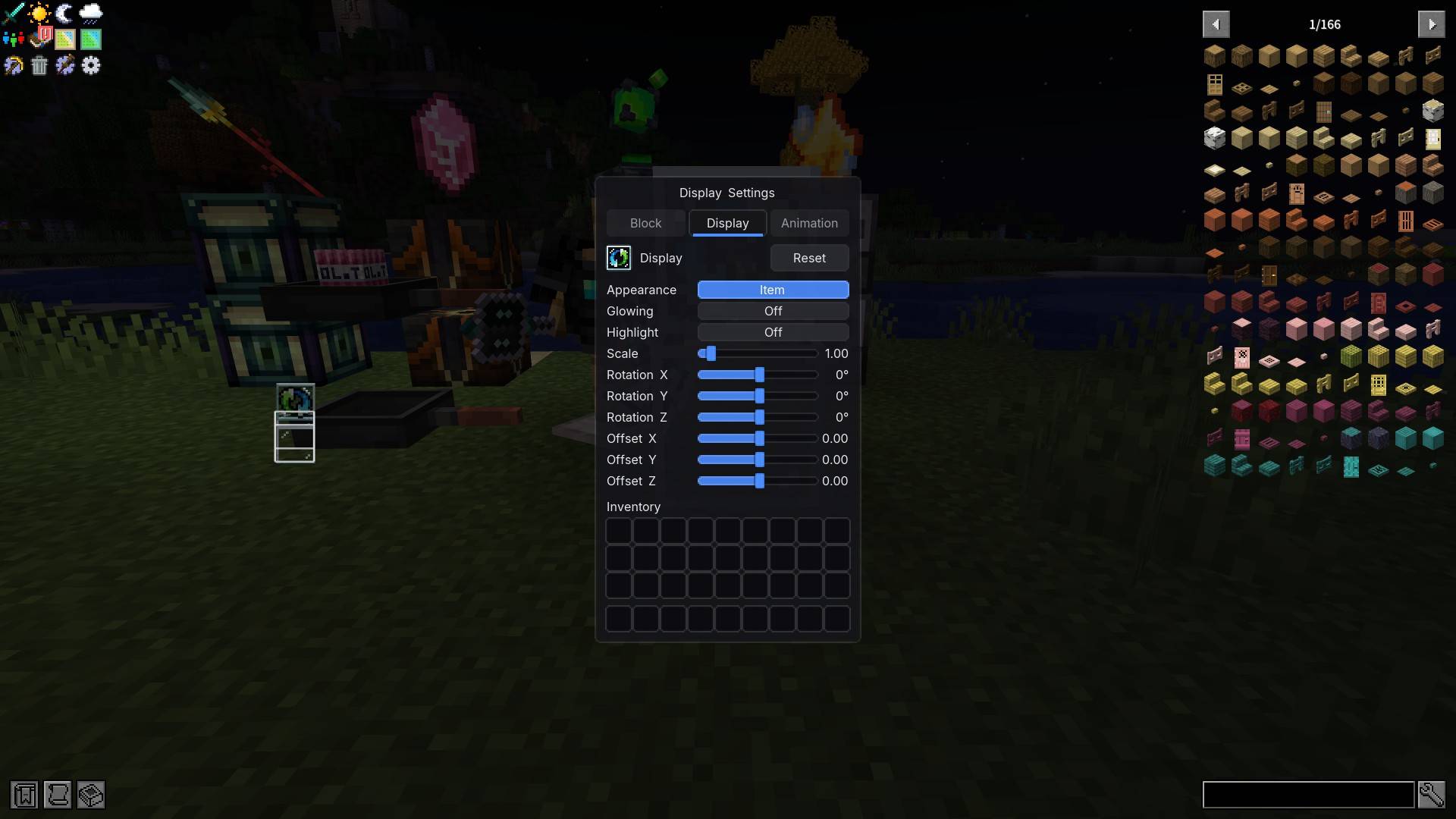 image-attachment_976ee4e8-b689-417b-bba1-6631a2db0077.jpeg
 -
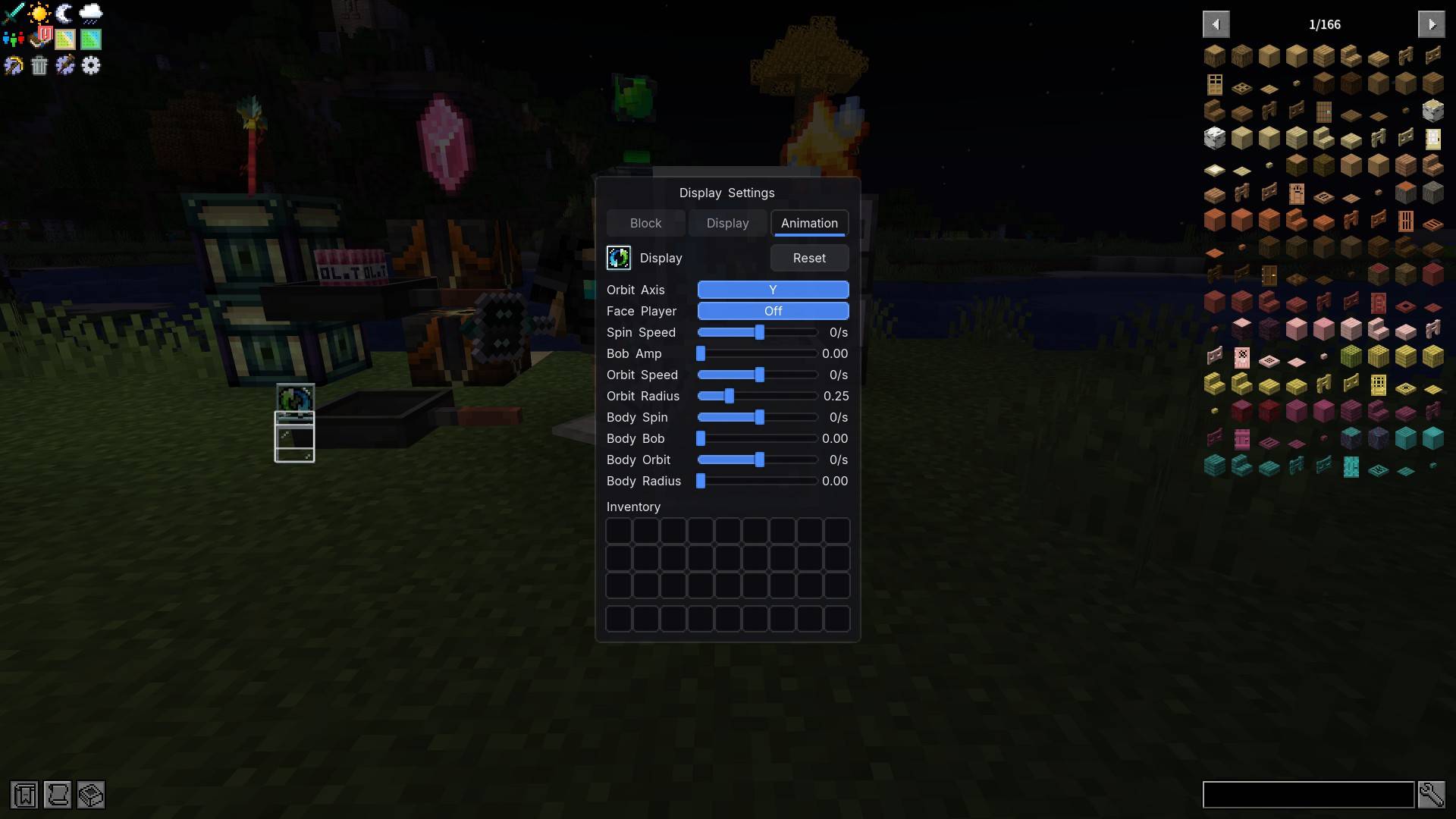 image-attachment_9e465716-cf80-4f8c-9d76-fabb5a3f16e0.jpeg
 -
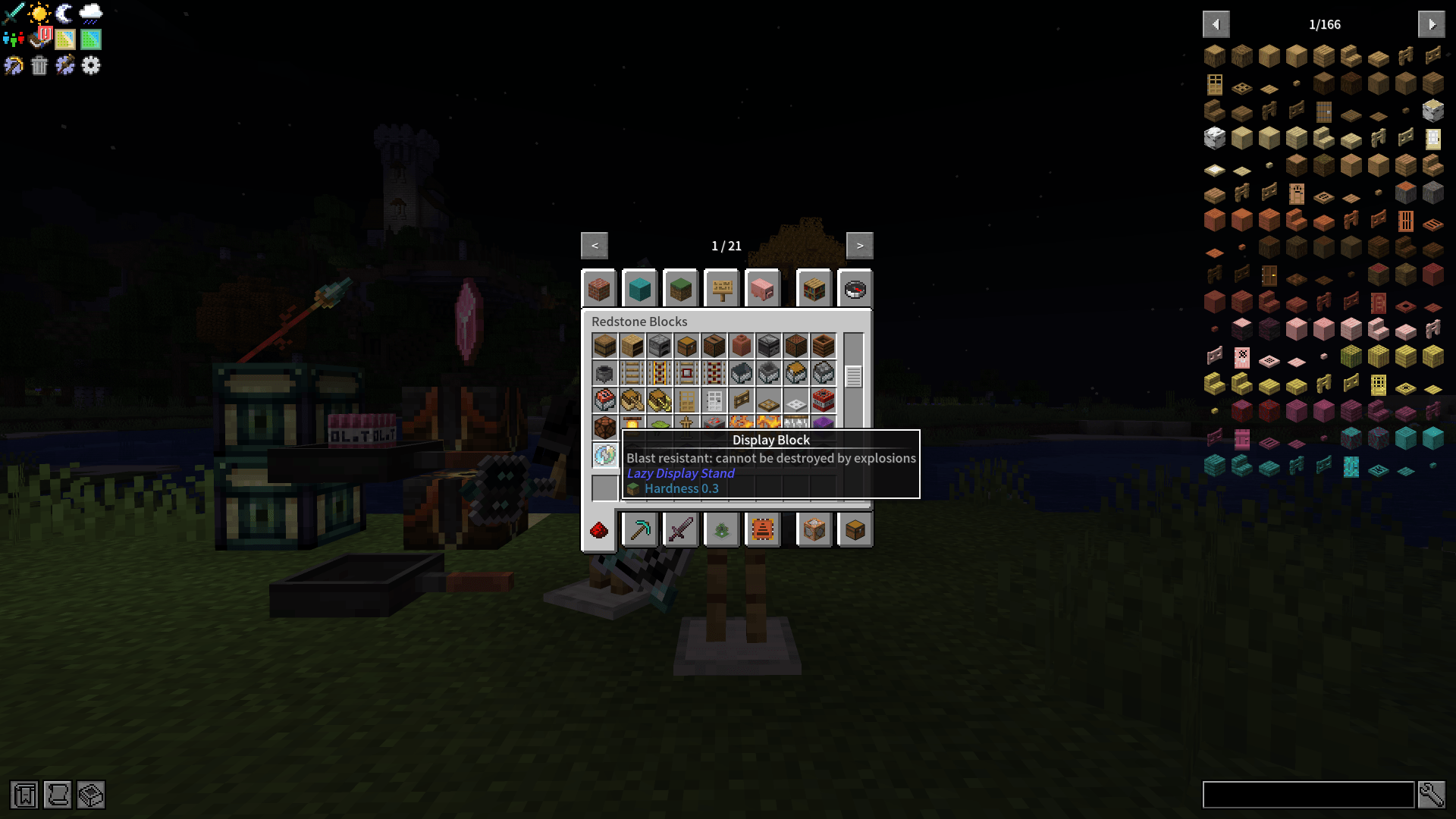 image-attachment_a6e06b51-cbfa-41c7-bc20-97fe903b4163.png
 -
 01
01 -
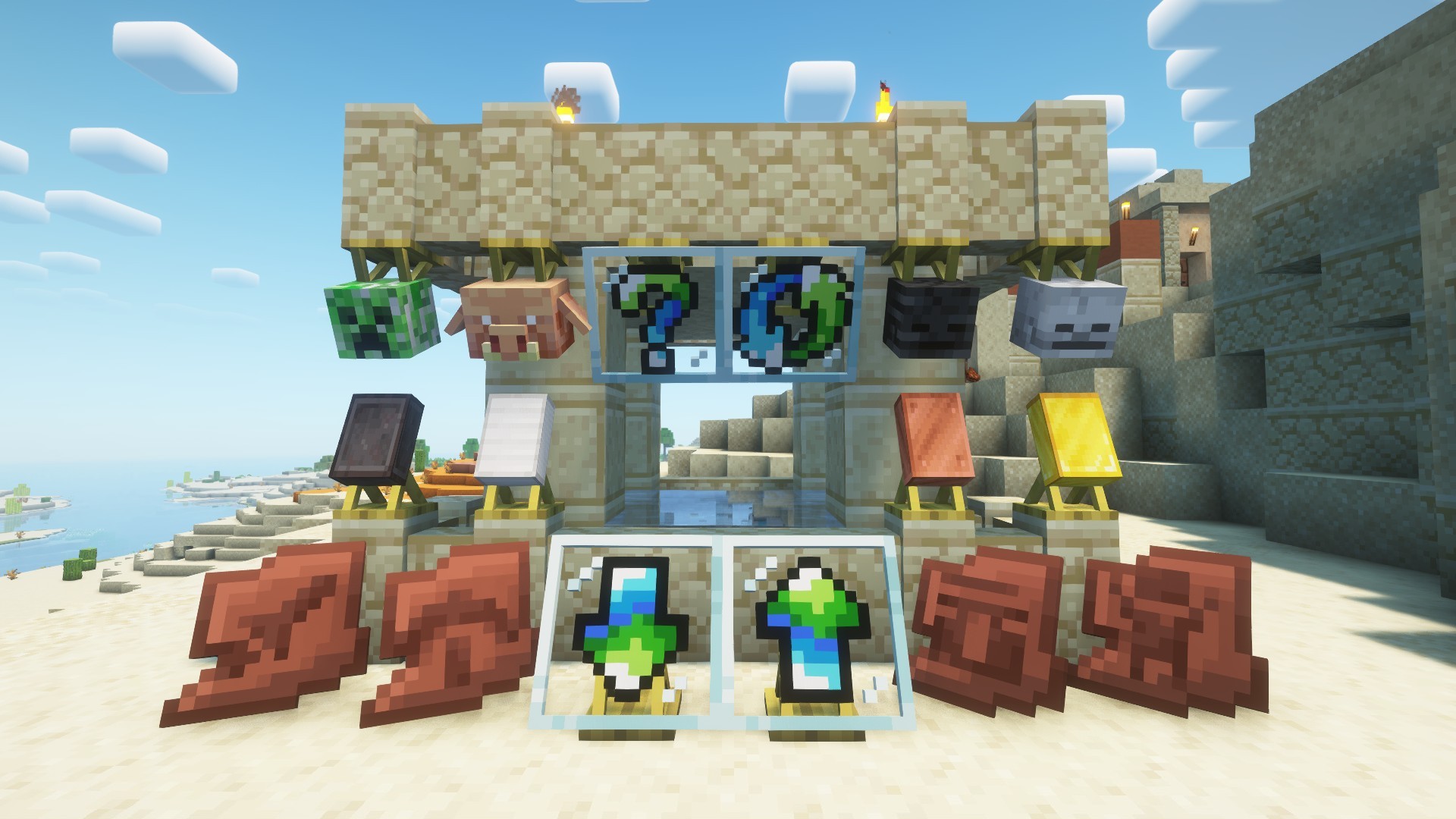 02
02 -
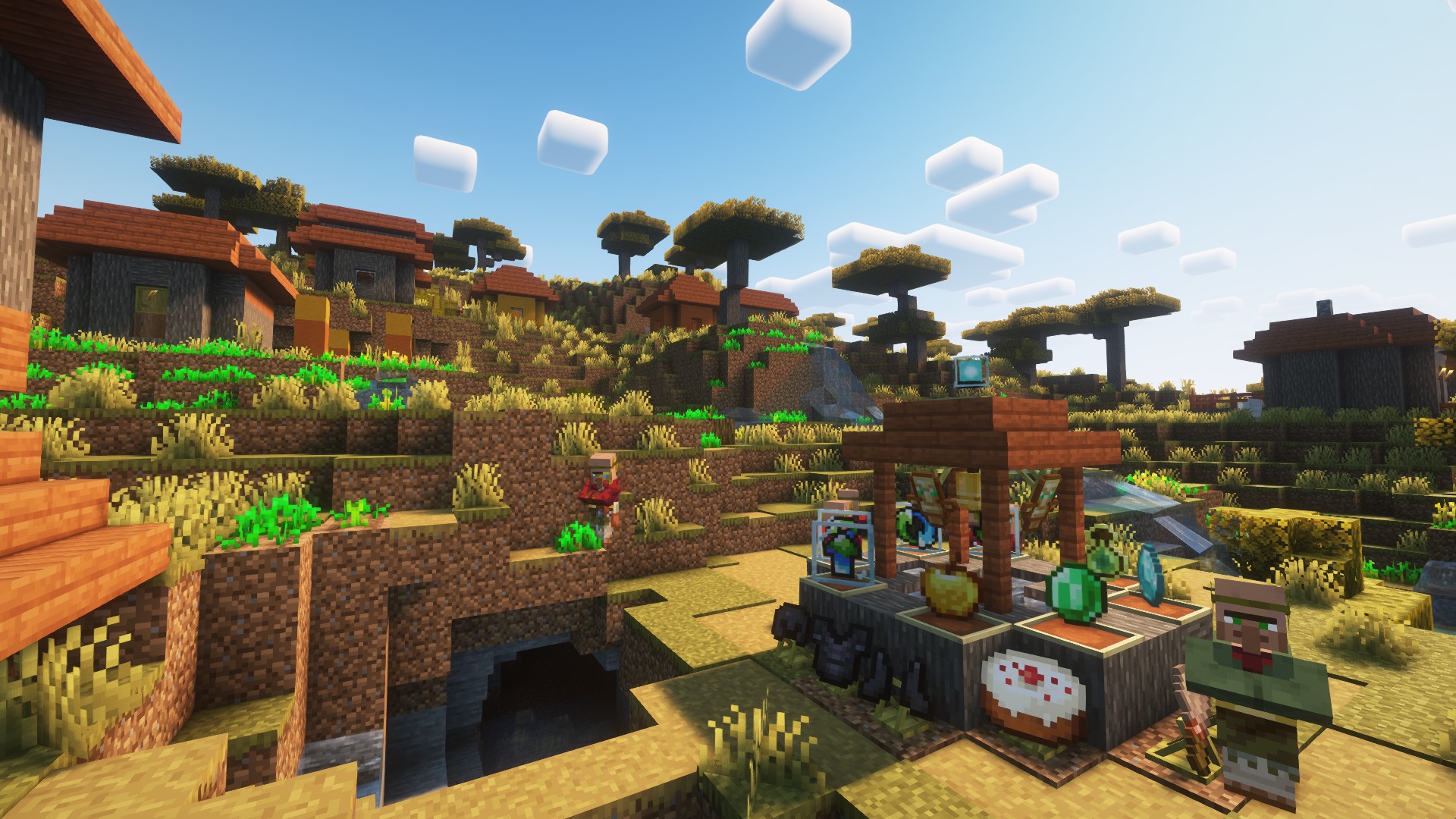 03
03 -
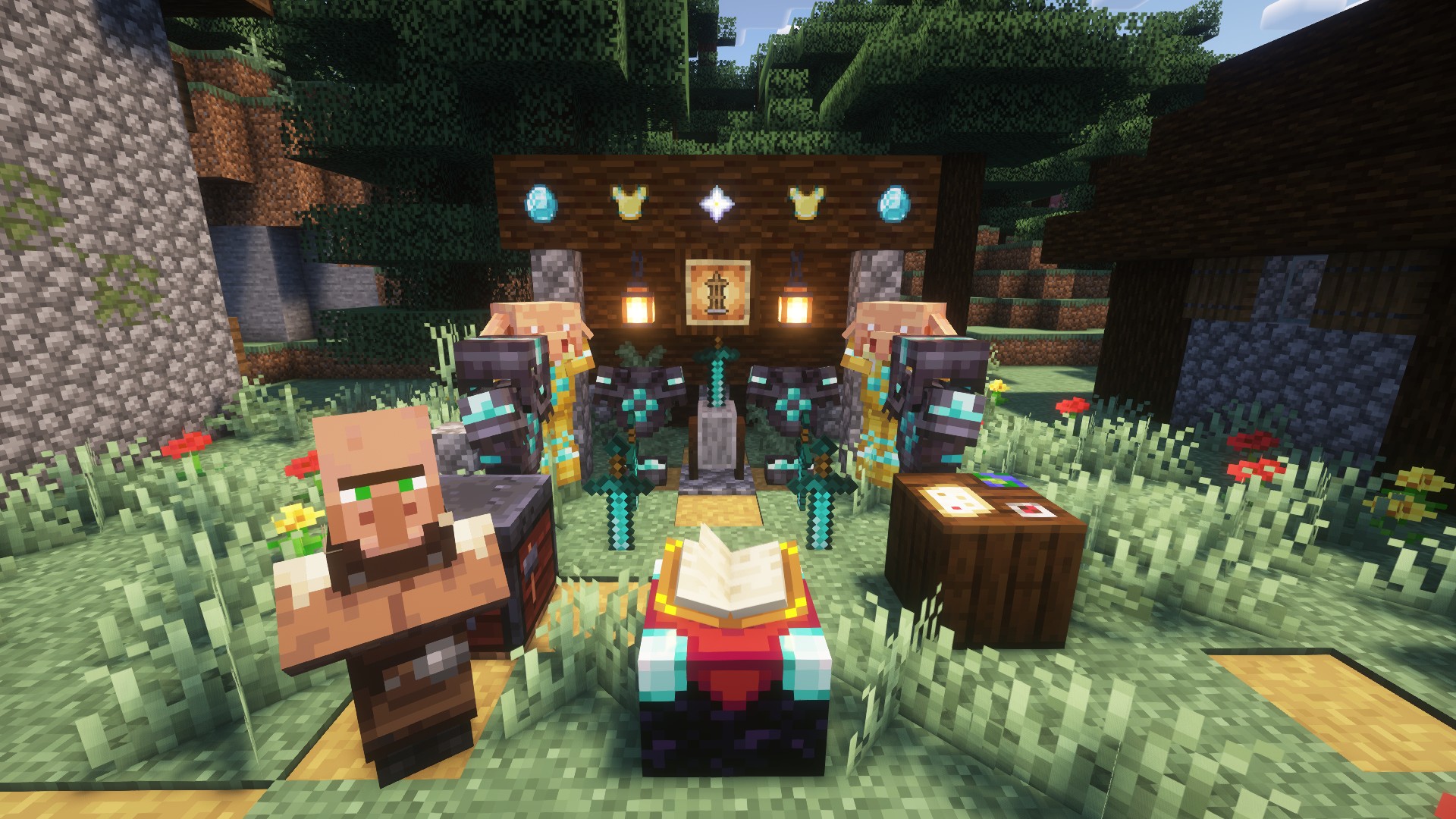 04
04 -
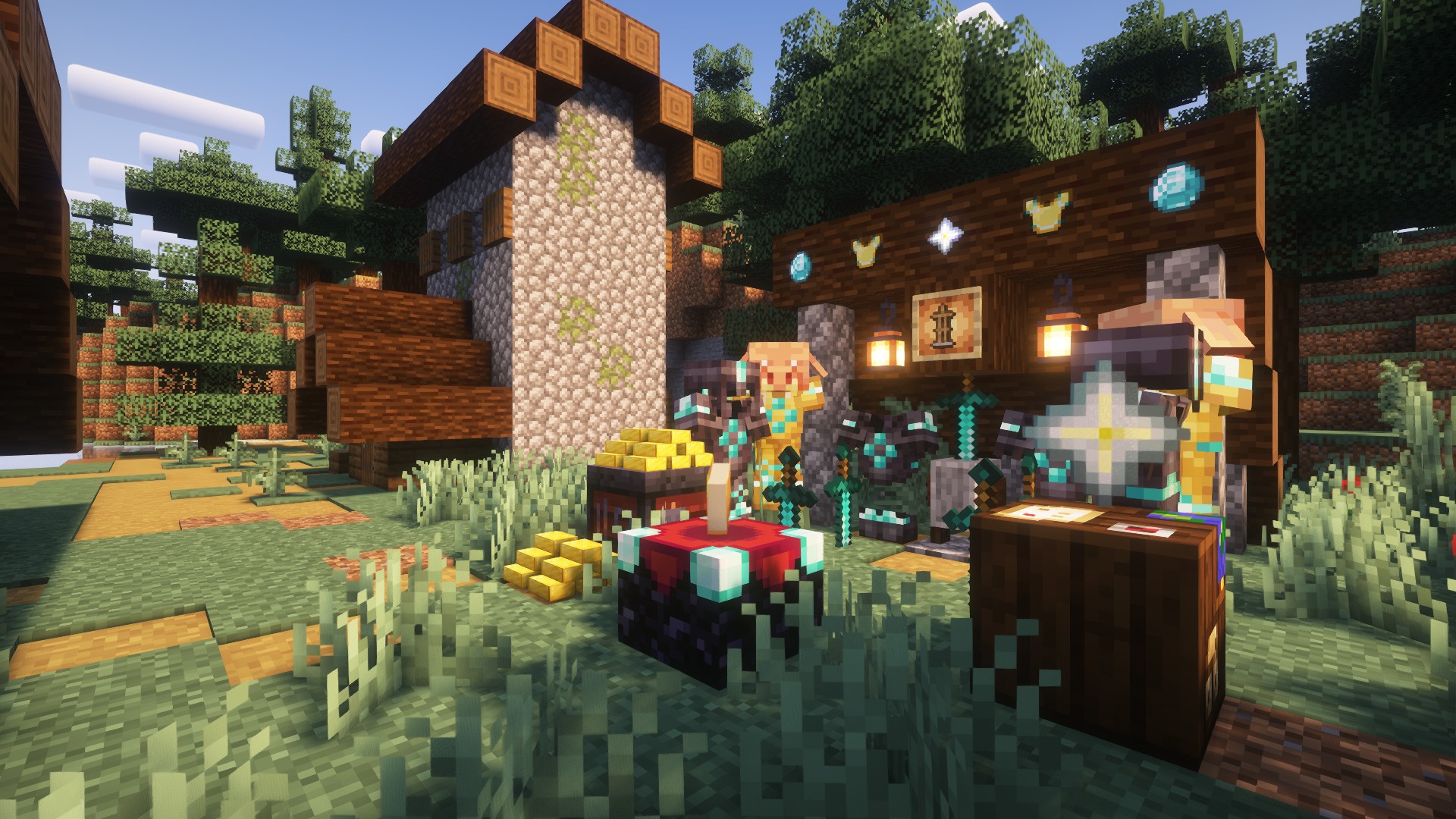 05
05
![[LDS] Lazy Display Stand screenshot](https://cdn.modrinth.com/data/3kGEtzbd/images/0af302b59c984fe609620d436fc17b658e201714.png)
![[LDS] Lazy Display Stand screenshot](https://cdn.modrinth.com/data/3kGEtzbd/images/5688ca04ee3e450203f468774e17ba3171e4bcc4.jpeg)
![[LDS] Lazy Display Stand screenshot](https://cdn.modrinth.com/data/3kGEtzbd/images/60da7432b207fe24c2cc887634213fb937b85342.jpeg)
![[LDS] Lazy Display Stand screenshot](https://cdn.modrinth.com/data/3kGEtzbd/images/6e0d0d3b361f5cad453085cadb3e4a4b659fe562.jpeg)
![[LDS] Lazy Display Stand screenshot](https://cdn.modrinth.com/data/3kGEtzbd/images/757ad6d561c555a0d3b1f2b195d158148ec2146e.jpeg)
![[LDS] Lazy Display Stand screenshot](https://cdn.modrinth.com/data/3kGEtzbd/images/e35569ee7b59e4ce0dec04bf02e1641565a774d5.jpeg)
![[LDS] Lazy Display Stand screenshot](https://cdn.modrinth.com/data/3kGEtzbd/images/f0fae13c5cdd5bdfa413d9e7b37ec9fcfab033d2.jpeg)
Versions
Files
Relations
Project Relations
More like this
Similar Mods
Suggestions use data such as tags, dependencies, dependents, descriptions, titles, and more to rank how much they overlap with this mod.
On ModDex
Community snapshot
By the numbers
Statistics
 (opens in a new tab)
Get it on
Available Platforms
On ModDex
Community snapshot
By the numbers
Statistics
Resources