Community listing page, reviews may not be monitored by the author.
Left Side Effects HUD Placement

No reviews yet
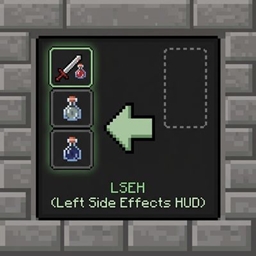
Moves status effect icons and timers to the left side of your screen and repositions them neatly outside the inventory window, replacing the default right-side layout.

Community voices
Reviews
No reviews yet. Be the first to review this project!
Get it on
Available Platforms
About
Project Details
For authors
Embed Badge
If you're the author of this project, you can embed a live badge anywhere that supports HTML or Markdown. It updates automatically whenever ratings change.
Use HTML for any page that supports it, or Markdown for README files and Markdown-based descriptions.
Identifiers
Platform IDs
Resources
External Links
About
Description
This lightweight mod repositions your active status effect icons and timers away from the cluttered right side of the screen, moving them neatly to the left edge during gameplay and seamlessly adjusting them next to your inventory screen when open.
In-Game HUD Repositioning: Moves all status effect icons to a clean, vertically-centered column on the left side of the screen.
Smart Inventory Integration: Automatically hides the intrusive default right-side inventory panel and shifts effects cleanly just outside the top-left corner of the open inventory window.
Clear Timers: Displays precise remaining time text directly under each effect icon (including infinite and flashing low-duration effects).
Grouped Layout: Separates beneficial and harmful effects into distinct, organized columns.
Screenshots
Gallery
Versions
Files
Relations
Project Relations
More like this
Similar Mods
Suggestions use data such as tags, dependencies, dependents, descriptions, titles, and more to rank how much they overlap with this mod.
On ModDex
Community snapshot
By the numbers
Statistics

Get it on
Available Platforms
On ModDex
Community snapshot
By the numbers
Statistics
Resources