
LEMClientHelper
No reviews yet
LCH is a Fabric mod that enhances the experience on Legacy Edition Minigames servers
Features small, self-contained games within Minecraft.
Fabric is a mod loader for versions 1.14+ of Minecraft, particularly popular for client side and optimization mods.
Community voices
Reviews
Click once to include, again to exclude, again to clear
No reviews yet. Be the first to review this project!
Get it on
Available Platforms
 Modrinth
Compatibility
Supported Environments
About
Project Details
For authors
Embed Badge
If you're the author of this project, you can embed a live badge anywhere that supports HTML or Markdown. It updates automatically whenever ratings change.
Use HTML for any page that supports it, or Markdown for README files and Markdown-based descriptions.
Identifiers
Platform IDs
About
Description
LEM Client Helper
Currently supports Minecraft 1.20.4.
LCH is a Fabric mod that enhances the experience on Legacy Edition Minigames servers, by default it does not affect Singleplayer or non-LEM servers.
This mod adds the following features and options customizable through Mod Menu:
Take Everything
Take Everything allows you to take all items out of a chest with one button.
The default keybind is Spacebar, you can change it in Minecraft's Control settings
Resource Preloader
Resource Preloading allows you to download the resource packs in advance to allow for faster loading times in LEM servers.
Preloading is only accessable via the mod's config page, resources will not be preloaded automatically.
Preloading will automatically continue in the background if you would like to close the config menu and play.
The limit for how many packs can be cached is expanded to support the large amount of resource packs LEM utilizes(20 -> 30).
Options
-
Completed Notification: A notification will be displayed in-game once a pack has been preloaded.
-
Delete Packs: Deletes the resource pack cache.
-
Preview Pack List: Displays a list of all the packs that will be downloaded.
-
Start Download: Starts downloading the packs to preload them.
Local Server Config
This allows you to set some LEM server options on the client, ignoring what you have it set to on the server.
Setting these options to 0 will make them use the options you set on the server.
This is useful if you play on multiple devices, with different display sizes
Options
-
GUI Scale: Changes the GUI Scale the server expects for some UI elements, notably chest refill icon.
-
Panorama Scale: Changes the GUI Scale the server will use for the panorama renderer.
Armor HUD
LCH provides a more accurate Armor Bar than what is displayed without the mod.
Options
-
Enabled Armor HUD: The Armor Bar will be displayed if this is enabled.
-
Always Show Armor HUD: The Armor Bar will be visible outside of LEM servers when enabled.
-
Armor HUD Scale Modifier: Changes how large the Armor Bar will be, accepts values between
1.00-4.00. -
Armor HUD X Offset: Changes the distance of the Armor Bar from the edge of the screen.
Small Inv
LCH provides a more accurate Small Inventory UI than what is displayed without the mod.
Options
- Enabled: The accurate Small Inventory will be used if this is enabled. If it is disabled it will use the vanilla UI.
Screenshots
Gallery
-
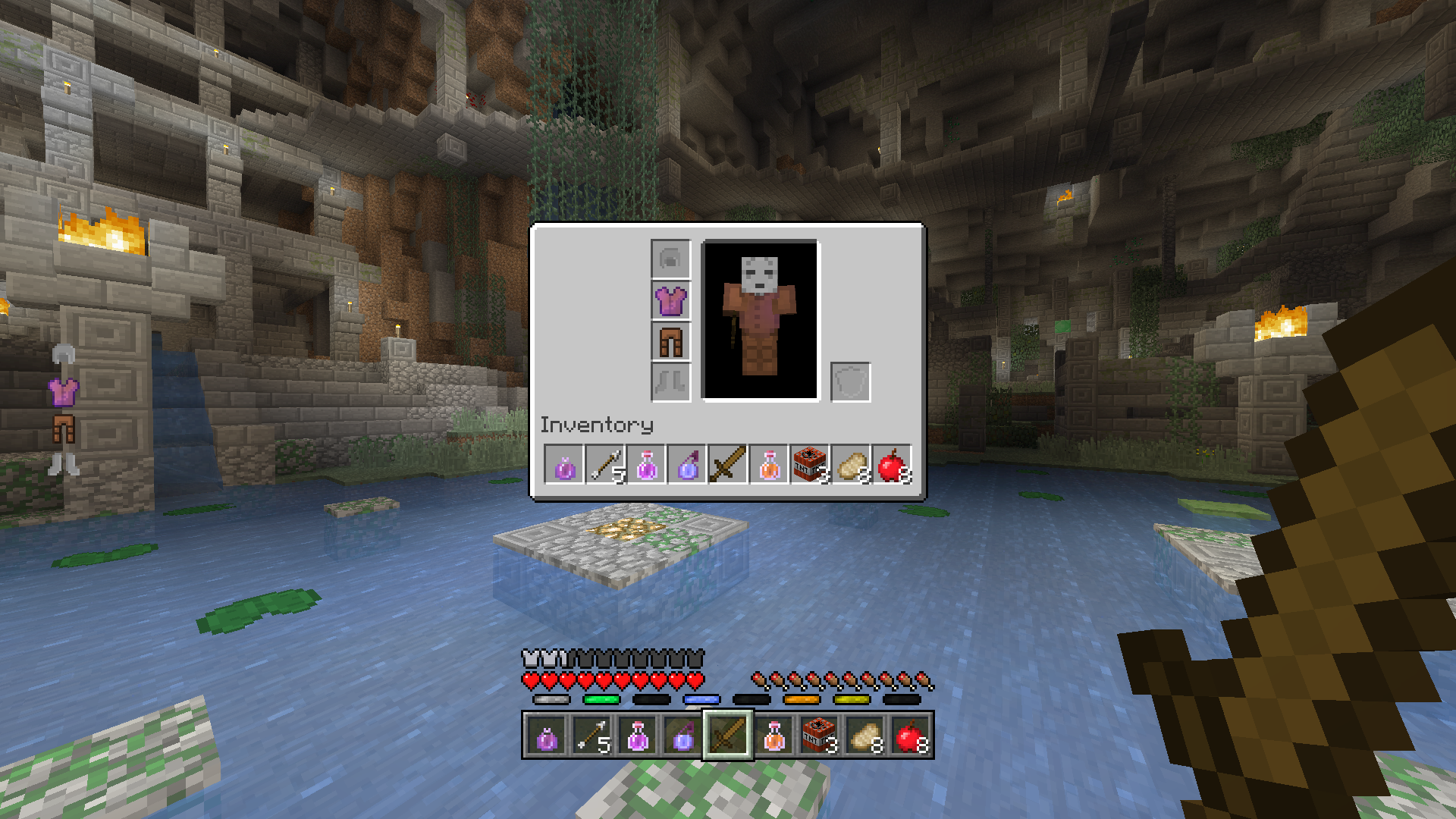 Small Inventory 1 The inventory screen is adjusted to be smaller to match the original functionality.
 -
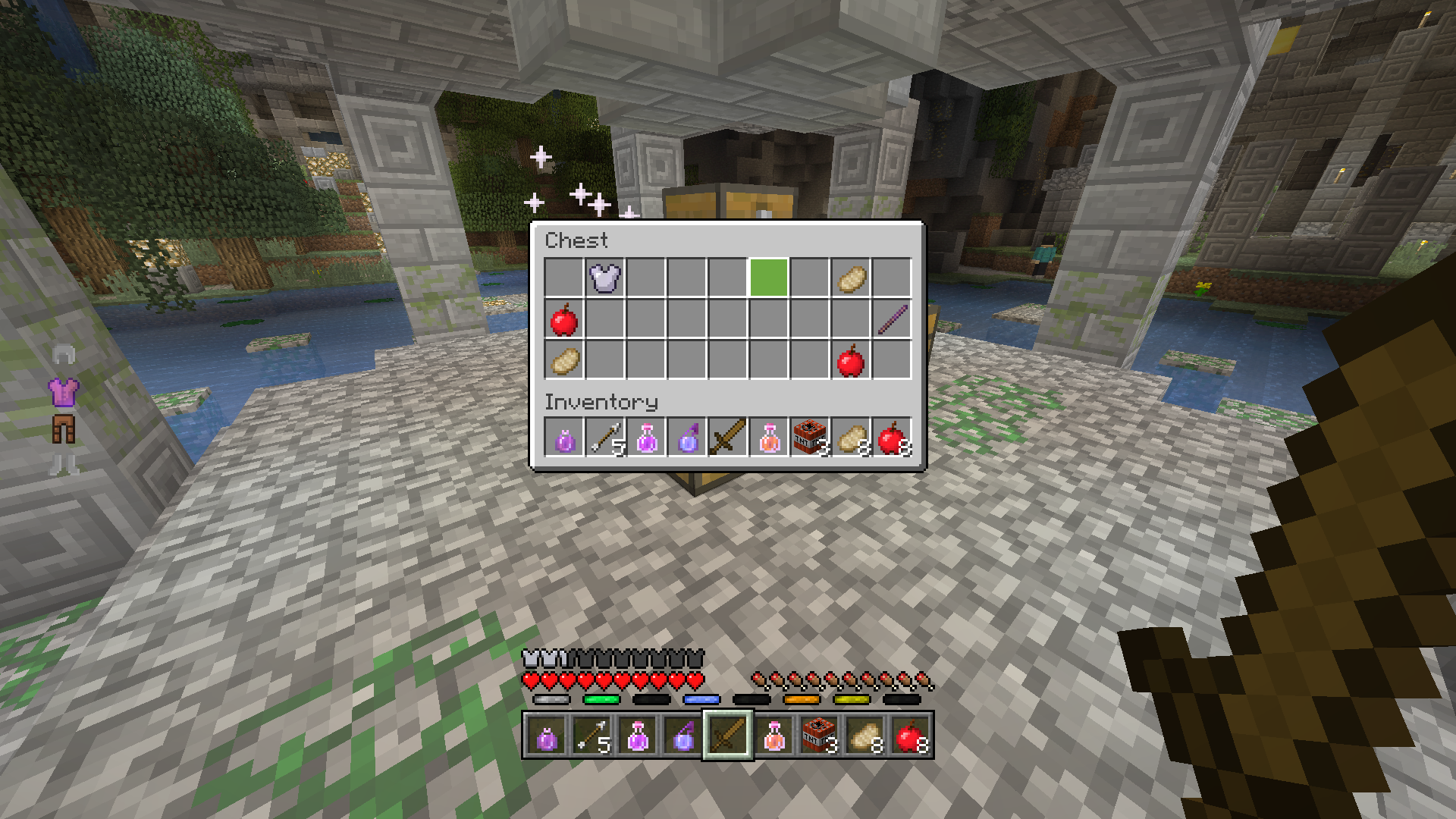 Small Inventory 2 Containers are also adjusted to be smaller to match the original functionality.
 -
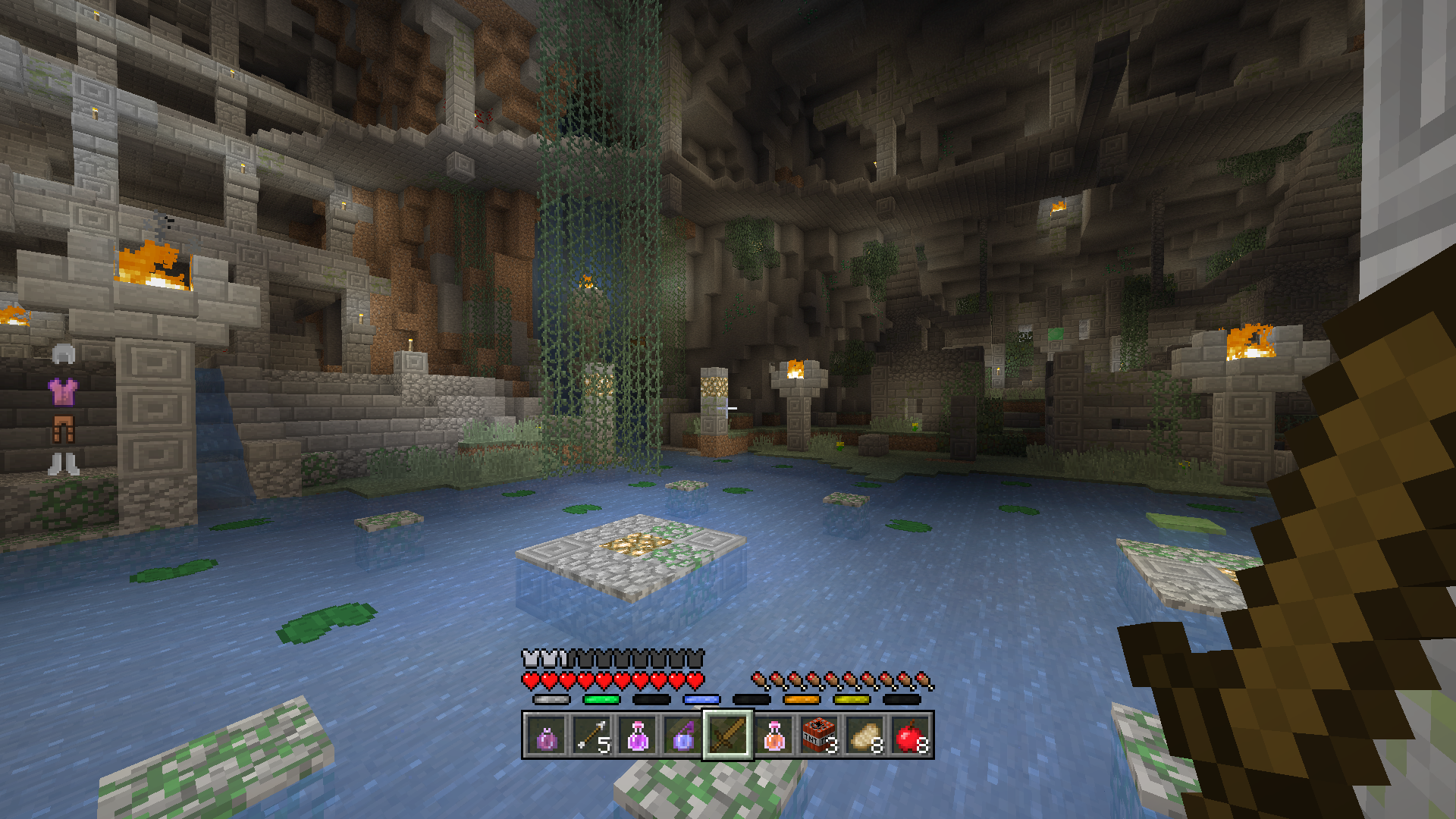 Armor Bar The default LEM armor bar is replaced with a accurately sized one with improved item support, as seen here.
Versions
Files
Relations
Project Relations
More like this
Similar Mods
Suggestions use data such as tags, dependencies, dependents, descriptions, titles, and more to rank how much they overlap with this mod.
On ModDex
Community snapshot
By the numbers
Statistics

Want to reach Minecraft players?
We're looking for a server hosting partner to feature here and other parts of the site. Interested? Send us a message!
Get in touchGet it on
Available Platforms
On ModDex
Community snapshot
By the numbers