Community listing page, reviews may not be monitored by the author.
Let's Parkour


No reviews yet
🦘 Adds various parkour related blocks to create an awesome track, made for ModFest: Carnival.

Community voices
Reviews
No reviews yet. Be the first to review this project!
Get it on
Available Platforms
Compatibility
Supported Environments
Must be installed on both the client and the server.
About
Project Details
For authors
Embed Badge
If you're the author of this project, you can embed a live badge anywhere that supports HTML or Markdown. It updates automatically whenever ratings change.
Use HTML for any page that supports it, or Markdown for README files and Markdown-based descriptions.
Identifiers
Platform IDs
About
Description


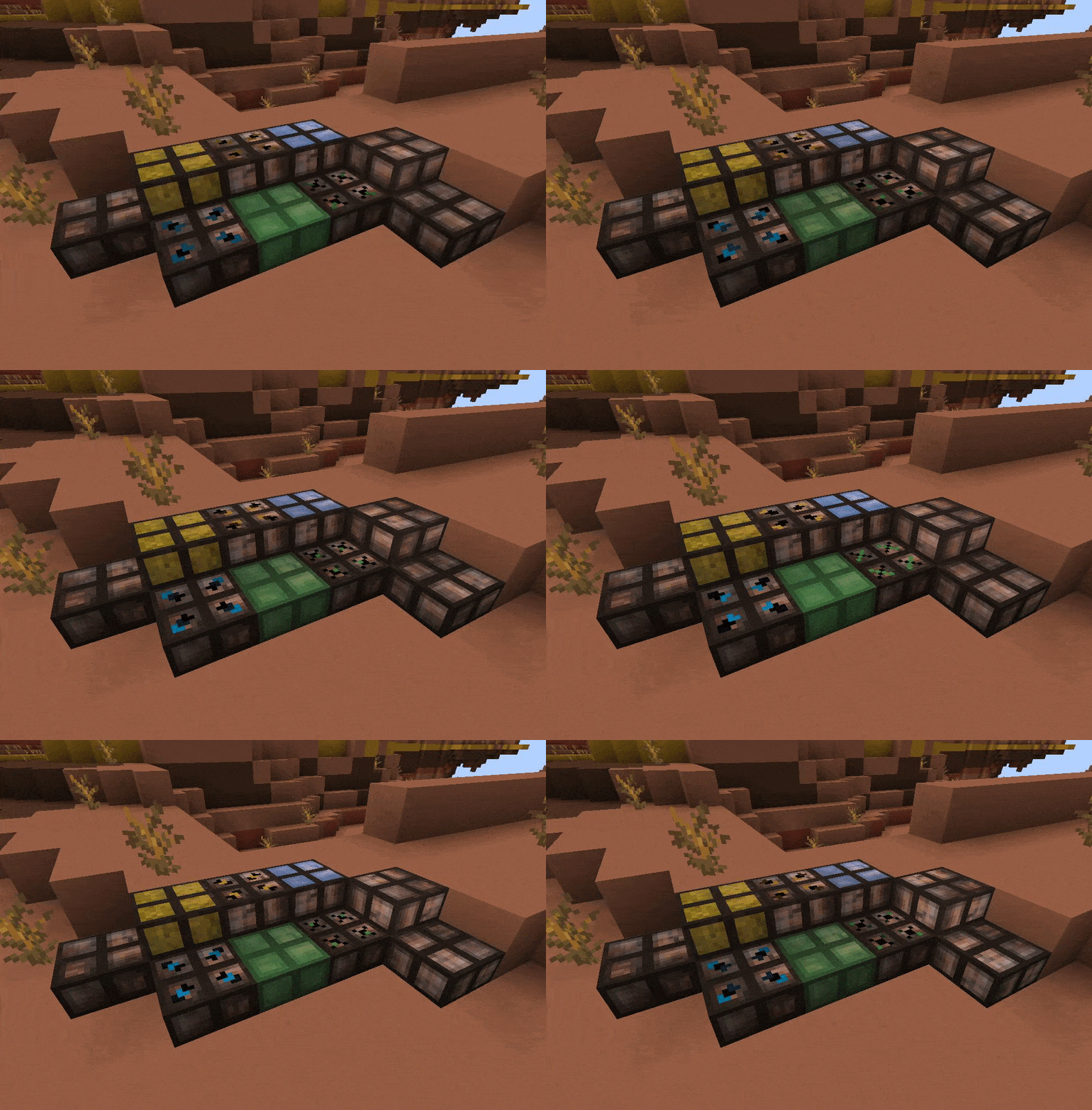
Let's Parkour adds various parkour blocks to the game to create an awesome track. It has been made for ModFest: Carnival. It gives players the tools to make parkour tracks more interesting. The effect of each block can be increased by more slabs on top of each other. Parkour blocks can be enabled/disabled separately.
It currently has Slow, Fast, Jump, Soft, Jelly, Slippery, Illusion and Trapdoor Parkour Blocks. See below for their recipes and an explanation of their functionality.
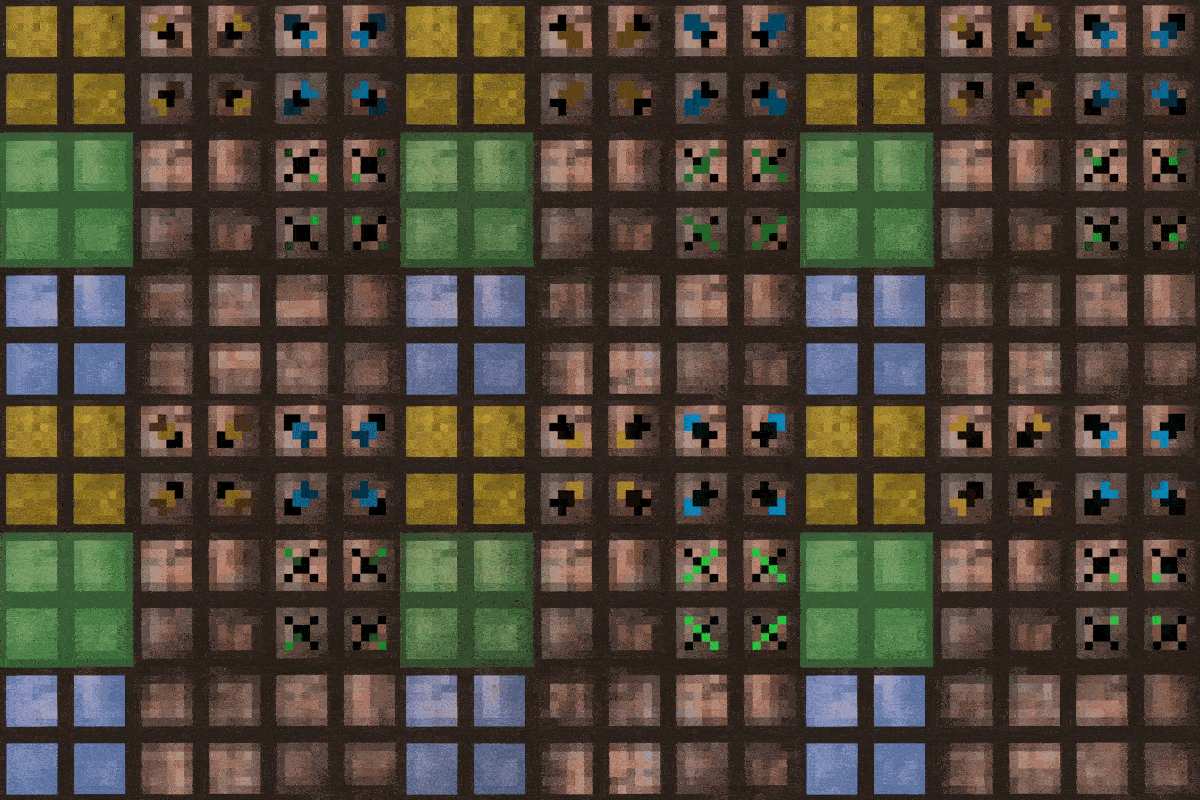
The effect of parkour blocks can be increased by stacking:


All available config options:
enableSlowParkourBlock default true
Whether the slow parkour block functionality should be enabled.
enableFastParkourBlock default true
Whether the fast parkour block functionality should be enabled.
enableJumpParkourBlock default true
Whether the jump parkour block functionality should be enabled.
enableSoftParkourBlock default true
Whether the soft parkour block functionality should be enabled.
enableJellyParkourBlock default true
Whether the jelly parkour block functionality should be enabled.
enableSlipperyParkourBlock default true
Whether the slippery parkour block functionality should be enabled.
enableTrapdoorParkourBlock default true
Whether the trapdoor block functionality should be enabled.
slowBlockBaseSpeedFactor default 0.5
The base speed factor of the slow parkour block.
fastBlockBaseSpeedFactor default 1.5
The base speed factor of the fast parkour block.
jumpBlockBaseJumpFactor default 2.0
The base jump factor of the jump parkour block.
slipperyBlockBaseFrictionFactor default 0.95
The base friction factor of the slippery parkour block.

The Parkour Blocks:
The base parkour slab. Can be used as a normal block, and is used in all other recipes.
The slow parkour slab slows players down when walking on it.
The fast parkour slab speeds players up when walking on it.
The jump parkour slab allows players to jump higher while standing on it.
The soft parkour slab prevents any fall damage when landing on it.
The jelly parkour slab is sticky, and slows players down while they're in it.
The slippery parkour slab has less friction, which makes players slide while on it.
The illusion parkour slab looks similar to a base parkour block, but players will fall right through.
The trapdoor block allows players to stand on it for a very short time, and will then open up.
Careful for the Trapdoor Parkour Block!


You may freely use this mod in any modpack, as long as the download remains hosted within the CurseForge or Modrinth ecosystem.
Serilum.com contains an overview and more information on all mods available.
Comments are disabled as I'm unable to keep track of them across so many separate mod pages.
For issues, ideas, suggestions or anything else there is the Github repo. Thanks!


Let's Parkour adds various parkour blocks to the game to create an awesome track. It has been made for ModFest: Carnival. It gives players the tools to make parkour tracks more interesting. The effect of each block can be increased by more slabs on top of each other. Parkour blocks can be enabled/disabled separately.
It currently has Slow, Fast, Jump, Soft, Jelly, Slippery, Illusion and Trapdoor Parkour Blocks. See below for their recipes and an explanation of their functionality.
The effect of parkour blocks can be increased by stacking:
Show Spoiler


All available config options:
Show Spoiler
enableSlowParkourBlock default true
Whether the slow parkour block functionality should be enabled.
enableFastParkourBlock default true
Whether the fast parkour block functionality should be enabled.
enableJumpParkourBlock default true
Whether the jump parkour block functionality should be enabled.
enableSoftParkourBlock default true
Whether the soft parkour block functionality should be enabled.
enableJellyParkourBlock default true
Whether the jelly parkour block functionality should be enabled.
enableSlipperyParkourBlock default true
Whether the slippery parkour block functionality should be enabled.
enableTrapdoorParkourBlock default true
Whether the trapdoor block functionality should be enabled.
slowBlockBaseSpeedFactor default 0.5
The base speed factor of the slow parkour block.
fastBlockBaseSpeedFactor default 1.5
The base speed factor of the fast parkour block.
jumpBlockBaseJumpFactor default 2.0
The base jump factor of the jump parkour block.
slipperyBlockBaseFrictionFactor default 0.95
The base friction factor of the slippery parkour block.

The Parkour Blocks:
The base parkour slab. Can be used as a normal block, and is used in all other recipes.
The slow parkour slab slows players down when walking on it.
The fast parkour slab speeds players up when walking on it.
The jump parkour slab allows players to jump higher while standing on it.
The soft parkour slab prevents any fall damage when landing on it.
The jelly parkour slab is sticky, and slows players down while they're in it.
The slippery parkour slab has less friction, which makes players slide while on it.
The illusion parkour slab looks similar to a base parkour block, but players will fall right through.
The trapdoor block allows players to stand on it for a very short time, and will then open up.
Careful for the Trapdoor Parkour Block!
Show Spoiler


You may freely use this mod in any modpack, as long as the download remains hosted within the CurseForge or Modrinth ecosystem.
Serilum.com contains an overview and more information on all mods available.
For issues, ideas, suggestions or anything else there is the Github repo. Thanks!
Screenshots
Gallery
Versions
Files
Relations
Project Relations
More like this
Similar Mods
Suggestions use data such as tags, dependencies, dependents, descriptions, titles, and more to rank how much they overlap with this mod.
On ModDex
Community snapshot
By the numbers
Statistics

Get it on
Available Platforms
On ModDex
Community snapshot
By the numbers