Community listing page, reviews here may not be monitored by the author.
LifesMods

No reviews yet
Limited lives system for Minecraft servers.
Community voices
Reviews
No reviews yet. Be the first to review this project!
Get it on
Available Platforms
About
Project Details
For authors
Embed Badge
If you're the author of this project, you can embed a live badge anywhere that supports HTML or Markdown. It updates automatically whenever ratings change.
Use HTML for any page that supports it, or Markdown for README files and Markdown-based descriptions.
Identifiers
Platform IDs
Resources
External Links
About
Description
⚰️ Lifes Mod: The Ghost Awakening
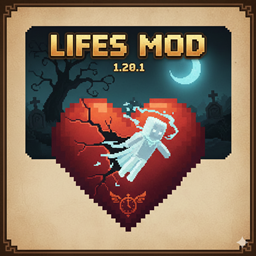
Lifes Mod is an advanced life management system for Minecraft 1.20.1 servers that introduces an immersive "final death" mechanic. When a player exhausts their 10 lives, they aren't simply banned; they transform into a wandering spirit—incapable of taking damage, but also unable to interact with the physical world in the same way.
✨ Key Features
Persistent Life System: Each player starts with 10 lives. The counter persists across sessions and dimensions.
Stylized Death Announcements: Elegant, centered messages that inform the entire server of the cause of death, exact coordinates (X, Y, Z), and remaining lives.
Ghost Transformation: Upon reaching 0 lives, the player automatically enters Adventure Mode. Thanks to integration with Custom Player Models (CPM), the player takes on a unique spectral appearance.
Spectral Immortality: Ghosts are immune to all types of physical damage, reflecting their status as spirits.
Admin Commands: Full control for server operators to manage player destinies.
⌨️ Admin Commands (Level 2+)
/vidas check <player>: Check the current status and lives of any user.
/vidas set <player> <amount>: Manually set a player's lives. Setting it to 0 triggers an instant transformation; increasing it above 0 resurrects the player into Survival Mode.
🛠️ Installation & Requirements
Install Forge 1.20.1.
Check the Source to obtain the CPM model.
Add the Custom Player Models (CPM) mod to your mods folder (required on both server and client to see the skin).
Model Configuration:
Create a folder named player_models in your server's root directory.
Place the Ghost.cpmmodel file inside that folder.
Start the server and you're ready to go!
📜 Credits
Programming: White.
Ghost Model: @The_Purguist.
Screenshots
Gallery
Versions
Files
Relations
Project Relations
More like this
Similar Mods
Suggestions use data such as tags, dependencies, dependents, descriptions, titles, and more to rank how much they overlap with this mod.
On ModDex
Community snapshot
By the numbers
Statistics
Want to reach Minecraft players?
We're looking for a server hosting partner to feature here and other parts of the site. Interested? Send us a message!
Get in touchGet it on
Available Platforms
On ModDex
Community snapshot
By the numbers
Statistics
Resources