
Community listing page, reviews here may not be monitored by the author.
Lighty


No reviews yet
The Light Overlay Mod with a twist!
Community voices
Reviews
No reviews yet. Be the first to review this project!
Get it on
Available Platforms
Compatibility
Supported Environments
Runs entirely on the client. Works on vanilla servers.
About
Project Details
For authors
Embed Badge
If you're the author of this project, you can embed a live badge anywhere that supports HTML or Markdown. It updates automatically whenever ratings change.
Use HTML for any page that supports it, or Markdown for README files and Markdown-based descriptions.
Identifiers
Platform IDs
About
Description
Instead of rendering crosses or numbers on the top face of blocks, Lighty takes a different approach - It renders a transparent carpet-like block on top! Also includes a mode displaying numbers or crosses!
Configuration
- To activate the overlay, press
F7and choose the desired mode. This key is configurable in the key binds menu. - You can quickly toggle the light overlay on or off using
F8! This key is configurable in the key binds menu. - You can change the "red"/"orange" threshold in the config menu (accessible using
F7). Useful for those that want to light their places up aesthetically, or maybe you are playing with some mods that change the mobs spawning rules.
Meaning of colors:
- Green: No mobs can spawn here!
- Orange: If the sun goes down, Mobs will spawn! Be careful!
- Red: Mobs can spawn here!
If you have some ideas for this mod, feel free to open a new Codeberg Issue!
If you like this mod, consider following the project to get notified about new updates!
This mod was inspired by LightLevel.
Instead of rendering crosses or numbers on the top face of blocks, Lighty takes a different approach - It renders a transparent carpet-like block on top! Or, new in version 1.1.0 - Renders the actual light level numbers, but Lighty Style!
Make sure to check out the Gallery for some pictures!
Configuration
- To activate the overlay, press
F7and choose the desired mode. This key is configurable in the key binds menu. - As of version 1.2.0, you can quickly toggle the light overlay on or off using
F8! This key is configurable in the key binds menu. - As of version 1.3.0, you can change the "red"/"orange" threshold in the new config menu (accessible using
F7). Useful for those that want to light their places up aesthetically, or maybe you are playing with some mods that change the mobs spawning rules.
Meaning of colors:
- Green: No mobs can spawn here!
- Orange: If the sun goes down, Mobs will spawn! Be careful!
- Red: Mobs can spawn here!
If you have some ideas for this mod, feel free to open a new Codeberg Issue!
If you like this mod, consider following the project to get notified about new updates!
This mod was inspired by LightLevel.
Screenshots
Gallery
-
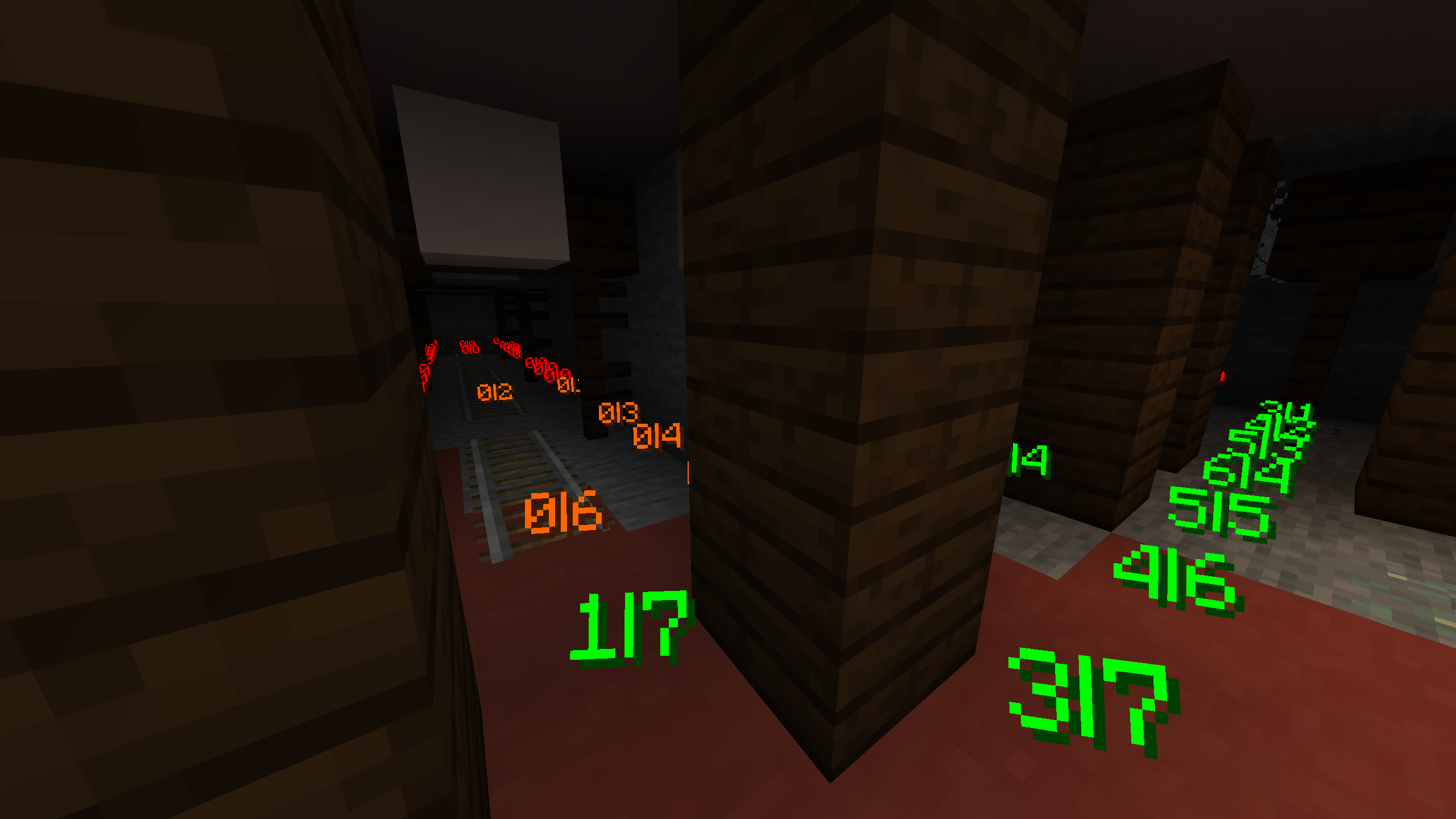 Number Mode For those that want to see the raw numbers (before Lighty 2.0.0)
 -
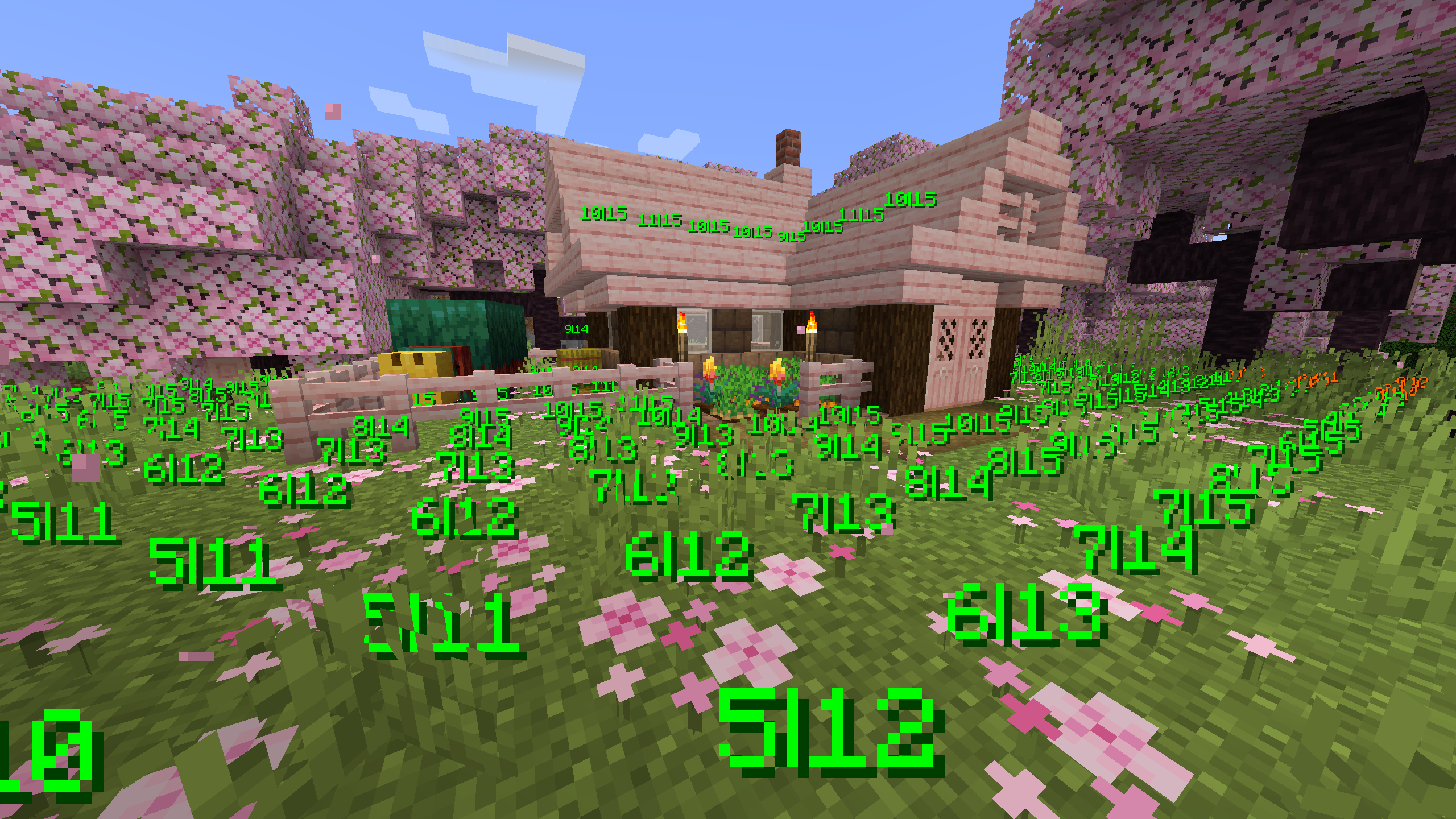 sniff sniff Smells safe around here! (Before Lighty 2.0.0)
 -
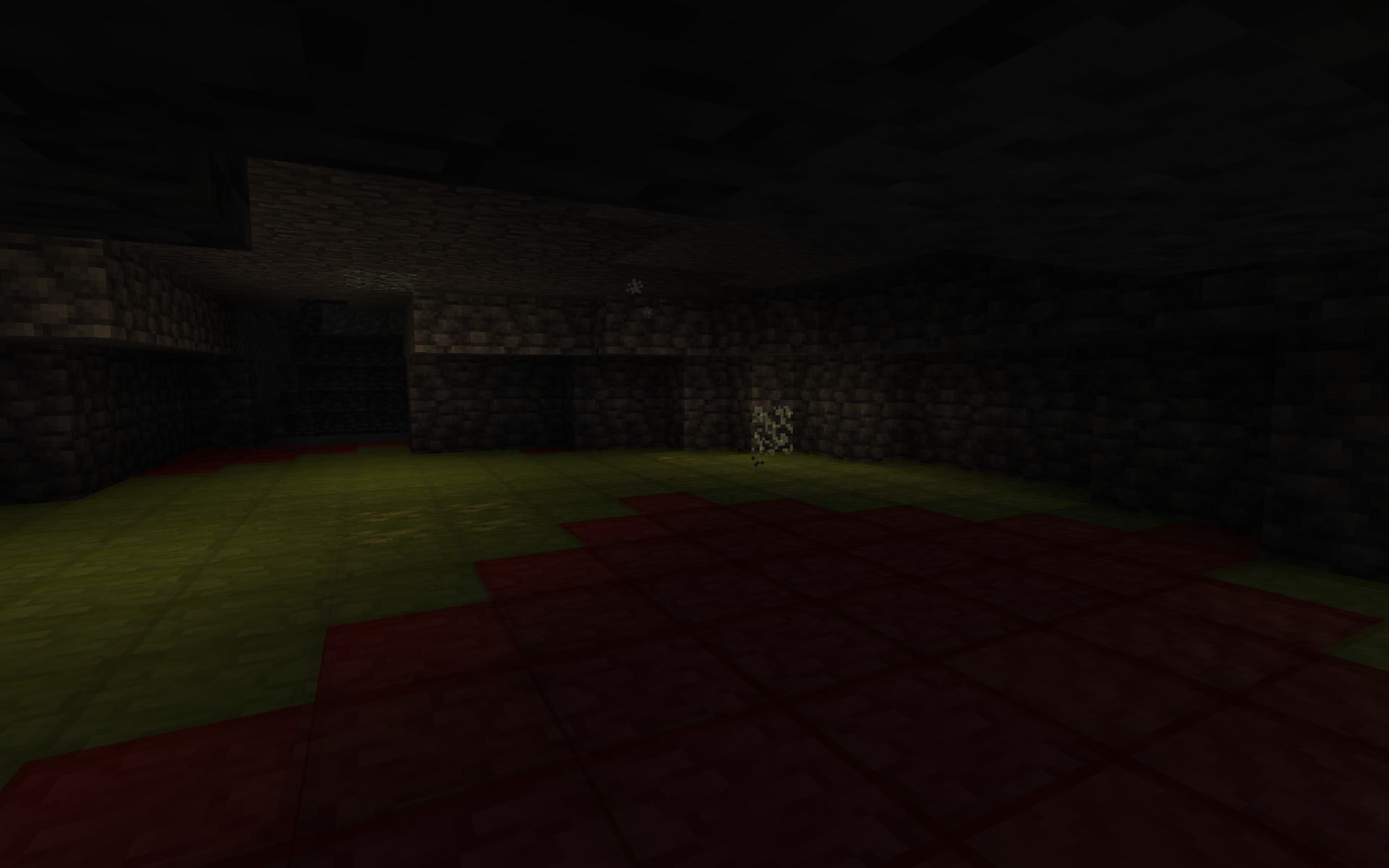 Glow Lichen Your helper blocking out spawns naturally
 -
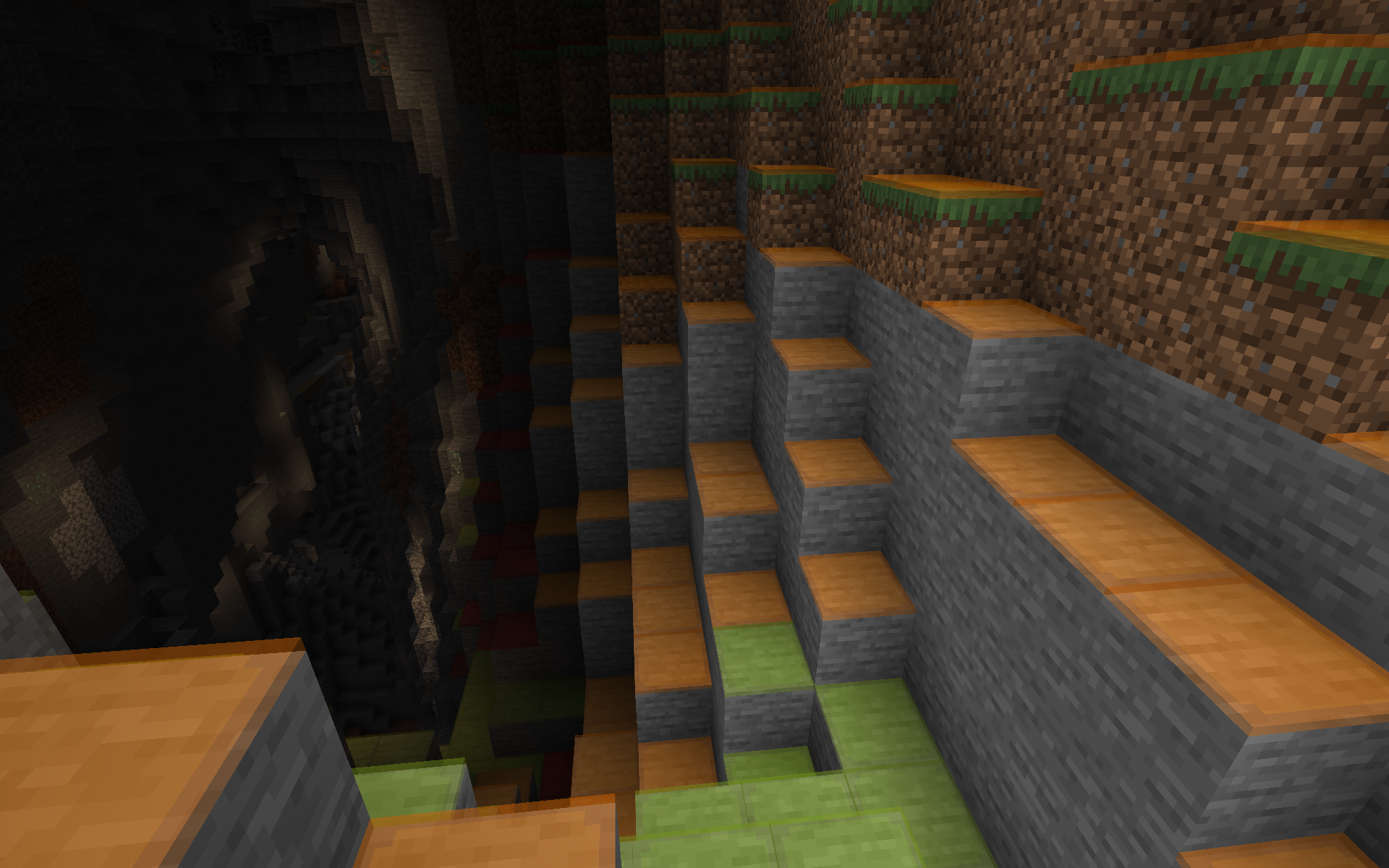 Enter the caves... ... knowing where danger awaits you
 -
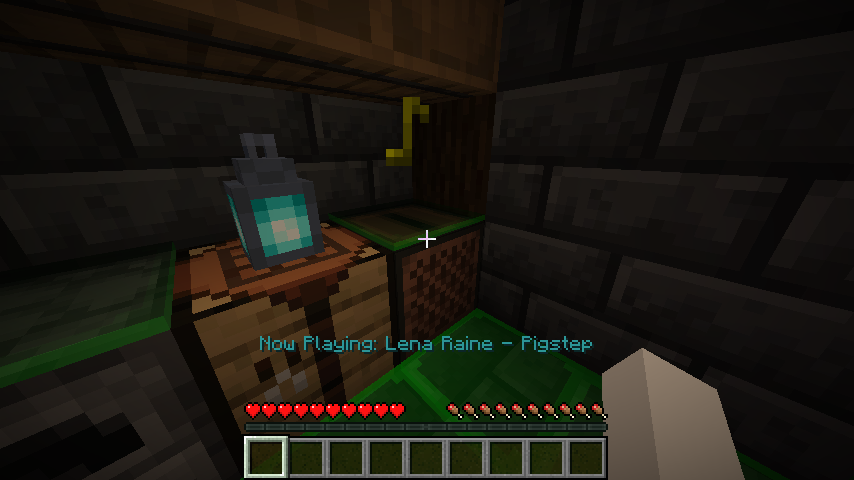 Music Listen to your favorite music disk, knowing you are safe!
Versions
Files
Relations
Project Relations
More like this
Similar Mods
Suggestions use data such as tags, dependencies, dependents, descriptions, titles, and more to rank how much they overlap with this mod.
On ModDex
Community snapshot
By the numbers
Statistics
Want to reach Minecraft players?
We're looking for a server hosting partner to feature here and other parts of the site. Interested? Send us a message!
Get in touchGet it on
Available Platforms
On ModDex
Community snapshot
By the numbers