
Community listing page, reviews may not be monitored by the author.
Limelight


No reviews yet
A command palette for Minecraft, reminiscent of macOS's Spotlight

Community voices
Reviews
No reviews yet. Be the first to review this project!
Get it on
Available Platforms
Compatibility
Supported Environments
Runs entirely on the client. Works on vanilla servers.
About
Project Details
For authors
Embed Badge
If you're the author of this project, you can embed a live badge anywhere that supports HTML or Markdown. It updates automatically whenever ratings change.
Use HTML for any page that supports it, or Markdown for README files and Markdown-based descriptions.
Identifiers
Platform IDs
About
Description
Ever used Spotlight from macOS, KDE's KRunner or Visual Studio Code's Command Palette? Did you ever wish that Minecraft had a similar feature? Anybody?
Limelight is a mod meant to add a command palette similar in design to macOS's Spotlight. Just press the [ key (configurable via keybind) and start typing!
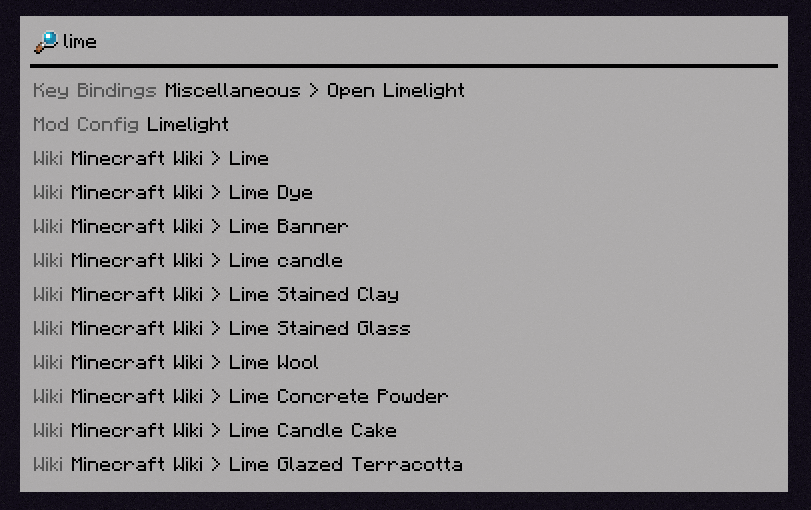
Features
Invoke Keybinds
Similar in spirit to Too Many Binds, you can search for key bindings (even unbound ones) and run them from the command palette.

Open Mod Configs
If you have Mod Menu installed, you can search for mods' names to open their respective config screens.

Calculator
Limelight includes a basic calculator that can be used to do quick math without leaving Minecraft.

Open Lavender Entries
If you have any mod's Lavender book in your inventory, you can search for any entry from that book and immediately open it.
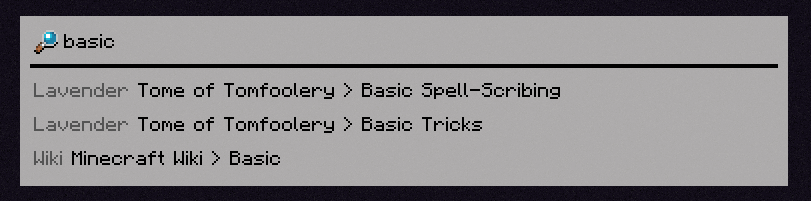
Query Wikis
You can search through the Minecraft Wiki (and any wikis you manually add with a resource pack).
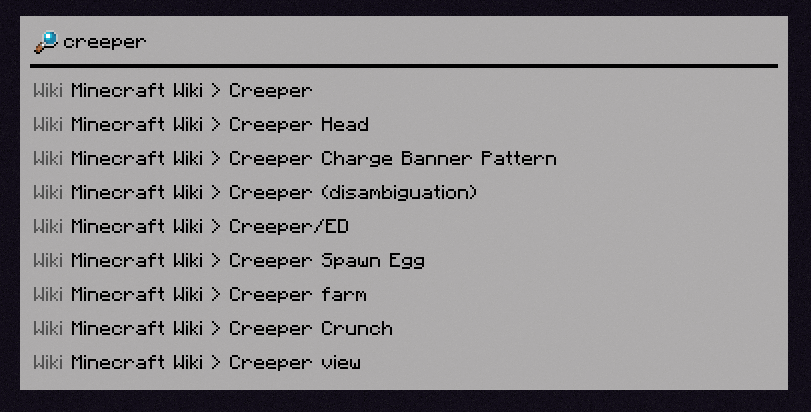
Bangs
You can specify what specifically you want to search for with a !bang, a feature borrowed from DuckDuckGo.
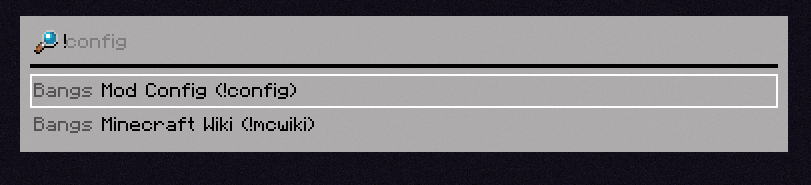
[INSERT FEATURE HERE]
Limelight includes an API for making extensions (which the aforementioned built-in extensions use themselves), which you can use in your mod to add compatibility or write a full-fledged Limelight addon.
Ever used Spotlight from macOS, KDE's KRunner or Visual Studio Code's Command Palette? Did you ever wish that Minecraft had a similar feature? Anybody?
Limelight is a mod meant to add a command palette similar in design to macOS's Spotlight. Just press the [ key (configurable via keybind) and start typing!
Features
Invoke Keybinds
Similar in spirit to Too Many Binds, you can search for key bindings (even unbound ones) and run them from the command palette.
Open Mod Configs
If you have Mod Menu installed, you can search for mods' names to open their respective config screens.
Calculator
Limelight includes a basic calculator that can be used to do quick math without leaving Minecraft.
Open Lavender Entries
If you have any mod's Lavender book in your inventory, you can search for any entry from that book and immediately open it.
Query Wikis
You can search through the Minecraft Wiki (and any wikis you manually add with a resource pack).
Bangs
You can specify what specifically you want to search for with a !bang, a feature borrowed from DuckDuckGo.
[INSERT FEATURE HERE]
Limelight includes an API for making extensions (which the aforementioned built-in extensions use themselves), which you can use in your mod to add compatibility or write a full-fledged Limelight addon.
Screenshots
Gallery
-
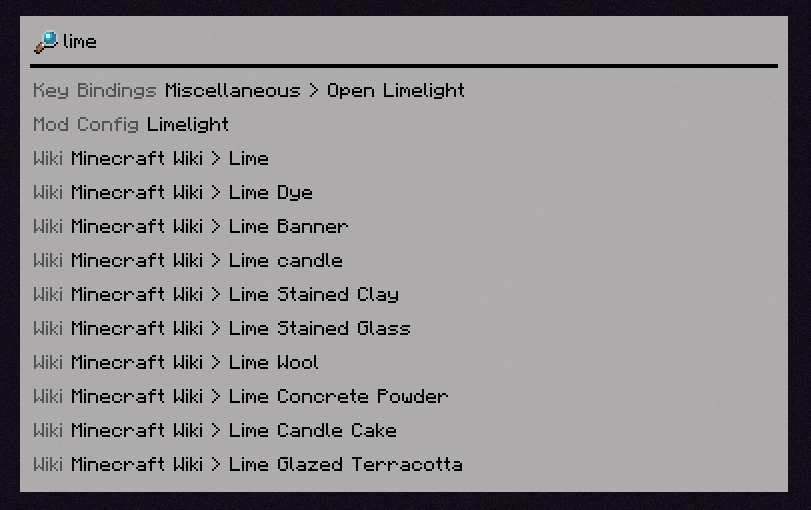 a search for 'lime' in the limelight gui
Versions
Files
Relations
Project Relations
More like this
Similar Mods
Suggestions use data such as tags, dependencies, dependents, descriptions, titles, and more to rank how much they overlap with this mod.
On ModDex
Community snapshot
By the numbers
Statistics
 (opens in a new tab)
Get it on
Available Platforms
On ModDex
Community snapshot
By the numbers