
Community listing page, reviews here may not be monitored by the author.
Liminal Paintings

No reviews yet
DyoudiM!'s liminal-vibe artwork added to Minecraft as paintings!
Community voices
Reviews
No reviews yet. Be the first to review this project!
Get it on
Available Platforms
About
Project Details
For authors
Embed Badge
If you're the author of this project, you can embed a live badge anywhere that supports HTML or Markdown. It updates automatically whenever ratings change.
Use HTML for any page that supports it, or Markdown for README files and Markdown-based descriptions.
Identifiers
Platform IDs
Resources
External Links
About
Description
Warning/Note
If you download the datapack version, a resourcepack is required! If you are planning to use the datapack version, please manually go into the versions tab, choose the version you want, and download BOTH of the TWO attached files! The main one will be the datapack itself, and the "additional" one is the resourcepack required! If you do not do this, all paintings will have no defined texture and turn into pink and black checkerboard patterns!
All links in the sidebar are DyoudiM!'s links, and are not related to me in any way.
DyoudiM!'s liminal-vibe artwork added to Minecraft as paintings!
Currently there are 69 paintings added. (That number is NOT intentional, it is a coincidence)
For datapack versions below 1.2.30:
To check credits in-game, you can use /function tbdlp:credits.
To give yourself ALL the paintings, use /function tbdlp:all.
For datapack versions 1.2.30 or over:
To check credits in-game, you can use /function liminalpaintings:credits.
To give yourself ALL the paintings, use /function liminalpaintings:all.
All credits for the artworks go to DyoudiM!.
Versions
- Datapack version: Includes a Datapack & a Resourcepack.
- Custom Paintings version: Includes a Custom Paintings pack that requires the Custom Paintings mod.
Modloader will say Datapack, although it's not. It does not have a resourcepack option as the first uploaded version was a datapack.
Installation
To install the datapack version, first go into the versions tab, choose your version (must be labeled with "Datapack") and download both files attached, one is the datapack, the other (labeled "Resources" and is "additional") is a resourcepack. Put the resourcepack in your resourcepack folder like normal. Put the datapack in the "datapacks" folder in your already-existing world, or if it's a new world, add it during world creation.
To install the custom paintings version, first go into the versions tab, choose your version (Must be labled with "Custom Paintings") and download the file. Next make sure you have the Custom Paintings mod installed. If not, download it at https://modrinth.com/mod/custom-paintings-mod.
To add the custom paintings pack to your world, you can follow the tutorial in the page's description (https://modrinth.com/mod/custom-paintings-mod).
Simply press U or whatever key you have set for opening the Custom Painting's mod menu while in a world. Then choose to manage packs, open the folder, and put the file into the folder. You can now close the folder, return to the game and choose to reload packs, ensure that the pack is listed, and done!
Permission:
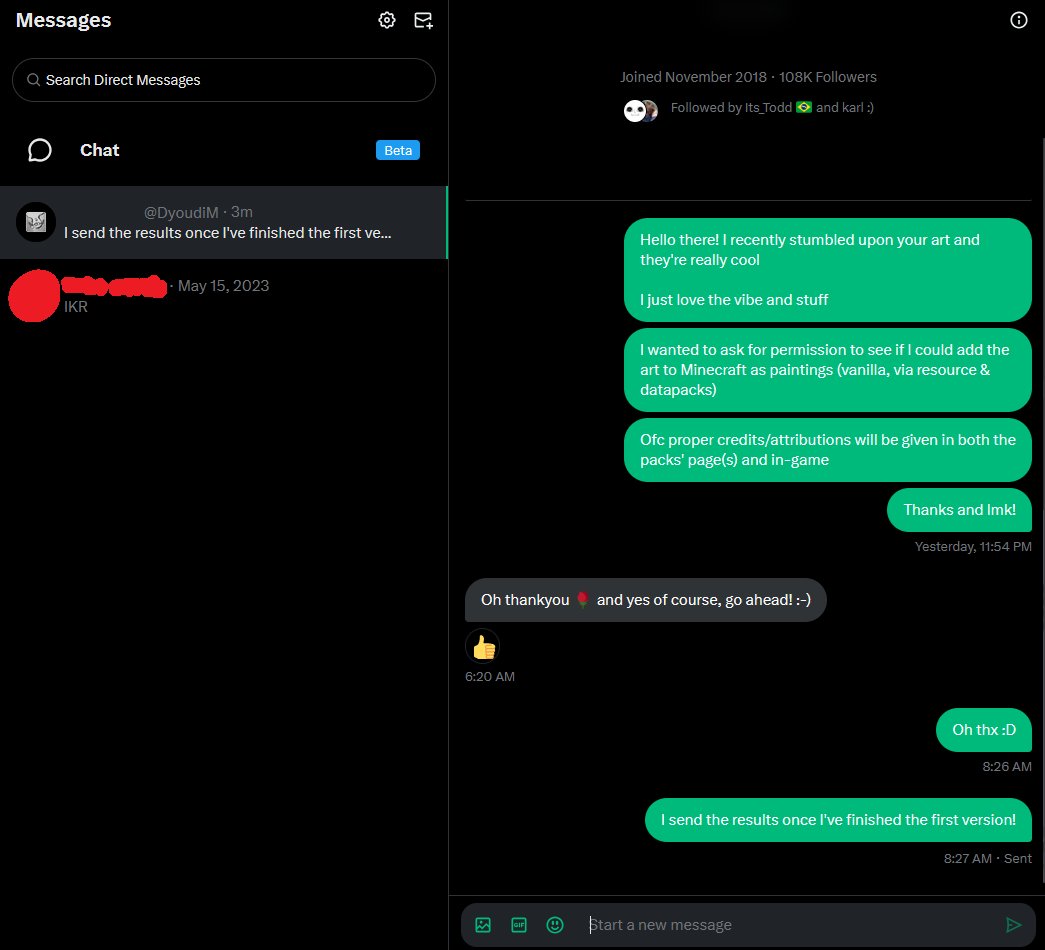 (Source: https://x.com/error_dev_xt/status/1959745434240655396)
Screenshots
Gallery
-
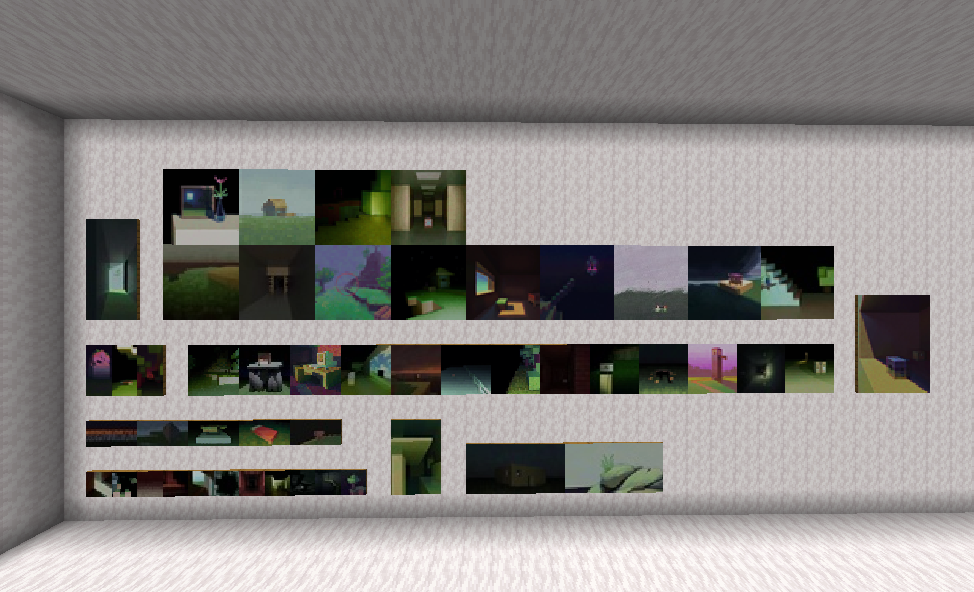 All Liminal Paintings (Pt. 1)
 -
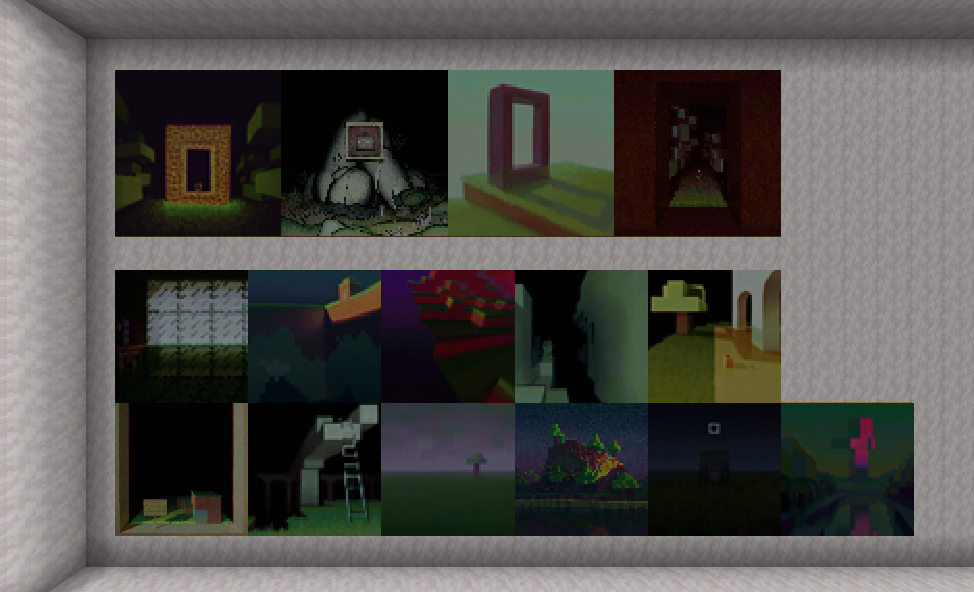 All Liminal Paintings (Pt. 2)
 -
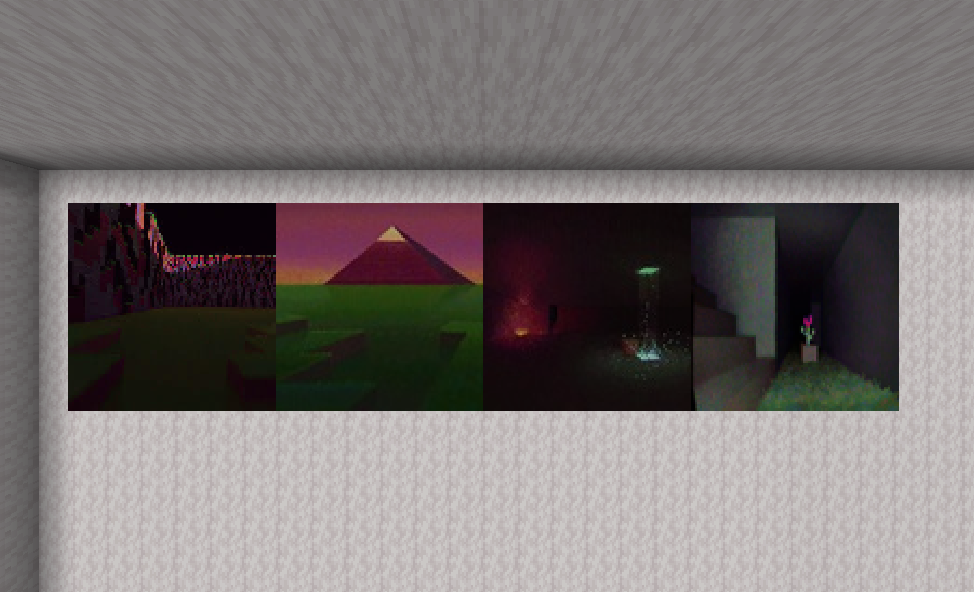 All Liminal Paintings (Pt. 3)
Versions
Files
Relations
Project Relations
More like this
Similar Mods
Suggestions use data such as tags, dependencies, dependents, descriptions, titles, and more to rank how much they overlap with this mod.
On ModDex
Community snapshot
By the numbers
Statistics

Want to reach Minecraft players?
We're looking for a server hosting partner to feature here and other parts of the site. Interested? Send us a message!
Get in touchGet it on
Available Platforms
On ModDex
Community snapshot
By the numbers
Statistics
Resources