
Community listing page, reviews may not be monitored by the author.


Community voices
Reviews
No reviews yet. Be the first to review this project!
Get it on
Available Platforms
About
Project Details
For authors
Embed Badge
If you're the author of this project, you can embed a live badge anywhere that supports HTML or Markdown. It updates automatically whenever ratings change.
Use HTML for any page that supports it, or Markdown for README files and Markdown-based descriptions.
Identifiers
Platform IDs
Resources
External Links
About
Description
Limited Recipe Access
Limited Recipe Access is a NeoForge mod for Minecraft 26.1.2 that lets server admins manage recipe access and edit recipes through an in-game interface. The server enforces the rules, and the mod also needs to be installed by every connecting client.
Open the editor
Join the world or server, then run this command in in-game chat:
/recipeaccess
You need the Gamemaster command permission (typically, you must be an operator). This command opens the editor and has no additional arguments; it is not a server-console command.
Control crafting and JEI access
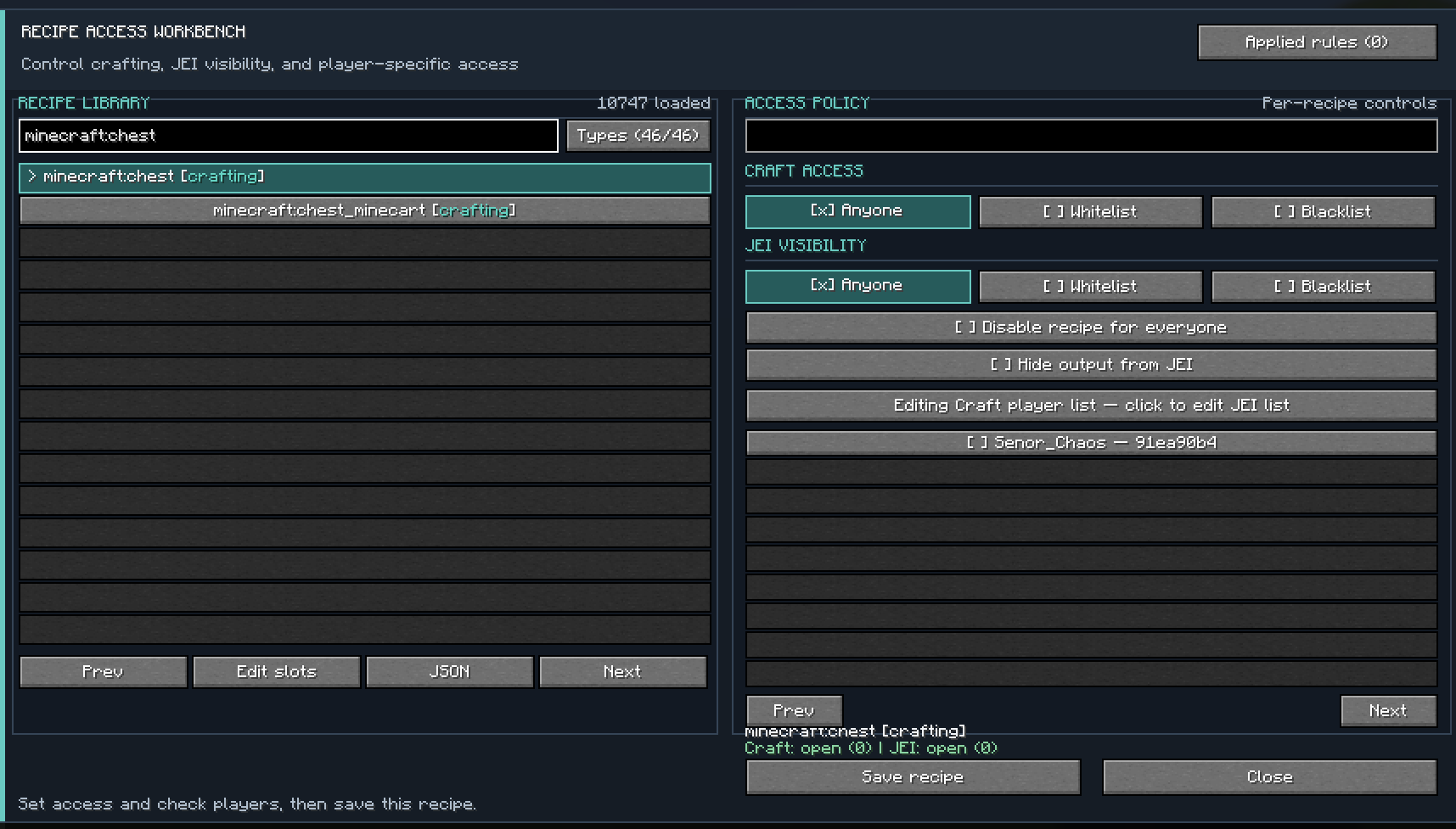
For each recipe, set crafting access and JEI visibility independently:
- Anyone: everyone can craft or see the recipe.
- Whitelist: only selected players can craft or see it.
- Blacklist: selected players cannot craft or see it; everyone else can.
Player names are selected from online players and the server’s usercache.json; the mod stores their UUIDs in the rule.
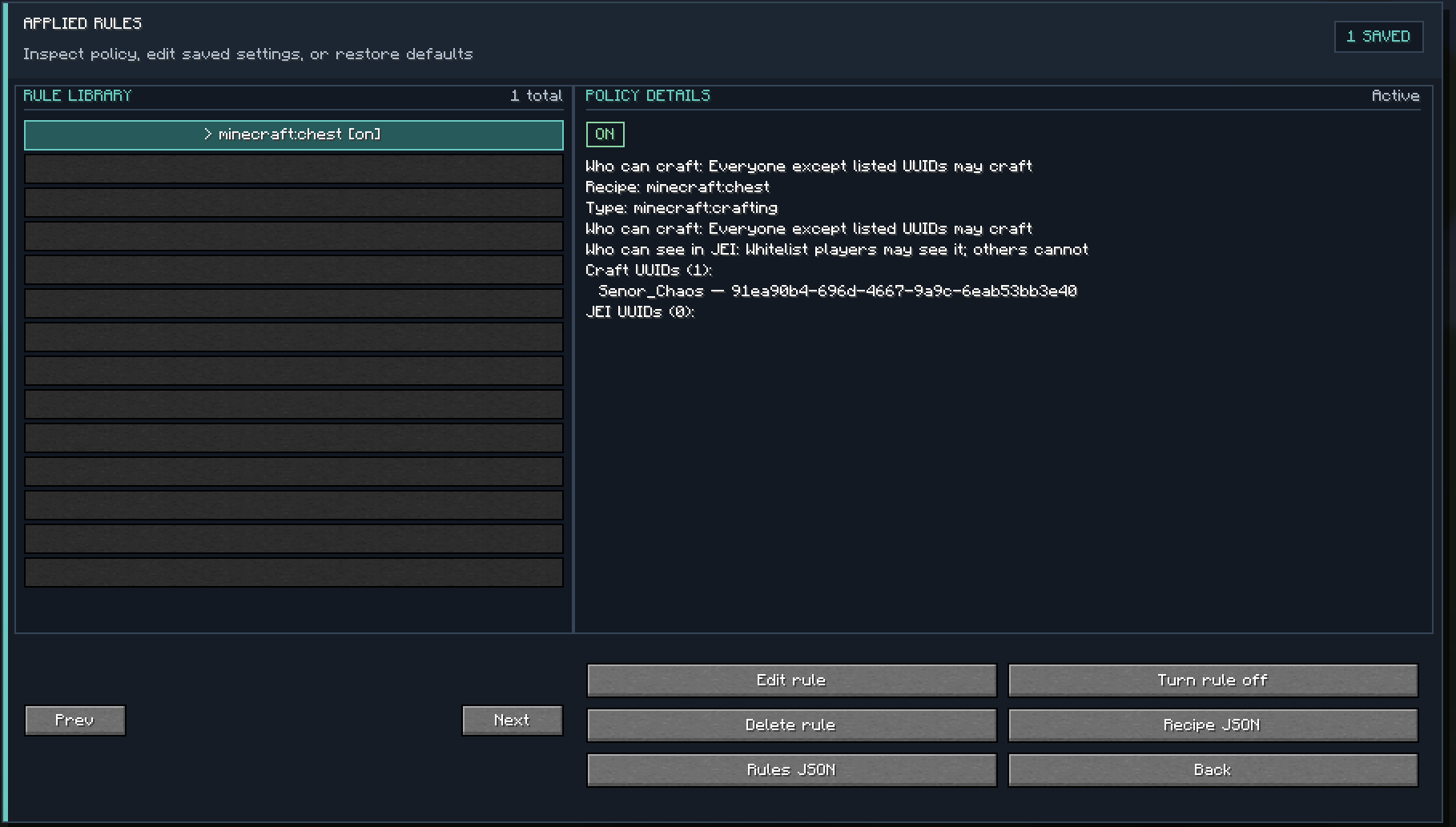
You can also disable a recipe for everyone. A player on that recipe’s craft whitelist can still craft it; a player on its JEI whitelist can still see it when it is otherwise hidden. An empty whitelist allows nobody, while an empty blacklist denies nobody. Turn a saved rule off to suspend its restrictions, or edit and delete it in the Applied Rules screen.
Edit recipes
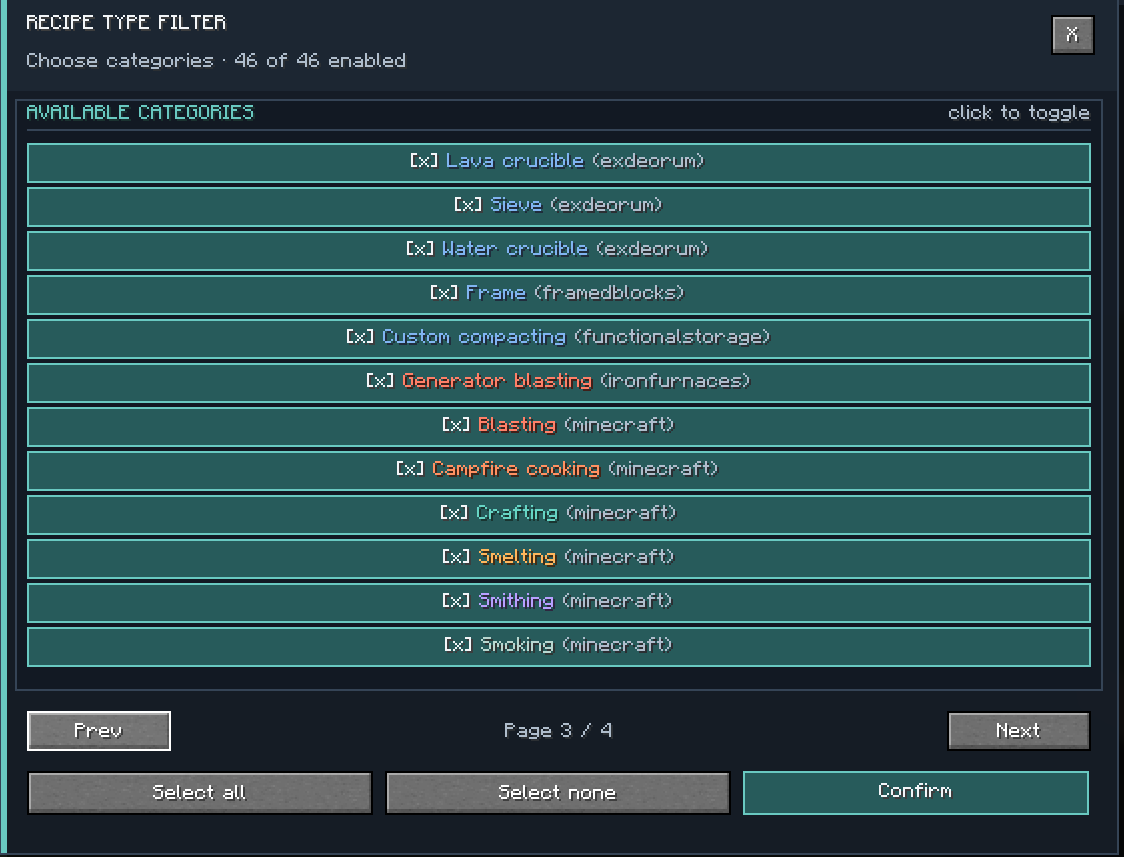
Search the recipe list and filter it by recipe type. The list can include recipes registered by other installed mods, but that does not mean every modded recipe format is supported by the visual editor.
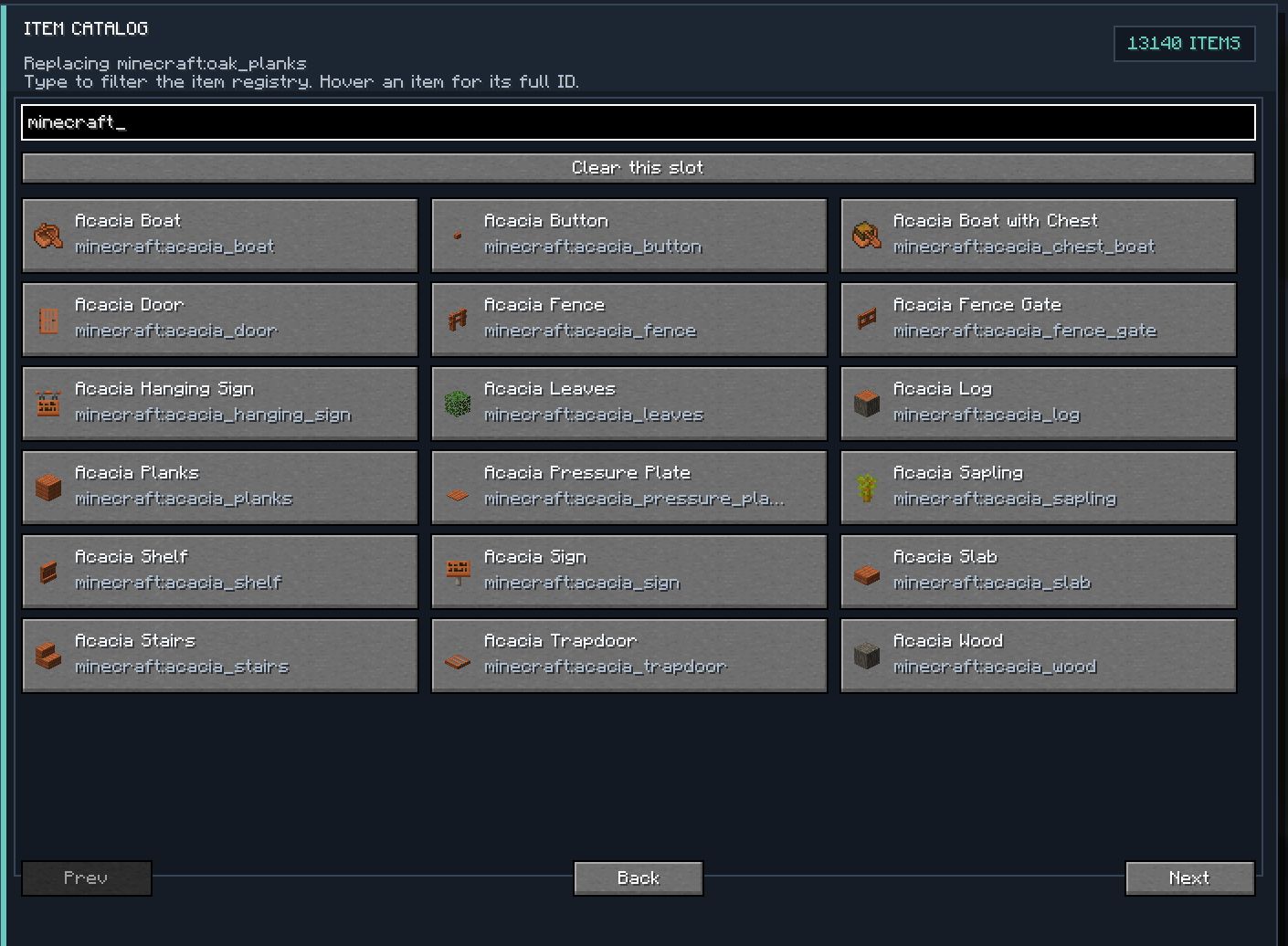
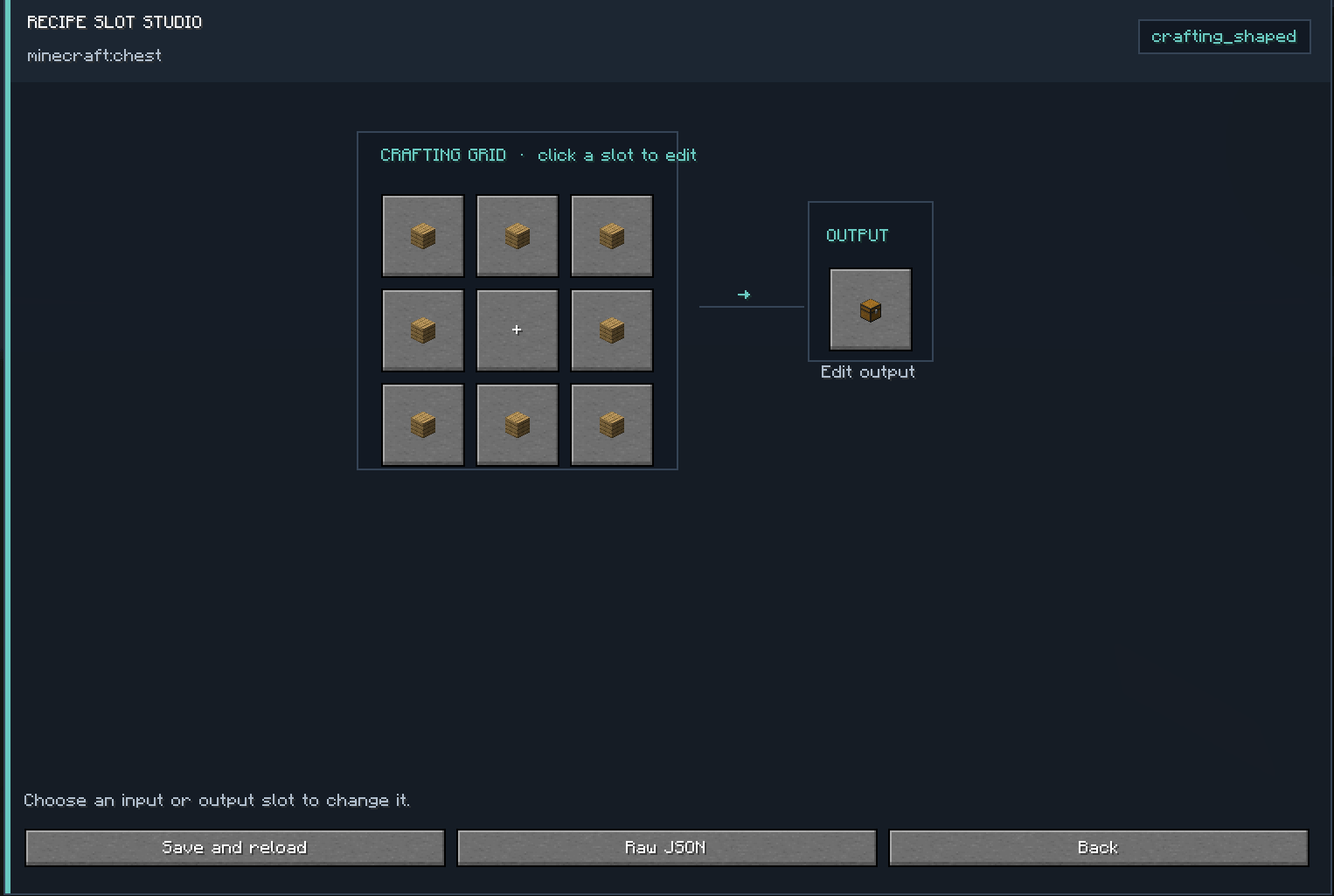
For supported formats, edit recipe inputs and outputs with the slot editor and searchable item catalog. Visual editing supports shaped and shapeless crafting, smelting, blasting, smoking, campfire cooking, stonecutting, and smithing recipes. Other recipe formats may be editable through raw JSON if their serializer supports it.
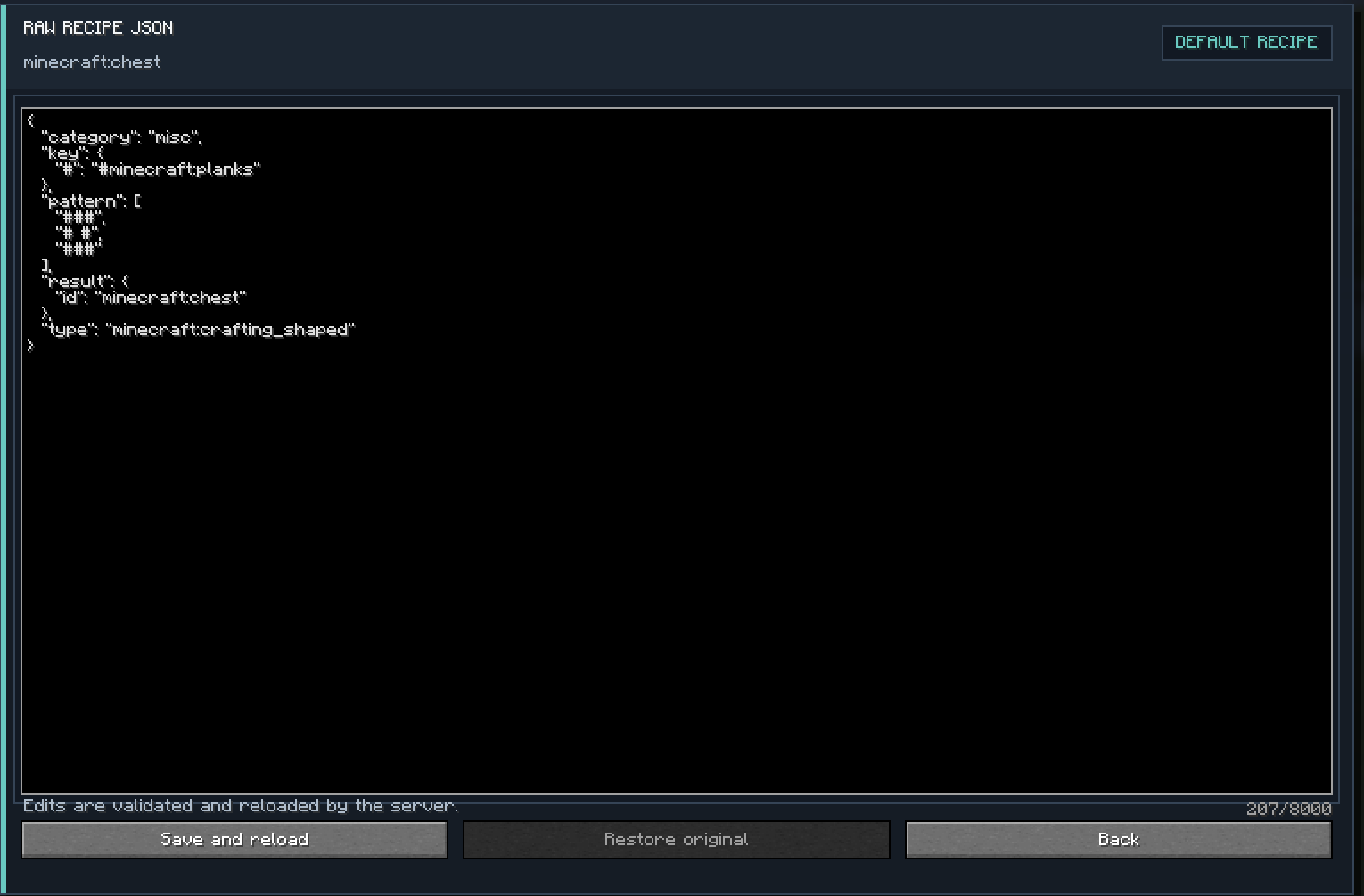
Recipe edits are saved as a datapack in the world and reloaded by the server. Use Restore original to remove an override and return to the original recipe.
Where settings are saved
- Access rules:
<world>/data/limitedrecipe/permissions.json - Recipe overrides:
<world>/datapacks/limitedrecipe_overrides/
Back up these files—or the whole world—before making changes or editing JSON manually.
Important limitations
This mod controls crafting through recipes; it does not prevent players from obtaining or using an item through other means, such as commands, loot, trading, or another mod.
Player-specific crafting restrictions cannot reliably identify an owner for passive campfire cooking or automated machines. Global disabling covers supported standard recipe processing, but there are no integrations for every modded machine.
JEI is optional. Install JEI on a client if you want that client’s JEI recipe and item visibility to reflect the rules. Without JEI, the crafting controls still work.
Compatibility
- Minecraft 26.1.2
- NeoForge (26.1.2.111 or newer)
- Java 25
- Install Limited Recipe Access on the server and every connecting client.
- Not a Forge or Fabric mod. It does not require KubeJS or SimpleCraftEditor.
This is a beta release. Back up your world before testing recipe changes.
Screenshots
Recipe Access Workbench
Applied Rules
Recipe Type Filter
Recipe Slot Studio
Item Catalog
Raw Recipe JSON
License
This project uses the Limited Recipe Access Custom Community License. See the project’s License section for the full terms.
Screenshots
Gallery
-
 Screenshot 2026-10-01 183902.png Screenshot 2026-10-01 183902.png
 -
 Screenshot 2026-10-01 183850.png Screenshot 2026-10-01 183850.png
 -
 Screenshot 2026-10-01 183833.png Screenshot 2026-10-01 183833.png
 -
 Screenshot 2026-10-01 183824.png Screenshot 2026-10-01 183824.png
 -
 Screenshot 2026-10-01 183808.png Screenshot 2026-10-01 183808.png
 -
 Screenshot 2026-10-01 183743.png Screenshot 2026-10-01 183743.png
Versions
Files
Relations
Project Relations
More like this
Similar Mods
Suggestions use data such as tags, dependencies, dependents, descriptions, titles, and more to rank how much they overlap with this mod.
On ModDex
Community snapshot
By the numbers
Statistics

Get it on
Available Platforms
On ModDex
Community snapshot
By the numbers
Statistics
Resources