Community listing page, reviews here may not be monitored by the author.
Ling Gacha

No reviews yet
It's a mod where you pull for items, just like in a gacha game.
Community voices
Reviews
No reviews yet. Be the first to review this project!
Get it on
Available Platforms
About
Project Details
For authors
Embed Badge
If you're the author of this project, you can embed a live badge anywhere that supports HTML or Markdown. It updates automatically whenever ratings change.
Use HTML for any page that supports it, or Markdown for README files and Markdown-based descriptions.
Identifiers
Platform IDs
Resources
External Links
About
Description
Ling Gacha Addon (Convene System)
Ling Gacha Addon is an expansion mod for ling_q_shop (Minecraft 1.21.1 NeoForge) that brings a full-fledged gacha convene system inspired by Wuthering Waves into Minecraft.
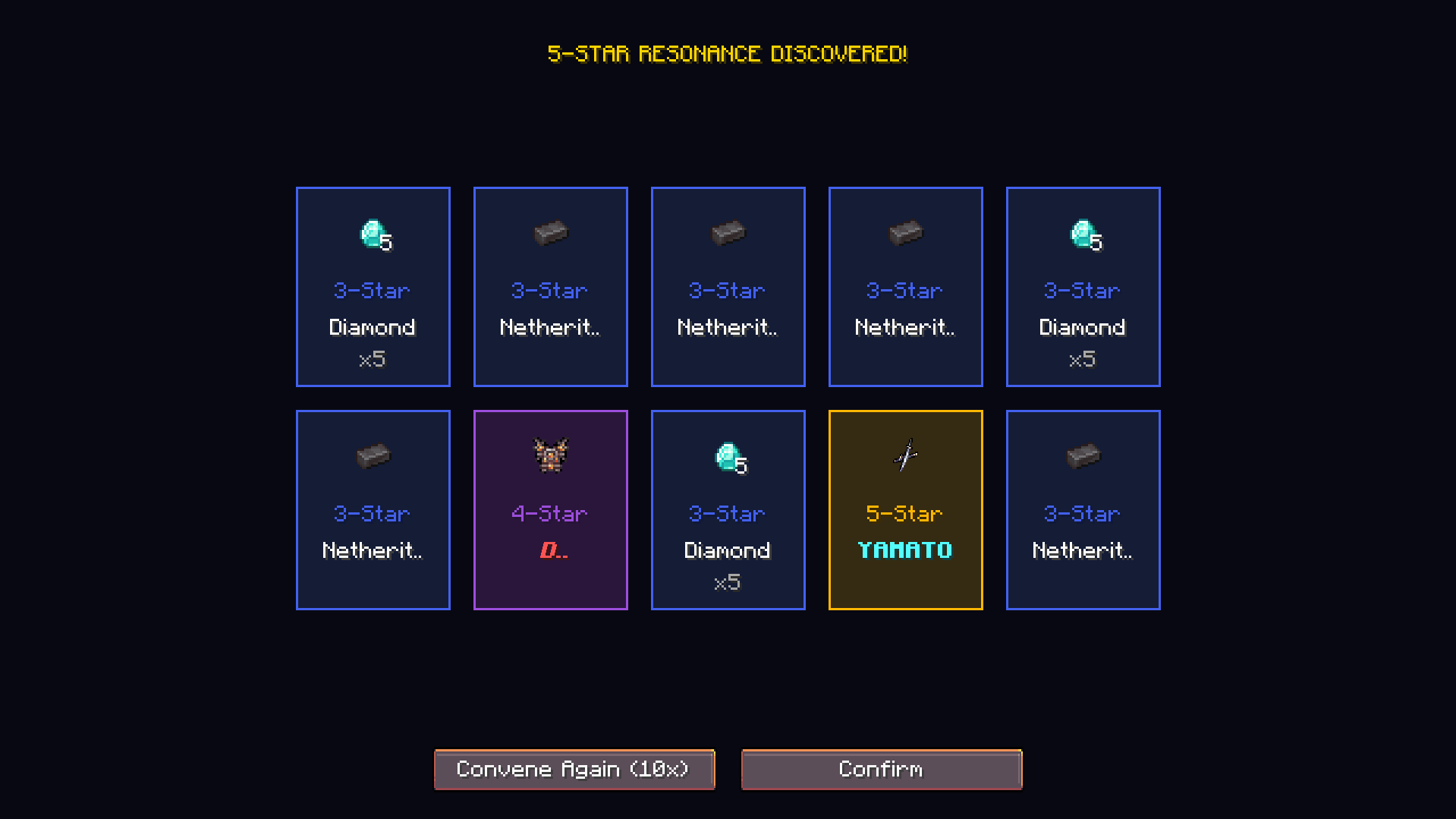
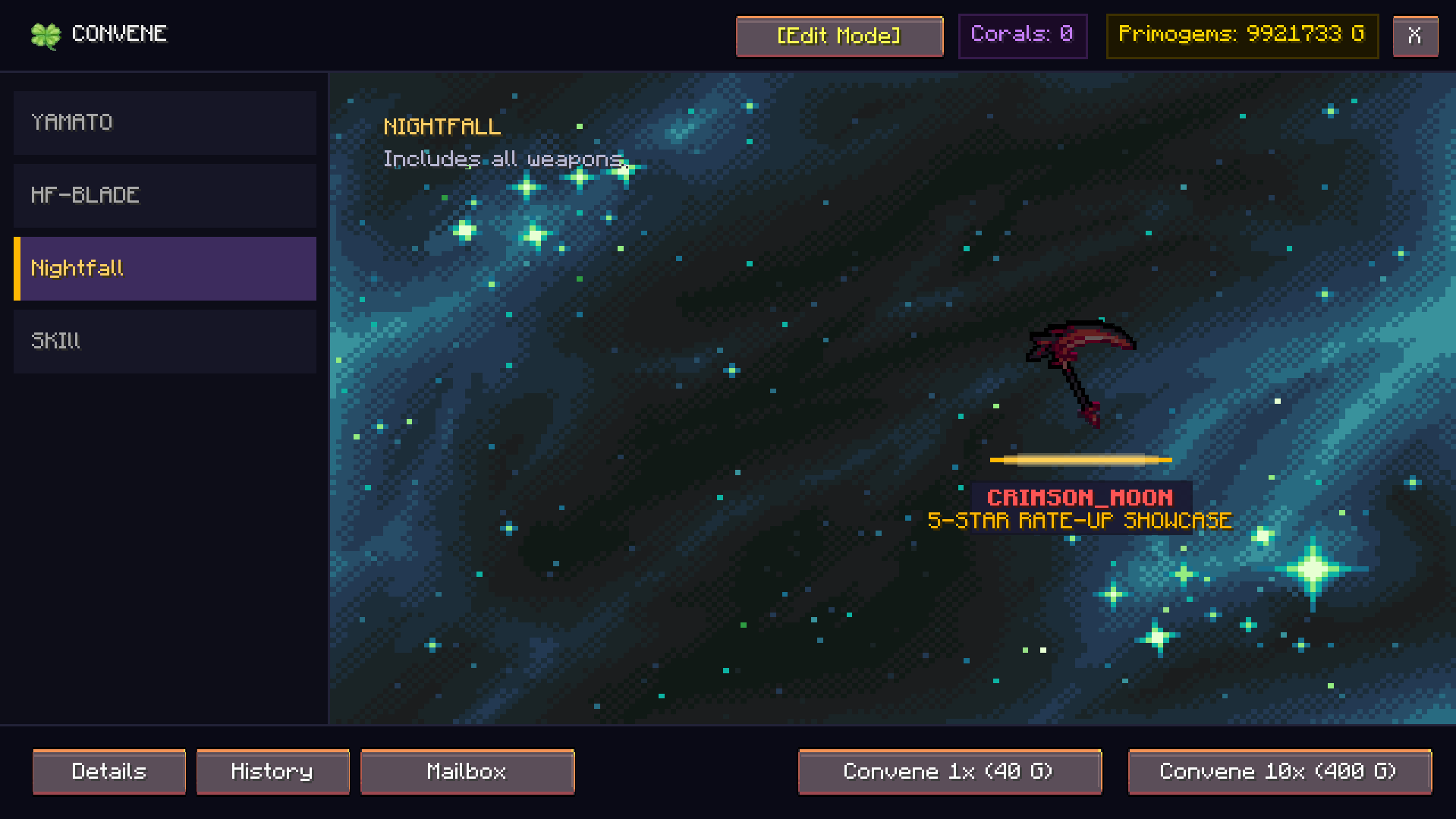 Key Features
1. Banner Types
- Featured Resonator (Character Banner):
- 50/50 Rule: 50% chance for the featured 5-Star item. If lost, the next 5-Star is 100% guaranteed to be the featured rate-up item.
- Featured Weapon (Weapon Banner):
- 100% Guaranteed: When pulling a 5-Star item, it is always the featured rate-up weapon without any off-banner loss.
- Novice Convene (Beginner Banner):
- 20% discount on 10-pulls (costs 8 pulls worth of Primogems) with a guaranteed 5-Star within the first 50 pulls.
- Standard Convene (Permanent Banner):
- Standard pool containing 5-Star, 4-Star, and 3-Star rewards.
2. Rates and Pity Mechanics
- 5-Star (Legendary): Base rate of 0.8%. Soft pity starts at pulls 65-79 (rate scales up sharply). Hard pity guarantees a 5-Star at pull 80.
- 4-Star (Epic): Base rate of 6.0%. Guaranteed at least one 4-Star item every 10 pulls.
- 3-Star (Supplies): Base rate of 93.2%.
- Afterglow Coral Cashback: Pulling items awards Afterglow Corals (15 for 5-Star, 3 for 4-Star, 1 for 3-Star).
- Per-Banner Isolated Pity: Each banner tracks its own independent 5-Star pity, 4-Star pity, guaranteed state, and pull count.
3. Gacha Mailbox / Reward Storage
- Inventory Overflow Protection: When pulling gacha, won items are automatically stored in the player's private Gacha Mailbox.
- Selective & Bulk Claim: Players can inspect rewards, view pull dates, and claim items individually or using "Claim All".
- Capacity Safe: Items will never drop on the ground or be lost if the player's inventory is full.
4. Custom Media & Animation Engine
- Supported Formats: Supports animated GIF (.gif), sprite frame sequence (.afma), PNG (.png), and JPEG (.jpg).
- Banner Backgrounds: Place background files in
config/ling_gacha/backgrounds/or use resource locations (e.g.ling_gacha:textures/gui/banners/featured_character.png). - Custom Pull Animations: Place pull animation files in
config/ling_gacha/animations/:pull_5star.gif/pull_5star.afma- Plays when pulling a 5-Star item.pull_4star.gif/pull_4star.afma- Plays when pulling a 4-Star item.pull_3star.gif/pull_3star.afma- Plays when pulling a 3-Star item.pull.gif/pull.afma- Default pull animation.- Built-in frequency soundwave spectrogram fallback if no custom animation files are present.
5. In-Game Admin Editor
- Permission: Requires OP Level 2, Creative Mode, or Singleplayer World Host.
- Edit Mode: Toggle
[Edit Mode]directly inside the Gacha UI to:- Create new banners and customize titles, subtitles, pull costs, discounts, and backgrounds.
- Open
[Pool]to edit item weights, custom display names, rate-up status, and rarity tiers. - Click
[+ Add Hand Item]to immediately register the held item in hand with full SNBT data into the banner pool.
How to Use
1. Opening the Gacha Screen
- Command:
/conveneor/gacha - ESC Pause Menu: Click the clover icon button on the right side of the Game Menu.
- Convene Tide Item: Right-click the
ling_gacha:convene_tidetoken item.
2. Configuration & Data Storage
- Banner Configuration:
config/ling_gacha/banners.json- Stores all banner definitions, item pools, costs, discounts, and background textures.
- Player Data:
config/ling_gacha/playerdata/<Player_UUID>.json- Secure server-side storage for player pity counts, pull history, Afterglow Corals, and Mailbox items.
- Reload Command:
/convene reloador/gacha reload(Admin only).
Screenshots
Gallery
Versions
Files
Relations
Project Relations
More like this
Similar Mods
Suggestions use data such as tags, dependencies, dependents, descriptions, titles, and more to rank how much they overlap with this mod.
On ModDex
Community snapshot
By the numbers
Statistics
Want to reach Minecraft players?
We're looking for a server hosting partner to feature here and other parts of the site. Interested? Send us a message!
Get in touchGet it on
Available Platforms
On ModDex
Community snapshot
By the numbers
Statistics
Resources