
Lipi
No reviews yet
An independent, server-controlled chat platform for Fabric servers. Runs alongside vanilla chat with its own UI, logging, moderation tools, and admin commands. Required on both client and server.
Fabric is a mod loader for versions 1.14+ of Minecraft, particularly popular for client side and optimization mods.
Community voices
Reviews
Click once to include, again to exclude, again to clear
No reviews yet. Be the first to review this project!
Get it on
Available Platforms
 Modrinth
Compatibility
Supported Environments
About
Project Details
For authors
Embed Badge
If you're the author of this project, you can embed a live badge anywhere that supports HTML or Markdown. It updates automatically whenever ratings change.
Use HTML for any page that supports it, or Markdown for README files and Markdown-based descriptions.
Identifiers
Platform IDs
Resources
External Links
About
Description
Lipi adds an independent, server-controlled chat channel to Minecraft. Toggle it with Right Shift, whisper to players, and let server admiLipi adds an independent chat channel to your Fabric server that runs completely alongside vanilla Minecraft chat — not replacing it, just adding a separate layer that you fully control.
Vanilla chat and Lipi chat are two separate systems. Players can use either freely. Lipi messages never appear in vanilla chat.
Who is this for
- Players whose Minecraft chat has been disabled due to account verification requirements
- Small SMP server owners and friend groups who want full control over their chat layer
- Server owners who want built-in logging, moderation, and admin tools independent of Minecraft's systems
Features
Chat
- Dedicated popup chat window — Lipi messages display in their own screen, completely separate from vanilla
- Left sidebar with # general channel
- Messages show bold username and local HH:MM timestamp in the player's own timezone
- Scrollable message history with smart auto-scroll
- Chat history on join — last 20 messages sent before you connected
Input
- Press Right Shift to open Lipi chat instantly
- Input is immediately focused — type right away, no clicking needed
- Press Enter to send, ESC to close
- Command suggestions appear when typing / (same experience as vanilla chat)
- Run any Minecraft server command directly from the Lipi input field
HUD Indicator
- Persistent L indicator on the right side of the screen during normal gameplay
- Unread message badge shows count when messages arrive while Lipi is closed
- Badge clears when you scroll to the bottom
- Only visible on servers with Lipi installed
Server-Side Logging
- Every message logged to the server filesystem
- One log file per day: config/lipi/logs/YYYY-MM-DD.log
- Configurable retention — default 30 days, auto-purges old logs
- Set log-retention-days = 0 to keep logs forever
- In-game log access: /lipi log
Admin Commands
| Command | Description |
|---|---|
| /lipi mute | Permanently mute a player |
| /lipi mute | Temp mute — 10s, 5m, 1h, 1d |
| /lipi unmute | Unmute a player |
| /lipi mutelist | List muted players with expiry |
| /lipi toggle | Enable or disable Lipi on the server |
| /lipi log | View player's recent messages |
All admin commands require operator level 3. Temp mutes auto-expire without manual intervention.
How to Install
Server owners
- Download Fabric API for 1.21.5
- Place Fabric API and lipi-mc1.21.5-3.0.0.jar in your server mods/ folder
- Start the server — config generates automatically
Players
- Install Fabric for Minecraft 1.21.5
- Download Fabric API for 1.21.5
- Place Fabric API and lipi-mc1.21.5-3.0.0.jar in your .minecraft/mods/ folder
- Join a server that has Lipi installed
- Press Right Shift to open Lipi chat
How to Use
- Open Lipi chat: Right Shift
- Send a message: type → Enter
- Run a command: /gamemode creative → Enter
- Close: ESC
- Read history: scroll up in the Lipi window
- Clear unread badge: scroll back to bottom
Important Limitation
Both the client AND the server must have Lipi installed. Players without the mod cannot send or receive Lipi messages. This is by design — Lipi uses custom network packets that both sides need to understand.
Not suitable for large public servers like Hypixel. Designed for small private SMPs and friend groups.
Data and Privacy
All chat logs are stored on the server owner's filesystem only. The mod developer has zero access to any user data. Server operators are solely responsible for their own logs and data policies.
Vision
Lipi starts as a lightweight independent chat layer. The long-term goal is a full in-game communication platform — channels, media sharing, and moderation tools that make external apps like Discord optional for small server communities.
Beta V1 will bring multi-channel support, media sharing, and backports to 1.21.1 and 1.20.1.
Requirements
- Minecraft 1.21.5
- Fabric Loader
- Fabric API
- Must be installed on BOTH client and serverns manage logs and moderation — all running alongside vanilla chat without replacing it.
Screenshots
Gallery
-
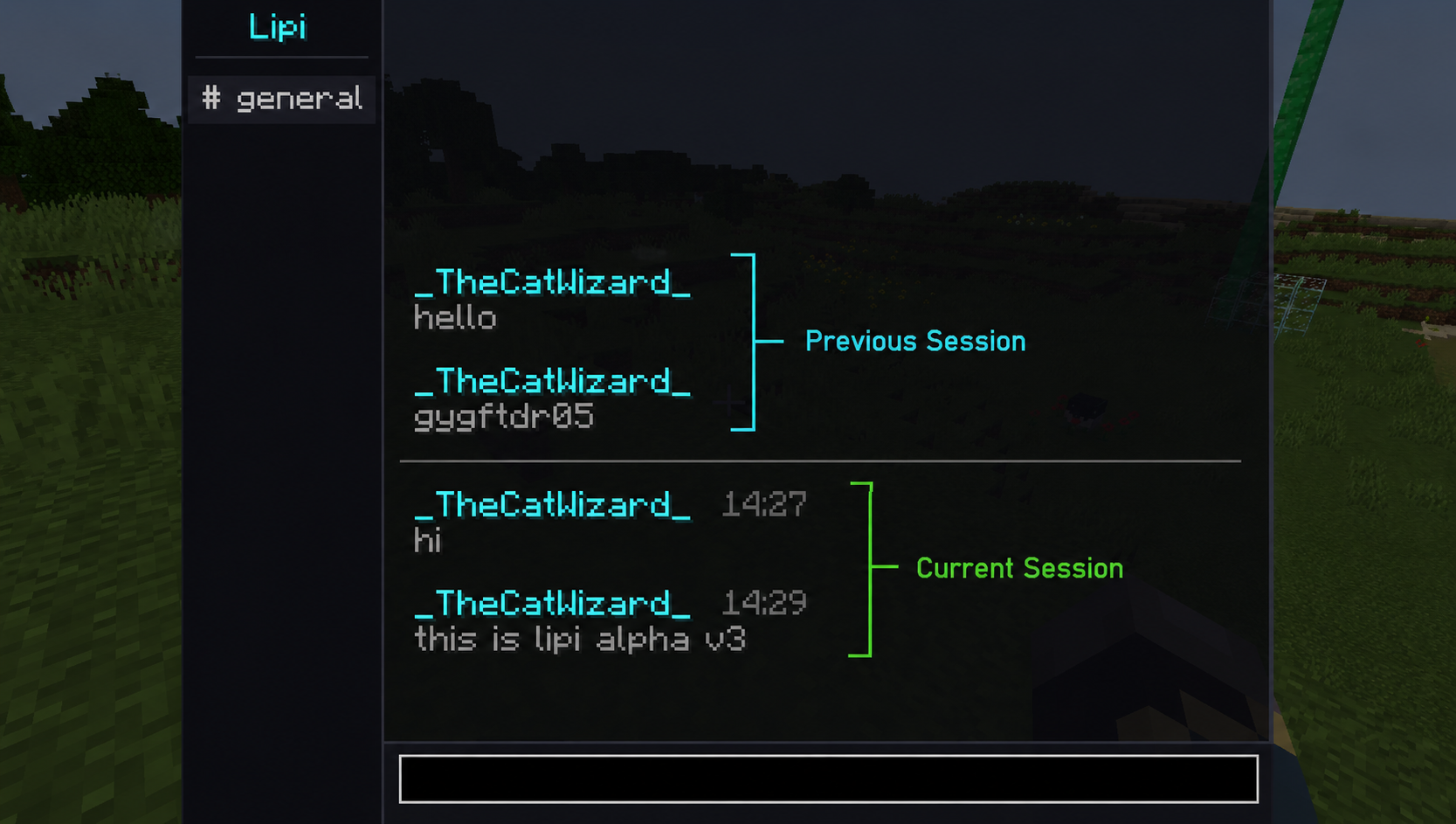 Dedicated Chat Interface The Chat Interface of Lipi showing message history and current session messages
 -
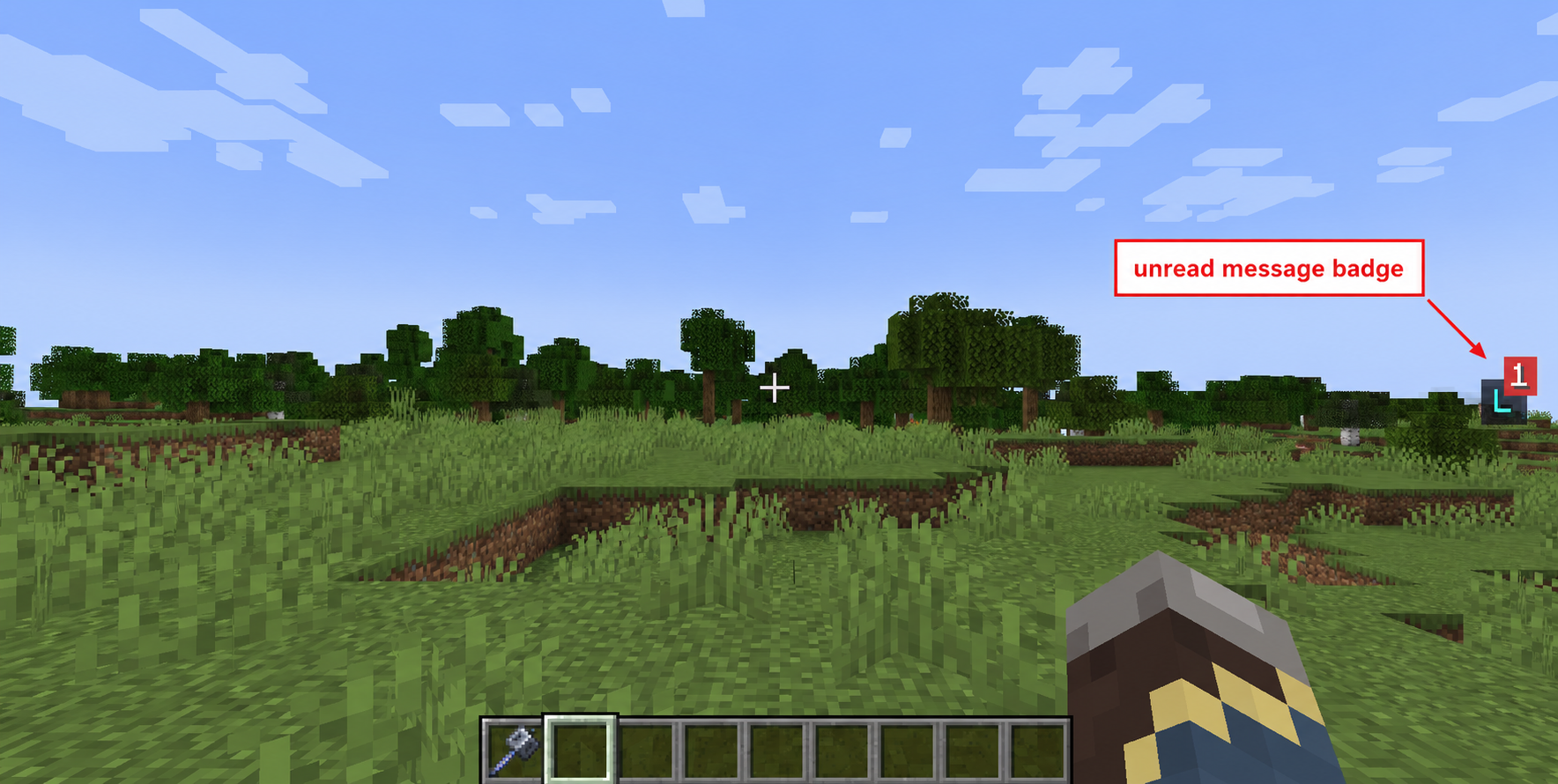 Unread Message Badge This is an image of the Lipi Badge showing the number of unread messages
 -
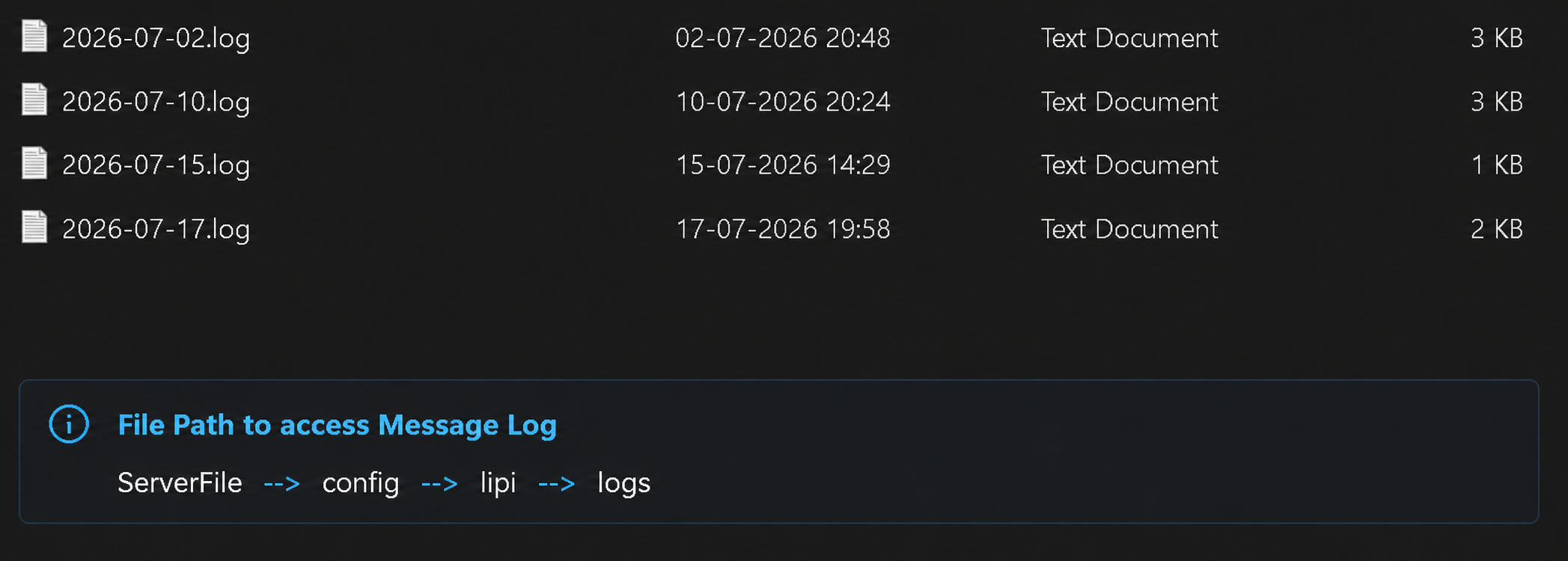 Server Chat Log File Path This is image shows the file path to access the server chat logs
Versions
Files
Relations
Project Relations
More like this
Similar Mods
Suggestions use data such as tags, dependencies, dependents, descriptions, titles, and more to rank how much they overlap with this mod.
On ModDex
Community snapshot
By the numbers
Statistics

Want to reach Minecraft players?
We're looking for a server hosting partner to feature here and other parts of the site. Interested? Send us a message!
Get in touchGet it on
Available Platforms
On ModDex
Community snapshot
By the numbers
Statistics
Resources