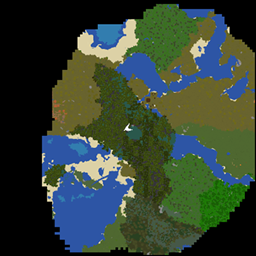
Community listing page, reviews here may not be monitored by the author.
Lite Map

No reviews yet
A flexible and user-friendly mini-map mod designed for smooth performance and customization.
Community voices
Reviews
No reviews yet. Be the first to review this project!
Get it on
Available Platforms
About
Project Details
For authors
Embed Badge
If you're the author of this project, you can embed a live badge anywhere that supports HTML or Markdown. It updates automatically whenever ratings change.
Use HTML for any page that supports it, or Markdown for README files and Markdown-based descriptions.
Identifiers
Platform IDs
Resources
External Links
About
Description
Take Your Minecraft Exploration to the Next Level!
This mini-map mod offers a smooth and immersive experience. It’s designed to enhance your gameplay without sacrificing hardware efficiency.
Key features include:
- Dynamic Zoom Levels: Zoom in up to 5x for precise navigation or zoom out up to 8x to see the bigger picture.
- Customizable Radius: Adjust the mini-map radius for seamless performance, even on low-end PCs.
- Flexible GUI Options: Resize the mini-map directly on the screen, and switch effortlessly between minimized and expanded modes.
- Biome-Aware Rendering: Enjoy mini-map visuals that match the colors of Minecraft's biomes for a more immersive and visually appealing experience.
- Full Control: Reposition the mini-map, configure zoom keys, and toggle modes—all through an intuitive settings menu.
Ready to navigate with ease? Try it out now and transform the way you explore Minecraft!
Zoom Levels
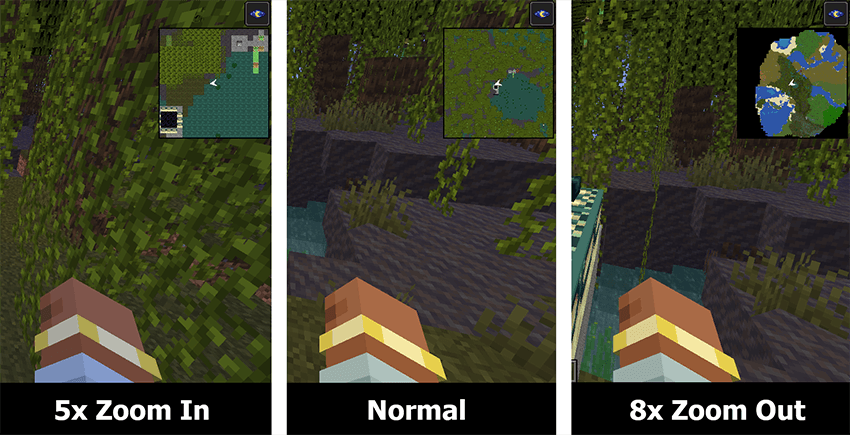
The zoom-in levels include 5x and 2x, while the zoom-out levels include 2x, 4x, and 8x. You can switch between these levels using the PageUp and PageDown keys. These key bindings can be customized in the mod settings menu in the mod list.
GUI Scale Modes
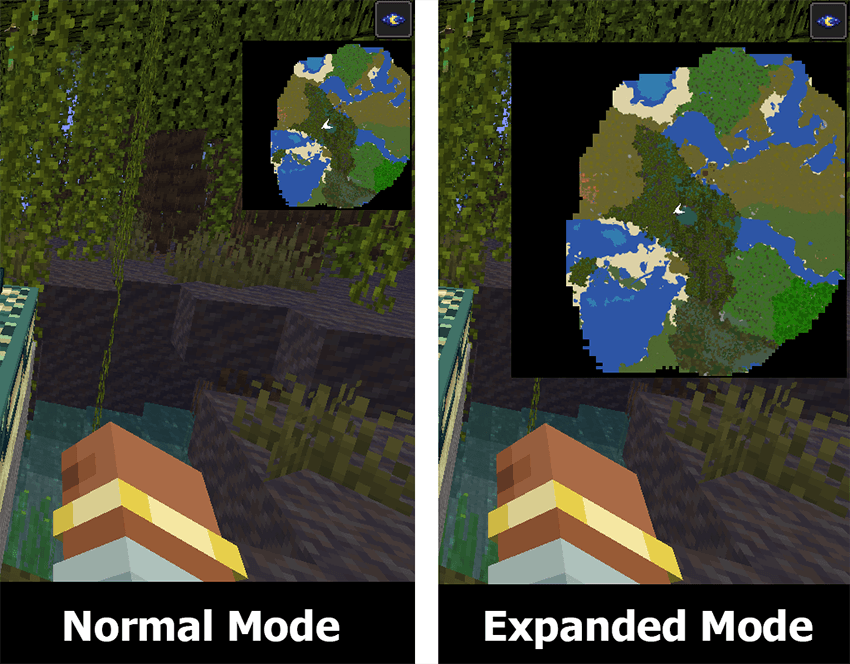
GUI Scale Modes consist of minimized/normal mode and expanded mode. You can switch between modes using the CapsLock key. This key binding can be customized in the mod settings menu in the mod list.
Reposition the mini-map
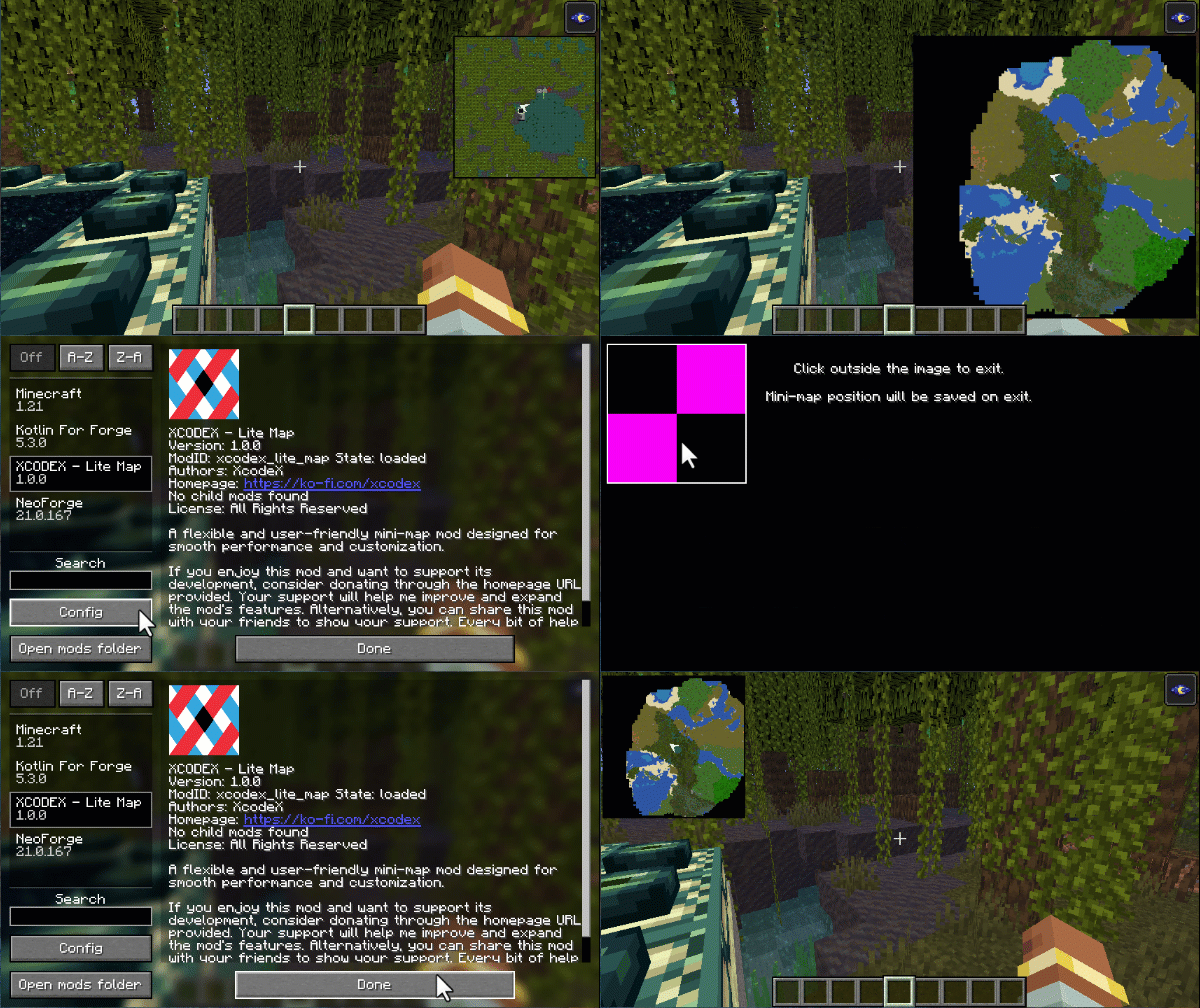
Effortlessly reposition the mini-map by simply clicking and dragging it to your desired spot, then click outside to save its position — making customization as seamless as ever!
Required Dependency: Kotlin for Forge. Please ensure you have the Kotlin for Forge library installed for this mod to work properly.
Screenshots
Gallery
Versions
Files
Relations
Project Relations
More like this
Similar Mods
Suggestions use data such as tags, dependencies, dependents, descriptions, titles, and more to rank how much they overlap with this mod.
On ModDex
Community snapshot
By the numbers
Statistics
Want to reach Minecraft players?
We're looking for a server hosting partner to feature here and other parts of the site. Interested? Send us a message!
Get in touchGet it on
Available Platforms
On ModDex
Community snapshot
By the numbers
Statistics
Resources