
Community listing page, reviews may not be monitored by the author.
LitematList

No reviews yet
Allows players to view a list of materials for multiple litematic files simultaneously within a single window.

Community voices
Reviews
No reviews yet. Be the first to review this project!
Get it on
Available Platforms
Compatibility
Supported Environments
Runs entirely on the client. Works on vanilla servers.
About
Project Details
For authors
Embed Badge
If you're the author of this project, you can embed a live badge anywhere that supports HTML or Markdown. It updates automatically whenever ratings change.
Use HTML for any page that supports it, or Markdown for README files and Markdown-based descriptions.
Identifiers
Platform IDs
About
Description
材料清单管理:在一个窗口中同时管理多个原理图的材料列表。
Bill of materials management: manage the bill of materials of multiple schematic diagrams in one window at the same time.
 多格式导入:支持 Litematica 导出的 .txt、 .json、.csv文件。
Multi-format import: supports. txt,. json and. csv files exported by Litematica.
 从投影同步:与 Litematica 联动,可同步已加载原理图的材料列表。
Synchronization from Litematica: in conjunction with Litematica, the material list of the loaded schematic diagram can be synchronized.
 树状图:用树状图显示成品所需原材料。
Tree diagram: use tree diagram to show the raw materials needed for finished products.
 同步投影渲染层:从投影同步时按 Litematica 当前渲染层规则统计方块。
Synchronize Litematica rendering layer: when synchronizing from projection, press Litematica's current rendering layer rule statistics box.
 自动取货:劫持投影的材料列表,让tweakermore的“自动收集材料列表物品”读取并取货。
Automatic pick-up: hijack the Litematica material list, and let tweakermore's "Automatic Collection of Material List Items" read and pick up the goods.
 材料统计:显示物品图标+名称、总计、已有、缺失数量。
量级换算:鼠标悬停时显示数量换算(如 328 = 5x64 + 8,0.19 潜影盒)。
Material statistics: display item icon+name, total, existing and missing quantity.
Magnitude conversion: display quantity conversion when hovering over the mouse (for example, 328 = 5x64+8, 0.19 shulker box).
 忽略/替换:可忽略不需要的材料,或替换为其他物品。
Ignore/Replace: You can ignore unnecessary materials or replace them with other items.
 标记材料:支持置顶标记材料,优先显示⭐。
Marking material: Supporting top marking material, giving priority to display ⭐.
 隐藏不缺材料:在列表中隐藏缺失数量为 0 的物品。
Hide No Missing Materials: Hide the items with missing quantity of 0 in the list.
 原理图预览:安装 SchematicPreview 模组后,可在主界面直接预览原理图 3D 全貌。
SchematicPreview: After installing the schematic preview module, you can directly preview the 3D panorama of schematic diagram in the main interface.
 共享原理图读取:可同步「共享原理图增强」(Syncmatica Revolution) 的已认领材料。
Shared schematic reading: the claimed materials of "synchronized Syncmatica Revolution" can be synchronized.
 配置系统:通过 MaLib 的多模组配置菜单进行配置。
Configure the system: through MaLib's configuration menu.

Screenshots
Gallery
-
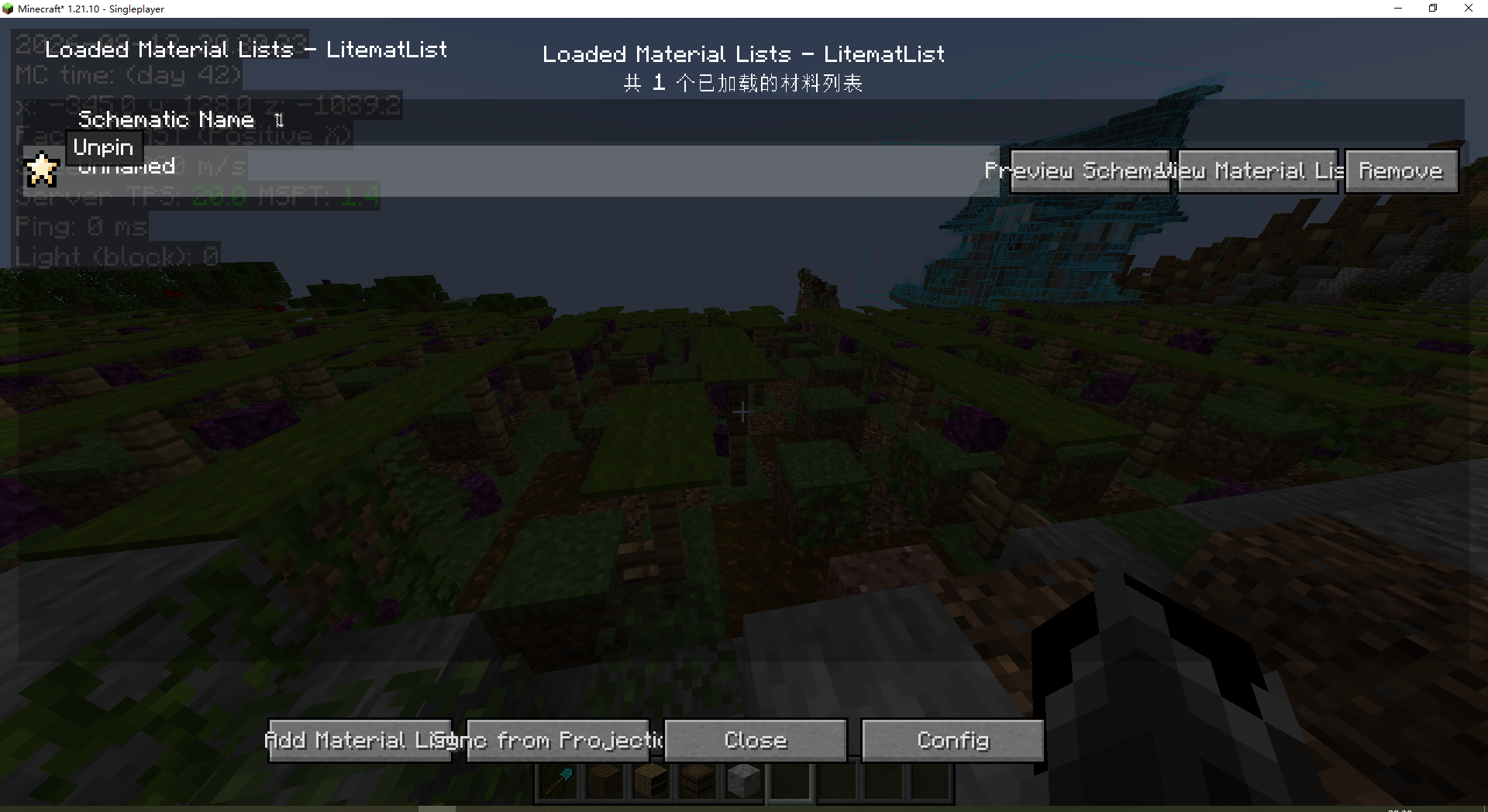 Main Menu When the player opens the mod using a hotkey, this screen will appear, where multiple material lists can be loaded simultaneously.
-
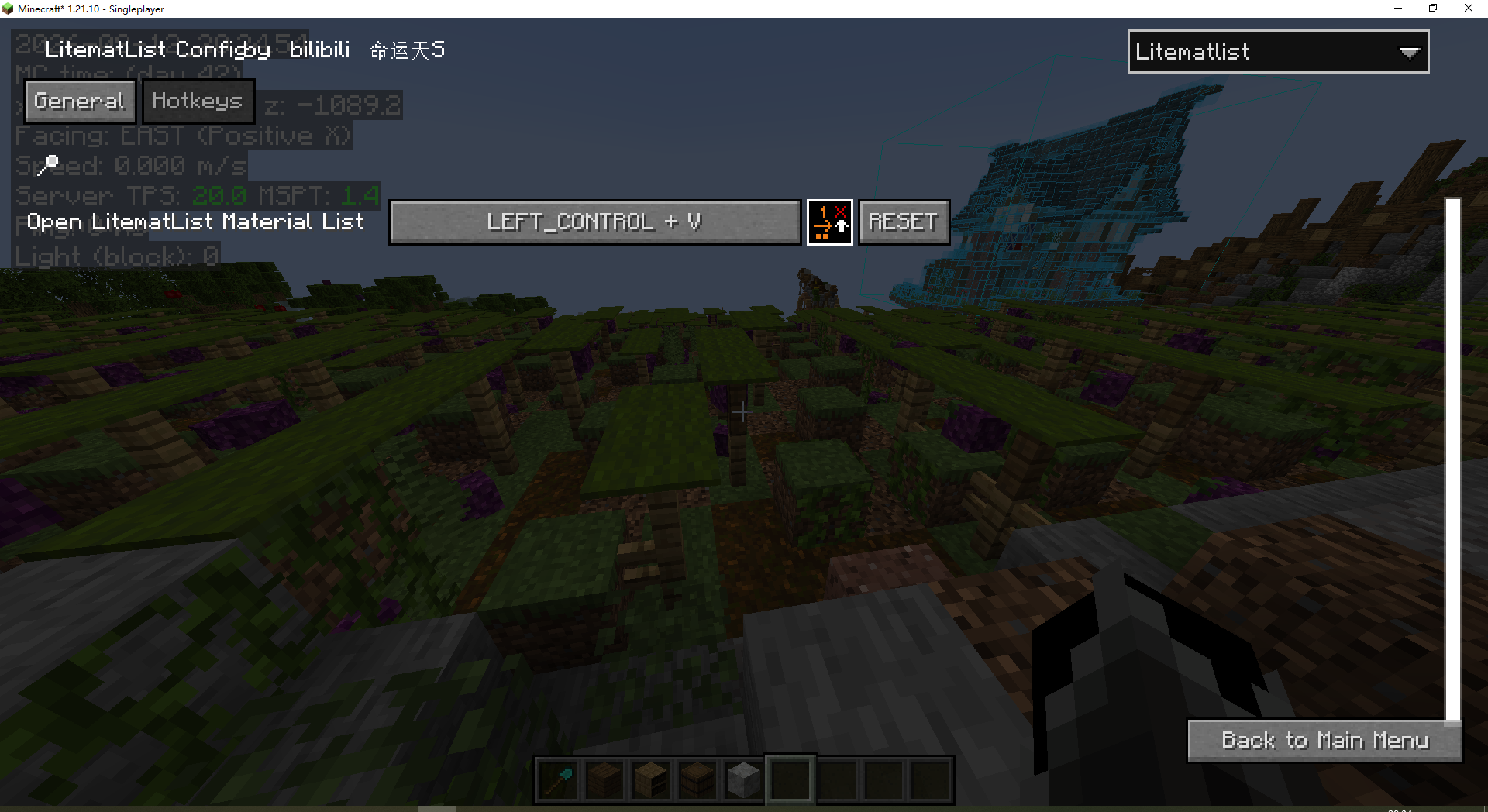 config menu This list can be accessed either from the main page or by switching from other masa mods.
-
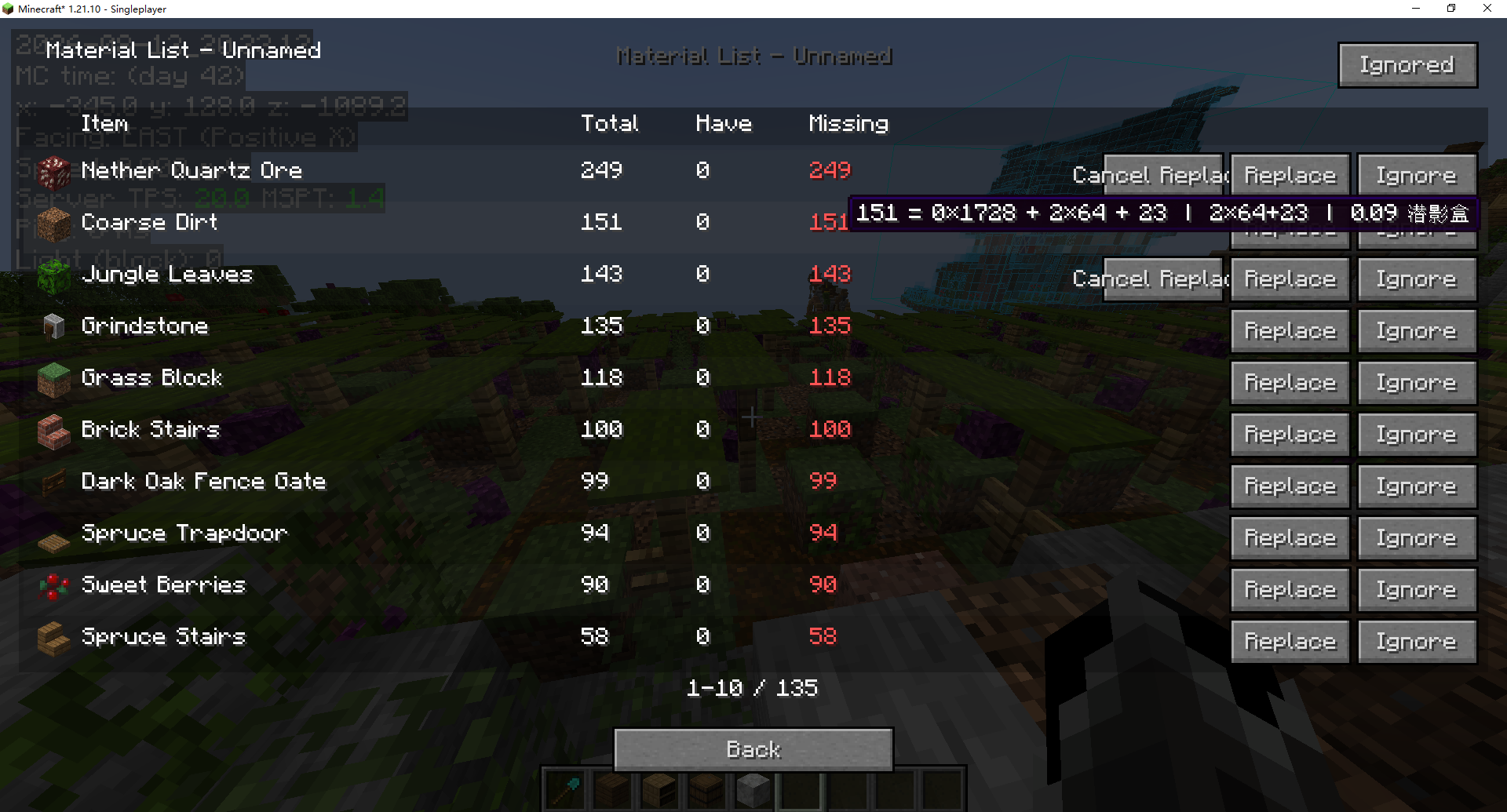 Material List Interface When the player clicks on the material list, they will be taken to this page. This list will not be discarded or lost when the player exits the mod.
Versions
Files
Relations
Project Relations
More like this
Similar Mods
Suggestions use data such as tags, dependencies, dependents, descriptions, titles, and more to rank how much they overlap with this mod.
On ModDex
Community snapshot
By the numbers
Statistics


Get it on
Available Platforms
On ModDex
Community snapshot
By the numbers