Community listing page, reviews here may not be monitored by the author.
LittleQuests

No reviews yet
LittleQuests adds a lightweight and fully customizable quest system to Minecraft. Quests are organized into categories, allowing players to easily create their own progression. And an ecenomy system allow players to buy items from quests rewards coins.
Community voices
Reviews
No reviews yet. Be the first to review this project!
Get it on
Available Platforms
About
Project Details
For authors
Embed Badge
If you're the author of this project, you can embed a live badge anywhere that supports HTML or Markdown. It updates automatically whenever ratings change.
Use HTML for any page that supports it, or Markdown for README files and Markdown-based descriptions.
Identifiers
Platform IDs
Resources
External Links
About
Description
Description
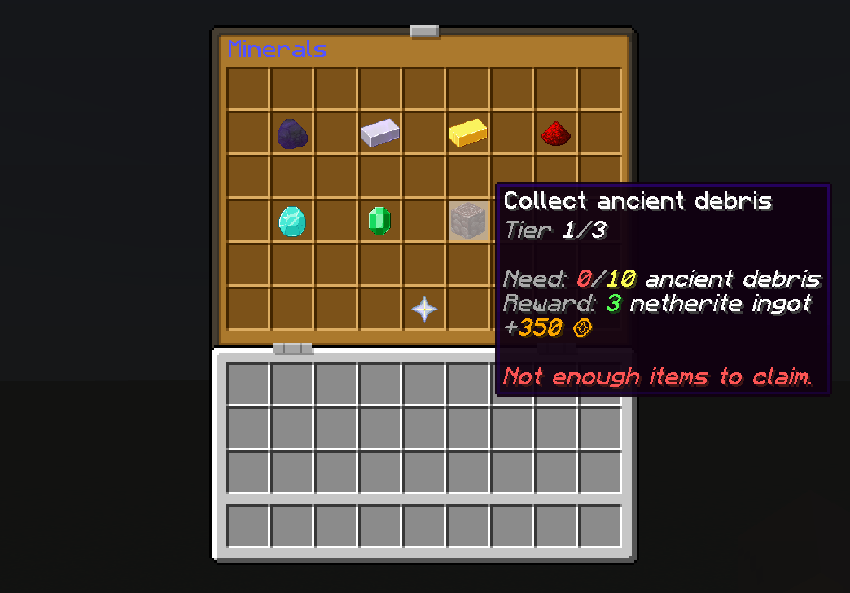
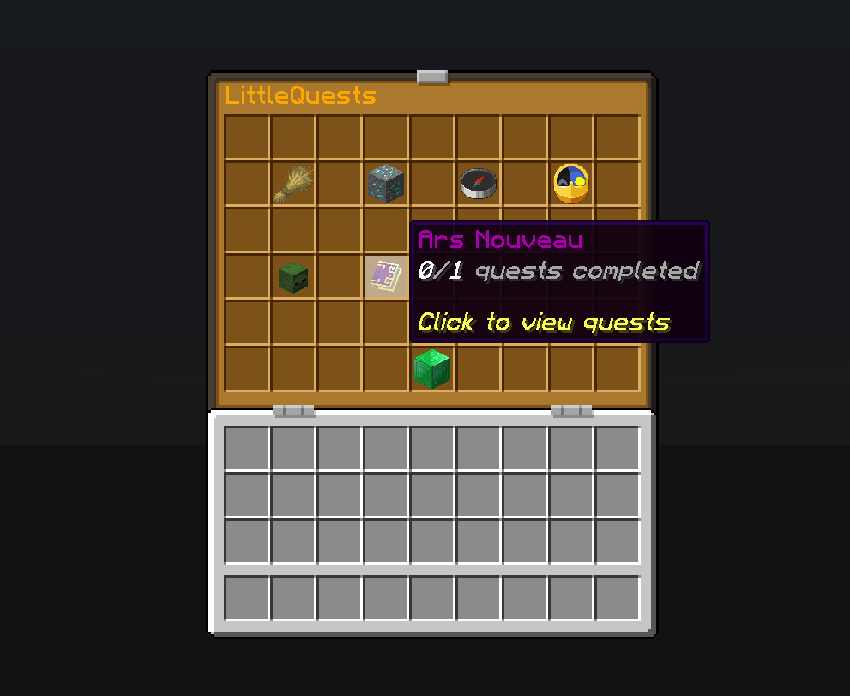
LittleQuests is a simple mod that adds a lightweight and fully customizable quest system to Minecraft, compatible with all others mods items. Quests are organized into categories and configurable via simple JSON files or commands, allowing server owners to easily create their own progression. So you track your progress in a clean interface with classic, daily and/or repeatable quests.
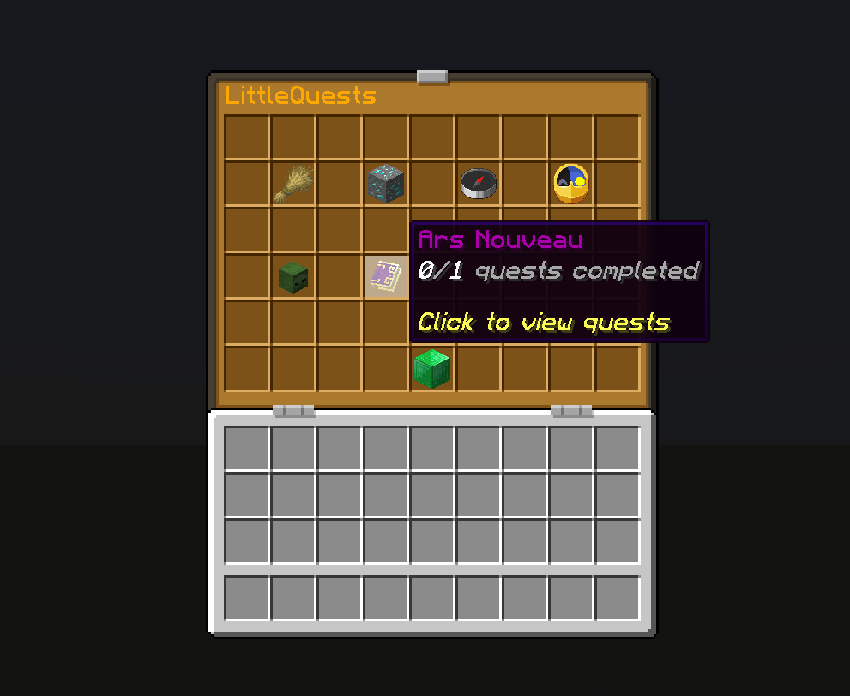
For now quest are only items exchanges: you give requested items and you reveive specific items and coins.
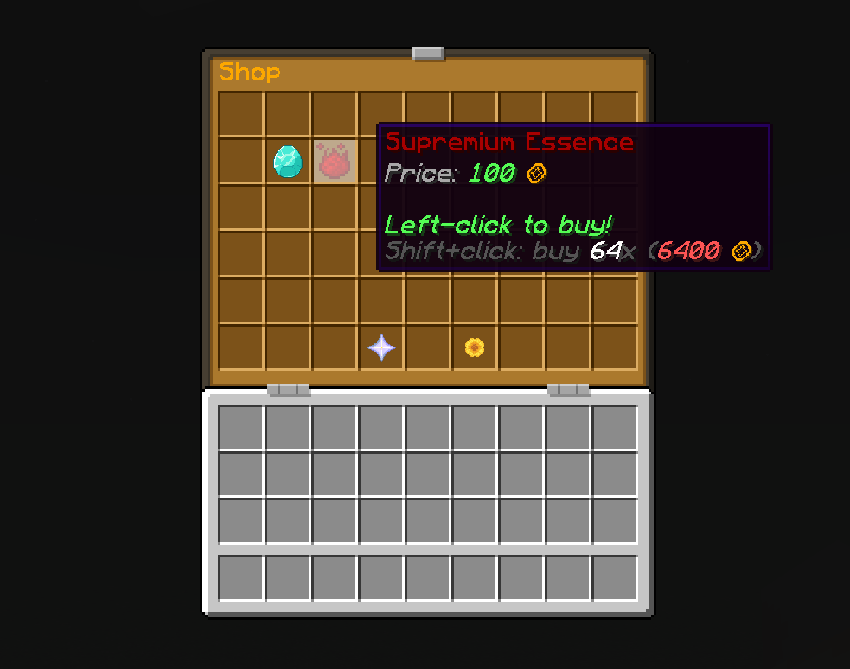
Shop
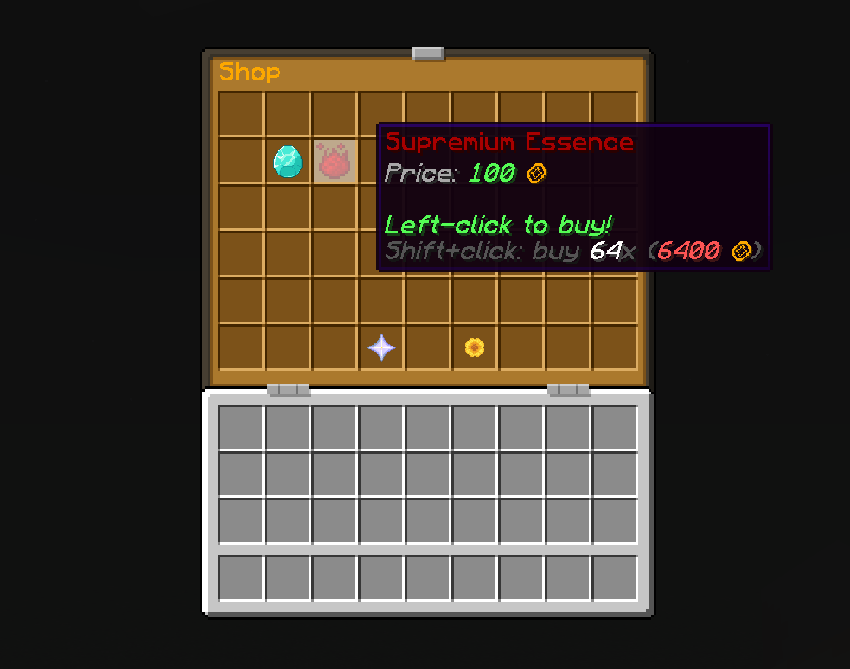
Because yes ! There is now an economy system too. You can set some coins in addon to quest rewards and you can enter the shop (on the categories menu - emerald block by default) to buy items.
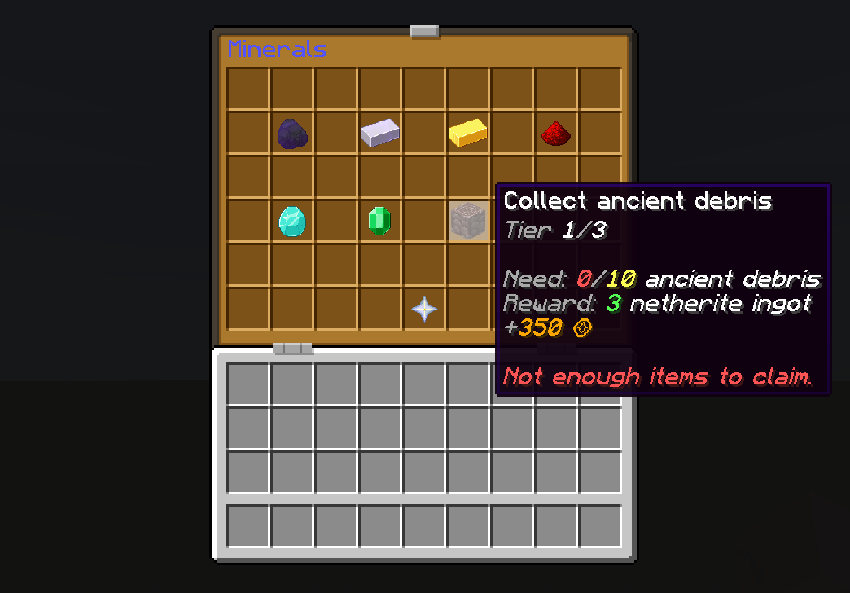
Coins name, shop toggling and sold items are fully configurable via commands and shop.json file in the config folder of your game or server (like categories and quests by the way).
And categories and shop items can have text formatting properties such as colors, bold, etc...
Others details
The mod works in solo and multiplayer environments (required on both client and server), making it ideal for small to medium servers looking for simple progression without heavy systems.
It's compatible with all other mods because you just have to namespaced your items in the commands or config files and the mod will automatically check if items are availables in the party / server. If not, the command is automaticcaly canceled (if you configured the mod directly in json files, the server or party will just not start so be careful).
Other Minecraft versions comming soon and Fabric and Forge versions are planned.
List of all commands:
(You can start all mod's commands by /littlequests or /lq)
(The "name" params are the ones you can apply chat formatting properties (like &1, &2, &b, &o, &k, etc... You have to write the "" in the command only if you apply format or if the name contains spaces)
Remove a category:
/lq category remove [id]
List all categories:
/lq category list
Edit a category (name - visible item in GUI - if has daily quests - if has repeatable quests):
/lq category edit [id] set name ["name"]
/lq category edit [id] set itemDisplay [namespace:item]
/lq category edit [id] set isDaily <true|false>
/lq category edit [id] set isRepeatable <true|false>
Create a quest:
/lq quest create [categoryId] [id] [namespace:item] [description]
Remove a quest:
/lq quest remove [id]
List all quests:
/lq quest list
Add a new tier to a quest (questId - requested item - amount, -reward items - amount - reward coins):
/lq quest addTier [questId] [namespace:item] [amount] [namespace:item] [amount] <rewardCoins>
Reset all tiers of a quest for a given player:
/lq quest reset [questId] [playerName]
Edit a quest (category - description / name - item in GUI):
/lq quest edit [id] set categoryId [catId]
/lq quest edit [id] set description [description]
/lq quest edit [id] set itemDisplay [namespace:item]
Edit a tier of a quest (tierNumber is the position of the tier in the array on the json file):
/lq quest editTier [questId] [tierNumber] set [requestedItem|requestedAmount|rewardItem|rewardAmount|rewardCoins] [value]
Toggle the shop:
/lq shop toggle
Add a new item in the shop:
/lq shop add [id] ["name"] [namespace:item] [amount] [price]
Remove a shop item:
/lq shop remove [id]
List all shop items:
/lq shop list
Edit a shop item (ItemId - name - item visible in GUI - amount sold - price):
/lq shop edit [id] set ["name"|itemDisplay|amount|price] [value]
See a player's coins:
/lq coins show [player]
Send your coins to another player (works only in multiplayers):
/lq coins send [amount] [player]
Add coins to a player balance:
/lq coins add [player] [amount]
Set player coins balance:
/lq coins set [player] [amount]
Reload all json files (if you make changes directly from them. This auto sync all connected players):
/lq reload
Sync your game instance with the game or server config:
/lq sync
Display your LittleQuests stats and the current daily quest(s):
/lq stats
Screenshots
Gallery
-
 cbf44de64e18c24e86a8c3d3b433845a0f61cea5.png cbf44de64e18c24e86a8c3d3b433845a0f61cea5.png
 -
 cd1ae028cacf8b3587bed2db0df4b5b1023aed5a.png cd1ae028cacf8b3587bed2db0df4b5b1023aed5a.png
 -
 6cdf220f83561435d7bb9fe82ceb4dc5a1fe7d3c.png 6cdf220f83561435d7bb9fe82ceb4dc5a1fe7d3c.png
 -
 logo 1.jpg logo 1.jpg
Versions
Files
Relations
Project Relations
More like this
Similar Mods
Suggestions use data such as tags, dependencies, dependents, descriptions, titles, and more to rank how much they overlap with this mod.
On ModDex
Community snapshot
By the numbers
Statistics
Want to reach Minecraft players?
We're looking for a server hosting partner to feature here and other parts of the site. Interested? Send us a message!
Get in touchGet it on
Available Platforms
On ModDex
Community snapshot
By the numbers
Statistics
Resources