
Community listing page, reviews here may not be monitored by the author.
Live Villages


No reviews yet
Turn villages into persistent, growing, and self-directed settlements with trade, staged construction, working professions, trade routes, bakeries, harbors, guards, and real needs.
Community voices
Reviews
No reviews yet. Be the first to review this project!
Get it on
Available Platforms
Compatibility
Supported Environments
Must be installed on both the client and the server.
About
Project Details
For authors
Embed Badge
If you're the author of this project, you can embed a live badge anywhere that supports HTML or Markdown. It updates automatically whenever ratings change.
Use HTML for any page that supports it, or Markdown for README files and Markdown-based descriptions.
Identifiers
Platform IDs
About
Description
Live Villages makes Minecraft villages and outposts feel less like static scenery and more like settlements with their own needs, workers, projects, and trade networks.
Version Update: Version 1.0.3 (August 26, 2026) Villages can now build churches, hold full-moon services, renovate damaged vanilla buildings, upgrade housing into Duplexes, prioritize urgent projects, and demolish obsolete structures. Trade, construction, profession behavior, Nether support, pathing, persistence, and server performance have all received substantial improvements. New content includes Altars, Pulpits, Copper Bells, full-block Copper Stairs, and Demolition Writs.
Version 1.0.2 (August 16, 2026) adds high-resolution, civic-tier uniforms for villagers and raiders, plus smarter settlement lighting and more dependable progressive construction. It also improves performance, cleanup, worker balancing, Trade Board handling, and numerous settlement-simulation edge cases.
Version 1.0.1 (Aug 7, 2026) has new functionality, bug fixes, etc.
Villages track shared stock, population, housing, wealth, routes, comfort, security, construction projects, and profession support. Instead of micromanaging individual villagers, you influence the settlement by placing infrastructure, donating or trading materials, helping staged build sites, creating roads and harbors, defending the area, and solving shortages through the Trade Board.
The Trade Board is the civic heart of a settlement. It shows what the village needs, what it has in surplus, which routes and projects matter, and how you can trade with or support the settlement's shared stock. When villagers start construction, the build appears as a real staged project in the world instead of instantly popping into existence. You can preview planned blocks, bring missing materials, and help finish the structure yourself.
Loaded villages perform visible representative work: Farmers tend crops, Bakers stock counters and display cases, Foresters work trees, Gardeners beautify and manage chickens, Beekeepers maintain hives, Masons and Carpenters support construction, Guards patrol and defend, Shepherds manage sheep, and other professions contribute to the settlement economy. When chunks unload, the settlement continues through abstract simulation and catch-up rules.
The mod also adds infrastructure for broader settlement growth: bakeries, glass display cases, carpenter benches, forester tables, gardener workstations, honey separators, scribe desks, guard posts, mileposts, harbors, portmaster anchors, lighthouses, housing shelters, staged profession buildings, and route support over land and water.
Live Villages is currently in active development. It already has a playable foundation, but balance, art, structures, worker action polish, hostile outposts, and later-tier settlement progression are still evolving.
Feature Highlights
- Persistent settlement state for population, housing, stock, wealth, security, comfort, growth, projects, and routes.
Trade BoardUI for village wants, surplus stock, projects, workforce, route status, and settlement trade.- Staged construction with in-world previews (press default key 'O' to toggle), blockers, missing-material tracking, and player assistance.
- Expanded profession behavior for Farmers, Bakers, Foresters, Gardeners, Beekeepers, Guards, Shepherds, Butchers, Fishermen, Masons, Scribes, Smiths, Fletchers, Clerics, Librarians, and more.
- Bakery storefronts with
Baker's Counter, display cases, visible baked goods, ingredient bounties, and local bakery sales. - Route and trade systems over land and water, including
Milepost,Portmaster's Anchor, andLighthousesupport. - Custom craftable tools and weapons:
Sling,Crooked Staff,Scythe, and special arrow types. - Loaded-world work for visible activity plus abstract catch-up simulation when settlements are unloaded.
- First-pass hostile outpost systems, player standing, raid planning, and martial/logistics stock behavior in active development. Players can befriend an outpost and take part in raids on nearby villages.
Player Pitch
If you like building villages, Live Villages gives those builds a reason to matter. A new workstation can become the anchor for a profession structure. A missing pile of glass can explain why a bakery is stuck. A dock and lighthouse can make water trade practical. A road or guard post can make the settlement safer and more connected.
The village will not become a perfect city on its own, but it will push, ask, build, trade, and adapt. Your job is to make the place possible.
Current Development Note
Live Villages is a work in progress. Expect active tuning, occasional rough edges, and visible playtest features. The goal is a deep settlement simulation that stays compatible with normal Minecraft play instead of replacing it with a separate management game.
Live Villages makes Minecraft villages feel less like static scenery and more like settlements with their own needs, workers, projects, and trade networks.
Version Update: Version 1.0.3 (August 26, 2026) Villages can now build churches, hold full-moon services, renovate damaged vanilla buildings, upgrade housing into Duplexes, prioritize urgent projects, and demolish obsolete structures. Trade, construction, profession behavior, Nether support, pathing, persistence, and server performance have all received substantial improvements. New content includes Altars, Pulpits, Copper Bells, full-block Copper Stairs, Demolition Writs, and a dedicated Creative tab.
Version 1.0.2 (August 16, 2026) adds high-resolution, civic-tier uniforms for villagers and raiders, plus smarter settlement lighting and more dependable progressive construction. It also improves performance, cleanup, worker balancing, Trade Board handling, and numerous settlement-simulation edge cases.
Villages track shared stock, population, housing, wealth, routes, comfort, security, construction projects, and profession support. Instead of micromanaging individual villagers, you influence the settlement by placing infrastructure, donating or trading materials, helping staged build sites, creating roads and harbors, defending the area, and solving shortages through the Trade Board.
The Trade Board is the civic heart of a settlement. It shows what the village needs, what it has in surplus, which routes and projects matter, and how you can trade with or support the settlement's shared stock. When villagers start construction, the build appears as a real staged project in the world instead of instantly popping into existence. You can preview planned blocks, bring missing materials, and help finish the structure yourself.
Loaded villages perform visible representative work: Farmers tend crops, Bakers stock counters and display cases, Foresters work trees, Gardeners beautify and manage chickens, Beekeepers maintain hives, Masons and Carpenters support construction, Guards patrol and defend, Shepherds manage sheep, and other professions contribute to the settlement economy. When chunks unload, the settlement continues through abstract simulation and catch-up rules instead of requiring every villager to pathfind forever.
The mod also adds infrastructure for broader settlement growth: bakeries, glass display cases, carpenter benches, forester tables, gardener workstations, honey separators, scribe desks, guard posts, mileposts, harbors, portmaster anchors, lighthouses, housing shelters, staged profession buildings, and route support over land and water.
Live Villages is currently in active development. It already has a playable foundation, but balance, art, structures, AI polish, hostile outposts, and later-tier settlement progression are still evolving.
Feature Highlights
- Persistent settlement state for population, housing, stock, wealth, security, comfort, growth, projects, and routes.
Trade BoardUI for village wants, surplus stock, projects, workforce, route status, and settlement trade.- Staged construction with in-world previews, blockers, missing-material tracking, and player assistance.
- Expanded profession behavior for Farmers, Bakers, Foresters, Gardeners, Beekeepers, Guards, Shepherds, Butchers, Fishermen, Masons, Scribes, Smiths, Fletchers, Clerics, Librarians, and more.
- Bakery storefronts with
Baker's Counter, display cases, visible baked goods, ingredient bounties, and local bakery sales. - Route and trade systems over land and water, including
Milepost,Portmaster's Anchor, andLighthousesupport. - Custom craftable tools and weapons:
Sling,Crooked Staff,Scythe, and special arrow types. - Loaded-world work for visible activity plus abstract catch-up simulation when settlements are unloaded.
- First-pass hostile outpost systems, player standing, raid planning, and martial/logistics stock behavior in active development.
Player Pitch
If you like building villages, Live Villages gives those builds a reason to matter. A new workstation can become the anchor for a profession structure. A missing pile of glass can explain why a bakery is stuck. A dock and lighthouse can make water trade practical. A road or guard post can make the settlement safer and more connected.
The village will not become a perfect city on its own, but it will push, ask, build, trade, and adapt. Your job is to make the place possible.
Outposts
If you want chaos and mayhem, you might try approaching an outpost with weapons and shield stowed, holding food in your hand. Normally outposts will attack you, but you can gradually get them to trust you. Once you are a Banner-bearer you can trigger raids on nearby villages. Travel with a raiding party to occupy a village center for long enough and you can win spoils.
You'll need to help around the outpost first though, to gain their trust.
Current Development Note
Live Villages is a work in progress. Expect active tuning, occasional rough edges, and visible playtest features. The goal is a deep settlement simulation that stays compatible with normal Minecraft play instead of replacing it with a separate management game.
Screenshots
Gallery
-
 AnchorPlaced_DockConstructionPreview.jpg AnchorPlaced_DockConstructionPreview.jpg
 -
 AnchorTradeMap-InitialView.jpg AnchorTradeMap-InitialView.jpg
 -
 BakersCounterScreen.jpg BakersCounterScreen.jpg
 -
 Bakery.jpg Bakery.jpg
 -
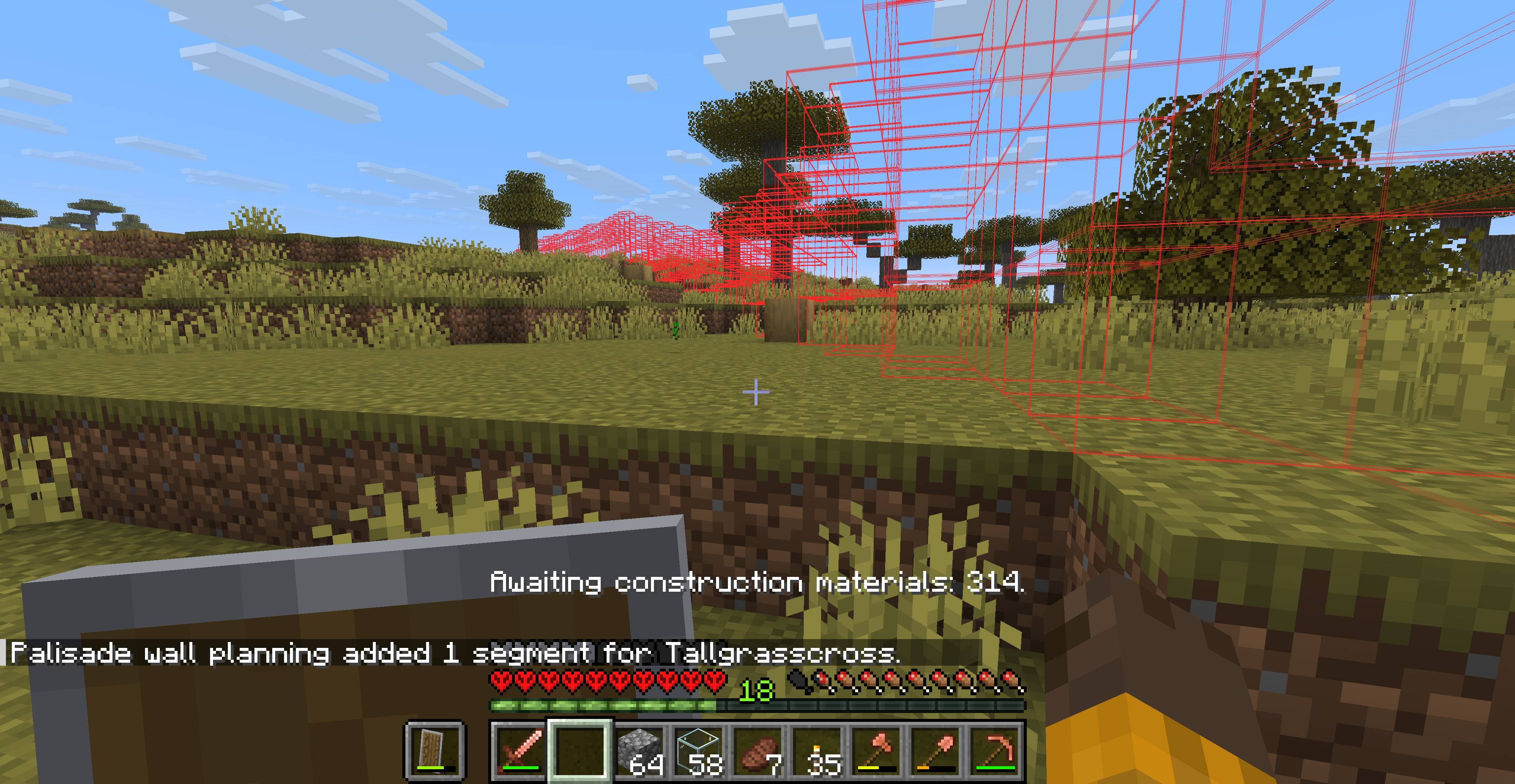 BuildPreviewOfPalisade.jpg BuildPreviewOfPalisade.jpg
 -
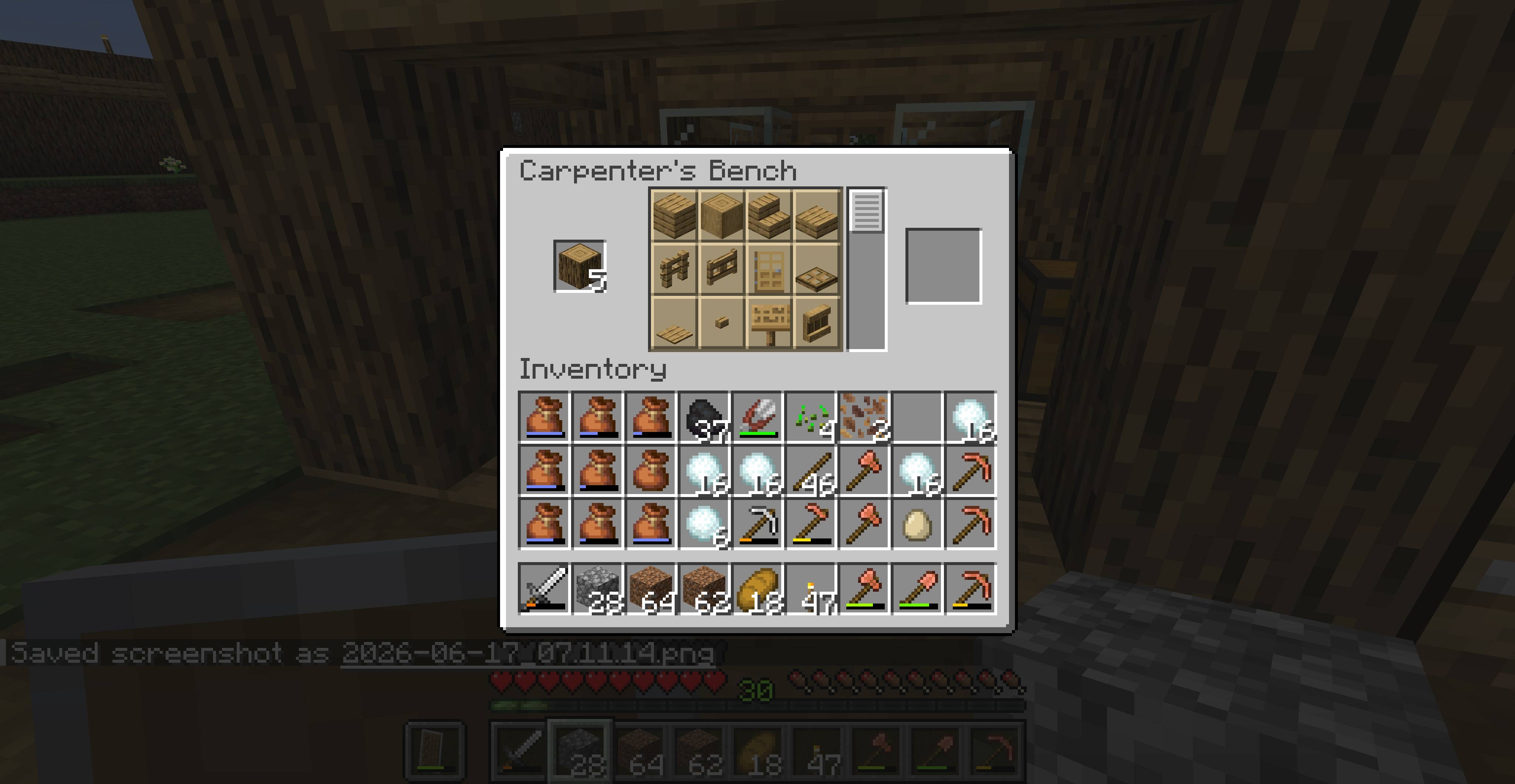 CarpenterBenchScreen.jpg CarpenterBenchScreen.jpg
 -
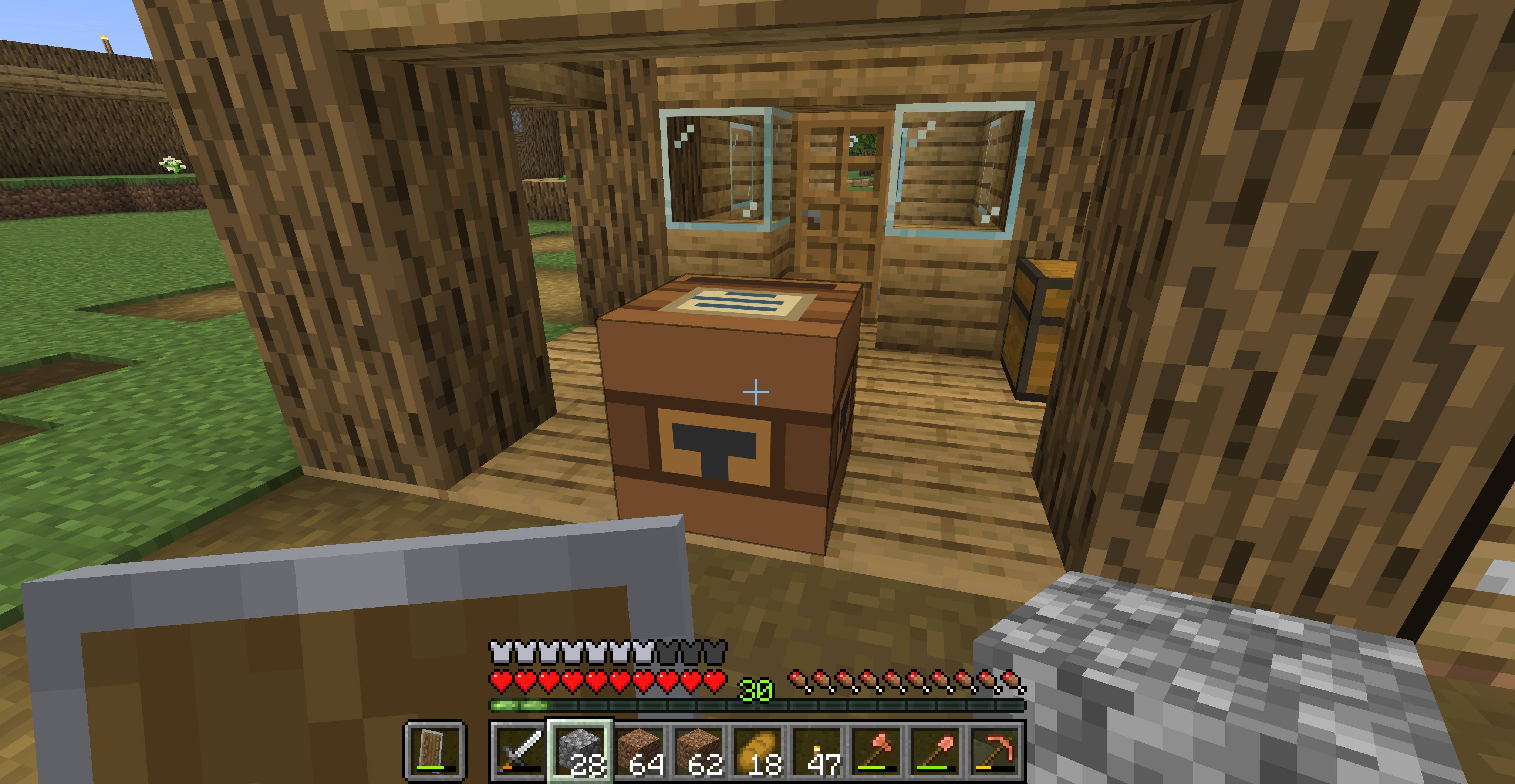 CarpenterHousing.jpg CarpenterHousing.jpg
 -
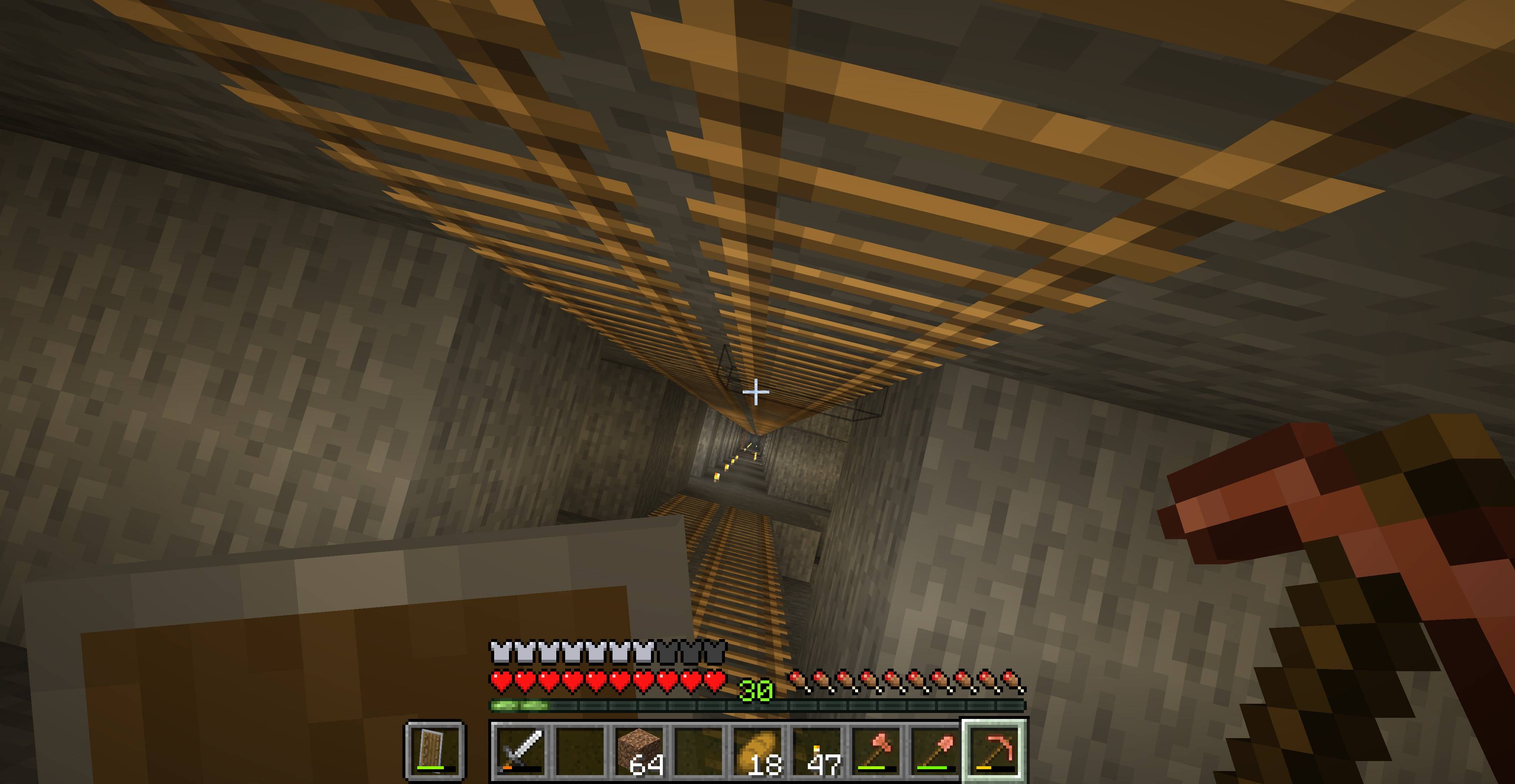 DeepMineshaftInMineEntranceStructure.jpg DeepMineshaftInMineEntranceStructure.jpg
 -
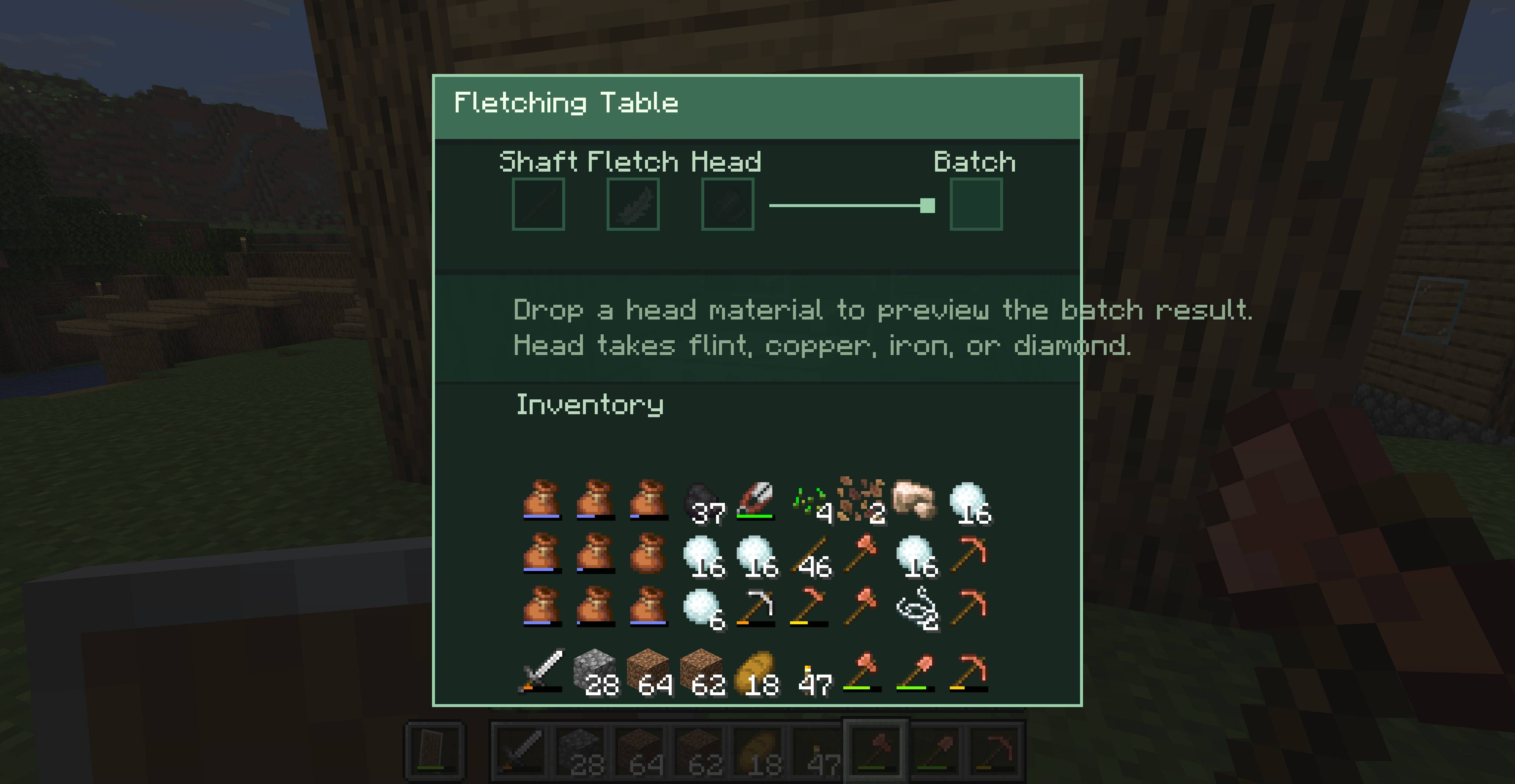 FletchingTableScreen.jpg FletchingTableScreen.jpg
 -
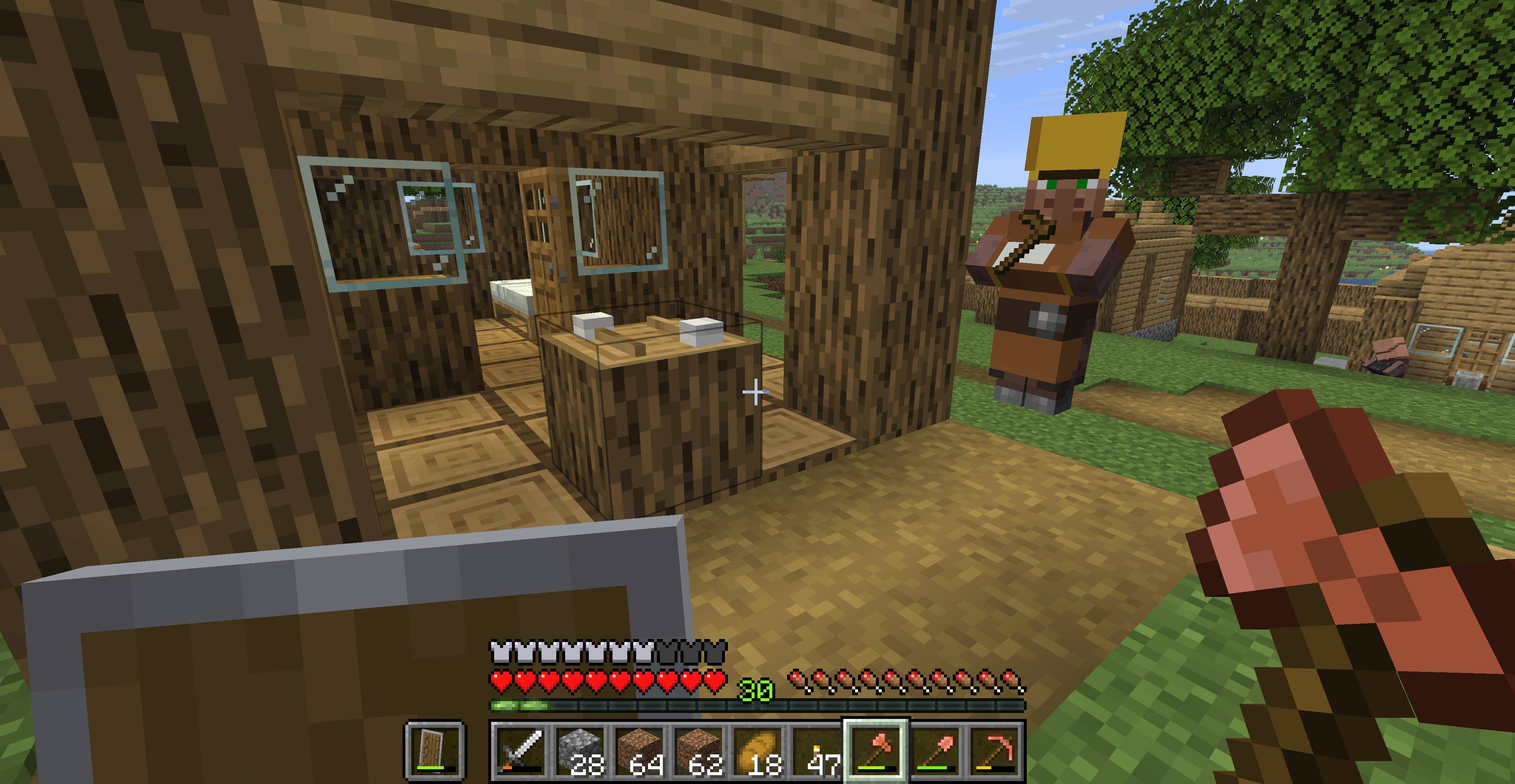 ForesterHut.jpg ForesterHut.jpg
 -
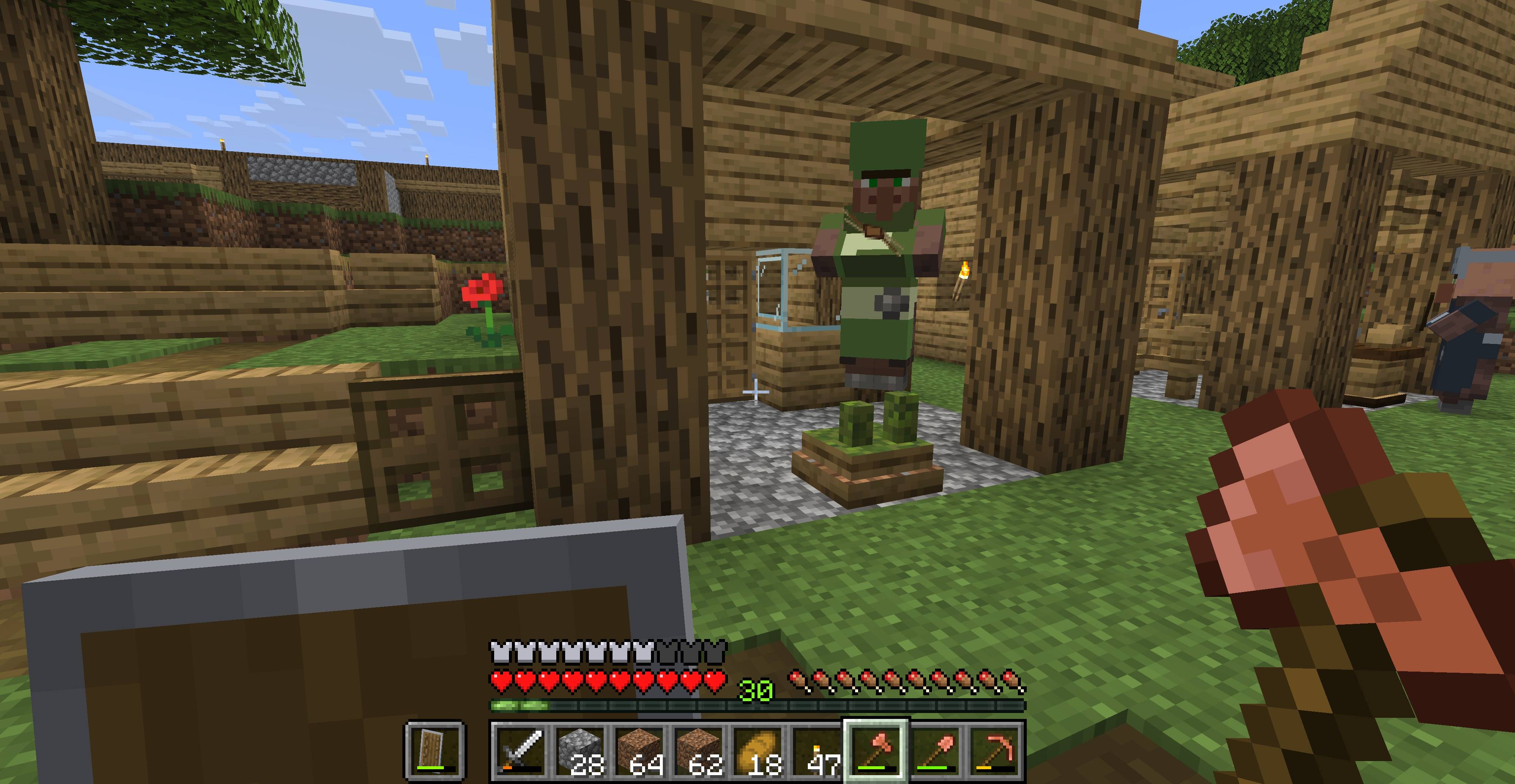 Gardener.jpg Gardener.jpg
 -
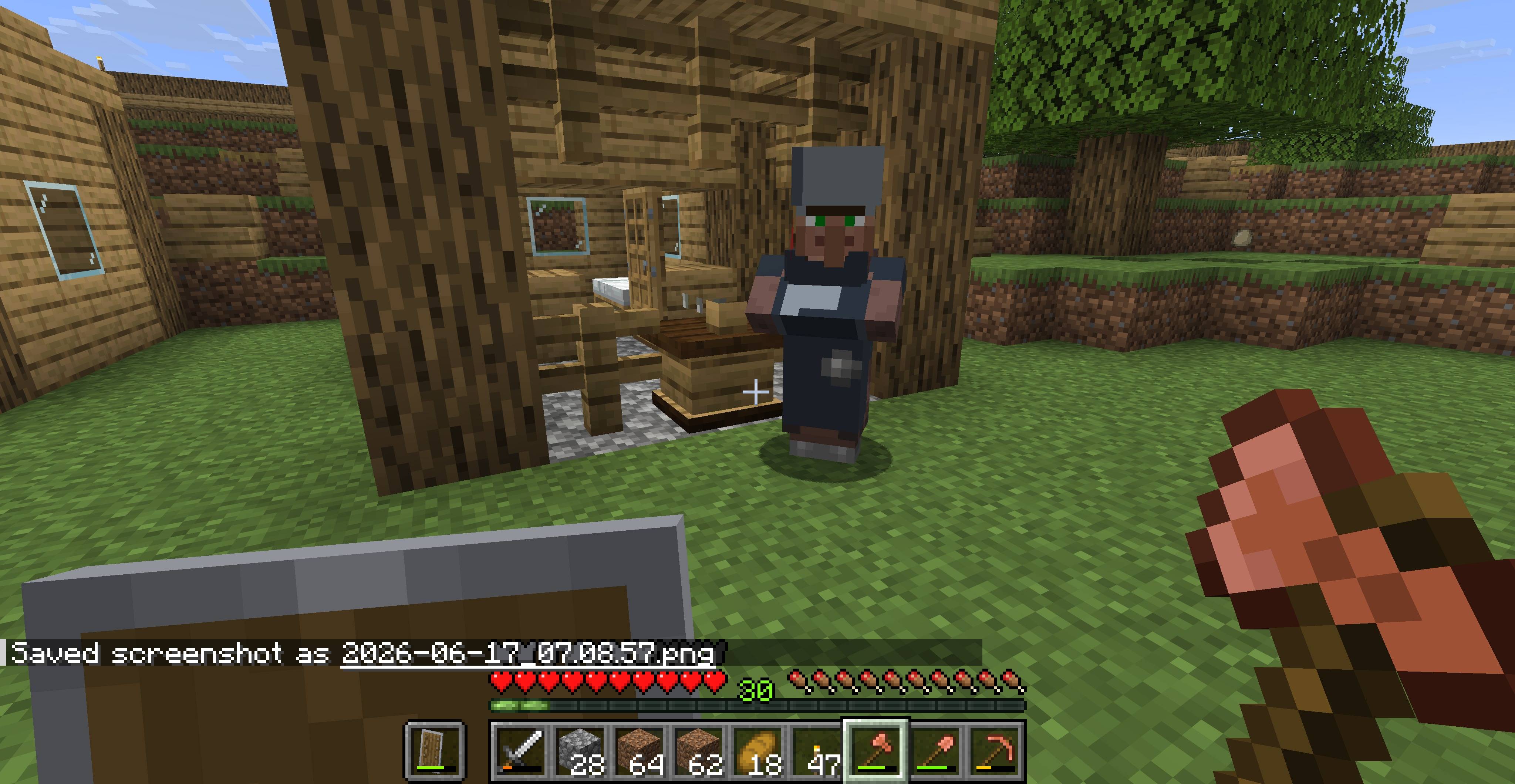 GuardAndHut.jpg GuardAndHut.jpg
 -
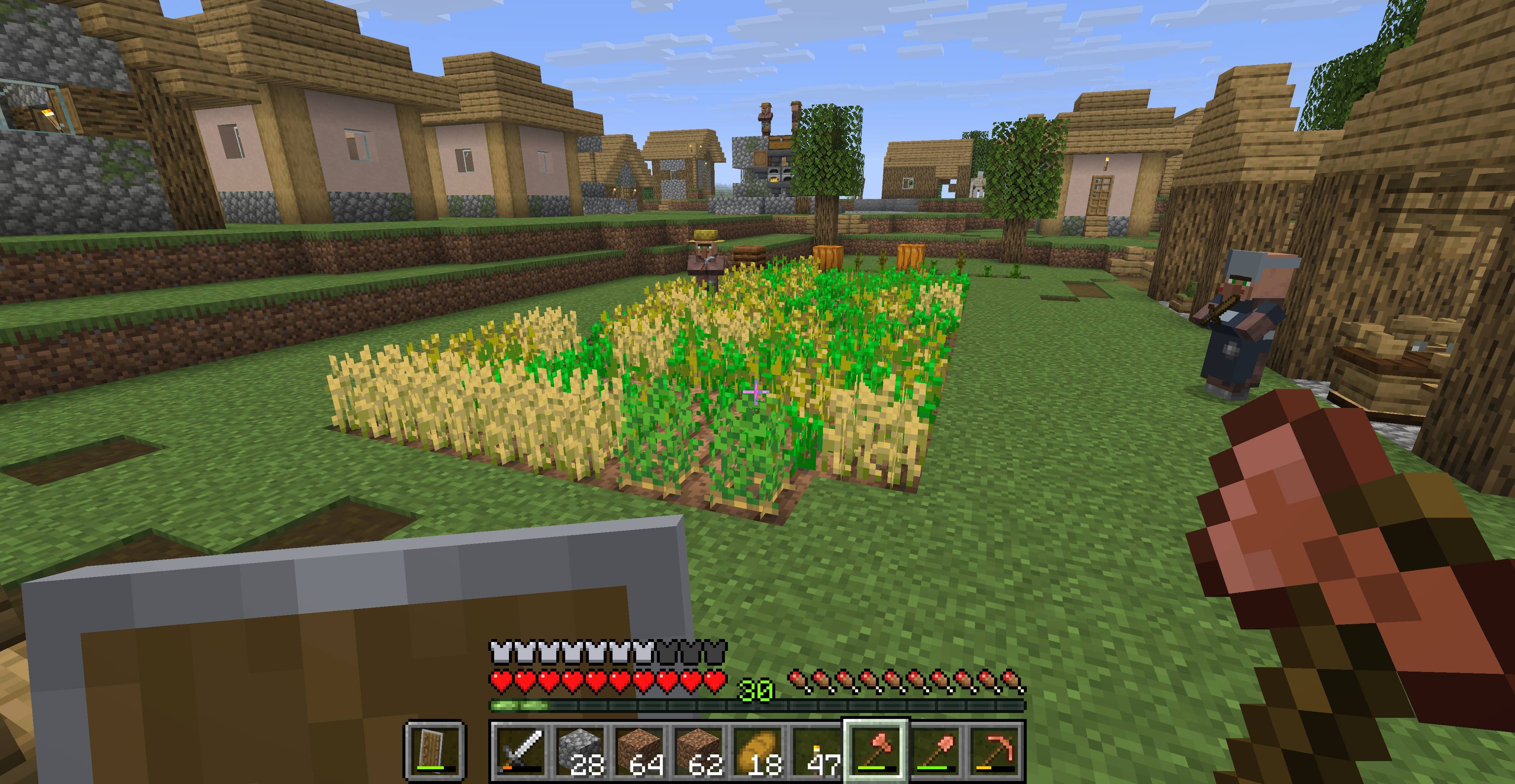 LargeFarmerPlot.jpg LargeFarmerPlot.jpg
 -
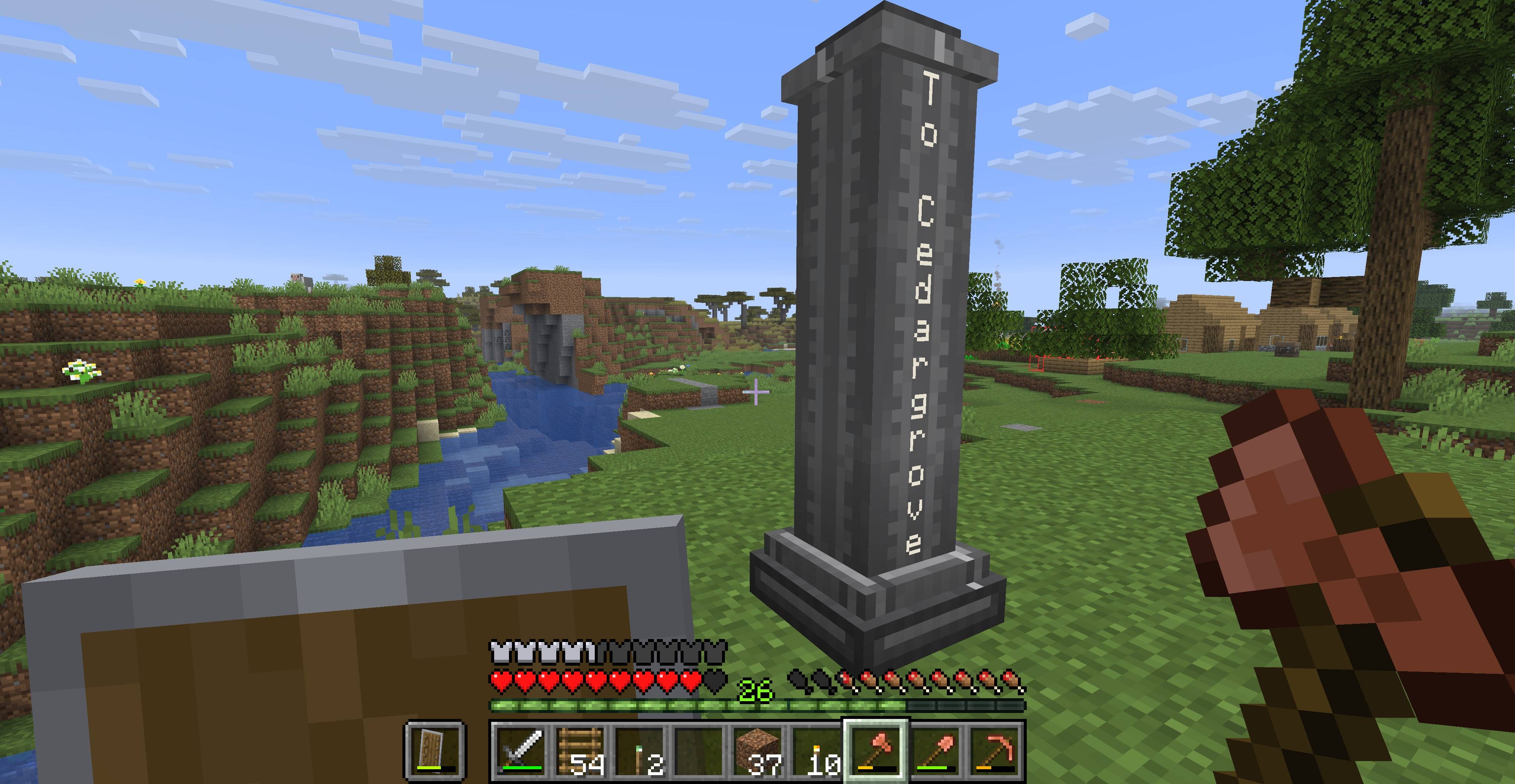 Milepost.jpg Milepost.jpg
 -
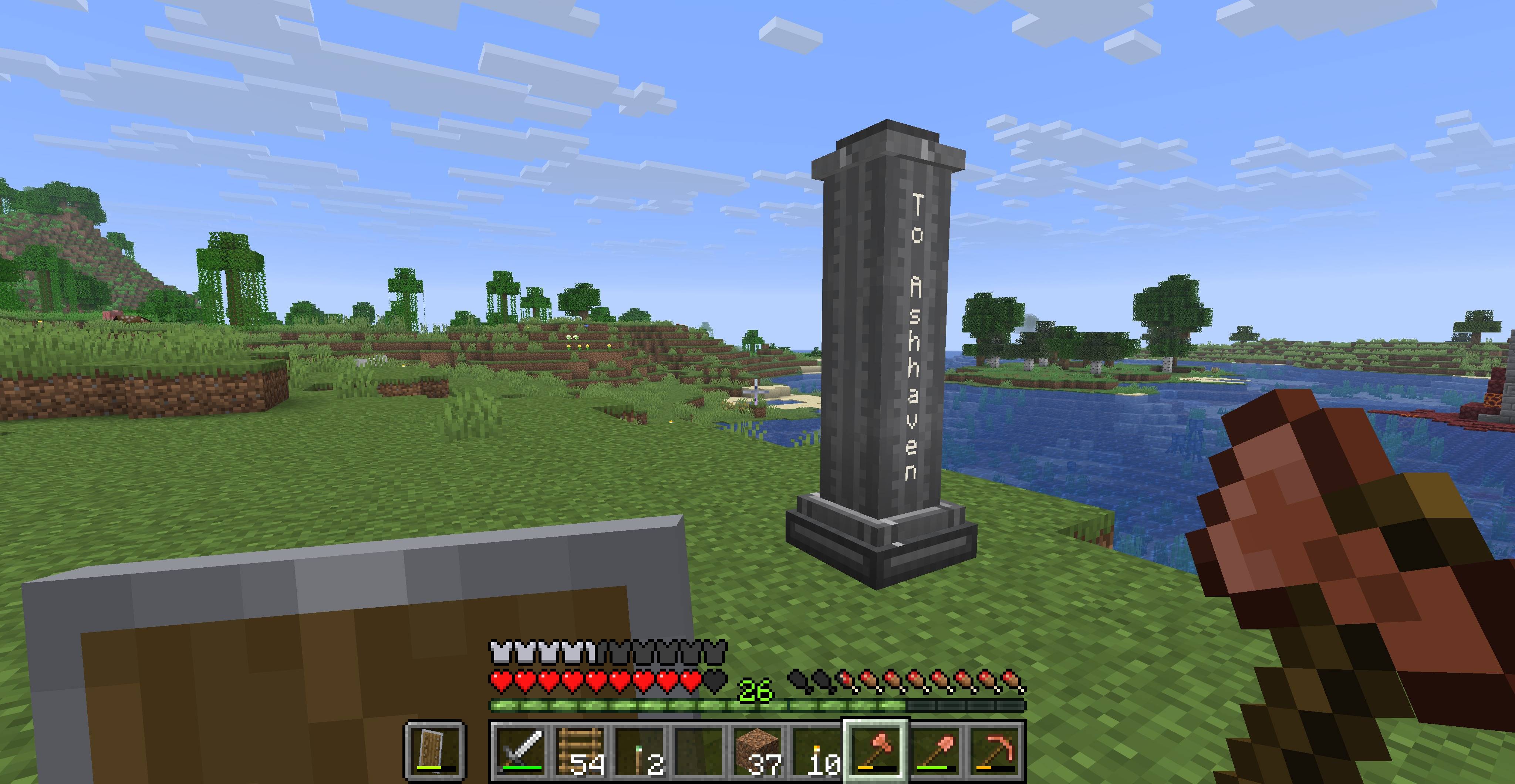 Milepost2.jpg Milepost2.jpg
 -
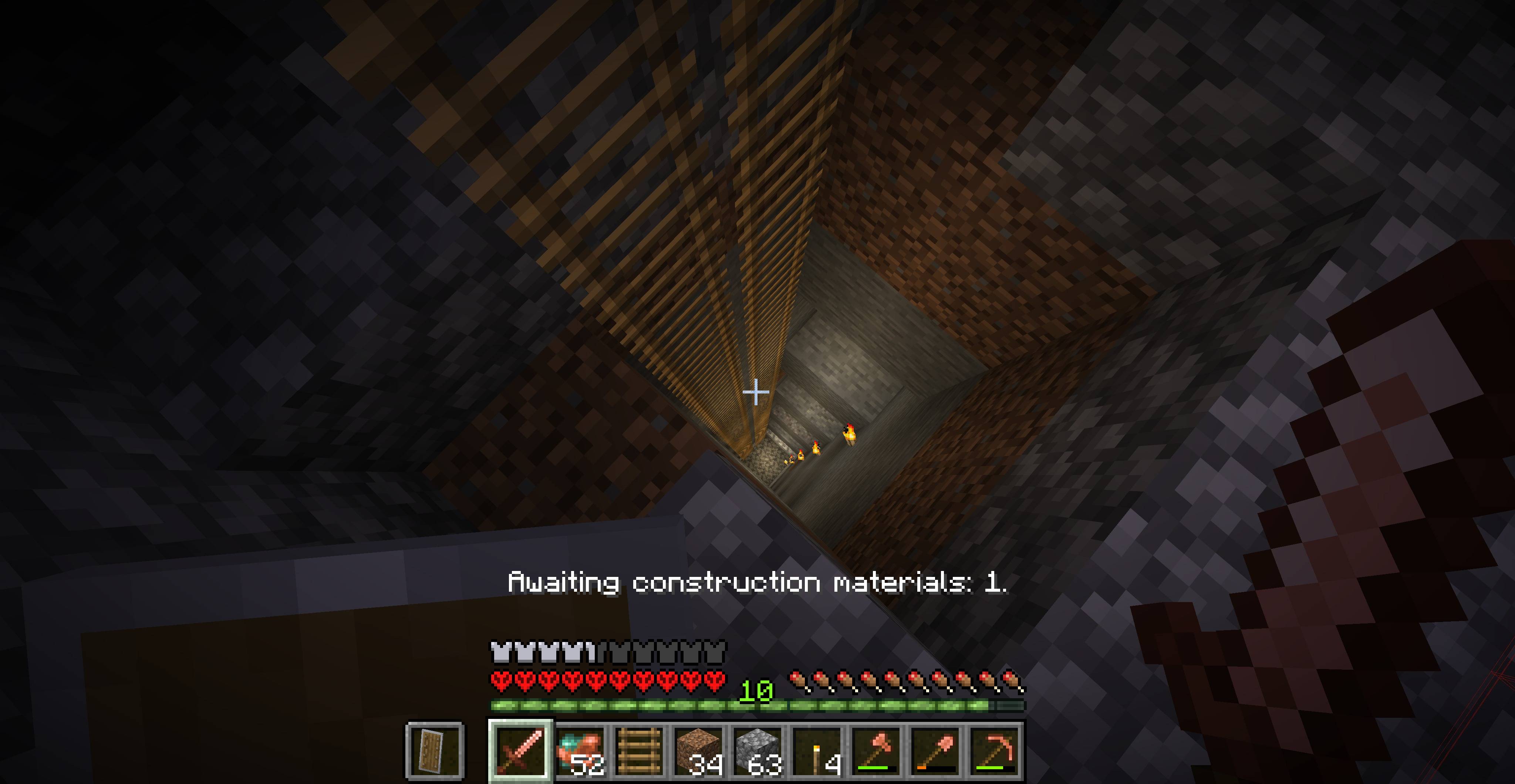 MineshaftBeingDug.jpg MineshaftBeingDug.jpg
 -
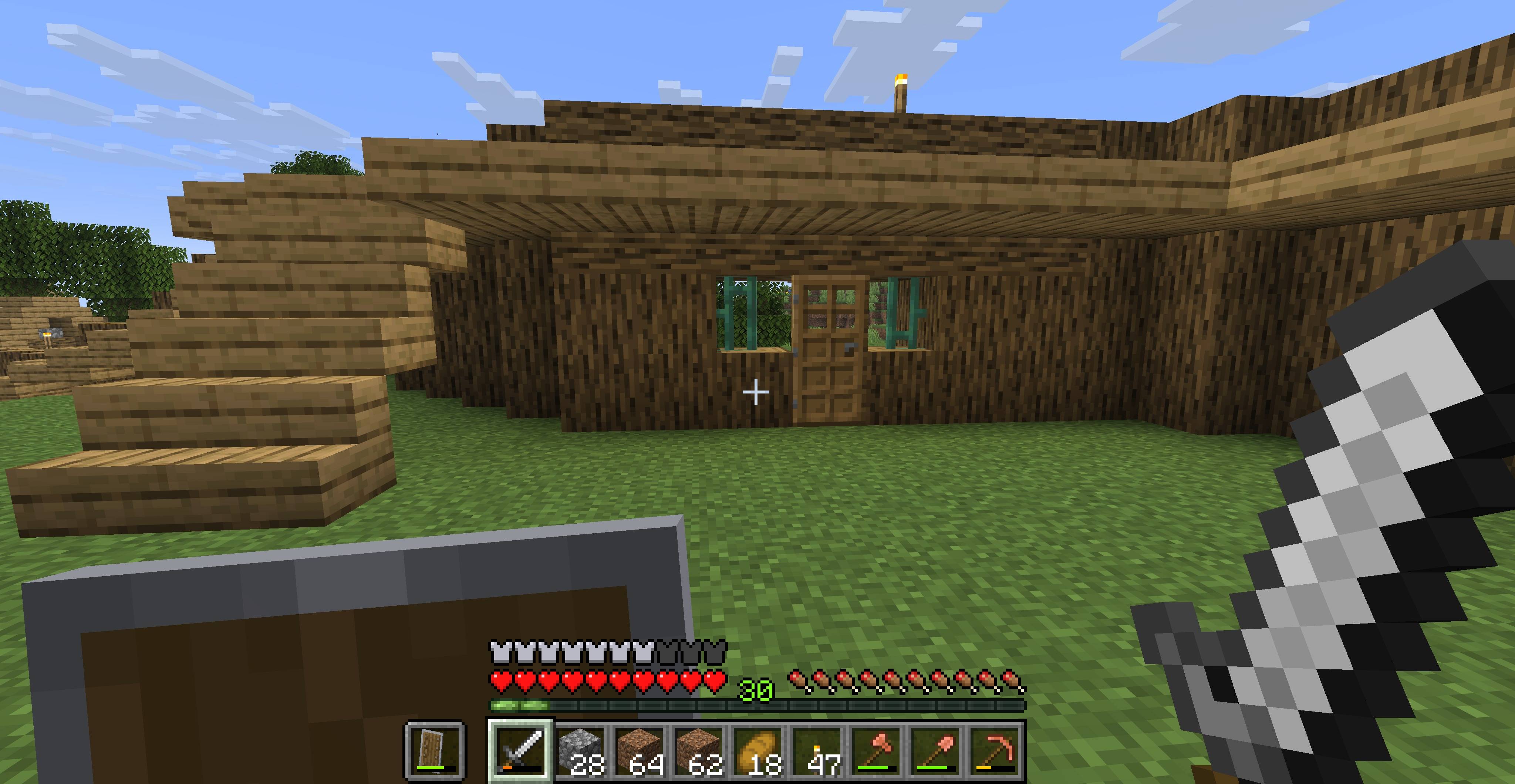 PalisadeCopperGateInside.jpg PalisadeCopperGateInside.jpg
 -
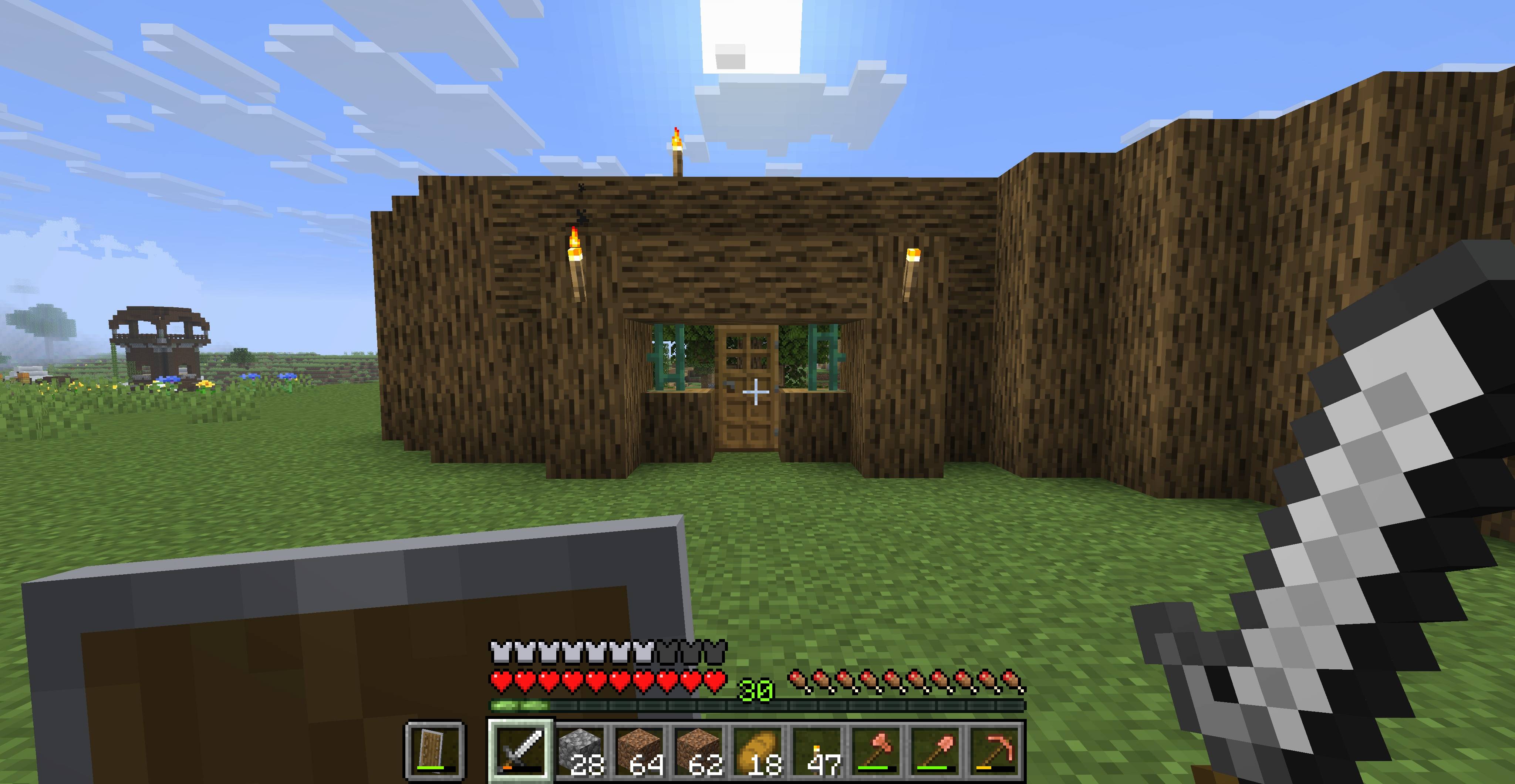 PalisadeCopperGateOutside.jpg PalisadeCopperGateOutside.jpg
 -
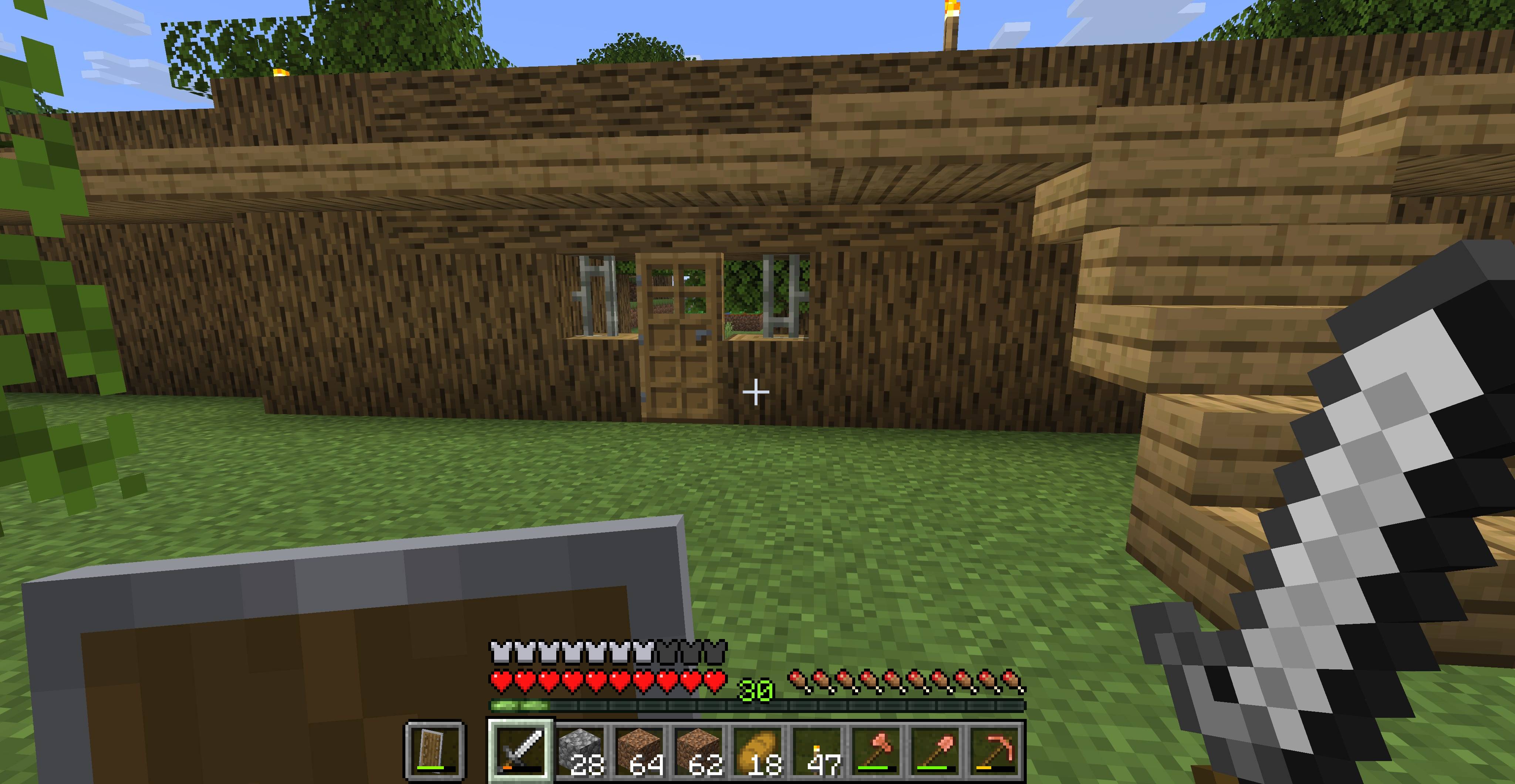 PalisadeIronGateInside.jpg PalisadeIronGateInside.jpg
 -
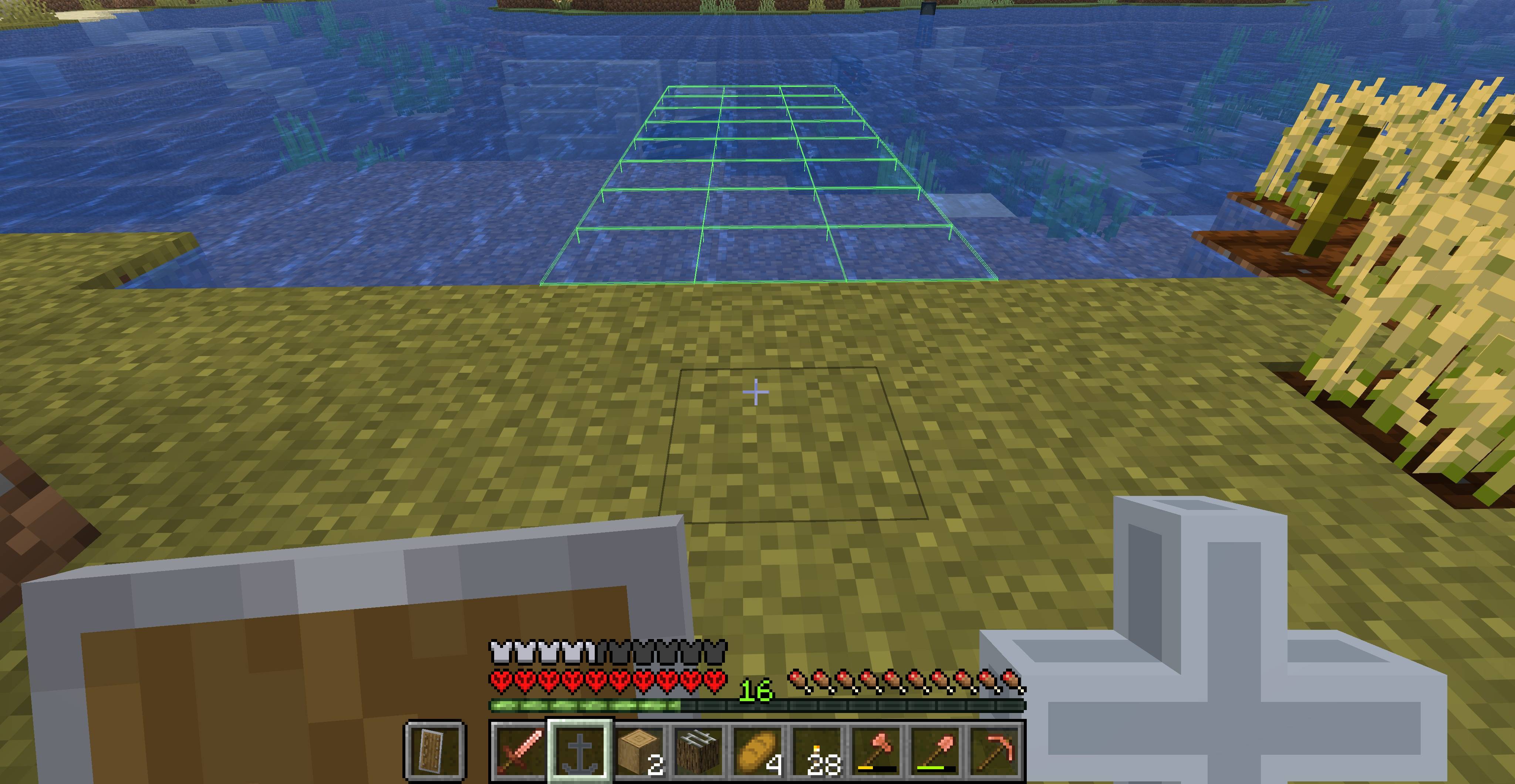 PlacingAnAnchor.jpg PlacingAnAnchor.jpg
-
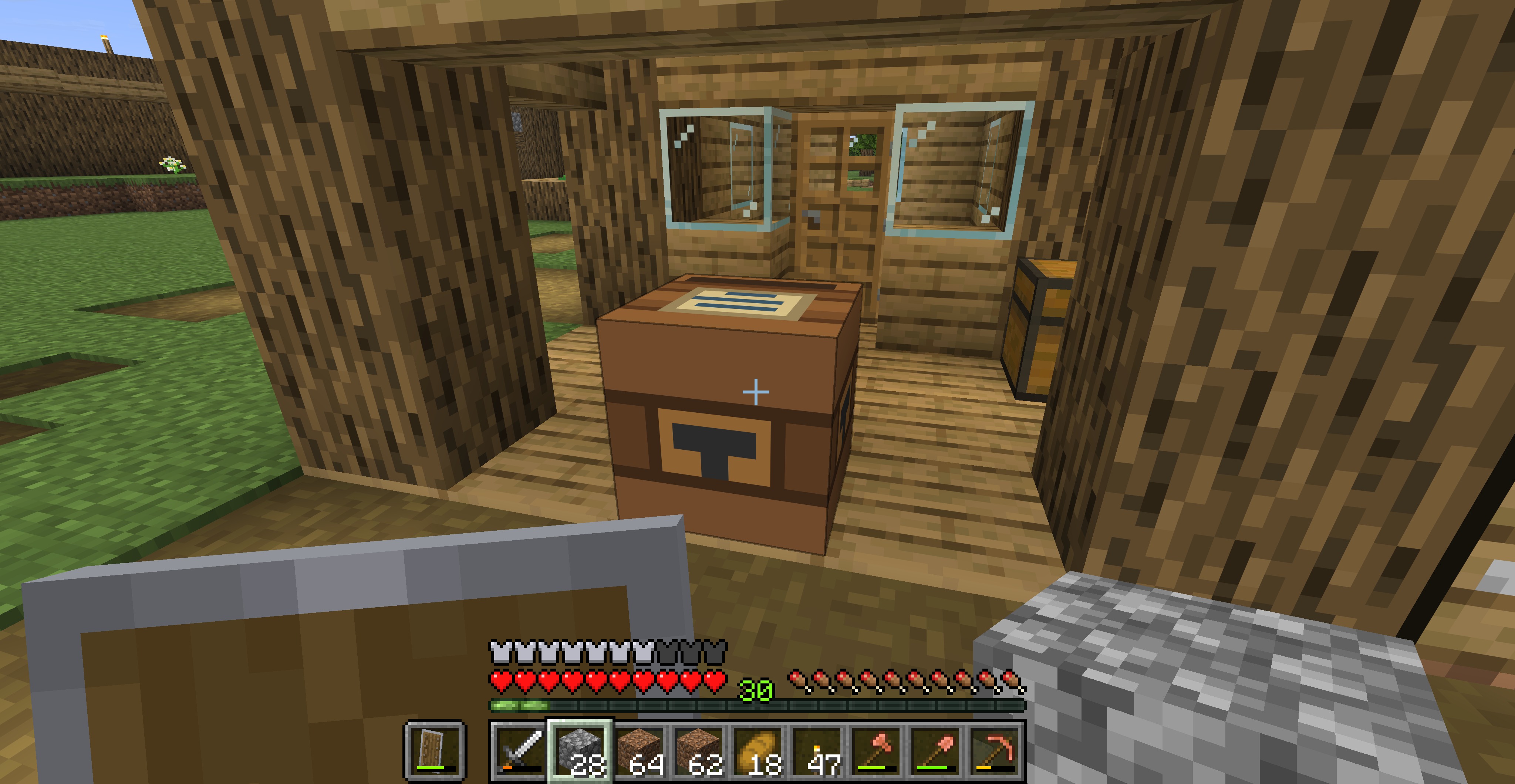 Carpenter's Shop Workstation up front, housing in the back. Carpenter's are great wood builders.
 -
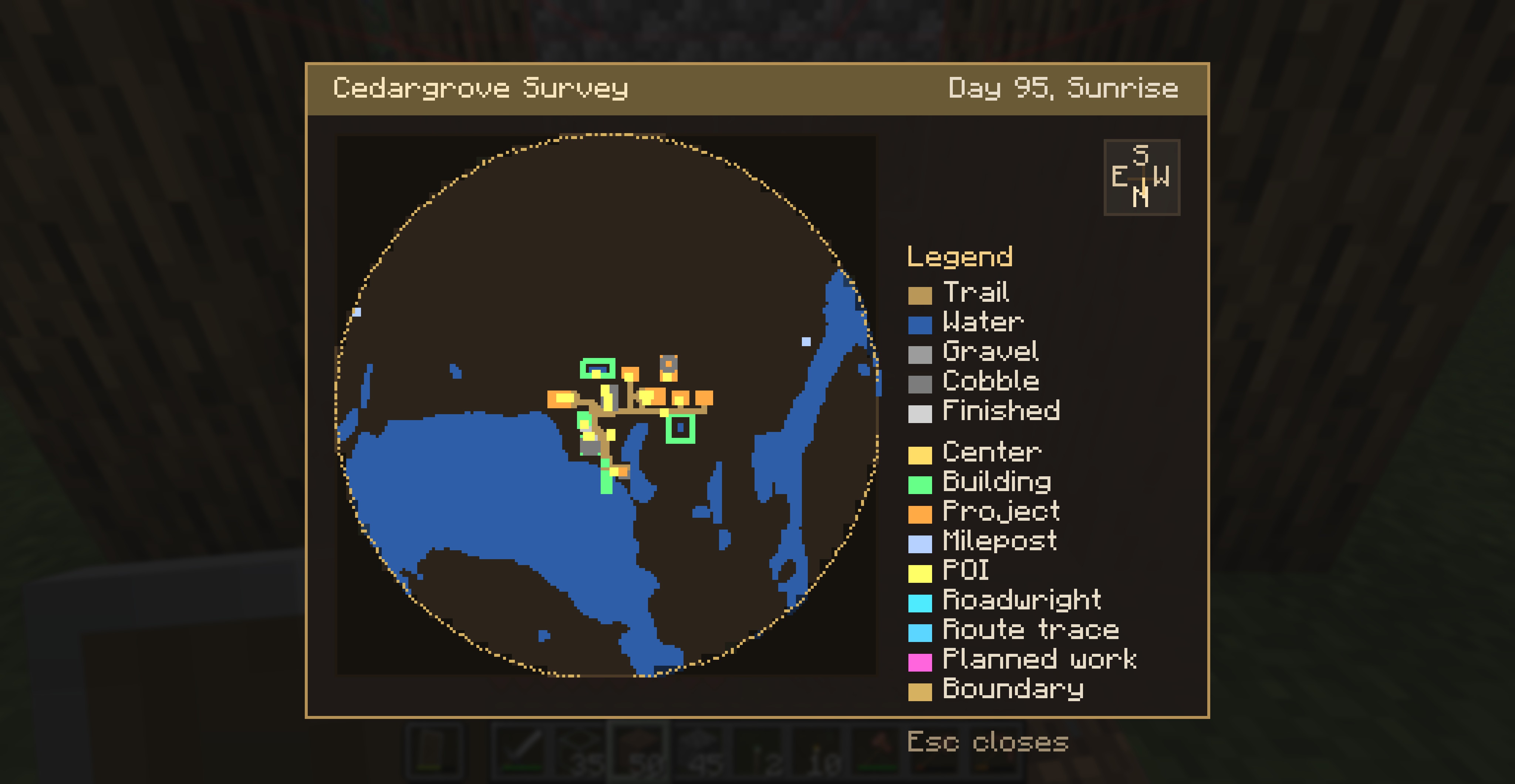 Early village Survey Map Another view of a village's Survey map. This one has two Mileposts, a Dock, and a Lighthouse.
 -
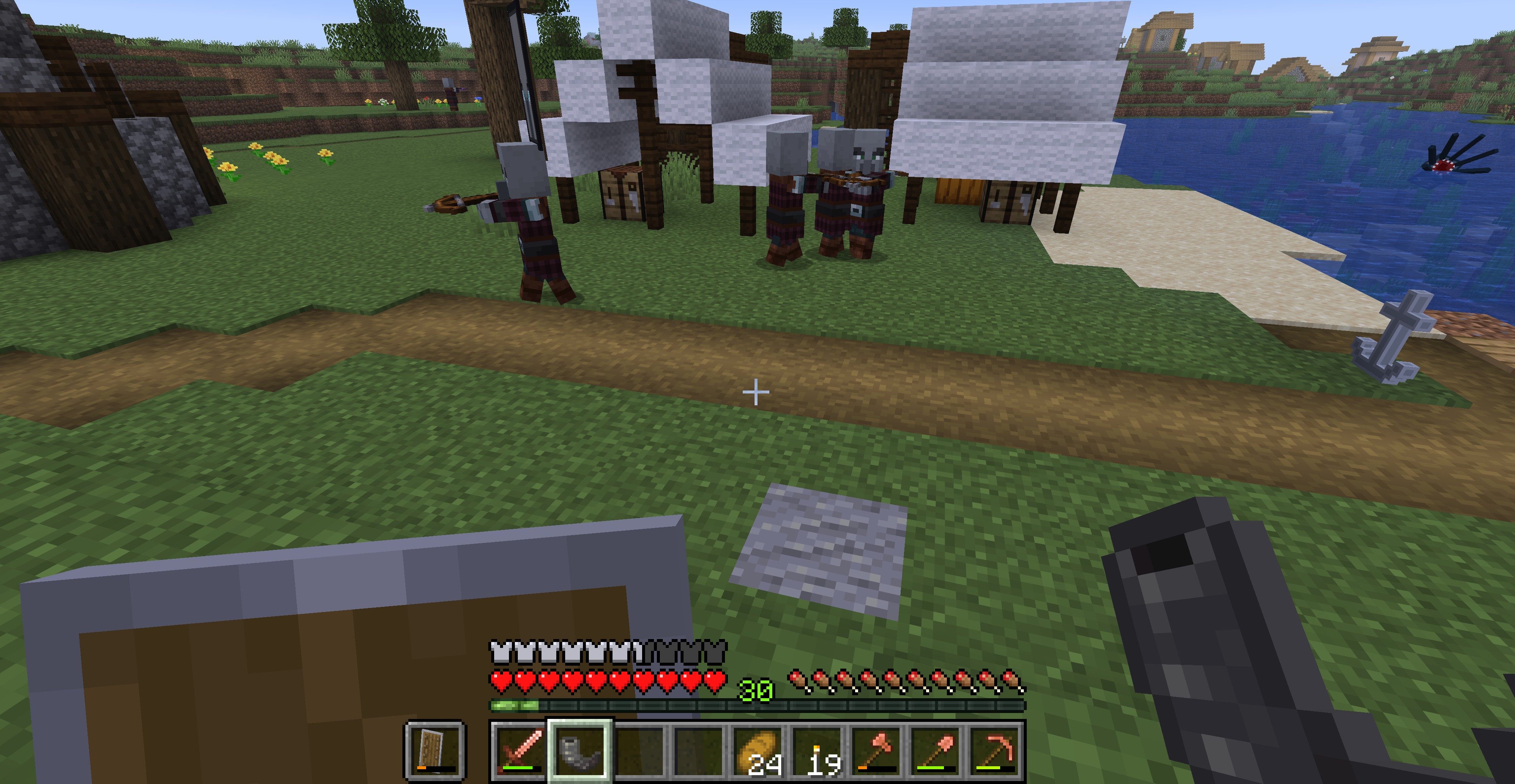 Raid Mustering When a raid is called, troops need to muster (gather) first.
 -
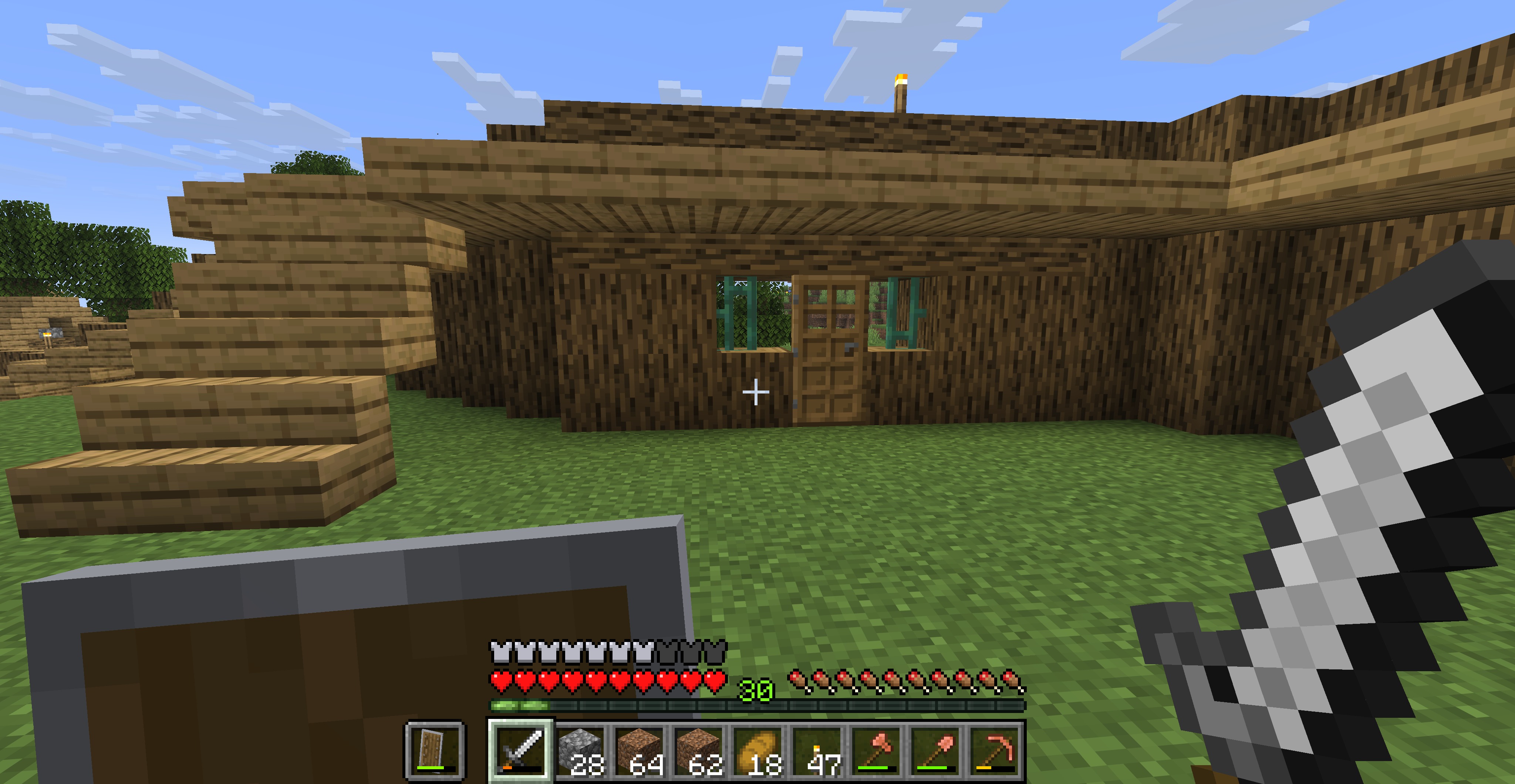 Copper bar gatehouse Palisade gatehouses can be made with copper or iron, and allow passage through a wooden palisade, but only for village residents and players.
 -
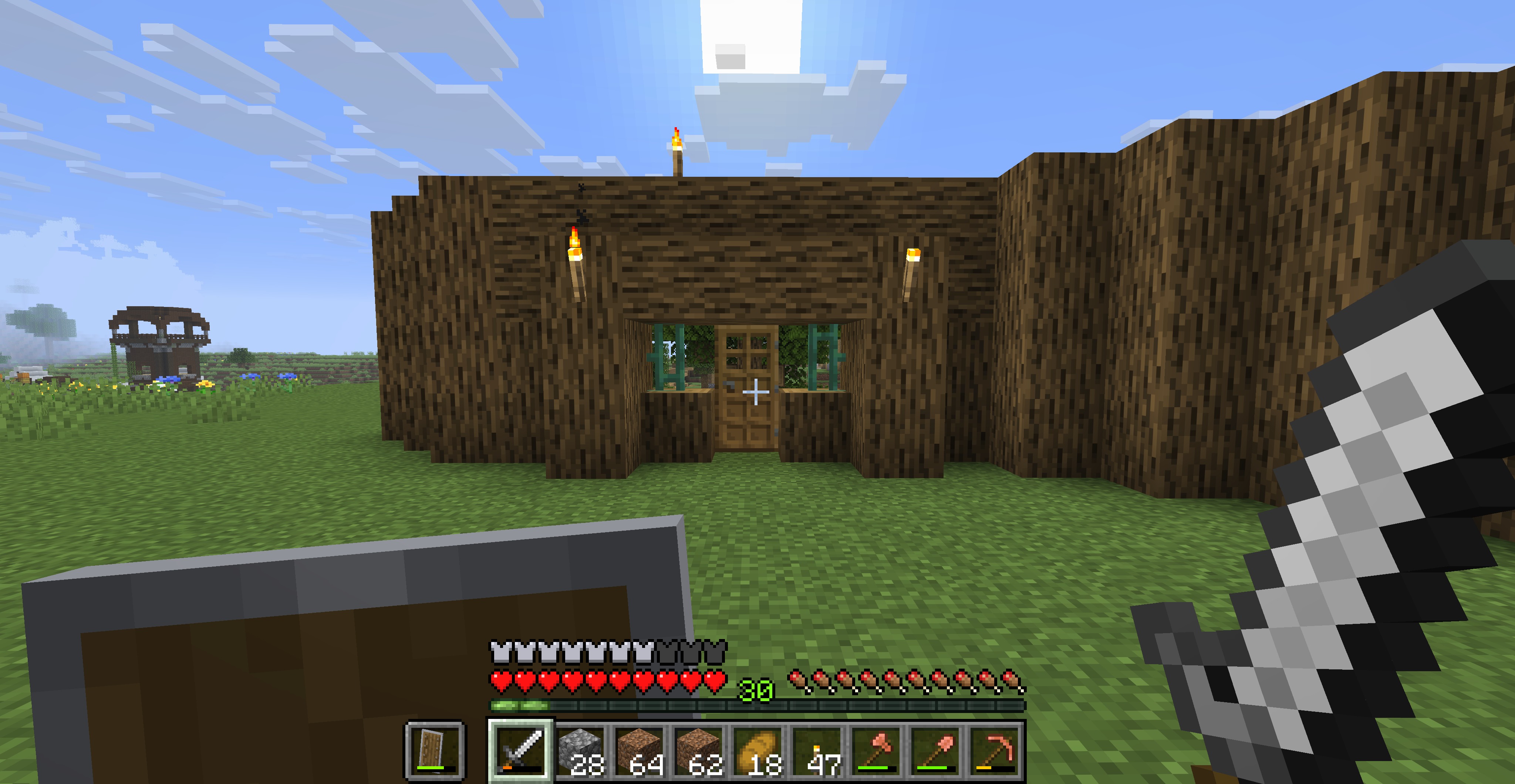 Outside of gatehouse Plenty of light so that guards can see who is at the gate.
 -
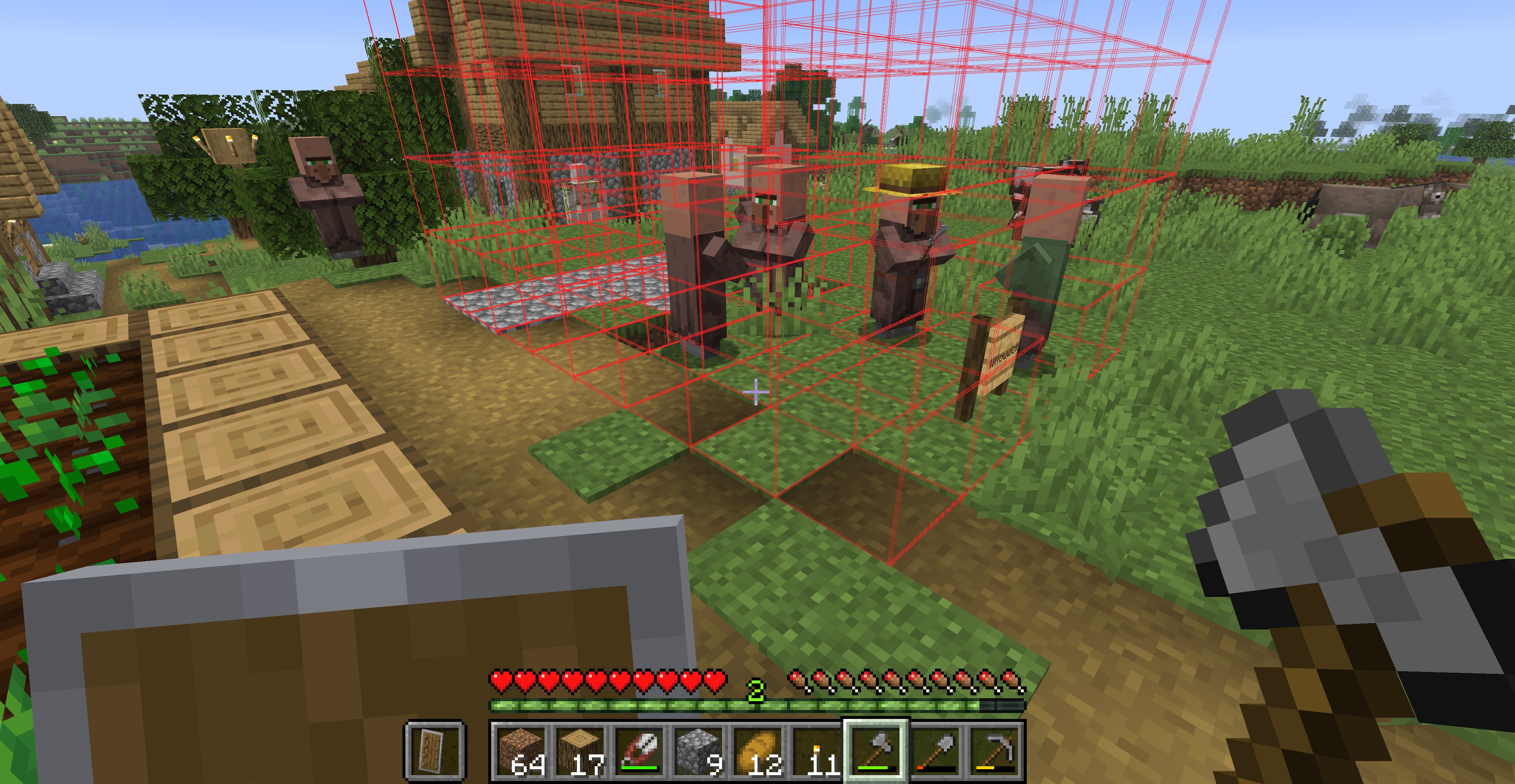 Villagers at work Here we see villagers building the Trading Post. They will do the work, but you can help to make it go faster.
 -
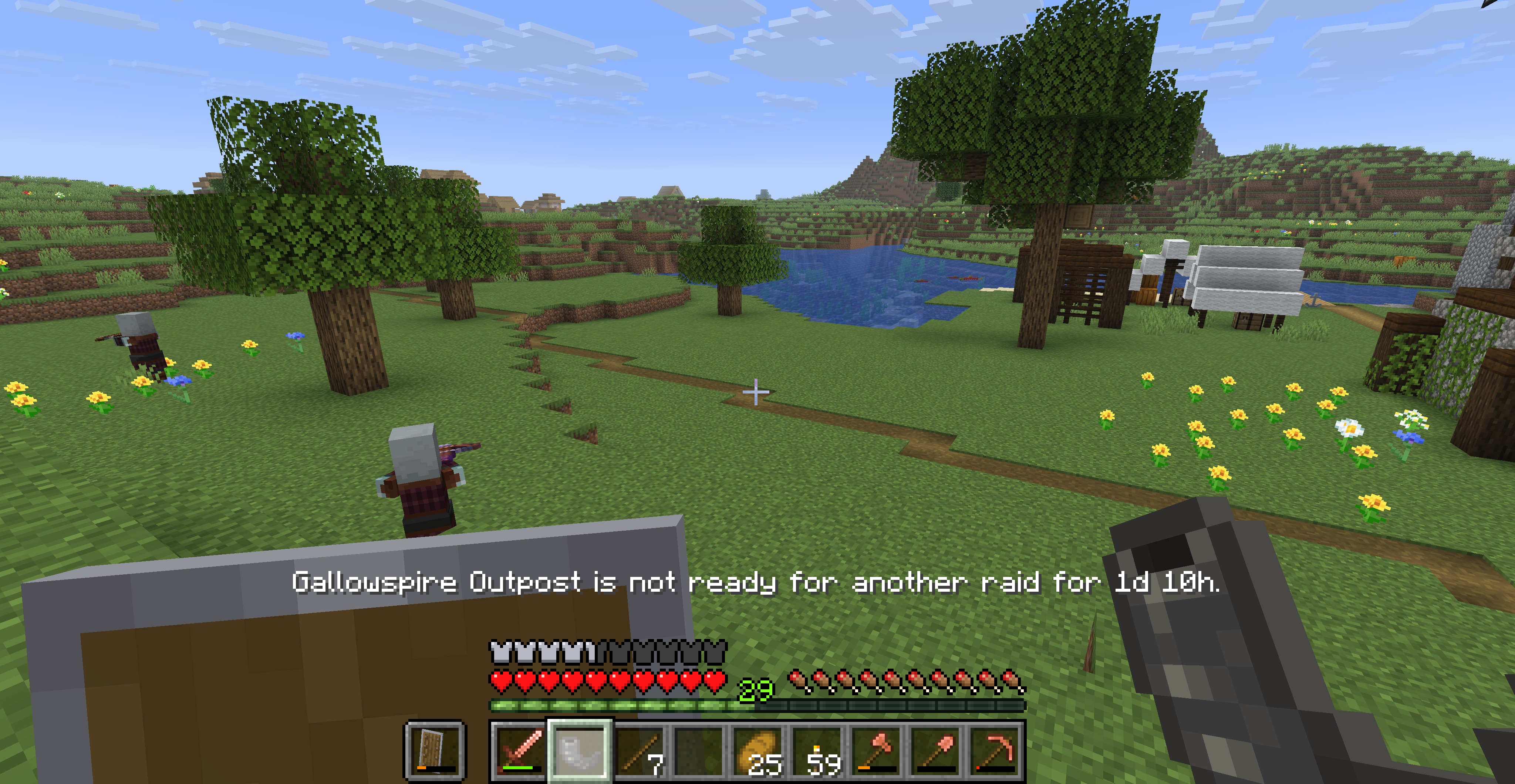 Raid not ready Raids have a cooldown. If you call for a raid too early it will tell you. (Use a horn in an outpost if you are a Banner-bearer or Captain to start a raid.)
 -
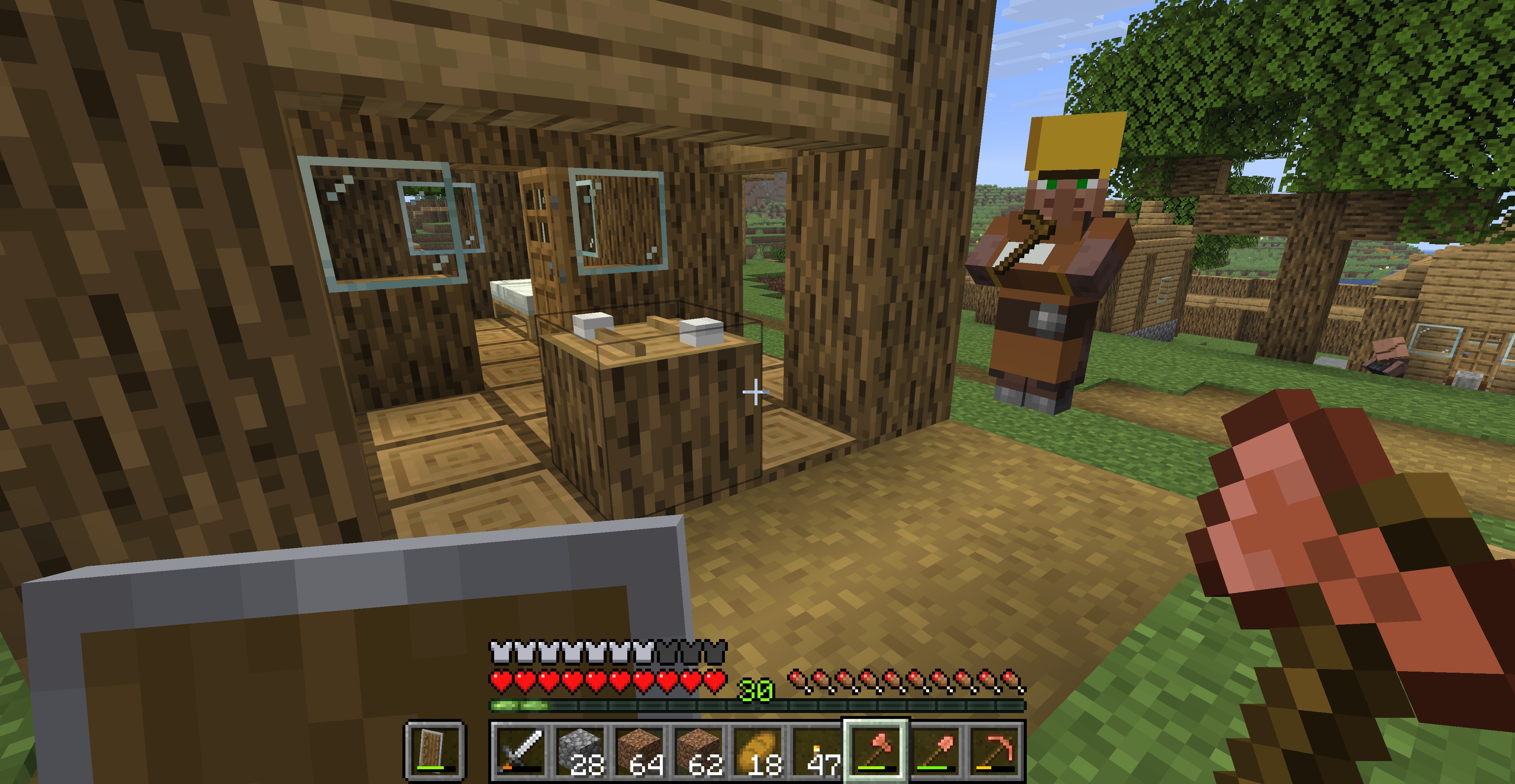 Forester's Hut Foresters harvest wood and plant seedlings. With enough Harvesters a village can be self-sufficient in wood products, especially when paired with a Carpenter.
 -
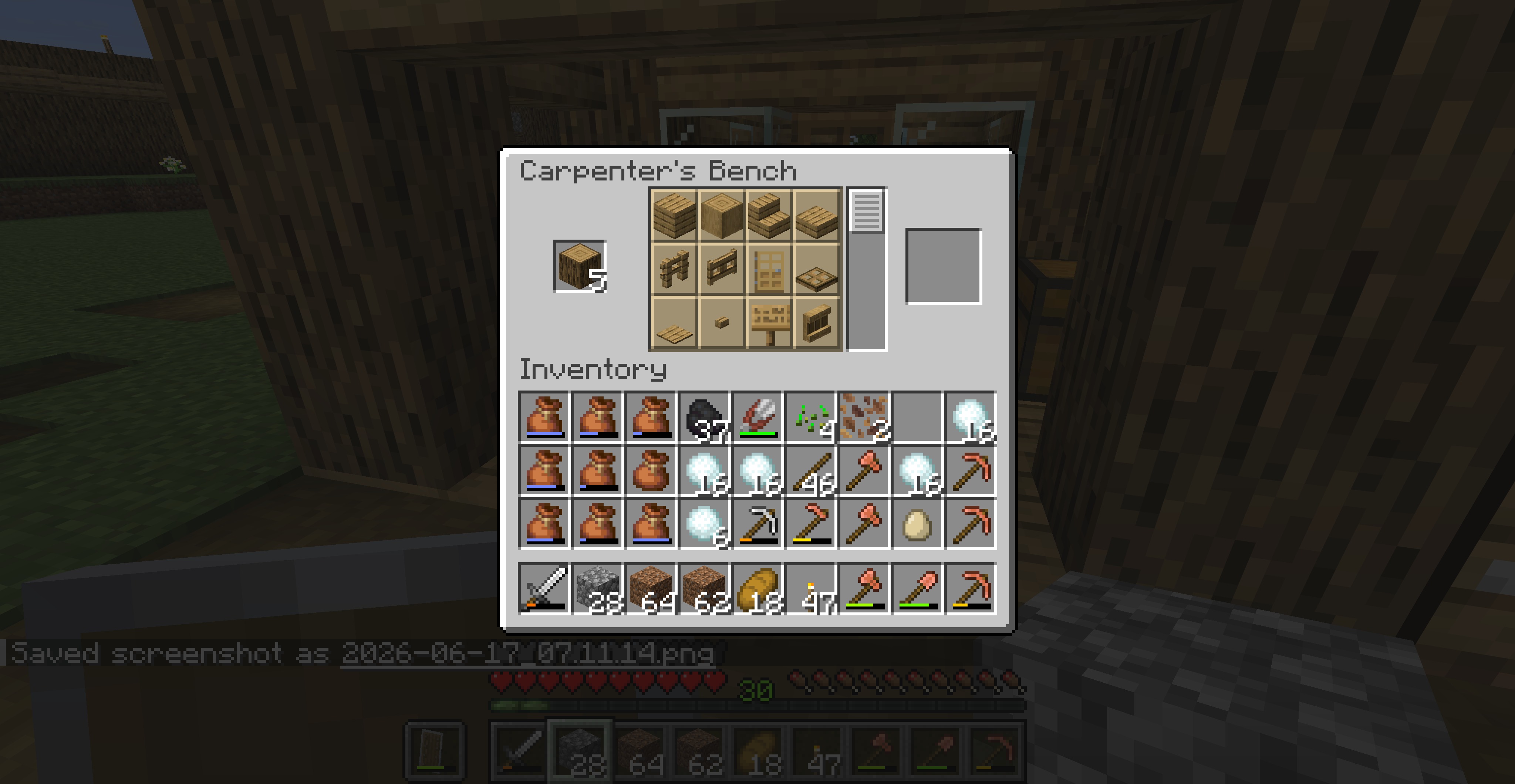 Carpenter's Bench Works the same as a Stonecutter, only for wood. Very handy.
 -
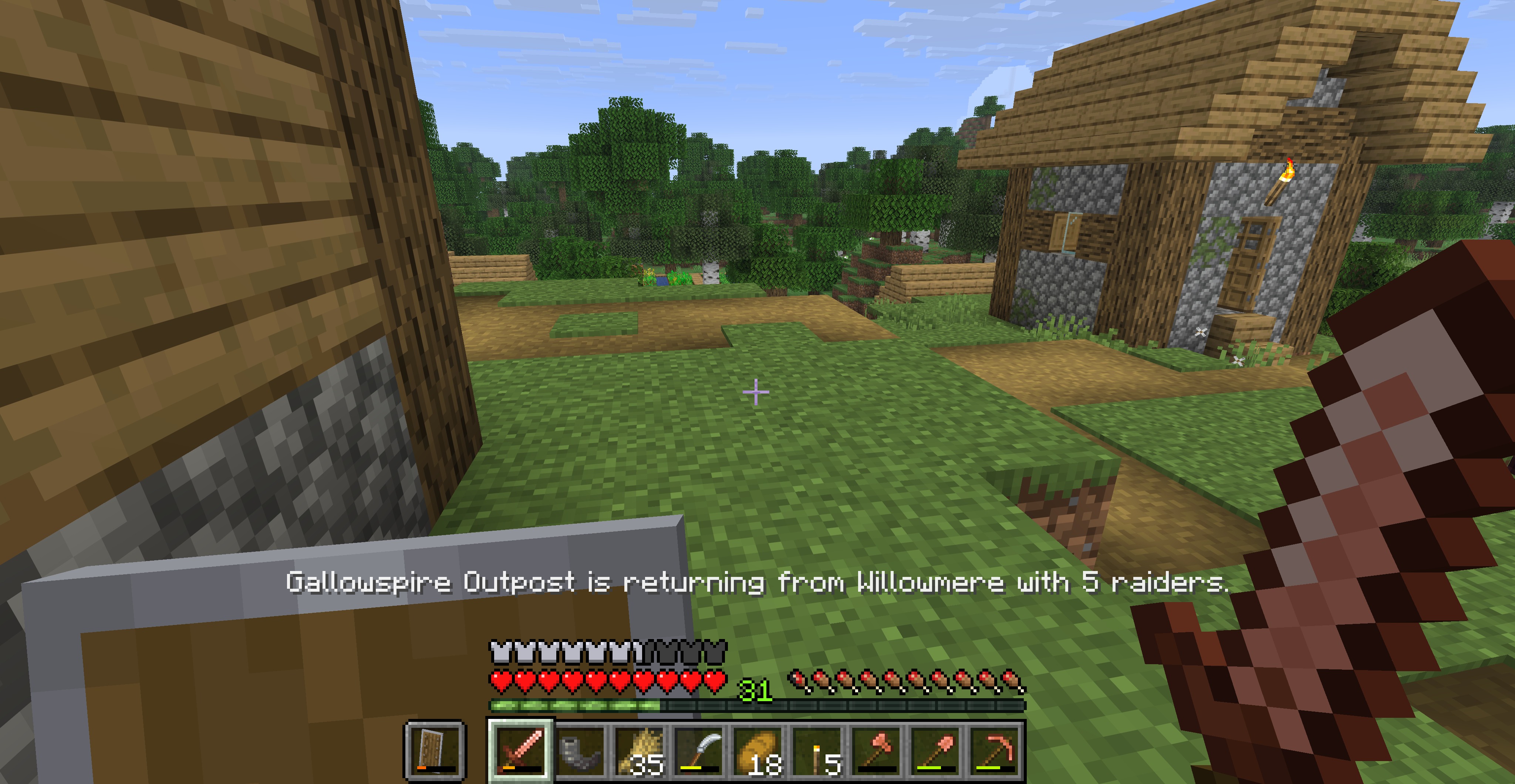 Raid is ending When a raid is over, troops return to the outpost.
 -
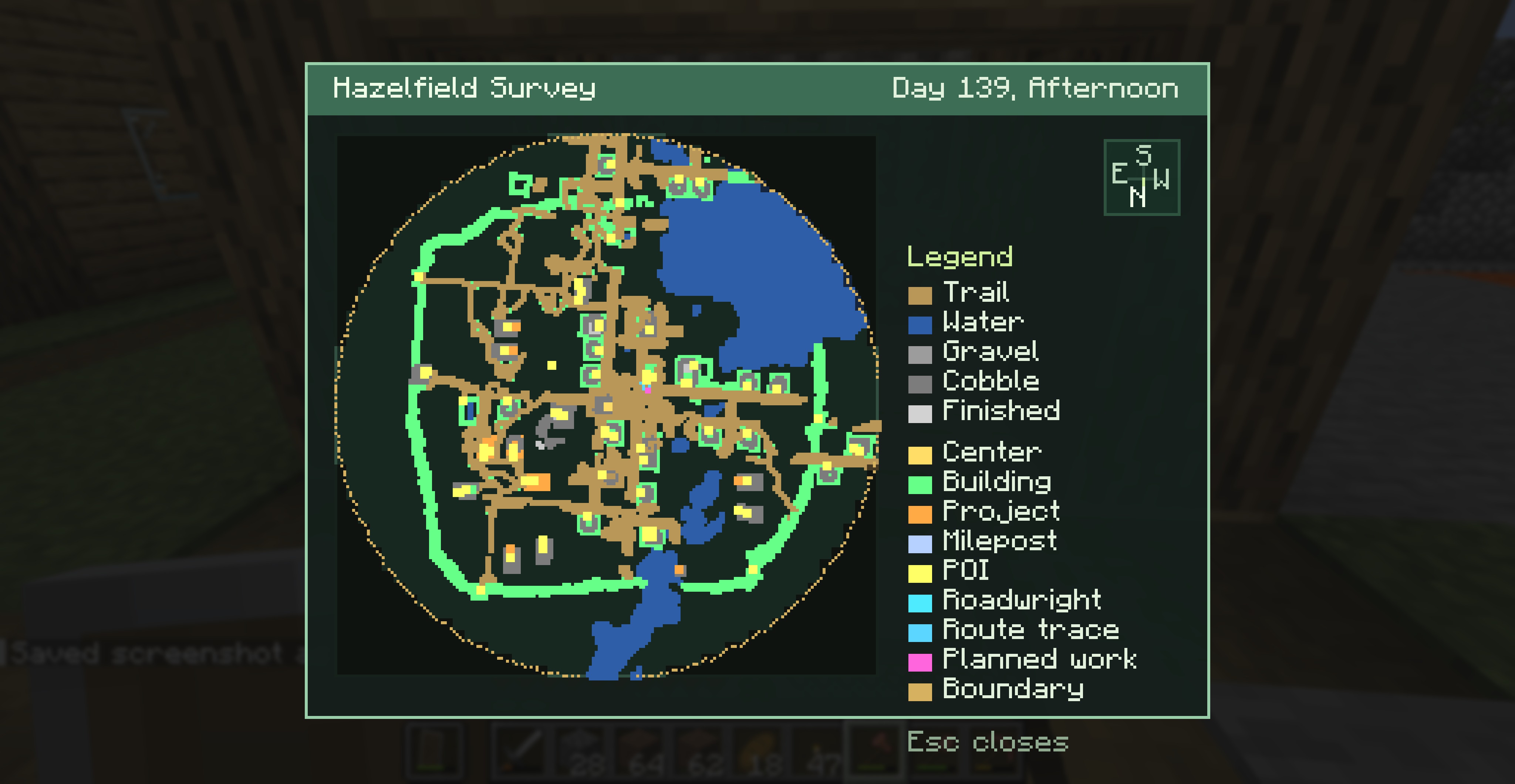 Large village Survey Map This village has a palisade around it (thick green line) and paths all over. This is a well developed village.
 -
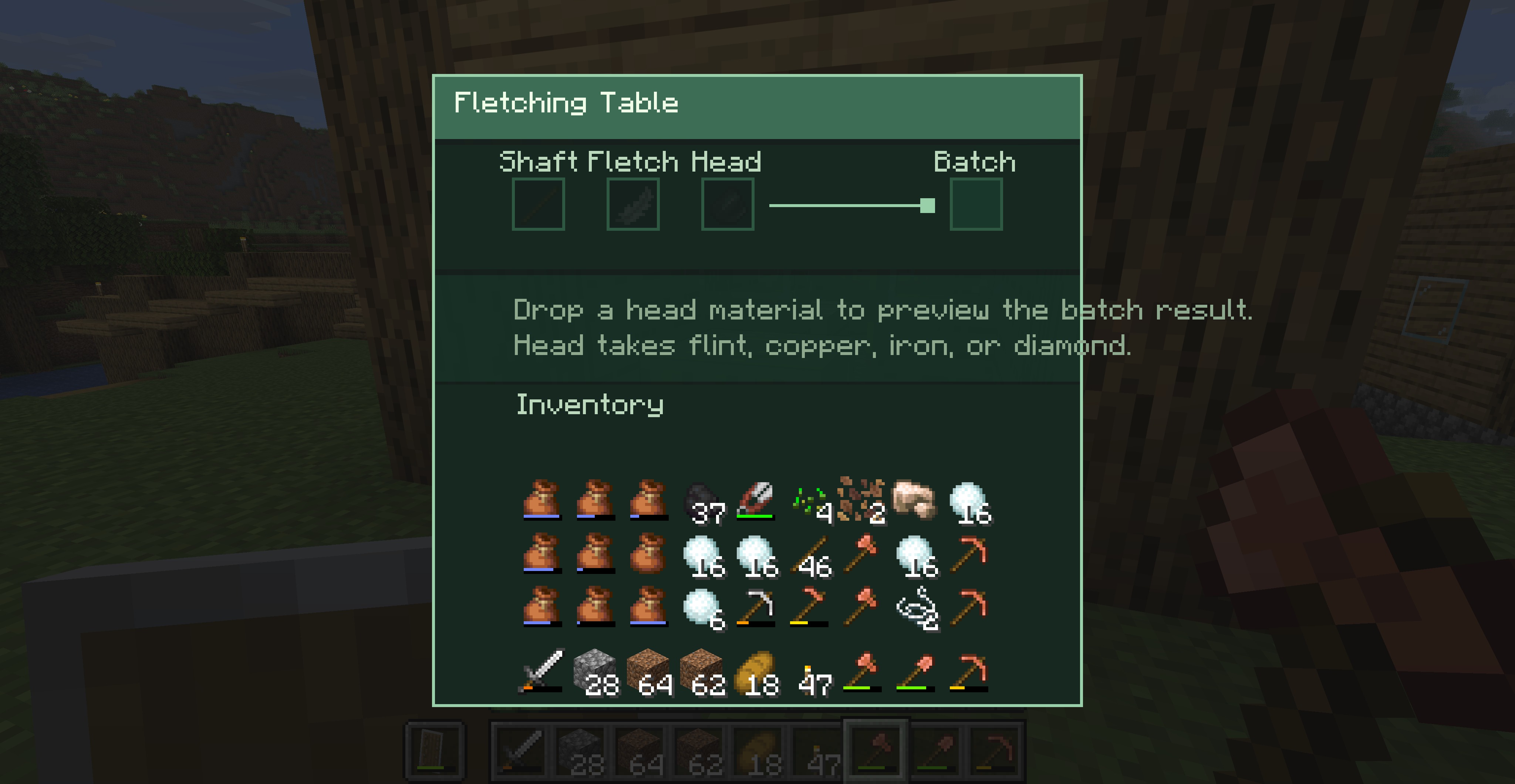 Fletching Table Craft better arrows with your Fletching Table. It also hires Fletchers who shoot arrows to defend the village.
 -
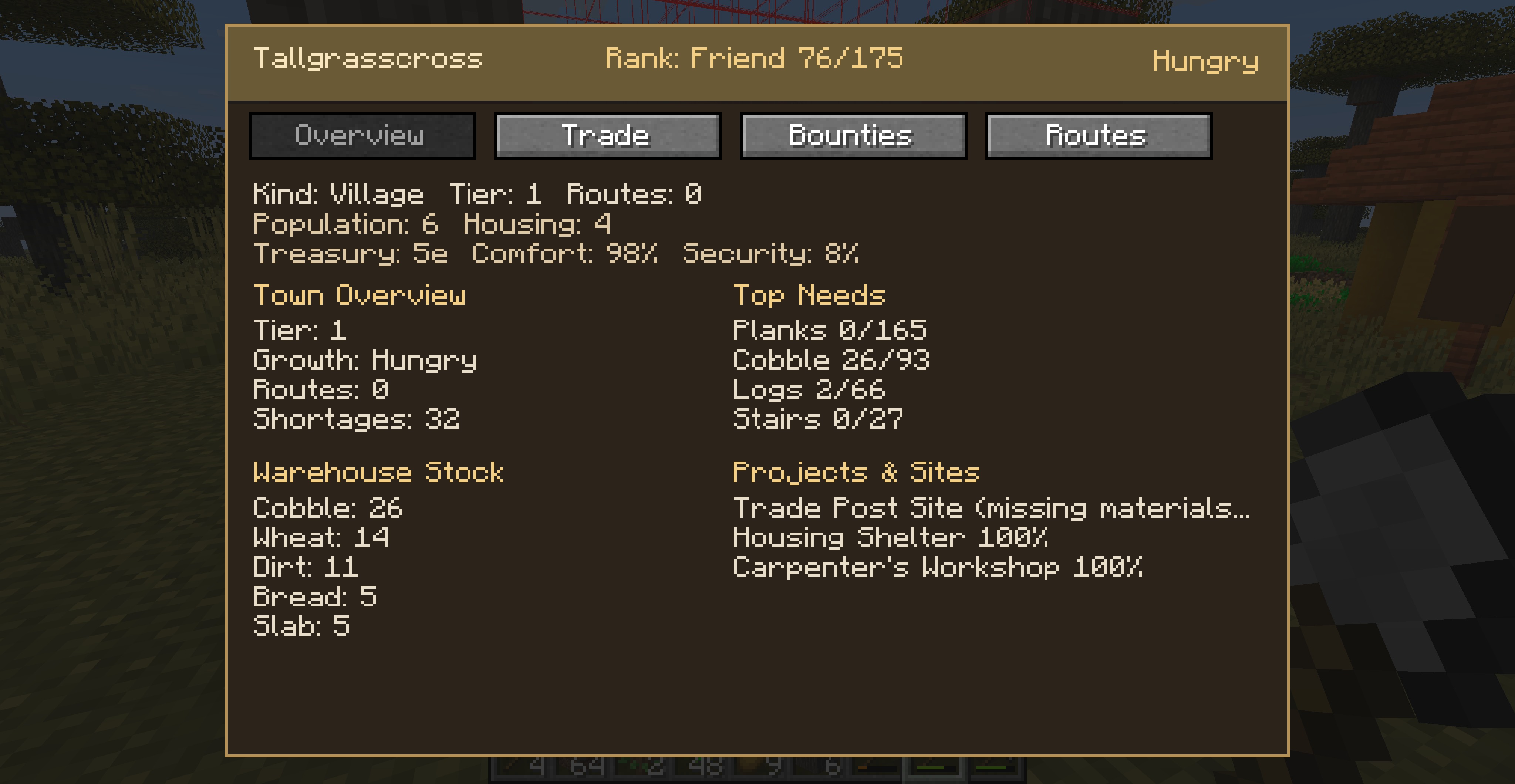 Trade Board Overview Screen This screen shows basic info about the settlement.
 -
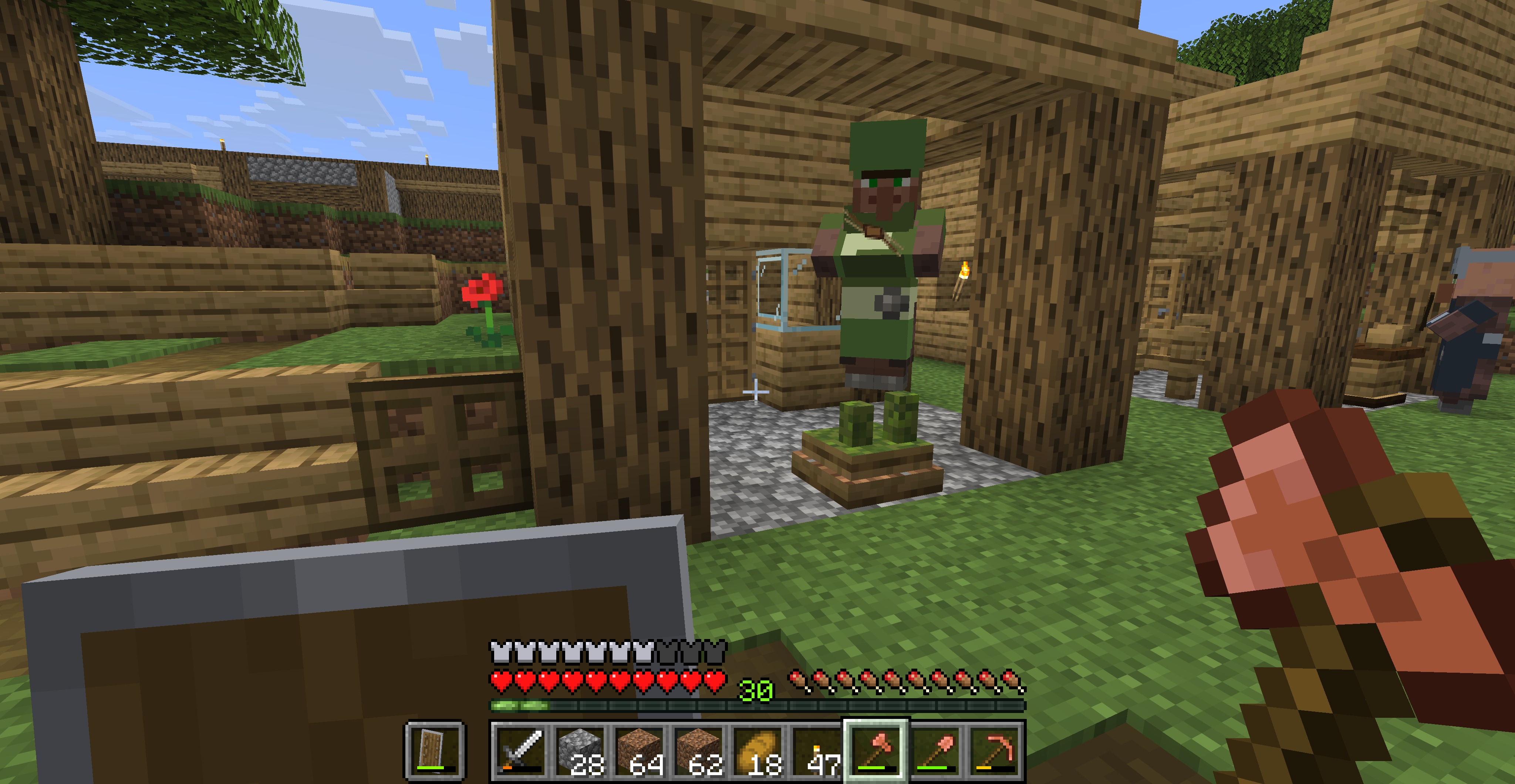 Gardener in his hut Gardeners beautify villages, placing flower beds and tending to chickens.
 -
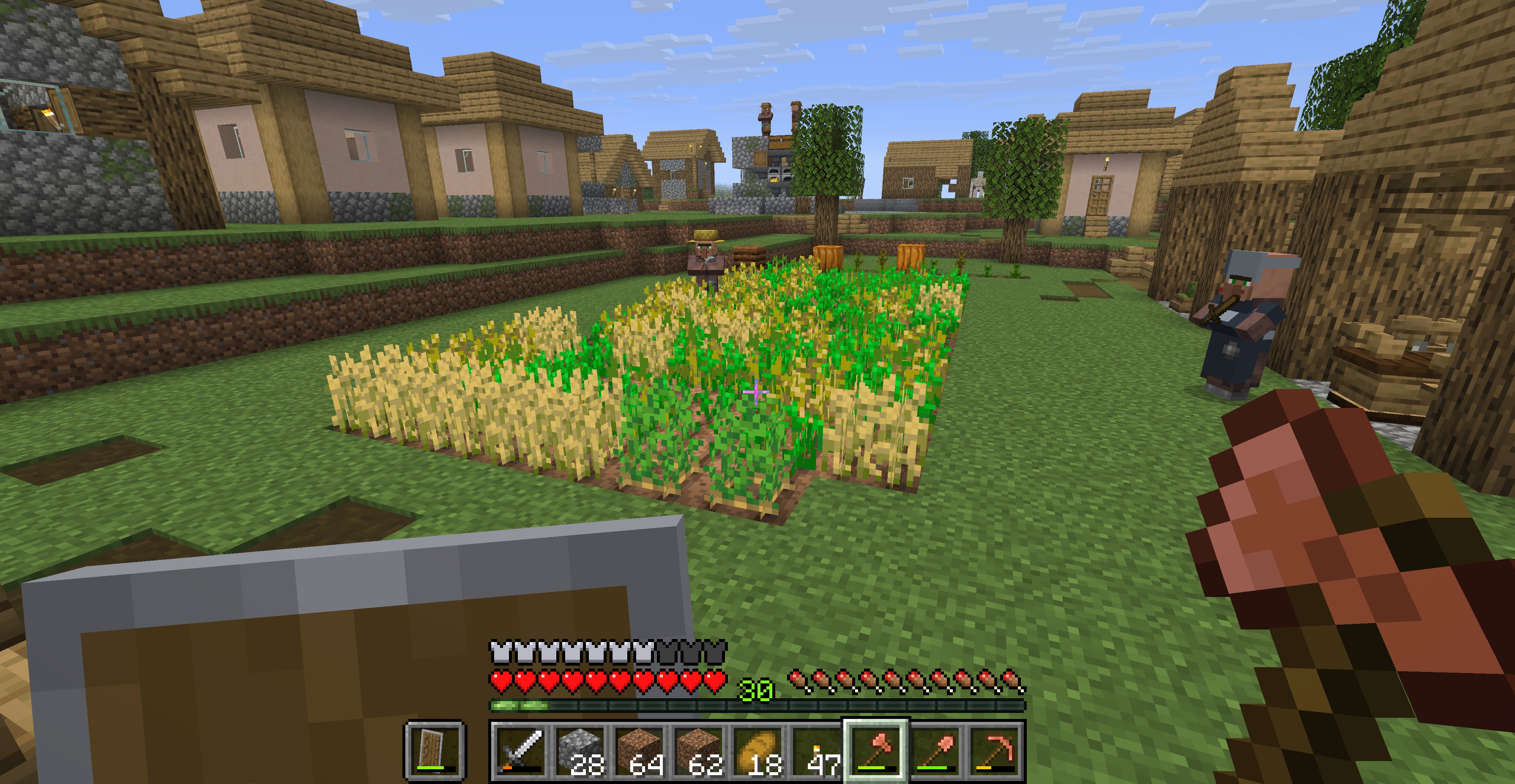 Farmer by his plot Farmers tend to crops within range of their composter. They plant what the village needs and harvest it. They compost leaf litter and grass clippings, using the bone meal on crops.
 -
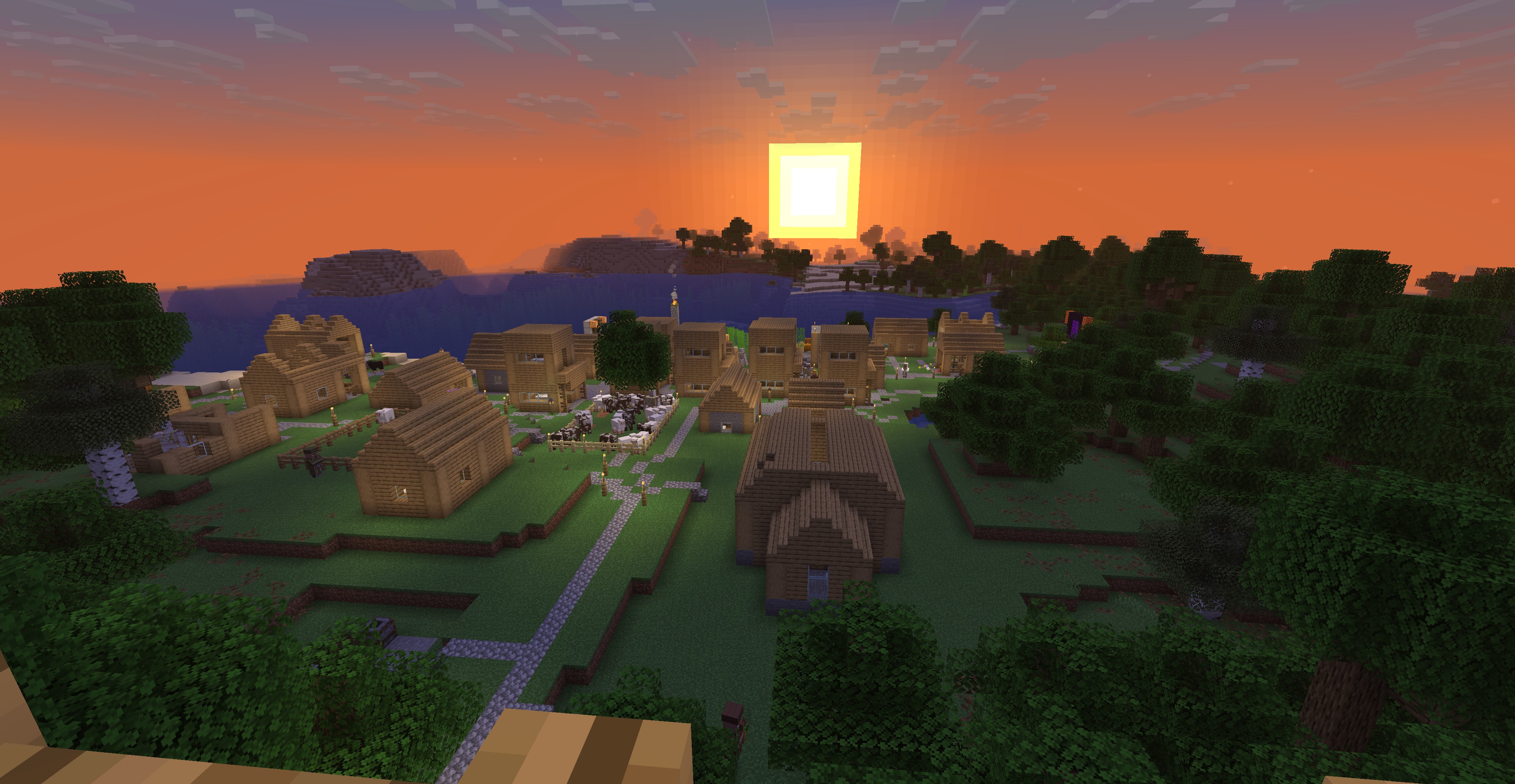 Mosswart at dusk I renamed (new functionality) it from Mossfield to Mosswart, and built a viewing deck. The unfinished building closest is the new Church (at tier 2).
 -
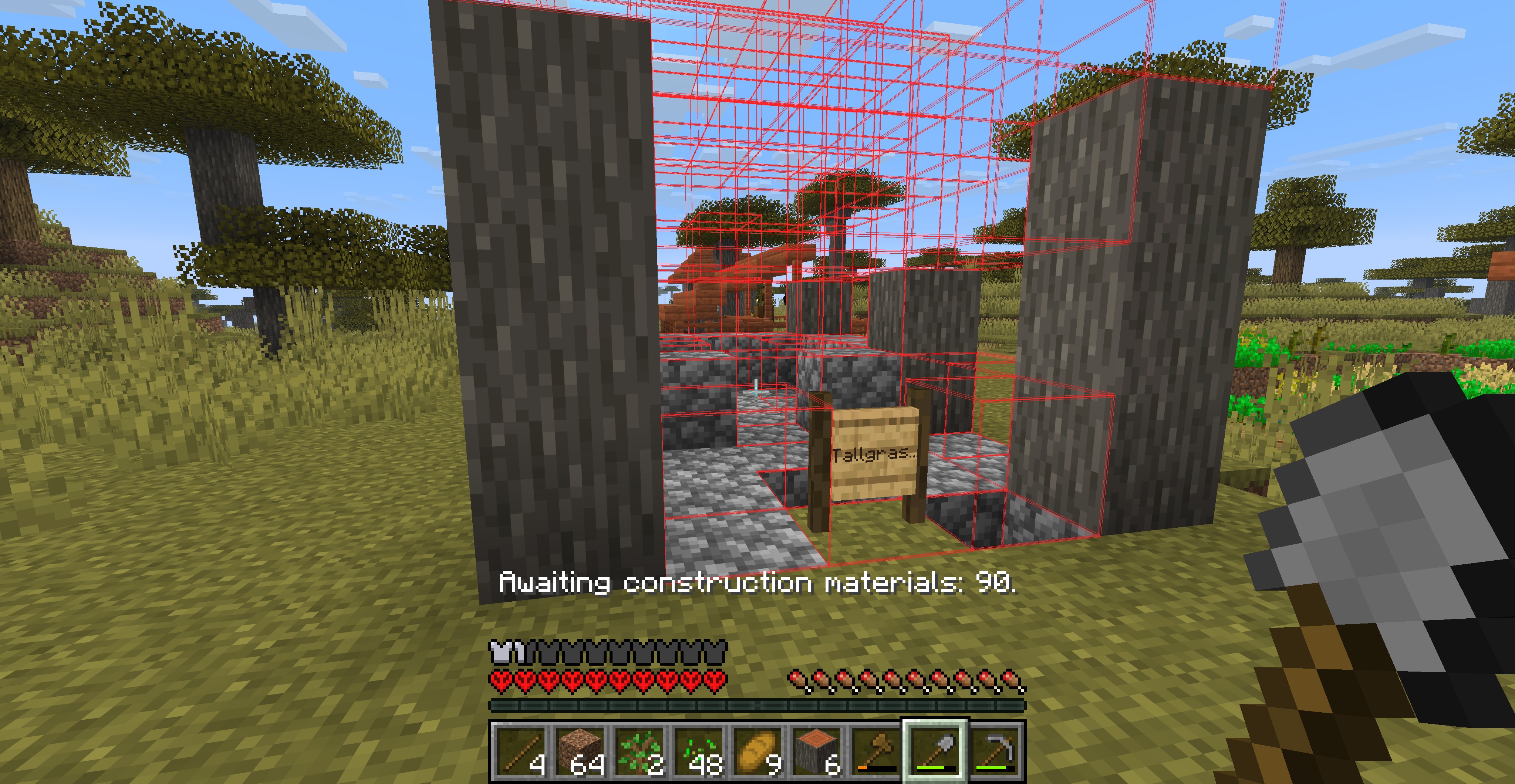 Trade Post construction Hit 'O' (default key) to show a wireframe preview of structures being built. If you are holding the correct block for a space the wireframe will be green there, red if it is wrong, and brown if it is the right block but the wrong material.
 -
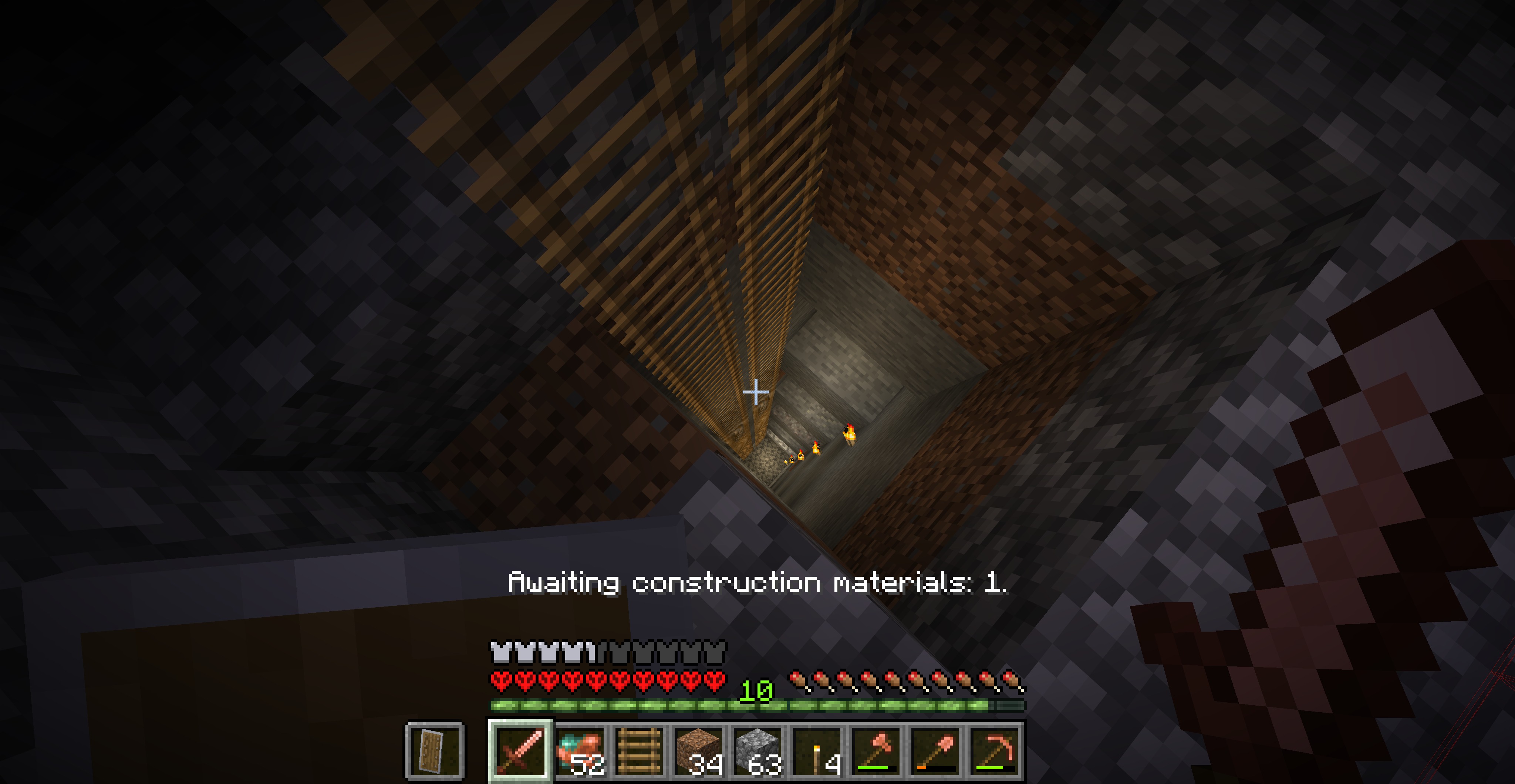 Deep mine Mine shafts should go all the way to bedrock. Miners only stop, placing warning signs, if they run into trouble.
 -
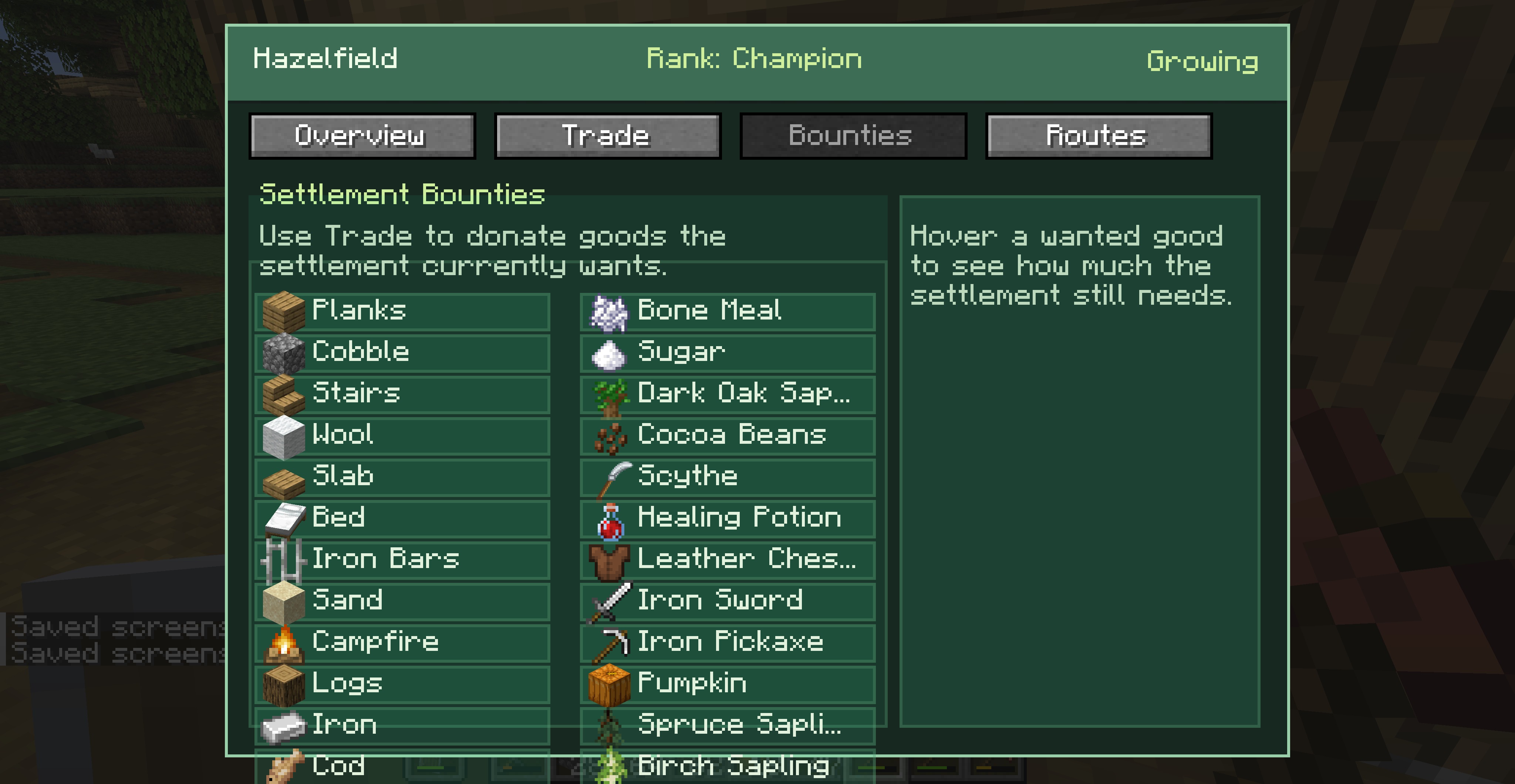 Trade Board Bounties Screen This screen shows what the settlement wants most. It also tells you how good of a deal you'll get in trade if you can supply their needs.
 -
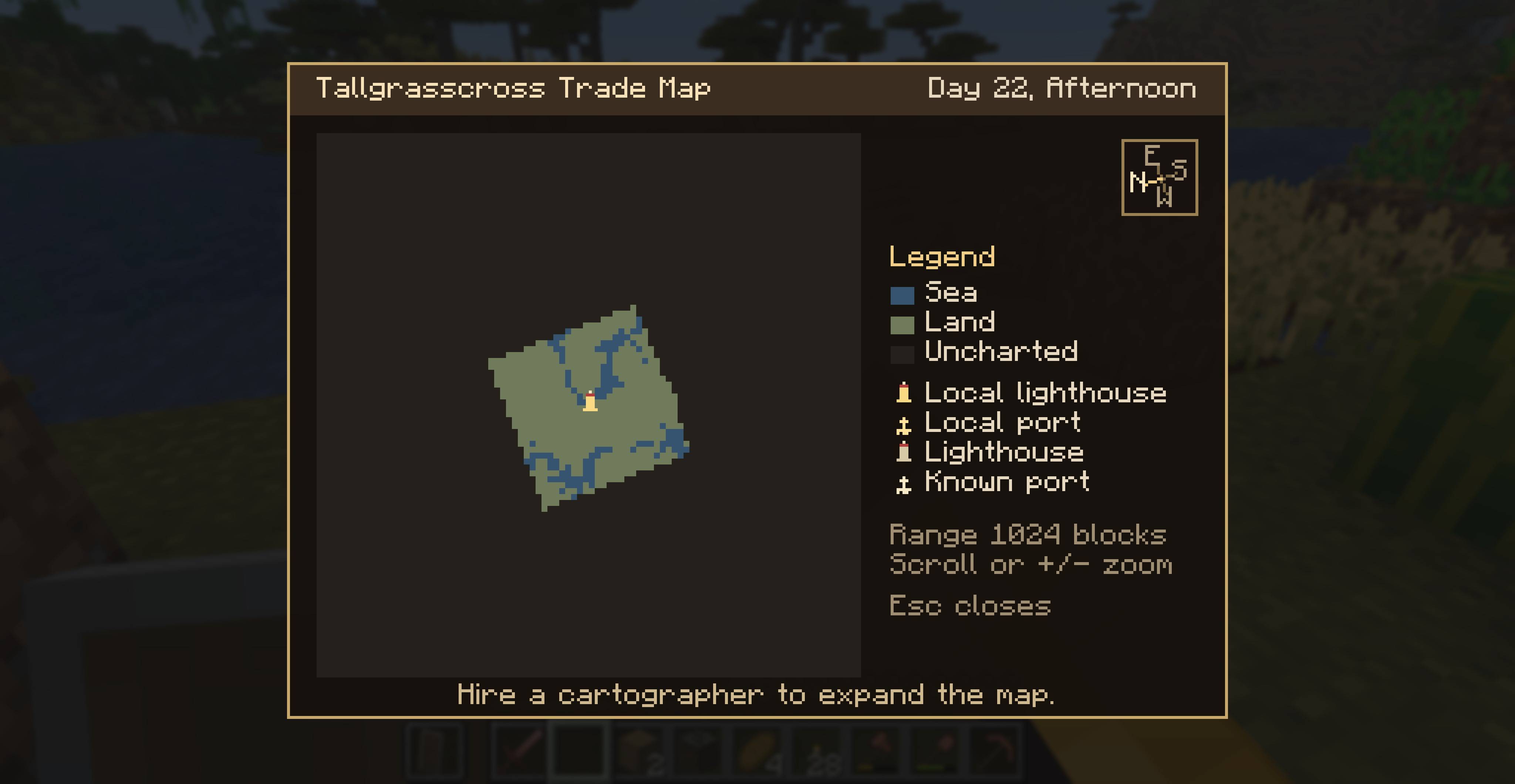
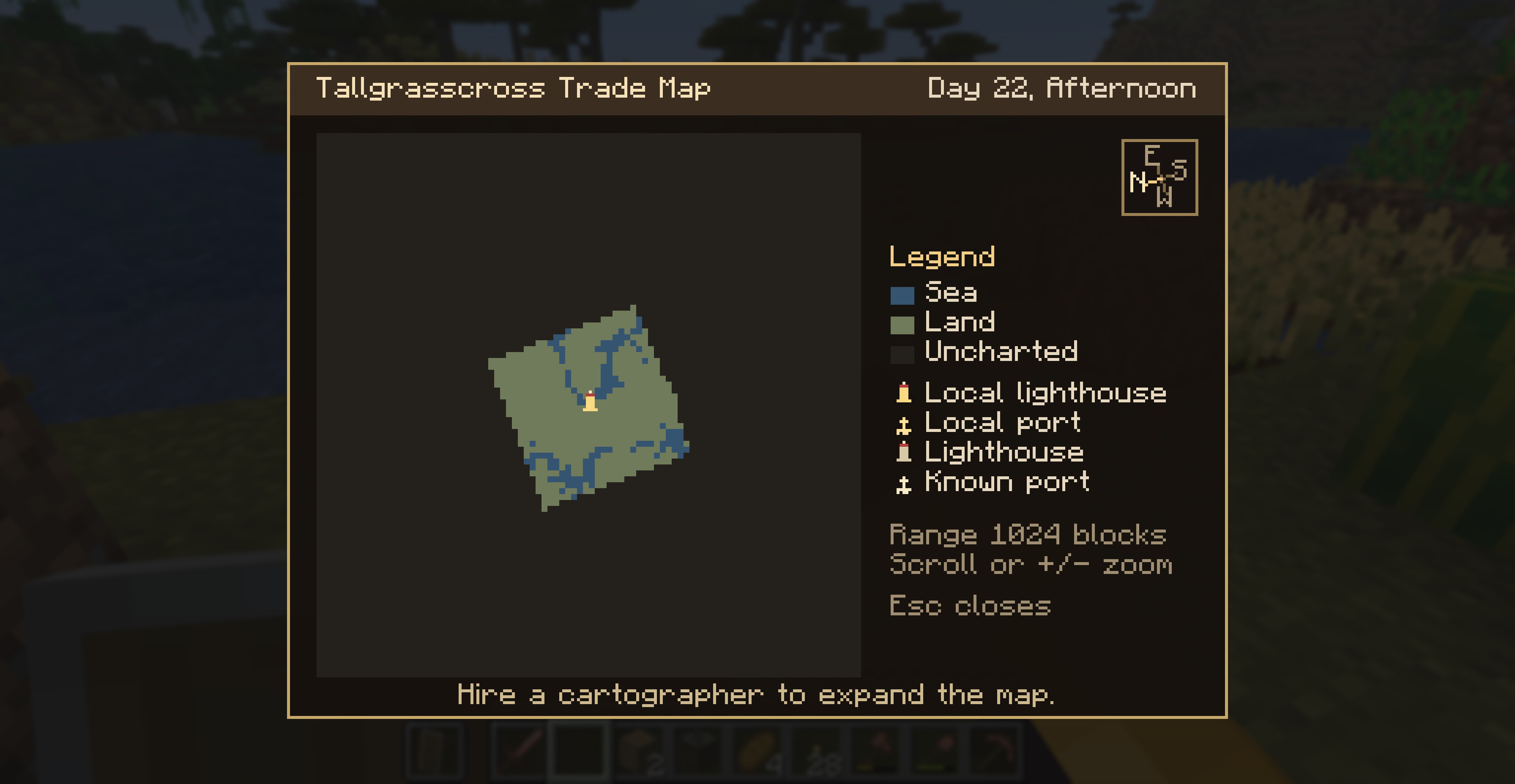 Initial trade map When you use a Portmaster's Anchor you'll see a map showing the area that this settlement can trade with. Improvements to the settlement can expand the trade area.
 -
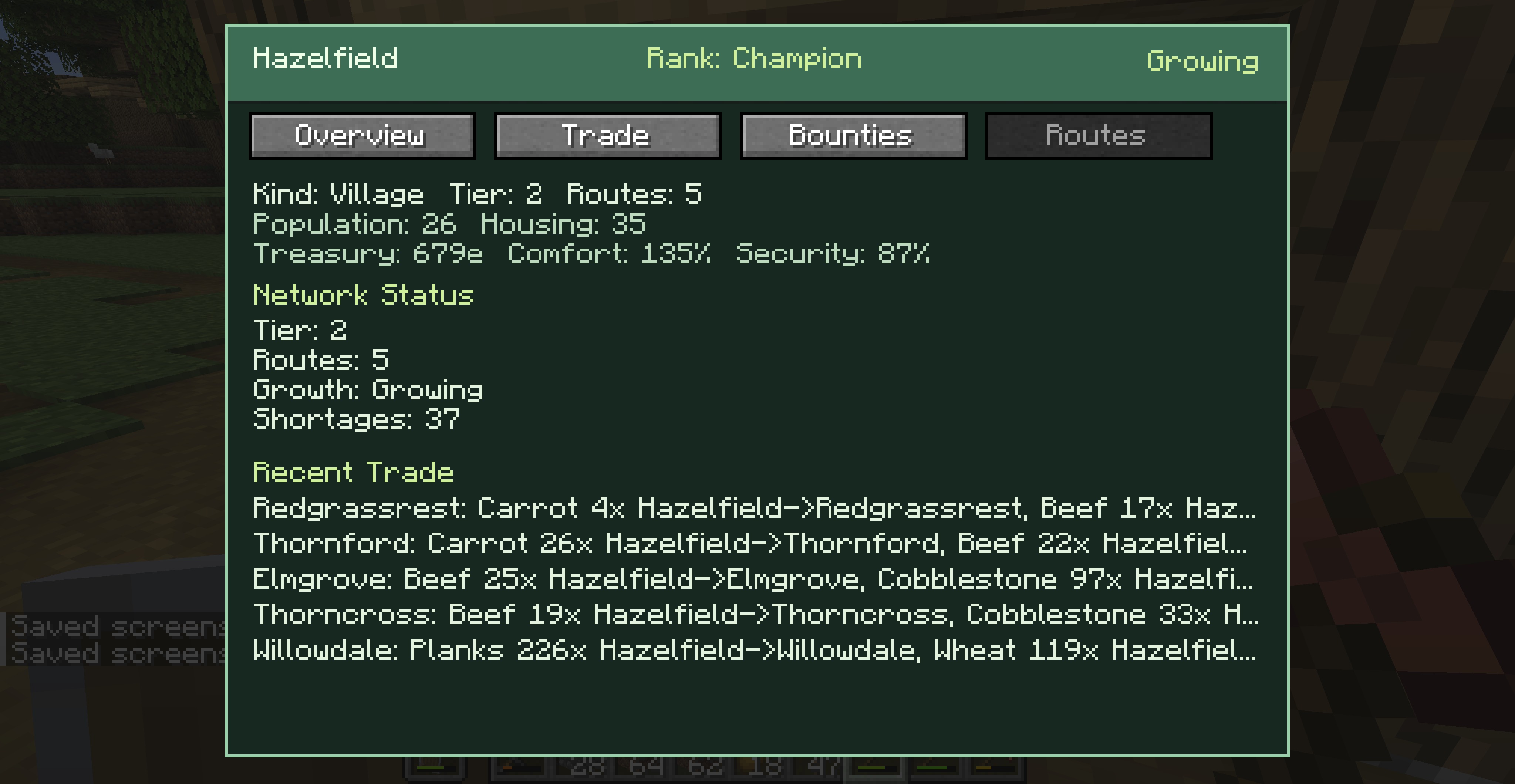 Trade Board Routes Screen This screen shows the trades that the village has been doing. Increase the network to gain access to more resources.
 -
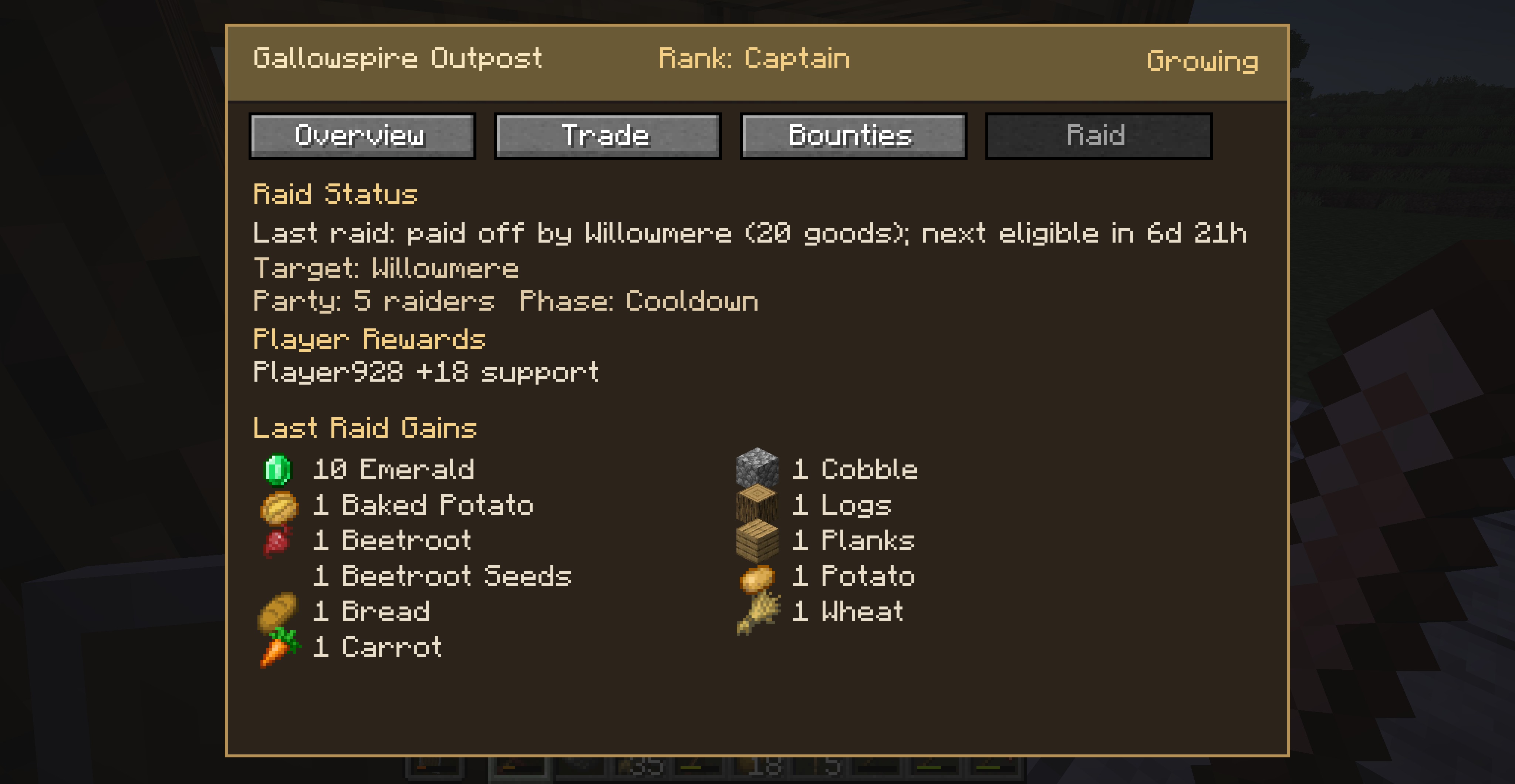 Trade Board Raid success report When a raid is finished, check the Trade Board for the results. See how much loot the outpost got. In this case the village paid off the raiders to prevent too much damage.
 -
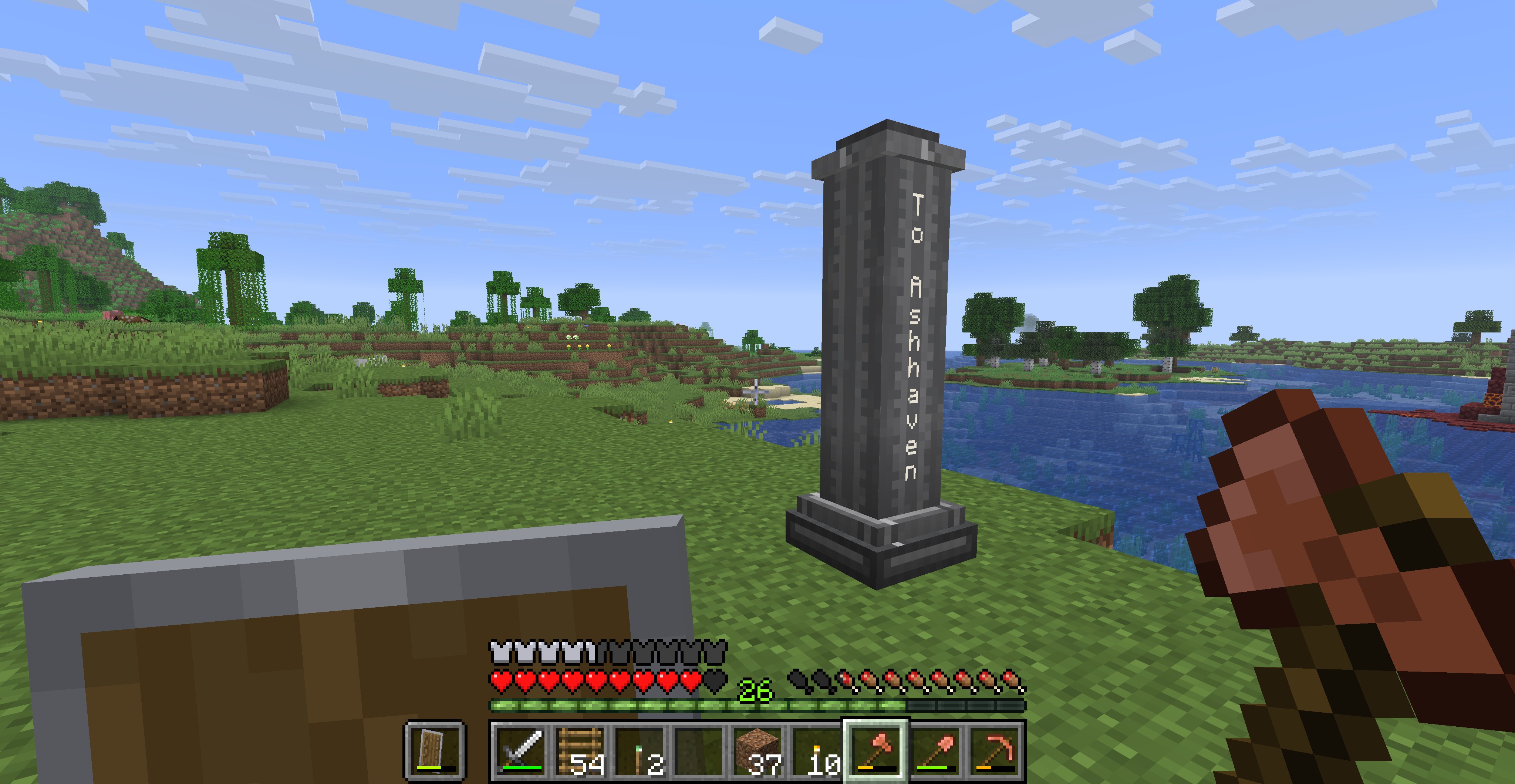 Other side of Milepost Each milepost shows what settlement is beyond it. Typically it will show two village names.
 -
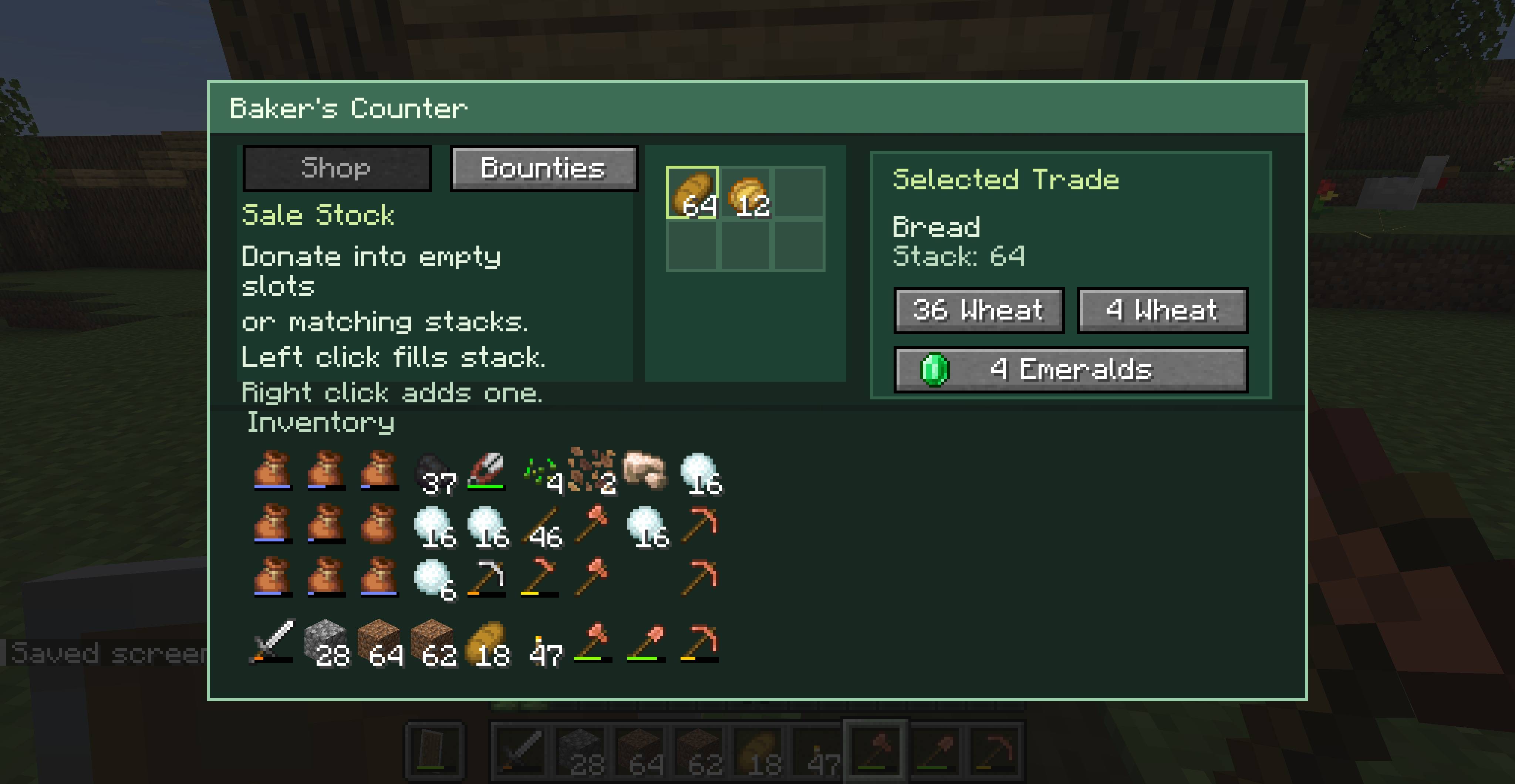
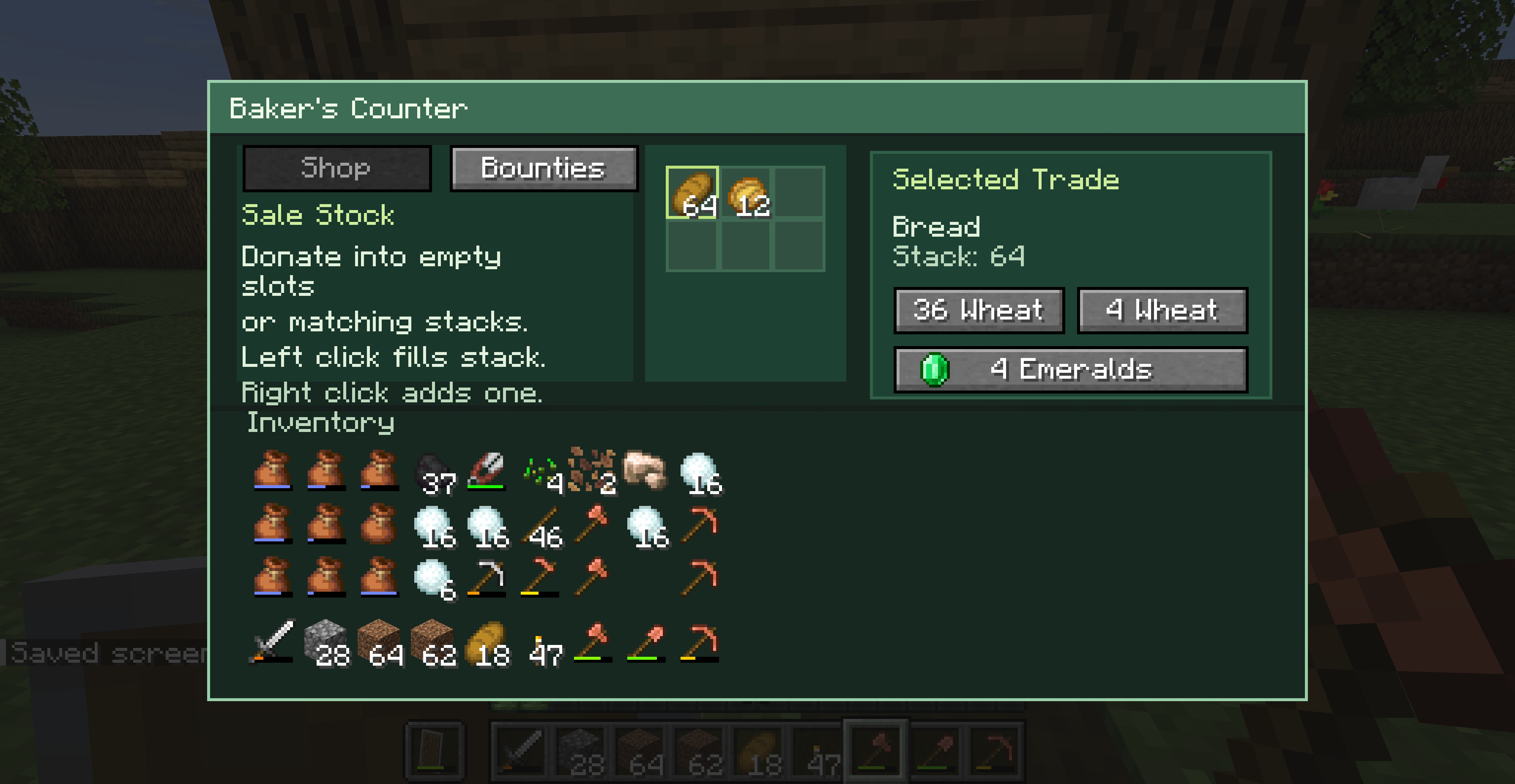 Baker's Screen When you use a display case or counter in a Bakery, you can buy/barter finished baked goods. If you defend the village you can get freebies!
 -
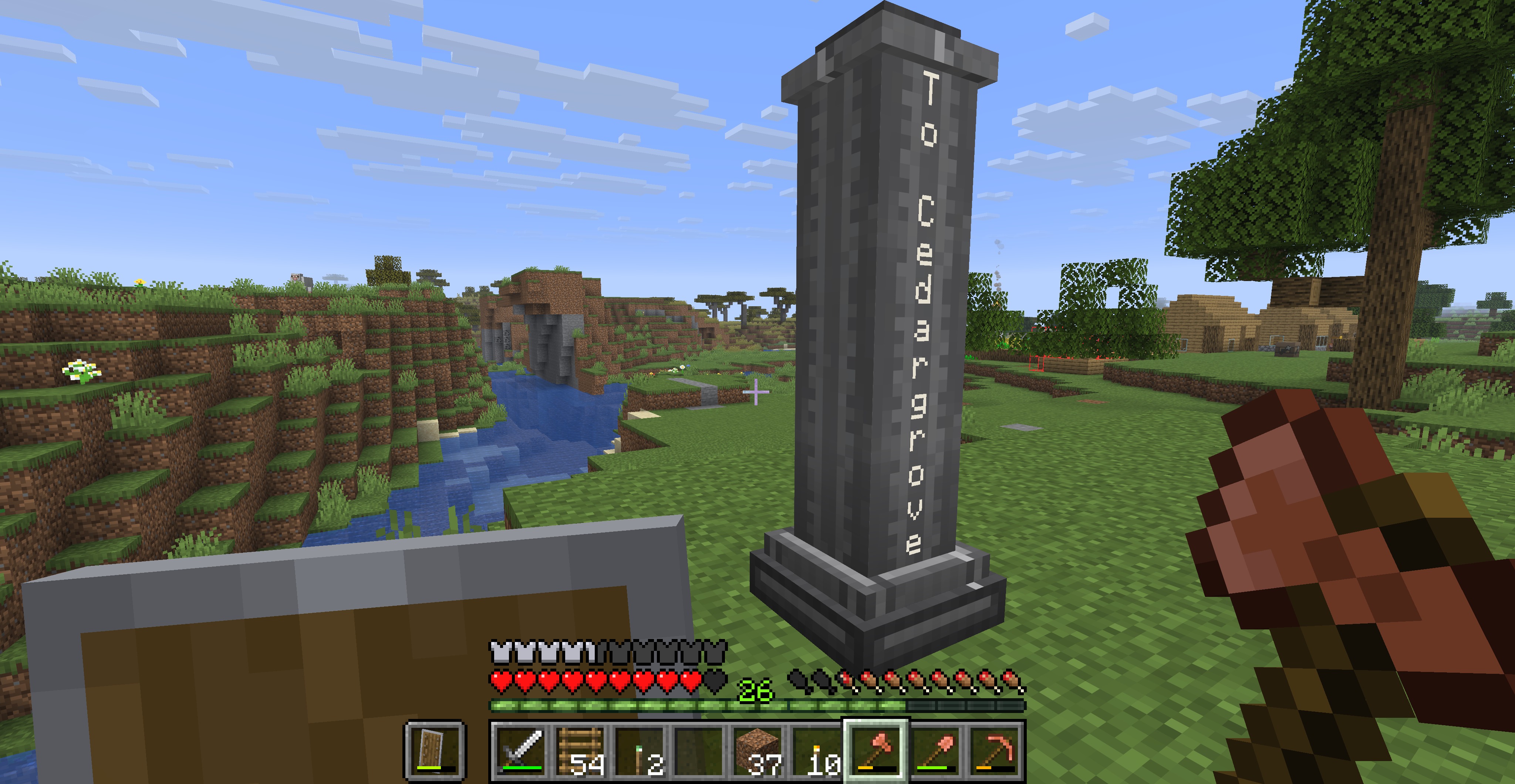 Milepost Mileposts are guides for players as well as Roadwrights. Paths between Mileposts and villages will get built to/from mileposts and village centers, increasing trade between villages.
 -
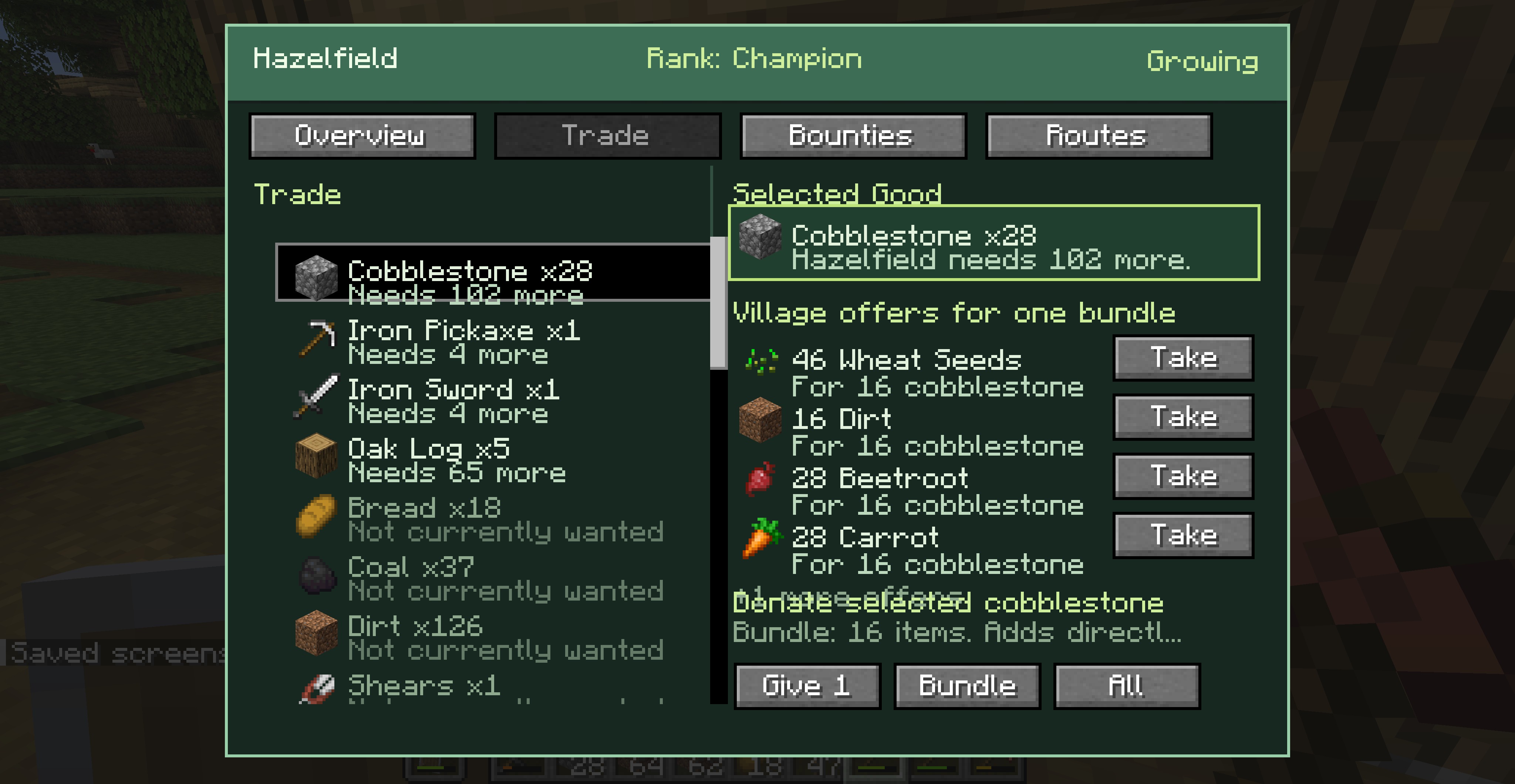 Trade Board Trade Screen Use this screen to trade from your inventory with the village's warehouse. You can also donate, which earns you more reputation while allowing the village to grow faster.
 -
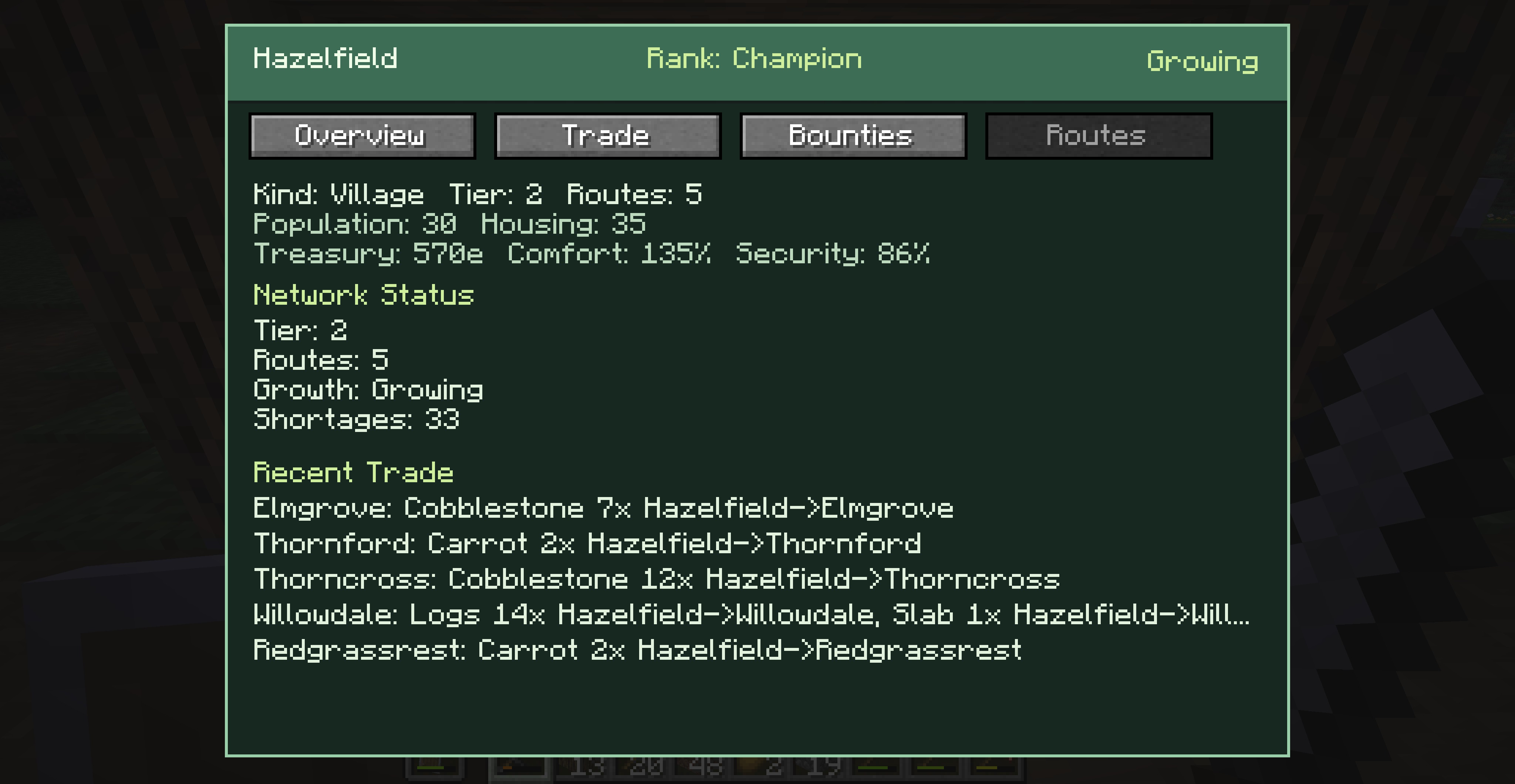 Tier 2 screen theme When a village advances in tier, the color scheme of the screens changes. This village is tier 2 and fairly well developed and connected to a trade network.
 -
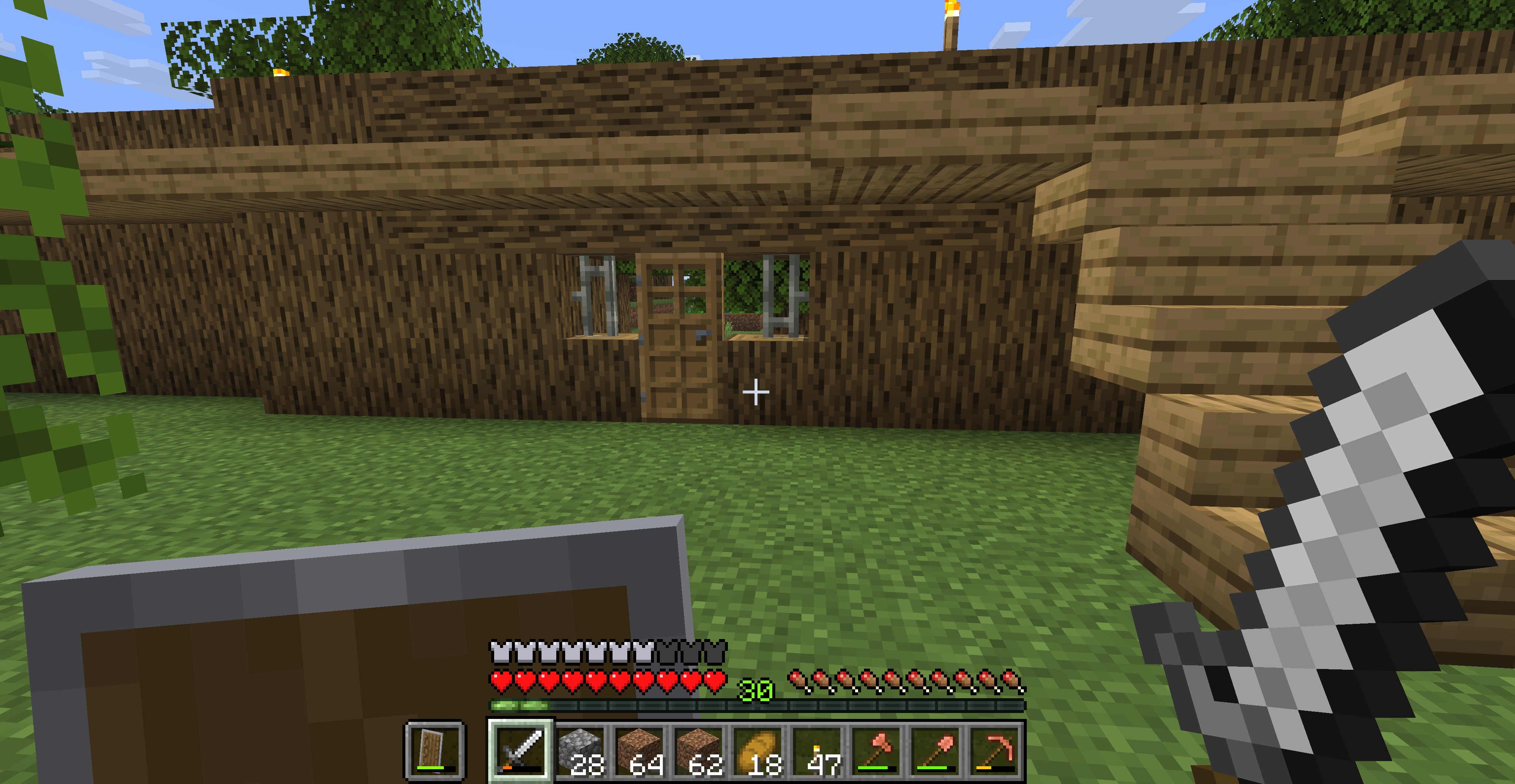 Iron gatehouse Gatehouses can have iron bars too. Also, the walkway extends the length of the wall, allowing ranged fire upon hostile mobs approaching the wall. Fletchers routinely walk the wall and repel invaders.
 -
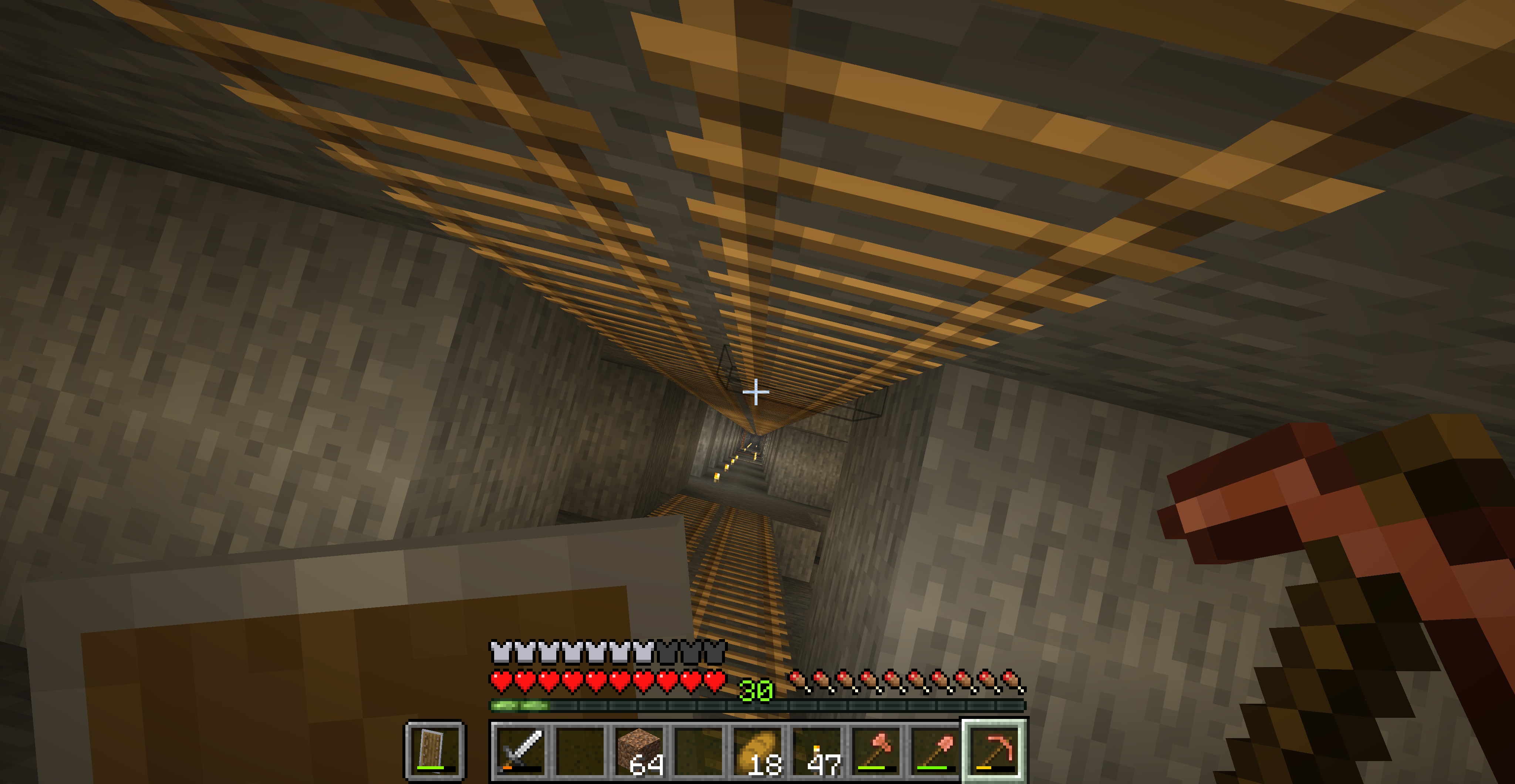 Mine Shaft If you build a Mine Entrance and a Miner gets hired, they will dig a mine shaft all teh way to bedrock, with tunnels on each side all the way down.
 -
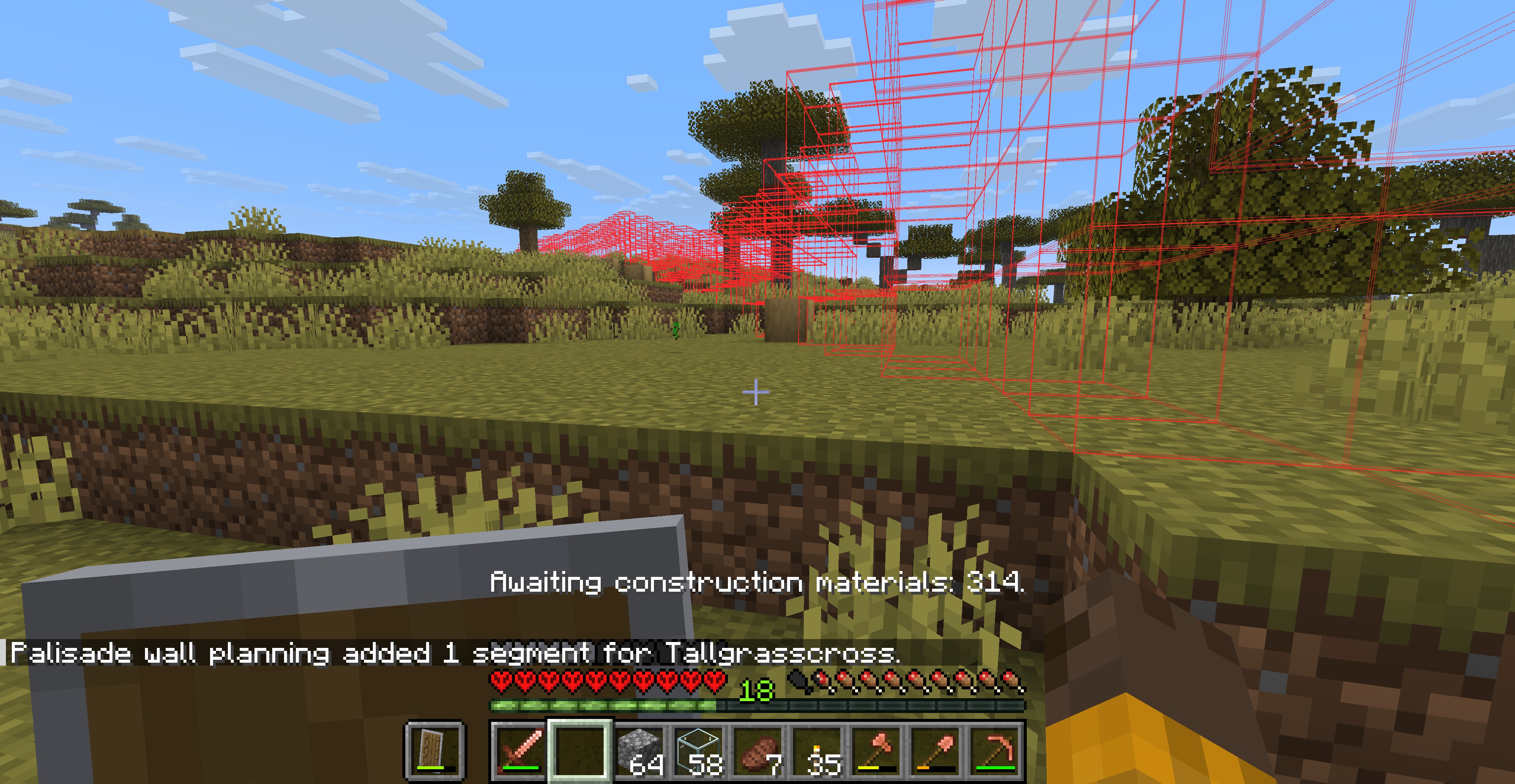 Preview of palisade Build protective walls around your village! By placing a Palisade Point you tell the villagers where to build the wall.
 -
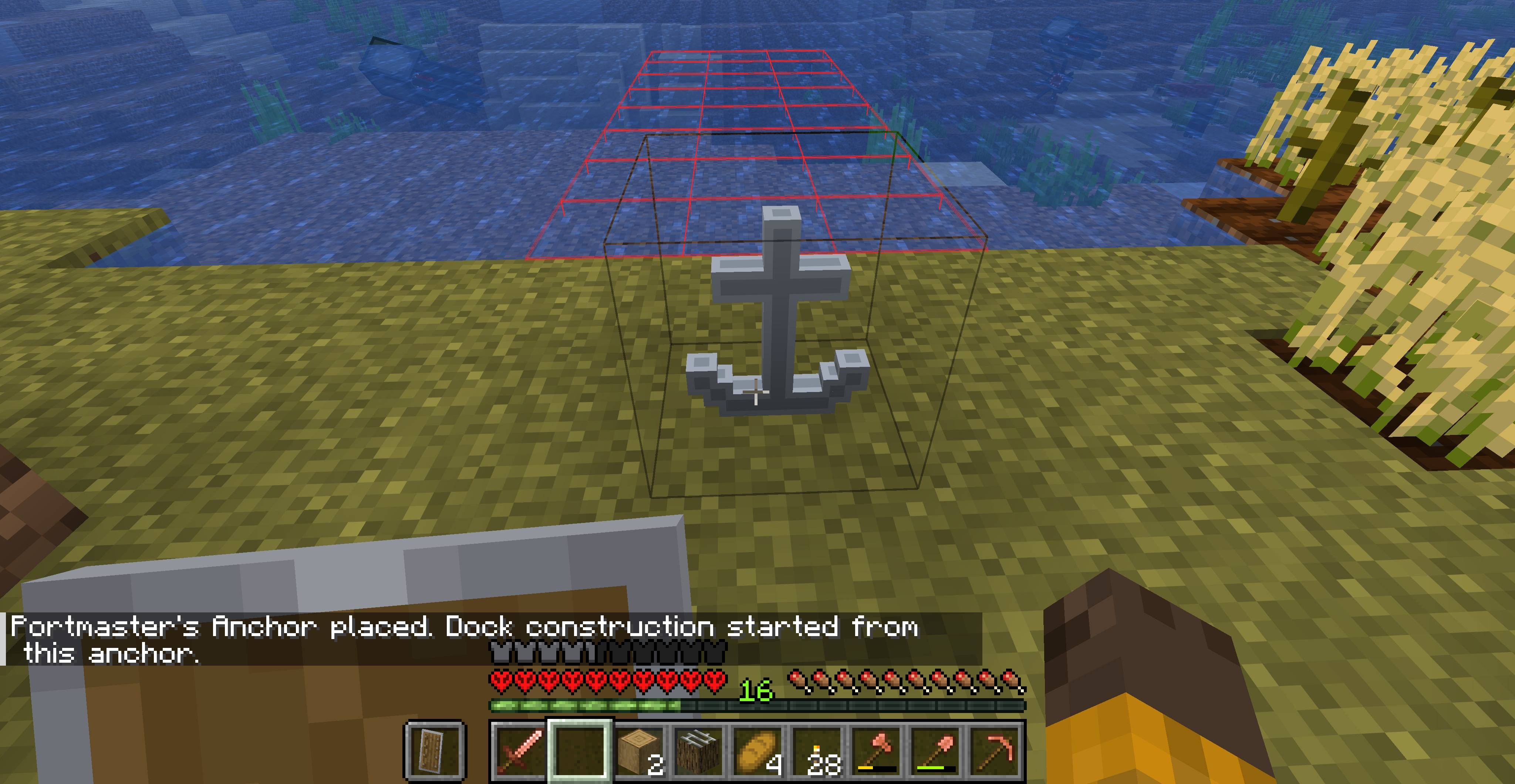
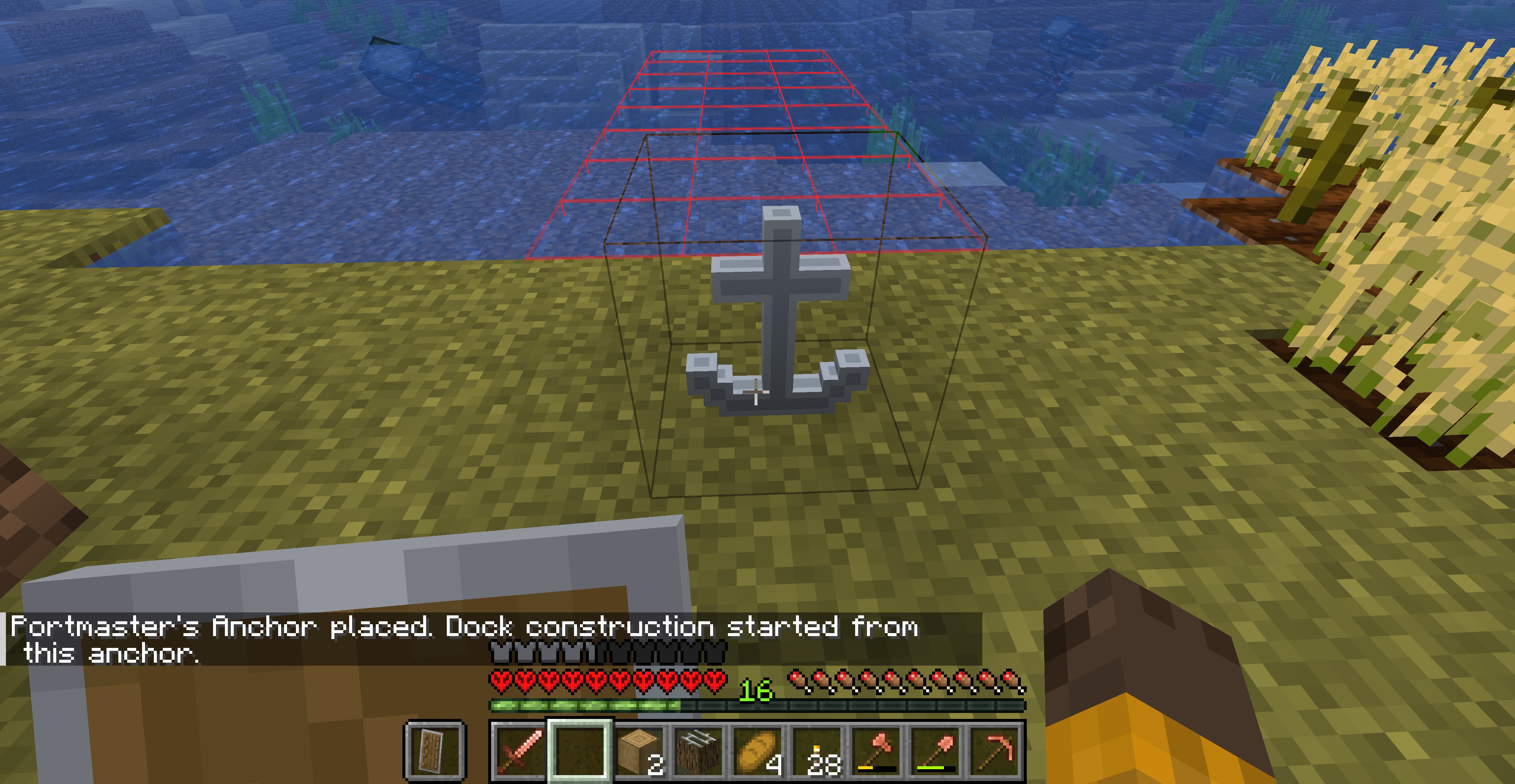 Portmaster's Anchor placed, construction begins When you place a workstation, related structures can be built. This image shows a wireframe of a dock that will get built.
 -
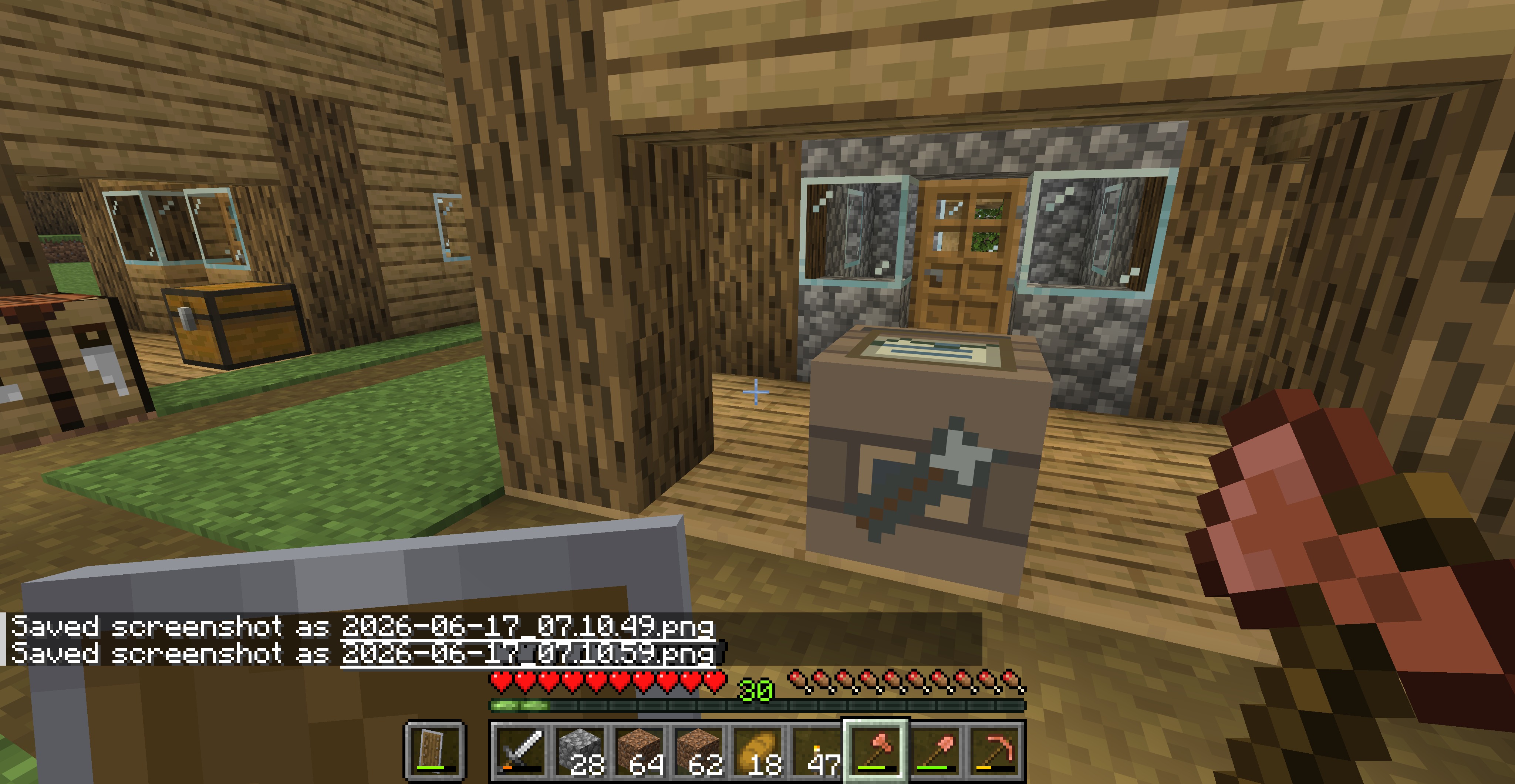 Roadwright housing Use the workstation to bring up a survey map showing the village and what the Roadwright has planned.
 -
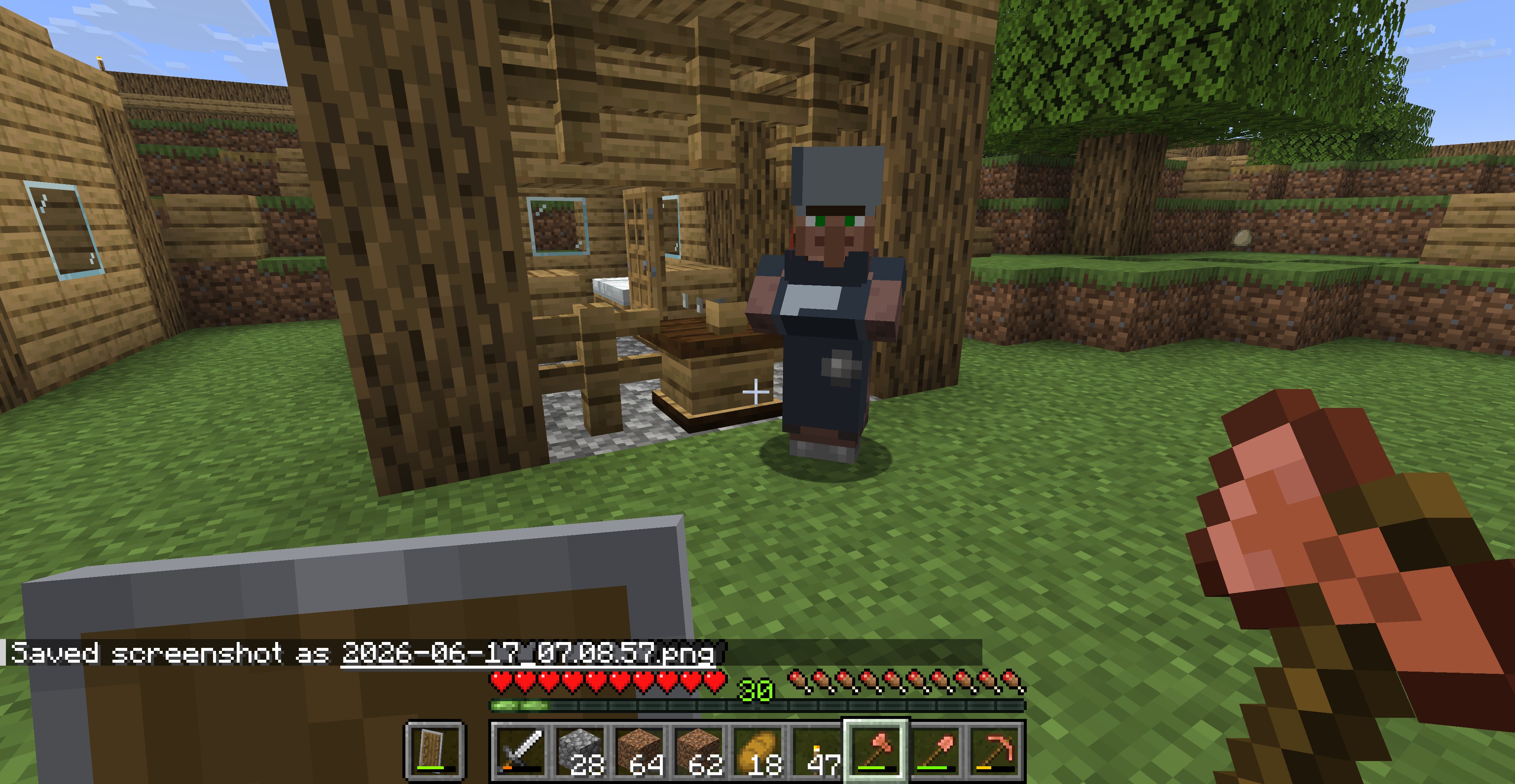 Guard by his barracks A guard workstation can hire up to 5 guards that help protect the village and its inhabitants. They are armed with swords and can wear armor.
 -
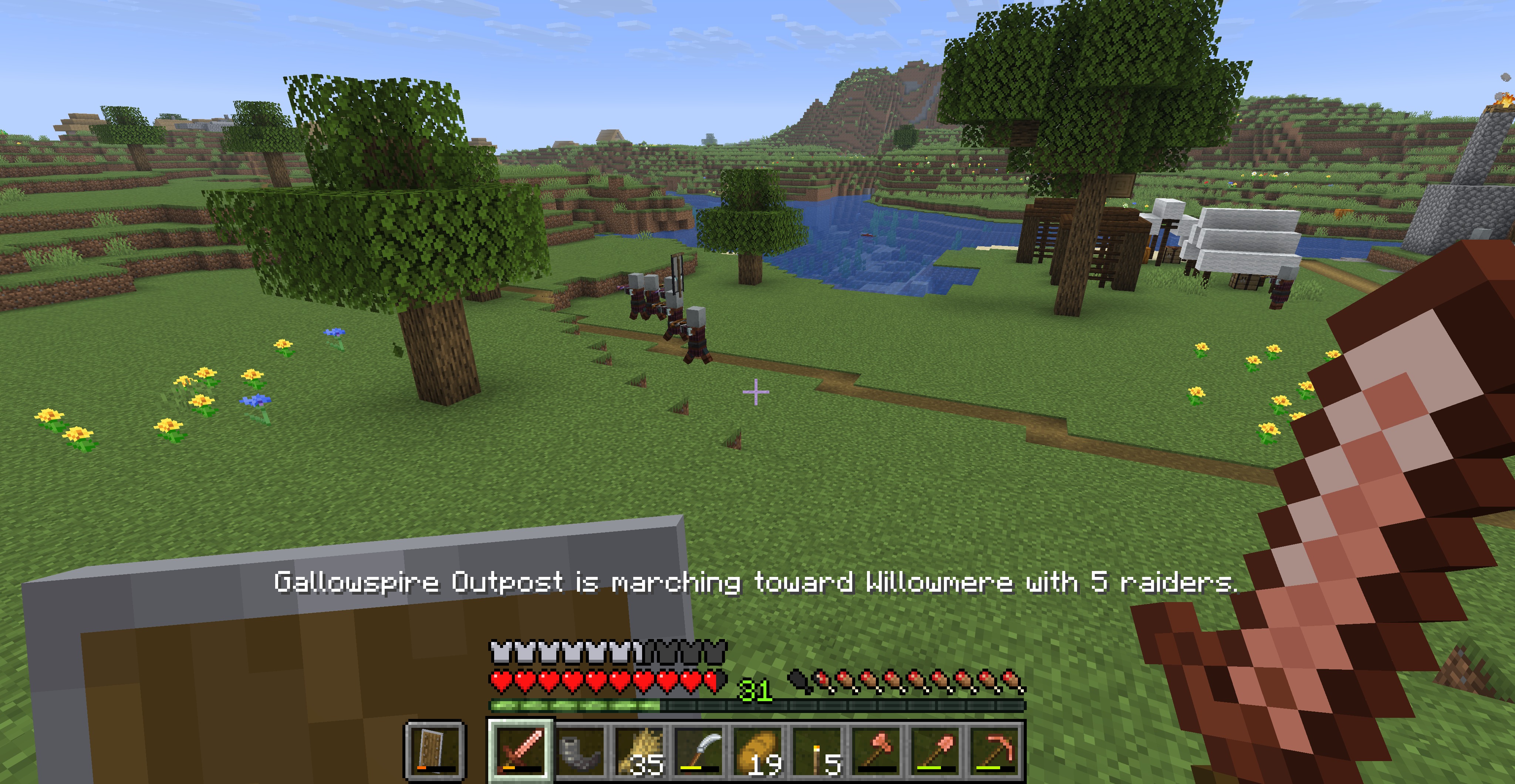 Raid is on its way After mustering, a raiding party will march to the victim village. Join them for mayhem!
 -
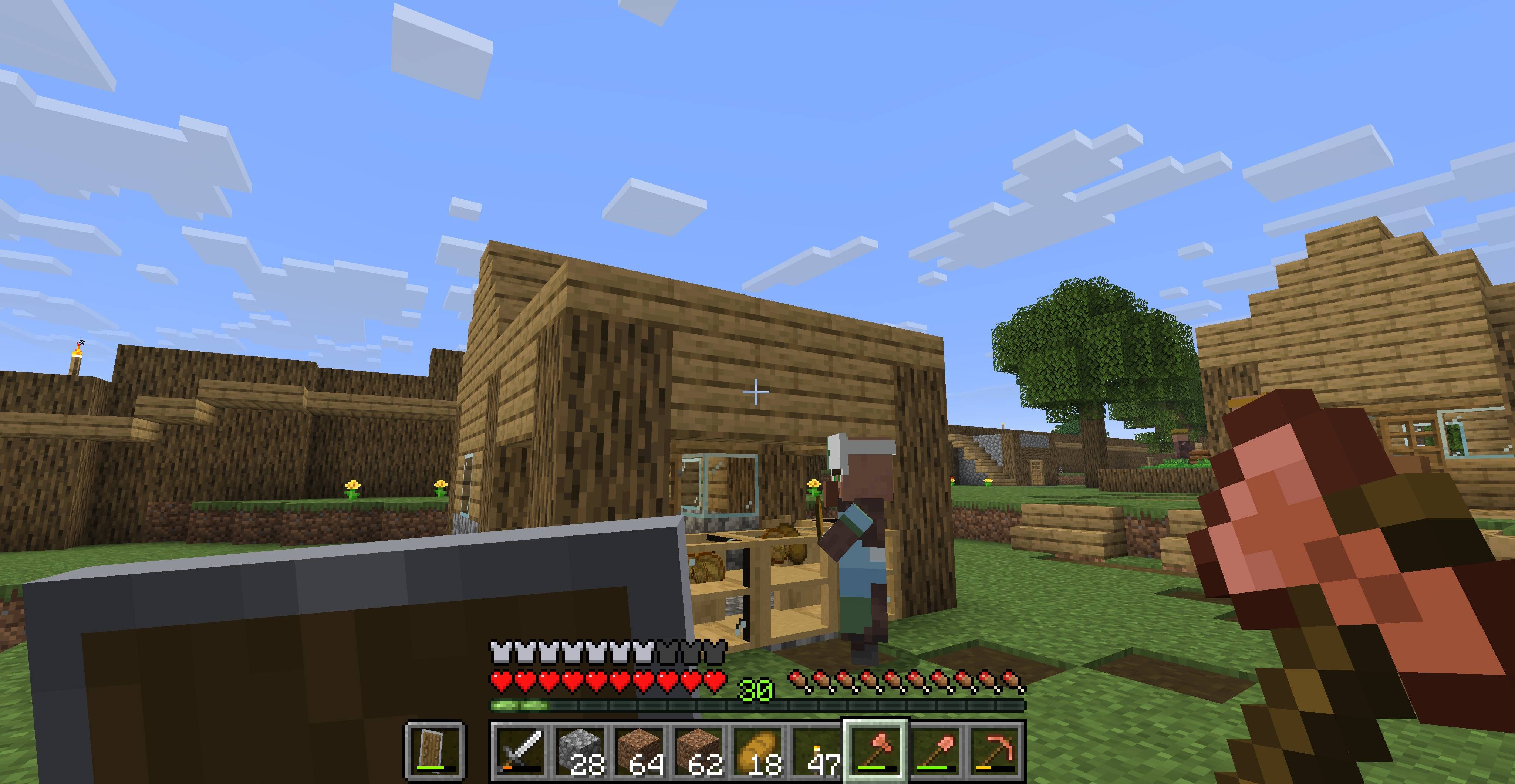
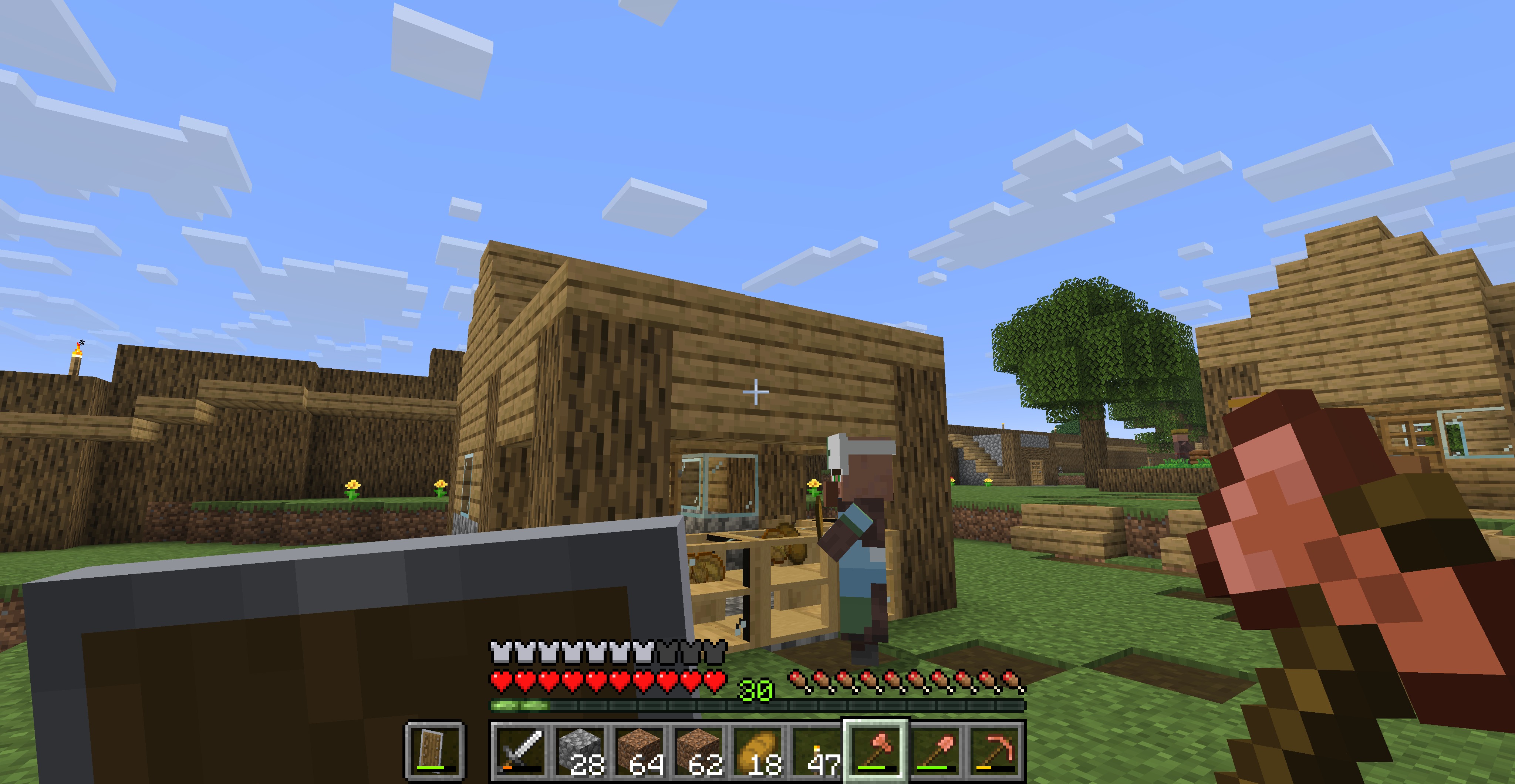 Bakery Here we see a Baker in front of their store.
Versions
Files
Relations
Project Relations
More like this
Similar Mods
Suggestions use data such as tags, dependencies, dependents, descriptions, titles, and more to rank how much they overlap with this mod.
On ModDex
Community snapshot
By the numbers
Statistics
Want to reach Minecraft players?
We're looking for a server hosting partner to feature here and other parts of the site. Interested? Send us a message!
Get in touchGet it on
Available Platforms
On ModDex
Community snapshot
By the numbers