Community listing page, reviews here may not be monitored by the author.
LiveStat Server


No reviews yet
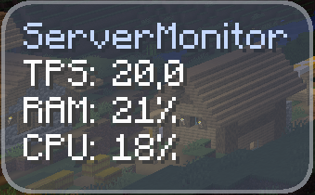
A server-and-client side mod that provides real-time status statistics via an in-game menu and customizable on-screen notifications.
Community voices
Reviews
No reviews yet. Be the first to review this project!
Get it on
Available Platforms
Compatibility
Supported Environments
Must be installed on both the client and the server.
About
Project Details
For authors
Embed Badge
If you're the author of this project, you can embed a live badge anywhere that supports HTML or Markdown. It updates automatically whenever ratings change.
Use HTML for any page that supports it, or Markdown for README files and Markdown-based descriptions.
Identifiers
Platform IDs
Resources
External Links
About
Description
Overview
LiveStat Server is a powerful, lightweight status monitoring tool designed for both servers and clients. It provides players and administrators with real-time insights into the server's performance and status directly from within the game.
Note: This mod is required on both the server and the client to function properly.
Features
-
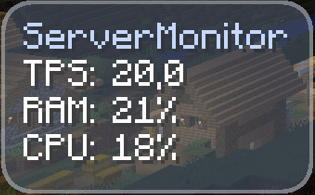
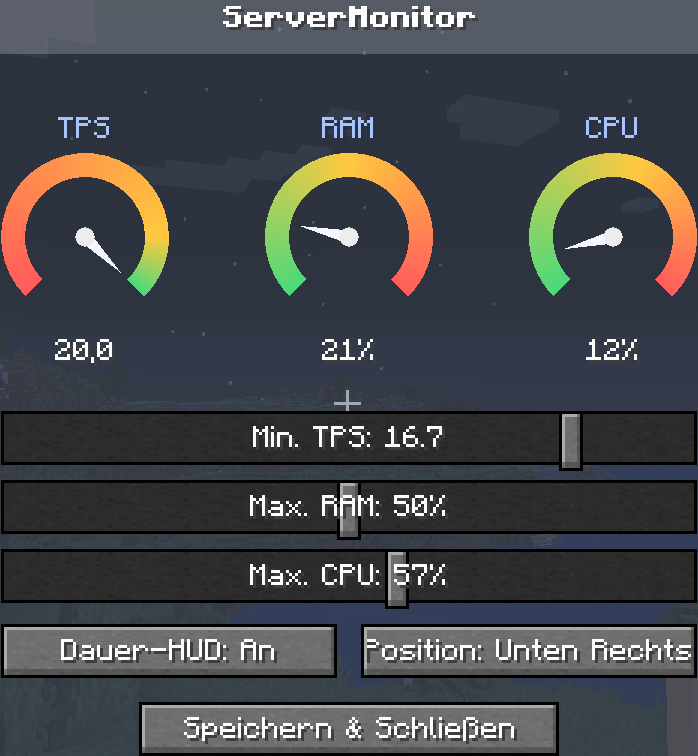
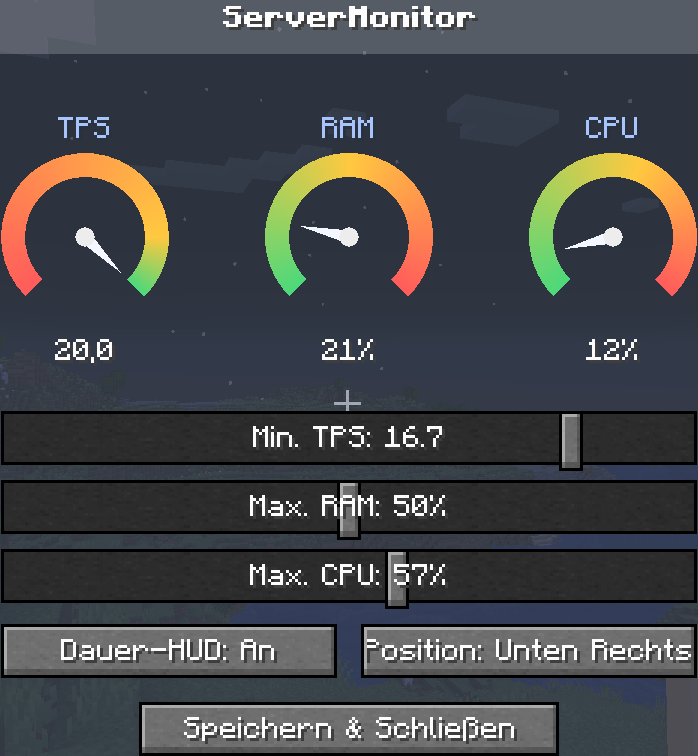
Real-Time Live Statistics: Press the "P" key to open a clean, intuitive in-game menu displaying live server performance metrics and status updates.
-
Customizable On-Screen Alerts: Never miss a critical status change. You can toggle and configure notifications to pop up directly in the center or at the edge of your screen.
-
Instant Alerts: Get notified the exact moment server performance drops or shifts, allowing for quick troubleshooting.
Installation & Requirements
-
Download the mod file corresponding to your Minecraft version.
-
Drop the
.jarfile into themodsfolder of your server. -
Drop the same
.jarfile into themodsfolder of your client (Minecraft launcher). -
Launch the game, connect to your server, and press P to get started!
Overview LiveStat Server is a powerful, lightweight status monitoring tool designed for both servers and clients. It provides players and administrators with real-time insights into the server's performance and status directly from within the game.
Note: This mod is required on both the server and the client to function properly.
Features Real-Time Live Statistics: Press the "P" key to open a clean, intuitive in-game menu displaying live server performance metrics and status updates.
Customizable On-Screen Alerts: Never miss a critical status change. You can toggle and configure notifications to pop up directly in the center or at the edge of your screen.
Instant Alerts: Get notified the exact moment server performance drops or shifts, allowing for quick troubleshooting.
Installation & Requirements Download the mod file corresponding to your Minecraft version.
Drop the .jar file into the mods folder of your server.
Drop the same .jar file into the mods folder of your client (Minecraft launcher).
Launch the game, connect to your server, and press P to get started!
Screenshots
Gallery
-
 2026-07-19_13.54.58.png 2026-07-19_13.54.58.png
 -
 Screenshot 2026-07-19 135103.png Screenshot 2026-07-19 135103.png
 -
 Screenshot 2026-07-19 134326.png Screenshot 2026-07-19 134326.png

Versions
Files
Relations
Project Relations
More like this
Similar Mods
Suggestions use data such as tags, dependencies, dependents, descriptions, titles, and more to rank how much they overlap with this mod.
On ModDex
Community snapshot
By the numbers
Statistics
Want to reach Minecraft players?
We're looking for a server hosting partner to feature here and other parts of the site. Interested? Send us a message!
Get in touchGet it on
Available Platforms
On ModDex
Community snapshot
By the numbers
Statistics
Resources