
Locator Bar
No reviews yet
Per Player Locator Bar configuration
Paper is a fork of Spigot that adds its own plugin API on top of the Bukkit API. All Spigot plugins are compatible with paper, not all paper plugins are compatible with Spigot.
Spigot is a popular software for running dedicated servers that can load Plugins created with the Bukkit API.
Community voices
Reviews
Click once to include, again to exclude, again to clear
No reviews yet. Be the first to review this project!
Get it on
Available Platforms
 Modrinth
Compatibility
Supported Environments
About
Project Details
For authors
Embed Badge
If you're the author of this project, you can embed a live badge anywhere that supports HTML or Markdown. It updates automatically whenever ratings change.
Use HTML for any page that supports it, or Markdown for README files and Markdown-based descriptions.
Identifiers
Platform IDs
Resources
External Links
About
Description



Per player locator bar visibility control.
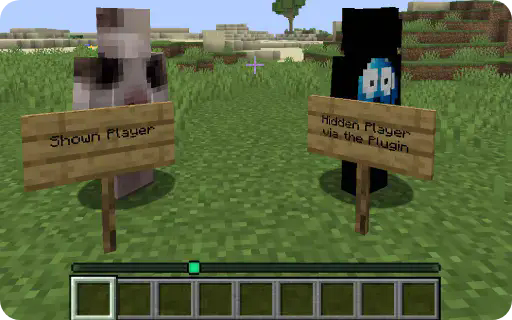
The player on the left is shown by default, while the player on the right has hidden himself using the /locatorbar toggle command. The Locator Bar only shows the visible player.
Commands & Permissions
Commands
| Command | Description | Permission |
|---|---|---|
/locatorbar toggle |
Toggle your visibility settings | locatorbar.use |
/locatorbar receive |
Toggle receiving others (separate mode) | locatorbar.use |
/locatorbar status |
Check your current settings | locatorbar.use |
/locatorbar help |
Show help message | locatorbar.use |
/locatorbar player <name> [toggle|status] |
Manage other players | locatorbar.admin |
/locatorbar reload |
Reload configuration | locatorbar.admin |
Aliases: /lb, /locator
Permissions
| Permission | Description | Default |
|---|---|---|
locatorbar.use |
Access basic commands | true |
locatorbar.admin |
Admin commands and player management | op |
locatorbar.cooldown.bypass |
Bypass all cooldowns | false |
locatorbar.cooldown.X |
X second cooldown (0-300) | false |
Examples: locatorbar.cooldown.5, locatorbar.cooldown.60, locatorbar.cooldown.120
config.yml
# LocatorBar by Blaxk_
# https://modrinth.com/plugin/locator-bar

# Language settings (en, de)
language: "en"

# Show welcome message to new players on first join
show-first-join-message: false

# Control mode for locator bar settings
# 'combined' - /lb toggle controls both visibility and receiving together
# 'separate' - /lb toggle for visibility, /lb receive for receiving separately
control-mode: "combined"

# Cooldown settings
default-cooldown: 5  # Default cooldown in seconds
# Permission-based cooldowns:
# locatorbar.cooldown.bypass - No cooldown
# locatorbar.cooldown.X - X second cooldown (where X is any number 0-300)
# Examples: locatorbar.cooldown.0, locatorbar.cooldown.34, locatorbar.cooldown.120, etc.

# Sound settings
sounds:
  enabled: false  # Enable/disable all sound effects
  volume: 1.0    # Sound volume (0.0 to 1.0)
  pitch: 1.0     # Sound pitch (0.5 to 2.0)
  enable: "entity.player.levelup"     # Sound when enabling visibility
  disable: "block.note_block.bass"    # Sound when disabling visibility

# World-specific settings
world-settings:
# Example world configurations:
# world_nether:
#   force-visible: true
# minigame_world:
#   force-visible: true
# lobby:
#   force-visible: true

# Attribute ranges - always applied
# Standard Minecraft default is 60000000
default-transmit-range: 60000000.0
default-receive-range: 60000000.0

# When a player toggles visibility off, should their receive range also be set to 0?
# Only applies when control-mode is 'combined'
# true = player cannot see others when hidden (more immersive)
# false = player can still see others even when hidden (more flexible)
disable-receive-when-hidden: false

# Plugin settings
save-interval: 300  # Auto-save player data every 5 minutes (in seconds)
update-checker: true  # Check for updates on startup

# Debug mode
debug: false


# Do not change this
config-version: 2
lang/en.yml
# English Messages
prefix: "<gradient:#667eea:#764ba2>ʟᴏᴄᴀᴛᴏʀʙᴀʀ</gradient> <dark_gray>»</dark_gray> "

# Update messages
update-available: "<prefix><#fbbf24>⚔ Update available! <#94a3b8>Current: <#ff8787>{current} <#94a3b8>Latest: <#51cf66>{latest}"
update-hide-button: "  <#a78bfa>[<click:run_command:/locatorbar hideupdate><#51cf66><bold>✔ Hide for 24h</bold></click>] <#94a3b8>Download: <click:open_url:{download_url}><#a5f3fc>{download_url}</click>"
update-hidden: "<prefix><#51cf66>Update notifications hidden for 24 hours! ⌛"

# First join messages
first-join-welcome: "<prefix><#51cf66>Welcome! <#a5f3fc>✔ <white>You can control your locator bar visibility!"
first-join-info: "<prefix><#fbbf24>Use <#a78bfa>/locatorbar help <#fbbf24>to see all available commands. <#94a3b8>Have fun!"

# Command messages
only-players: "<prefix><#ff6b6b>Only players can use this command!"
no-permission: "<prefix><#ff6b6b>You don't have permission to use this command!"
config-reloaded: "<prefix><#51cf66>Configuration reloaded successfully!"
command-not-available: "<prefix><#ff6b6b>This command is not available in the current control mode!"
player-not-found: "<prefix><#ff6b6b>Player not found or not online!"

# World-specific messages
world-force-visible: "<prefix><#ff8787>You cannot change visibility in this world! <#a78bfa>⚔ Force visibility is enabled."
admin-world-force-visible: "<prefix><#ff8787>Cannot change visibility for <#fbbf24>{player}<#ff8787>! ⚔ Force visibility is enabled in their world."

# Cooldown messages
cooldown-active: "<prefix><#ff8787>Please wait <#fbbf24>{time} seconds <#ff8787>before using this command again! ⌛"

# Toggle messages - Combined mode
visibility-enabled-combined: "<prefix><#51cf66>Locator bar <bold>enabled</bold>! You are visible and can see others! <#a5f3fc>✔"
visibility-disabled-combined: "<prefix><#ff8787>Locator bar <bold>disabled</bold>! You are hidden and cannot see others! <#fbbf24>❌"

# Toggle messages - Separate mode
visibility-enabled: "<prefix><#51cf66>You are now <bold>visible</bold> on other players' locator bars! <#a5f3fc>✔"
visibility-disabled: "<prefix><#ff8787>You are now <bold>hidden</bold> from other players' locator bars! <#fbbf24>❌"
receiving-enabled: "<prefix><#51cf66>You can now <bold>see</bold> other players on your locator bar! <#a5f3fc>☀"
receiving-disabled: "<prefix><#ff8787>You can no longer <bold>see</bold> other players on your locator bar! <#94a3b8>☁"

# Admin messages
admin-usage: "<prefix><#a78bfa>Usage: /locatorbar player <name> [toggle|status]"
admin-visibility-enabled: "<prefix><#51cf66>Enabled locator bar for <#a5f3fc>{player}<#51cf66>! ✔"
admin-visibility-disabled: "<prefix><#ff8787>Disabled locator bar for <#fbbf24>{player}<#ff8787>! ❌"
admin-status-header: "<prefix><#e879f9>Locator bar settings for <#a5f3fc>{player}<#e879f9>:"
admin-status-visible: "  <#51cf66>★ Visibility: <bold>ᴇɴᴀʙʟᴇᴅ</bold> <gray>(others can see them)"
admin-status-hidden: "  <#ff8787>☠ Visibility: <bold>ᴅɪsᴀʙʟᴇᴅ</bold> <gray>(others cannot see them)"
admin-status-receiving: "  <#51cf66>☀ Receiving: <bold>ᴇɴᴀʙʟᴇᴅ</bold> <gray>(they can see others)"
admin-status-not-receiving: "  <#ff8787>☁ Receiving: <bold>ᴅɪsᴀʙʟᴇᴅ</bold> <gray>(they cannot see others)"
admin-status-world-force: "  <#a78bfa>⚔ World: <bold>ғᴏʀᴄᴇ ᴠɪsɪʙʟᴇ</bold> <gray>(world setting override)"

# Status messages
status-header: "<prefix><#e879f9>Your current locator bar settings:"
status-visible: "  <#51cf66>★ Visibility: <bold>ᴇɴᴀʙʟᴇᴅ</bold> <gray>(others can see you)"
status-hidden: "  <#ff8787>☠ Visibility: <bold>ᴅɪsᴀʙʟᴇᴅ</bold> <gray>(others cannot see you)"
status-receiving: "  <#51cf66>☀ Receiving: <bold>ᴇɴᴀʙʟᴇᴅ</bold> <gray>(you can see others)"
status-not-receiving: "  <#ff8787>☁ Receiving: <bold>ᴅɪsᴀʙʟᴇᴅ</bold> <gray>(you cannot see others)"
status-combined: "  <#a78bfa>→ Mode: <bold>ᴄᴏᴍʙɪɴᴇᴅ</bold> <gray>(toggle controls both settings)"
status-world-force: "  <#a78bfa>⚔ World: <bold>ғᴏʀᴄᴇ ᴠɪsɪʙʟᴇ</bold> <gray>(forced visible in this world)"

# Help messages - Combined mode
help-header-combined: "<prefix><#a78bfa>Available commands:"
help-toggle-combined: "  <#fbbf24>/locatorbar toggle <gray>- Toggle locator bar visibility (both ways)"
help-status-combined: "  <#fbbf24>/locatorbar status <gray>- Check your current settings"
help-help-combined: "  <#fbbf24>/locatorbar help <gray>- Show this help message"
help-player-combined: "  <#f87171>/locatorbar player <name> [toggle|status] <gray>- Manage other players <italic>(admin)"
help-reload-combined: "  <#f87171>/locatorbar reload <gray>- Reload configuration <italic>(admin)"

# Help messages - Separate mode
help-header: "<prefix><#a78bfa>Available commands:"
help-toggle: "  <#fbbf24>/locatorbar toggle <gray>- Toggle your visibility to others"
help-receive: "  <#fbbf24>/locatorbar receive <gray>- Toggle seeing others on your bar"
help-status: "  <#fbbf24>/locatorbar status <gray>- Check your current settings"
help-help: "  <#fbbf24>/locatorbar help <gray>- Show this help message"
help-player: "  <#f87171>/locatorbar player <name> [toggle|status] <gray>- Manage other players <italic>(admin)"
help-reload: "  <#f87171>/locatorbar reload <gray>- Reload configuration <italic>(admin)"
lang/de.yml
# German Messages / Deutsche Nachrichten
prefix: "<gradient:#667eea:#764ba2>ʟᴏᴄᴀᴛᴏʀʙᴀʀ</gradient> <dark_gray>»</dark_gray> "

# Update messages
update-available: "<prefix><#fbbf24>⚔ Update verfügbar! <#94a3b8>Aktuell: <#ff8787>{current} <#94a3b8>Neueste: <#51cf66>{latest}"
update-hide-button: "  <#a78bfa>[<click:run_command:/locatorbar hideupdate><#51cf66><bold>✔ Für 24h ausblenden</bold></click>] <#94a3b8>Download: <click:open_url:{download_url}><#a5f3fc>{download_url}</click>"
update-hidden: "<prefix><#51cf66>Update-Benachrichtigungen für 24 Stunden ausgeblendet! ⌛"

# First join messages
first-join-welcome: "<prefix><#51cf66>Willkommen auf dem Server! <#a5f3fc>✔ <white>Du kannst nun die Sichtbarkeit deiner Locator Bar umschalten."
first-join-info: "<prefix><#fbbf24>Nutze <#a78bfa>/locatorbar help<#fbbf24>, um alle verfügbaren Befehle zu entdecken. <#94a3b8>Viel Spaß beim Spielen!"

# Command messages
only-players: "<prefix><#ff6b6b>Nur Spieler können diesen Befehl verwenden!"
no-permission: "<prefix><#ff6b6b>Du hast keine Berechtigung für diesen Befehl!"
config-reloaded: "<prefix><#51cf66>Konfiguration erfolgreich neu geladen!"
command-not-available: "<prefix><#ff6b6b>Dieser Befehl ist im aktuellen Kontrollmodus nicht verfügbar!"
player-not-found: "<prefix><#ff6b6b>Spieler nicht gefunden oder nicht online!"

# World-specific messages
world-force-visible: "<prefix><#ff8787>Du kannst die Sichtbarkeit in dieser Welt nicht ändern! <#a78bfa>⚔ Zwangssichtbarkeit ist aktiviert."
admin-world-force-visible: "<prefix><#ff8787>Kann Sichtbarkeit für <#fbbf24>{player}<#ff8787> nicht ändern! ⚔ Zwangssichtbarkeit ist in ihrer Welt aktiviert."

# Cooldown messages
cooldown-active: "<prefix><#ff8787>Bitte warte <#fbbf24>{time} Sekunden <#ff8787>bevor du diesen Befehl erneut verwendest! ⌛"

# Toggle messages - Combined mode
visibility-enabled-combined: "<prefix><#51cf66>Locator Bar <bold>aktiviert</bold>! Du bist sichtbar und kannst andere sehen! <#a5f3fc>✔"
visibility-disabled-combined: "<prefix><#ff8787>Locator Bar <bold>deaktiviert</bold>! Du bist versteckt und kannst andere nicht sehen! <#fbbf24>❌"

# Toggle messages - Separate mode
visibility-enabled: "<prefix><#51cf66>Du bist jetzt <bold>sichtbar</bold> auf anderen Locator Bars! <#a5f3fc>✔"
visibility-disabled: "<prefix><#ff8787>Du bist jetzt <bold>versteckt</bold> vor anderen Locator Bars! <#fbbf24>❌"
receiving-enabled: "<prefix><#51cf66>Du kannst jetzt andere Spieler auf deiner Locator Bar <bold>sehen</bold>! <#a5f3fc>☀"
receiving-disabled: "<prefix><#ff8787>Du kannst keine anderen Spieler mehr auf deiner Locator Bar <bold>sehen</bold>! <#94a3b8>☁"

# Admin messages
admin-usage: "<prefix><#a78bfa>Verwendung: /locatorbar player <name> [toggle|status]"
admin-visibility-enabled: "<prefix><#51cf66>Locator Bar für <#a5f3fc>{player}<#51cf66> aktiviert! ✔"
admin-visibility-disabled: "<prefix><#ff8787>Locator Bar für <#fbbf24>{player}<#ff8787> deaktiviert! ❌"
admin-status-header: "<prefix><#e879f9>Locator Bar Einstellungen für <#a5f3fc>{player}<#e879f9>:"
admin-status-visible: "  <#51cf66>★ Sichtbarkeit: <bold>ᴀᴋᴛɪᴠ</bold> <gray>(andere können ihn sehen)"
admin-status-hidden: "  <#ff8787>☠ Sichtbarkeit: <bold>ɪɴᴀᴋᴛɪᴠ</bold> <gray>(andere können ihn nicht sehen)"
admin-status-receiving: "  <#51cf66>☀ Empfangen: <bold>ᴀᴋᴛɪᴠ</bold> <gray>(er kann andere sehen)"
admin-status-not-receiving: "  <#ff8787>☁ Empfangen: <bold>ɪɴᴀᴋᴛɪᴠ</bold> <gray>(er kann andere nicht sehen)"
admin-status-world-force: "  <#a78bfa>⚔ Welt: <bold>ᴢᴡᴀɴɢssɪᴄʜᴛʙᴀʀ</bold> <gray>(Welteinstellung überschreibt)"

# Status messages
status-header: "<prefix><#e879f9>Deine aktuellen Locator Bar Einstellungen:"
status-visible: "  <#51cf66>★ Sichtbarkeit: <bold>ᴀᴋᴛɪᴠ</bold> <gray>(andere können dich sehen)"
status-hidden: "  <#ff8787>☠ Sichtbarkeit: <bold>ɪɴᴀᴋᴛɪᴠ</bold> <gray>(andere können dich nicht sehen)"
status-receiving: "  <#51cf66>☀ Empfangen: <bold>ᴀᴋᴛɪᴠ</bold> <gray>(du kannst andere sehen)"
status-not-receiving: "  <#ff8787>☁ Empfangen: <bold>ɪɴᴀᴋᴛɪᴠ</bold> <gray>(du kannst andere nicht sehen)"
status-combined: "  <#a78bfa>→ Modus: <bold>ᴋᴏᴍʙɪɴɪᴇʀᴛ</bold> <gray>(Toggle kontrolliert beide Einstellungen)"
status-world-force: "  <#a78bfa>⚔ Welt: <bold>ᴢᴡᴀɴɢssɪᴄʜᴛʙᴀʀ</bold> <gray>(zwangsweise sichtbar in dieser Welt)"

# Help messages - Combined mode
help-header-combined: "<prefix><#a78bfa>Verfügbare Befehle:"
help-toggle-combined: "  <#fbbf24>/locatorbar toggle <gray>- Locator Bar Sichtbarkeit umschalten (beide Richtungen)"
help-status-combined: "  <#fbbf24>/locatorbar status <gray>- Deine aktuellen Einstellungen überprüfen"
help-help-combined: "  <#fbbf24>/locatorbar help <gray>- Diese Hilfe-Nachricht anzeigen"
help-player-combined: "  <#f87171>/locatorbar player <name> [toggle|status] <gray>- Andere Spieler verwalten <italic>(Admin)"
help-reload-combined: "  <#f87171>/locatorbar reload <gray>- Konfiguration neu laden <italic>(Admin)"

# Help messages - Separate mode
help-header: "<prefix><#a78bfa>Verfügbare Befehle:"
help-toggle: "  <#fbbf24>/locatorbar toggle <gray>- Deine Sichtbarkeit für andere umschalten"
help-receive: "  <#fbbf24>/locatorbar receive <gray>- Das Sehen anderer auf deinem Balken umschalten"
help-status: "  <#fbbf24>/locatorbar status <gray>- Deine aktuellen Einstellungen überprüfen"
help-help: "  <#fbbf24>/locatorbar help <gray>- Diese Hilfe-Nachricht anzeigen"
help-player: "  <#f87171>/locatorbar player <name> [toggle|status] <gray>- Andere Spieler verwalten <italic>(Admin)"
help-reload: "  <#f87171>/locatorbar reload <gray>- Konfiguration neu laden <italic>(Admin)"
PlaceholderAPI
Available Placeholders
| Placeholder | Returns | Example |
|---|---|---|
%locatorbar_visible% |
true/false |
true |
%locatorbar_receiving% |
true/false |
false |
%locatorbar_status% |
Detailed status | visible_receiving |
Supports english and german.
Screenshots
Gallery
-
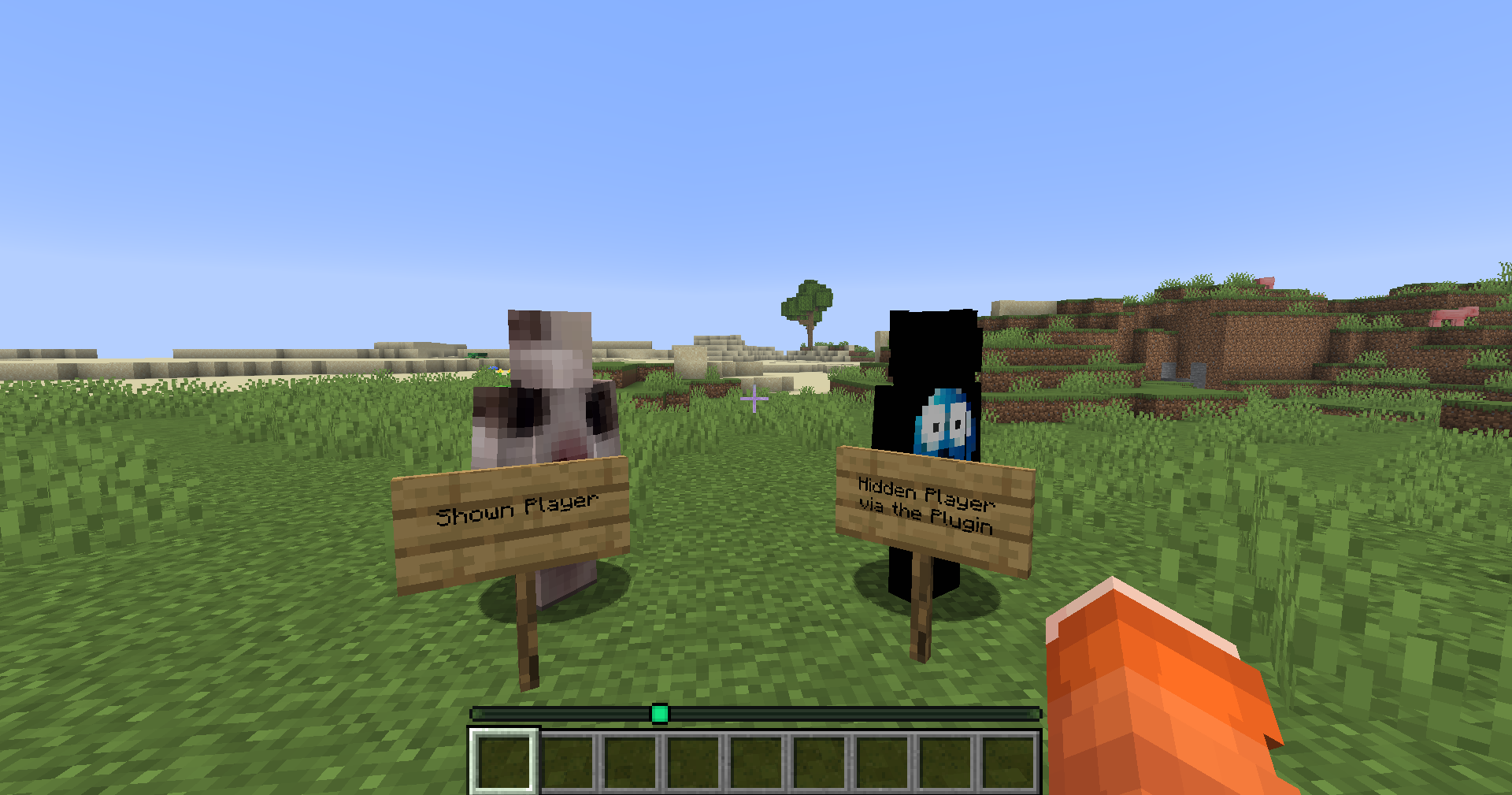 Player Example The left Player is shown (default) and the right player hid himself using /locatorbar toggle. The Locator Bar shows only the shown Player.
 -
 Available Commands
 -
 Status Example
Versions
Files
Relations
Project Relations
More like this
Similar Mods
Suggestions use data such as tags, dependencies, dependents, descriptions, titles, and more to rank how much they overlap with this mod.
On ModDex
Community snapshot
By the numbers
Statistics

Want to reach Minecraft players?
We're looking for a server hosting partner to feature here and other parts of the site. Interested? Send us a message!
Get in touchGet it on
Available Platforms
On ModDex
Community snapshot
By the numbers
Statistics
Resources