
Locator Triangulation
No reviews yet
A client-side Fabric mod that allows determining players' coordinates using data from the locator and triangulation
Fabric is a mod loader for versions 1.14+ of Minecraft, particularly popular for client side and optimization mods.
Community voices
Reviews
Click once to include, again to exclude, again to clear
No reviews yet. Be the first to review this project!
Get it on
Available Platforms
 Modrinth
Compatibility
Supported Environments
About
Project Details
For authors
Embed Badge
If you're the author of this project, you can embed a live badge anywhere that supports HTML or Markdown. It updates automatically whenever ratings change.
Use HTML for any page that supports it, or Markdown for README files and Markdown-based descriptions.
Identifiers
Platform IDs
About
Description
Locator Triangulation
A client-side Fabric mod that allows determining players' coordinates using triangulation.
The mod calculates coordinates using publicly available data accessible to regular vanilla players and acts solely as a calculator. If the vanilla locator is disabled on the server or a player has hidden from it, the mod will not be able to determine their coordinates. Essentially, all calculations performed by the mod can be done manually with a calculator and the vanilla client.

Quick start
The map is for example purposes only.
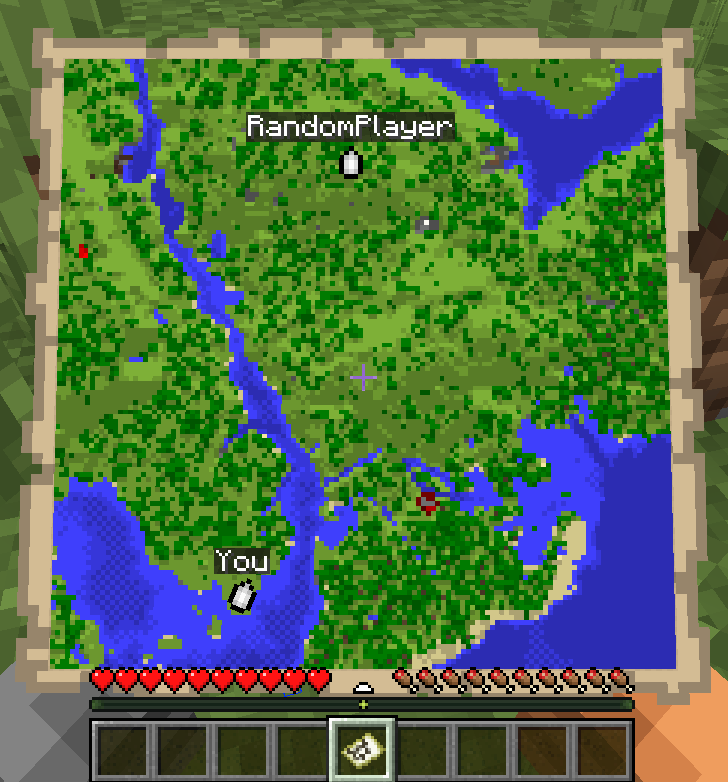
- Run
/locator_pos1- the mod will remember the locator's state, your current position and your view yaw. - Move away as far as possible so the angle to the target becomes as large as possible, then run
/locator_pos2. - Run:
/locator_locate <name>- attempt to compute the coordinates of player<name>, or/locator_locate_all- attempt to compute coordinates of all known targets.
/locator_pos1
/locator_pos2
/locator_locate RandomPlayer

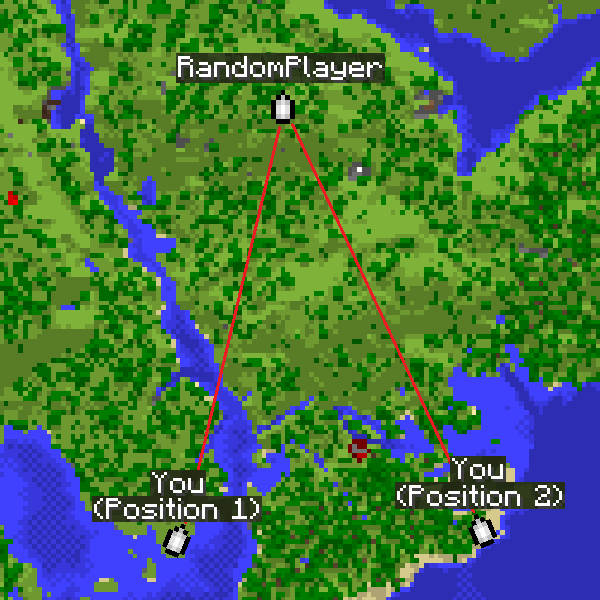
The larger the angle between directions from the two points, the more accurate the coordinates.
For regular triangulation use the same commands but with the triangulation prefix.
Command description
Locator commands
/locator_data- print current locator state/locator_pos1- save the first position (locator state and your coordinates)/locator_pos2- save the second position (locator state and your coordinates)/locator_get_poses- print the saved positions/locator_clear_pos1- clear the first position/locator_clear_pos2- clear the second position/locator_clear_poses- clear both positions/locator_locate <name>- compute coordinates of player<name>(if both positions are saved)/locator_locate_all- compute coordinates for all known targets (if both positions are saved)
Regular triangulation commands
/triangulation_pos1- save the first position (your coordinates + yaw)/triangulation_pos2- save the second position (your coordinates + yaw)/triangulation_get_poses- print the saved positions/triangulation_clear_pos1- clear the first position/triangulation_clear_pos2- clear the second position/triangulation_clear_poses- clear both positions/triangulation_locate— compute the intersection coordinates of the view directions (if both positions are saved)
Keybinds
For convenience, keybinds have been added for locator and triangulation. The purpose is to simplify the process of setting points and calculating results.
How it works:
- The first press of the selected key will set the first point.
- Pressing the key with Shift will skip setting the second point.
- Pressing the key again will reset the first point.
- Pressing it again will set the second point.
- If both points are already set, pressing the key with Ctrl will return the calculated result for those two points.
Accuracy notes
Triangulation accuracy strongly depends on the angle between view directions from the two positions. Good results are achieved with an angle between directions from 20° to 150°. Near-perfect accuracy occurs at about 70-100°. If the angle is too small (less than 20°) or too large (150° and above), accuracy drops significantly.
For maximum accuracy, take positions so that the target is roughly at a right angle relative to you.
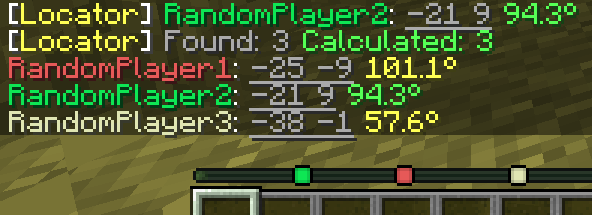
The corner color in the message indicates the calculation quality. Green means near-perfect accuracy, yellow is acceptable but may include a small error, and red indicates poor accuracy.
How to hide from the locator
There are several ways to hide from the radar: sneaking (Shift), a mob's or another player's head, a carved pumpkin, or an invisibility potion.
Screenshots
Gallery
-
 Colored text in locate result message The colors of the nicknames match the colors of the markers on the locator
 -
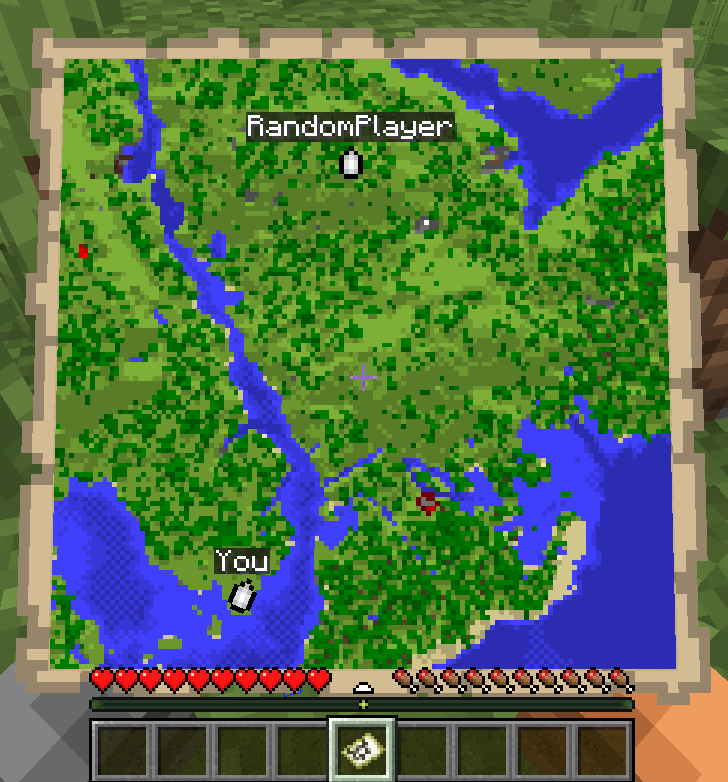 Quick start How to use. (The map is for example purposes only)
 -
 Result of using commands /locator_pos1 /locator_pos2 /locator_locate RandomPlayer
 -
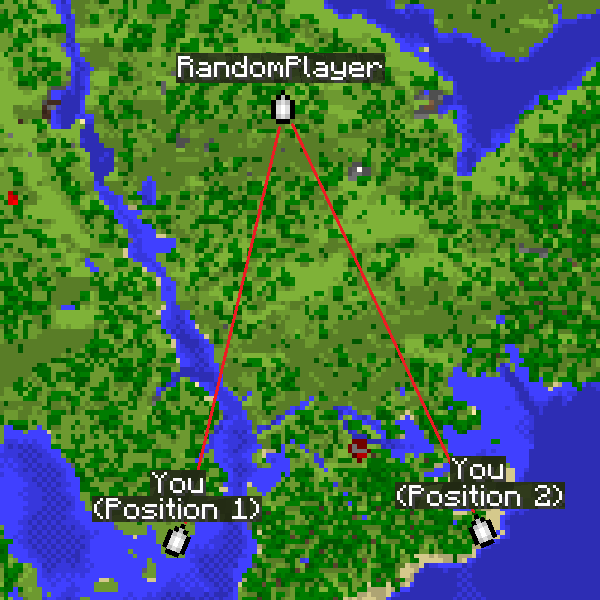 Triangle example The map is for example purposes only.
Versions
Files
Relations
Project Relations
More like this
Similar Mods
Suggestions use data such as tags, dependencies, dependents, descriptions, titles, and more to rank how much they overlap with this mod.
On ModDex
Community snapshot
By the numbers
Statistics

Want to reach Minecraft players?
We're looking for a server hosting partner to feature here and other parts of the site. Interested? Send us a message!
Get in touchGet it on
Available Platforms
On ModDex
Community snapshot
By the numbers