
Community listing page, reviews here may not be monitored by the author.

Community voices
Reviews
No reviews yet. Be the first to review this project!
Get it on
Available Platforms
Compatibility
Supported Environments
Runs entirely on the client. Works on vanilla servers.
About
Project Details
For authors
Embed Badge
If you're the author of this project, you can embed a live badge anywhere that supports HTML or Markdown. It updates automatically whenever ratings change.
Use HTML for any page that supports it, or Markdown for README files and Markdown-based descriptions.
Identifiers
Platform IDs
Resources
External Links
About
Description
One of Minecraft's largest problems is it's lack of a full, complete timer.
We don't really need words to explain what this mod does, so here's a demo:

My sincere apologies for the lack of visual quality in the above gif, but you understand the point.
Wanted to add those couple thousand hours you already had?
We have a menu for that! Just click the green "Loggit" in the bottom left corner!
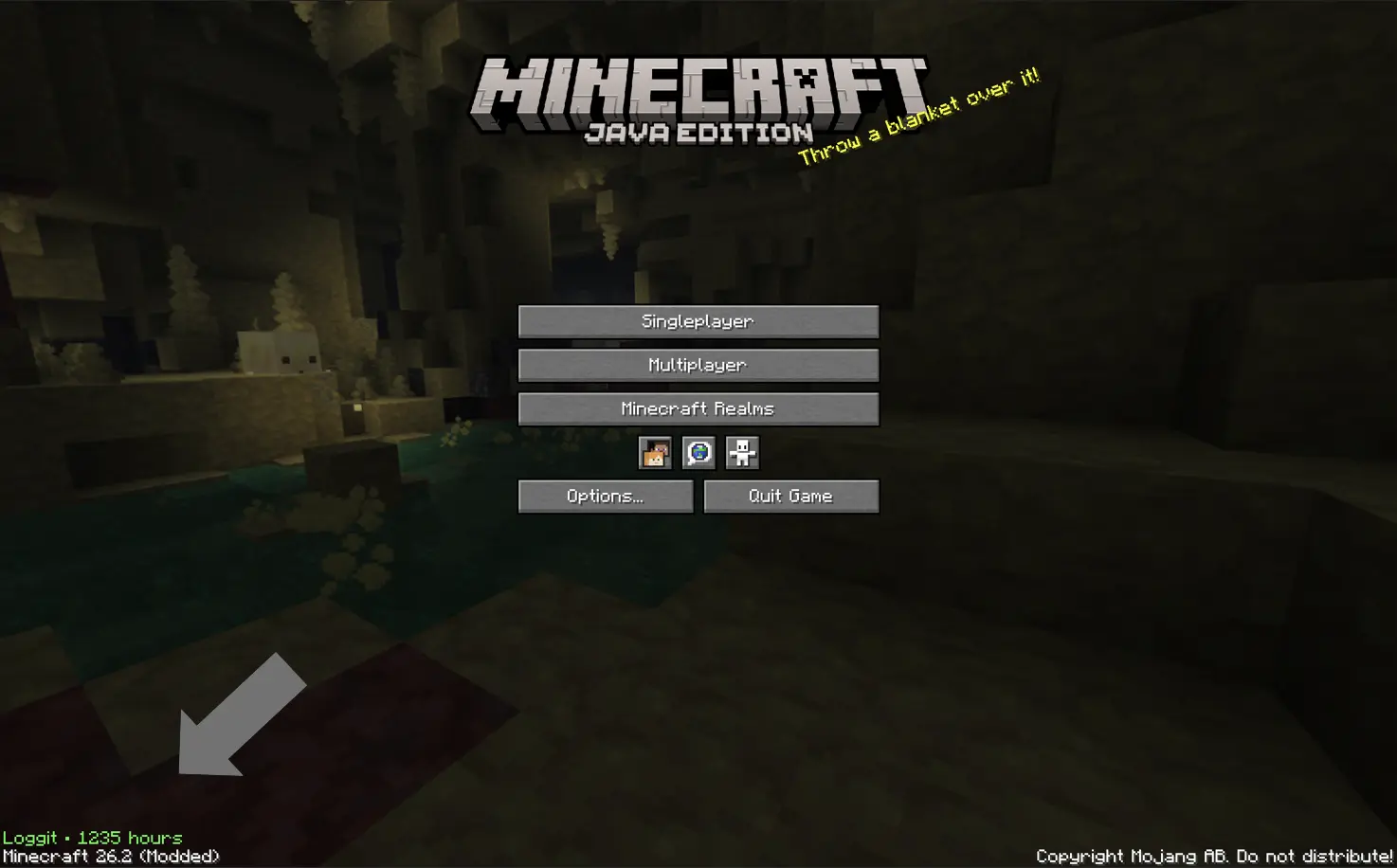
^^ That green text
Commonly asked questions:
Q: How do I transfer times between versions?
A: Just take a look at the in game menu on the older version, and copy paste in the old values into the in game menu on the newer version.
Q: How long is the intro?
A: ~ 4-5 seconds.
Q: Can I use this mod in my modpack?
A: Yeah! *As long as it's on Modrinth, however.
Q: For those who are unable to view the gif, here is alt text:
A: After the loading screen, the screen fades into a black background with the words "You've played for:" typing out in white on a black background. Then underneath, a series of numbers in green switch around before finally arriving at your total playtime. Then, the word "hours" types out at the bottom, the same way as the intital text for you've played for. Then, the screen fades into the normal minecraft home screen. The total time is ~5 seconds.
Q: Artificial Intelligence disclosure
A: This mod's core design, icon, description, and gallery images are not ai. For example, the logo is a screenshot taken with shaders on combined with blockbench text. However, I am a primitive coder, and I do use ai for tasks I do not know how to do. It simply cannot be helped (well it can, and I'm learning java, don't get me wrong, but not that fast.) I am also actively learning from ai, not plainly using it to build mods. It's taught me a lot, but not enough. AI is also used for help with naming, blocking (my term for creating the blocks of code) and other parts of the code. All testing is completed extensively with human brain cells and knowledge, and so are all ideas of modification and changes, and the idea of the mod itself.
Screenshots
Gallery
-
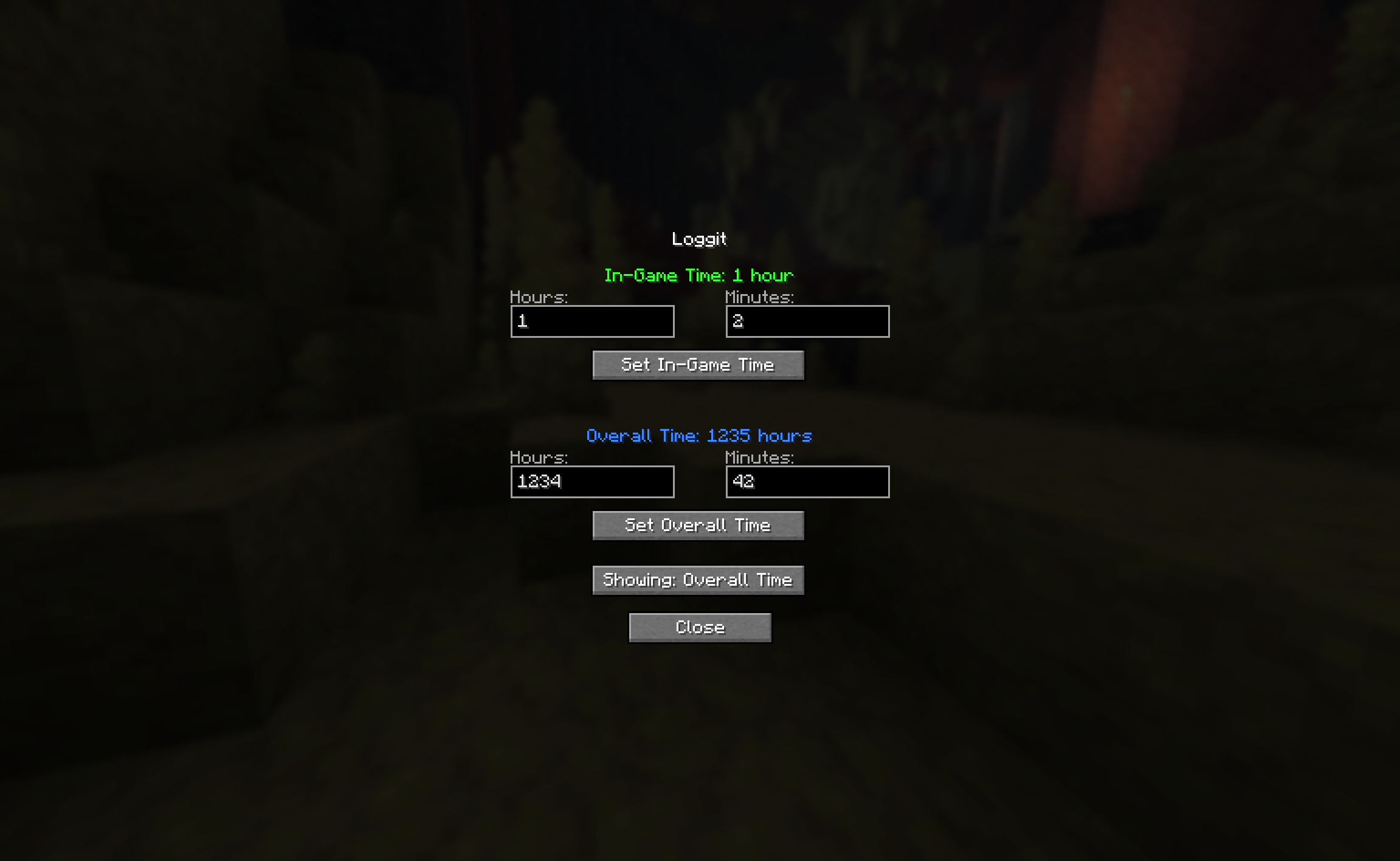 In Game Menu
 -
 The Loggit Experience
Versions
Files
Relations
Project Relations
More like this
Similar Mods
Suggestions use data such as tags, dependencies, dependents, descriptions, titles, and more to rank how much they overlap with this mod.
On ModDex
Community snapshot
By the numbers
Statistics

Want to reach Minecraft players?
We're looking for a server hosting partner to feature here and other parts of the site. Interested? Send us a message!
Get in touchGet it on
Available Platforms
On ModDex
Community snapshot
By the numbers
Statistics
Resources