Community listing page, reviews here may not be monitored by the author.
LootSelect


No reviews yet
A sleek UI to selectively loot nearby items.
Community voices
Reviews
No reviews yet. Be the first to review this project!
Get it on
Available Platforms
Compatibility
Supported Environments
Must be installed on both the client and the server.
About
Project Details
For authors
Embed Badge
If you're the author of this project, you can embed a live badge anywhere that supports HTML or Markdown. It updates automatically whenever ratings change.
Use HTML for any page that supports it, or Markdown for README files and Markdown-based descriptions.
Identifiers
Platform IDs
Resources
External Links
About
Description


When your inventory is full and the ground is littered with loot, constantly dropping items to pick up the ones you want is a hassle. LootSelect solves this by adding a sleek, scrollable list next to your inventory screen, showing all items within reach and allowing you to pick up just the ones you want directly from there.
Requirements & Recommendations
Fabric: Fabric API
Forge (1.20.1/1.21.1): Sinytra Connector + Forgified Fabric API
Recommended: InvMove, Stxck
Key Features
Pick & Swap: Click any item in the list to "grab" it. You can place it directly into an empty slot or swap it with an existing item in your inventory.
Auto-Pickup Toggle: Easily switch vanilla auto-pickup on or off using the toggle button in the panel or shortcut (Default:
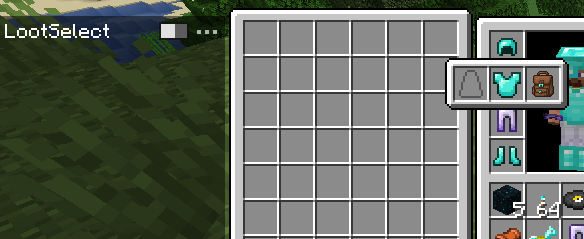
P). While disabled, item can only be collectible via the LootSelect panel.Minimize/Maximize Toggle: Easily switch the panel size using the button in the panel.
Half Pickup:
Right-clickan item in the list to take half of the stack instead of the full amount.Dispose:
Middle-clickan item to discard it directly from the ground.Rapid Collection: Use
Shift-Clickto instantly move items from the ground into your bags. This is useful for quickly equipping armor, shields, or totem.Sticky Item Hovering: The scroll position intelligently adjusts when the item list updates, keeping your hovered item under the cursor whenever possible.
Hotbar Swap: Pressing
Ctrl + 1-9while hovering over an item allows quick-swapping to your hotbar.Offhand Swap: Press the
Fkey while hovering over an item to instantly swap it with your offhand slot.Detailed Tooltips: Hover over items in the list to view full tooltips, including enchantments, potion effects, and durability—no need to pick them up first.
Mod Compatibility
LootSelect features seamless integration with several popular mods to enhance your looting experience:
Staaaaaaaaaaaack (Stxck): Grouped item entities are correctly reflected in the list. When items are stacked on the ground, the list displays the total quantity (e.g., "2x", "12x") in yellow, matching the mod's overlay.
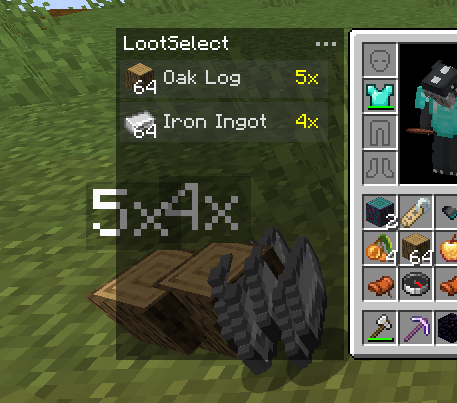
Inventorio: Smartly sorts tools and off-hand items into the correct Toolbelt or Utility Belt slots when using Shift-Click or F key. It prioritizes the currently selected utility slot and respects Inventorio's UI toggle states.
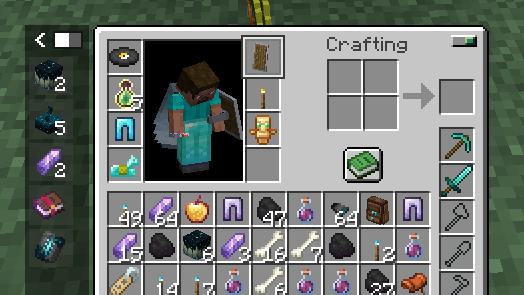
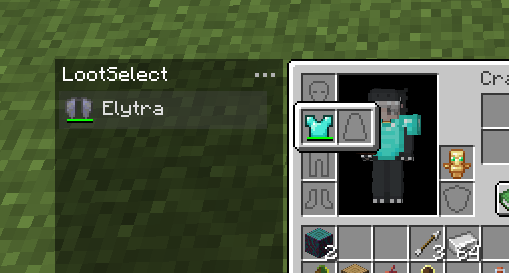
Elytra Slot & Charm of Undying: When using Shift-Click to pick up items, LootSelect intelligently prioritizes moving Elytras and Totems of Undying into the dedicated slots provided by these mods.
YyzsBackpack: Full integration for dynamic inventory layouts. LootSelect's panel automatically adjusts its position when the backpack is equipped or opened. Additionally, items from this mod (and others) intelligently prioritize Trinkets or Curios slots when using Shift-Click.
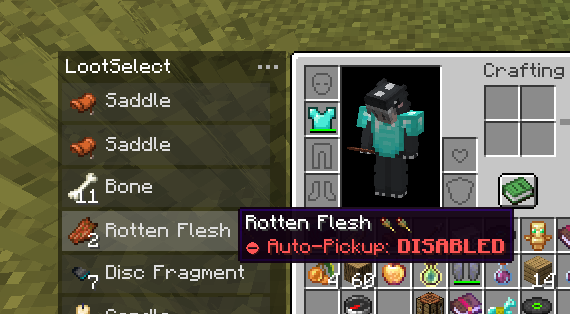
Auto Pickup Filter: Items you've configured to "Auto-Pickup: DISABLED" will only be collectible via the LootSelect list. You can quickly toggle the auto-pickup status for any item directly in the list by pressing the "I" key.
Modpacks
Feel free to include LootSelect in modpacks.

When your inventory is full and the ground is littered with loot, constantly dropping items to pick up the ones you want is a hassle. LootSelect solves this by adding a sleek, scrollable list next to your inventory screen, showing all items within reach and allowing you to pick up just the ones you want directly from there.
Requirements & Recommendations
Fabric: Fabric API
Forge (1.20.1/1.21.1): Sinytra Connector + Forgified Fabric API
Recommended: InvMove, Stxck
Key Features
-
Pick & Swap: Click any item in the list to "grab" it. You can place it directly into an empty slot or swap it with an existing item in your inventory.
-
Auto-Pickup Toggle: Easily switch vanilla auto-pickup on or off using the toggle button in the panel or shortcut (Default:
P). While disabled, item can only be collectible via the LootSelect panel. -
Minimize/Maximize Toggle: Easily switch the panel size using the button in the panel.
-
Half Pickup:
Right-clickan item in the list to take half of the stack instead of the full amount. -
Dispose:
Middle-clickan item to discard it directly from the ground. -
Rapid Collection: Use
Shift-Clickto instantly move items from the ground into your bags. This is useful for quickly equipping armor, shields, or totem. -
Sticky Item Hovering: The scroll position intelligently adjusts when the item list updates, keeping your hovered item under the cursor whenever possible.
-
Hotbar Swap: Pressing
Ctrl + 1-9while hovering over an item allows quick-swapping to your hotbar. -
Offhand Swap: Press the
Fkey while hovering over an item to instantly swap it with your offhand slot. -
Detailed Tooltips: Hover over items in the list to view full tooltips, including enchantments, potion effects, and durability—no need to pick them up first.
Mod Compatibility
LootSelect features seamless integration with several popular mods to enhance your looting experience:
-
Staaaaaaaaaaaack (Stxck): Grouped item entities are correctly reflected in the list. When items are stacked on the ground, the list displays the total quantity (e.g., "2x", "12x") in yellow, matching the mod's overlay.
-
Inventorio: Smartly sorts tools and off-hand items into the correct Toolbelt or Utility Belt slots when using Shift-Click or F key. It prioritizes the currently selected utility slot and respects Inventorio's UI toggle states.
-
Elytra Slot & Charm of Undying: When using Shift-Click to pick up items, LootSelect intelligently prioritizes moving Elytras and Totems of Undying into the dedicated slots provided by these mods.
-
YyzsBackpack: Full integration for dynamic inventory layouts. LootSelect's panel automatically adjusts its position when the backpack is equipped or opened. Additionally, items from this mod (and others) intelligently prioritize Trinkets or Curios slots when using Shift-Click.
-
Auto Pickup Filter: Items you've configured to "Auto-Pickup: DISABLED" will only be collectible via the LootSelect list. You can quickly toggle the auto-pickup status for any item directly in the list by pressing the "I" key.
Modpacks
Feel free to include LootSelect in modpacks.
Screenshots
Gallery
-
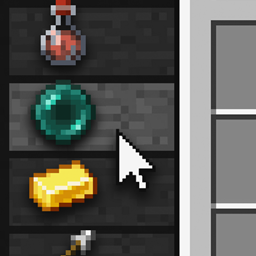
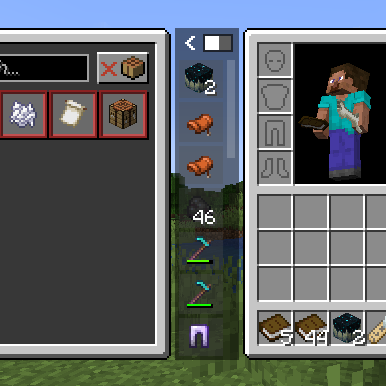 Compact Mode
 -
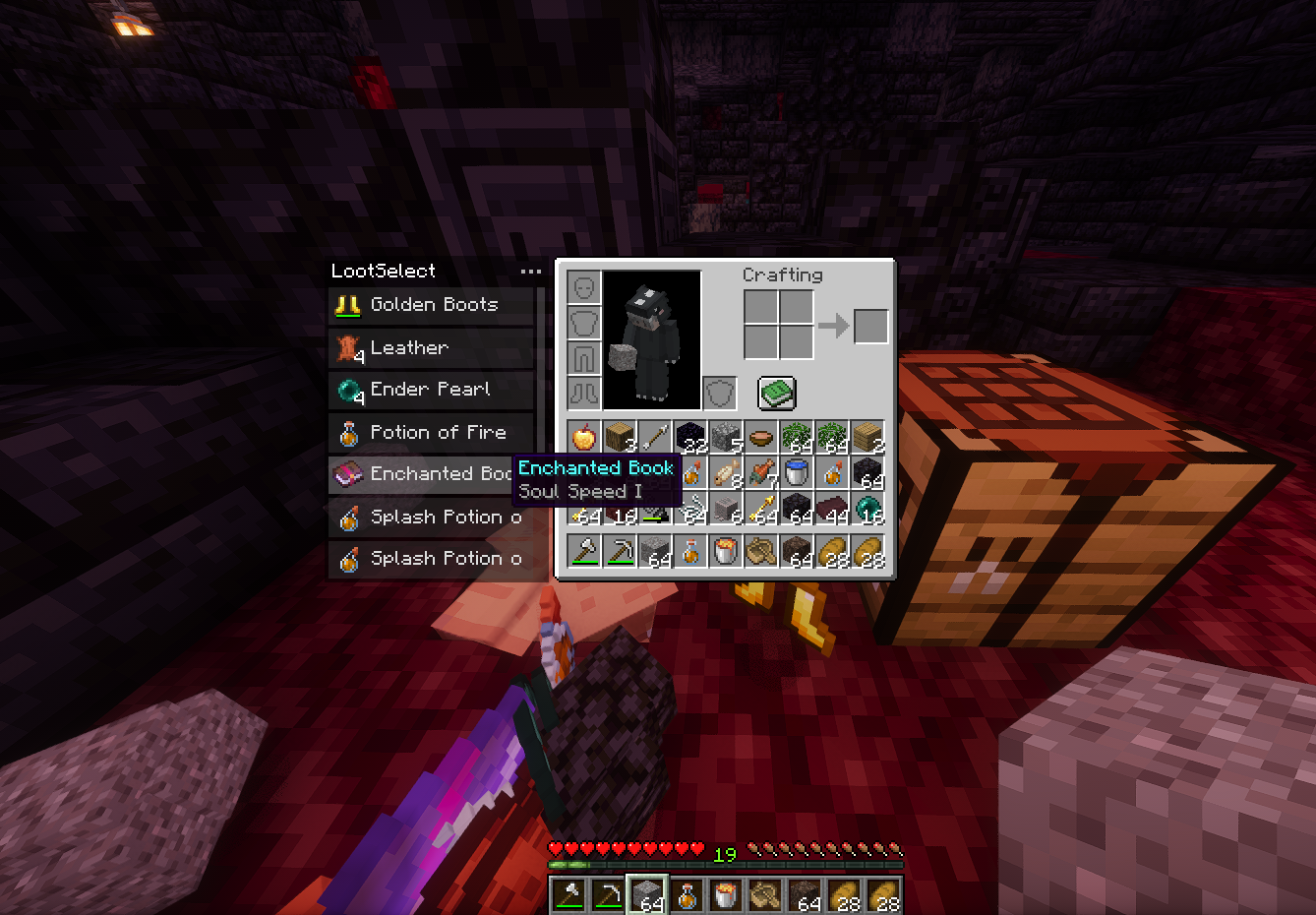 Bartering
 -
 Vanilla Auto-Pickup Toggle
Versions
Files
Relations
Project Relations
More like this
Similar Mods
Suggestions use data such as tags, dependencies, dependents, descriptions, titles, and more to rank how much they overlap with this mod.
On ModDex
Community snapshot
By the numbers
Statistics
Want to reach Minecraft players?
We're looking for a server hosting partner to feature here and other parts of the site. Interested? Send us a message!
Get in touchGet it on
Available Platforms
On ModDex
Community snapshot
By the numbers
Statistics
Resources