
LoraCore
No reviews yet
AI-powered mod for Minecraft. Adds intelligent assistants, dynamic structures, villager personalities, and quests.
Includes a large focus on traversing worlds with enhanced world generation, structures, dungeons, and more for players to find unique loot.
Fabric is a mod loader for versions 1.14+ of Minecraft, particularly popular for client side and optimization mods.
Community voices
Reviews
Click once to include, again to exclude, again to clear
No reviews yet. Be the first to review this project!
Get it on
Available Platforms
 Modrinth
Compatibility
Supported Environments
About
Project Details
For authors
Embed Badge
If you're the author of this project, you can embed a live badge anywhere that supports HTML or Markdown. It updates automatically whenever ratings change.
Use HTML for any page that supports it, or Markdown for README files and Markdown-based descriptions.
Identifiers
Platform IDs
Resources
External Links
About
Description
LoraCore: AI Assistant Mod
Overview
LoraCore is an innovative Minecraft mod that enriches your gameplay experience by integrating an advanced AI assistant. It dynamically generates unique names and descriptions for structures, imbues villagers with distinct personalities, and introduces a basic yet expandable quest system, making every session more interactive and unique.
Key Features
- Intelligent AI assistant: Ask any questions about Minecraft directly in the chat using the command `/ask <your_question>'. LoraCore uses the OpenAI API to provide useful, contextually relevant answers, including information about game recipes.
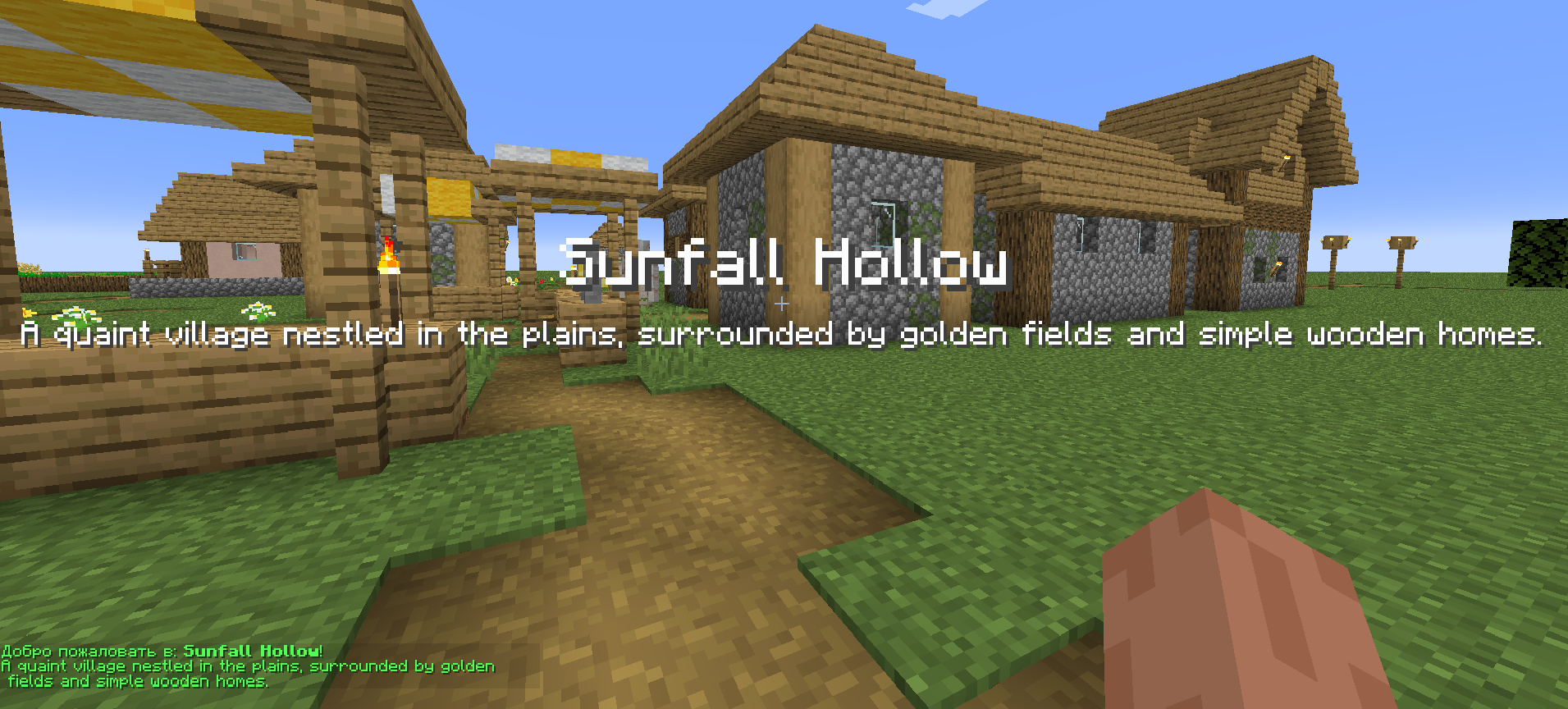
- Dynamic names of structures: Explore the world and discover structures that automatically receive unique names and descriptions generated by AI based on their type and biome, adding a layer of immersion and discovery.
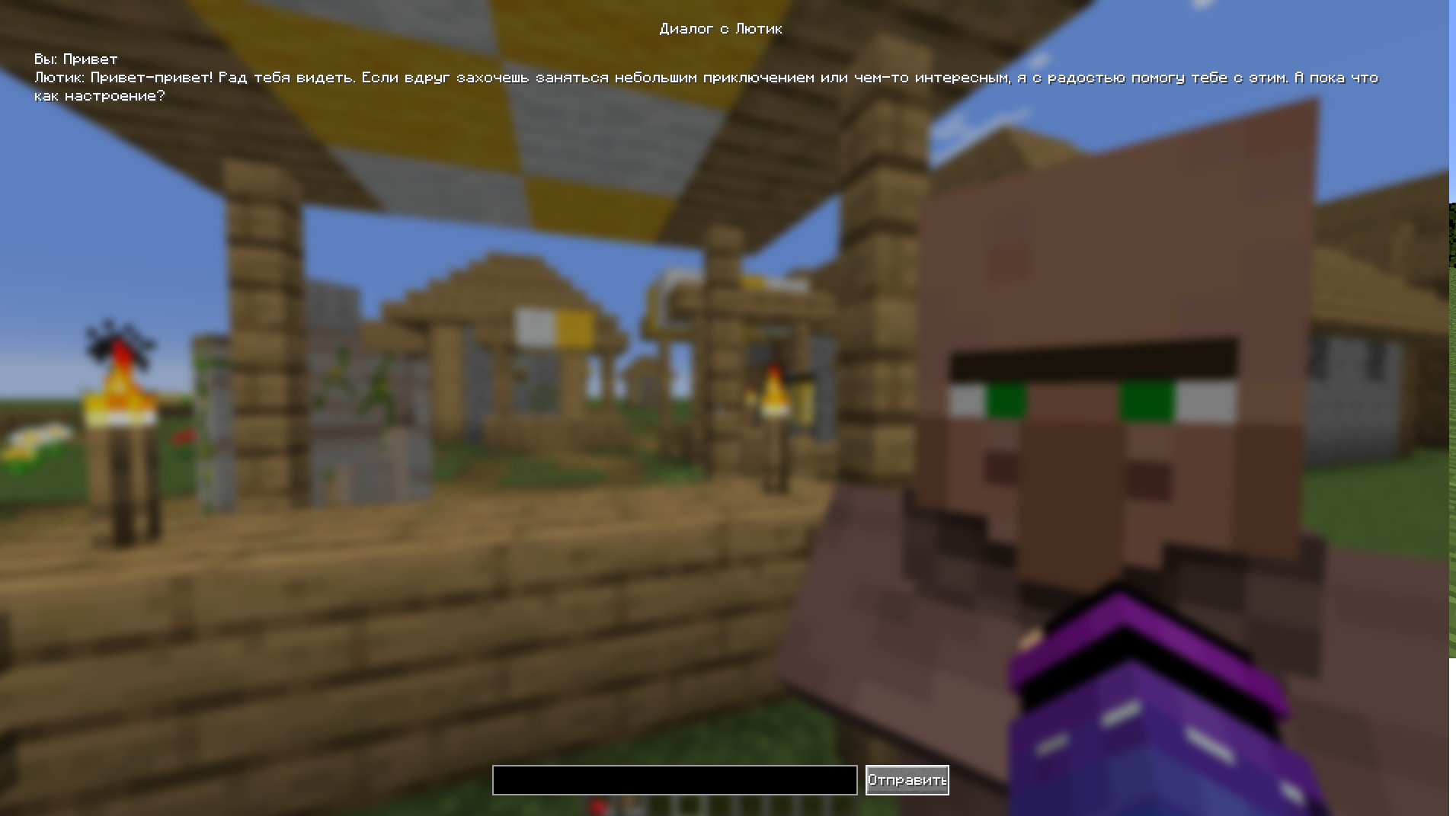
- Residents with personalities: Each resident now has a unique name and character created by AI, making interactions more exciting and unpredictable.
- Quest System: Interact with the residents to accept and complete simple quests to bring items. Quests are dynamically generated by AI, offering unique rewards.
- User Interface: Intuitive graphical interfaces (GUIs) for seamless dialogues with residents and an organized task log.
- Configurable: Full ModMenu support makes it easy to configure your OpenAI API key, API URL, and AI model selection in the game.
- Built-in virtual PC (tablet): Get a tablet and run the OS, a Lua—based operating system. Work with the terminal, create scripts and explore the possibilities of a virtual computer right in the game. (To install the OS, you need to open the tablet, go to the folder with the world - loracore_vfs/{UUID}/ create a boot.lua file responsible for the OS entry point)
- The future is AI in your terminal: Direct integration of the AI assistant into the command line is planned. Imagine: `> ask "Where is the nearest fortress?"' — and you get an AI-generated answer right in the tablet terminal.
- Multilingualism: The AI's responses adapt to the player's chosen language.
Installation & Usage
Installation (For Players)
- Install Fabric Loader for Minecraft 1.20.6.
- Download the
loracore-1.0.0.jarfile from the releases page on GitHub or this CurseForge page. - Place the downloaded
.jarfile into your Minecraft'smodsfolder. - Configure API Key (REQUIRED for AI features):
- Launch Minecraft with LoraCore installed.
- From the main menu, go to "Mods" -> "LoraCore" -> "Config".
- Enter your OpenAI API Key in the designated field. Without it, AI features will not function. You can obtain a key from the OpenAI website.
- (Optional) You can also change the API URL or select a different AI model.
Usage
- Ask the AI: Use
/ask <your_question>in chat. - Villager Dialogue: Sneak (Shift) and right-click on a villager.
- Quest Log: Press
J(default keybind) to open your active quest log.
Compatibility & Dependencies
- Minecraft Version: 1.20.6
- Mod Loader: Fabric
- Required Dependencies:
- Highly Recommended (for in-game configuration & full AI features):
Support & Feedback
If you encounter any issues, have suggestions, or wish to contribute, please create an Issue or Pull Request on the GitHub repository.
Credits
- Developer: Beykus
- AI Integration: OpenAI
LoraCore: AI Мод-Помощник
Обзор
LoraCore — это инновационный мод для Minecraft, который обогащает игровой мир, интегрируя продвинутого ИИ-помощника. Он динамически генерирует уникальные названия и описания для структур, наделяет жителей деревень уникальными личностями и предлагает базовую, но расширяемую систему квестов, делая каждый игровой сеанс более интерактивным и уникальным.
Основные возможности
- Интеллектуальный AI-помощник: Задавайте любые вопросы о Minecraft прямо в чате через команду
/ask <ваш_вопрос>. LoraCore использует OpenAI API для предоставления полезных, контекстуально релевантных ответов, включая информацию об игровых рецептах. - Динамические названия структур: Исследуйте мир и открывайте структуры, которые автоматически получают уникальные названия и описания, сгенерированные ИИ на основе их типа и биома, добавляя слой погружения и открытия.
- Жители с личностями: Каждый житель теперь имеет уникальное имя и характер, созданные ИИ, что делает взаимодействия более увлекательными и непредсказуемыми.
- Система квестов: Взаимодействуйте с жителями, чтобы принимать и выполнять простые квесты по принесению предметов. Квесты динамически генерируются ИИ, предлагая уникальные награды.
- Пользовательский интерфейс: Интуитивно понятные графические интерфейсы (GUI) для бесшовных диалогов с жителями и организованного журнала заданий.
- Настраиваемость: Полная поддержка ModMenu позволяет легко настраивать в игре ваш ключ OpenAI API, URL API и выбор модели ИИ.
- Встроенный виртуальный ПК (планшет): Получите планшет и запустите OS — операционную систему на базе Lua. Работайте с терминалом, создавайте скрипты и исследуйте возможности виртуального компьютера прямо в игре. (Для установки ОС требуется открыть планшет, зайти в папку с миром - loracore_vfs/{UUID}/ создать файл boot.lua отвечающий за точку входа в ОС)
- Будущее — ИИ в вашем терминале: Планируется прямая интеграция ИИ-помощника в командную строку. Представьте:
> ask "Где ближайшая крепость?"— и получаете ответ, сгенерированный ИИ, прямо в терминале планшета. - Многоязычность: Ответы ИИ адаптируются под выбранный игроком язык.
Установка и использование
Установка (для игроков)
- Установите Fabric Loader для Minecraft 1.20.6.
- Скачайте файл
loracore-1.0.0.jarсо страницы релизов на GitHub или с этой страницы CurseForge. - Поместите скачанный файл
.jarв папкуmodsвашего Minecraft. - Настройка API-ключа (ОБЯЗАТЕЛЬНО для работы функций ИИ):
- Запустите Minecraft с установленным модом LoraCore.
- Из главного меню перейдите в "Моды" -> "LoraCore" -> "Настройки".
- Введите ваш ключ OpenAI API в соответствующее поле. Без него функции ИИ не будут работать. Ключ можно получить на сайте OpenAI.
- (Необязательно) Вы также можете изменить URL API или выбрать другую модель ИИ.
Использование
- Задавайте вопросы ИИ: Используйте
/ask <ваш_вопрос>в чате. - Диалог с жителем: Присядьте (Shift) и кликните правой кнопкой мыши по жителю.
- Журнал заданий: Нажмите
J(клавиша по умолчанию), чтобы открыть журнал активных заданий.
Совместимость и зависимости
- Версия Minecraft: 1.20.6
- Загрузчик модов: Fabric
- Обязательные зависимости:
- Настоятельно рекомендуются (для внутриигровой настройки и полных функций ИИ):
Поддержка и обратная связь
Если вы столкнетесь с какими-либо проблемами, у вас есть предложения или вы хотите внести свой вклад, пожалуйста, создайте Issue или Pull Request в репозитории GitHub.
Авторы
- Разработчик: Beykus
- Интеграция ИИ: OpenAI
Screenshots
Gallery

Versions
Files
Relations
Project Relations
More like this
Similar Mods
Suggestions use data such as tags, dependencies, dependents, descriptions, titles, and more to rank how much they overlap with this mod.
On ModDex
Community snapshot
By the numbers
Statistics

Want to reach Minecraft players?
We're looking for a server hosting partner to feature here and other parts of the site. Interested? Send us a message!
Get in touchGet it on
Available Platforms
On ModDex
Community snapshot
By the numbers
Statistics
Resources