
Lucidity
No reviews yet
All-in-One Minecraft Client Visual Assistance Mod
Fabric is a mod loader for versions 1.14+ of Minecraft, particularly popular for client side and optimization mods.
Community voices
Reviews
Click once to include, again to exclude, again to clear
No reviews yet. Be the first to review this project!
Get it on
Available Platforms
 Modrinth
Compatibility
Supported Environments
About
Project Details
For authors
Embed Badge
If you're the author of this project, you can embed a live badge anywhere that supports HTML or Markdown. It updates automatically whenever ratings change.
Use HTML for any page that supports it, or Markdown for README files and Markdown-based descriptions.
Identifiers
Platform IDs
About
Description
Major Update:
Starting from version 2.0.1, this mod now uses
malilibas its configuration dependency instead ofYet Another Config Lib.And aslo reqiresRyansRenderingKitThe codebase has been almost completely refactored. Some old features, such as Trajectory and ProjectileCamera, have been removed, while several new features have been introduced. You can open the configuration by pressing X + V or via Mod Menu
lucidity
The Ultimate Client-Side Visualization Tool!
What Is This
This mod adds various client-side visual features, such as
- selective block/entiy/particle rendering
- fluid source highlighting
- orientation display
- ore highlighting
- container comparator output display
- ...more!
mob tracking range visualization(v2.0 -)previews for certain commands.(v2.0 -)damage indicator(v2.0 -)projectile trajectory prediction(v2.0 -)
Main Features
Selective Rendering
This feature offers various selective rendering options ("Specific Content" below refers to the selected blocks/entities/particles by the player).
Block/Entity/Particle Rendering Modes:
-
Disabled
-
Render specific content inside the selection area
-
Render specific content outside the selection area
-
Do not render specific content inside the selection area
-
Do not render specific content outside the selection area
-
Render only specific content
-
Do not render specific content
-
Render everything inside the selection area
-
Render everything outside the selection area
-
Render everything inside the selection area except specific content
-
Render everything outside the selection area except specific content
Ore Highlighting
Highlights ores within the detection range (allows adding custom blocks as ores and adjusting highlight colors per ore type).
Key Display
Displays all pressed keys.
Damage Indicator
Indicates the source of damage
Calculates potential damage
Fluid Highlighting
Applies a special highlight texture to fluid blocks from texture packs.
- Fluid source direction
- Bubble column direction
Projectile Trajectory
Marks the following with lines:
-
Predicted trajectory of projectiles held by other players
-
First-person predicted trajectory of held projectiles
-
Predicted trajectory of projectiles held by mobs/entities
-
Real-time predicted trajectory of existing projectiles in the world
Explosion Visualization
Explosion Visualization A powerful tool that simulates and visualizes explosion details in real time, including:
-
Explosion rays
-
Blocks that will be destroyed
-
Explosion center
-
Estimated damage to nearby entities
-
Sample points of affected entities
Mob Debug Renderings
- Visualizes areas where entities can detect target.
- Displays spawnable entities on blocks around the player(not alwaysaccurate).
- Displays a line between entity's eye and its target's eye.
- Shows the effective attack range of sonic booms.
Creative Helper
-
Displays the range of certain commands (/fill, /clone)
-
Improves the visibility of structure voids
-
Enhances the appearance of barriers
-
Forces the rendering of some technical blocks (barriers, structure voids, etc.)
Other Fun Features!
-
Press Ctrl while firing a projectile to switch your view to the projectile's perspective (press Shift to reset view)
-
Visualizes surrounding sound events (e.g., footsteps)
-
Displays surrounding block events (accuracy not guaranteed)
Screenshots
Gallery
-
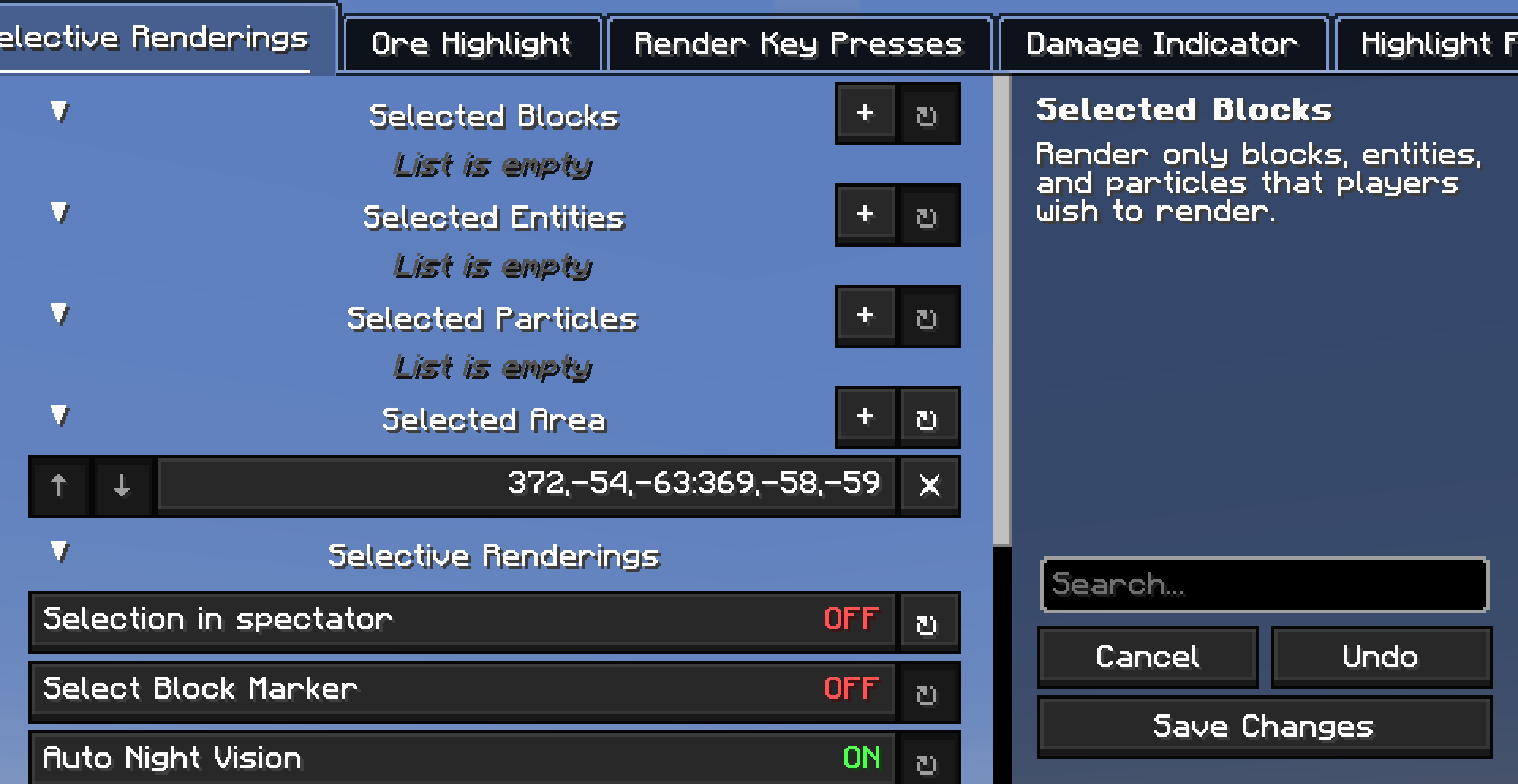 ConfigMenu
 -
 SelectiveRendering
 -
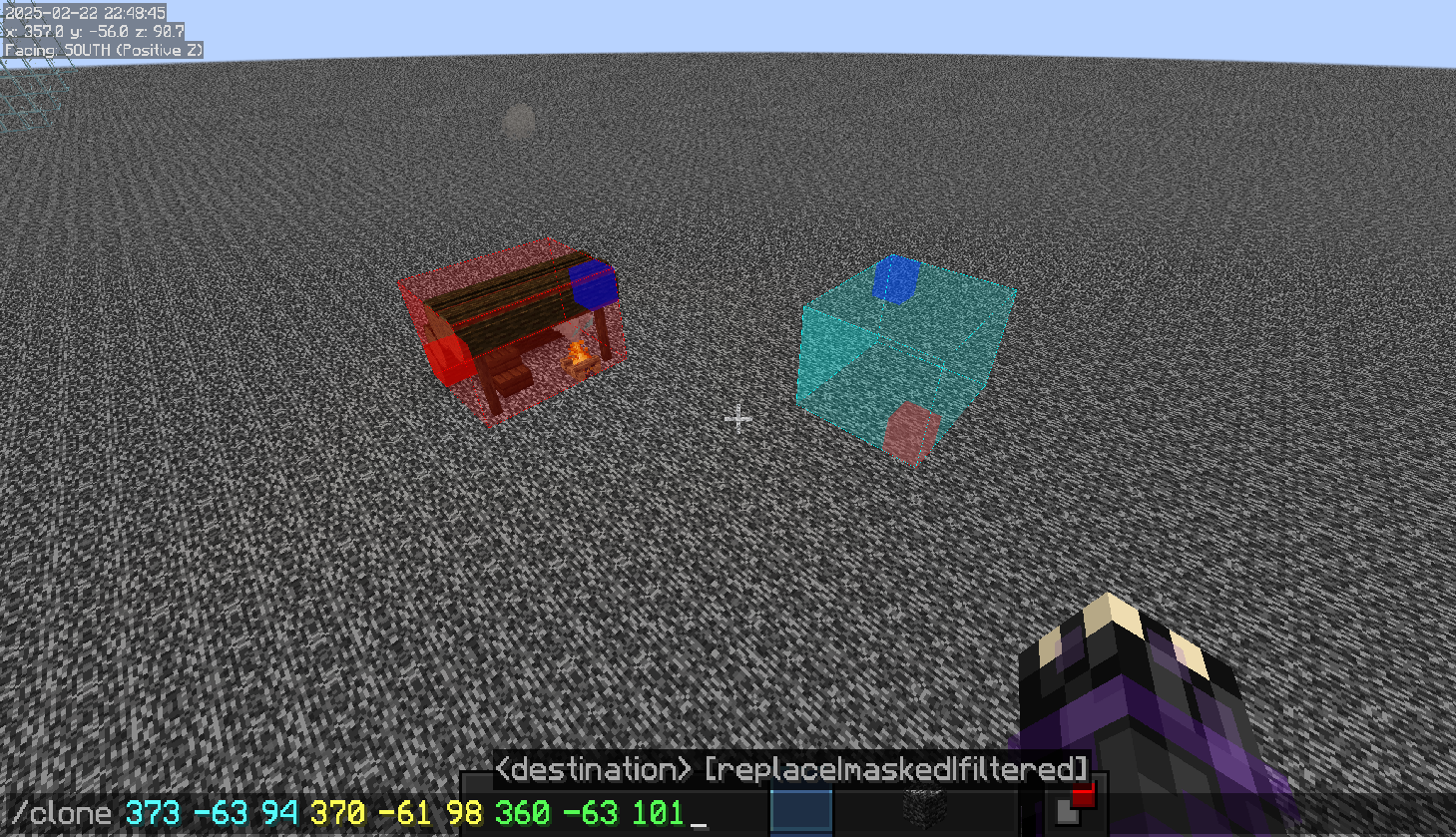 CommandPreview
 -
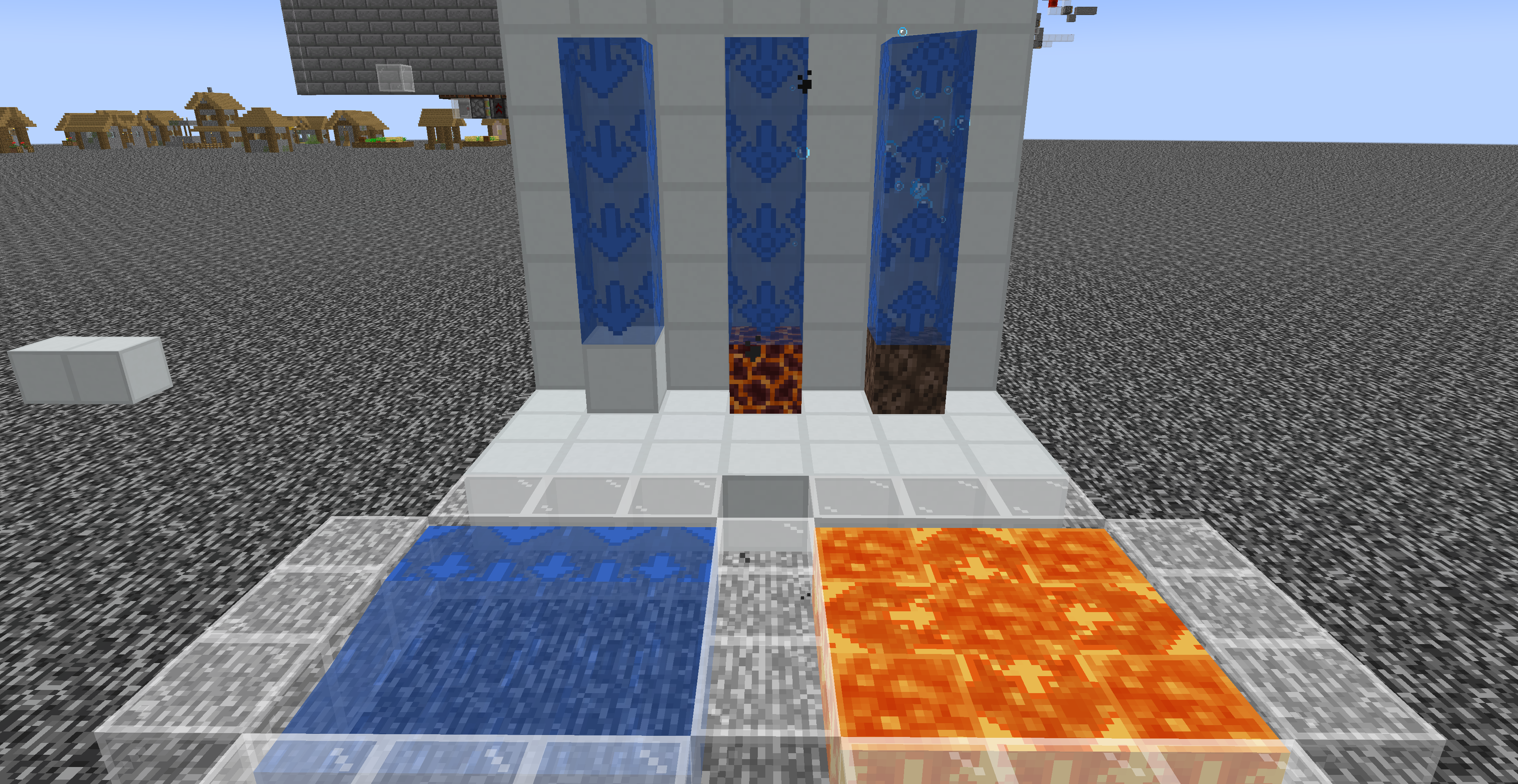 FluidInformations
 -
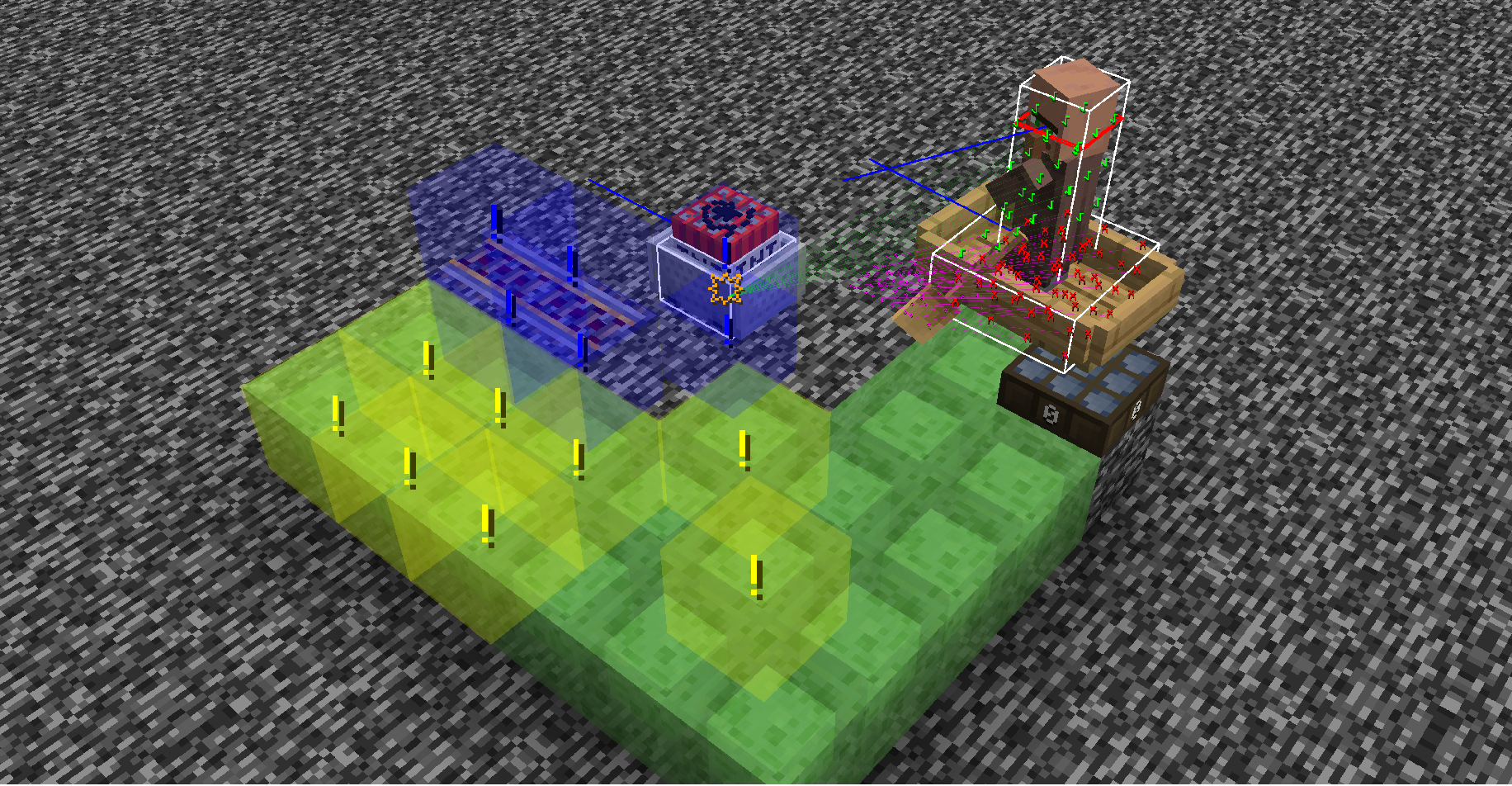 ExplosionInfrormations
 -
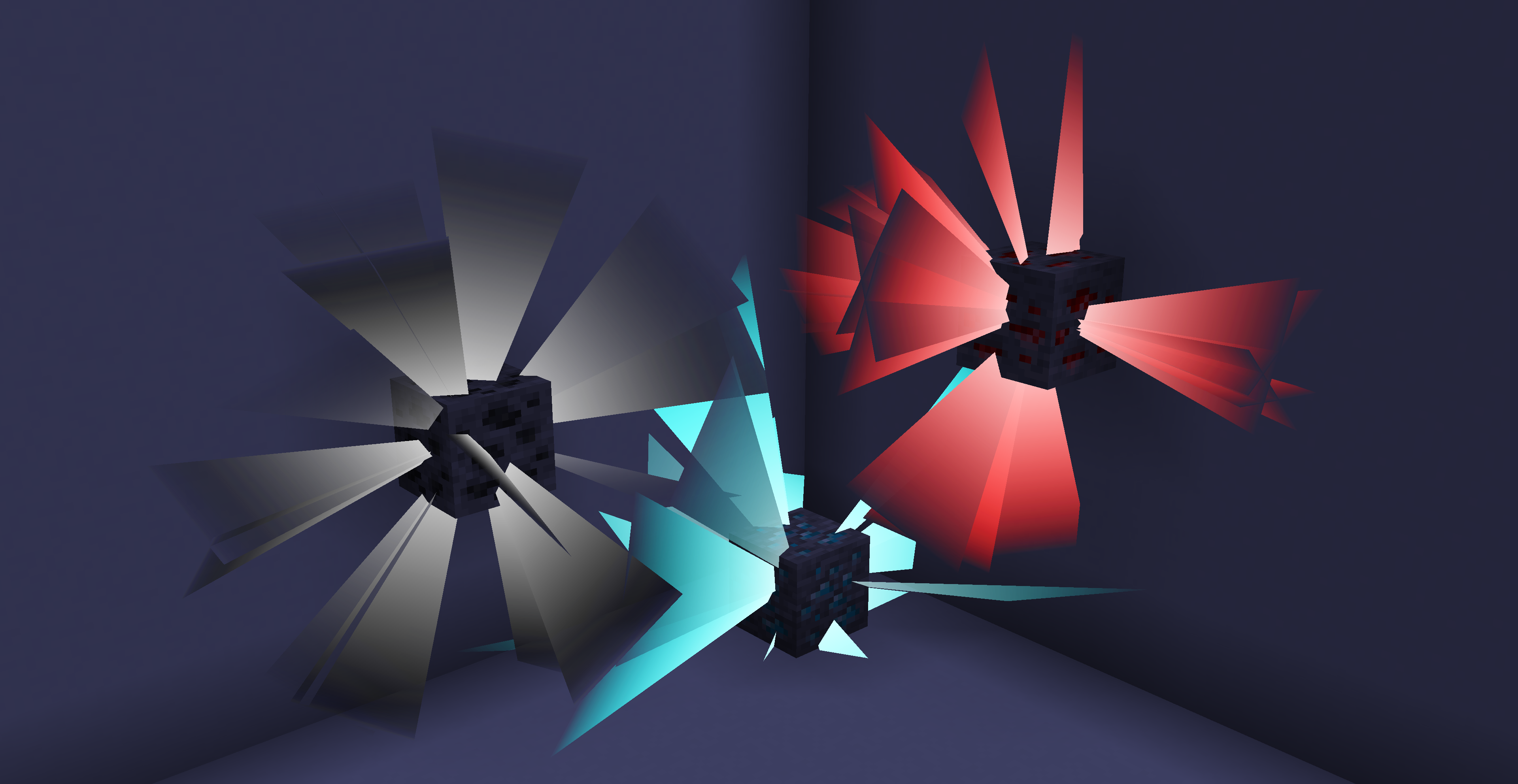 OreHighlighting
Versions
Files
Relations
Project Relations
More like this
Similar Mods
Suggestions use data such as tags, dependencies, dependents, descriptions, titles, and more to rank how much they overlap with this mod.
On ModDex
Community snapshot
By the numbers
Statistics

Want to reach Minecraft players?
We're looking for a server hosting partner to feature here and other parts of the site. Interested? Send us a message!
Get in touchGet it on
Available Platforms
On ModDex
Community snapshot
By the numbers