
Community listing page, reviews here may not be monitored by the author.
Luminous Nether Tweaks

No reviews yet
This Project adds the data pack required to configure the two new biomes in Luminous:Nether!
Community voices
Reviews
No reviews yet. Be the first to review this project!
Get it on
Available Platforms
About
Project Details
For authors
Embed Badge
If you're the author of this project, you can embed a live badge anywhere that supports HTML or Markdown. It updates automatically whenever ratings change.
Use HTML for any page that supports it, or Markdown for README files and Markdown-based descriptions.
Identifiers
Platform IDs
Resources
External Links
About
Description
Luminous Nether Tweaks adds a new data pack for adjusting the biome weights of thw two biomes in Luminous:Nether!
THIS IS NOT the original Luminous:Nether mod! This does NOT add any new content, and will only work with the main mod found HERE!
How to use:
1.) Unzip/extract the provided zip file to wherever is most convenient, I would suggest your desktop
2.) Navigate through the folders as follows: data/luminous_nether/blueprint/modded_biome_slices/ until you see two json files - "ash_forest_slice.json" and "fungal_plains_slice.json"
3.) Open either of them with a text editor , like notepad. When opening, you'll be met with code that looks like this:
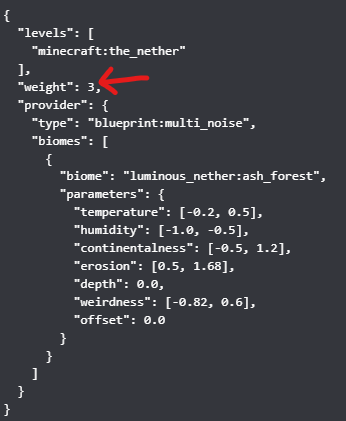
By changing the number that the arrow is pointing to, you can adjust how common or rare the biome is. The default weight is 3. There is one json for each biome, and their weight works independantly of the other.
4.) Once you have made the changes, find your "%appdata%" folder on your device (I recommend using the windows searchbar if you don't know how to do that)
5.) open your ".minecraft" folder and find the "saves" folder
6.) Locate the file with the world name that matches the world you wish to edit
7.) drop the WHOLE "Luminous_Nether_Tweaks" master file (Zipped or unzipped - up to you!) in the "datapacks" folder!
(Note: A restart is NOT required for these changes to take effect on a server! The server operator just has to type "/reload" in the console once the data pack is properly placed in the data pack folder!)
Screenshots
Gallery
-
 Luminous Nether! Use this pack to configure Luminous: Nether!
 -
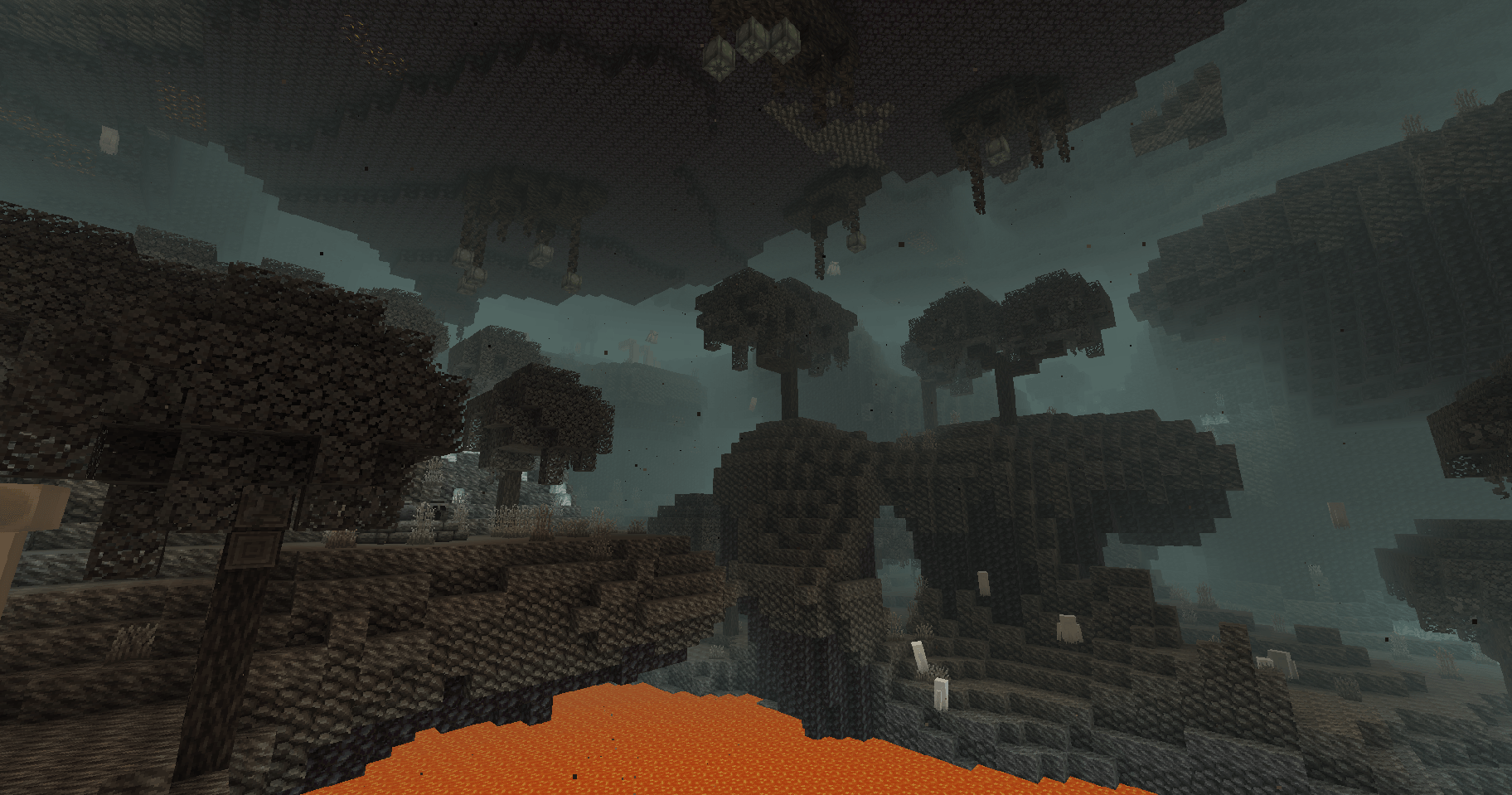 Ash Forest One of the two new biomes added by Luminous: Nether
 -
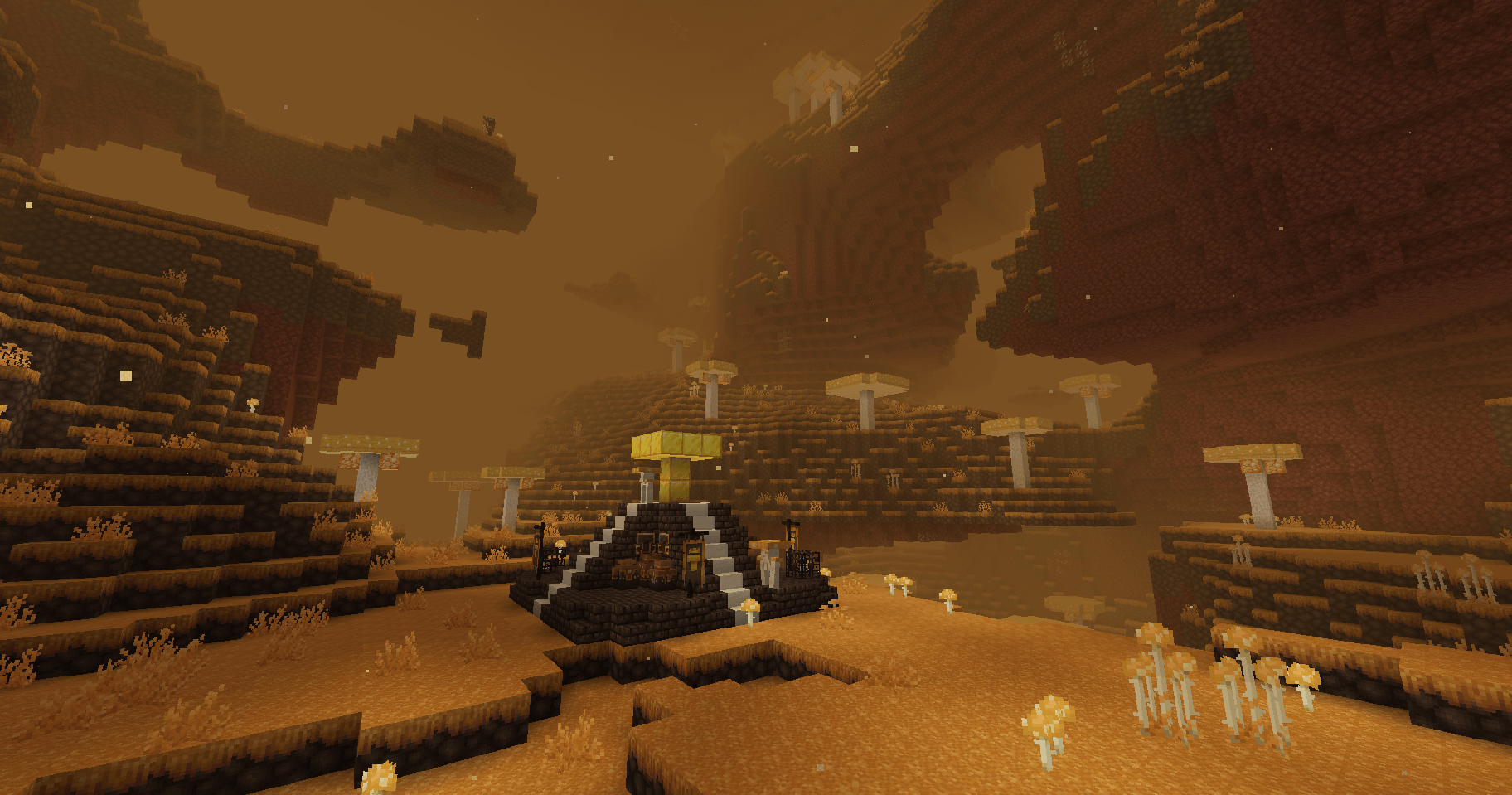 Fungal Plains One of the two new biomes added by Luminous:Nether
Versions
Files
Relations
Project Relations
More like this
Similar Mods
Suggestions use data such as tags, dependencies, dependents, descriptions, titles, and more to rank how much they overlap with this mod.
On ModDex
Community snapshot
By the numbers
Statistics

Want to reach Minecraft players?
We're looking for a server hosting partner to feature here and other parts of the site. Interested? Send us a message!
Get in touchGet it on
Available Platforms
On ModDex
Community snapshot
By the numbers
Statistics
Resources