
Community listing page, reviews here may not be monitored by the author.
LY's Mapmakers Toolkit

No reviews yet
Mapmaker Toolkit is a client-side Fabric mod for creating, editing, and visualizing command-style areas in real time. It includes a wand selector, local area library, in-world previews, and quick copy/teleport tools.
Community voices
Reviews
No reviews yet. Be the first to review this project!
Get it on
Available Platforms
Compatibility
Supported Environments
Runs entirely on the client. Works on vanilla servers.
About
Project Details
For authors
Embed Badge
If you're the author of this project, you can embed a live badge anywhere that supports HTML or Markdown. It updates automatically whenever ratings change.
Use HTML for any page that supports it, or Markdown for README files and Markdown-based descriptions.
Identifiers
Platform IDs
Resources
External Links
About
Description
Mapmaker Toolkit
Mapmaker Toolkit is a client-side utility mod for Minecraft mapmakers and command creators. It helps you create, visualize, edit, and manage command-style areas directly in the world without placing blocks or constantly checking coordinates.
Have you ever had problems setting up coordinates for detecting players inside an area? Or lost previously saved areas and had to recreate them again? With Mapmaker Toolkit this workflow becomes fast, visual, and easy to manage.
The mod renders selector-style areas based on the coordinates:
x, y, z, dx, dy, dz
These areas are displayed as 3D preview boxes in the world with outlines, optional fill, origin markers, and floating labels that always face the player.
All visualization is client-side only, meaning your world remains completely vanilla-compatible. Players without the mod will not see any overlays.
Core Features
Area Preview
- Live 3D preview of areas directly in the world
- Optional fill rendering
- Corner markers and origin marker
- Border color blinks when an entity enters the area
- Floating name label for each area
Area Library
- Save multiple areas locally
- Stored per player in a config file
- Rename, copy, delete, and teleport to areas
- Easily manage large collections of detection zones
Wand Selection
The mod includes a special wand for selecting areas.
Left click a block → sets the first corner Right click a block → sets the second corner
Once two points are selected, the mod automatically generates a preview area box.
You can then save it directly into the library.
Fast Editing
Look at an area and press K to instantly open the editor.
From there you can:
- rename the area
- change origin and offsets
- toggle outline or fill
- teleport to the area
- copy the selector format
HUD Toggle
Press J to toggle area previews on or off.
A small HUD indicator shows the current preview state.
Commands
/tk wand
Gives you the Toolkit Area Select wand.
Use it to select two corners in the world to generate a preview area.
/tk wsave
Saves the current wand preview directly into the area library.
This is useful for quickly capturing areas without opening the UI.
Quick Save Shortcut:
If you are holding the wand you can also hold Shift and Right Click on the preview area to instantly:
- save the current preview area
- automatically start creating a new area
This allows very fast area creation when defining multiple zones.
/tk import
Imports an area from text.
Supported formats:
x y z
x y z dx dy dz
[x=...,y=...,z=...,dx=...,dy=...,dz=...]
This makes it very easy to import existing command areas from datapacks or command blocks.
/tk export
Copies the currently selected area to your clipboard in selector format.
Example output:
[x=100,y=64,z=-30,dx=10,dy=5,dz=10]
You can paste this directly into commands such as:
execute as @a[x=100,y=64,z=-30,dx=10,dy=5,dz=10] run say Player detected
/tk tp
Teleports you to the center of a saved area.
Helpful when debugging datapacks or testing detection zones.
/tk list
Shows the number of saved areas and the first entries from your library.
Quick Tutorial
1. Create Area
- Run
/tk wand - Left click a block (first corner)
- Right click another block (second corner)
- Preview box appears
You now have two ways to save it:
Option A (command):
- Run
/tk wsave
Option B (fast method):
- Hold Shift + Right Click on the preview area with the wand
This instantly saves the area and automatically lets you start creating a new one.
The area is now stored in your library.
2. Use the area in commands
Open the editor or use /tk export to copy the selector.
Example command:
execute as @a[x=100,y=64,z=-30,dx=10,dy=5,dz=10] run say Player inside area
3. Import an existing command area
If you already have an area used in commands, you can import it.
Example selector:
[x=200,y=70,z=-40,dx=20,dy=6,dz=15]
Open the mod UI → Add new area to library → paste the selector.
The mod will automatically create a visual preview box for that area.
This means you can easily integrate Mapmaker Toolkit into existing datapacks or maps without rebuilding your areas.
Performance
The mod is designed to remain lightweight even with many saved areas.
- Only the nearest 100 areas are rendered
- Distance culling is applied
- Maximum render range is limited
This keeps performance stable even in large maps.
Compatibility
- Client-side mod
- Does not modify world data
- Does not require server installation for visualization
- Areas are stored locally in the mod configuration
Mapmaker Toolkit focuses on making area creation, debugging, and command-based detection zones significantly easier for mapmakers and datapack developers.
Screenshots
Gallery
-
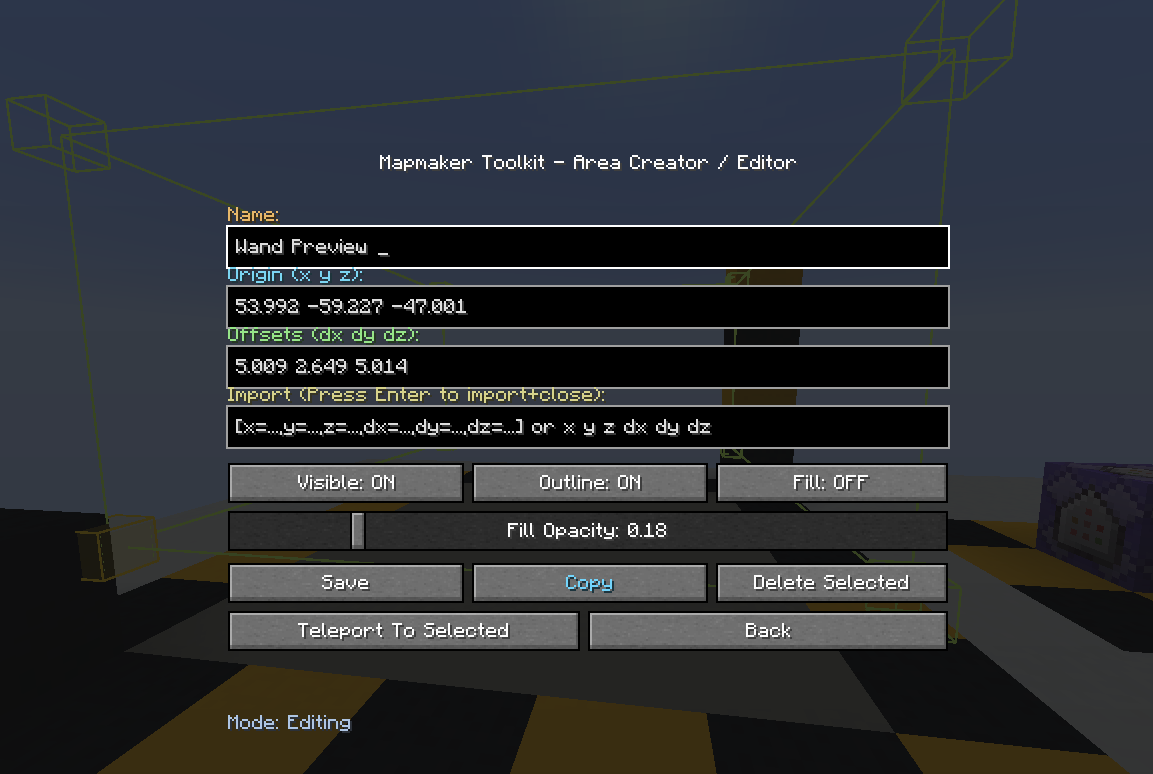 Manual Area Editor If you want to manualy adjust the values but its not needed from you to edit values manualy as you can do it using the Area wand
 -
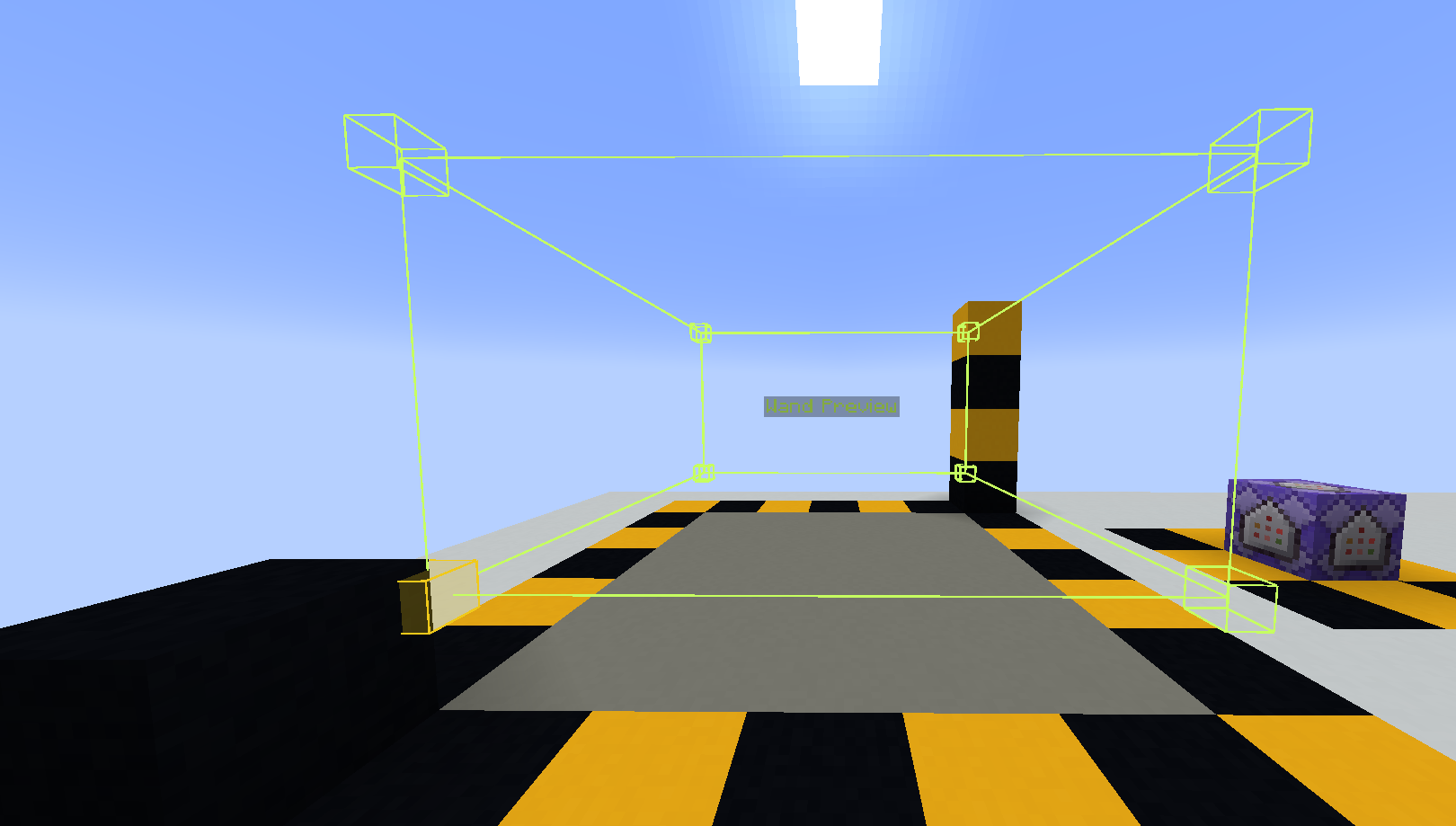 Visual of selection border
 -
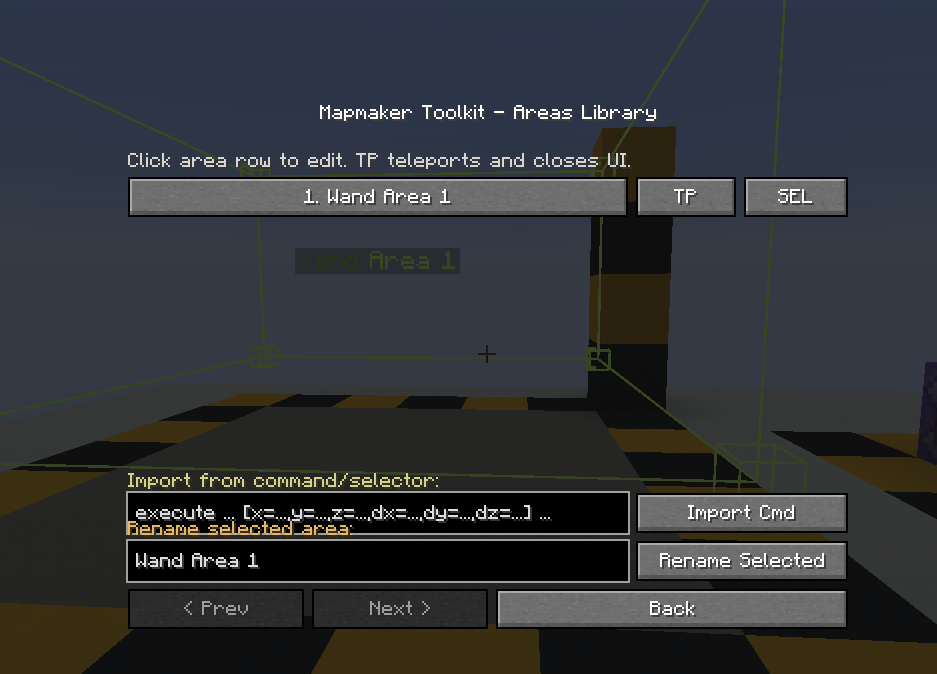 Library of saved areas
 -
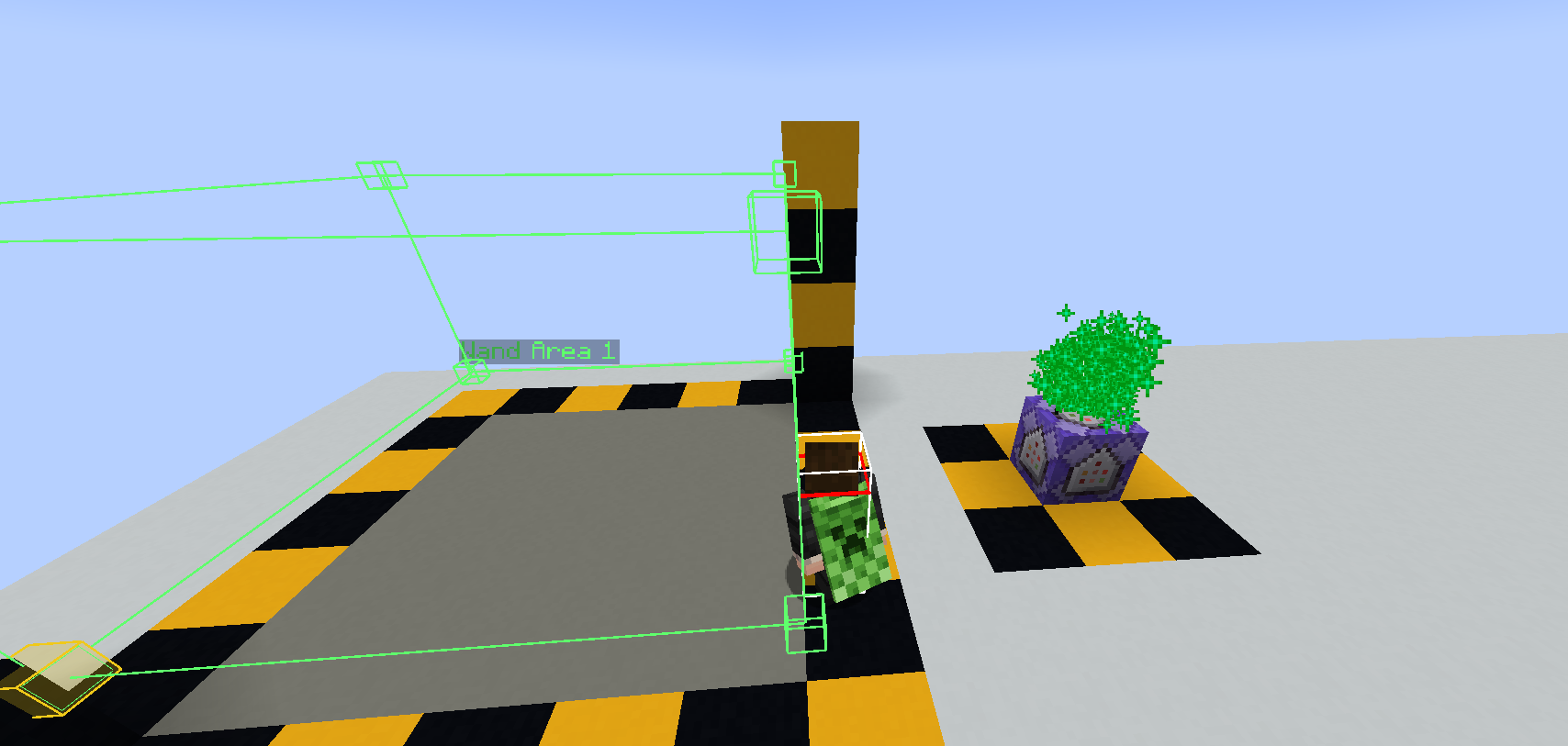 Detection when inside the shown Area
 -
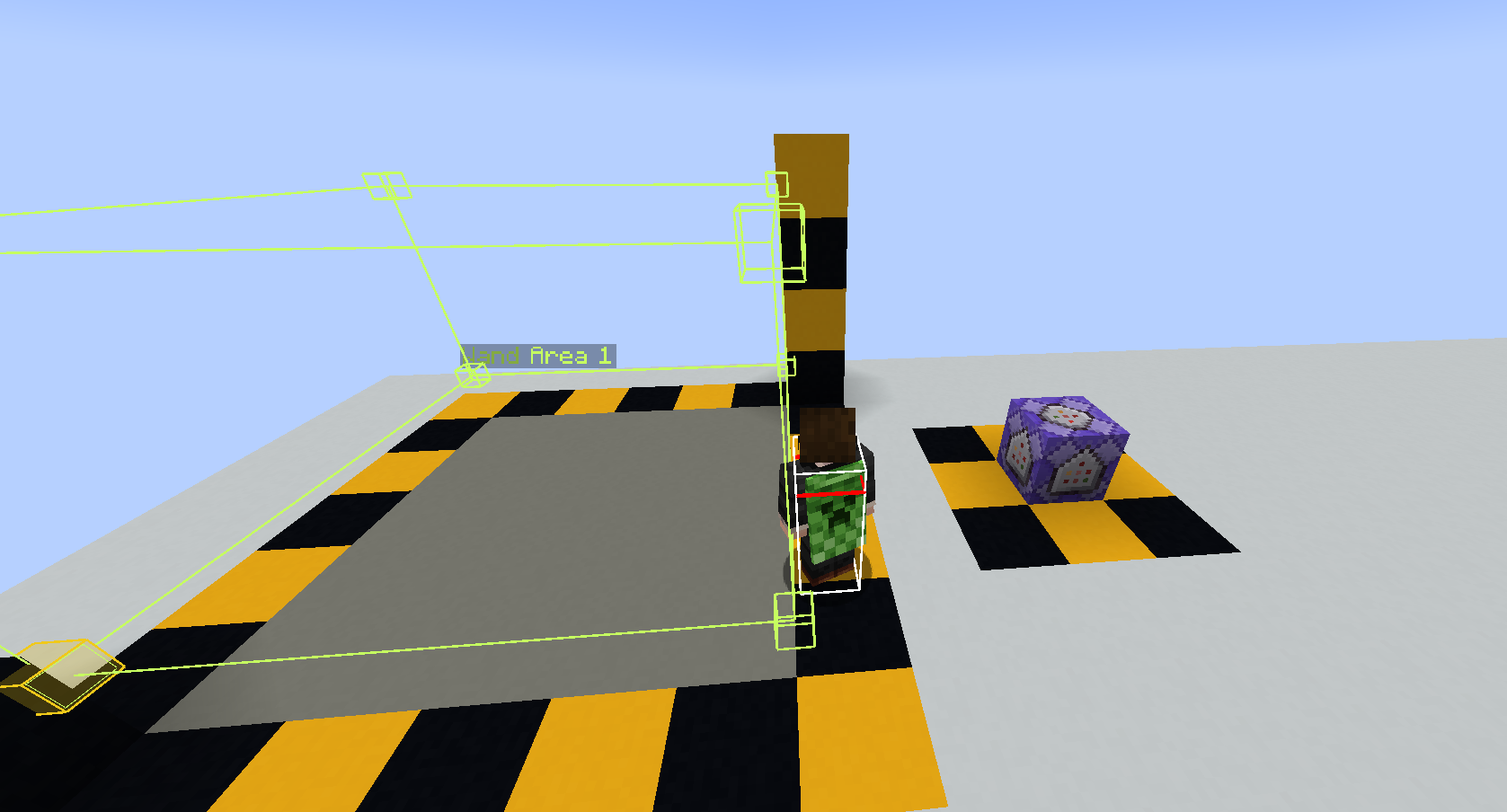 No detection outside of shown area
Versions
Files
Relations
Project Relations
More like this
Similar Mods
Suggestions use data such as tags, dependencies, dependents, descriptions, titles, and more to rank how much they overlap with this mod.
On ModDex
Community snapshot
By the numbers
Statistics

Want to reach Minecraft players?
We're looking for a server hosting partner to feature here and other parts of the site. Interested? Send us a message!
Get in touchGet it on
Available Platforms
On ModDex
Community snapshot
By the numbers
Statistics
Resources