Community listing page, reviews here may not be monitored by the author.
MadOlive's Multiplayer SkyVaults

No reviews yet
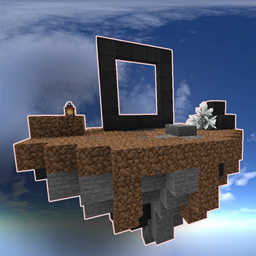
Allows you to turn a standart skyvaults world into a scaling multiplayer world with (near) infinite islands/

Community voices
Reviews
No reviews yet. Be the first to review this project!
Get it on
Available Platforms
About
Project Details
For authors
Embed Badge
If you're the author of this project, you can embed a live badge anywhere that supports HTML or Markdown. It updates automatically whenever ratings change.
Use HTML for any page that supports it, or Markdown for README files and Markdown-based descriptions.
Identifiers
Platform IDs
Resources
External Links
About
Description
MadOlive's Multiplayer Skyvaults
IMPORTANT: This mod REQUIRES the 1.18.2 Vault Hunters mod to be functional!
Klick HERE to join my discord for support and updates!
What does it do?
This mod allows you to upload a standard skyvaults world generated in singleplayer to your server and turn it into a blossoming multiplayer skyvaults server!
Upon setup it creates a simple spawn island (which you can freely modify and decorate). From that point on players can Choose to get their own island or to share one with friends, all throught the use of commands, which are explained below.
How to set it up?
To use this, simply install the VaultHunters modpack on it. After this, remove the Teralith mod and add this mod to your pack (do this both client and server side). Teralith will break the void generation as confirmed by the Vault Hunters Devs!
The way to get a proper functioning skyvaults world is as followed (taken from the official vaulthunters discord):
> Delete Teralith from both single-player & server mod files.
> Create a single player world with Sky Vaults.
> Rename the world VH3 in the file directory.
> Transfer world to server files (replace VH3 file. This is the world file).
> Go to server.properties file and change level-type to the_vault:sky_vaults.
> Start the server, and should be good to go.
Both the server and the player instances need this mod installed and terralith removed!!!
Once the generated world is loaded on the server, join it and run /setupmulitplayerskyvaults (see commands below).
The Commands:
Public commands (available to all players):
> /island: Teleports a player to the SkyVaults island that is currently bound to them. If they do not have an island yet, it will generate one for them before teleporting them to it.
> /invitetoisland [Player]: Invite a specified player to join your island for co-op play. If they accept, you will both be bound to the island of the person who send the invite!
> /acceptislandinvite: Accept an invitation send with /invitetoisland.
> /denyislandinvite: Deny an invitation send with /invitetoisland.
> /visit [Player]: Teleport to the island op a specified player. You will teleport to their island's spawn. Only works if visitation is enabled by the specified player.
> /allowvisits [true/false]: Defaults to false. Allow or deny people to teleport to your island when they specify you in the /visit command. Operators overrule this and can always /visit your island.
Operator commands (permission lvl 2+)
> /islandcount: Returns you the total amount of islands the server has generated so far.
> /findplayerisland [Player(s)]: Accepts a player name or target selector such as @a. Returns the coordinates of each of the specified players islands. Does not check if the coordinates are save to tp to.
Operator commands (permission lvl 4)
> /setupmultiplayerskyvaults: Creates the spawn area and enables the /island command on the server. Can only be run once! Upon running all players are teleported to the spawn island.
> /setmaxislands [amount]: Defaults to 210. Amount must be 0 or more. Determines how many islands the server will spawn at most. No new islands can be generated once this number has been reached. Setting it to less than the current number of islands will not effect existing islands.
> /setdistancebetweenislands [amount]: Defaults to 1000. Amount must be 50 or more. Determines how far apart new islands will be generated. Changing this does not effect existing islands.
> /unbindislandfromplayer [Player]: Unbinds the specified player from their current island. The player can no longer access the island through /island, instead doing this will create a fresh island. Notifies the player upon completion.
> /restorelastislandforplayer [Player]: Re-binds the player to their last known island before their current one. The player can now reach their previous island again with /island. The mod only remembers up to 1 previous island per player. Does nothing if no previous islands are stored yet.
> /forcegenfromcords [x] [z]: Set the coordinates from which the spawn for the next island will be calculated. Use with care! This is intended only to solve generation issues fro the V1.0.0 bug. Giving coordinates that overlap with existing islands will cause the existing ones to be overwritten!
Screenshots
Gallery
Versions
Files
Relations
Project Relations
More like this
Similar Mods
Suggestions use data such as tags, dependencies, dependents, descriptions, titles, and more to rank how much they overlap with this mod.
On ModDex
Community snapshot
By the numbers
Statistics
 (opens in a new tab)
Get it on
Available Platforms
On ModDex
Community snapshot
By the numbers
Statistics
Resources