
Magic 8 Ball
No reviews yet
Adds a craftable and functional magic eight ball to minecraft!
Centers around fantasy elements such as spells, rituals, and magical energies, often involving personal empowerment and magical automation.
Data Packs were introduced to vanilla Minecraft in version 1.13 and allow the server to modify data about the game, or run commands. Data Packs are compatible with all mod loaders.
Forge is a popular mod loader for versions 1.1+ of Minecraft.
Neoforge is a fork of the Minecraft Forge available for versions 1.20.1+ of Minecraft. Many Forge mods are compatible with Neoforge and vice versa.
Fabric is a mod loader for versions 1.14+ of Minecraft, particularly popular for client side and optimization mods.
Quilt is a fork of the Fabric mod loader. Many Fabric mods are compatible with Quilt and vice versa.
Community voices
Reviews
Click once to include, again to exclude, again to clear
No reviews yet. Be the first to review this project!
Get it on
Available Platforms
 Modrinth
Compatibility
Supported Environments
About
Project Details
For authors
Embed Badge
If you're the author of this project, you can embed a live badge anywhere that supports HTML or Markdown. It updates automatically whenever ratings change.
Use HTML for any page that supports it, or Markdown for README files and Markdown-based descriptions.
Identifiers
Platform IDs
Resources
External Links
About
Description
Magic 8 Ball
Adds a Magic 8 Ball that provides an answer when shaken. It will respond differently depending on how you shake it:
- Right Click: It will give you response displayed below your crosshair.
- Right Click while Sneaking: It will show its response in chat to all players within 5 blocks of where it was shaken.
There is a small amount of config in this datapack, here are the config options:
- /function magic8ball:config/allow_chat_responses (Toggles wether or not the Magic 8 Ball will respond in chat when shaken by a while sneaking.)
- /function magic8ball:config/config_visibility (Toggles the config options visibility.)
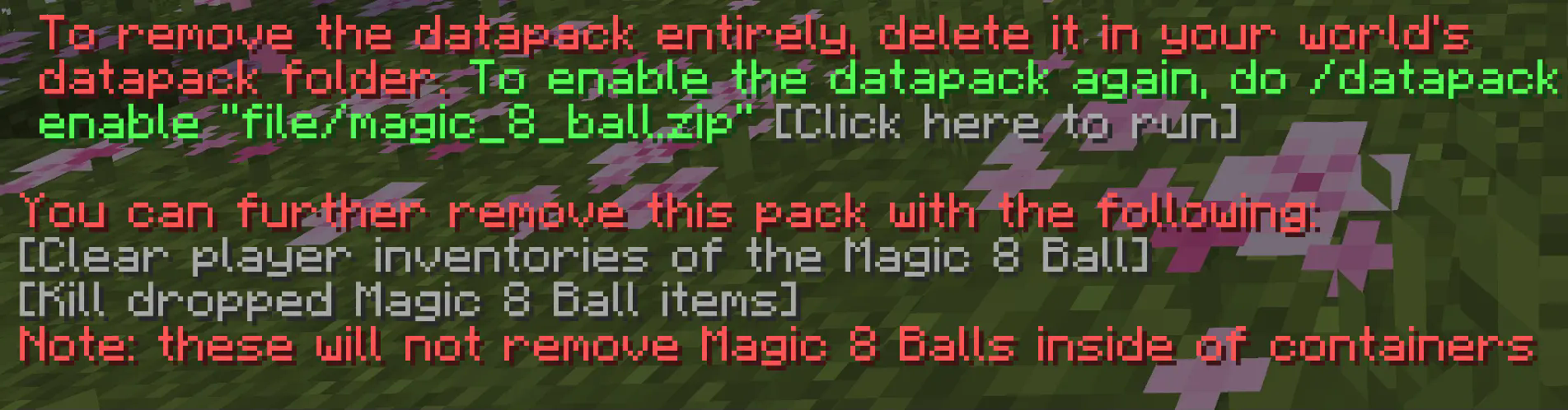
Uninstallation Guide
If you decide to remove the datapack from your world, follow this process:
- Run the command "/function magic8ball:uninstall"
- Delete the pack from your world's datapack folder (unless you want to re-enable the datapack later)
To re-enable the pack, make sure you did not do step 2, then run the command "/datapack enable "file/magic_8_ball.zip"
In-game information upon uninstalling the datapack
Leave comments about this project on it's Planet Minecraft Page.
Screenshots
Gallery
-
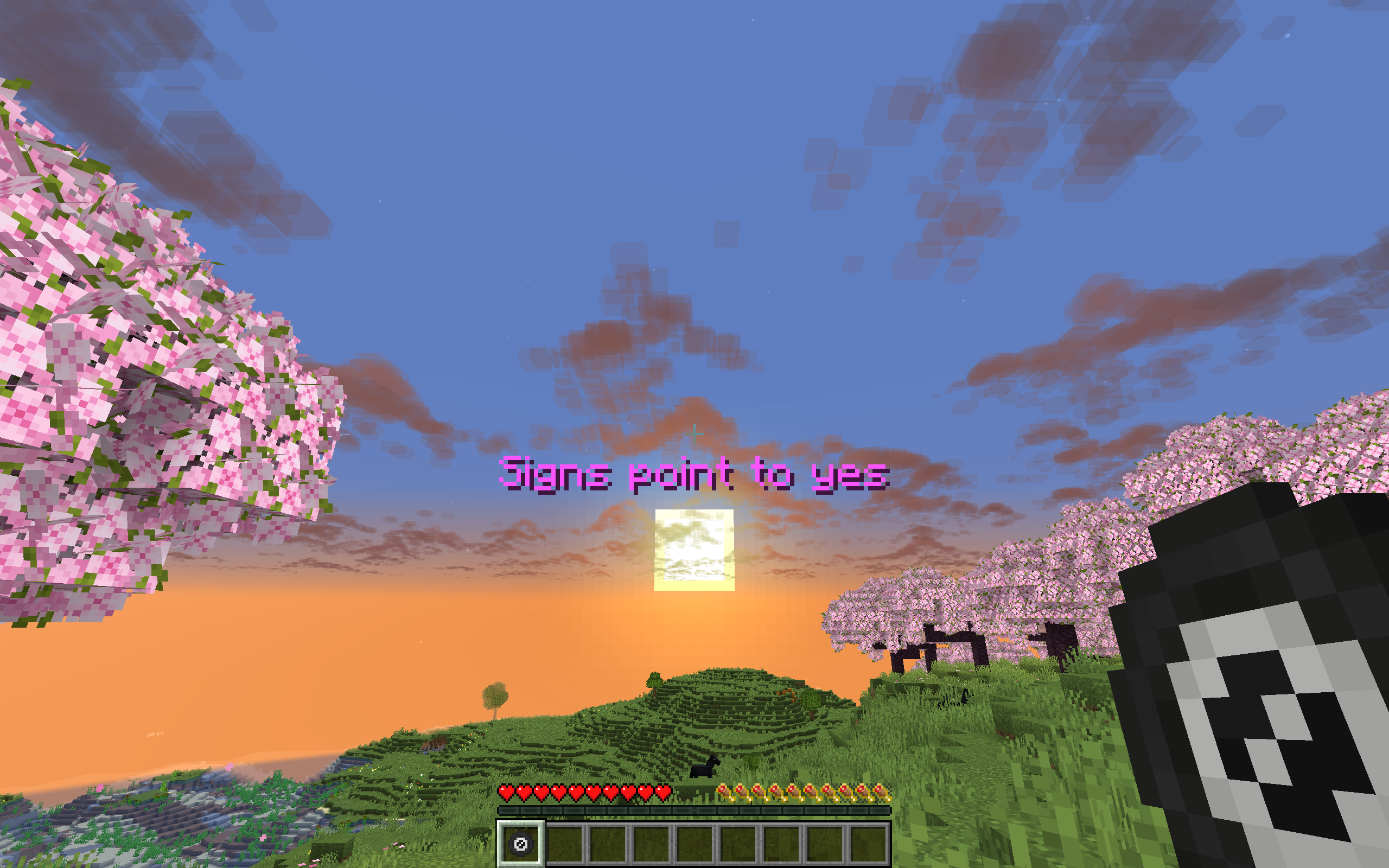 Showcase A showcase of how the Magic 8 Ball responds.
 -
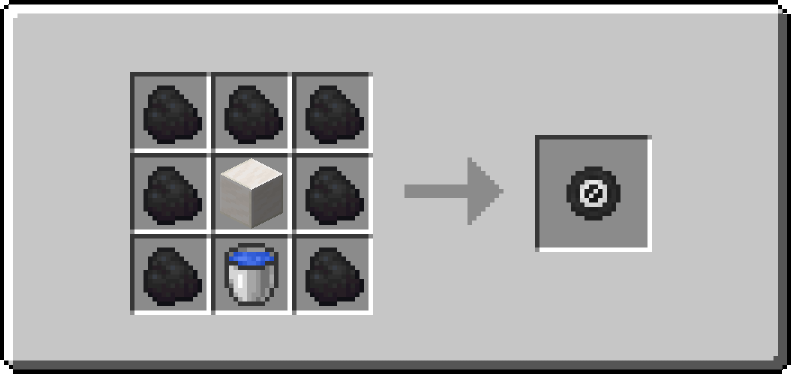 Magic 8 Ball Recipe How the Magic 8 Ball is crafted in the datapack.
Versions
Files
Relations
Project Relations
More like this
Similar Mods
Suggestions use data such as tags, dependencies, dependents, descriptions, titles, and more to rank how much they overlap with this mod.
On ModDex
Community snapshot
By the numbers
Statistics

Want to reach Minecraft players?
We're looking for a server hosting partner to feature here and other parts of the site. Interested? Send us a message!
Get in touchGet it on
Available Platforms
On ModDex
Community snapshot
By the numbers
Statistics
Resources