Community listing page, reviews may not be monitored by the author.
Make Your Animations

No reviews yet
Create your own player animations and emotes in Minecraft: keyframe editor, auto-play while walking/sprinting, multiplayer.

Community voices
Reviews
No reviews yet. Be the first to review this project!
Get it on
Available Platforms
About
Project Details
For authors
Embed Badge
If you're the author of this project, you can embed a live badge anywhere that supports HTML or Markdown. It updates automatically whenever ratings change.
Use HTML for any page that supports it, or Markdown for README files and Markdown-based descriptions.
Identifiers
Platform IDs
Resources
External Links
About
Description
No other mods needed! (Fabric only needs Fabric API)
Make Your Animations 2.0
Pose and keyframe-animate your own player, right in game. Make your character wave, dab, do the Naruto run or anything you can think of, and let it play by itself while you walk, sprint, sneak, jump, swim or ride. Your friends see it too.
Version 2.0 is a full rewrite for Fabric and NeoForge, Minecraft 1.21 to 26.3. It no longer needs Obfuscate.
Features
- Editor: pick a body part (head, body, arms, legs), turn it with sliders and see it live on your own skin. Drag the preview to turn it, scroll to zoom.
- Keyframes: a timeline with keyframes, easing (smooth, linear, ease in, ease out, step), looping or play-once animations, copy/paste, mirror left↔right, undo/redo. One keyframe = a still pose, like the old version.
- Add or Set: Add puts your rotation on top of Minecraft's own movement, so walking and looking around still show. Set replaces it.
- Triggers: choose what plays while standing, walking, sprinting, sneaking, jumping/falling, swimming and riding, plus a Default. Animations blend smoothly into each other.
- Emotes: play any animation from the menu or from 4 emote keys. Moving stops an emote.
- Multiplayer: everyone with the mod sees each other's animations when the server has it too. Vanilla servers and players without the mod can still join.
- Armor and items follow every pose.
- Share animations: every animation is a small JSON file in
config/make_your_animations/animations/. Send it to a friend or drop new ones in. 5 examples are included: Wave, Naruto Run, Zombie Walk, Dab, Proud Idle.
FAQ
How to make animations? Press I to open the animations menu, then New or Edit.
How to play them automatically? In the menu press Triggers… and pick an animation for walking, sprinting and so on.
Why don't my animations show up? Check that the menu says Animations: ON, and that the animation is set under Triggers or played as an emote.
Why can't my friends see them? The server needs the mod too (in singleplayer and LAN it just works), and your friends need the mod to see animations.
Editor shortcuts
| Key | Action |
|---|---|
| Space | Play/pause |
| ← / → | Step one tick |
| Shift + ← / → | Jump to the previous/next keyframe |
| K | Add a keyframe |
| Delete | Remove the keyframe |
| Ctrl + C / V | Copy/paste the pose |
| Ctrl + Z / Y | Undo/redo |
| Ctrl + S | Save |
| Right-click a slider | Set it to 0 |
Versions
Fabric and NeoForge for 1.21–26.3 Pick the file for your version and loader.
Screenshots
Gallery
-
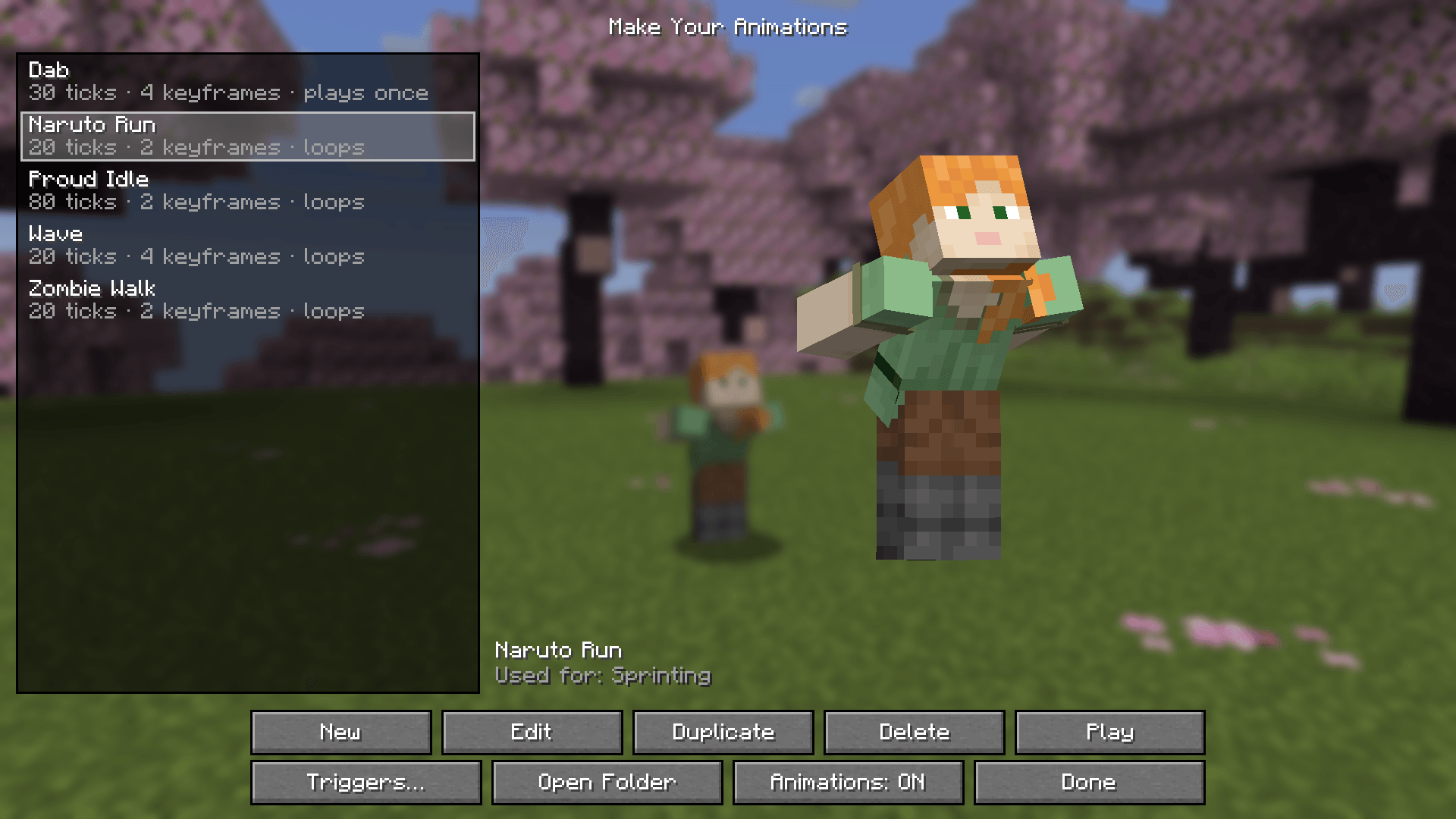 Library
-
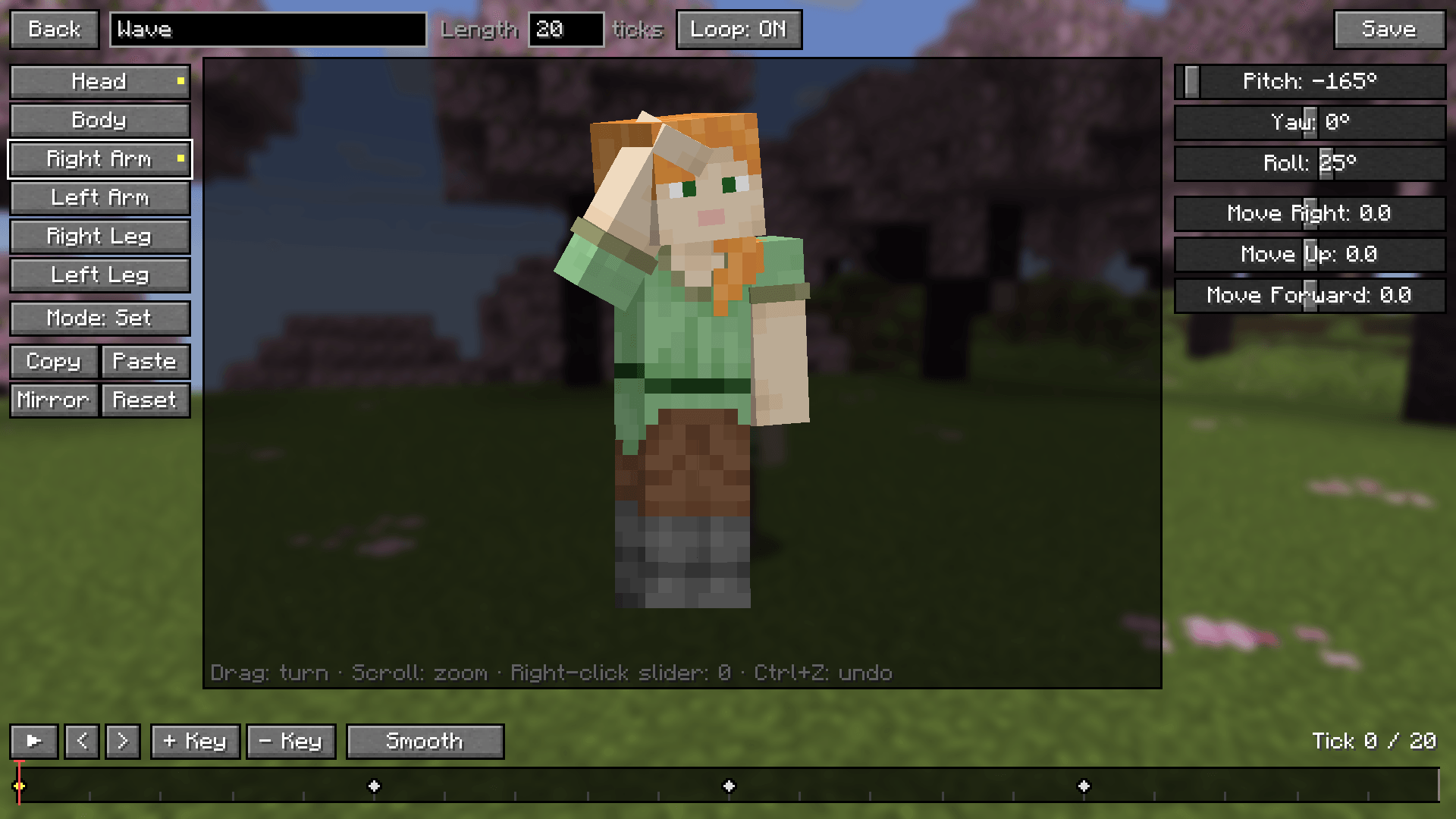 Editor
-
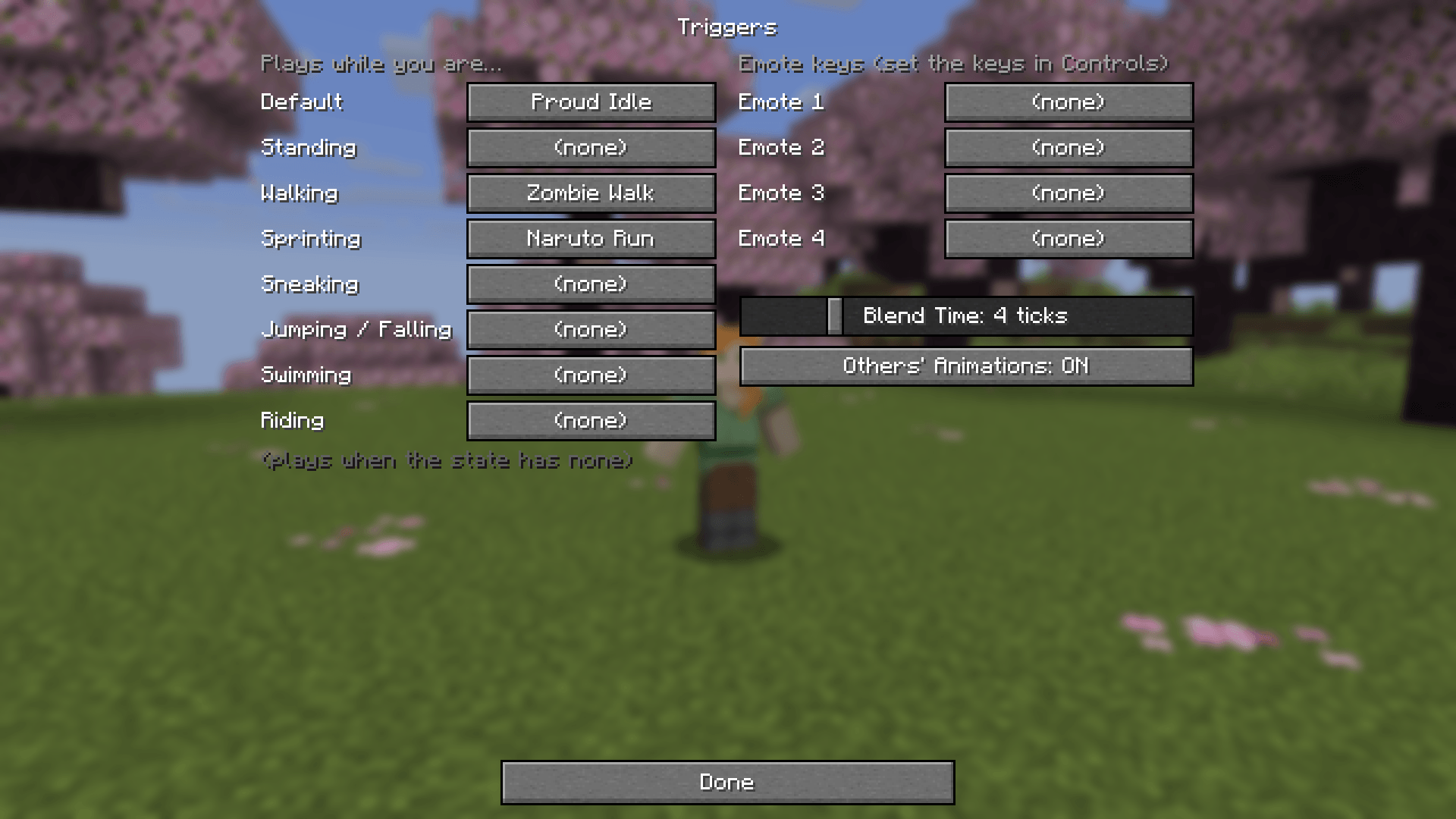 Triggers
-
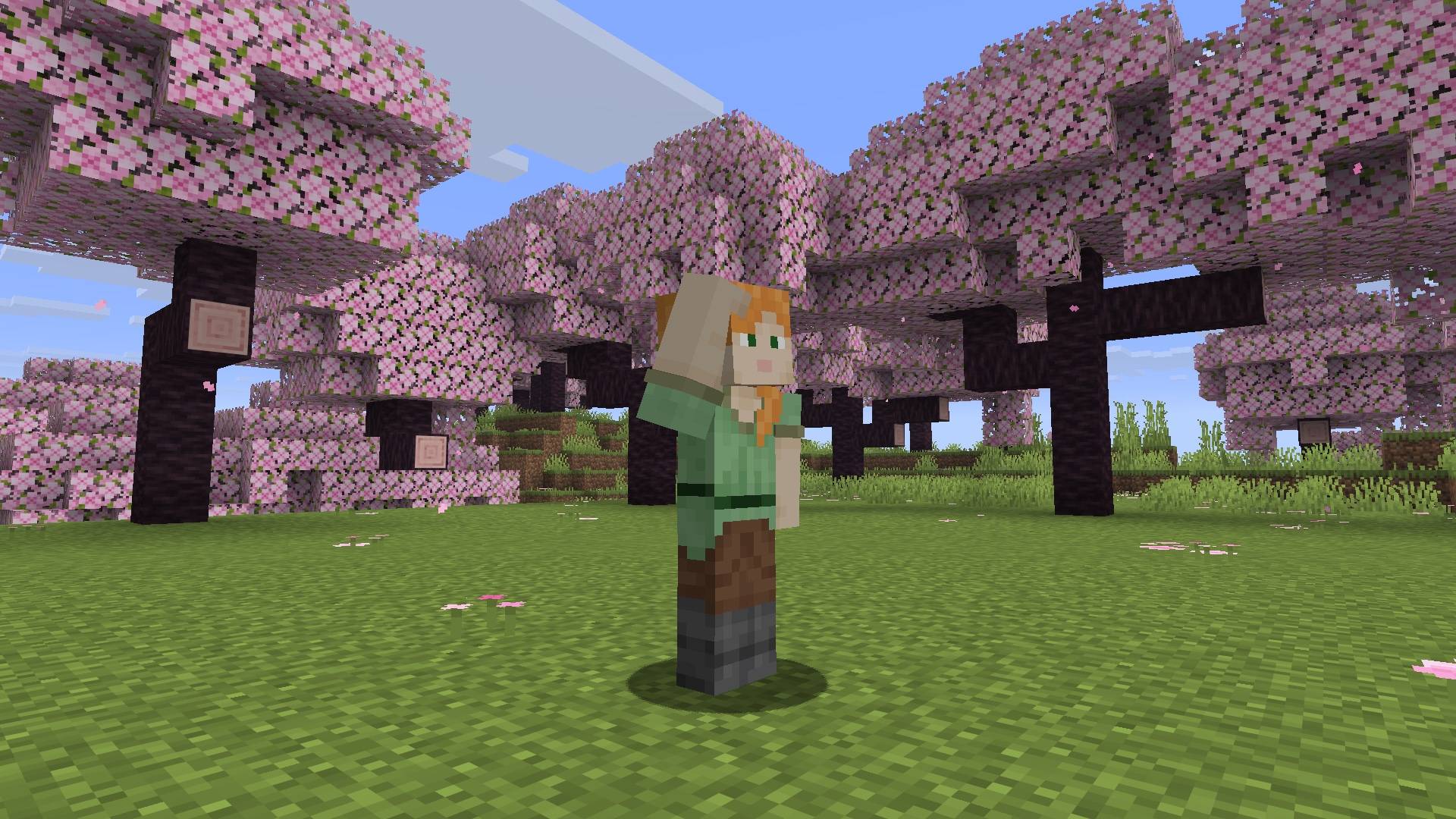 Wave
-
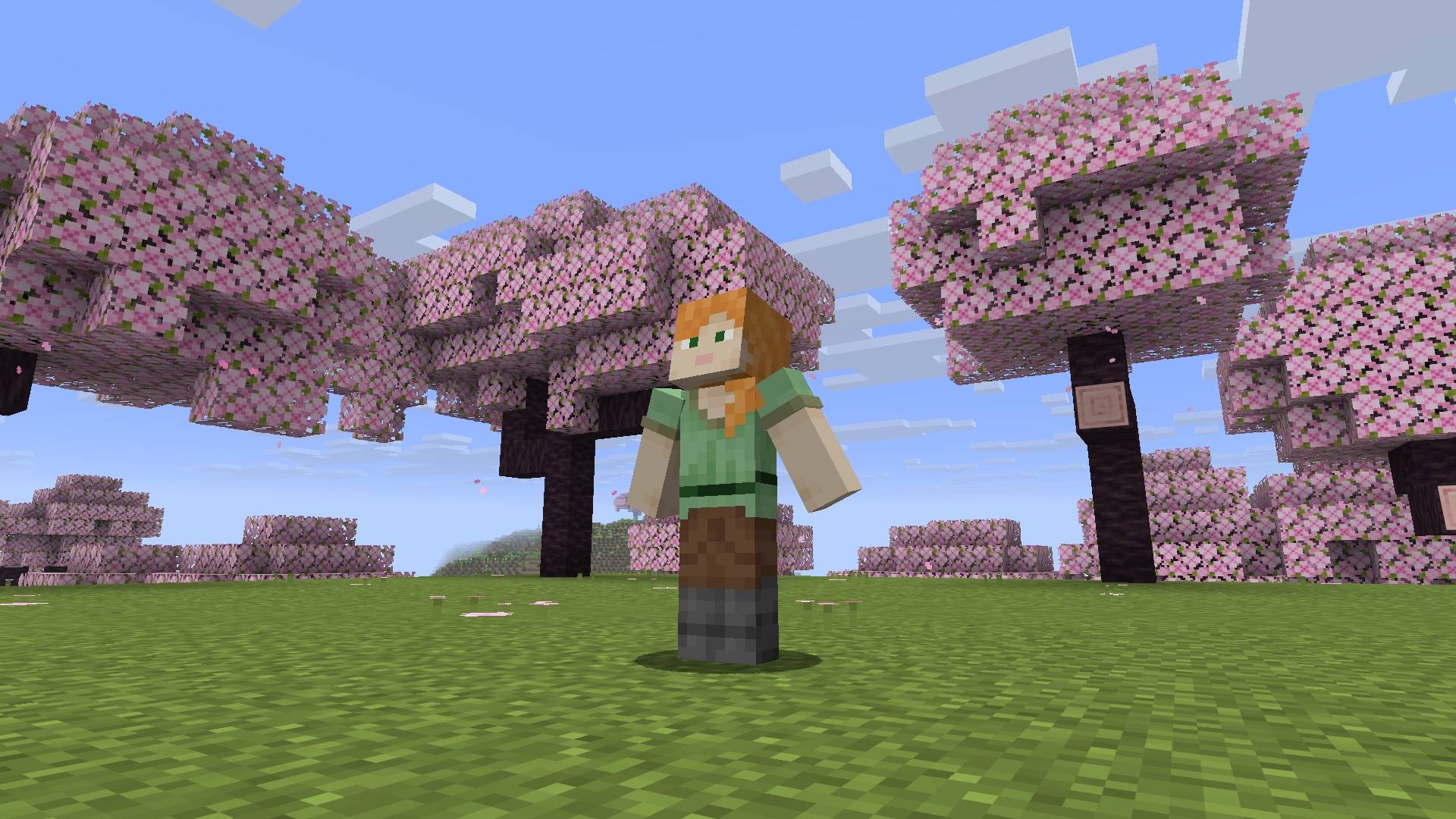 Proud idle
-
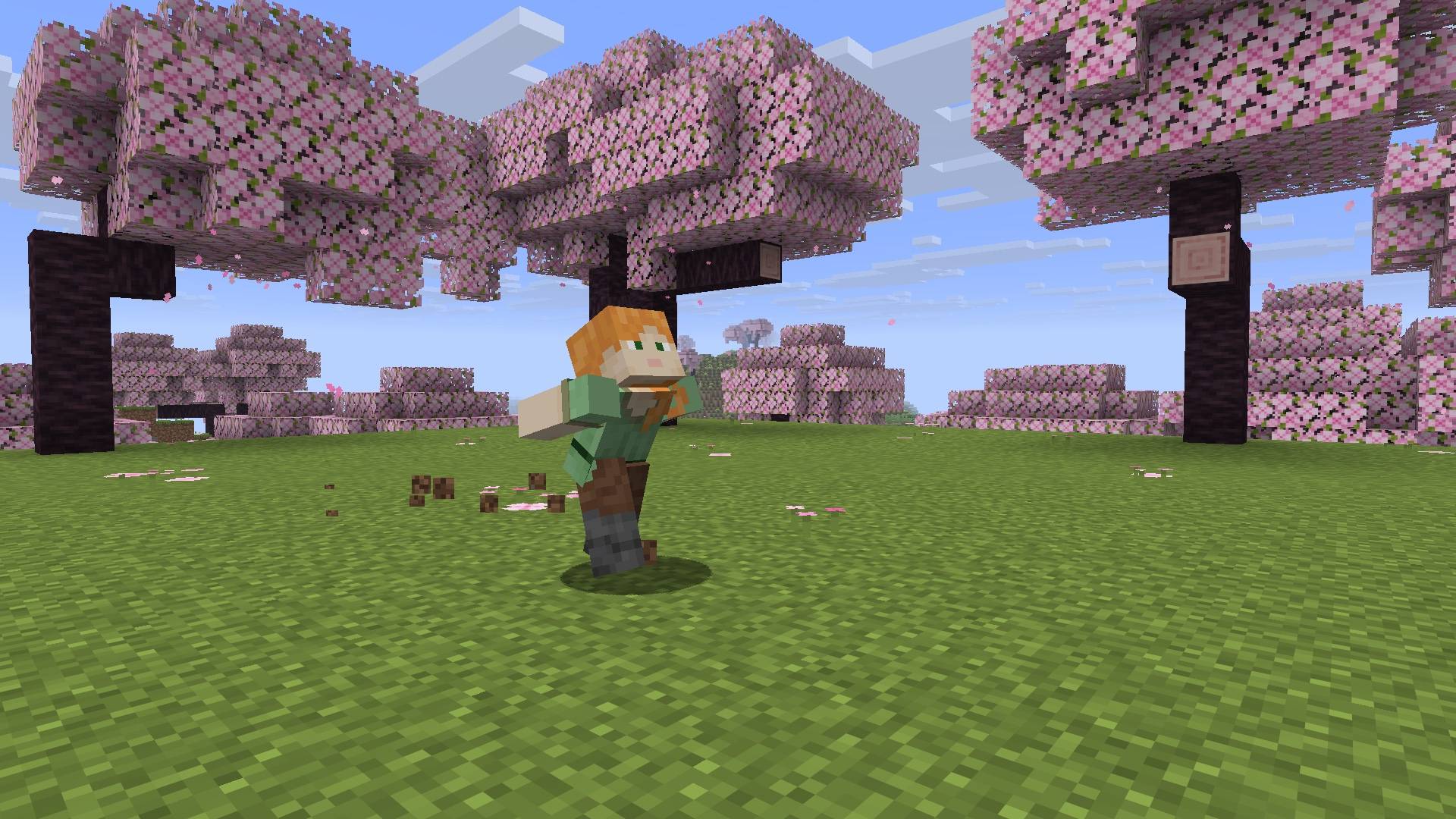 Naruto run
-
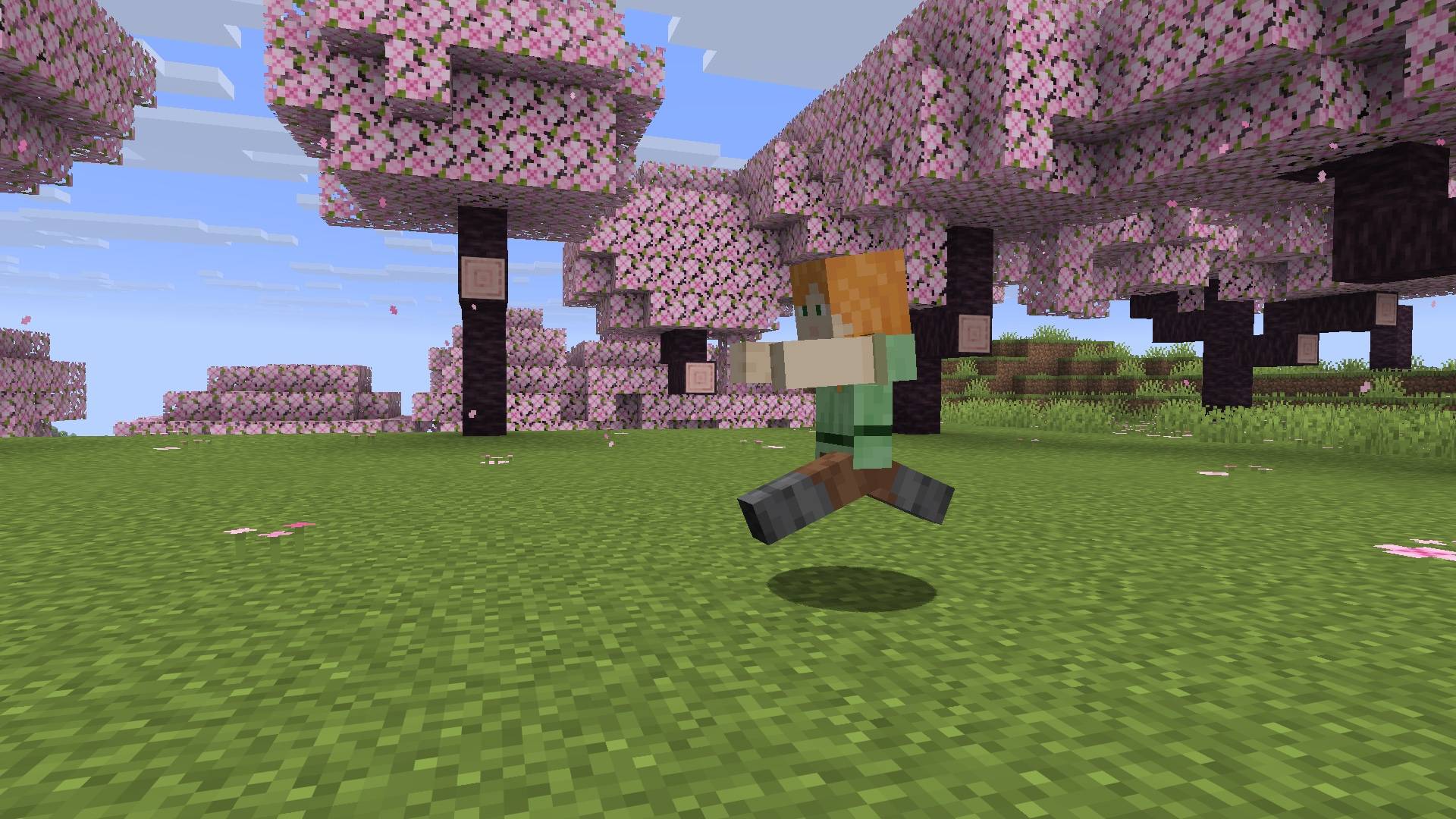 Zombie walk
-
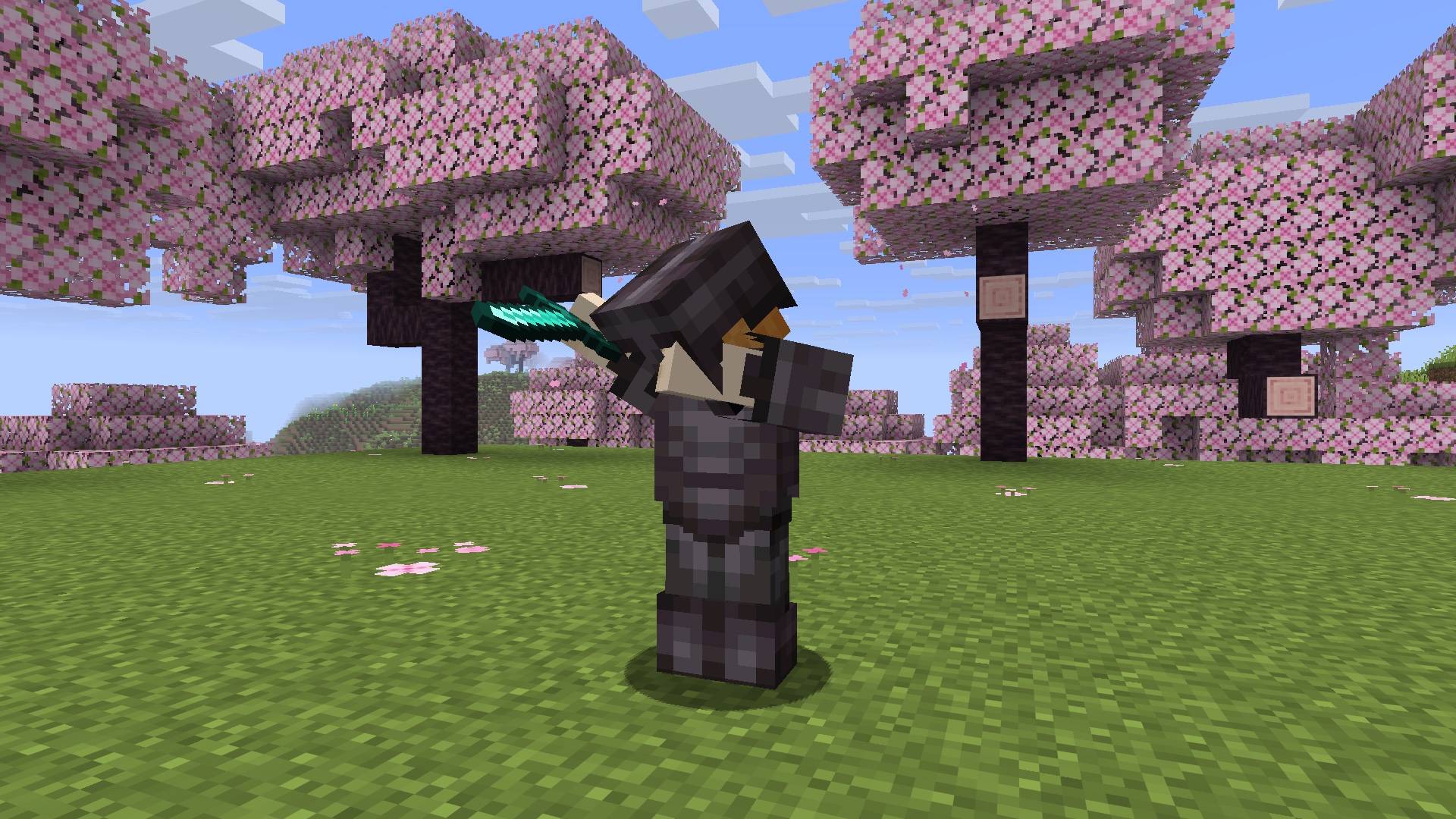 Dab with armor
Versions
Files
Relations
Project Relations
More like this
Similar Mods
Suggestions use data such as tags, dependencies, dependents, descriptions, titles, and more to rank how much they overlap with this mod.
On ModDex
Community snapshot
By the numbers
Statistics

Get it on
Available Platforms
On ModDex
Community snapshot
By the numbers
Statistics
Resources