
Mandacik Client
No reviews yet
A lightweight Fabric client mod with customizable HUD and beautiful title screen!
Fabric is a mod loader for versions 1.14+ of Minecraft, particularly popular for client side and optimization mods.
Community voices
Reviews
Click once to include, again to exclude, again to clear
No reviews yet. Be the first to review this project!
Get it on
Available Platforms
 CurseForge
 Modrinth
Compatibility
Supported Environments
Runs entirely on the client. Works on vanilla servers.
About
Project Details
For authors
Embed Badge
If you're the author of this project, you can embed a live badge anywhere that supports HTML or Markdown. It updates automatically whenever ratings change.
Use HTML for any page that supports it, or Markdown for README files and Markdown-based descriptions.
Identifiers
Platform IDs
Resources
External Links
About
Description
🌟 Mandacik Client
PLEASE SET BACKGROUND BLUR TO 0 IN "Video Settings" TO SEE HUD SETTINGS
A lightweight Fabric client mod that adds a fully customizable HUD and a beautiful custom title screen!
✨ Features
- 📊 HUD (Heads-Up Display)
- ⚡ FPS Counter – always know your performance
- 📡 Ping Display – see your connection quality with color coding
- 🗺️ Coordinates – X, Y, Z always visible
- 🧭 Direction – know where you're heading
- 🌿 Biome Display – see your current biome
- 🕐 Time Display – in-game time with period (Morning/Afternoon/Evening/Night)
- ❤️ Health Display – color coded health bar
- 🛡️ Armor Display – current armor points
- 💨 Speed Display – real-time movement speed in blocks/second
- 💧 Watermark – stylish client watermark in top-right corner
- ⌨️ KeyStrokes – see your key presses in real time
- 🖱 CPS Counter - see your click presses in real time
- 🟩 Block Overlay - shows color at the block you looking at
🎨 Customization
- 🖼️ 6 HUD border colors – Blue, Green, Red, Yellow, Pink, White
- 🖼️ 6 Block Overlay colors – Blue, Green, Red, Yellow, Pink, White
- 🔧 Toggle every HUD element individually
- 💾 Config auto-saves – your settings are always remembered
🌍 Languages
- 🇵🇱 Polish language support
- 🇬🇧 English language support
- 🔄 Switch language anytime in settings
🎬 Title Screen
- ⭐ Animated star field with parallax effect
- 🌌 Nebula effects that react to your HUD color
- 🌠 Aurora animations
- ✨ Shooting stars
- 🎯 Custom buttons – Singleplayer, Multiplayer, Mod Library, Account Switcher, Options, Quit
📦 Mod Library
- 📋 List of all installed mods
- 🔍 Mod name, version and ID
- 🖱️ Smooth scrolling with mouse wheel
🐛 Bugs & Suggestions
Found a bug? Have an idea? Let me know in the Issues section!
Made with ❤️ by Mandacik
PLEASE SET BACKGROUND BLUR TO 0 IN "Video Settings" TO SEE HUD SETTINGS
Dependencies ❗
- 📝 Fabric: Fabric API (Required), In-Game Account Switcher (Required)
A lightweight Fabric client mod that adds a fully customizable HUD and a beautiful custom title screen!
✨ Features
📊 HUD (Heads-Up Display)
- ⚡ FPS Counter – always know your performance
- 📡 Ping Display – see your connection quality with color coding
- 🗺️ Coordinates – X, Y, Z always visible
- 🧭 Direction – know where you're heading
- 🌿 Biome Display – see your current biome
- 🕐 Time Display – in-game time with period (Morning/Afternoon/Evening/Night)
- ❤️ Health Display – color coded health bar
- 🛡️ Armor Display – current armor points
- 💨 Speed Display – real-time movement speed in blocks/second
- 💧 Watermark – stylish client watermark in top-right corner
- ⌨️ KeyStrokes – see your key presses in real time
- 🖱 CPS Counter - see your click presses in real time
- 🟩 Block Overlay - shows color at the block you looking at
🎨 Customization
- 🖼️ 6 HUD border colors – Blue, Green, Red, Yellow, Pink, White
- 🖼️ 6 Block Overlay colors – Blue, Green, Red, Yellow, Pink, White
- 🔧 Toggle every HUD element individually
- 💾 Config auto-saves – your settings are always remembered
🌍 Languages
- 🇵🇱 Polish language support
- 🇬🇧 English language support
- 🔄 Switch language anytime in settings
🎬 Title Screen
- ⭐ Animated star field with parallax effect
- 🌌 Nebula effects that react to your HUD color
- 🌠 Aurora animations
- ✨ Shooting stars
- 🎯 Custom buttons – Singleplayer, Multiplayer, Mod Library, Options, Quit
📦 Mod Library
- 📋 List of all installed mods
- 🔍 Mod name, version and ID
- 🖱️ Smooth scrolling with mouse wheel
🐛 Bugs & Suggestions
Found a bug? Have an idea? Let me know in the Issues section!
Made with ❤️ by Mandacik
Screenshots
Gallery
-
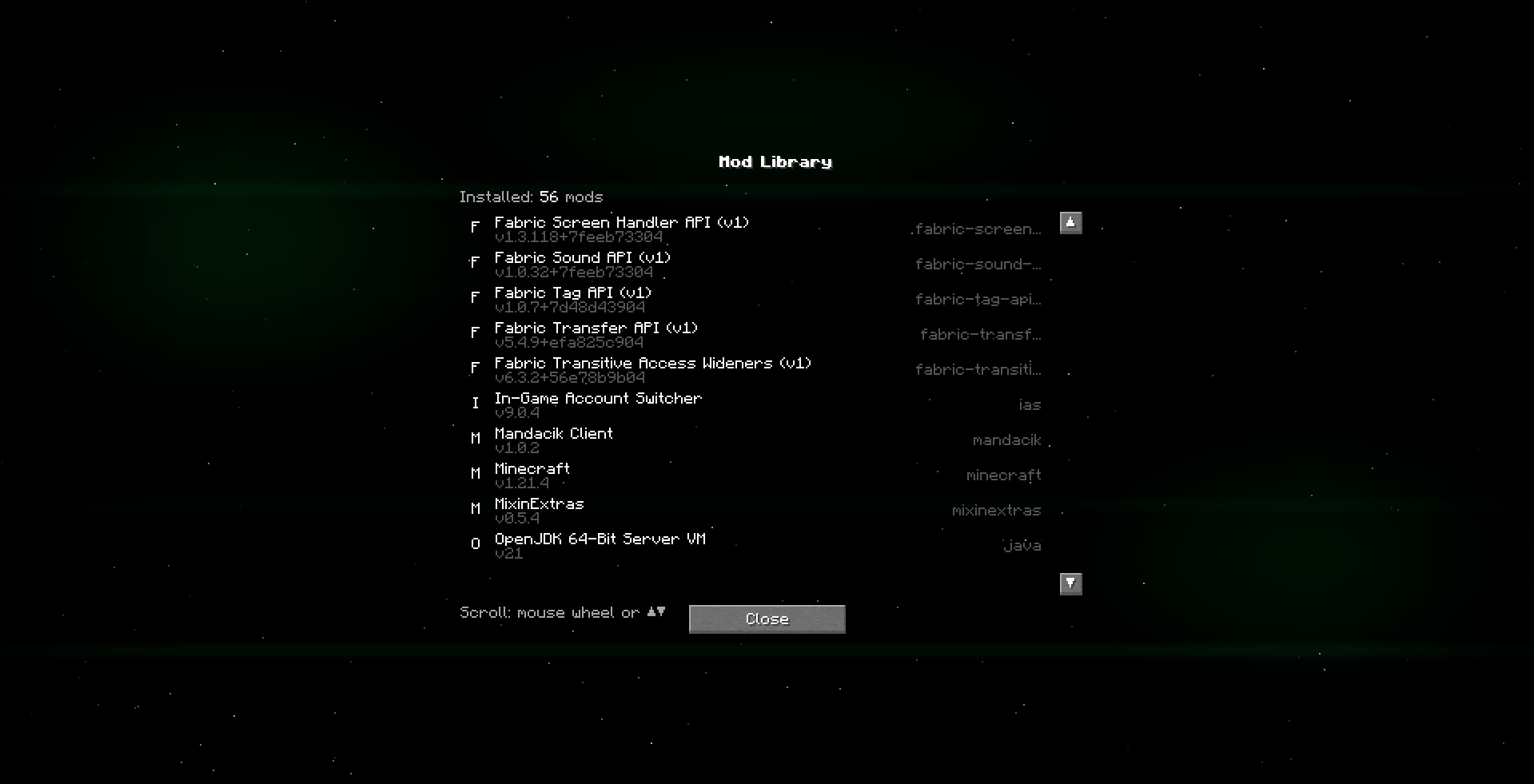 Mod Library
 -
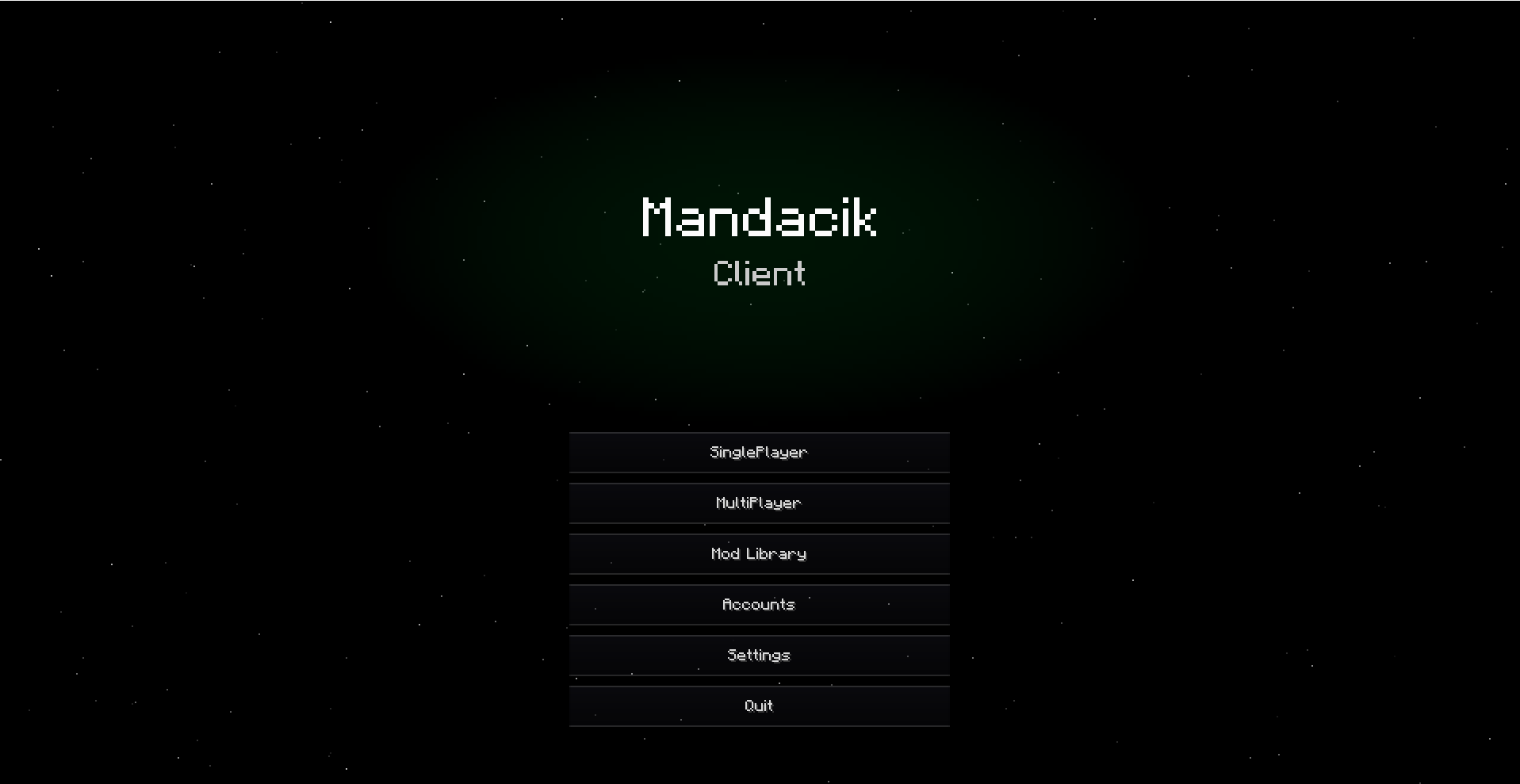 Title Screen
 -
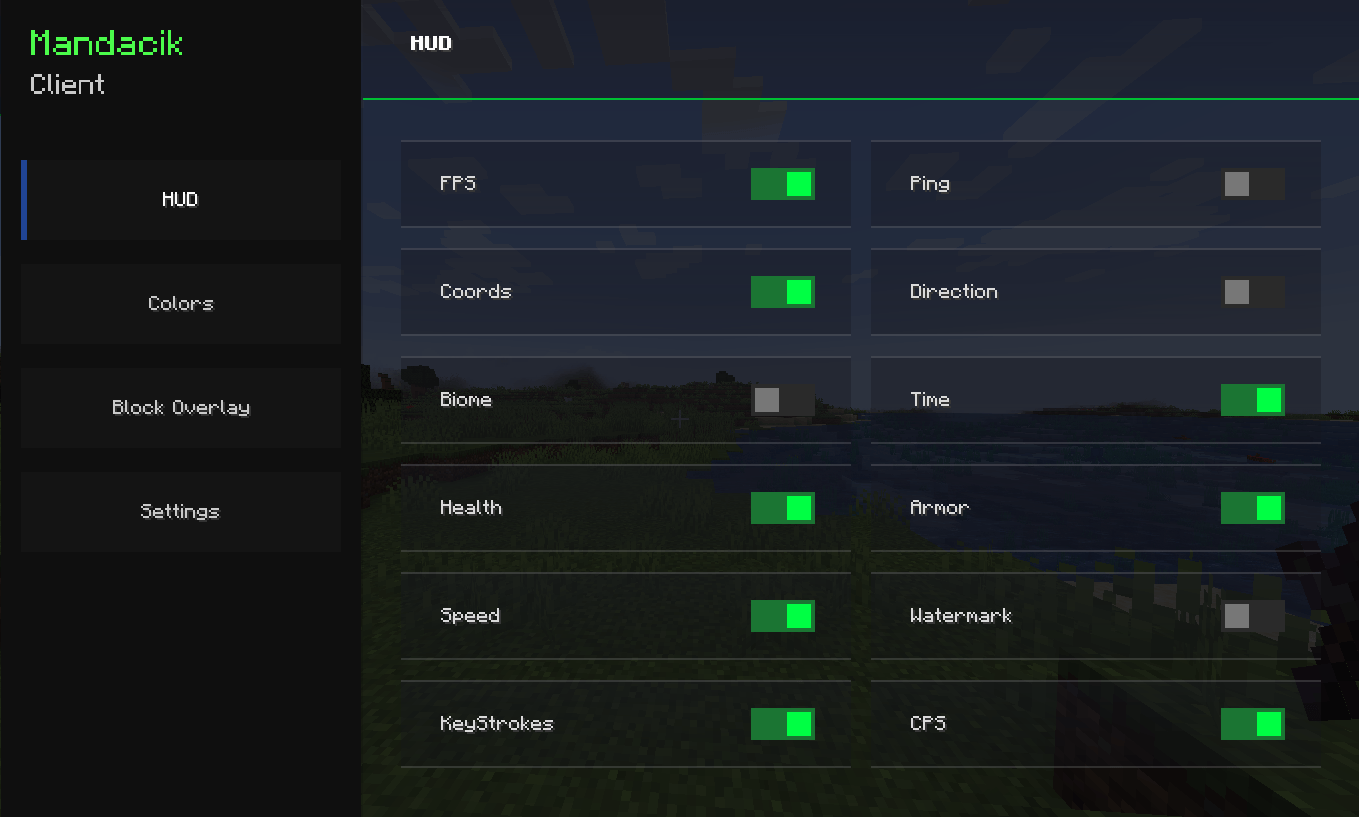 HUD Settings
 -
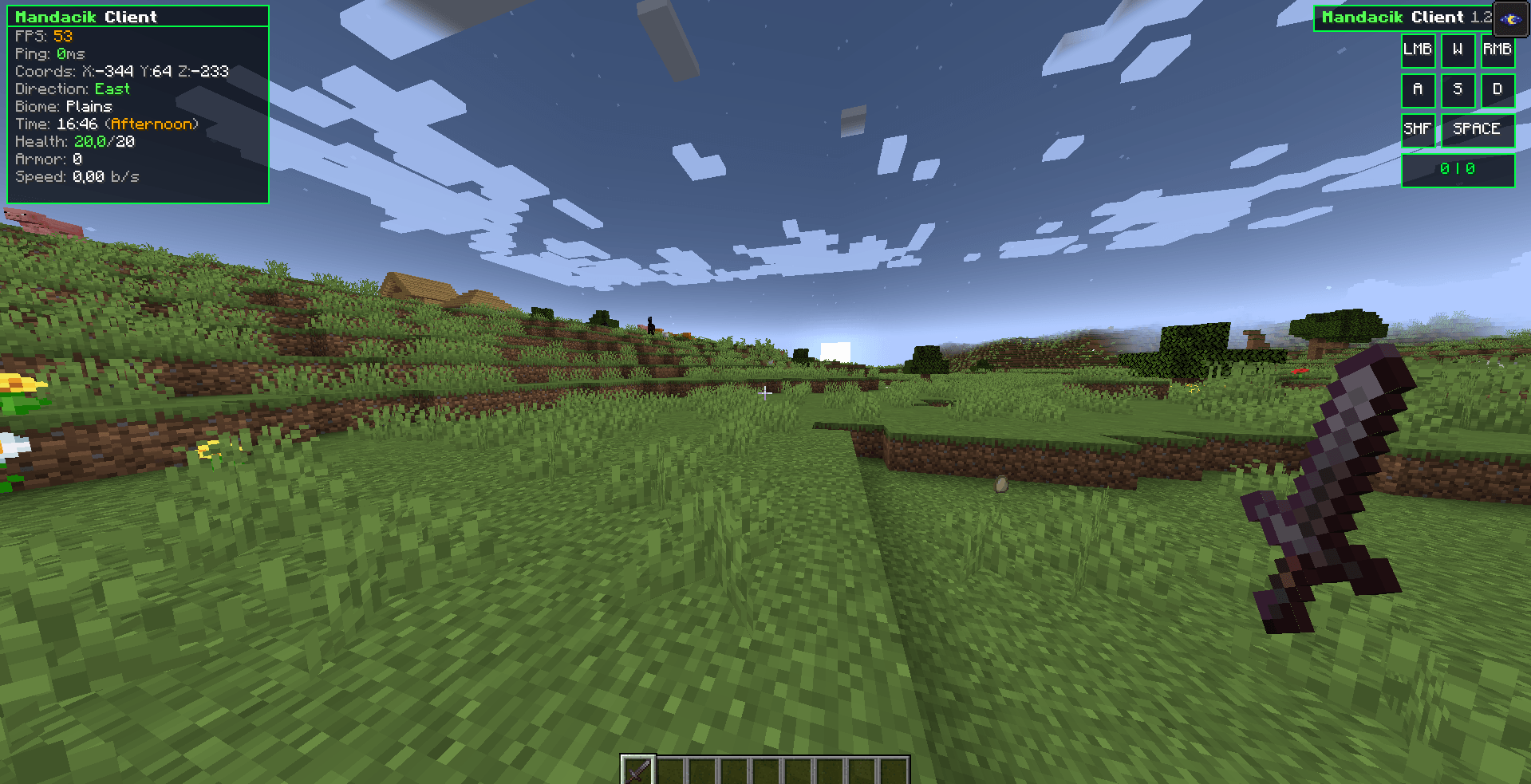 HUD + View Model
-
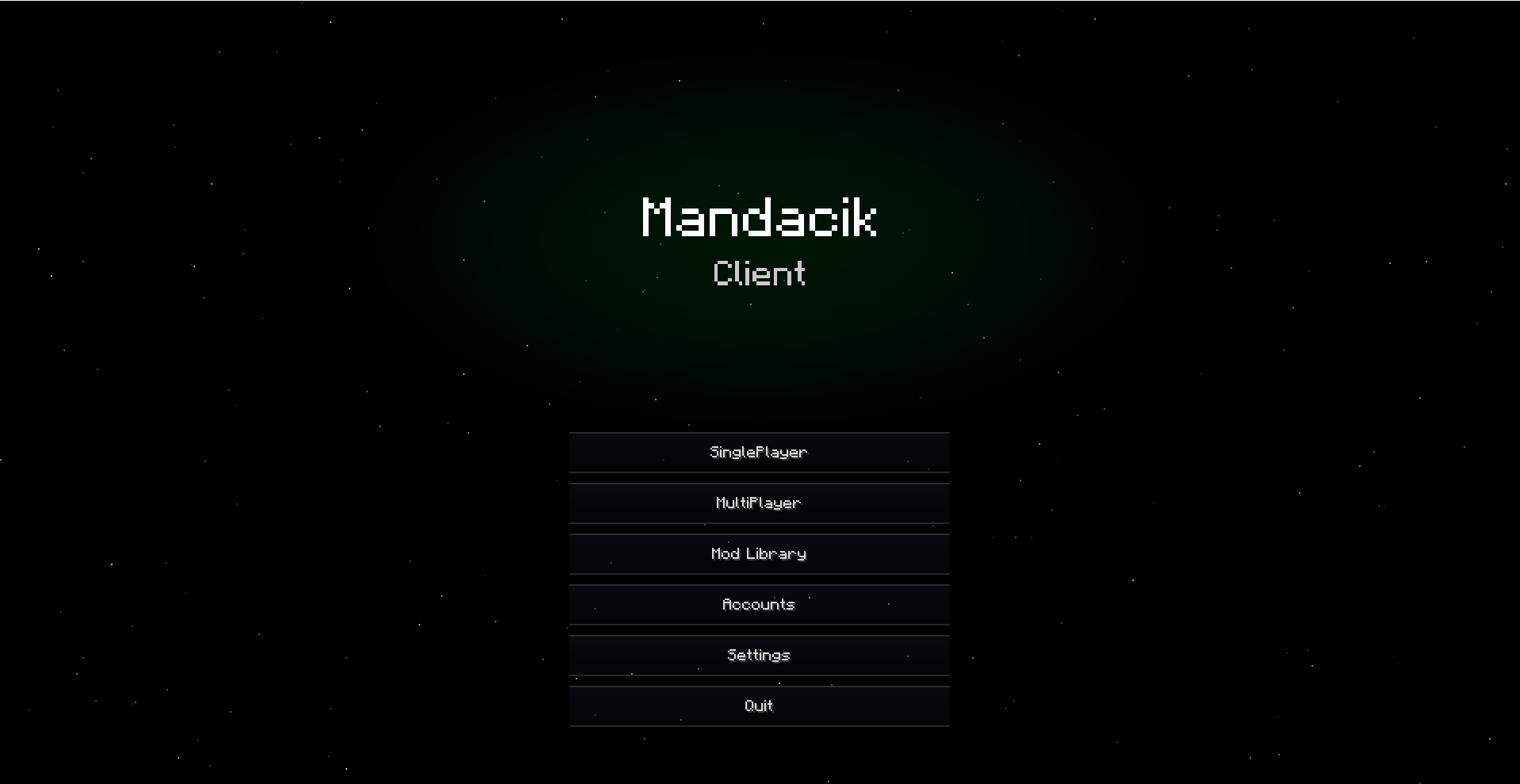 Title Screen
 -
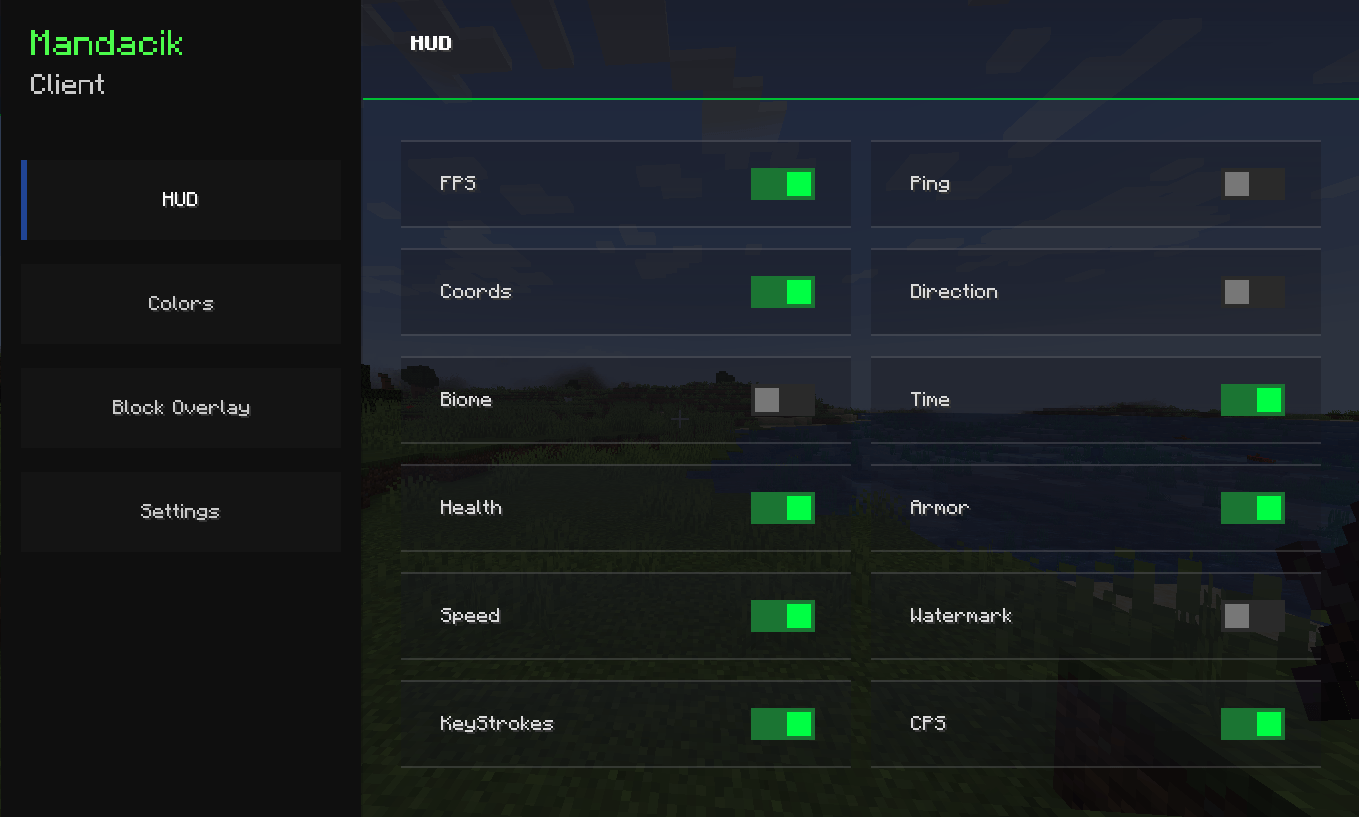 Settings HUD
 -
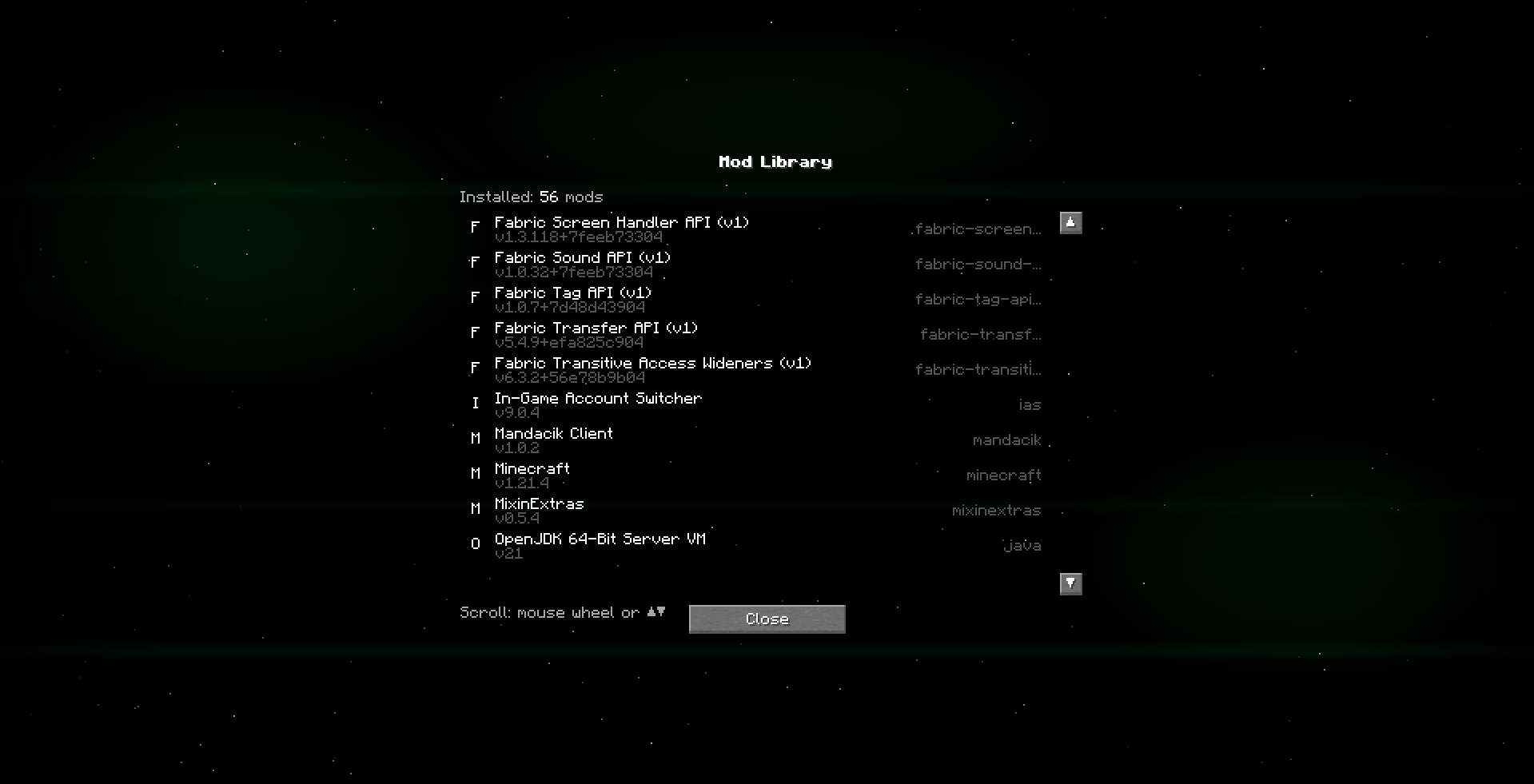 Mod Library
 -
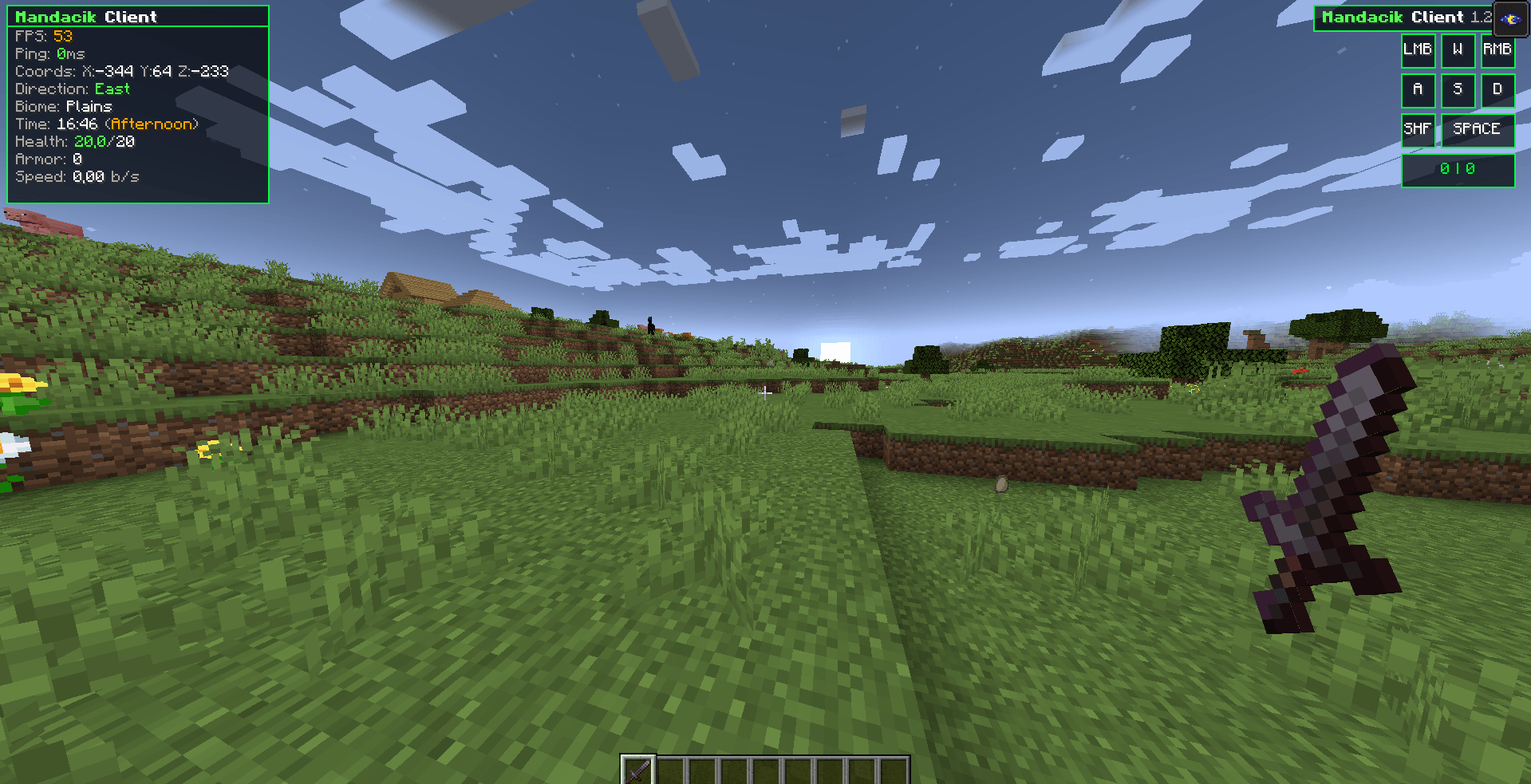 HUD + View Model
Versions
Files
Relations
Project Relations
More like this
Similar Mods
Suggestions use data such as tags, dependencies, dependents, descriptions, titles, and more to rank how much they overlap with this mod.
On ModDex
Community snapshot
By the numbers
Statistics
Want to reach Minecraft players?
We're looking for a server hosting partner to feature here and other parts of the site. Interested? Send us a message!
Get in touchGet it on
Available Platforms
On ModDex
Community snapshot
By the numbers
Statistics
Resources