Community listing page, reviews here may not be monitored by the author.
Map art Lite


No reviews yet
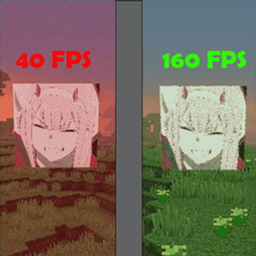
Reduces lag by not rendering map arts or making them low quality.
Community voices
Reviews
No reviews yet. Be the first to review this project!
Get it on
Available Platforms
Compatibility
Supported Environments
Runs entirely on the client. Works on vanilla servers.
About
Project Details
For authors
Embed Badge
If you're the author of this project, you can embed a live badge anywhere that supports HTML or Markdown. It updates automatically whenever ratings change.
Use HTML for any page that supports it, or Markdown for README files and Markdown-based descriptions.
Identifiers
Platform IDs
Resources
External Links
About
Description
Big map art walls tank your framerate. This fixes that.
Minecraft keeps every map you can see in video memory at full 128x128
resolution. A wall of a thousand maps is a thousand separate textures. Map Art
Lite rebuilds them smaller and lets you pick how small, so that same wall costs
roughly 4 MB instead of roughly 64 MB on the default setting.
Only maps in item frames are affected. A map in your hand or opened fullscreen
stays sharp, so it still works for navigating.
SETUP
Requires Fabric API and Cloth Config. Add Mod Menu as well if you want to change
settings without leaving the game, which you probably do.
SETTINGS
Open Mod Menu, find Map Art Lite, click Config. Changes apply instantly.
Quality: Ultra (vanilla), High, Medium, Low, Potato, or Off. Default is Medium.
Limit Render Distance: stops drawing map art past a distance you set, 64 blocks
by default. Usually the biggest FPS win on a large wall.
Hide Map Markers: skips banner and player icons on framed maps.
Mod Enabled: master switch back to vanilla rendering.
If it seems like nothing is happening, check that quality is not on Ultra. Ultra
means vanilla on purpose.
Client side only, so installing it on a server does nothing.
Fabric, Minecraft 1.21.6 through 1.21.11.
Built with AI assistance (Claude). Design, testing and maintenance by AzedIsCool.
Big map art walls tank your framerate. This fixes that.
Minecraft keeps every map you can see in video memory at full 128x128 resolution. A wall of a thousand maps is a thousand separate textures. Map Art Lite rebuilds them smaller and lets you pick how small, so that same wall costs roughly 4 MB instead of roughly 64 MB on the default setting.
Only maps in item frames are affected. A map in your hand or opened fullscreen stays sharp, so it still works for navigating.
Setup
Requires Fabric API and Cloth Config. Add Mod Menu as well if you want to change settings without leaving the game, which you probably do.
Settings
Open Mod Menu, find Map Art Lite, click Config. Changes apply instantly.
- Quality: Ultra (vanilla), High, Medium, Low, Potato, or Off. Default is Medium.
- Limit Render Distance: stops drawing map art past a distance you set, 64 blocks by default. Usually the biggest FPS win on a large wall.
- Hide Map Markers: skips banner and player icons on framed maps.
- Mod Enabled: master switch back to vanilla rendering.
If it seems like nothing is happening, check that quality is not on Ultra. Ultra means vanilla on purpose.
Notes
Client side only, so installing it on a server does nothing.
Fabric, Minecraft 1.21.6 through 1.21.11.
Built with AI assistance (Claude). Design, testing and maintenance by AzedIsCool.
Screenshots
Gallery
Versions
Files
Relations
Project Relations
More like this
Similar Mods
Suggestions use data such as tags, dependencies, dependents, descriptions, titles, and more to rank how much they overlap with this mod.
On ModDex
Community snapshot
By the numbers
Statistics
Want to reach Minecraft players?
We're looking for a server hosting partner to feature here and other parts of the site. Interested? Send us a message!
Get in touchGet it on
Available Platforms
On ModDex
Community snapshot
By the numbers
Statistics
Resources