
Map Creation Tools
No reviews yet
A mod that adds useful tools for map creators!
Neoforge is a fork of the Minecraft Forge available for versions 1.20.1+ of Minecraft. Many Forge mods are compatible with Neoforge and vice versa.
Community voices
Reviews
Click once to include, again to exclude, again to clear
No reviews yet. Be the first to review this project!
Get it on
Available Platforms
 Modrinth
Compatibility
Supported Environments
About
Project Details
For authors
Embed Badge
If you're the author of this project, you can embed a live badge anywhere that supports HTML or Markdown. It updates automatically whenever ratings change.
Use HTML for any page that supports it, or Markdown for README files and Markdown-based descriptions.
Identifiers
Platform IDs
Resources
External Links
About
Description
Are you tired of using the same comands over and over at the start of your adventure maps? Use Map Creation Tools (MCT) to make this process easy!
What do the blocks do?
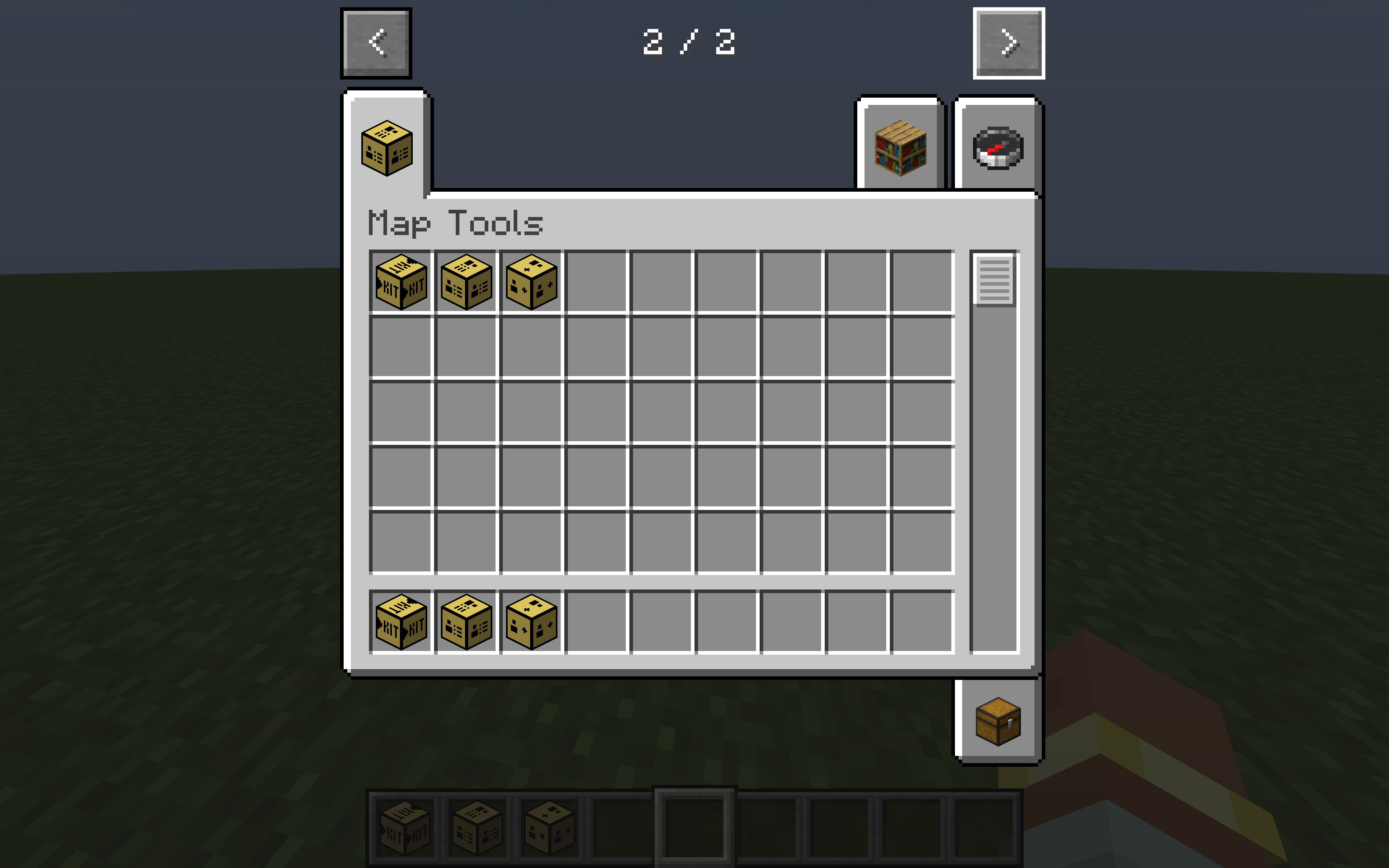
There are three new blocks added in MCT that assist adventure map creators:
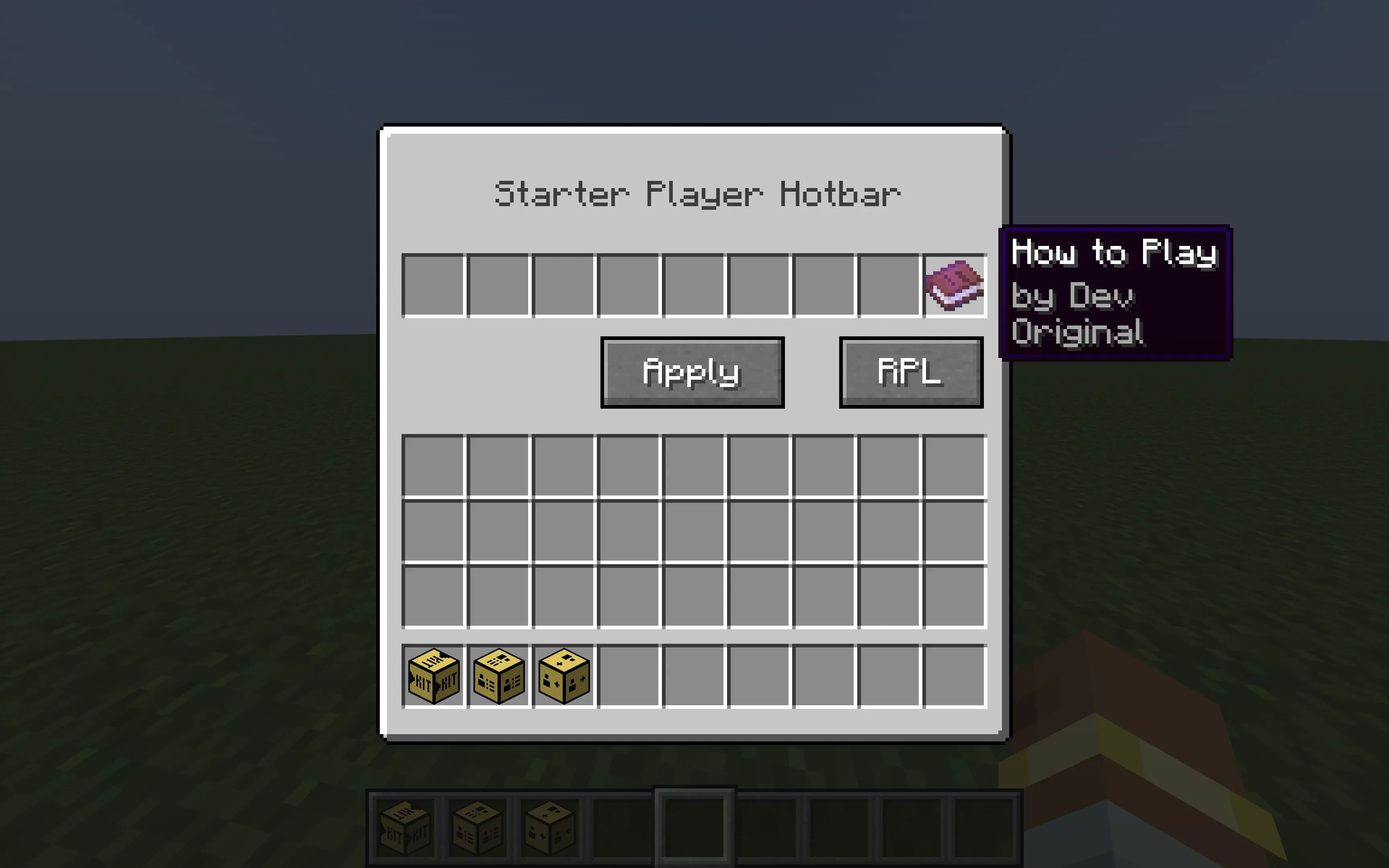
Starter Kit
You can use this block to set the hotbar of the player when they first join the map. Use the "RPL" button to refresh the player list so that when they join the map the mod thinks it is their first time.
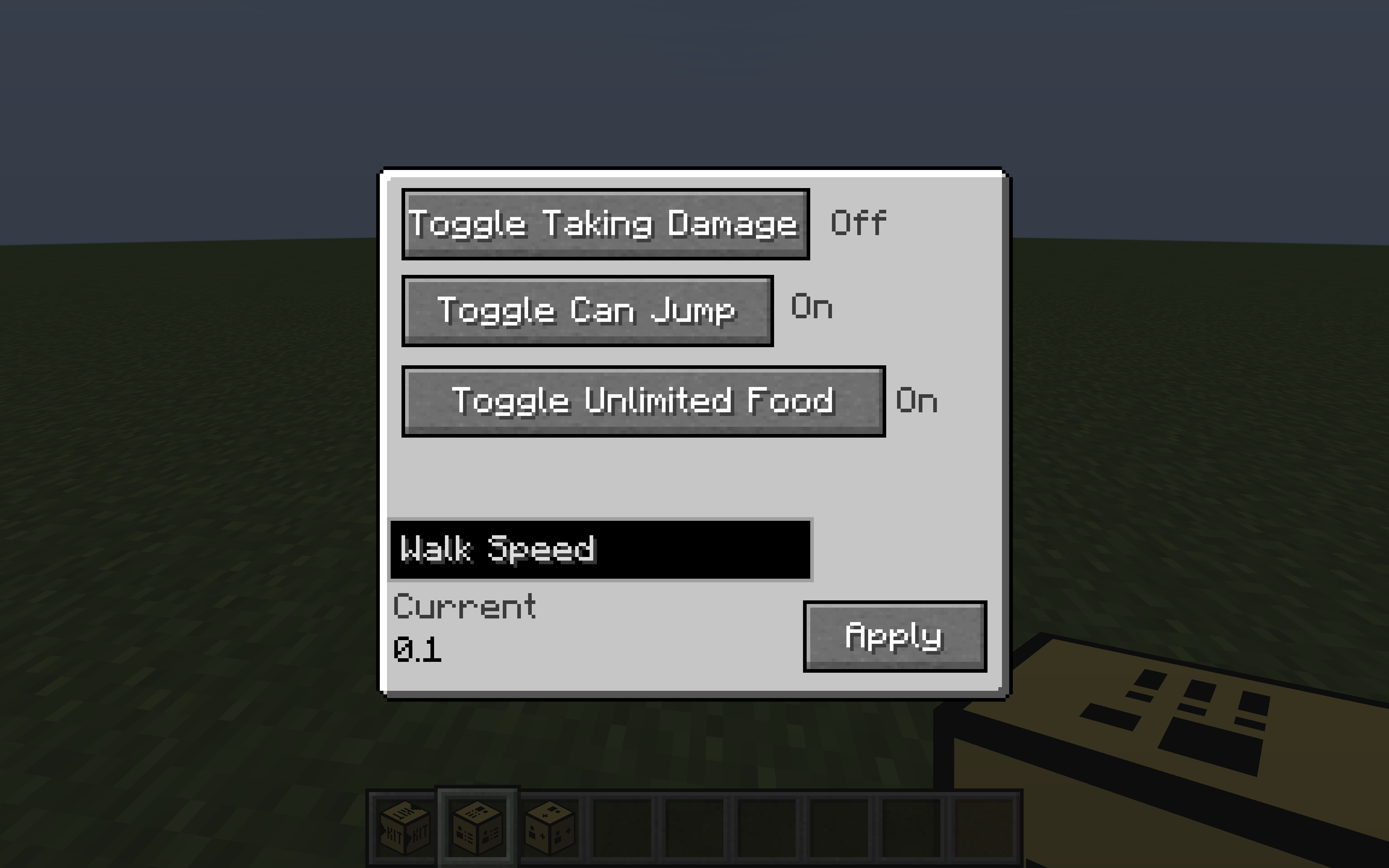
Player Manager
This block can edit variables of players like allowing them to jump, turning off damage, editing walk speed, and removing hunger. In order for the walk speed changes to take effect, you need to press the "Apply" button.

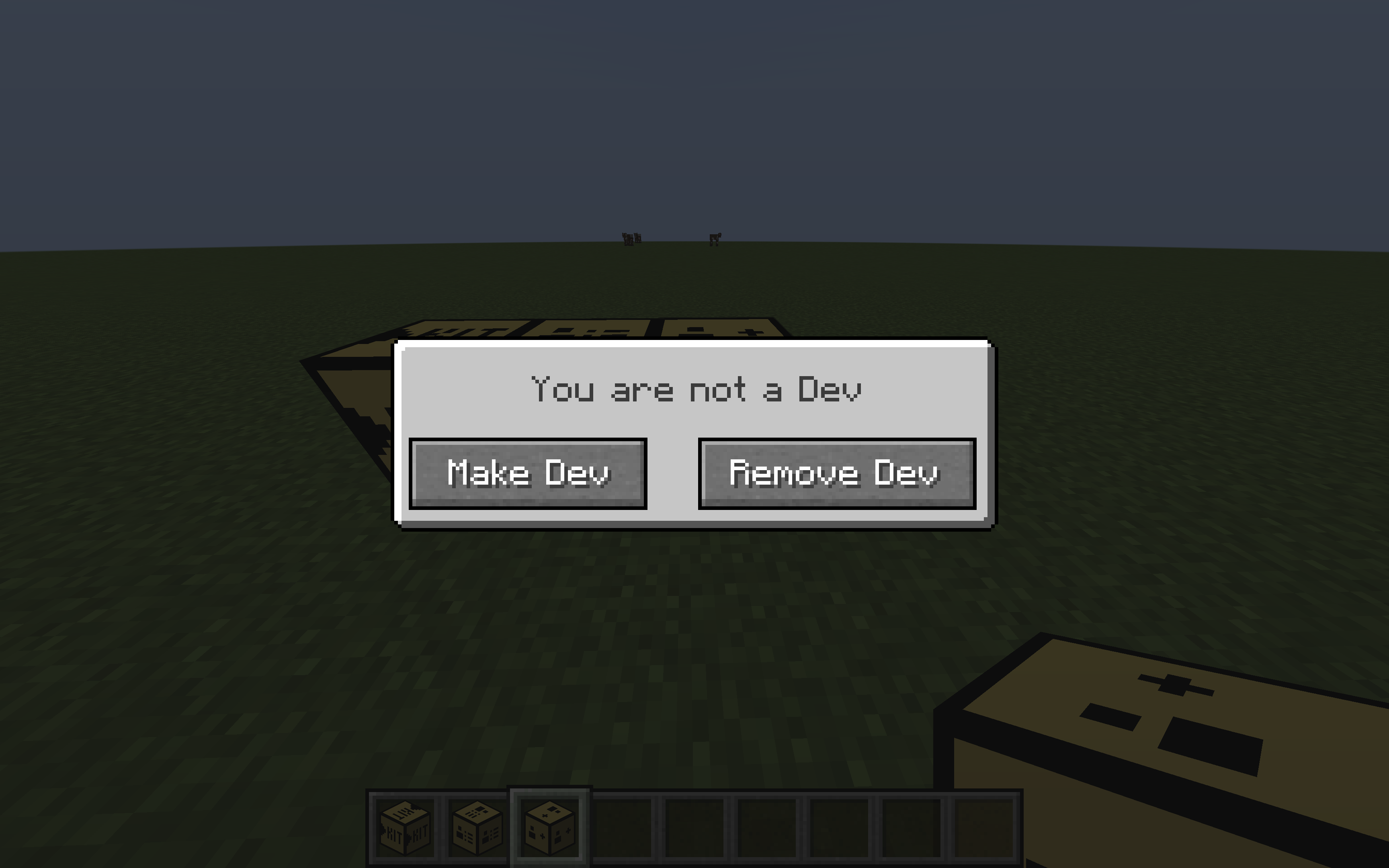
Dev List
This block lets you toggle Dev Mode. Dev Mode basically means that the other blocks do not have an effect on you (Starter Kit, Player Manager)
Screenshots
Gallery
-
 Player Manager
 -
 Block List
 -
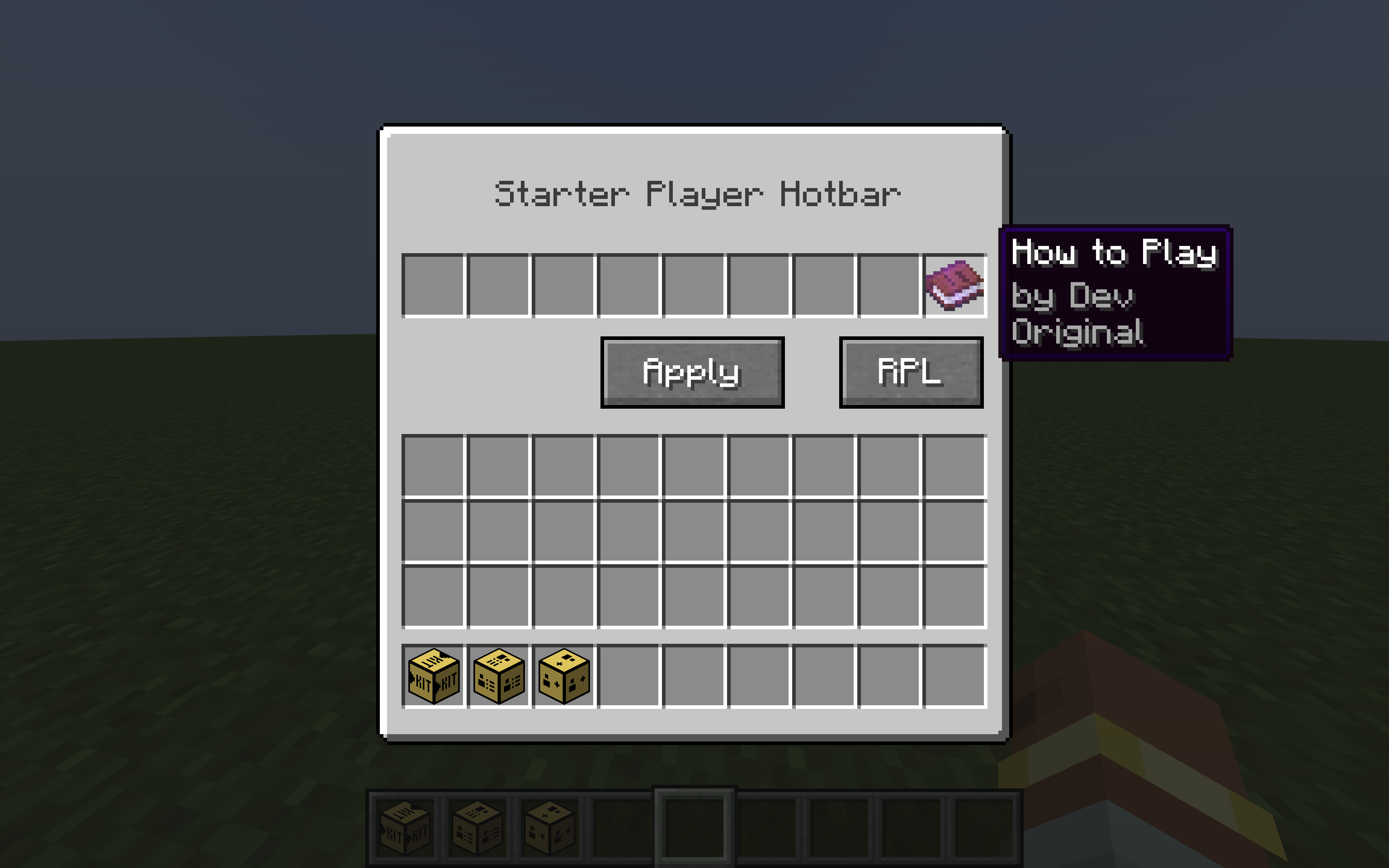 Starter Hotbar
 -
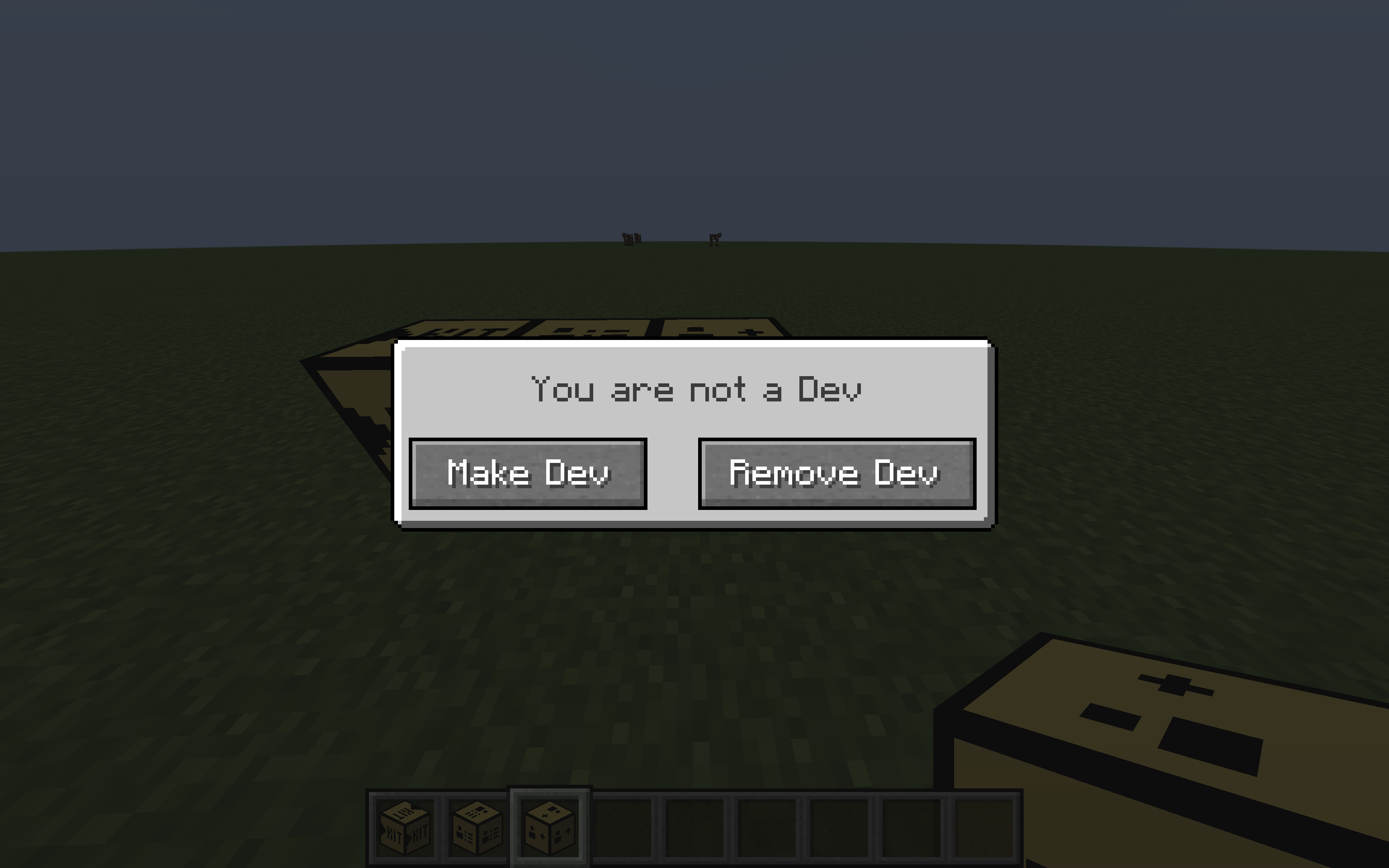 Dev Editor
Versions
Files
Relations
Project Relations
More like this
Similar Mods
Suggestions use data such as tags, dependencies, dependents, descriptions, titles, and more to rank how much they overlap with this mod.
On ModDex
Community snapshot
By the numbers
Statistics

Want to reach Minecraft players?
We're looking for a server hosting partner to feature here and other parts of the site. Interested? Send us a message!
Get in touchGet it on
Available Platforms
On ModDex
Community snapshot
By the numbers
Statistics
Resources