
Community listing page, reviews here may not be monitored by the author.
Map Preview Icons

No reviews yet
Shows a preview of maps on their item icon. No more searching through 100 identical looking maps in your inventory!
Community voices
Reviews
No reviews yet. Be the first to review this project!
Get it on
Available Platforms
Compatibility
Supported Environments
Runs entirely on the server. Also works in singleplayer.
About
Project Details
For authors
Embed Badge
If you're the author of this project, you can embed a live badge anywhere that supports HTML or Markdown. It updates automatically whenever ratings change.
Use HTML for any page that supports it, or Markdown for README files and Markdown-based descriptions.
Identifiers
Platform IDs
Resources
External Links
About
Description
If you've ever used maps in Minecraft, you've probably ran into the issue where you have dozens of maps in your inventory, and now you need to hold them one by one to find the one you're looking for. With Map Preview Icons, that's a thing of the past! Map item icons now show a little preview of the map, so you can tell them apart at a glance.
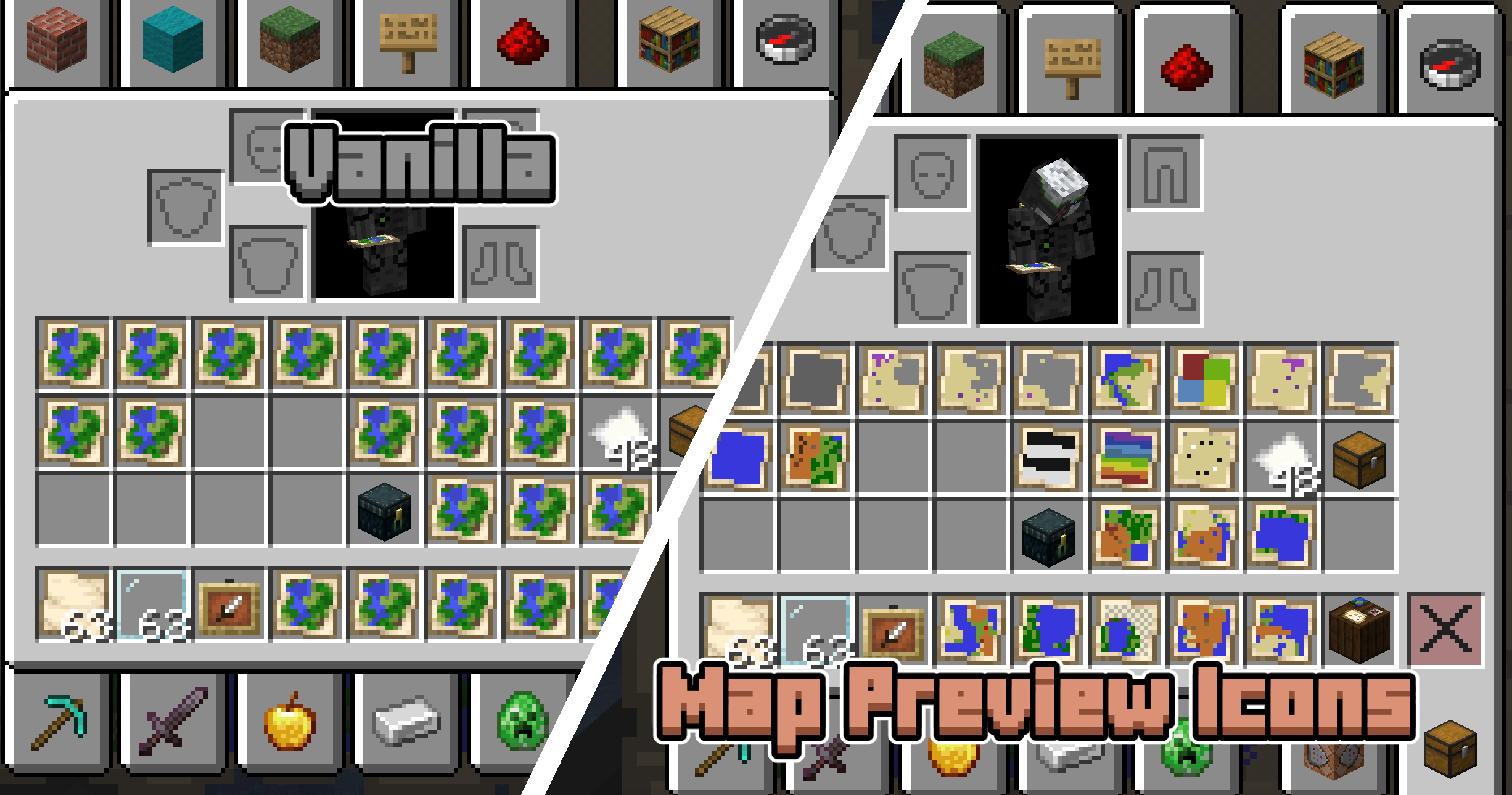
This datapack comes with a required resourcepack! Download it by clicking the version you want and scrolling down to the supplementary files section.
How it works + limitations
This project uses both a datapack and a resourcepack. The resource pack makes the map item model a composite of a bunch of pixels that can individually be coloured through custom model data. When you're holding a map, the datapack scans the blocks around you to set the right colours on that custom model data.
One technical limitation of Datapacks is that they cannot read map data. Map Preview Icons tries to circumvent this issue by tracking where each map was made with a custom system. The moment you create a new map your position is recorded and stored, and when you use a Cartography Table your inventory is monitored for changes. This way of doing things has some limitations! First of all, any maps you made before installing this pack will not show a preview, since the pack was not there to record you making the map. Also, in some rare edge cases the monitoring of the Cartography Table may not give correct results. Both of these issues can be fixed by manually setting the map's metadata. You can do this by using the Quick Actions (default keybind: G) and following the instructions that pop up.
One more note: this datapack disables the vanilla recipe to extend (zoom out) maps in the Crafting Table. You can now only extend maps in the Cartography Table.
Screenshots
Gallery
-
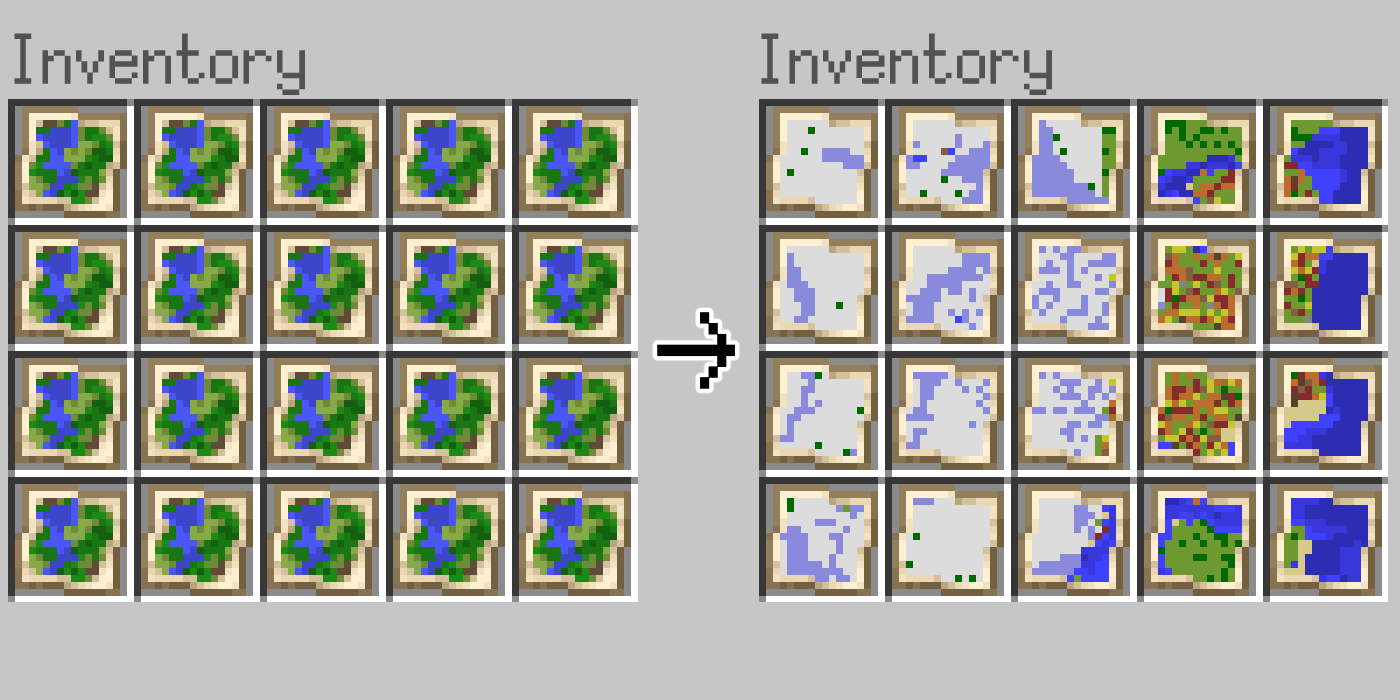 Banner image
 -
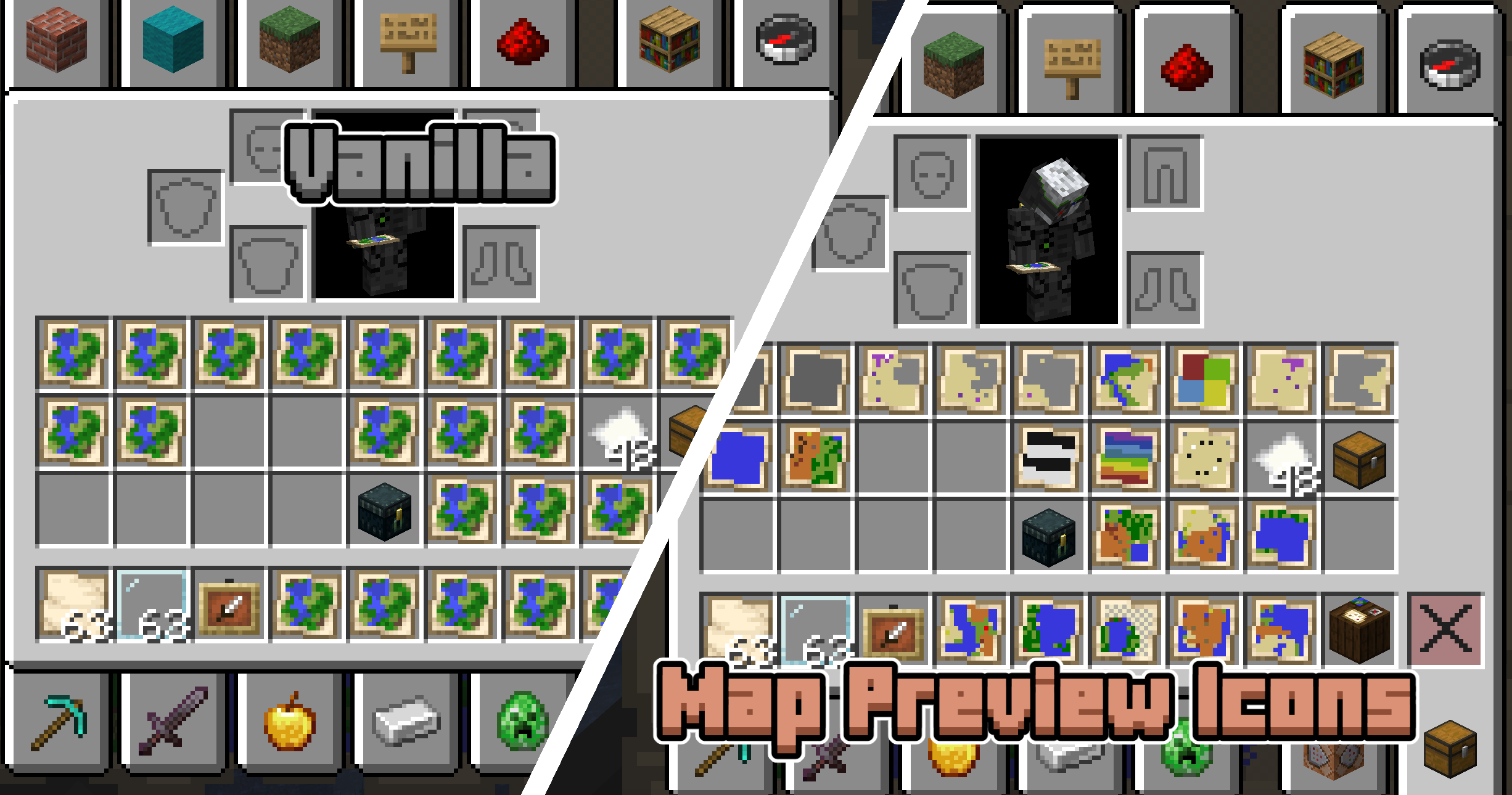 Comparison with pack off/on Left: all maps look the same. Right: each map shows a preview so you can tell them apart.
 -
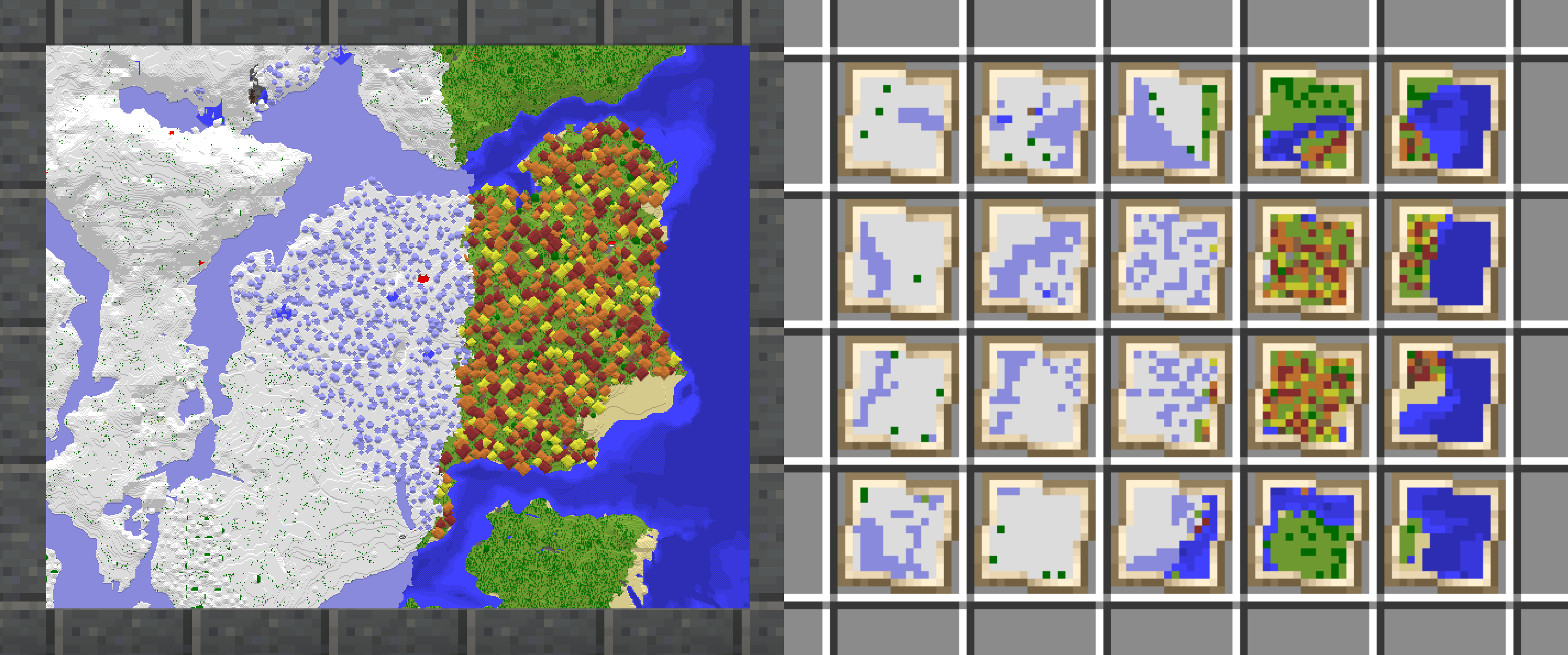 Comparison with real map Left: maps placed in item frames on a wall. Right: the same maps in the inventory.
Versions
Files
Relations
Project Relations
More like this
Similar Mods
Suggestions use data such as tags, dependencies, dependents, descriptions, titles, and more to rank how much they overlap with this mod.
On ModDex
Community snapshot
By the numbers
Statistics

Want to reach Minecraft players?
We're looking for a server hosting partner to feature here and other parts of the site. Interested? Send us a message!
Get in touchGet it on
Available Platforms
On ModDex
Community snapshot
By the numbers
Statistics
Resources